
SciSpace Pricing 2026: Plans, Credits and Costs

Nov 18, 202614 min read
According to Toolgpa, SciSpace has four plans.
Basic is free, and the paid ones run $20, $90 and $200 a month, or $12, $70 and $160 a month if you pay annually, so anyone budgeting for a year, whether for a research group or for a team that strings its tools together with something like Activepieces, pays less per month.
The cheaper annual rate is a commitment, not a discount you can take back. Annual billing makes sense only if you'll read or screen papers every week for the full year.

The plan table
The Agent is SciSpace's task runner for long literature-screening jobs: you give it a question and a batch of papers, it works through them and reports back. It is the only feature that spends credits. A credit is a unit of Agent work.
I couldn't confirm a per-task rate, so treat a short job as cheap and a screen of hundreds of papers as expensive. Ordinary reading and Q&A on a paper doesn't spend credits.
Parallel tasks are how many Agent jobs can run at once. SciSpace caps them at 4, 8 or 16 depending on plan, and anything past the cap waits in a queue.
You're comparing prices without knowing how much work each one buys. The table shows every plan's price both ways, with the monthly credits from SciSpace's credits guide. The guide gives the three parallel-task caps but not which plan gets which, so I haven't matched them.
| Plan | Monthly price | Annual price (per month) | Credits | Parallel tasks |
|---|---|---|---|---|
| Basic | $0 | none | 100 | not matched to plan |
| Premium | $20 | $12 | 1,200 | not matched to plan |
| Advanced | $90 | $70 | Unlimited | not matched to plan |
| Max | $200 | $160 | Unlimited | not matched to plan |
The parallel-task gap matters. Without knowing your plan's cap, the only way to learn whether Premium is enough is to hit the ceiling yourself, and you may find it after paying for a year.
You can try the interface on the free plan, but 100 credits a month won't carry a weekly routine of long Agent jobs, so you can't plan around it. Use Basic for a week of real work before paying.
How monthly and annual billing differ
Per the pricing guide, the annual route saves money on every paid plan, but you pay for months you may not use. The higher the tier, the more you lose if your reading drops off in month five.
| Plan | 12 months, monthly billing | 12 months, annual billing | Annual saves |
|---|---|---|---|
| Premium | $240 | $144 | $96 |
| Advanced | $1,080 | $840 | $240 |
| Max | $2,400 | $1,920 | $480 |
SciSpace plan costs by usage
For most readers the answer is Basic for a student, Premium for a 100-paper review, and Advanced only once a lab's combined work outgrows Premium's allowance.
| Reader | Plan that is enough | Agent credits per month | Point where the next plan pays off |
|---|---|---|---|
| Student, 10-20 papers a month | Basic | 100 | When you run out before month end twice in a row |
| Researcher, 100-paper review | Premium | 1,200 | When a second review overlaps the first |
| Three-person lab | Premium each, or Advanced | 1,200 each, or 10,000 | When one person's work regularly exhausts a single Premium allowance |
If 10 to 20 papers a month is steady reading and not a deadline sprint, you'll rarely feel the ceiling, because Basic gives you 100 credits per month, which is enough for light, occasional use.
If you hit it twice in a row, the step up is Premium, which has twelve times Basic's allowance.
Basic would run dry in the first week of a hundred-paper review. That is a burst of work, not a steady habit, and it favors Premium at 1,200 credits per month.
Three-person lab or team
While the work is spread evenly, three people each on Premium get 1,200 credits apiece, and that stays sensible.
If one person does most of the screening,, and that's where the upgrade starts to pay.
, so a lab that hasn't already outgrown Advanced has no reason to look at it.
If you are running this arithmetic for your own team, see what the same workload costs on Activepieces.
Hidden costs and limits SciSpace users hit
Credits aren't the only ceiling on a SciSpace plan: several limits sit outside the headline price, and a heavy user meets them before the credit allowance runs out. Five of them decide what you actually pay:
- Only the Agent spends credits, so the allowance disappears faster the more you lean on it.
- "Unlimited" features carry fair-usage limits, so a heavy week can still get throttled.
- Parallel tasks are capped at 4, 8 or 16 depending on plan, so a lab screening a big batch queues the rest.
- The annual discount applies only to annual billing, so the lower monthly figure means paying a year up front.
- A reference manager is still needed, so budget for that second tool.

SciSpace AI credit and upload caps
If you mostly read and ask questions of papers, the Agent's credit drain barely touches you. If you hand the Agent long jobs, plan on running dry mid-month.
On the smallest cap, a literature screen of a few hundred papers takes longer, because the parallel-task cap sets how many papers move through at once.
"Unlimited" is a label, not a promise. The fair-usage limits mean a feature that looks open on a lower plan can slow or stop under sustained use.
One side job doesn't need SciSpace's credits at all: getting new papers or literature alerts pushed into a spreadsheet or Slack on a schedule.
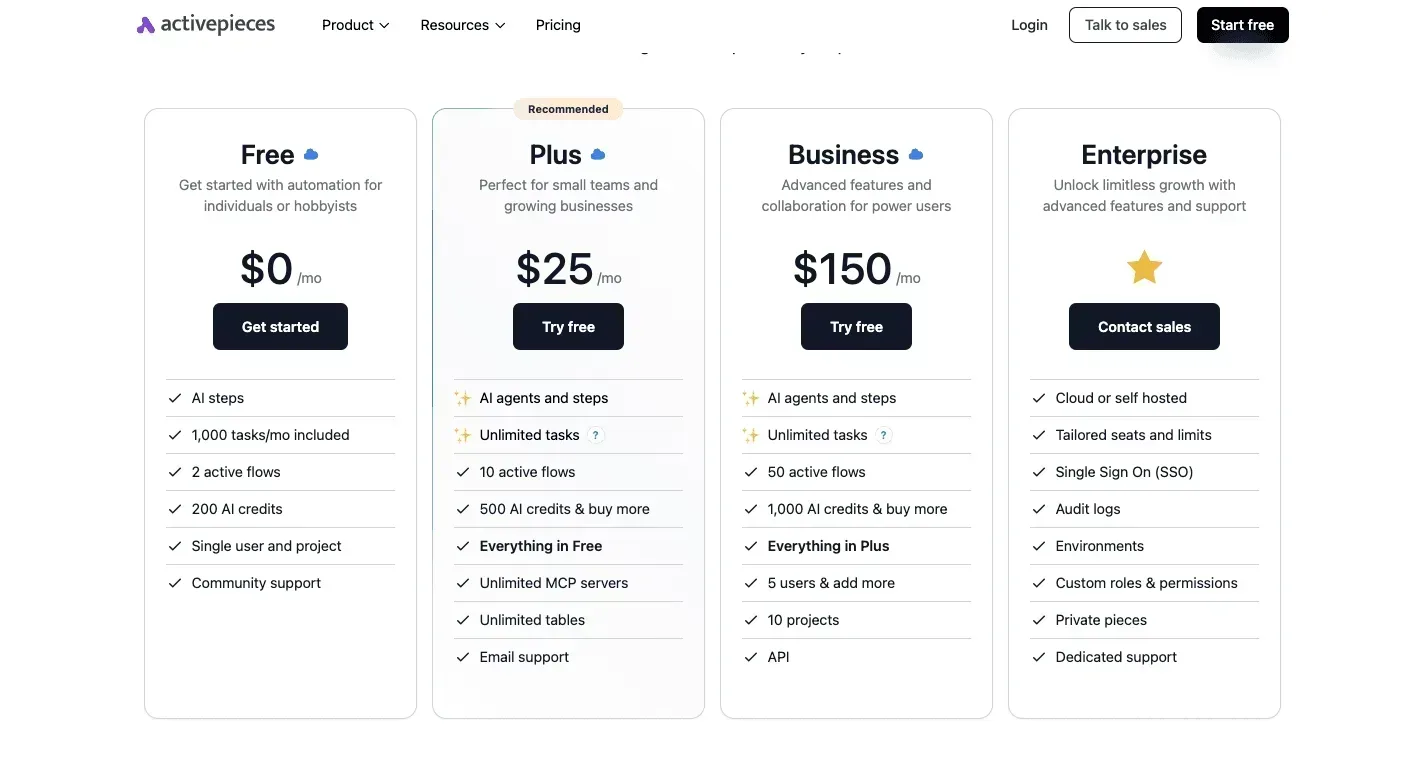
Activepieces can run that workflow, and its free plan comes with 1,000 credits a month and unlimited flows, with a run costing 1 credit however many steps it has. It sits beside SciSpace rather than in place of it.

Renewal, refund and team-seat terms
Read the annual-only discount twice. You save on the monthly rate, but you commit a full year, and if your reading drops off after one project you didn't use those remaining months.
Before entering a card, read SciSpace's renewal and refund wording, since I haven't confirmed the specifics here. For a group, work out the cost per person, not per account.
The real price is the plan, plus a reference manager, plus the year you commit to.
SciSpace vs. alternatives on price and limits
On price, SciSpace starts level with its rivals. SciSpace Premium costs $20 a month, so the entry price won't decide anything.
The real price is the plan, plus a reference manager, plus the year you commit to.
The choice comes down to what each tool does with your reading. The table shows the entry prices I could confirm, with each tool's focus beside them.
| Tool | Monthly price | Focus |
|---|---|---|
| SciSpace Premium | $20 | Chatting with PDFs |
| Elicit Plus | $19 | Searching for evidence |
| Consensus Pro | Not confirmed here | Searching for evidence |
| ChatGPT Plus | $20 | General assistant |
A one-dollar gap is noise. Annual rates and usage caps are where these plans actually diverge, so read each maker's pricing page for those before you commit.
Elicit pricing and limits compared with SciSpace
Cheapest of the four, but only by a dollar, is Elicit Plus at $19 a month, or $12 over a year. It's built for finding and screening papers on a question rather than for reading one paper closely.
If your week is "what does the literature say about X," it fits better than SciSpace. If your week is "explain this PDF to me," it doesn't.
Consensus pricing as a SciSpace alternative
You won't find a Consensus Pro price quoted here, because I couldn't confirm one from a maker's page.
What matters is the job: like Elicit, Consensus is an evidence search, so it answers "what do studies conclude" instead of walking you through a document you already have.
ChatGPT Plus as a SciSpace alternative
The money is the same as SciSpace: ChatGPT Plus is also $20 a month, and it does far more than papers: drafting, coding, everyday questions, which means a buyer at $20 is choosing between specialization and breadth.
viz type=stackrank title="Entry-level monthly price of AI tools a researcher might buy" unit="$ per month" source="Notebookcheck - https://www.notebookcheck.net/ChatGPT-vs-Gemini-vs-Claude-What-AI-subscriptions-cost-now.1439605.0.html" target="20" benchmark="Typical $20 tier"9.99 and Elicit Plus The catch is that it isn't built around citations and literature.
If research is one chore among many, it covers more ground for the same money. If you read papers weekly, SciSpace's narrower tools are what the $20 buys.
Worth checking against a plan that does not meter every step: one credit covers a whole run on Activepieces.
The case against SciSpace's paid plan
The best argument against buying is that free tools and an assistant you already pay for cover most paper reading. For anyone who reads less than weekly, that argument wins.
Why free SciSpace tiers may be enough
Free tiers, including SciSpace's own, will summarize a paper, answer a question about a section, and explain a dense paragraph in plain words.
If you already subscribe to a general assistant, it does much the same work at a similar monthly price, and it also drafts your emails and fixes your spreadsheet.
Then there's the checking problem. An AI summary can misstate what a paper found, flip a caveat, or attach a conclusion to the wrong experiment.
So you open the paper anyway. If you have to verify every summary, the skeptic asks, what exactly did you pay for?
If you open a paper now and then, to understand one result or prepare for a meeting, the free tier and your existing assistant are enough.
The checking point also stands in full: no plan removes the need to read the passage a claim rests on. Anyone buying SciSpace expecting to skip that step is buying the wrong thing.
Where free SciSpace plans fall short
One paper at a time is how the objection prices things. A weekly reader isn't reading one paper. They're screening many, comparing findings across them, and pulling out the same details again and again.
That's where free tiers hit their caps and a general assistant becomes a chat window with no memory of your reading list.
When the tool points you to the passage it drew from, checking also costs less. You verify a claim in seconds instead of hunting for it.
The paid plan earns its price by making the checking you were always going to do cheaper, and only readers who do it every week do enough of it to notice.
Steps before paying for SciSpace
Run your actual week of papers through the free Basic plan first, because that tells you whether you do enough checking for the paid plan to make it cheaper.
- Run a normal week of papers on free Basic: the ones you'd read, skim or screen anyway.
- Keep a tally of every time you hit a credit cap or get told to wait. Each hit is a place where the free plan failed you, and it's the only honest evidence for upgrading.
- If you decide to pay, choose monthly before annual. Annual billing locks in money for a tool you have used for days, not seasons.
- Set a calendar reminder for a few days before the renewal date. Renewals are where forgotten subscriptions keep charging.
- Re-check SciSpace's pricing page at scispace.com on the day you buy. Plans, limits and prices change, and what you read in an article may be out of date.
If the tally comes back nearly empty, stay on free.
When to move up a plan
One bad week, such as a grant deadline or a review you were handed late, isn't a pattern. Move up when the tally shows the same wall, week after week, at a point where you stop working.
Count the second tool too. If you'd still keep another reference manager or a general chatbot open, the paid plan hasn't replaced anything. It has been added on top, and you should price it that way.
What Activepieces does about this
The cost this article keeps returning to is the second tool. Some of that spend is chores SciSpace's credits shouldn't pay for, like finding out a new paper exists, logging it, and telling the lab.
Activepieces is the automation tool we build, and it takes that work off the plan.
A flow can watch a feed or a search alert on a schedule, add each new paper to a spreadsheet, and post it to Slack, so the Agent's credits go to reading and screening.
The pricing is easy to check against SciSpace's. The free plan has 1,000 credits a month and unlimited flows, and a run costs 1 credit however many steps it has.
A weekly paper digest is a few credits a month, so the second tool adds almost nothing to your 12-month total.
The same flow can serve the free-week test from the steps above. Have it log each paper you run through Basic, then add your own note whenever you hit a cap.
That gives you a dated record of where the free plan failed, which is better evidence for Premium than memory. Activepieces is open source under the MIT licence, so a lab that wants the flows on its own server can run them there.
It doesn't replace SciSpace or a reference manager, and I'd start on the free plan before paying for anything.
Frequently asked questions
Is SciSpace free to use? Yes, you can start without paying, and you should, because a free trial of your own reading habits costs nothing and a wrong annual purchase does.
If you never hit a limit during a few weeks of real work on the free version, you have your answer. The current limits are listed on scispace.com.
Does SciSpace offer a student discount? I couldn't confirm one, so don't build it into your budget.
If a discount exists, it'll be on SciSpace's own pricing page, and it's worth checking there before you enter a card.
Can I cancel SciSpace and get a refund?
You can plan on cancelling, but don't assume you'll get money back. With annual billing this matters most, because one click commits you for a full year of use you may not need.
Read the refund and cancellation terms before you pay, and if they're unclear, choose the monthly option and accept the higher sticker price as the cost of an exit.
Does SciSpace have an API or team plan?
Unless its pricing page says otherwise, treat SciSpace as a tool for one person.
If you're buying for a small group, check whether team or API access is listed before you count seats. Without it, you'd be buying individual plans and paying the individual price several times over.
How often does SciSpace change its prices?
I have no change history to point to, and that's the point: software subscriptions of this kind change plan names, limits and prices without much warning.
Confirm the price on the day you buy, not from an article, this one included. Screenshot the plan page, and note the billing date so a change at renewal doesn't catch you out.

Related reading
References
Running the numbers
See what the same workload costs here.
Free forever plan, and every paid plan self-hosts at no extra cost.
See pricing Talk to sales