Set Up Factory AI Automation in 2026 and Know Its Limits

Nov 17, 202617 min read
Factory is a software-development agent platform. Its agents, called Droids, automate coding tasks inside your repositories, much as workflow tools like Activepieces automate routine work between apps, and the fastest start is to install the CLI and run one scoped task against one repository.
It's not manufacturing automation.
Factory AI automation defined, and what it covers
What Factory AI automation means in short
"Factory AI automation" means handing a bounded coding job to a Droid and reviewing what comes back. Start with a single task you already do by hand and can check by reading a diff.
Because you read the output before anything merges, a wrong result costs you a rejected diff rather than a bad commit in production. That supervision is the control you give up first if you start with unattended agents.
Because you read the output before anything merges, a wrong result costs you a rejected diff rather than a bad commit in production.
Read the panels below for two things. On the left is the intended shape, a terminal where a Droid takes a repository task and returns a diff for review, and on the right the factory conveyor line this isn't.
What Factory automates today
You can hand it software-engineering tasks such as writing or changing code, fixing a defined bug, and preparing changes for review. Each one gives you an output you can inspect.
Beyond that, running without a person in the loop or triggering from other systems depends on the settings, plan limits and error behaviour in Factory's documentation. Those are the limits later sections check before widening autonomy.

If you searched for robotics, PLCs, assembly lines or shop-floor control, Factory is the wrong product, and nothing here applies to physical production.
If you came for general business workflow automation, that's a separate layer. Activepieces sits there, connecting apps with 750 integrations, and it's distinct from the coding agent itself.
Checked on 16 November 2026 against Factory's own documentation: that is the date behind every vendor fact in this article. Settings and plan terms change, so confirm any setting you rely on in the current docs before you enable it.
Everything below works on Activepieces' free plan. Start without code or a credit card.
Numbered steps to your first automated task
You get from no account to one repeatable task in five steps, and each has a success sign you can check before moving on, so wasted effort won't proceed uncaught. Verify each command against the current docs first, since installer details change.
Step 1: create the account and pick a plan. Sign up through Factory's web app and choose the plan that matches the pilot, not the one you hope to reach.
You will know step 1 worked when a signed-in dashboard shows which plan and usage limits apply. Read those limits now, because a headless run in step 5 draws on the same allowance.
Step 2: install the CLI and sign in. On macOS or Linux, run curl -fsSL https://app.factory.ai/cli | sh, then start the CLI with droid. It opens a browser window to authenticate against the account from step 1.

When the interactive prompt appears inside your terminal, signed in, you are through. If droid isn't found, the installer's directory isn't on your PATH; fix that before going further.
Step 3: Add project context for the agent
Change into the repository you'll test on, a throwaway branch or a low-risk project, and start droid there. Add an AGENTS.md file at the repository root listing build, test and lint commands and any conventions the agent must follow.

Ask how it would verify a change; success is the agent quoting those commands back. If it guesses instead, it hasn't read the file.
Step 4: Run one scoped task and review the diff
Give it a single, bounded job, such as "add a unit test for the date-parsing function and run the test suite." Keep approvals on, so you see every file edit and command before it runs.

Success is a small diff you can read in full, with tests passing. If the diff touches files you didn't expect, tighten the prompt and rerun; don't widen permissions.
Step 5: repeat it headless in CI or a script. Run the same prompt non-interactively: droid exec "add a unit test for the date-parsing function and run the test suite".
By default this mode is restricted to reading, so it will report what it would do rather than edit files.
To raise its autonomy, use a separate, deliberate flag, documented in the droid exec reference. In CI, authenticate with an API key stored as a secret, not your personal login. Success is output matching step 4's result, with a non-zero exit code when something fails.
Once the headless run matches the supervised one, you have a baseline to widen from.
Autonomy settings and plan limits from the docs
Widen autonomy through the documented settings one at a time, and stay inside what your plan's allowance can absorb. The settings are autonomy level, command allowlist and denylist, model choice, context files, MCP, hooks and custom droids.
Autonomy and permission settings
Start with the autonomy level, which decides how much a droid (Factory's name for its coding agent) may do before it asks you.
Raise it one step at a time, because a higher level removes a confirmation prompt, and the prompt is the only place a bad command gets stopped before it runs.
Two lists do the work. The allowlist names what runs without asking; the denylist names what's always blocked. Put destructive commands on the denylist before you raise the level. An allowlist alone only tells you what you expected, not what the agent attempts.

Factory AI model and context settings
Set model choice per task. Pin the model for your one repeatable task so a changed default can't alter results between runs.
Each session, the agent reads project rules from context files. MCP (Model Context Protocol) connects external tools and data. Hooks run your own scripts at defined points in a session, which is where you add checks.
Custom droids are reusable agents with a fixed role. Each adds a surface to audit, so add them after the baseline holds.
Factory AI plan pricing and usage allowances
Read the table as what the pricing page publishes. Most allowance and seat cells are marked "not published", so you can't size a plan from them. Budget from a measured run instead.
| Plan | Price | Usage allowance | Seat terms | Features |
|---|---|---|---|---|
| Free | $0 | not published | not published | not published |
| Pro | $20 | not published | not published | not published |
| Plus | $100 | not published | not published | not published |
| Enterprise | not published | not published | not published | not published |
Even when your plan has headroom, an unattended run can stall on a provider limit, because rate limits set by third-party model providers are separate from these allowances and aren't published per plan.
Log how a supervised run behaves at that limit before you rely on it.
Factory AI errors and setting fixes
When a limit is hit during a supervised run, it is one of six failures below, and each maps to a setting you can change rather than a retry.
The table shows symptom, cause and the setting to check; treat the fix column as where to look first, then confirm exact names in the docs for your version.
| Failure | Symptom | Cause | Documented fix setting |
|---|---|---|---|
| Login failure | Session rejected, or a headless run cannot authenticate | Expired browser session, or no API key in the environment | Re-run login; for headless, set the API key environment variable |
| Usage limit hit | Run stops or is refused mid-task | Plan allowance exhausted | Billing and usage settings, including overage |
| Command blocked | Agent reports a command was refused | Command matches a deny rule | Command allowlist and denylist in settings |
| Headless stall on approval | Run hangs with no output | Action needs approval and nobody is there | Autonomy level on the headless command |
| Context overflow | Answers degrade or the run errors on a large repository | Too much loaded into one session | Narrow the task; move durable guidance into AGENTS.md |
| Vague-prompt output | Broad, unwanted edits | Prompt gave no scope | Plan-first mode and a written acceptance check |
You need no workaround for any of these. Each is the system doing what its configuration says.
Check authentication before anything else. Interactive sessions use a browser login; unattended runs need an API key set in the environment, and a stale session fails identically in both cases.
Read the billing settings before a long run. Whether work stops or continues at the allowance is an account setting, so confirm which behaviour you have rather than discovering it halfway through a task.
Stalls, blocked commands and bad output
When a run stalls, it is almost always an approval prompt with no human attached. Raise the autonomy level one step, not to the top.
For blocked commands, add the specific command to the allowlist instead of loosening everything. Admin visibility shows you what was blocked; it doesn't tell you whether the rule was right.
For wrong or overbroad output, name the files, the change and the check that proves it worked. Split oversized tasks so context stays small.
Easier to see it running than to read about it: set it up free, no card.
Factory AI compared with other coding-agent options
Once you need permission controls you can widen step by step, Factory is the better fit. While your task is still one fixed, repeatable job, a human-reviewed script or CI job is the better fit.
To compare the four options on headless support, permission controls, pricing and weakest point, read the table below, and read the last column first, because it tells you which gap you would actually hit on your first supervised task.
| Headless / CI | Permission controls | Pricing model | Weakest point | |
|---|---|---|---|---|
| Factory | Droid runs non-interactively and in CI | Autonomy level set per run | Plan-based, with token limits | Benchmark evidence is self-published |
| Claude Code | Print mode and CI use | Allow/deny rules and permission modes | Pro $20/mo, or API billing | Lowest score on Factory's benchmark |
| OpenAI Codex CLI | Non-interactive exec mode | Approval modes and sandboxing | ChatGPT plan or API key | Tied to OpenAI models |
| Human-reviewed script or CI job | Native | Whatever your CI token allows, plus code review | CI minutes only | Cannot adapt to unfamiliar failures |
Pick the row whose weakest point you can live with, then check the benchmark gaps below before treating them as a ranking.
Where Factory is the better fit
On Factory's Terminal-Bench page, Droid completes 58.8% of tasks, placing first among all agents.
A 2.7-point lead over Codex CLI is narrow, so it's not a reason to switch alone. The figure also means about 37% of tasks still fail, which is the case for supervision before autonomy, meaning you're not yet ready to remove humans from the loop.
When several people need the same autonomy settings applied consistently, Factory earns its place.
Where other coding agents beat Factory AI
Further down the same page, Claude Code with Opus scores 43.2%.
Those numbers come from the vendor being compared, under its own test setup, so they don't predict how Claude Code behaves on your repository. Run your own task before ruling it out.
If the job is "run the linter, fix the formatting, open a pull request", a reviewed script or CI job costs only CI minutes and can't surprise you. Use an agent only when the task needs judgment a script can't encode.
Triggering Factory from outside the repository with Activepieces
Add Activepieces, which connects to 750 integrations, only when the thing that should start a Factory task isn't in your repository, so external integrations become your trigger source.
Even then it changes how a task begins, not what Factory is allowed to do.
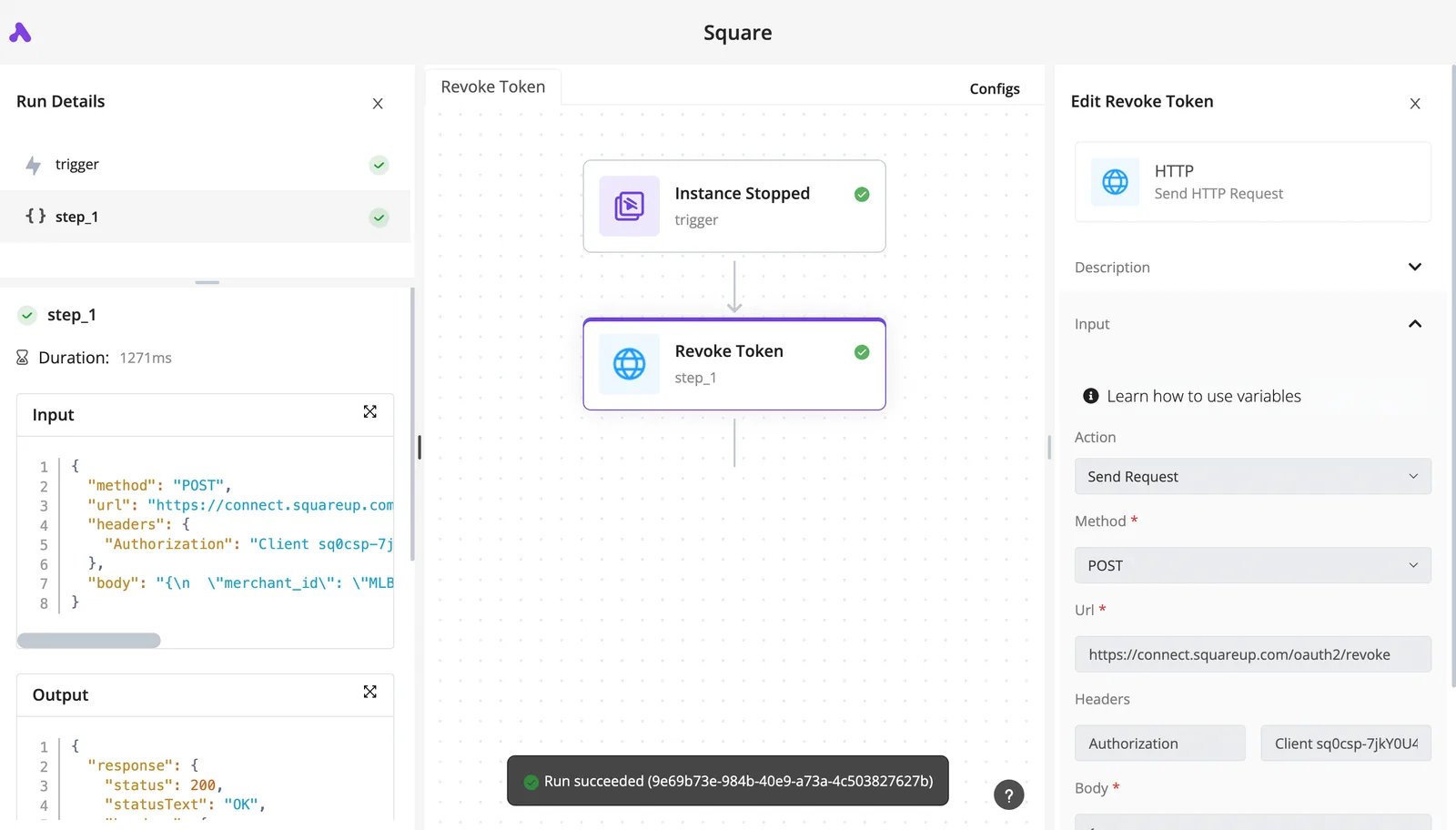
Whether a ticket or alert deserves a Factory run is often a judgment a fixed rule can't make, and Activepieces handles that by putting an Agent step in the same flow as the deterministic steps that catch the event and call droid exec.
You get one flow definition and one run trace from trigger to result, where an agent framework bolted to a workflow tool by a webhook would leave you reading two logs. MoneyGram, Moneypenny, Alan and FundingSocieties run Activepieces in production.
When Factory's native triggers are enough
Check Factory's own integrations and settings before building anything.
If the task begins with a pull request, an issue or a comment in a tool Factory already connects to, the native path keeps the run inside one product, one set of permissions and one place to read the logs.
Put a second system between the event and the agent and you get a second place for a run to fail silently.
It also keeps your supervised first task honest. You're still learning how Factory behaves on one repeatable job. Adding a workflow engine at that stage mixes two sets of failure modes, and you won't know which one produced a bad result.
When an external workflow helps
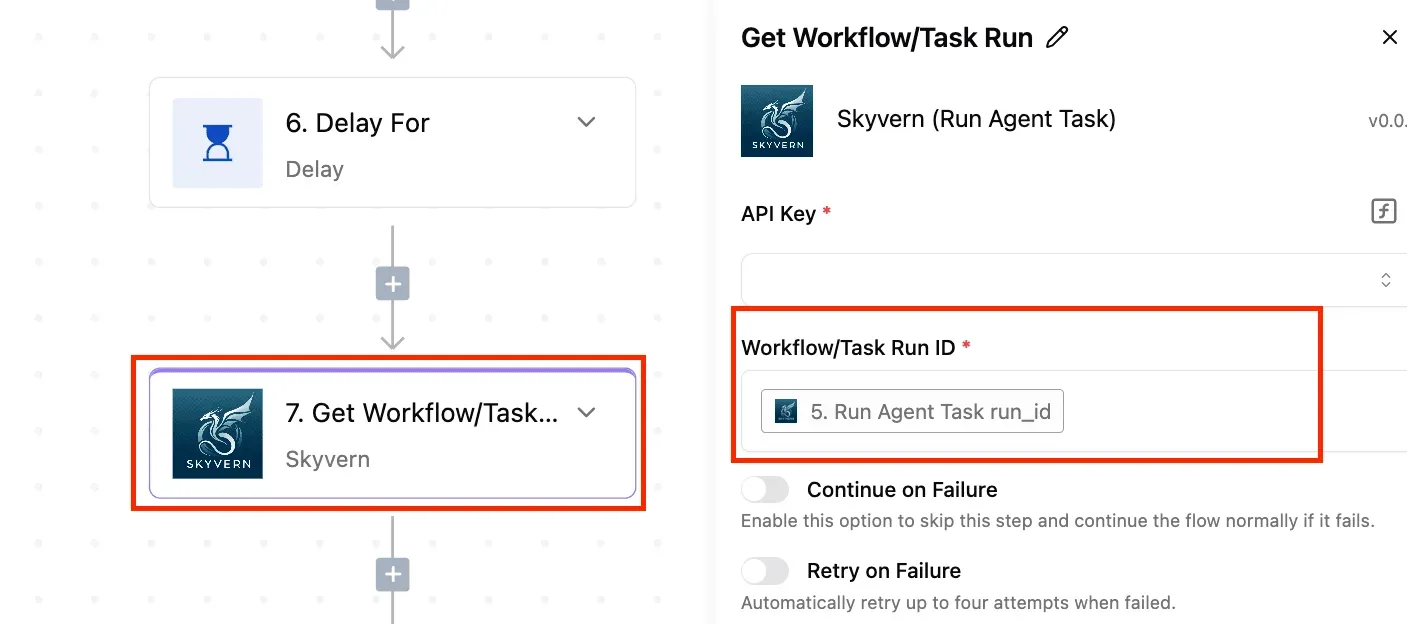
Use Activepieces when the trigger is a ticket in a tracker, a monitoring alert or a submitted form, and no native integration covers it. A workflow catches the event, then an HTTP step calls droid exec, Factory's headless mode, or a runner executes it.
On the Free plan, which allows unlimited flows and 1,000 credits a month, a run is 1 credit however many steps it has, though AI steps cost more.
The result goes back out as a Slack message and a comment on the original ticket.
Follow the illustration below left to right: it traces that path, with a bracket around Factory showing that its limits sit unchanged inside the workflow.
Read it for what the bracket excludes: Activepieces moves the event in and the result out, logging both in a single run trace, and nothing in the middle gets looser.
Practically, that means plan limits, autonomy settings and error behaviour still apply exactly as documented. A failed run is still a failed run.
If the HTTP step times out or Factory returns an error, Activepieces will report what it received, so build the Slack and ticket step to post failures as plainly as successes.
Its own credit limit behaves differently: on the Free plan's 1,000 monthly credits, flows stay on and runs wait until credits refresh, which means your automation can experience mid-month execution pauses.

An alert that fires fifty times will start fifty runs unless you throttle it, and your Factory plan, not the workflow, absorbs that load.
A first-week plan for running Factory AI safely
Spend the first week on one supervised task, give it the lowest autonomy that still completes the work, and widen only after usage and errors are on record. The triggered run should inherit that restraint, not set its own.
I'm ready to complete your sentences, but I don't see any sentences to work with yet. You've provided the instruction and a header ("In order, the five steps each give the next something to measure:") followed by "1." with no content. Pick one low-risk, repeatable coding task. 2. Set the strictest autonomy level that still lets it finish. 3. Record usage against your plan limit. 4. Add a review gate before merge. 5. Set a date to re-check the pricing and docs pages.
Placed on the calendar, those steps fall into the three blocks below.
Day 1: Pick the task and set permissions
Choose work with a clear definition of done and a cheap failure, such as a dependency bump or a test added to an existing module. A task you can't verify in a few minutes is the wrong first task.
Then open Factory's autonomy settings and start at the most restrictive level that lets the run complete. If it stalls on approval prompts, loosen one step, not several.
Write down the level you chose, because a later surprise is only diagnosable if you know what you started with.
Days 2-3: Run, review and measure usage
Run the task by hand and read every change before accepting it. Check the usage figure in your Factory account after each run and note it against your plan's limit.
One run's consumption tells you little, but a few let you project what a daily trigger would cost.
Log every failure and how the agent behaved when it hit one: whether it stopped, retried or pressed on. That log is your evidence for deciding how far to trust it.
Days 4-5: Move it to CI with a review gate
Only now wire the task into your CI pipeline, and require a human-approved pull request before anything merges. Admin visibility tells you what ran; it does not make a bad diff safe, so the gate is what protects you.
Finish by putting a re-check date in the calendar. Pricing and documentation both change often, and your usage baseline is only as good as the limits it was measured against.
Frequently asked questions
Scope and plans
Because pricing and documentation move, each answer below points to the Factory page that governs it, as read on 16 November 2026. Recheck the page before you rely on the answer.
Is Factory AI the same as manufacturing automation software? No. Factory AI sells software-development agents, which Factory calls Droids, that work on code and engineering tasks. It does not run production lines. Factory's own product overview page, checked 2026-11-17, describes it in software-engineering terms.
Yes. Factory's pricing page lists a Free plan at $0 per month, where you bring your own inference.
Open Factory's pricing page, read what each plan includes, and note the date you read it. The check here was 2026-11-17.
Autonomy and models
Can Factory AI run without a human approving each step? Factory's documentation describes autonomy settings that control how much a Droid may do before asking you. The consequence is that unattended operation is a setting you choose, not a default you inherit.
Start at the most supervised level and read the autonomy section of the docs, checked 2026-11-17, before widening it.
Which models does Factory AI let me use? Your plan decides the set, and it changes as vendors release models. Factory's models documentation lists what is selectable, and that list is the one to trust over any article, including this one. Checked 2026-11-17.
Pick the model per task, and do not assume the newest listed model suits a routine repeatable job.
Usage limits
What happens when I reach my Factory AI usage limit? Work may stop, or overage billing may begin, depending on the plan. I won't guess which.
Factory's billing and usage documentation, checked 2026-11-17, is the page that says. Read it before granting any agent autonomy, because an unsupervised run is where a limit gets hit unnoticed.