Zap vs Scenario vs Workflow: Choosing the Right Automation Format
When the token expires on the Saturday of a long weekend, nothing alerts anyone until the Monday invoice run. This happens because automation units are proprietary containers for API logic rather than standardized technical metrics.
A single "run" in one tool rarely equals the same computational weight in another.
While the industry lacks a universal vocabulary, these terms function as the primary billing and architectural units for Zapier, Make, and Activepieces, which provides 735 integrations, ensuring users have a vast ecosystem to connect their disparate software tools, meaning that developers can automate complex workflows across nearly any platform they currently employ.
They dictate how you'll visualize the flow of data between services.
Automation terminology differs by platform provider
The Zapier definition of a Zap
A Zap is a linear automation path that connects a single trigger to one or more subsequent actions. An example is a new lead in the HubSpot CRM triggering a follow-up.
Because Zapier prioritizes a top-down visual builder, the platform designs each Zap to be readable for non-developers.
You will often find yourself creating dozens of separate Zaps for a single business process. This fragmentation means a change to a foundational piece of data requires updating every individual Zap manually.
The Make definition of a Scenario
A Scenario maps data movement and allows for multi-directional routing through routers and filters. Unlike linear paths, a single Scenario can branch into multiple outcomes based on the data received.
Complex logic can be consolidated into one canvas using this architecture. It requires a deeper understanding of data mapping to prevent a single configuration error from breaking every branch in the web.
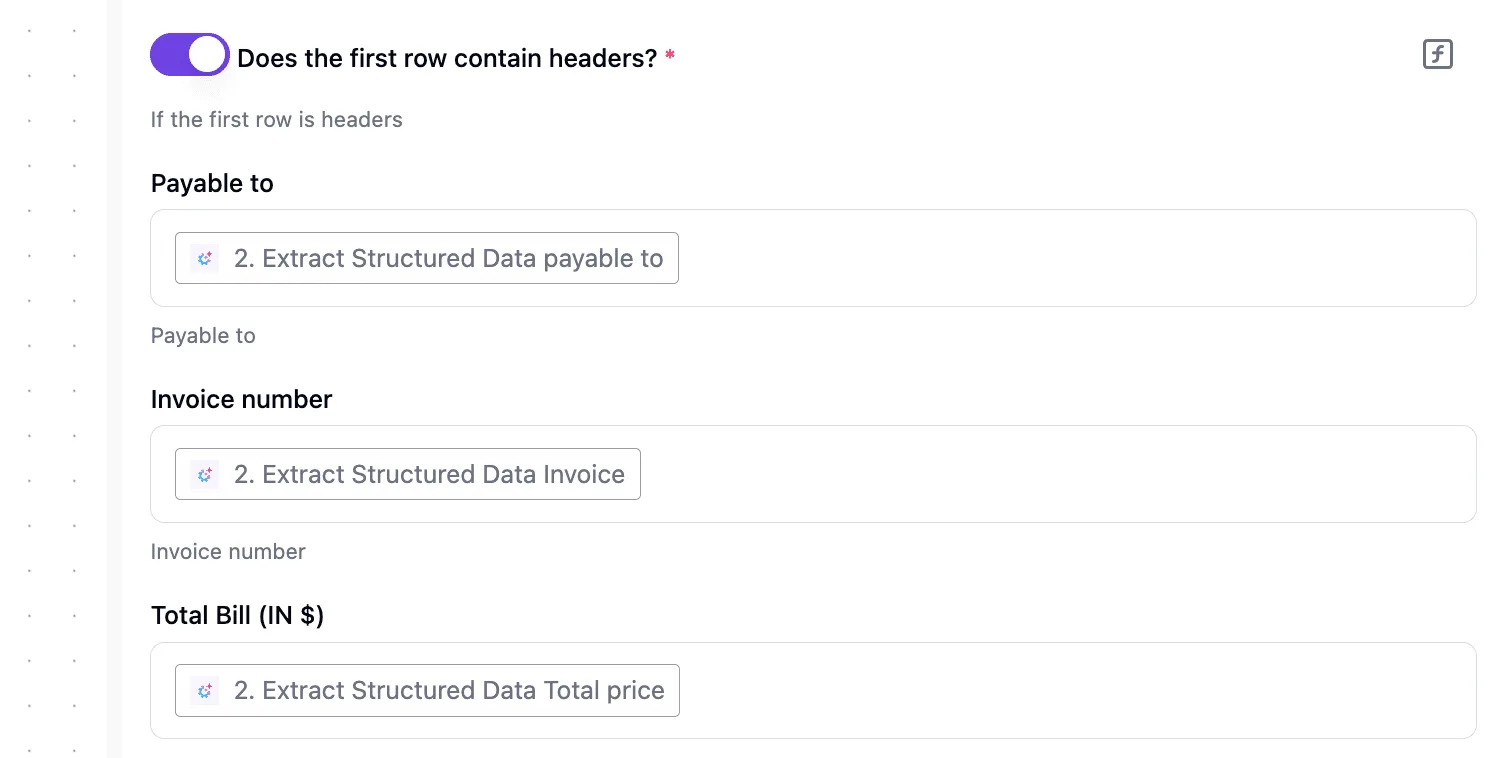
How to define a workflow
A Workflow is a sequence of steps that treats automation as a scalable piece of software logic. It's more than a simple link between two apps.
Technical characteristics of the workflow format
The workflow format is defined by state management and Directed Acyclic Graphs (DAGs) that ensure data moves reliably through complex dependencies.
Unlike simple triggers, workflows often incorporate code-like logic, such as try-catch blocks for error handling and persistent variables that maintain context across different execution stages.
This developer-centric approach is the foundation of tools like Pipedream and n8n, where the focus is on the programmatic control of data.
These platforms allow users to write custom JavaScript or Python snippets directly into the flow, bridging the gap between no-code convenience and full-scale software engineering.
By using a structure that supports loops and conditional branching within a unified view, a Workflow allows an ops manager to build end-to-end processes that remain legible as they grow.
The fastest way to settle a shortlist is to try one. Activepieces is free to try, no credit card.
Technical criteria for choosing an automation structure
Selecting an architecture depends on how the platform calculates the cost of a mistake and the depth of logic required to fix it. While a simple trigger-action sequence works for basic notifications, complex operations require a structural choice between linear simplicity and multi-dimensional branching.
Selecting an architecture depends on how the platform calculates the cost of a mistake and the depth of logic required to fix it.
| Dimension | Zapier | Make |
|---|---|---|
| Logic Complexity | Primarily linear with "Paths" for basic branching | Multi-directional branching with advanced routers |
| Data Handling | Simple mapping of predefined fields | Advanced manipulation via functions and arrays |
| Pricing Model | Per-task (each successful step costs) | Per-operation (every attempt at a step costs) |
| Hosting | Cloud-only (SaaS) | Cloud or On-premise (Enterprise) |
This comparison shows that the choice depends on how the platform's DNA aligns with your specific technical constraints.
Execution logic and branching depth
Zapier uses a top-down structure where data flows through a series of steps. This keeps simple automations readable for teams without a coding background.
However, adding conditional logic requires "Paths." These are limited in depth. If you're trying to build a complex decision tree, you'll eventually hit a wall where the logic can't be further nested.
A developer can map out every possible edge case in one view because Make utilizes a visual canvas where a "Router" allows a single trigger to branch into an unlimited number of parallel paths.
Pricing models and task-counting logic
You only pay when an action successfully completes, such as sending a message in the Slack communication tool, because Zapier charges based on "Tasks." This protects the budget from high-volume triggers that don't meet filter criteria.
Every time a module initializes, it consumes a credit regardless of whether the data passes a filter or the step succeeds. This is how Make charges for "Operations."
If you've got a noisy Webhook trigger that fires every second but only processes data once an hour, you'll find Make significantly more expensive. Every "check" is a billed event.
Activepieces solves this by moving the meter to the flow run itself. The published pricing page shows 1 credit per flow run regardless of the number of steps, which contrasts with Zapier’s per-task billing and Make’s per-module billing.
This ensures that a ten-step process costs the same to run as a two-step workaround, removing the tax on builders who break work into smaller, more reliable steps.
Zapier cloud hosting and HIPAA compliance issues
Zapier operates exclusively as a multi-tenant cloud service. All data passing through the automation must transit through their servers. This is a non-starter for organizations using the HIPAA-compliant version of the Google Workspace suite who require strict data residency.
The obvious answer for enterprise customers is a self-hosted "Private Instance," which Make offers. This allows a company to run the entire automation engine on their own infrastructure. Sensitive customer data never leaves their controlled network environment.

Ease of use for non-technical teams
The "Zap" builder looks like a fill-in-the-blank form. A marketing manager can connect the HubSpot CRM to an email tool without understanding JSON. Make’s interface uses a visual graph of nodes and lines to map the data flow.
You must understand technical concepts like "Arrays" and "Iterators" to manipulate data. A team without a dedicated developer will find Zapier easier to maintain. A team that needs to perform complex data transformations will find Make’s granular control necessary.
Zap vs Scenario vs Workflow performance comparison
Zapier: The high-cost path for simple triggers
Zapier uses a linear, top-down structure that prevents you from building circular loops or complex branching without opening multiple browser tabs.
This vertical stack ensures that a non-technical manager can read a sequence of events like a grocery list. It reduces the time spent training new staff on how to fix a broken lead-capture form.
A single execution with ten filtering steps consumes your monthly quota ten times faster than a single-step trigger because each step in the list is billed as a separate task.
Make: The complex path for visual data mapping
Make organizes automation into a "Scenario." This is a multi-directional web of nodes that facilitates sophisticated data routing within a single execution.
A single scenario can handle the logic that would require ten separate Zaps.
Handling complex Make scenario workflows
The sprawl shown in the center requires a deeper understanding of functions and operators. A small configuration error in one node can break every downstream path.
This density provides extreme granular control over how data is transformed. It also increases the "time-to-fix" because you must trace the visual path of a specific execution through a thicket of interconnected bubbles.

Scaling operations with structured automation
Activepieces structures its automation as a "Workflow" using an MIT-licensed core. It utilizes a flowchart-style interface that groups related logic into nested boxes to maintain order during high-growth periods.
This design allows an ops manager to collapse complex branches of logic. The primary view remains focused on the business outcome rather than the technical minutiae.
Alan runs Activepieces in production, which syncs these workflows to git and promotes them through Release Management, allowing teams to move logic from test to production with the same versioning and review standards used in software development.
As detailed in the Git Sync and Release Management documentation, this ensures that a flow is never just an unreviewed change in a private UI, but a deliberate deployment step.
Reading a table only gets you so far. Build the same workflow in Activepieces and compare it yourself.
Scaling operations with Activepieces Workflows
Activepieces positions its Workflows as a structural middle ground, combining the linear readability of a Zap with the branching logic of a Scenario while offering 735+ integrations to connect disparate business systems.
This architecture prevents the "success tax" where a high-performing automation becomes a liability on the monthly balance sheet.
Eliminating the per-task success tax
With its MIT-licensed core, Activepieces moves away from the industry-standard model of charging for every individual action by offering unlimited flows on every plan, including free. A high-volume loop that processes hundreds of items no longer triggers a sudden billing alert.
In traditional per-task models, a simple error in a filter can burn through a monthly quota in minutes.
By focusing on flow executions or self-hosted limits, the platform ensures that scaling a process from ten leads to ten thousand doesn't result in a linear increase in overhead.
Self-hosting for sensitive business data
The platform is available as a self-hosted version via Docker. This containerization tool allows an organization to keep its automation engine behind its own firewall.
This deployment method means that sensitive customer data never leaves the company's controlled environment. It satisfies compliance requirements that usually disqualify cloud-based tools.
Building readable logic for the whole team
The builder canvas uses a vertical, top-down structure that mirrors how a human explains a process. This makes it easier for a non-technical manager to audit a workflow without needing a developer to translate the code.
You can verify exactly why a specific ticket ended up in a specific channel without digging through nested menus because the "New Ticket Added" trigger and its sample data are visible alongside the routing logic.
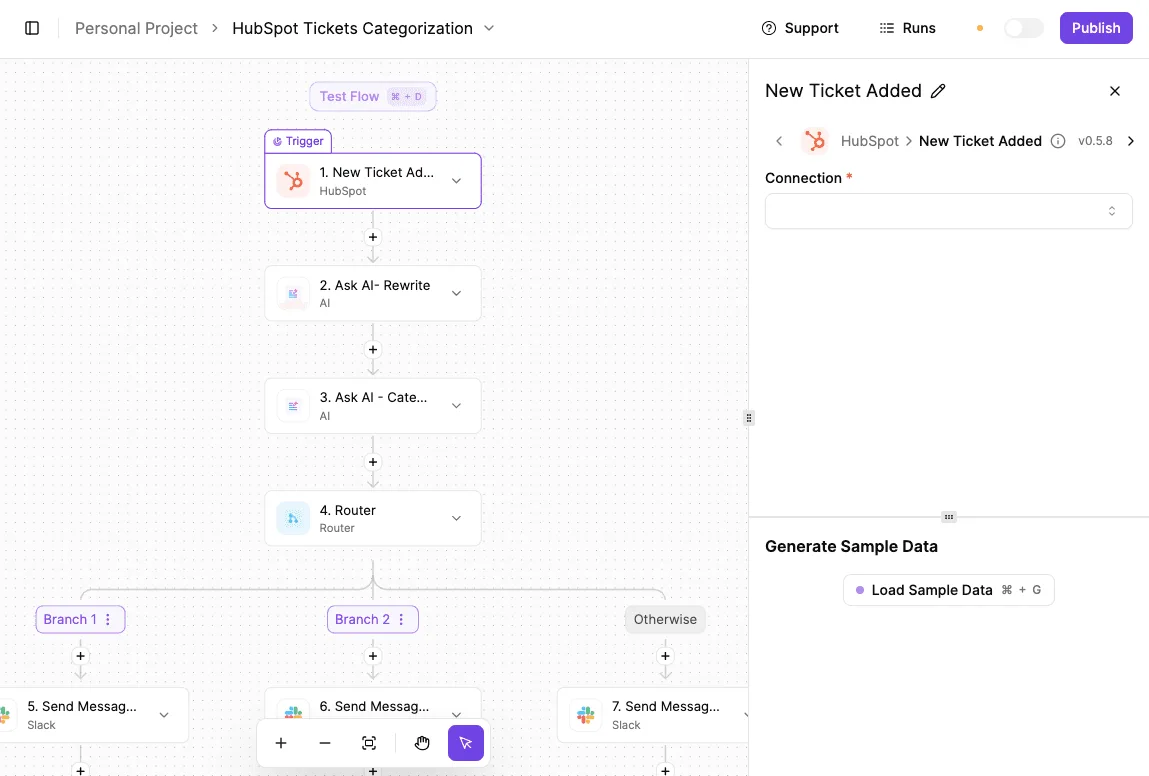
MoneyGram and FundingSocieties run Activepieces in production to manage these types of complex environments. This visibility ensures that when a ticket is misrouted, the fix is a matter of adjusting a visible branch rather than debugging a hidden script.
By decoupling cost from the complexity of the workflow, this platform ensures that scaling operations does not lead to exponential increases in overhead.
Activepieces is the better choice for high-volume users who prioritize predictable billing, as its per-flow model eliminates the financial penalties associated with multi-step automations.
While competitors charge for every individual task or module, this approach allows businesses to run sophisticated, multi-step processes without the burden of a success tax.
The Monday morning automation audit checklist
Operational efficiency depends on knowing exactly where your budget evaporates when a single logic error triggers an infinite execution loop.
In Zapier, a misconfigured filter in a high-volume lead generator can burn through an entire monthly quota in minutes. Your critical sales notifications stop firing until you pay for a mid-cycle upgrade.
Operational efficiency depends on knowing exactly where your budget evaporates when a single logic error triggers an infinite execution loop.
Every step in a scenario counts in Make, including those that result in a "false" filter. A complex branching tree that runs every minute will consume your balance even when no data is actually being moved.
How to audit your Zapier task usage
To determine if your current unit-based costs are scaling faster than your business value, perform this review:
- Export last month's task usage by Zap to see which specific automations are responsible for the largest portion of your invoice.
- Identify 'Loop' or 'Multi-step' Zaps exceeding 500 tasks, as these are the primary candidates for logic-based refactoring to avoid per-step charges.
- Compare the cost of those tasks against a flat-rate execution to calculate the potential savings of moving high-volume logic to a platform that doesn't penalize complexity.
The "complexity tax" hidden in your recurring billing is revealed by this audit.
Frequently asked questions about automation types
Can i convert a Zap directly into a Scenario?
No native tool exists to migrate a Zapier Zap into a Make Scenario. The two platforms use fundamentally different data mapping structures.
While Zapier relies on a linear, step-by-step trigger and action model, Make utilizes a visual canvas where data is passed through "bundles" between modules.
This incompatibility means an operations manager must manually rebuild the logic from scratch. This often reveals that a simple Zap requires multiple filters and routers in Make to achieve the same outcome.
Does a Workflow cost more if it has more steps?
The number of steps in a Zap doesn't increase the cost per execution in Zapier.
In Make, every operation performed by a module consumes a task from your monthly quota. A Zapier user on a Professional plan pays the same for a two-step automation as a ten-step one.
Complexity is effectively subsidized. In Make, a Scenario that processes a single record through five different modules will count as five operations. A poorly optimized workflow can exhaust a monthly budget significantly faster than a consolidated one.
Which format is best for handling large CSV files?
Make Scenarios are generally more efficient for large datasets. They utilize "iterators" and "aggregators" to process rows individually without timing out.
Zapier often hits memory limits or execution timeouts when a file contains thousands of rows, so users must break large datasets into smaller batches to ensure successful processing.
Because Make handles data in discrete bundles, it can cycle through massive spreadsheets row-by-row to ensure the automation finishes the job rather than crashing halfway through a sync.
Is a Scenario more secure than a Zap?
Security is a function of the specific plan tier rather than the format itself. Make offers more granular control over data logging. Zapier provides "Data Retention" settings that allow you to hide sensitive input and output values from the task history.
PII is prevented from being visible to anyone with dashboard access by these settings.
Make allows you to disable data storage for specific Scenarios entirely. Sensitive credentials or customer details never touch their permanent logs, reducing the blast radius if a team member's account is compromised.
Still comparing
The fastest way to settle it is to build something.
Open source under MIT, so you can self-host the same thing later.
Start free Talk to sales