
Backblaze Pricing 2026 – Which Plan Fits You?

Nov 2, 202611 min read
Pick the plan by what you're protecting.
Computer Backup is for one machine, Business Backup for several machines under one admin, and B2 Cloud Storage for storing data rather than backing up computers, whether that data feeds a pipeline built in Activepieces or just sits in an archive.
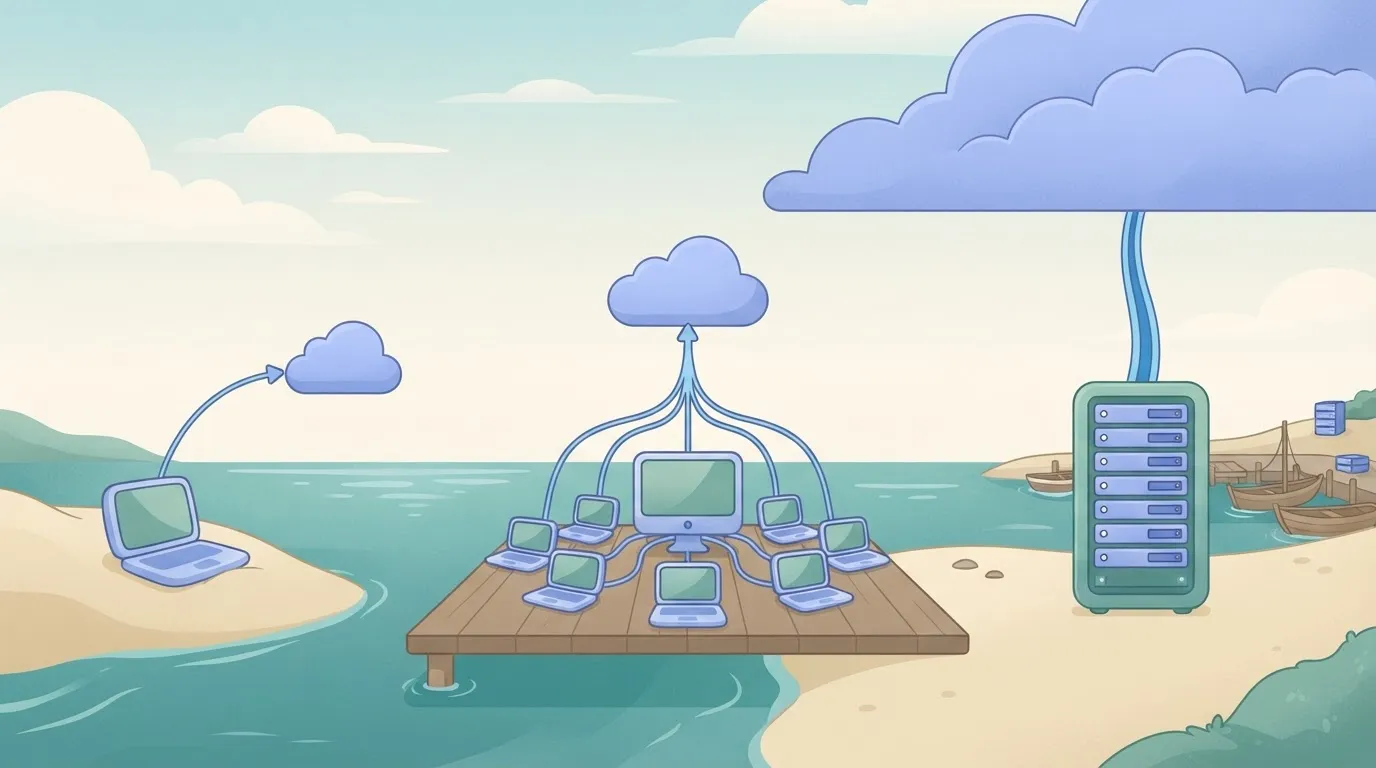
Heavy downloading is where the cheap plan stops being cheap.
Backblaze's current prices are on its pricing pages, and I've left them out here so you check the live figure rather than trust a copy.
Which Backblaze plan fits you, by situation
Heavy downloading is where the cheap plan stops being cheap.
One computer: Computer Backup
For a single laptop or desktop, Computer Backup is the flat-rate plan, and it suits a freelancer or a household's one important machine. The catch is that it covers one computer.

A small team: Business Backup
If you manage several computers, Business Backup puts them under one console, so you can see which machines have actually completed a backup.
The catch is that it's still computer backup. If you need single sign-on or tight admin controls across a larger group, check what the plan includes before you commit, because that's where small-team plans tend to run out.
B2 is pay-as-you-go object storage, billed on what you keep, not per computer. It fits servers, media archives, and backups from other tools.
viz type=pictogram title="Which Backblaze product lines bring in the revenue" unit="$m revenue" source="Backblaze Investor Relations - https://ir.backblaze.com/news/news-details/2026/Backblaze-Announces-Second-Quarter-2026-Financial-Results/default.aspx"6.1 million for Computer Backup." B2 Cloud Storage: 26.6 Computer Backup: 16.1
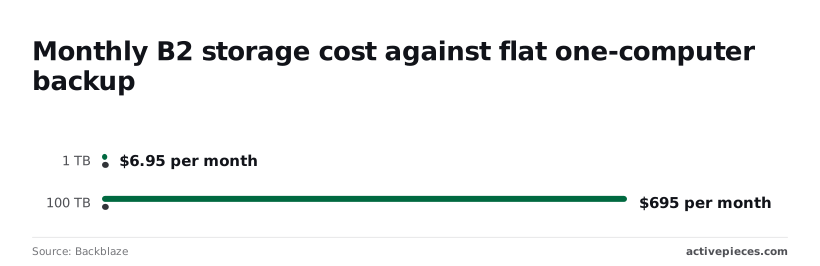
So B2 undercuts the flat $9 computer backup only below about 1.3 TB. The table assumes downloads stay inside the free allowance and transactions stay at zero cost.
| Stored | Storage | Free egress (3x) | Overage at $0.01/GB | Transactions | Monthly total | Annual total |
|---|---|---|---|---|---|---|
| 1 TB | $6.95 | 3 TB | $0 | $0 | $6.95 | $83.40 |
| 10 TB | $69.50 | 30 TB | $0 | $0 | $69.50 | $834 |
| 100 TB | $695 | 300 TB | $0 | $0 | $695 | $8,340 |
At $108 a year, the flat $9 backup doesn't move, while B2 grows with each row, so B2 only beats it at modest data volumes for a single computer.
If one computer holds under 1.3 TB, the flat $9 plan stays predictable and B2 gains you nothing. At 10 TB, B2 costs $69.50, nearly eight times the flat rate, so put those machines on computer backup instead of copying their files into a bucket.
Backblaze B2 cost for archives and restores
Archives are where B2 earns its keep. Restoring all 10 TB in one month uses a third of the 30 TB allowance, so the restore costs nothing extra and the bill stays $69.50.
Backblaze B2 cost for frequent downloads
When downloads are heavy, the bill drifts from the table. Store 1 TB but download 5 TB in a month, and 2 TB exceeds the 3 TB allowance. That's 2,000 GB at $0.01, or $20 of overage, which takes $6.95 to $26.95.

Measure a month of real traffic before committing. Egress that's routinely above three times your stored data turns a cheap plan into a bigger one than the flat rate.
If you are running this arithmetic for your own team, see what the same workload costs on Activepieces.
Hidden Backblaze costs and limits people hit
Computers, drives, versions, downloads or requests: whatever each product counts is where Backblaze's surprises come from, not the headline rate.
- Per-computer billing: every machine is its own subscription, so a team with a laptop per person pays per laptop. Fix: count machines, not people. Verified: not confirmed against the current pricing page.
- External drive and retention rules: a drive that stays unplugged can stop being protected, and old versions expire. Fix: keep drives connected and read the retention setting. Verified: not confirmed.
- Egress past the free allowance: downloads beyond the allowance are billed. Fix: measure a month of real traffic first. Verified: confirmed in the previous section.
- API transaction charges: some request types are billed, and chatty sync tools generate many. Fix: check which calls your software makes. Verified: not confirmed.
- Bucket and account limits: caps can block a new project late. Fix: ask support before you design around them. Verified: not confirmed.
Your accountant overwrites the wrong spreadsheet on a Friday, and by Monday the version you need may be gone. Computer Backup keeps old versions only for a set period unless you pay to extend it.
Decide how far back you might need to go, then set retention to match before the incident, not after.
Storage is the cheap part. Restores, syncs and monitoring tools all pull data out or call the API. Run a month of normal use, then read the transaction counts alongside the egress figure.
Limits on buckets and accounts rarely show up until a second team or client needs its own space. List the separations you'll need now, so you learn during planning, not mid-migration, if one account can't hold them.
B2 pricing versus leading competitors
On storage, B2 is the cheapest of the four at $6.95 per TB a month. The table sets that beside the charges that arrive later.
| $/TB/mo | Egress | Request fees | Minimum storage duration | S3-API compatible | |
|---|---|---|---|---|---|
| B2 | 6.95 | Free up to 3x stored data monthly | Free | None | Yes |
| S3 Standard | 23.00 | Charged per GB | Charged per request | None | Native |
| Wasabi | 7.99 | No egress fee | None | 90 days | Yes |
| R2 | 15.00 | No egress fee | Charged per operation | None on standard storage | Yes |
At 100 TB:
- B2 costs about $695 a month and S3 about $2,300, a gap of roughly $1,600 every month
- Wasabi at $7.99 costs about $104 more at that size, and it still wins if you read your data heavily
- R2 at $15 costs more to store, so its zero egress only pays off when downloads are constant
When Backblaze B2 wins and loses
For archives, backups and media libraries that are written once and read rarely, B2 wins. You pay the lowest rate, and egress stays free until you download more than three times what you store.
It loses in three cases.
The first is constant reads. A public site serving large files all day can exceed the free egress allowance, and R2 or Wasabi then gives a steadier bill.
The second is churn. If you delete and rewrite data daily, Wasabi's 90-day minimum means you pay for files that no longer exist.
The third is S3-only tooling. If your tools call S3-only services, native AWS S3 at $23 saves engineering hours that the storage discount wouldn't repay, so staying with AWS costs you less overall.
Choose by how often you read, then confirm egress and minimums on the vendor's page before you commit.
Worth checking against a plan that does not meter every step: one credit covers a whole run on Activepieces.
Steps to take before buying Backblaze
Write down how much you store and how often you pull it back out, because every price check after that depends on those two guesses. Then work through the steps in this order:
- Estimate stored terabytes and monthly downloads.
- Run Backblaze's pricing calculator with those numbers.
- Try the free trial or the free B2 tier.
- Set caps and alerts.
- Optionally, automate a usage report.
Estimate your storage and use the pricing calculator
Check the backup folder sizes or the current bucket total, then add a rough monthly figure for what you download: restores, sync jobs, and anyone who opens files from a browser. Round up.
An underestimated download figure is the usual reason a cheap-looking bill stops being cheap.
Put both numbers into Backblaze's calculator and keep the output. Read the egress and minimum lines on the vendor's page next to it, since the calculator is only as good as your inputs.
Before paying, use the free trial for computer backup or the free B2 allowance for storage. Upload a real slice of your data, not a demo file, and do one restore.
If the restore is slow on your connection, you want to learn that now, not during an outage.
Set Backblaze usage caps and alerts
You can set usage caps and alerts on a B2 account. Turn them on before you upload anything.
A script that loops on a download can run up a bill overnight, and a cap turns that into an error message instead of an invoice. Set the alert below the cap so you hear about it while there's still room to fix the problem.
You can skip the next step and just check the dashboard weekly, or send a scheduled usage report to Slack or a spreadsheet.
What Activepieces does about this
The problem in this article is that a Backblaze bill follows your usage, and most people only see the usage after the invoice arrives. Activepieces is where we deal with that.
It's an automation tool, and you can build a flow that runs on a schedule, reads your usage or backup status, and posts the result to Slack or a spreadsheet.
That gives you the monthly record the Monday checklist asks for, without anyone remembering to open a dashboard.
The practical case is the one the egress section describes. If you store 1 TB and pull 5 TB, the overage is $20.
A flow that checks usage daily and alerts you below your cap lets you see that coming while there's still room to act. The same flow can flag a laptop whose backup stopped, which is the failure the per-computer billing section warns about.
Cost matters here, because monitoring that is expensive to run defeats the point. A run is 1 credit however many steps the flow has, so a daily check uses about 30 credits a month. The free plan includes 1,000.

The core of Activepieces is open source under the MIT licence, so if you'd rather not send usage data to a hosted service, you can self-host it and keep the checks inside your own infrastructure.
What it won't do is choose the plan for you or change Backblaze's prices. Pick by workload, check egress and minimums on the vendor's page, and use a scheduled flow to confirm your real numbers match your estimate.
Frequently asked questions
If the first invoice doesn't match your estimate, the cause is usually one of these five questions.
Does Backblaze offer a free trial or free tier?
Both, on different products. Computer Backup has a time-limited free trial, so you can test a full backup on your own machine before paying. B2 has a small free storage allowance, enough to run a test bucket but not a real archive.
Run your actual workload through the trial and read the usage report afterward. A toy test tells you nothing about your bill.
On Computer Backup you can pay monthly, yearly, or on longer terms, and the longer terms carry a lower effective rate. If your laptop fleet might change, pay monthly for the first stretch and switch once you're sure.
B2 has no term to choose. It bills monthly on what you stored and moved, so the invoice follows your usage.
Does Backblaze charge to restore my files?
Downloading files through the web restore is included in Computer Backup. Shipping a physical drive is a separate service with its own fees, so ask what a full restore would cost before you need one.
The USB flash restore option was discontinued in March 2022, and the zip restore has a size limit. For a large restore, plan on the drive option or on downloading in batches.
Because B2 restores are downloads, egress rules apply. Check the current free egress allowance against your largest likely restore.
Yes, B2 is compatible with the S3 API. B2 offers an S3-compatible API alongside its native one, so most tools that talk to Amazon S3 can point at B2 with a changed endpoint and new keys.
Test your specific backup or sync tool against a small bucket first. Compatibility is broad but not identical in every feature, and you want to find a gap before migrating.
You can cancel Backblaze at any time, but whether you get money back depends on the plan and where you are in the billing term.
Cancel before the renewal date to avoid being charged again. For a prepaid yearly or longer plan, read the current refund terms before you buy, not after.
Related reading
References
Running the numbers
See what the same workload costs here.
Free forever plan, and every paid plan self-hosts at no extra cost.
See pricing Talk to sales