
Dust Pricing: Pro and Max Plan Costs for 2026

Nov 24, 202615 min read
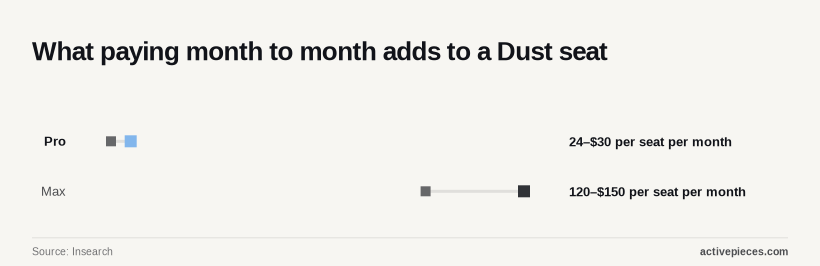
According to Superkind, Dust lists Pro at $24–30 per seat per month and Max at $120–150, making tier choice a material cost decision, especially for larger teams, since the difference compounds across dozens or hundreds of users, a point that matters just as much to teams comparing it with Activepieces or other automation tools.
Dust pricing is the set of per-seat subscription tiers, usage and data limits, and surrounding setup costs that determine what a team pays to run AI agents on the Dust platform.
Dust is an AI agent platform where teams build assistants connected to their company data. Premium tiers cost roughly five times as much per person.
Everything else is quote only. Ten people on Pro is $240–300 a month, and ten on Max is $1,200–1,500.
A team that budgets at the low end and then can't commit to a term is quietly 25% over, because the top of each range is what month-to-month billing costs.
Max runs five times the Pro price at either end, so the question is who truly needs it, not who might.
Only price is published for the paid tiers, and every limit a finance person would want is missing. The table below was checked against dust.tt/pricing on 2026-11-24.
| Plan | Price per user per month | Seat minimums | Inclusions | Usage limits | Data limits | Security/SSO |
|---|---|---|---|---|---|---|
| Pro | $24–30 | Quote only | Quote only | Quote only | Quote only | Quote only |
| Max | $120–150 | Quote only | Quote only | Quote only | Quote only | Quote only |
| Enterprise | Quote only | Quote only | Quote only | Quote only | Quote only | Quote only |

Read it as a list of questions to ask, not a price list.
What the pricing page doesn't state
Five of the six columns are blank for every plan, which means the sticker price tells you what a seat costs but not what a seat can do.
A cap on messages or connected data turns into a cost the day your team hits it, and that day usually falls in the middle of a project, not on the invoice.
Get the limits in writing before you multiply anything by headcount. The work around Dust is the other line the page can't price for you, and Activepieces handles it as flows that move data in and out, with unlimited flows on every plan, including free.
What Dust costs at realistic usage
Only the seat total can be worked out from the pricing page, and a realistic Dust bill is that total plus whatever the usage cap forces you to buy.
The table below multiplies the listed per-user price by headcount and twelve months, then asks whether a heavy-use month fits under the cap. Read the last column first, because it shows where the arithmetic stops predicting the invoice.
| Team size | Seat price | Annual seat cost | Cap that applies | Heavy use fits? |
|---|---|---|---|---|
| 5 users | Listed per-user price | Price × 5 × 12 | Self-serve plan cap | Usually, if usage is spread out |
| 25 users | Listed per-user price | Price × 25 × 12 | Self-serve plan cap | Only if heavy users are a minority |
| 100 users | Listed per-user price | Price × 100 × 12 | Larger plan cap | Needs a quote |
The third column is the one that moves the invoice, since seat cost grows in a straight line and caps don't.
With five people, one person running long document jobs can still sit comfortably inside the shared cap. Here the sticker price is a decent forecast, and you're mostly paying for seats you actually use.
At twenty-five people with mixed heavy and light users, the spreadsheet starts lying. Twenty light users and five heavy ones don't average out, because heavy users consume the cap that everyone shares. Count heavy users separately, since they decide whether you stay on the plan.

One hundred seats and the move to a quoted plan
At this size, assume the price comes from a conversation, not from multiplication. The seat math still gives you a floor for the negotiation, but it's no longer the bill.
If the seat price alone predicts the invoice, the thesis fails. That would mean a 25-person team with real heavy users never touches a cap and never pays for anything beyond seats.
If you are running this arithmetic for your own team, see what the same workload costs on Activepieces.
Hidden costs and limits Dust teams run into
That holds only until a team meets what the seat price leaves out:
- message caps
- connection limits
- admin features reserved for higher plans
- the hours someone spends building agents
Before you sign, check the following on Dust's pricing page, docs and changelog. Each item can move the bill without moving the seat count, so read each plan's stated limit rather than assuming it matches your team's habits.
- Usage caps per plan, which decide when heavy users stop being covered by the seat price
- Model access by plan, which decides whether your best agents can run on the models they need
- Data connection and storage limits, which decide how much of your company's knowledge an agent can actually see
- SSO and admin features on higher tiers, which decide whether your IT person can approve the rollout
- Staff hours to build agents, which never appear on any invoice
When a cap gets hit, it's your most enthusiastic user who hits it first, and she is also the one whose opinion decides whether the team keeps the tool.
Check how each plan counts usage and which models sit behind it, because a cheaper plan with narrower model access can quietly limit the quality of your agents.
If your shared drive, ticket history and wiki are scattered across tools, the number of connections and the amount of data a plan allows decides how much of that mess the agent can see.

An agent is only as useful as the documents it can read.
Until a client's security questionnaire asks, a small team may not care about single sign-on and finer admin controls, which tend to sit on upper tiers. Then the upgrade isn't optional.
An agent is only as useful as the documents it can read.
Someone has to write instructions, test answers and fix agents when a data source changes. On a lean team, that's a person's afternoons, and it costs more than any plan difference.
Dust's per-seat pricing advantages
Start with the best defense of the seat price: it spares you the arithmetic:
- one flat fee per person is easy to approve
- one flat fee per person is easy to forecast
- most people never come near a cap
Why teams prefer Dust per-seat pricing
If your budget is set once a year and every purchase needs a signature, a per-seat line is something you can defend in one sentence. Finance teams like a number that doesn't move.
Usage modelling asks a small team to forecast behavior nobody has observed yet. That's a spreadsheet with guessed inputs, and you'll spend an evening tuning it to get an answer you could have had from the pricing page.
When Dust seat pricing fits light usage
For most of a team, usage really is light. Here's the pattern: nearly everyone sits well under their plan's limits, and one heavy user is close to the line.

If your team looks like that, and the heavy user stays under the cap, the flat price does what it promises. Modelling usage would only confirm what the seat price already told you.
Why the usage-based view still wins for most teams
The objection depends on one assumption: that your heaviest user stays under the plan's limits.
Averages hide that person. A plan is only as predictable as its busiest seat, and the cost of being wrong lands on exactly the people doing the most valuable work with the tool.
You don't need an elaborate model to check this. List who will use Dust daily, who will build things on it, and who will connect it to the most data.
Compare those few people to the limits of the plan you are considering. If they fit, trust the sticker price. If they don't, the sticker price was never the real price.
Worth checking against a plan that does not meter every step: one credit covers a whole run on Activepieces.
How Dust stacks against rivals
Because Dust charges per seat like its rivals, the sticker lines compare easily. What separates the four products is what each seat can use, what it can connect to, and which models it can run.
Price and seat minimums side by side
I've left exact prices and seat minimums out of the table, because they change and a stale figure is worse than none. Read the minimum off each vendor's plan page on the day you buy.
A team of six and a team of sixty hit very different walls. The table compares what each seat buys, which is where the bill actually diverges.
| Product | Pricing basis | Usage limits | Data connections | Custom agents | Model choice | Admin controls |
|---|---|---|---|---|---|---|
| Dust | Per seat, with plan-level usage and data caps | Set by plan | Company tools such as Slack, Notion and Google Drive | Core feature | Several providers' models | Workspace roles and permissions |
| ChatGPT Team/Business | Per seat | Fair-use caps by plan | Connectors to common work apps | Custom GPTs | OpenAI models only | Workspace admin console |
| Claude Team | Per seat | Caps by plan | Connectors and shared projects | Projects with shared context | Anthropic models only | Team admin settings |
| Microsoft 365 Copilot | Per seat, on top of a Microsoft 365 licence | Governed by the Microsoft tenant | Files, mail and calendar already in Microsoft 365 | Built in Copilot Studio | Chosen by Microsoft | Microsoft 365 admin tooling |
Read the other columns before you trust the seat line, which is the least useful one here.
When your sales lead's real knowledge sits in a Slack thread and a Notion page, not in a file you'll upload, Dust is the product built for it: it connects those sources and builds agents on them.
Copilot is strongest when everything already lives in Microsoft 365. ChatGPT and Claude connect to common apps, but their agent features are lighter.
When a provider raises prices or has a bad week, you can switch models without rebuilding your agents, and Dust is the only product in this table that spans several model providers.
The others tie you to one vendor's models, which is cheaper to start with and costlier to leave.
Automating around Dust with Activepieces
Only if Dust's answers have to land somewhere else does Activepieces matter. Even then it adds a second tool to run and pay for, because it doesn't replace Dust or shrink its bill.
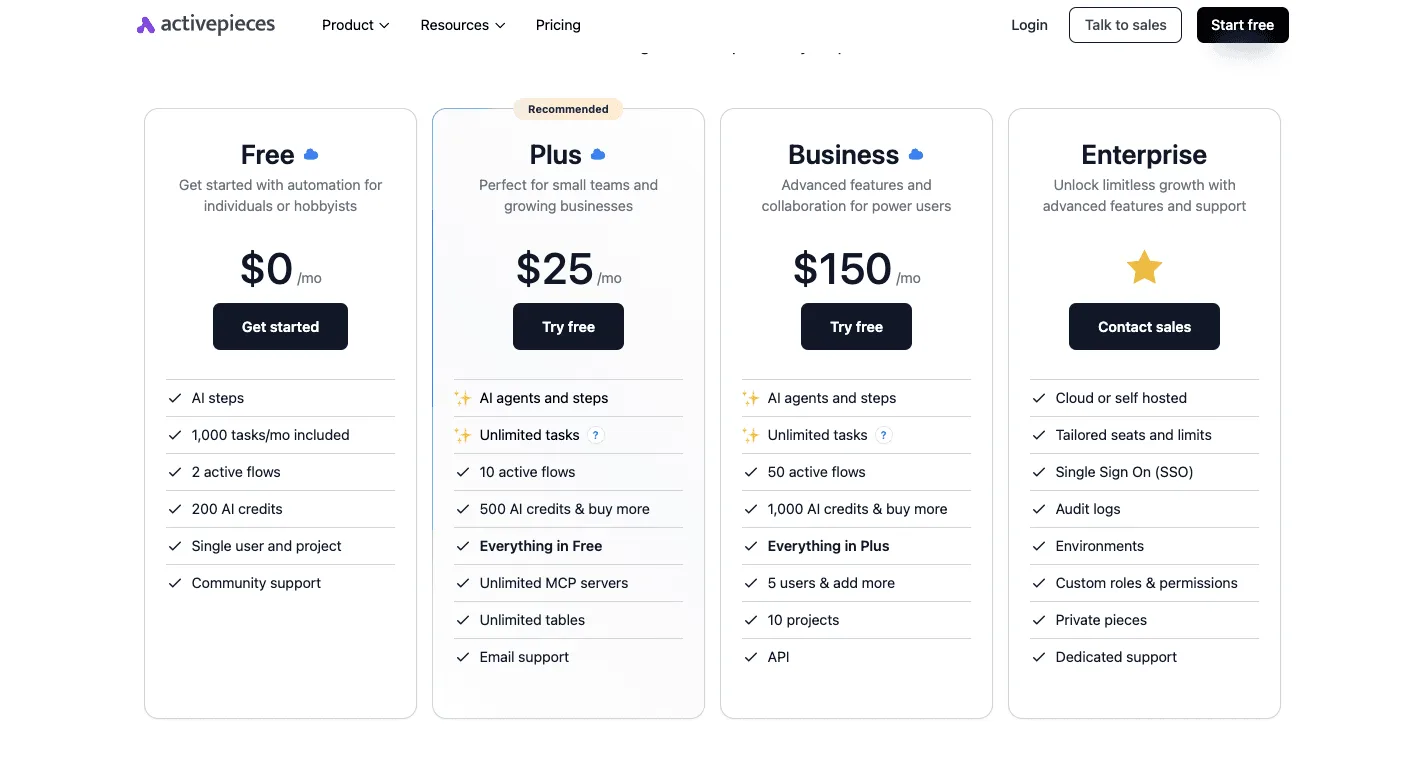
What it does bill is the run: its published pricing lists 1 credit per flow run however many steps the flow has, and the Free plan carries 1,000 credits a month across unlimited flows, where Zapier bills per task and Make per module.
Staying inside a single vendor's models is cheap until you need the output elsewhere; that's where this work starts.
When Dust needs a separate workflow tool
Your support lead asks an agent to summarize a customer thread, and then someone copies that summary into the CRM by hand. Then again for the next thread, and the one after.
Dust agents are good at the answering. Moving the answer into other software is separate work, and it's the work that quietly eats hours.
If a Dust result has to trigger something, such as a ticket, a new row, or an update to a customer record, you need something that carries it across. Doing that by hand is a cost your seat price never shows.
Sending Dust outputs to your existing tools
Activepieces carries a Dust agent's output into the CRM, ticketing system or spreadsheet your team already uses, through 750 integrations, roughly 60% of them community-contributed, on an MIT-licensed core, so your existing tooling will likely integrate without custom work.
The Dust agent produces the output, and an Activepieces flow receives it and branches it onward.
The same diagram shows a plain Dust chat path running alongside, with no flow attached. Read the two paths side by side: chat ends at a person reading an answer, while the flow ends with records changed in other tools.
The next question is cost. The flow adds its own setup, upkeep, and plan, so count it as a line item beside your Dust usage, not a discount on it.
Skip Activepieces if your team only chats with documents and reads the answers. The same goes if the handoff happens a few times a month, where copying is cheaper than maintaining a flow.
Build one when a person is repeating the same copy-and-paste every day, and not before.
What to do on Monday before buying Dust
Count the people who will open Dust every week and pilot them for a month on the smallest plan. Sign only after you've compared their usage with the plan's limits and got written answers from sales.
Work through the list below top to bottom, in the order that keeps you from buying seats for the whole company on the strength of one enthusiastic demo:
- Count who needs seats.
- Pick the pilot users.
- Pilot for one month on the smallest plan.
- Track usage against the caps.
- List your questions for Dust sales.
- Re-check the pricing page before signing.
You do the first four steps alone, and the last two are what you take to the sales call, so your sales call isn't spent on preliminary work.
Start from the work, not the org chart. Your team may have a long list of people who "might use it", but a seat is only worth paying for where someone repeats a task weekly.
Write down names against tasks. Anyone you can't pair with a task waits.
Run a one-month Dust pricing pilot
Pick users who have the repetitive work and will tell you when the tool is wrong, not only the keen ones. Put them on the smallest plan and let them work normally.
Log what each person does, how often assistants run, and which connected data sources they touch. The point is to see whether your usage hits a cap, because that's where the real bill appears.
Questions to put to Dust sales
Bring what the pilot left unanswered. Ask what happens when a cap is reached: does work stop, slow down, or bill extra?
Ask which data and usage limits differ between plans, and which plan your connected sources need. Ask who sets up and maintains assistants, since that work lands on your staff.
Get the answers in writing, then re-read the public pricing page on the day you sign, because it may have changed since your pilot began.
Frequently asked questions
The pricing page settles a few small questions the body leaves open, and your sign-off day is the time to check each against Dust's pricing page.
Trials and billing cycles
Does Dust have a free plan or free trial? Dust has offered a trial on its entry plan, so test with real documents, not a demo. Trial terms change, so read the current ones before you plan a pilot around them.
Is Dust billed monthly or annually? Self-serve plans have been offered on both cycles, with larger contracts negotiated directly. If annual billing is cheaper, you're betting your headcount won't shrink. Price that bet before you commit.
Model usage and changing seats
Do I pay for AI model usage separately from Dust seats? On the public plans, model access is bundled into the seat price within usage limits, so there is no separate model invoice.
The risk is the limits: a team that runs heavy agents all day may hit them long before the seat count looks wrong. Ask what happens at the ceiling, whether work slows, stops or bills extra.
Can I change plans or remove seats mid-term? Adding seats is usually easy.
Removing them is where contracts differ, and a seat you can't drop is a cost you carry until renewal. Get the rule for your plan in writing before the first invoice, not after the first departure.
Is Dust cheaper than ChatGPT for a small team?
Not automatically. If your team only wants a chat window, a plain per-seat chat subscription may cost less.
Dust earns its price when assistants read your own documents and tools, which saves the hours otherwise spent pasting files into a chat box. Compare the total of seats, limits and setup time, not the two sticker prices.
Related reading
References
Running the numbers
See what the same workload costs here.
Free forever plan, and every paid plan self-hosts at no extra cost.
See pricing Talk to sales