
Employee Onboarding Workflow Template: Free Options

Oct 15, 202616 min read
For most teams, start with Asana's onboarding template.
It turns a hire into a project of tasks with owners and due dates, and it costs nothing to try on the free plan, so you can see how it fits before wiring it to anything like Activepieces later.
1. Asana: best for a free shared checklist
What it is and best for
You duplicate the template as a project for each new hire. Tasks sit in sections by phase, such as before day one, first week and first month, each with an assignee and a due date set relative to the start date.
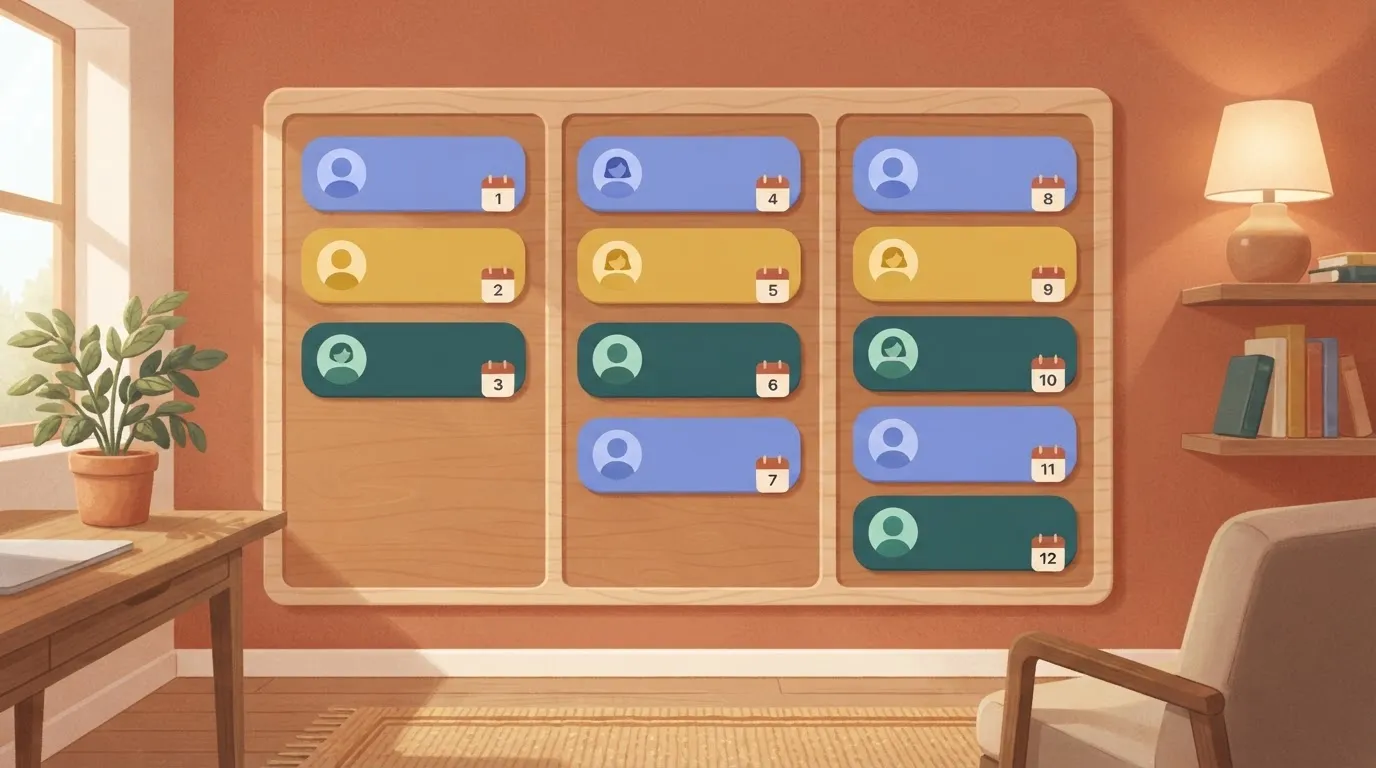
Change the start date and the deadlines move with it, so nobody recalculates a schedule by hand.
It suits teams of any size that currently onboard from a wiki page or a shared document. That's where steps get missed, because a document has no owner and nothing that goes overdue.
Asana onboarding template pricing
Asana publishes its tiers on its own pricing page: a free plan, then paid plans billed per seat. I'm not quoting per-seat figures here, because they change and the page is the only source worth trusting. Check it before you budget.
What matters for this template is where the free plan stops. It covers the task-and-owner model you need, while the automation and reporting features that save admin time sit in paid tiers. Run one real hire through the free plan before paying for anything.
Because due dates are relative, one template serves every start date. Every task has a named owner, so a missed step shows up as an overdue item with a name on it. Most people already know how to use it, which means less training.
Asana onboarding template limits
The work stays undone. Asana tracks tasks; it doesn't do the work in them. A task reading "create email account" is a reminder to a human, and ticking it provisions nothing. It also holds no HR record: no contract, no payroll details, no employment history.

If nobody duplicates the template when a candidate accepts an offer, nothing fires. Starting the project is manual too.
Closing that gap means connecting Asana to your HR or applicant tool, and Activepieces, with 740 integrations counted from its open source monorepo, can make that connection, odds being your specific tool is already part of them. Test it with a dummy hire first.
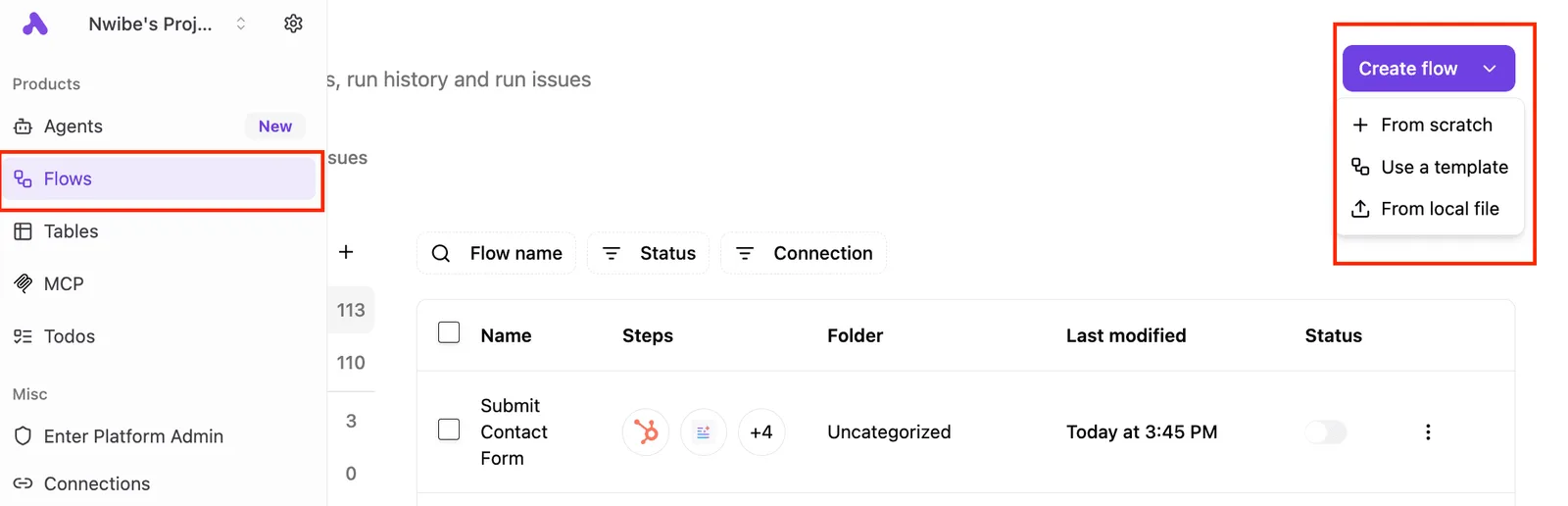
Everything below works on Activepieces' free plan. Start without code or a credit card.
2. BambooHR: best for HR-owned onboarding with records
When HR owns onboarding and wants e-signatures, new-hire paperwork and the permanent employee record in one system, BambooHR is the pick.
The symptom it fixes is familiar: a signed offer sits in one tool, the start date in a spreadsheet, and nobody can say which is current.
To see what a records system adds over a board, compare BambooHR with Asana and Trello, two general task boards, on the four things that decide this.
| E-signatures | Employee records | Account provisioning | Free plan | |
|---|---|---|---|---|
| Asana | No | No | No | Yes |
| BambooHR | Yes | Yes | No | No |
| Trello | No | No | No | Yes |
| Activepieces | — | — | — | Yes |
Only BambooHR keeps signatures and records together, so choose it if HR is the owner of the checklist. None of the three creates accounts on its own, so the IT handoff stays manual until you automate it.
As of 15 October 2026, BambooHR has no free plan. You can't build and test a dummy-hire flow at no cost, so budget for a paid tier or a trial before you commit.
I've left out specific prices because I haven't confirmed them, and you should read the vendor's own pricing page against your headcount.
When the start date changes, nobody re-enters it in three places, because the record and the checklist share one source of truth. Signed documents attach to the employee file without a manual upload, which removes the "where did that form go" ticket.
Nobody has to ask a project manager to maintain a board, because HR controls the whole flow.
Cost is the first limit, and the missing free plan is the second.
The third is the table's empty provisioning column: when a new hire reports no laptop login on day one, the cause is usually that nothing connects the HR record to the identity system.

Treat any claim that this happens automatically as unproven until a dummy hire passes through it in a test environment.
3. Activepieces: best for automating onboarding steps across apps
Once you record a hire, Activepieces, whose core is MIT-licensed and which has 740 integrations, runs onboarding steps across apps, so you can run a dummy hire through it before a real one arrives.
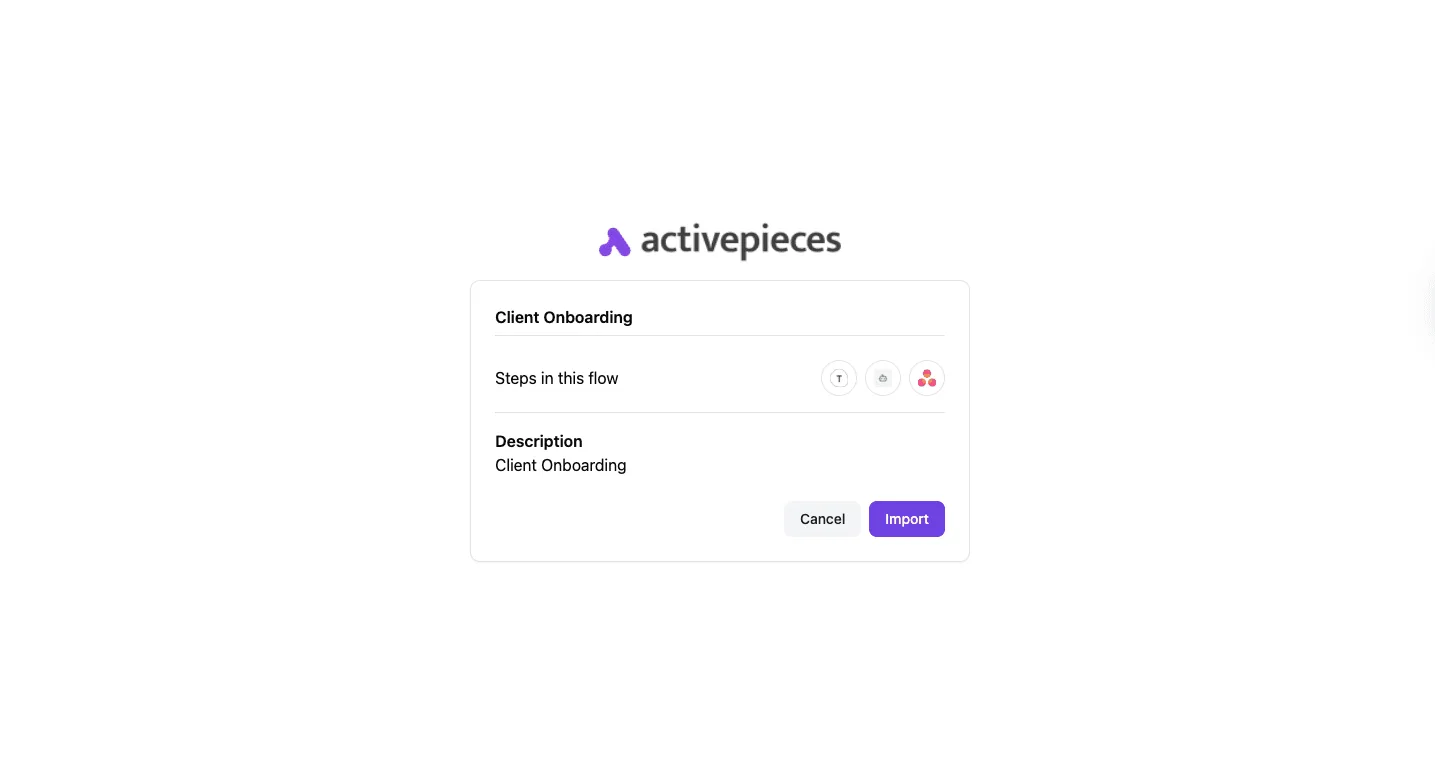
Each app connects through an integration, and a flow is a trigger followed by steps.
Five flows below cover the handoffs that usually get missed. Each line gives the trigger, the steps and the integration it links to:
- Hire row added in Google Sheets, the hire record: creates the IT, access and equipment tasks in Asana, each with an owner and due date.
- Same trigger: posts a welcome message in Slack, the team chat.
- Same trigger: reminds the manager in Slack before the start date and again if their tasks are still open.
- Same trigger: sends day-one paperwork by Gmail. Same trigger: books check-ins in Google Calendar at 30, 60 and 90 days, so you're prompted at roughly monthly intervals.
You want to see which flow broke, and each one fails separately. That is why there are five.
Before anyone approves a budget, you can build and test all five flows: the Activepieces Cloud free plan costs $0 with no card, and includes unlimited flows, 1,000 credits a month and up to 5 users.

Because the core is MIT-licensed, you can also self-host it on your own server.
If your HR or badge-access system has no connector, a closed catalogue leaves that step manual until the vendor decides it matters.
Activepieces has 740 integrations, counted from its open source monorepo, and roughly 60% were built by community contributors, so a missing app is often already covered by a integration someone outside the company wrote. MoneyGram, Moneypenny, Alan and FundingSocieties run it in production.
When a new row lands in the hire sheet, the flow creates one Asana task per setup item, assigns each to its owner, and sets due dates relative to the start date.
The free plan allows unlimited flows and up to 5 users, so you can start this flow without paying.
From the same row, one flow posts a welcome in Slack. A second waits until shortly before the start date, then messages the manager with their open tasks. If those tasks are still open, it messages them again.
A Gmail step sends the paperwork and the first-day instructions to the new hire. Calendar steps then create the three check-in events and invite the manager.
Strengths and limits
You can inspect each run and see where it stopped, because these steps live in the tools your team already uses. That is the strength. The limit is that every flow is something you now maintain.
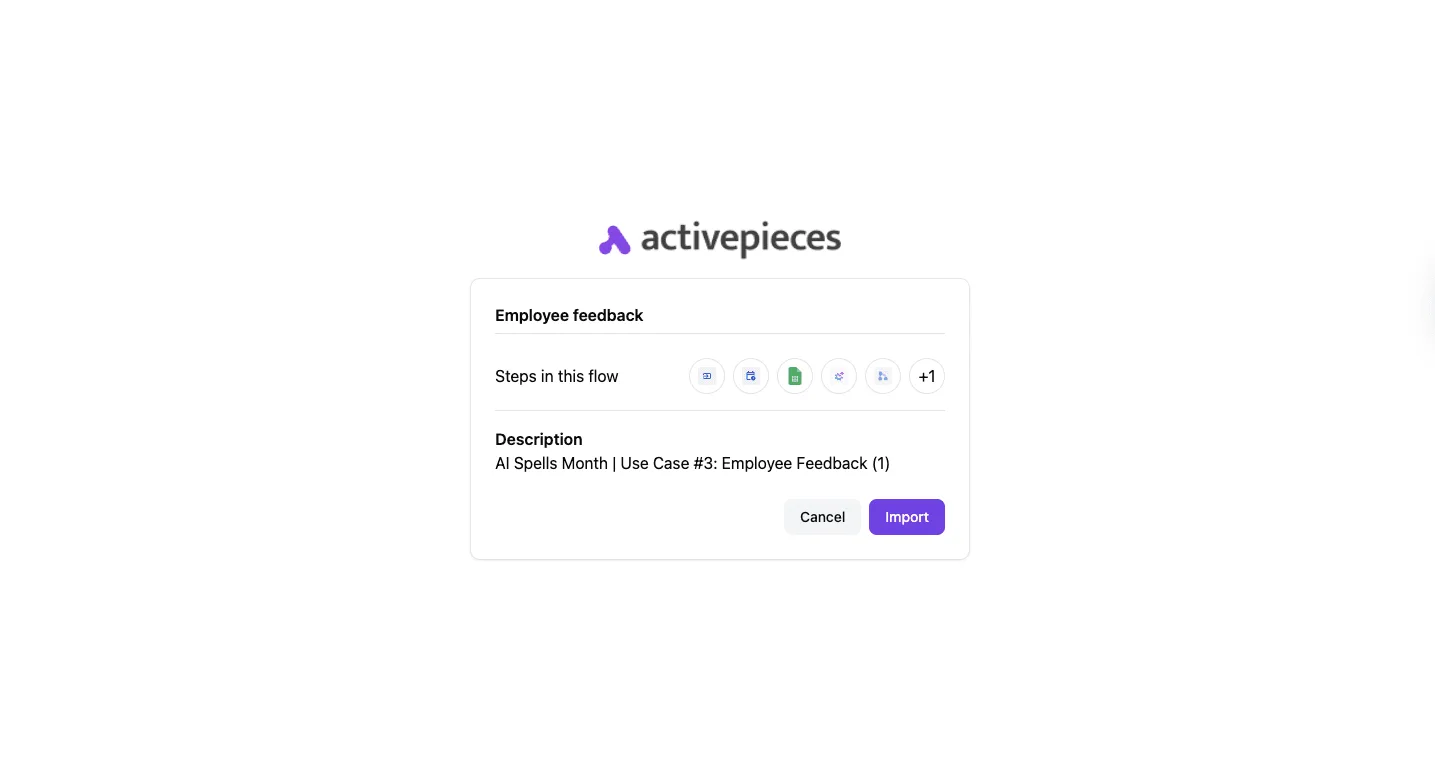
Check that your apps have an integration before committing. If your HR system already has onboarding built in and your team lives there, use that instead. The same goes if nobody will own the flows after the person who built them leaves.
4. Zapier: best for non-technical teams wiring apps fast
Whoever inherits a flow can read it without reading anyone's code, because Zapier is a hosted automation service that lets a non-engineer connect apps in a browser editor.
Zapier runs on its own servers. A trigger in one app, such as a new row in a hiring spreadsheet, starts a "Zap", a chain of steps that creates accounts, posts messages or assigns tasks in other apps.
It suits an HR or operations lead who needs the cross-app handoffs working this week and has nobody to maintain a server.
Each action step a Zap completes in a month counts as a task, and Zapier bills by tasks. The monthly allowance on three plans is Free at 100, Professional entry at 1,500 and Team at 2,000.
If a hire's flow runs five action steps, it consumes five tasks, so the free plan covers roughly twenty hires if nothing else runs on the account.
Because the gap between Professional entry and Team is small, the allowance rarely decides between them. Features and seat count should. Confirm the current numbers on Zapier's pricing page before committing, because plans change.
Strengths
The app catalogue is the main draw. Most tools an onboarding flow touches, such as email, chat, spreadsheets and ticketing, already have a connector, so you rarely build an integration yourself. The editor is also quick to learn.
Still, build each Zap against a dummy hire in a test setup before it touches a real person's accounts. A flow that looks right in the editor and has never run is a claim, not a result.
At five hires a month a flow is cheap. At fifty it can become a budget line, because cost grows with every step you add and every hire you process.
You can't self-host Zapier or audit its code, because it is not open source, and your flows live inside an account someone must keep administering. If the person who built them leaves and their seat goes with them, you have the ownership problem again.
Easier to see it running than to read about it: set it up free, no card.
5. Microsoft Power Automate: best for Microsoft 365 companies
If your people already work in Microsoft 365, Power Automate is the right pick. It avoids the orphaned-flow problem only if flows live in a shared solution owned by a service account rather than in one person's account.
Power Automate is Microsoft's workflow builder. It runs trigger-and-action flows across Teams, Outlook, SharePoint and Entra ID, Microsoft's identity directory, where accounts and group memberships are created.
It suits teams where HR logs a new hire in a SharePoint list, IT provisions through Entra ID, and the manager gets a Teams message.
On Microsoft's page, connectors split into two groups. Standard connectors come with Microsoft 365 licences. Premium connectors need a separate Power Automate licence for each person or flow that uses them.
I haven't reproduced the current plan prices in a test tenant, so I'm not quoting any. Read the live pricing page against your own licence list before you commit.
To see which onboarding integrations ride on the licence you already pay for and which don't, use the table. Take from it that the identity step is where a free-looking plan most often turns into a paid one.
| Connector | Included with Microsoft 365 or premium license | Onboarding use |
|---|---|---|
| Teams | Included | Post the welcome message and assign tasks to the manager |
| Outlook | Included | Send the day-one email and calendar invites |
| SharePoint | Included | Trigger on a new-hire list item and track checklist status |
| Entra ID | Premium | Create accounts and add the user to groups |
| Dynamics-style premium connector | Premium | Sync with an HR or CRM system of record |
Check each badge in your own tenant, because Microsoft has reclassified connectors before.
You get sign-in, permissions and audit logs from the tenant you already run. A SharePoint trigger plus Teams and Outlook actions covers most of a checklist at no extra licence cost.
Licensing is the sticking point. A flow that touches one premium connector can force every user of that flow onto a paid plan, and you usually find out when the run fails. Test the full path with a non-admin account before go-live.
6. Trello: best for a simple card-based checklist
If one person can see every new hire's board at a glance, Trello works. It breaks once you need dependencies or a record of who signed off.
Trello is a board of cards in columns, and each card can hold a checklist, assigned members and a due date.
For onboarding, the usual setup is one card per new hire, with a checklist for each phase and a column per stage (pre-start, week one, first month).
It fits a team of a few people with a short, stable process and no compliance requirement behind it.
On the free plan you get boards, cards, checklists, due dates and assignments. Paid tiers add more views, more automation capacity and admin controls.
Because the plan limits change, read the current tiers on Trello's own pricing page before you commit, and test your real checklist on the free plan first. If it runs there, you know what a paid tier would actually buy you.
New hires can be added as guests without training, and the board takes minutes to learn. Checklist items can be assigned and dated individually, so an owner and a deadline sit on each step, which is the core of a trigger-driven template.
Relative due dates are covered too: Butler, Trello's built-in automation, can create the new-hire card from a template and add due dates relative to the start date.
Butler's runs are capped by plan. When a rule hits the cap, it stops firing without telling the person who depended on it. Reproduce your rules in a test board and check the run log before go-live.
Nothing stops "issue laptop" from being ticked before "approve purchase" is done, because cards don't block each other on a plain board.
No formal record is kept either. An archived card is not an audit trail, so if someone asks later who completed a step and when, the answer is thin.
How to choose an onboarding workflow template
Choose the template that lives in the tool your team already opens daily, because a checklist nobody visits leaves the same thin record as an archived card.
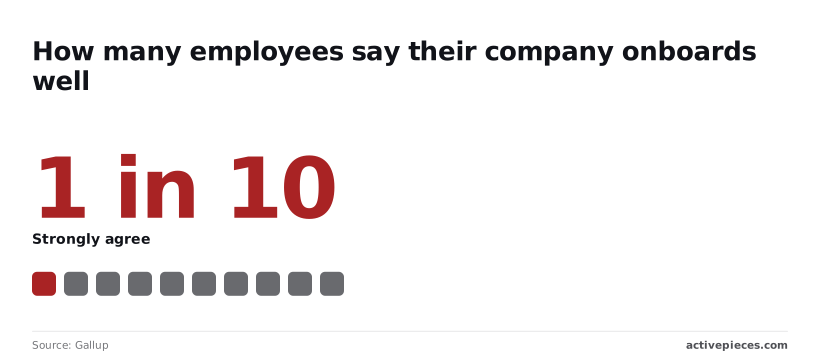
Gallup finds that only a small minority of employees strongly agree their company onboards well, so most employers are running a process that new hires don't rate highly.
Match an onboarding template to your team
Under 10 people, use a plain checklist with named owners and skip automation, since one person can notice a missed step. If HR leads, build the template around HR-owned stages and assign IT and the hiring manager their own tasks with due dates.
In a Microsoft shop, Planner or Lists with Power Automate (Microsoft's built-in workflow tool) keeps tasks and triggers in one place. With many apps, automate only the handoffs that have actually been missed, and test each one in a sandbox before trusting it.
Run these stages in order, each with an owner and a due date relative to the start date:
- Offer accepted
- Paperwork signed
- Equipment ordered
- Accounts created
- Day 1 welcome
- Week 1 training
- Day 30 check-in
- Day 90 review
Because each depends on the one before it, stages two to four are where most failures begin. Equipment ordered late means accounts get set up late, and the new hire sits idle on day one.
Mistakes that undo onboarding
Calling onboarding finished after week one is the costly mistake. Gallup puts replacement cost at 40% of salary for frontline roles, 80% for technical roles and 200% for leaders and managers.

Calling onboarding finished after week one is the costly mistake.
If a manager leaves in the first year, that costs about two years of their pay, so the day 30 and day 90 stages are worth the effort.
Three other failures are common: an owner left blank, a due date written as "soon", and an automation that fails silently with no one alerted. Give every task one person and one date, and make failed automations notify someone.
Employee onboarding template FAQ
What is an employee onboarding workflow template?
It's a reusable checklist that starts itself when a trigger fires, such as a signed offer, and gives every task an owner and a due date. A document describes onboarding, while a template runs it.
Run the same structure in reverse and you have offboarding, triggered by a resignation or termination date. It's worth building separately because its failures, like an account left active, are security problems rather than awkward first days.
How long should onboarding last?
Run the checklist until the new hire is working independently. In practice that means through your first formal review point, whether that's a probation check-in or a first performance conversation.
The template should start before day one, at offer acceptance, because accounts and equipment need lead time.
End it with a closing task that asks the manager to confirm the hire is done, so the workflow doesn't sit open indefinitely.
What should be automated?
Automate the steps where a missed handoff costs the new hire a working day, and keep the steps where the point is the human contact.
Automate:
- Account creation
- Task assignment
- Reminders
Keep human:
- The welcome call
- The manager 1:1
- Culture introductions
Automating the second group produces a hire who is fully provisioned and still has not spoken to anyone.
Whatever you automate, run it first against a dummy hire in a test environment. An account-creation step that fails silently looks fine until the new hire reports that they can't log in.
Can I do this for free?
Yes, in many cases. Most project trackers and spreadsheet tools have a free tier that handles a checklist with assignees and due dates, and some include basic automation.
Free limits on automation runs and connected apps differ by vendor, so check them before you build around one.
Start with the tool your team already uses, and add cross-app automation only for the handoffs that keep getting missed.