
How to Connect Microsoft IQ to Existing Workflows

Nov 18, 202612 min read
Microsoft IQ is new: there's no track record, no long-running deployment, and no field experience to lean on yet, much like the newer Activepieces releases that teams are still evaluating.

Microsoft's own session description says it "helps your organization activate, protect, and build on the knowledge that makes it unique." That's the maker's claim, taken from the Microsoft Ignite sessions page, and I haven't verified it independently.
Treat that sentence as a positioning statement rather than a specification. It names three verbs (activate, protect, build) but says nothing on that page about which connectors, permissions model or admin controls sit behind them.
So a team planning automation around it shouldn't assume any particular integration surface exists today. Ask what Microsoft has actually documented, not what the description implies.
As checked on the day, Microsoft IQ's status is new, per the Ignite sessions page.
Microsoft IQ launched: what Microsoft released and when
Read the status line before the date. "New, checked 2026-11-18" means everything in this article reflects one day's reading of Microsoft's pages, and any of it can change as documentation appears.
If you're wiring this into existing workflows, such as a ticket queue or an approval chain that already runs through an open-source automation platform, pin your plan to what's published and re-check before you commit.
This takes minutes, not a project: automate it in Activepieces free.
What Microsoft IQ provides for teams automating work
Why context matters to a workflow
Here is why Microsoft IQ matters: it gives an automated workflow the context it otherwise lacks. That context includes work activity, business data, web results, and agent knowledge, behind endpoints the workflow can call through the Model Context Protocol (MCP).
When a step drafts a reply or routes a ticket, it has no idea what's in the meeting notes, the sales table, or the policy document unless someone wires that in by hand.
That is why most automations fail on missing context rather than weak reasoning.
What the four Microsoft IQ endpoints cover
There are four IQs on Microsoft's pages, each aimed at a different source of that context and each exposed as an MCP endpoint.
Work IQ is for context from how people work inside Microsoft 365, so an agent can act on the real state of a project. Fabric IQ is for business data held in Microsoft Fabric, so an agent can answer from governed figures instead of guesses.
Web IQ is for current information from the public web, so an agent can go beyond what it was trained on. Foundry IQ is for knowledge retrieval for agents built in Microsoft Foundry, so those agents can ground answers in an organization's own sources.
What to check before you connect anything
Read those four as a map of where an agent can get context, not as a map of what it may read. The pages state the purpose of each endpoint.
Before you point a workflow at any of them, check the permission model and audit logging yourself. An endpoint that can see your mail and files is one more account whose reach you have to define.
What is measurably new, per Microsoft's own pages
On the pages cited for this article, Microsoft hasn't published a capability list, an access route, a price or a Work IQ tool count for Microsoft IQ.
The measurable record is thin. The table below shows each row as of 2026-11-18, and every "not published" is a field you can't put in a change request yet.
| Row | What Microsoft states | Source link | Date checked |
|---|---|---|---|
| Capabilities | not published | not published | 2026-11-18 |
| Access route | not published | not published | 2026-11-18 |
| Pricing | not published | not published | 2026-11-18 |
| Work IQ tool count | not published | not published | 2026-11-18 |
Prices and plan limits checked against ignite.microsoft.com and activepieces.com on November 18, 2026.
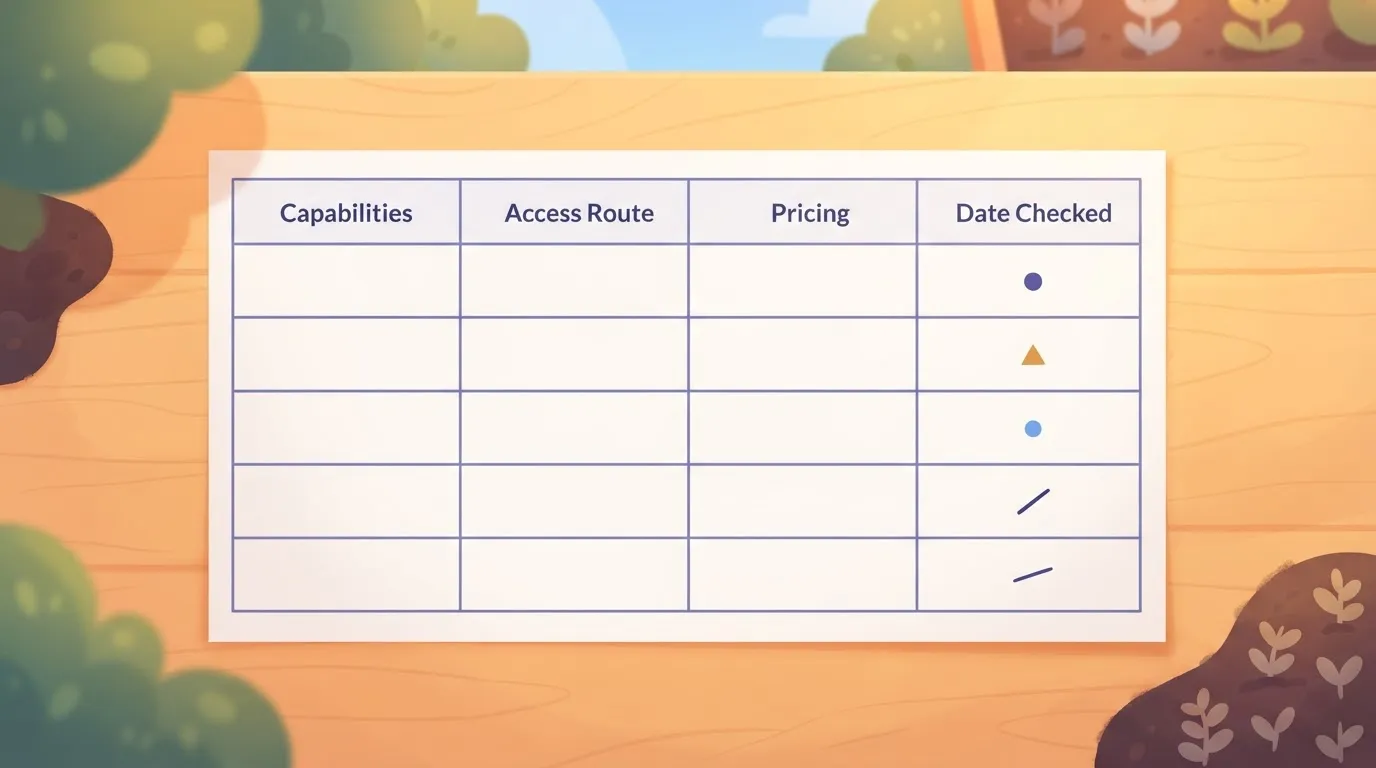
Read an empty row as missing, not as a negative finding. It means you have nothing to scope against, so any integration plan built on these rows is a guess until Microsoft fills them in.
Beyond the name and the publisher, nothing citable describes its capabilities. Microsoft makes it, and the product is new as of 2026-11-18.
Don't infer them from the name or from neighbouring Microsoft products. An inferred permission set is how a connector ends up with read access nobody approved.
There is no documented sign-up path, admin setting or licence prerequisite to name, because Microsoft has published no access route.
Until one appears, you can't say which tenant role would grant access or who would approve it. Treat that as the first open item in any request.
You can't budget, compare tiers or tell whether usage is metered, because Microsoft has published no pricing. A pilot started now carries an unknown bill, so get that settled in writing before anyone connects a workflow to production data.
What four questions define connecting a context source
What connecting Microsoft IQ requires in any tool
Connecting any new context source to an existing workflow comes down to the same four questions. Who is the caller, what is that caller allowed to read, how does a request reach the endpoint, and what happens when the call fails or returns something unexpected?
The answers matter more than the tool.
A workflow that runs unattended at 3 a.m. can't prompt a person to sign in, so it needs an identity of its own, and the data it can reach is then bounded by what that identity was granted rather than by what the person who built the flow could see.

None of this is specific to Microsoft IQ, and none of it is something Microsoft's pages say about IQ. It is the checklist any team would run for a new endpoint, and it tells you which documentation gaps in the table above will bite first.
Four ways to make the connection
The first is to stay inside the vendor's own automation tooling. For Microsoft services that usually means the automation products Microsoft already ships for its own ecosystem.
The appeal is that identity, licensing and audit sit in one place, and the cost is that the workflow lives wherever that tool lives, which matters if your approval chain or ticket queue runs elsewhere.
The second is a general-purpose automation platform that connects many vendors through ready-made steps. Zapier, Make, n8n and similar platforms all work this way.
You trade the vendor's single control plane for the ability to join Microsoft data to the rest of your stack, and you rely on the platform having a step for the service or on a generic HTTP step when it doesn't.
The third is to let an agent call the endpoint directly. Because MCP is an open protocol, an MCP-capable client can talk to an MCP server without any workflow engine in between.

That suits exploratory, conversational use, but it leaves scheduling, retries, approvals and logging to you, which is the work an automation platform exists to do.
The fourth is a small custom service that you write and host yourself. It gives full control over authentication, caching and error handling, and it is the most to build and maintain.
Teams usually choose it when the call sits inside a latency-sensitive path or when compliance rules out a third-party runner.
How to choose a tool for Microsoft IQ
Start from where the workflow already runs. If the trigger, the approvals and the downstream systems already live in one tool, extend that tool before adding a second one, because every extra hop is another credential and another place a failure can hide.
Then match the approach to how much of the contract you can see. With a documented endpoint, a generic HTTP step or a custom service is straightforward.
Without one, which is the position today for Microsoft IQ, any approach is a prototype against an unconfirmed surface, and the cheapest one to throw away is the right one to start with.
Whichever you pick, keep the new call behind a single named connection, log what it returned, and make the step safe to run twice. Those three habits make a workflow easier to audit and cheaper to repair once the real documentation arrives.
You can follow the rest of this with the builder open. Start free, no card.
What Activepieces offers today for Microsoft services
As of 2026-11-18, I can point to no Activepieces integration or pull request for Microsoft IQ. Connect it through the HTTP request step and build the surrounding workflow from the Microsoft integrations that exist. Nothing here implies Activepieces has tested Microsoft IQ.
Using the HTTP step means you supply the endpoint, authentication and payload from Microsoft's documentation. Keep those credentials in a dedicated connection, so the written agreement on cost covers one identifiable caller.
MoneyGram, Moneypenny, Alan and FundingSocieties run Activepieces in production. If a Microsoft service has no integration yet, one can be generated with AI and added privately.
Start with the Microsoft integrations that exist, because they are the useful part. According to the Activepieces catalog, only some of them carry the counts below:
| Microsoft product | Actions | Triggers |
|---|---|---|
| Excel 365 | — | — |
| Teams | — | — |
| SharePoint | — | — |
| Outlook | — | — |
| Dynamics CRM | 5 | 0 |
With 33 actions, Excel 365 lets a spreadsheet be read and written row by row on either side of an HTTP call. SharePoint's 8 triggers are the most of any integration listed, so a new or changed file can start a run without polling.
With 3 actions and 0 triggers, the Microsoft 365 Copilot piece is a destination, not a starting point.
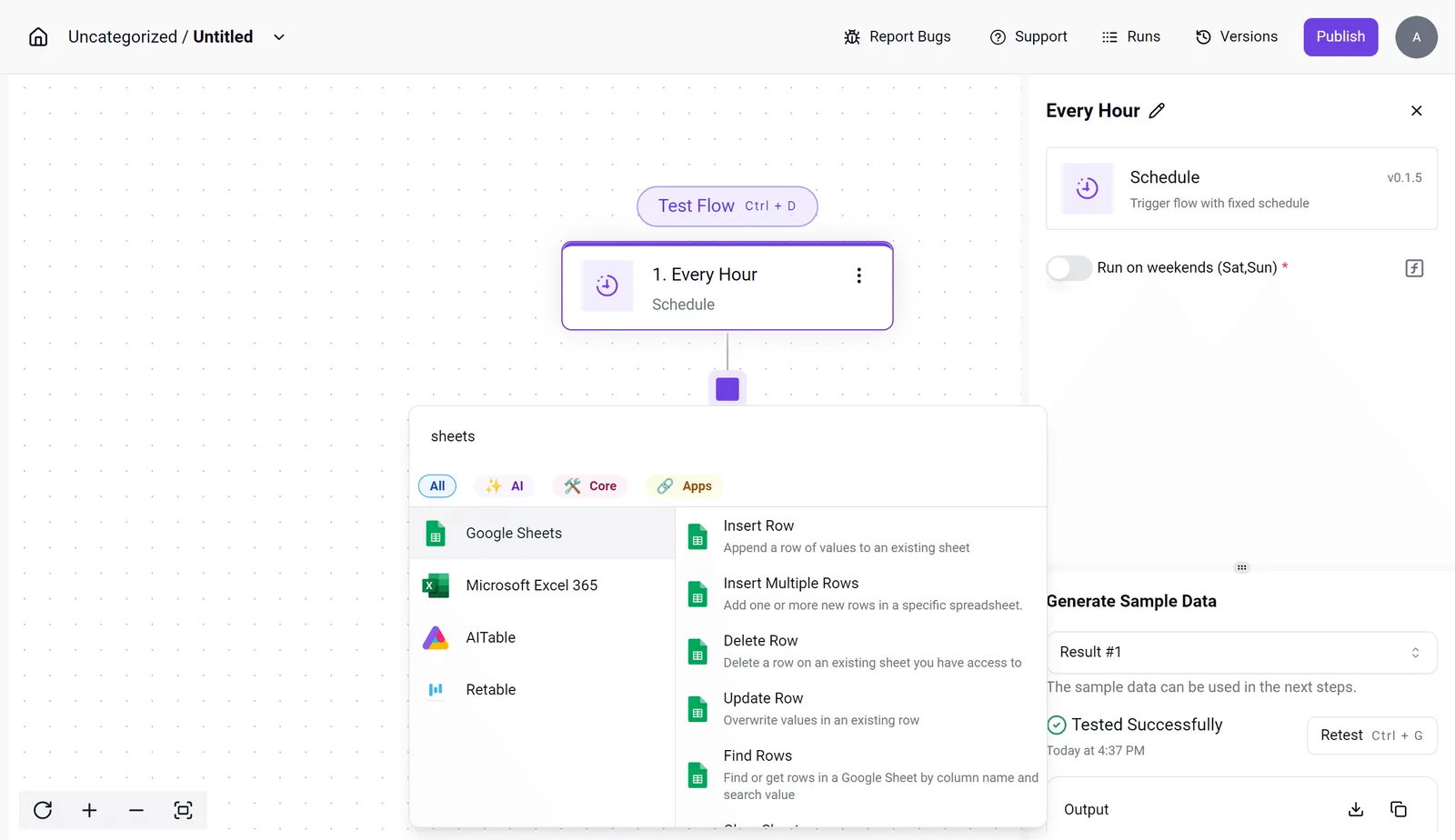
The screenshot shows a Schedule trigger set to "Every Hour", with the integration selector open on spreadsheet integrations including Microsoft Excel 365 and its Find Rows and Update Row actions.
The successful sample-data test is the proof to look for: the trigger fires before anything touches production data.
What Microsoft IQ costs and speeds today
Microsoft has published no price or speed figure for Microsoft IQ, so the only numbers you can compare are the plans around it, and they measure different things.
What Microsoft IQ pricing and allowances show
The table below shows the published price and allowance for each option. Take from it that IQ's cells are empty, and that the allowances are counted in different units (seats, tasks, credits), so no row converts into another.
| Option | Price | Allowance |
|---|---|---|
| Microsoft IQ | not published | not published |
| M365 Copilot | $30/user/mo | per-user license |
| Zapier Professional | $19.99 | 750 tasks |
| Activepieces Free | $0 | 1,000 credits |
| Activepieces Team | $200 | 50,000 credits |
On the automation side, the only costs come from Activepieces' pricing page. Free is $0 per month for 1,000 credits, so you can build and test the skeleton without a budget line. Plus is $20 per month for 10,000 credits.

At $200 per month for 50,000 credits, Team works out to $0.004 per credit against Plus's $0.002, so moving up buys volume, not a discount. None of this is a Microsoft IQ price.
No automation platform has run Microsoft IQ yet, and no benchmark exists for its latency or throughput; what is published on the platform side is that a run costs 1 credit however many steps it has.
Microsoft IQ's price, usage limits and response time are all absent. Don't estimate them from Copilot's $30 per user, because nothing states that IQ is billed the same way.
Budget for the workflow steps you can count, and treat the IQ call as an unknown until Microsoft publishes it.
What to watch next during Microsoft IQ rollout
Until one of five pages changes, the unknown stays unknown, so put those pages on a recurring check and file your budget revision against what they actually say.
The table shows what to look for on each page and when to look again; nothing in it is a prediction, only a place where a published fact would end the guessing.
| Page | What to check | Re-check date |
|---|---|---|
| Microsoft IQ pricing page | Whether a per-call, per-seat, or capacity charge is listed for IQ, which is what turns the unknown step in your budget into a counted one | Every Monday until a price appears, then at each budget review |
| IQ documentation | Documented rate limits, authentication methods, and whether calls can be made by a service account rather than a signed-in user | Every Monday, and again before any workflow goes to production |
| Ignite sessions page | Whether any IQ session covers integration or admin controls, since a session abstract is the first place a vendor states what is supported | The day after new sessions are posted |
| Activepieces piece page | Whether an IQ piece is listed among the 750 integrations in the open source repo, and which actions it exposes | Every Monday |
| Activepieces piece directory | Whether a Microsoft IQ piece has appeared in the directory, which tells you if a built-in step exists or you still need a generic HTTP call | Every Monday, plus whenever the piece page changes |
Don't count an unchanged page as a missed check; it is a result. Note the date you looked, because "pricing not published as of last Monday" is a defensible line in a change request, while "we think it's free" isn't.
When any row changes, rerun the cost estimate for the workflow steps you can count, then replace the IQ placeholder with the published figure.
Related reading
References
Build it
Set this up in minutes.
No code required. Connect your accounts, and Activepieces runs it from there.
Start free Talk to sales

