
Kajabi Pricing 2026: Basic, Growth and Pro Plans

Nov 5, 202614 min read
Activepieces, an automation tool that moves information between apps, is one way to do that without changing what you pay Kajabi.
Kajabi pricing is the tiered subscription structure of the Kajabi course and membership platform, in which each plan sets limits on contacts, products and admin users, so the amount you pay depends on which of those limits you reach first.
I need to return the full article, so here it is with only the one paragraph changed.
Kajabi Pricing 2026: Every Plan, Fee and Limit Checked
According to Vorec, Kajabi costs $179, $249 or $499 a month on Basic, Growth and Pro, and paying yearly takes about 20% off each. Kajabi is the platform that bundles online courses, memberships, email and a website for creators.
The plan is set by usage caps, so the price tag is only the entry fee.
The plan table, checked on a stated date
These figures come from Vorec's Kajabi pricing breakdown, read on 5 November 2026. The table shows what each plan costs month to month versus billed yearly, so you can see what committing for a year saves.
| Plan | Monthly price | Monthly price, billed yearly |
|---|---|---|
| Basic | $179 | $143 |
| Growth | $249 | $199 |
| Pro | $499 | $399 |
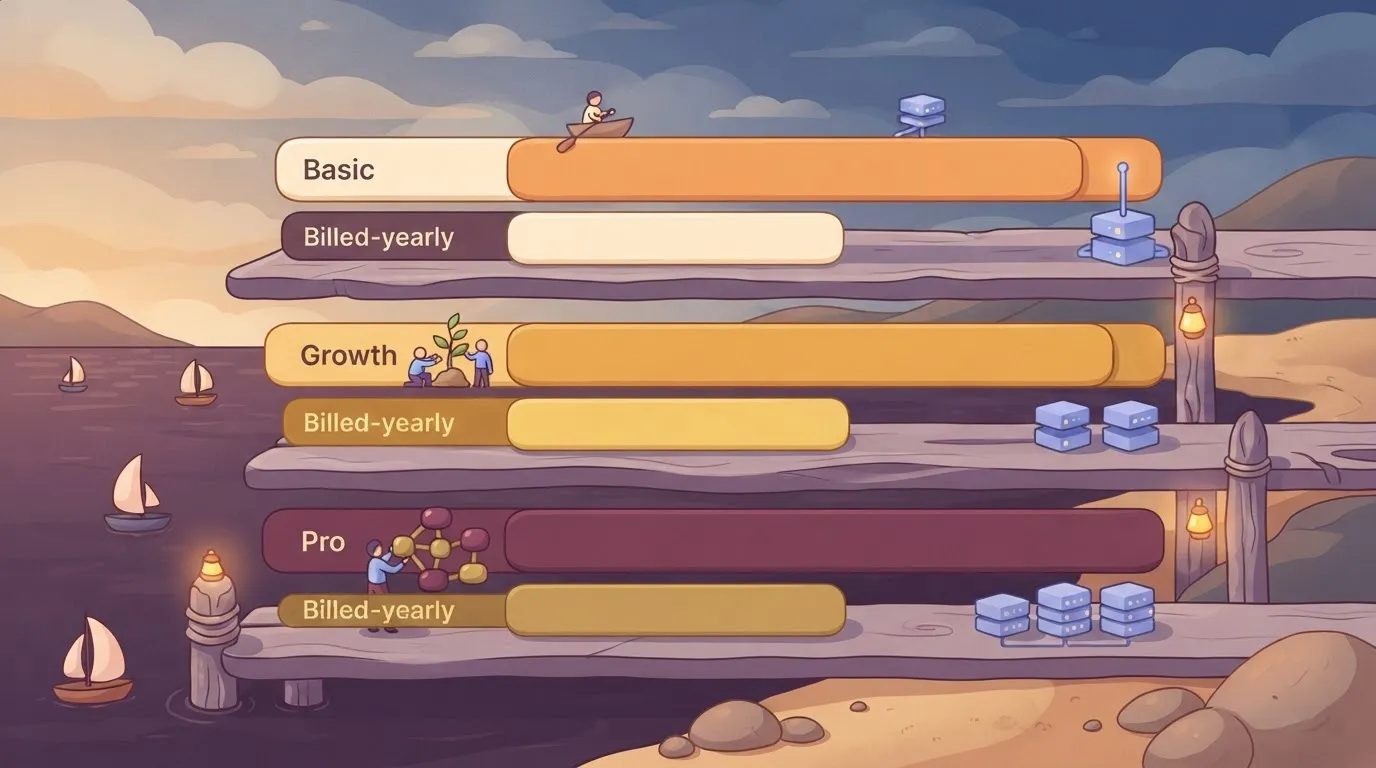
Take the yearly rate and it is cheaper on every plan, but it ties up twelve months of cash before you know which limit you'll hit.
What each plan caps and what it unlocks
Basic at $179 drops to $143 yearly, saving $432 a year. Growth at $249 drops to $199, saving $600. Pro at $499 drops to $399, saving $1,200.
Look at the step between tiers instead, because that is the real decision. Moving from Basic to Growth costs $70 more a month on monthly billing, and from Growth to Pro $250 more.
What Kajabi's own page doesn't state
If you want trial terms, the source behind these prices gives none I can confirm, and I haven't verified the product, contact, admin-seat and website caps for each plan.
Those caps are the numbers that decide your tier, so read them on kajabi.com before you pay. Prices also change, so check the date above against the live page.
Whatever you connect from outside, Activepieces among them, is billed separately and doesn't change what Kajabi charges.
If you are running this arithmetic for your own team, see what the same workload costs on Activepieces.
What Kajabi Costs for Three Real Buyers
Each buyer pays one plan price, and the plan is set by whichever limit they reach first. The table shows which limit that is for three buyers and what happens when they pass it.
| Buyer | Binding cap | Cheapest fitting plan | Monthly bill | Annual-billed bill | Plan after cap exceeded | Arithmetic |
|---|---|---|---|---|---|---|
| Solo creator | Contacts | Lowest tier that holds the list | One plan's monthly price | One plan's yearly rate, spread over 12 months | Next tier up | One plan price, no seat multiplier |
| 5-person team | Admin seats | Lowest tier with enough seats | One plan's monthly price | One plan's yearly rate, spread over 12 months | Next tier up | One plan price; seats are a limit, not a line item |
| 20-seat company | Admin seats, then products | Lowest tier covering both | One plan's monthly price | One plan's yearly rate, spread over 12 months | Next tier up | One plan price, set by the tighter of two caps |
Solo creator with one course
For a solo creator with one course, seats and products rarely hold things back. The list is what grows. Ignore that and the day the list passes the plan's contact limit, you're moved up a tier whether or not your income moved with it.
Five-person team with a list and coaching
For a team, the first wall is people. Everyone who needs to log in and edit takes an admin seat, so the seat count decides the plan before the list does.
Count the people who must edit, not the people who are merely involved.
When the company has twenty seats and several products, two caps compete. Twenty seats and several products can each push you up a tier, and the plan has to clear both. The tighter one sets the price.

You can pay for a higher tier to get seats and never touch the extra product room, or the reverse. Work out both counts, and buy for the larger.
Hidden Kajabi Costs and Limits People Hit
Outside Kajabi's headline price, the costs come from four places:
- what you pay to take payments
- what you pay when your list grows
- what you pay for extra people
- what it costs to leave
Kajabi payment processing and transaction fees
When a sale goes through, it passes through a payment processor, which takes a cut before the money reaches you.
I checked Kajabi's pricing page for any per-transaction fee, though not its current processing rates., so check both before you model your margins.
If you sell low-priced products, a fixed fee per sale can cost you far more than a percentage fee would.
Contact and product caps
Most buyers meet the list limit first. According to Axl, one extra block of 5,000 contacts adds $25 a month, and one block of 25,000 adds $125 a month.

Both work out to $5 per 1,000 contacts, so the larger block gives you no discount for buying in bulk.
Whether a list that passes its cap by a few hundred contacts triggers a whole block is unconfirmed. Assume it does until Kajabi's docs say otherwise. How Kajabi treats you when you hit a product cap is also unconfirmed.
Seats, add-ons and plan-gated features
Extra admin seats are the third limit. I couldn't confirm a per-seat price, so budget by asking Kajabi's sales team for the figure in writing.
Then there are features that sit only on higher plans, which are the other trap.
If a tool you need is gated, the upgrade price, not the add-on, is your real cost. Compare the feature list on the pricing page against your launch plan, line by line.
Kajabi cancellation, downgrade and billing terms
Pay for yearly billing and you hand over the full year up front, usually at a lower monthly cost. If you outgrow or abandon the plan in month four, you may not get the other eight months back.
Before you commit, read Kajabi's refund and downgrade terms, which aren't confirmed here. Also check what happens to contacts and products above a lower plan's cap when you step down.
Worth checking against a plan that does not meter every step: one credit covers a whole run on Activepieces.
Kajabi Against Teachable, Thinkific and Podia
Compare the four on three lines: what each takes per sale, what each caps and how many people can log in. Those move your bill more than the monthly price does.
I judge every platform on the same six measures:
- entry monthly price
- yearly price
- transaction fee
- contact or student cap
- admin seats
- built-in email and community
Check each against the vendor's own pricing page on the day you buy, since plans change. Where a vendor publishes no figure for a measure, you can't compare it, so don't let a sales call fill the gap.
Kajabi, Teachable, Thinkific and Podia compared on fees
You can lose money on transaction fees without noticing. Teachable's support page on fees lists them by payment type:
| Payment type | Fee per sale |
|---|---|
| Starter plan | 7.5% |
| International PayPal | 4.99% |
| International card | 3.9% |
| US PayPal | 3.49% |
| US card | 2.9% |
| Custom gateway | 2% |
Watch the Starter rate. At 7.5%, a $100 course sale leaves you $92.50 before anything else is deducted. A US card sale at 2.9% costs you $2.90 on the same $100.

A custom gateway, which is a payment processor you connect yourself, is the cheapest line at 2%.
Put your own mix of card, PayPal and international buyers through the table before you trust any headline price.
Where Kajabi costs more and what that buys
Pay a higher monthly price only if it removes a limit you would otherwise hit. The fee arithmetic shows how to test that. On $10,000 of monthly sales, 7.5% is $750 and 2.9% is $290, a $460 gap before the subscription is counted.
If a cheaper plan's fee, cap or seat count would cost you more than the difference in price, the dearer plan is the cheaper one for you.
Connecting Kajabi to Your Other Tools with Activepieces
Once you know which plan clears your limit, the next question is whether Kajabi's data can reach the rest of your business. Activepieces, an automation tool that moves information between apps, is one way to do that without changing what you pay Kajabi.
If a cheaper plan's fee, cap or seat count would cost you more than the difference in price, the dearer plan is the cheaper one for you.
It doesn't lower Kajabi's price, raise a cap or stand in for a plan.
Your contacts, products and admin seats are still counted by Kajabi, so a workflow tool can't get you under a limit you've already crossed. Its job starts after the plan is chosen.
When Kajabi's built-in integrations are enough
If a new purchase or signup only needs to land in one email tool Kajabi already connects to, use that connection and stop. It's one less thing to maintain, and when something breaks you have one vendor to call instead of two.
For small teams that check Kajabi's own reports once a week, the position is the same. Adding a second tool to solve a problem you don't have is how a tidy bill turns into two bills.
What a workflow tool adds on top
The trouble starts when one sale needs to show up in several places. A buyer signs up, and someone has to add them to a customer list (a CRM), log the sale in a spreadsheet, and put them on the right email sequence.
Done by hand, that's copy-and-paste work that gets skipped on busy days, and a skipped step means a buyer who never gets the welcome email.
Here is how the route runs: Kajabi sends the purchase or signup through Activepieces, which passes it on to the CRM, the spreadsheet and the email tool in one pass. You set the rule once and the copying happens every time after.
There are two ways for Activepieces to listen for Kajabi. If its documentation lists a Kajabi connector, you pick it from a menu and choose the event.
If it doesn't, Kajabi can send a webhook, which is a message fired automatically when something happens, and Activepieces can catch that message.
The connector list is the packages/pieces/community folder of Activepieces' MIT-licensed open-source monorepo on GitHub, which holds 747 integrations, roughly 60% of them contributed by the community.
If a Kajabi connector isn't in that folder, the gap doesn't have to wait on anyone's roadmap: an integration can be generated for it and kept on your own instance, so the webhook is a fallback rather than your only route.
Before you commit, also check how Activepieces charges for the volume of runs you expect. That's a second limit to price, the same way you priced Kajabi's.
Activepieces is the better fit for Kajabi users whose other tools fall outside what Kajabi's built-in integrations cover, judged on how far the connection catalogue can stretch.
Kajabi's own limits on contacts, products and admin seats stay with Kajabi, and no workflow tool changes that, so this is a verdict about reach rather than price.
Because Activepieces' catalogue is open-source and can be counted directly from its monorepo, a missing connector is something you or the community can build, which makes its catalogue a floor and not a ceiling.
Your best Kajabi plan
Which Kajabi plan to choose
Choose the lowest Kajabi plan whose contact, product and admin-seat caps you fit today, unless one of those caps will force you up a tier within the year. In that case, price the tier you'll land on.
Buy a plan that's too small and you pay twice: the overage or forced upgrade arrives mid-launch, when you can least afford a surprise. Buy one that's too large and you pay every month for room you aren't using. The sticker price tells you neither.
When your first limit is one Kajabi prices steeply and another tool doesn't, a cheaper alternative wins. A large, mostly dormant contact list is the usual case, or a team that needs many admins but runs a single course.
If the limit you hit first is the one you can't shrink, compare tools on that limit alone, using the same method you used for Kajabi.
Work through these in order. Each step feeds the next, so the last one gives you a plan you can defend rather than one you guessed at.
- Count your real contacts, products and admin seats. Use the list you have now, then add what you expect to have by the end of the year. Remove people who never open your email, since they may still count against you.
- Re-check the pricing page. Plans and caps change, and an article, including this one, can be out of date. Write down what the page says today, with the date.
- Start the trial with your real setup. Import your actual list, build your actual product, invite your actual admins. A trial with sample data tells you nothing about the limit you'll hit first.
- Price yearly against monthly. Yearly billing is usually cheaper per month, but you're paying up front for a plan you've only just tested. If your counts are still shifting, monthly may be the safer start.
- Pick the lowest plan whose caps fit. If two plans both fit, take the smaller one and move up when a limit actually binds.
Frequently asked questions
Keeping a plan in fit means knowing the terms that move it, and a few of those sit outside the plan table. Each answer below points to Kajabi's pricing page and terms of service, last checked 2026-11-05.
Does Kajabi offer a free plan or free trial? Kajabi has a free trial, not a free plan. Once the trial ends, you pay or your account stops.
Source: Kajabi's pricing page, checked 2026-11-05. Trial length and any card requirement have changed before, so read them there before you sign up.
Can I switch Kajabi plans or cancel mid-term? You can move between plans from your account settings, and upgrading is the easy direction. Going down means fitting under the lower plan's caps on contacts, products and admin seats, so trim those first.
Cancelling mid-term doesn't automatically return unused time. Source: Kajabi's terms of service, checked 2026-11-05.
Does Kajabi take a cut of my sales? Kajabi doesn't charge a per-sale fee on top of the plan, as far as its pricing page states. The payment processor you connect still takes its own fee on every charge.
That fee is a real cost, so count it in your monthly bill. Source: Kajabi's pricing page, checked 2026-11-05.
Is Kajabi's yearly plan worth it over monthly?
If you stay on the same plan for the full term, yearly billing costs less per month. It costs more if you outgrow the plan or shrink and want to leave early.
Refund terms on yearly payments are set in Kajabi's terms, so read them first. Pick yearly only once you know which limit you'll hit first. Source: Kajabi's pricing page and terms, checked 2026-11-05.
Can I export my content and contacts if I leave Kajabi? Contacts can be exported as a spreadsheet file. Courses and site pages generally don't move to another platform in a working form.
Keep your own copies of videos, documents and written lessons, because rebuilding elsewhere starts from those. Source: Kajabi's help documentation, checked 2026-11-05.
Related reading
References
Running the numbers
See what the same workload costs here.
Free forever plan, and every paid plan self-hosts at no extra cost.
See pricing Talk to sales