
Keeper Pricing: Plans, Costs and Extra Seats (2026)

Nov 24, 202615 min read
Keeper's a password manager from Keeper Security. It's sold as two consumer plans and three business plans, plus a free tier that lets prospective users try the service before committing to a paid plan, so your pricing depends on your customer segment.
Keeper publishes consumer prices per year and business prices per user, and it quotes Enterprise individually. The table below, dated 24 November 2026, shows what each plan costs and where its limits sit, so you can see which line your invoice should match.

Keeper pricing today: every plan, price and limit
| Plan | Price | Billing term | Inclusions | Stated limits | Checked on |
|---|---|---|---|---|---|
| Free | $0 | None | Basic vault | One mobile device | 2026-11-24 |
| Personal | $42.99 | Annual | Unlimited passwords and devices | One user | 2026-11-24 |
| Family | $91.99 | Annual | Personal features, shared vaults | Five users | 2026-11-24 |
| Business Starter | $2 per user per month | Annual | Core business vault | Small teams only | 2026-11-24 |
| Business | $4 per user per month | Annual | Starter plus admin controls | Per-seat billing | 2026-11-24 |
| Enterprise | $6 per user per month | Annual | Full admin and reporting | Set by contract | 2026-11-24 |
You can test an invoice against every row except Enterprise, because Keeper lists Enterprise at a fixed per-user price, and larger contracts may still be negotiated.
A sixth person on the Family plan means a second subscription, because the limit of five users is a hard ceiling. Personal and Family are both annual, single-payer plans.
Business Starter, Business and Enterprise
Seats drive these bills. SpendHound reports that small and mid-sized customers pay an average of $10,401 per year, and enterprise customers $120,519, which means enterprise customers pay substantially more than small and mid-sized.

That's more than eleven times the SMB figure, which shows that real bills are set by seat count and extras, not by the per-seat list price.
When an add-on such as breach monitoring or secrets management is bought, it isn't in the plan price. Each appears as its own line on a quote, so it needs its own approval.
I compared plan details against Keeper's published pricing on 24 November 2026. The SpendHound averages are third-party figures, not list prices.
Whoever owns renewal, whether through a manual review or a workflow built in Activepieces, should re-check this table each cycle, because prices change without notice.
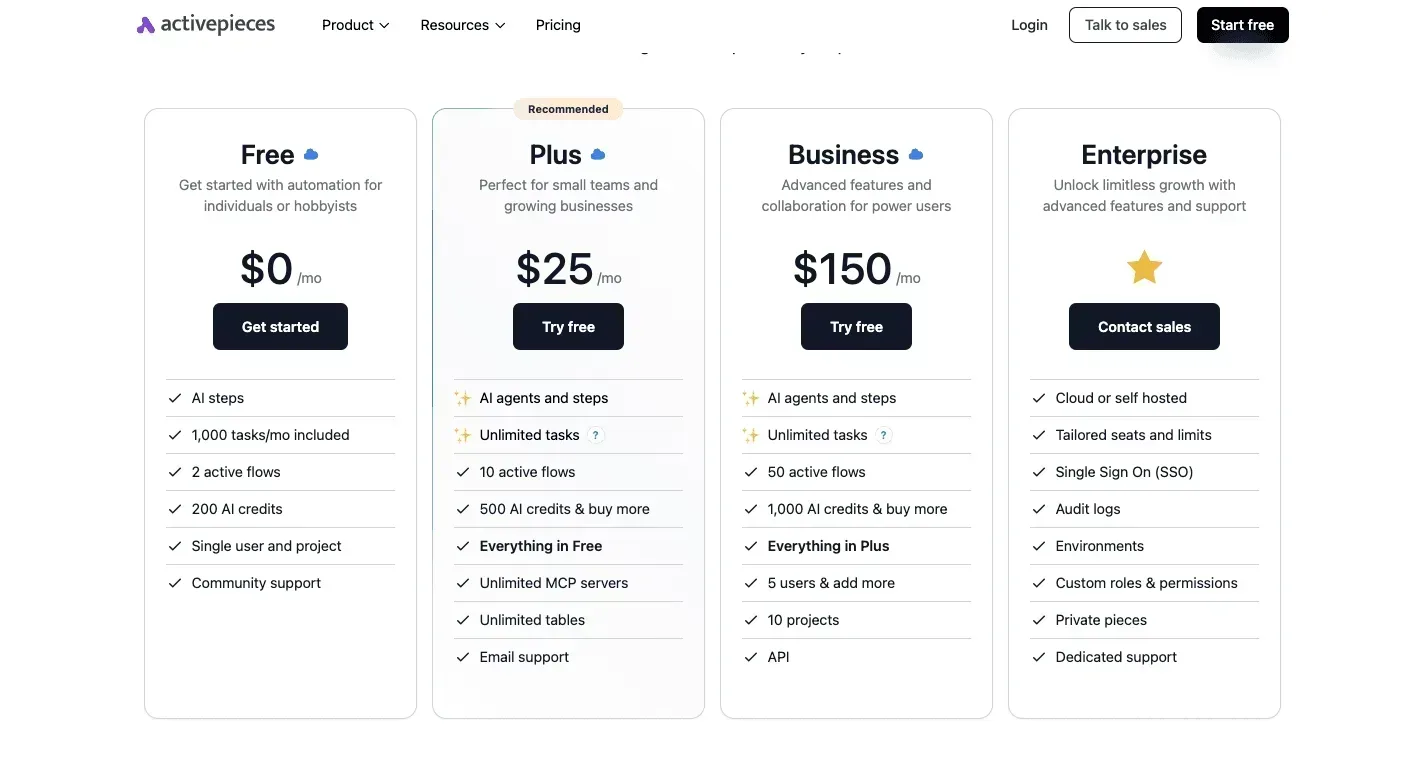
If you are running this arithmetic for your own team, see what the same workload costs on Activepieces.
Why the Keeper renewal invoice exceeded budget
The list prices in the table were not what went wrong. The invoice came in over budget because Keeper billed the company for more seats than it used and for add-ons nobody had priced into the renewal.

When the invoice reaches the finance lead's inbox at 9:12 a.m., the approval chain starts from that moment. The case is an illustrative composite of a 12-person company, built on list prices rather than taken from any one customer's records.
What the budget assumed
Headcount on the day someone approved the plan, multiplied by the list price per seat: that was the whole budget. It assumed the seat count would stay fixed for the whole term and that no add-ons would be switched on.
Nobody confirmed either assumption at renewal, so the budget was a forecast that no one owned.
What the invoice actually said
By renewal, more seats were billed than the company had people using. People had left or changed roles, and their seats stayed assigned. Separately, someone with admin rights enabled add-ons partway through the term, with no requirement to seek sign-off.

The gap between each pair of bars is the unmanaged drift, and the add-ons sit on top of it.
Since the overspend comes from drift rather than from list price, the remedy is a rule applied on a schedule, not a better reading of the price table.
Reconciling the invoice took longer than approving it should've. Someone had to match each billed seat to a named person, establish who had enabled each add-on and when, and explain the difference to whoever signs off the budget.
None of that record existed in one place, which is why the audit requirement comes before any saving.
Hidden costs and limits behind a Keeper renewal
Because Keeper bills per user, the number of billed users drifted away from the number of people who actually needed access, and that is why the invoice differed.
Five causes explain the gap, and Keeper's own material states each one, so the audit can start from the vendor's wording rather than from memory.
- Keeper counts seats per user, so it bills every provisioned account whether the account is active or not (Keeper pricing page).
- Billing is annual only, so a seat you add or leave in place commits you for the term (Keeper pricing page).
- Starter caps its user band, so a growing team outgrows the tier and moves up (Keeper pricing page).
- Extras bought after signing change the bill before renewal (Keeper admin documentation).
- An account you don't remove or reassign when someone leaves keeps costing money (Keeper admin documentation).
You can check each one before the renewal date instead of finding it on the invoice, because each cause is a rule Keeper publishes.
Start by comparing the admin console's account list with the current staff list. Any account without a matching person is a seat paid for and unused.
If you read only the list price, you miss the add-ons bought mid-term, which appear later. Request an itemised statement and match each line to an approval on file.
When a tier limit such as Starter's user band forces an upgrade, it tends to land at an inconvenient moment. Check headroom well before renewal so you plan the move and it's not forced on you.
Treat third-party reviews as opinion, not vendor fact. Read them for patterns in renewal and support complaints, then confirm any claim against Keeper's pricing page, documentation and changelog before it shapes a decision.
Keeper versus competitors for the same team
Put the four vendors side by side for a 12-user team and the choice of vendor moves the bill less than seat discipline does. Switching away from Keeper would not have prevented the overspend.
Before reading the result, anyone who signs off on a comparison needs to see how it was built.
Switching away from Keeper would not have prevented the overspend.
Each vendor should be priced on the same basis: its entry tier, billed annually, for 12 users, making vendors directly comparable, which means any price differences will reflect differences in the products themselves.
Every cell should come from that vendor's own pricing or documentation page, with the date it was read written beside it. A figure without a date can't be audited at the next renewal, and vendor pages change.
Five columns decide the comparison:
- Annual cost of the entry tier for 12 users, the minimum needed to start with a small team, so you know exactly what you must budget.
- The tier at which single sign-on (SSO) and SCIM, the protocol that adds and removes accounts automatically, become available.
- Which add-ons are bundled and which are billed separately.
- Whether a trial exists, and on which tier.
- The notice period for cancelling.
Where Keeper's bundled add-ons cover what the team would otherwise buy separately, its case is strongest. It's weakest where SSO or SCIM sits above the tier the team can justify. Either way, that's a decision about one renewal, not about the cause of the overspend.
The cause was seats. All four vendors price their entry tiers per user. A seat held by a departed contractor or an unused account costs the same on any of them, and the invoice grows at renewal without anyone approving it.
A migration would also take on new onboarding, and would repeat the drift on a different invoice.
The comparison is therefore worth keeping as a record, dated cell by cell. The fix is the standing rule: reconcile seats against active staff before every renewal notice date, and name the person who signs that reconciliation.
Worth checking against a plan that does not meter every step: one credit covers a whole run on Activepieces.
Keeper seat audit rule to prevent overspend
Each with a named owner and a deadline, five controls make up the standing rule. Together they keep the seat count at renewal equal to the people who actually work here.
The table sets out who answers for each control, when it must be done, and what it does to the next renewal invoice.
Read the audit and owner rows first: without a signature and a date, the other three controls are intentions rather than controls.
| Rule | Owner | Deadline | Seats and dollars at next renewal |
|---|---|---|---|
| Named owner for the admin console | IT administrator, appointed in writing | Before the next audit | Every seat has an accountable signature, so no unexplained seats reach the invoice |
| Seat audit against active staff | Named owner, countersigned by finance | 60 days before renewal | Unused seats are removed ahead of the notice date, so the bill is priced on seats in use |
| Written cost for every add-on | Budget holder requesting it | Before purchase | No add-on enters the renewal without an approved cost, so none arrives as a surprise line |
| Leavers removed | Named owner, triggered by HR notice | One working day after departure | Departed staff stop holding seats, so drift cannot build between audits |
| Seats capped at HR headcount | Finance, checked against the HR record | At each audit | The seat count has a ceiling, so the renewal cannot exceed the number of people employed |
I've left the next renewal's totals out of the table. The result is not yet confirmed, and a figure entered before the audit has run would only be an estimate.
The 60-day mark matters because it leaves time to cut seats before the notice date. After that date, the count is usually fixed for the term.
Whoever signs takes on a plain obligation. At the first audit, the signatory records the seat count, the HR headcount and the difference, and the renewal figure is taken from that record.
Seat-drift alerts built with Activepieces
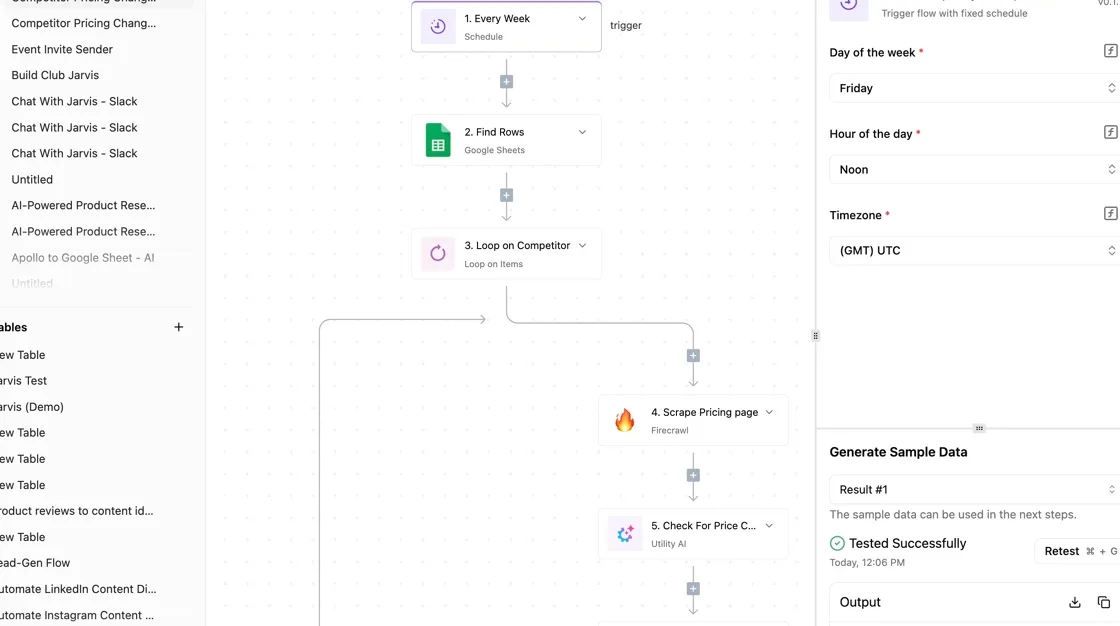
Per-seat pricing rations automation, and the tool that runs this audit shouldn't repeat the habit that caused the drift. Activepieces is credit-based: a run costs 1 credit however many steps it has, AI steps cost more, and every plan, including free, has unlimited flows.

User allowances differ by plan, so check the live pricing page for the tier a team of your size needs.
Alan and Funding Societies run it in production, and each team works in its own project with only the apps an admin has allowed, credentials held centrally.
A dashed path shows the manual monthly CSV that can feed the same comparison.
Take from it that the automation is a convenience wrapped around the audit rule, not a replacement for it. What follows sets out what the comparison checks and where it stops.
What the Keeper seat-audit workflow checks
Two lists are read on a schedule. The first is the current roster from the HR system (or the identity provider, if that's the system of record for starters and leavers).
The second is the list of users holding Keeper seats. It matches them on work email address.
Anyone who appears in Keeper but no longer appears on the roster is posted to a Slack channel, with their name and the date of the check.
That gives the signatory a named list before renewal, so each seat can be reclaimed or justified, and the renewal figure rests on the record rather than on last year's count.
What it cannot see
If your plan or administrator role gives no user export or API access to the seat list, the automated feed doesn't exist. The workflow can only compare what Keeper exposes.
The check then falls back to the dashed path: someone downloads the user list monthly and uploads it as a CSV. That works, and for a small team it may be the better choice, since it costs nothing to maintain.
Two further limits apply. A leaver whose email differs between the two systems will be missed or falsely flagged, so the matching key needs checking. And the alert only names people; reclaiming the seat remains a human decision with an owner.
Monday checklist for checking your Keeper bill
Run the steps below in this order, because each step produces the record the next one needs. The seat owner named in the alert does the work and the budget holder signs off.
The order also puts the deadline first, so you know how much time the rest has.
- Find the renewal date and the notice window. Take both from the signed order form, not from memory. Once the notice window closes, the subscription renews at today's seat count, so every later step is only advice.
- Export the user list from the admin console and save it with the date. This is your evidence of what you were billed for, and an auditor will ask for it.
- Match every user to current staff. Compare the export against the HR roster and flag leavers, contractors whose engagements ended, and duplicate accounts. Each flagged seat is one you pay for and nobody uses, so give each one a named owner and a decision.
- List every add-on with its price. Pull them from the invoice, not the console. An add-on bought for one project and never reviewed keeps billing, and it's invisible if you only count seats.
- Re-read the public pricing page and note the date you read it. List prices change, so without a dated note you can't show whether your renewal quote moved or you misremembered.
- Decide: trim, downgrade or negotiate. Remove seats that matched no one, move light users to a cheaper tier where one exists, and take the add-on list and seat evidence into the renewal conversation. Record who approved each change.
From steps three and four you get a table of findings, and the next section turns it into a standing rule. That way the audit happens every quarter and not only when someone notices the bill.
Frequently asked questions
Does Keeper offer a free plan or free trial?
Before planning around either, confirm the current offer on Keeper's own pricing page or with your account representative, because trial terms change and I have no confirmed terms to quote.
Ask one further question in writing: does a trial convert to a paid term automatically? If it does, the conversion date is a renewal date, and it belongs in your audit calendar from day one.
Is Keeper cheaper billed annually than monthly?
Annual billing is the baseline you should compare any monthly quote against, because the per-seat prices used in this article are the annual-billing rates. Ask for both quotes on the same seat count and the same tier.
Annual billing also commits you to that seat count for the term, which means you pay in full for any drift you fail to catch before renewal.
Can I get a refund if I cancel Keeper mid-term?
Assume not until the order form says otherwise. Prepaid annual terms are commonly non-refundable in business software, but the cancellation and refund clauses of your own contract decide the matter, and the approver who signs should read them first.
Also check when a seat reduction takes effect. If it applies only at renewal, removing unused seats mid-term saves nothing until then.
Does Keeper charge extra for single sign-on or provisioning? Ask the vendor to state, line by line, whether single sign-on and automated user provisioning are included in your tier or sold as add-ons. Don't infer it from the tier name.
An add-on priced per user scales with seat drift, so a quote that lists it separately gives you one more line to audit each quarter.
Is Keeper worth it compared with a free password manager? For one person, a free manager may be enough.
For a team, the question is whether you need administrative controls: revoking access when someone leaves, seeing who holds which credentials, and producing evidence for an auditor. If you need those, the paid tier is buying them.
If you don't, the seats are a cost you shouldn't carry.
Related reading
References
Running the numbers
See what the same workload costs here.
Free forever plan, and every paid plan self-hosts at no extra cost.
See pricing Talk to sales