Loom Pricing 2026: Free and Paid Plans Explained

Nov 3, 202614 min read
Loom pricing is a free Starter plan, two paid tiers billed per creator, and a custom Enterprise quote, which means scaling your recording team scales your costs too, a pattern familiar to anyone who has watched per-seat bills grow in tools like Activepieces or elsewhere in their stack.

Loom is Atlassian's asynchronous video tool: you record your screen and voice, share a link, and colleagues watch when they choose.
Loom pricing tiers and limits
The plan table, checked 3 November 2026
Where the pricing page gave no figure, the cell says "not stated" instead of guessing.
| Plan | Monthly price | Annual price per creator | Who counts as a paid seat | Inclusions | Limits |
|---|---|---|---|---|---|
| Starter | Free | Not applicable | No paid seats | Basic recording and sharing | Caps of 5 minutes per recording and 25 videos |
| Business + AI | Not stated | Not stated | Each creator | Business features plus AI tools | Not stated |
| Enterprise | Custom quote | Not stated | Not stated | Business + AI features plus administrative controls; list not stated | Not stated |
On Starter, the limits are the product.
Anyone who records and publishes is a creator. A viewer only watches. Paid plans bill the first group, so a team of ten recorders and forty watchers is ten seats.
The risk is the person who records once a quarter: they still hold a seat, or they hit the free-plan wall mid-recording.
Choose annual billing and you are committed for the term, so a seat added to cover one project is paid for after the project ends. Each paid plan lists a monthly price and a lower annual price per creator.
Route recordings into other tools through Activepieces, whose Free plan allows unlimited flows, and seats are still counted by who records, not by what receives the link.
If you are running this arithmetic for your own team, see what the same workload costs on Activepieces.
Five-person support team hitting Loom limits
Four hours of Monday were gone before anyone looked at a price. This illustrative composite of a five-person support team on the free plan shows how, and seats follow the people who record, as the damage did.

Here is where the four hours went. Notice that the longest loss came after the block, not at it.
- 9:40: an agent starts a walkthrough for a customer and hits the plan limit. Lost: 0.25 hours.
- 9:55: the team searches for the cause, reading help pages and checking whose recordings count. Lost: 0.75 hours.
- 10:40: recordings are redone in another tool, so the customer replies still go out. Lost: 2 hours.
- 12:40: someone checks the pricing page and the team decides to upgrade. Lost: 1 hour.
Every walkthrough the team had planned to send that morning was either re-recorded or sent late, so customers waited on a plan setting.
The cap itself cost nothing; not knowing it existed cost two hours of paid support time.
What the upgrade cost at 5, 15 and 50 creators
Take ScreenSnap's figure of 180 $ per year for each creator on Loom Business, since Loom bills the upgrade per paid creator. One creator therefore costs 180 $ a year, which suits a team where a single person records.
The cap itself cost nothing; not knowing it existed cost two hours of paid support time.
Three creators cost 540 $, so a team that splits recording between three agents pays three times as much. All five agents recording costs 900 $, which is what this team faced at 12:40.
Scaling the same 180 $ rate, 15 creators come to 2,700 $ a year and 50 come to 9,000 $. The bill grows with the number of people who press record, not with headcount.
Counting recorders on the Friday before the cap, rather than on the Monday it bites, is what keeps a team at 540 $ instead of 900 $.
Hidden Loom limits that surprise teams after signup
You will not find Loom's limits where you chose a plan. They appear in the product as a failed recording or a locked video.
The list below sets each limit against the pricing page, help centre and changelog, and marks "not stated" wherever Loom says nothing; read it as a checklist to clear before signup, not a reference to consult after the first error.
Where a source is silent, treat the answer as unknown and ask support before you commit.
Loom Starter video count and recording length limits
A recording stops mid-explanation. That is the first sign of the Starter plan's limits. The plan caps both how many videos an account holds and how long one recording can run.

Both caps are on the pricing page, but Loom shows neither while you record. For a team that uses Loom for walkthroughs, the length cap bites first, and you can't recover the lost take.
The count cap bites months later, when old videos block new ones.
Seat rules and who becomes a billable creator
Whoever records gets a creator seat, whether or not you named them in the admin panel. Loom's help centre describes seat assignment, but what happens when an unpaid member records isn't stated plainly.
That gap matters because a single enthusiastic recorder can raise the bill. Creator Lite accounts are always free, so a budget only needs to cover the paid Creator seats.
Loom downgrade behaviour and annual plan terms
After a downgrade, the pricing page doesn't say what happens to videos above the free cap. Until Loom confirms it in writing, assume anything over the cap may become inaccessible, and export first.
Annual terms are the other trap. Whether a mid-term seat reduction earns a refund or credit isn't stated, so the safe reading is that you pay for the seats you bought until renewal, even if people stop recording.
When a team signs up expecting automatic titles and summaries on a lower plan, it discovers the gap only when the buttons are missing. The AI features sit behind a higher paid tier, and the pricing page lists them by tier.

Whether any of them can be trialled before you upgrade isn't stated.
Worth checking against a plan that does not meter every step: one credit covers a whole run on Activepieces.
Loom against Zight, Vidyard and Tella on price
No trial is stated, so the comparison rests on what each vendor's own pricing page says. The deciding terms are the free-plan cap and what counts as a paid creator, not the headline rate.
//www.vidyard.com/pricing/) and Tella side by side on free video cap, recording length cap, paid price per creator per month, viewer analytics and AI features, with the date each vendor's page was checked.
Read the check date first, because a pricing page that's changed since then makes its row unreliable. What follows takes the rows in three passes: the free tiers, the five-person bill, and the case for staying put.
A recording fails at the free cap. A video limit and a length limit behave differently: one stops you saving the next recording, the other cuts the current one off mid-sentence.
Paid cost per creator at five people
Multiply the paid column by the people who'll record, not by everyone who'll watch. Viewers cost nothing on every page checked, so the bill depends on who the vendor counts as a creator.
If anyone who records even once is a paid seat, five people means five seats. Analytics and AI features sit in this column too: where a vendor reserves them for the paid tier, they're part of the price, not a bonus.
When staying on Loom is still the right call
If the team's recordings already fit its free caps, stay. The same goes for a team where only one or two people record and the creator definition leaves the rest as free viewers, so your costs stay low if only a few actually record.
Switching also costs something: existing videos, shared links and habits.
Move only if a competitor's row beats Loom's on the column your team hits first, and only after reading that vendor's own definition of a creator.
Automating the Loom usage check with Activepieces
Nothing here replaces Loom.
Activepieces runs the rule from the last section on a schedule, at 1 credit a run however many steps it has, so someone is asked to compare creator count and recording volume against the plan's limits before a recording fails instead of after.
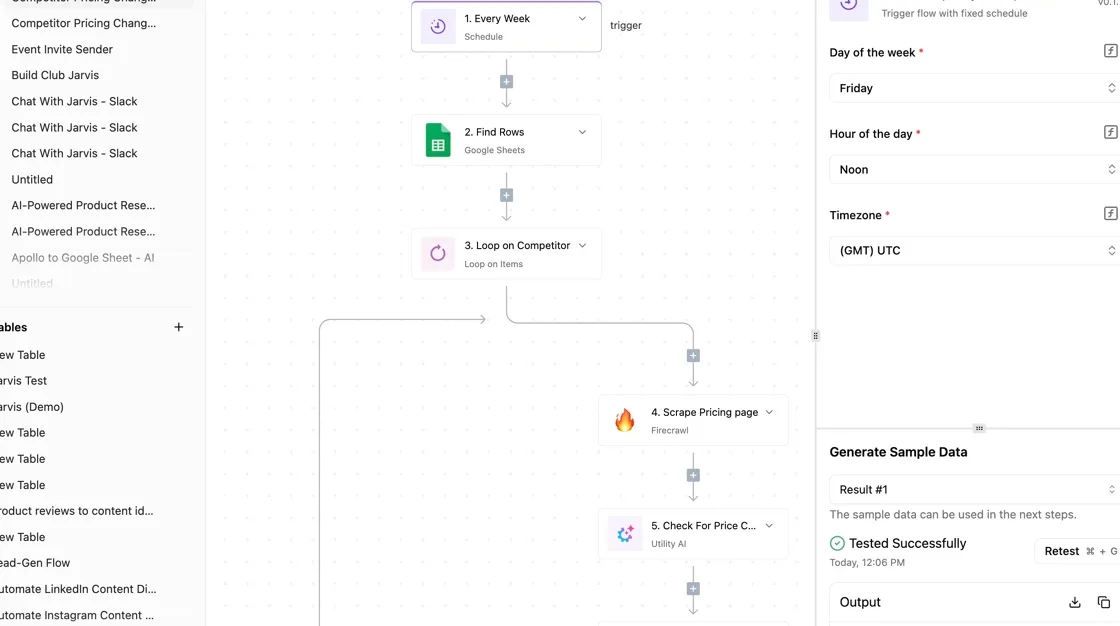
Titled "HubSpot Tickets Categorization", the flow below isn't a Loom workflow. It is a ticket-routing flow, and it shows what the builder gives you: a trigger at the top, AI steps, a Router that branches, and Slack "Send Message" steps at the bottom.
With the trigger selected, the panel on the right asks for a Connection and offers "Load Sample Data". Take from it the shape, not the content. Swap the trigger for a schedule and the Slack steps stay exactly as they are.
You don't have to draw that flow by hand: describe the monthly check in the built-in chat and it publishes a live flow in your account, under the same RBAC and audit logs as one someone built manually.
The first scheduled Monday produces a run trace listing the outcome of every step, including which branch the Router took.
The 746 integrations are the folders in the open source monorepo's community directory on GitHub, so whether a Loom integration exists is a folder name you can look up before relying on one.
What follows is how that shape applies to a usage check.
What the scheduled Loom usage check does
On the first working day of each month, say, the trigger fires on a calendar. A first step asks the plan owner to enter two things: how many people currently hold a creator seat, and roughly how many recordings the team made.
Next, a Router compares those entries with the limits you copied from Loom's pricing page. One branch means the team's inside its limits and sends a short note.
The other branch means it's at or past a limit, and it posts to Slack or email naming which one.
You type in every limit in that comparison. If Loom changes a cap, the workflow keeps comparing against the old one until someone edits it. For a team of three, this is overbuilt. A recurring calendar reminder does the same job with less to maintain.

What it cannot see in Loom
Check first whether any of the 746 integrations is a Loom one that reads seat and recording data, so you can't identify it at a glance. Don't assume it does.
Until you have confirmed it in the integration list, treat the workflow as blind to Loom: it knows only what a person tells it.
If another admin added a creator last week, that creator doesn't appear unless someone counts again.
The check prompts a human to look; it doesn't look for them. It also can't tell you how Loom defines a creator in edge cases, so that definition still has to come from Loom's own pages.
Loom plan rules to set on Monday morning
Under an hour each, six rules turn Loom's creator definition from something you discover on a failed recording into something your team enforces in advance.
Together they're one named workspace owner, a cap on free creators, an alert at about 80% of the 25-video cap, a quarterly pricing re-check with the date recorded, a seat policy, and a written downgrade plan, so you always know where you stand with usage or billing.
Assign an owner and a seat policy
Put one person's name on the workspace, not "the team" or "whoever set it up." That person holds the admin login, sees the billing page, and answers when someone asks for a seat.
Write the seat policy as a short paragraph: who may be a creator, who only views, and who approves a change. Copy Loom's own wording for "creator" into it, with the date you read it.
Then set the cap on free creators the policy allows, and treat each new creator as a decision the owner makes, not a side effect of someone clicking record.
Set a Loom usage alert before the cap
On a 25-video cap, 80% is 20 videos, which leaves five recordings of headroom to decide rather than react. Have the owner check at that point, or set a reminder that fires there, so the decision happens while every recording still works.
Write the downgrade plan before the alert fires. It says what gets exported or deleted, who decides, and what happens to videos people still link to. Written in advance, it takes under an hour. Written during an outage, it takes an afternoon.
Every quarter, put a recurring entry in the owner's calendar. Open Loom's pricing page, compare it with the saved copy of the cap and the creator definition, and record the date you checked.
If nothing changed, the dated note proves it. If something did, you learn it from the page, not from a failed recording.
Frequently asked questions
Five questions remain that the body doesn't settle, and each answer below is either tied to a Loom page or marked unconfirmed. The table gives the short version, and the unconfirmed rows are the ones to put to Loom in writing before you buy.
| Question | Short answer | Source page | Status |
|---|---|---|---|
| What limits does the free plan carry? | Caps on video count and length exist | Pricing page | Confirmed |
| Who counts as a paid seat? | The person who records, not the person who watches | Pricing page | Confirmed |
| Does annual billing change the terms? | Not verified | None found | Unconfirmed |
| Are there discounts? | Not verified | None found | Unconfirmed |
Anything marked unconfirmed is a gap in what we could source, not a reason to assume the answer is favorable.
Is Loom still free in 2026? Yes, a free plan is listed on the pricing page, but it carries caps. Those caps, not the price, are what stop a recording midway, so read the current limits there before you build a workflow on them.
Do viewers need to pay to watch a Loom? No. The paid seat is defined by who creates, so a colleague or client opening a shared link isn't a seat.
Check the seat definition on the pricing page, because it decides how many people you pay for.
Does Loom offer a discount for nonprofits or education? Unconfirmed. We found no page that states one. Ask Loom's sales team, and get the answer in writing before you count on it.
Can I cancel Loom mid-year and get a refund? Unconfirmed. We didn't find refund terms for annual plans. Read the billing terms before committing to a year, and ask support what happens to the remaining months.
What happens to my videos if I downgrade? Unconfirmed. The risk is that videos above the free plan's caps become restricted or inaccessible. Before you downgrade, test it on one account and download anything you can't afford to lose.
Related reading
References
Running the numbers
See what the same workload costs here.
Free forever plan, and every paid plan self-hosts at no extra cost.
See pricing Talk to sales