Nemotron 3.5 Transcribe Launch: Languages and Specs

Oct 28, 202612 min read
NVIDIA put Nemotron 3.5 Transcribe 30B-A4B, a speech recognition model, on Hugging Face, where teams that wire transcription into workflows built with tools like Activepieces can try it.
Everything below was read on 2026-10-28 from NVIDIA's Hugging Face model card and its accompanying blog post, so treat those two pages as the source of record and check them for later changes.
NVIDIA published two things: a model card on Hugging Face that describes the model and its files, and a blog post that explains the release in prose.
If you plan to quote the exact release date in a procurement thread, confirm it on those pages, because it sits there and not in our notes.
Anything not stated on them, including cost per hour of audio and real-world speed, is something we haven't measured.
NVIDIA released Nemotron 3.5 Transcribe, and here's when
How to get the model, per the model card
Start with the model card, because it carries the license terms, the usage instructions and the supported inputs. Read the license before you plan any deployment. That one section decides whether a client's audio can legally run through it.
Nothing on those pages describes a ready-made connector for an automation tool. The practical route is generic: you host the model yourself, put an HTTP endpoint in front of it, and call that endpoint from a workflow.

Everything below works on Activepieces' free plan. Start without code or a credit card.
What new speech models do for automation
Every downstream step in a call, meeting or voice-note workflow reads the text the speech model produces, which is why transcription quality matters. A hosting choice decides where your audio goes to get it.
Where transcription sits in an automation
When a product name is wrong or an account number is missed, the error doesn't stay in the transcript; it ends up in a ticket, a summary or a CRM field, where someone trusts it. Everything after transcription takes the transcript as input.
When a product name is wrong or an account number is missed, the error doesn't stay in the transcript; it ends up in a ticket, a summary or a CRM field, where someone trusts it.
The figure that matters is how often the model gets your vocabulary right, and NVIDIA's pages don't give us that for your audio.
Four points in a workflow are where the transcription or hosting choice bites. In call-to-ticket, the transcript feeds the ticket's subject and description, so a misheard error code or customer name becomes a wrong ticket.
In meeting-to-summary, the summary can only be as complete as the transcript, so dropped speakers or missed decisions vanish from the record.
Third comes voice-note-to-CRM-note: short, noisy, hurried audio is the hardest input, and the note lands on a customer record.
The fourth is where audio is processed, since whether it runs on your own infrastructure or a vendor's determines who handles recordings that may contain customer data.
What a team should check before switching
Begin with what NVIDIA's own model page and documentation state, and treat anything they leave out as unknown.
Then test on your own recordings. Run a sample of real calls, meetings and voice notes through the model, and compare the output against what your current tool produces on the same files.
Because no native integration exists, check the connection too: confirm which trigger starts the job, which action sends the audio, and which field receives the text.
Last, settle the hosting question with whoever owns your data policy before any customer audio moves. We haven't measured cost or speed for this model, so don't budget on either until you have.
What NVIDIA upgraded in Nemotron 3.5 Transcribe
NVIDIA states one open-weight checkpoint that transcribes 40 languages, translates 31 and labels speakers in 13, so you can plan only on what its three pages say.
The table below lists each claim with its source, so you can check it before anything else gets built on it.
| Item | What NVIDIA states | Source page | Date checked |
|---|---|---|---|
| Architecture | Open-weight, offline Speech-Augmented Language Model | Model card | 2026-10-28 |
| Languages | 40 transcription, 31 translation, 13 speaker labels | Granary blog | 2026-10-28 |
| Training data | Described in the Granary post | Granary blog | 2026-10-28 |
| Licence | Described as open-weight | Model card | 2026-10-28 |
| Custom-vocabulary fine-tuning | NeMo fine-tuning on domain audio, exported to NIM format | Fine-tuning FAQ | 2026-10-28 |
Prices and plan limits checked against huggingface.co and huggingface.co and perspectives.nvidia.com on October 28, 2026.

Model details from the model card
According to the model card, it is an offline model, so it works on recorded audio, not live streams. A call-recording workflow fits that description, while a live-captioning one doesn't.
Of the 40 transcription languages, only 31 are stated for translation, so check a translating flow against the language list. Speaker labels cover just 13, so a multilingual meeting-notes flow may get no speaker attribution in the rest.
NVIDIA describes the training data and the single-checkpoint design for transcription, speaker attribution, translation and audio question answering in the Granary post. Read it for how the data was built before you assume your accents or audio conditions are covered.
For product names and jargon, the FAQ recommends fine-tuning with the NeMo framework. Prompting isn't the recommended route, and fine-tuning means you need domain audio and someone to run training.
Easier to see it running than to read about it: set it up free, no card.
What's needed to integrate Nemotron 3.5 Transcribe
You get in through a generic building block.
A native step could appear later, so recheck before building around this. We haven't run the model ourselves, so the comparison below reflects how each block works, not a tested result.
The table ranks the three options from simplest to most involved. Take from it that effort rises with flexibility, and that every route needs something hosted or supplied before the first test.
| Option | Setup effort | Flexibility | Best fit | Supply first |
|---|---|---|---|---|
| HTTP request step | Lowest | Full control over the request, but you map every field yourself | One transcription call at a known point in a flow | A reachable endpoint serving the model, plus its credentials |
| AI step with custom or OpenAI-compatible provider | Moderate | Reuses the platform's AI step, but only as far as the endpoint mimics that interface | Flows already built around AI steps | An endpoint that accepts the audio-transcription request format the step sends |
| MCP server | Highest | Lets an agent decide when to transcribe | Agent-driven workflows with several tools | A running MCP server that wraps the model |
Choose the HTTP request step first. You set the URL, headers, audio payload and response mapping by hand, so nothing depends on an assumed interface. The cost is that the file upload and the transcript field in the reply are yours to get right.
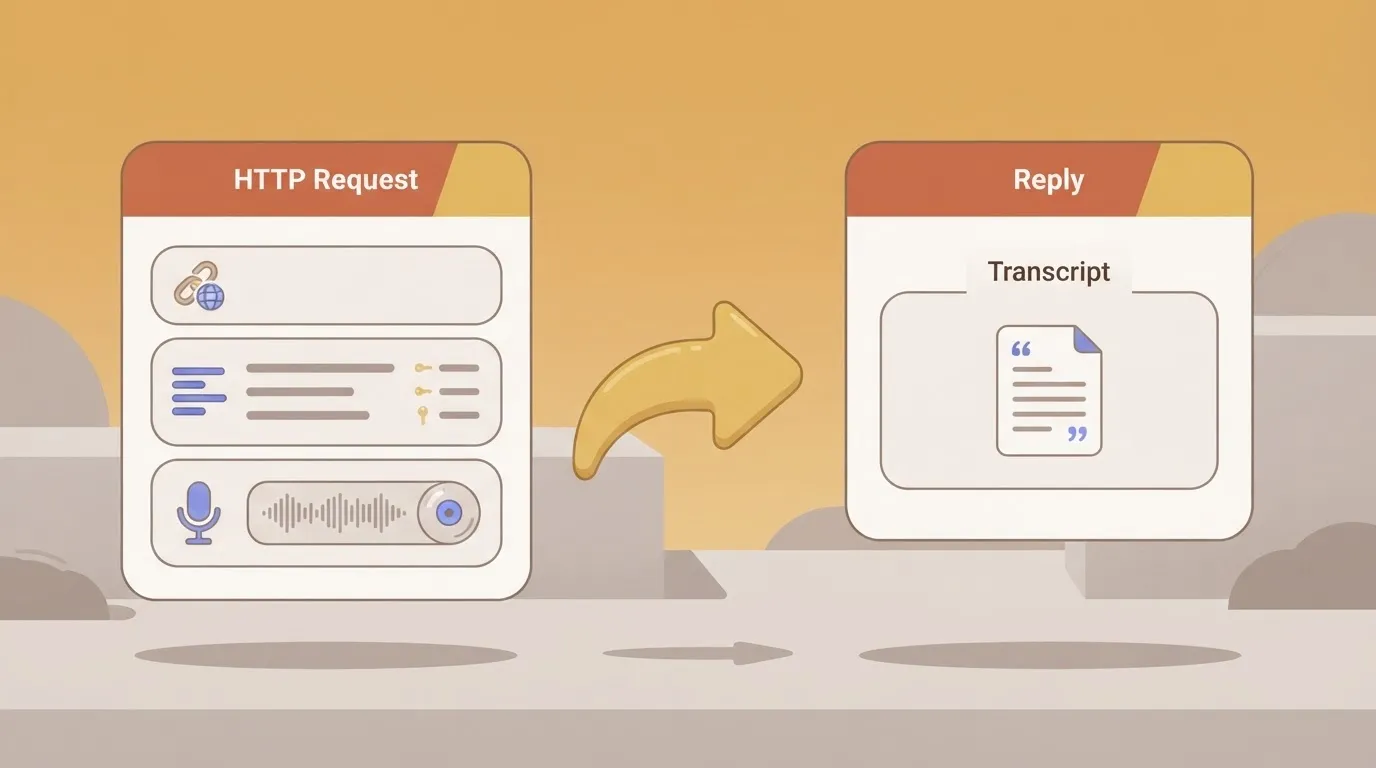
Unless your endpoint genuinely speaks the transcription format the step expects, the AI step with a custom or OpenAI-compatible provider won't work. Confirm that before you commit, because "compatible" on a model page often covers chat and nothing else.
When an agent chooses the tool rather than a fixed flow, pick an MCP server. You are building and running a wrapper, so it's overkill for a single scheduled transcription job.
A platform that resells you a model has already made your speech decision and priced it before you open the product, and Activepieces doesn't do that: you run the model you chose, on your own provider key, and if a service has no integration you can generate one and add it privately to your own instance.

Webhook and HTTP are among the cards that folder lists, and those two are the ones that matter for this model. A webhook receives the finished transcript, and an HTTP step sends the audio to your endpoint.
You build and test the field mapping between them, since no card is named for Nemotron.
What cost and speed comparisons exist today
A hosted price-per-hour baseline, one NVIDIA throughput table for another model, and NVIDIA's own throughput claim for Nemotron 3.5 Transcribe exist today, so treat them as reference points rather than answers.

Figures NVIDIA publishes
The speed numbers come from NVIDIA's ASR performance table for one H100 GPU, and they describe a Parakeet model, not this one.
With 1 stream the table lists 0.99949 RTFx (audio hours processed per hour), so a single feed runs at roughly real time and the GPU sits mostly idle. At 64 streams it reaches 63.719, and at 512 streams 494.12.
Throughput scales almost linearly, so a batch backlog is cheap to clear if you can run many files at once, and expensive to leave a GPU on for one.
For the price side, IADecider's cost data gives hosted speech APIs per audio hour: AssemblyAI at $0.15, Google, OpenAI and Azure at $0.18 each, Deepgram at $0.288, and AWS at $1.44.

Most of these sit within a few cents of each other, so any self-hosted option has to beat roughly $0.15 to $0.18 per audio hour to justify the setup.
AWS at $1.44 is about eight to ten times that, which is where a switch would save the most.
What stays unmeasured until someone tests it
We haven't run Nemotron 3.5 Transcribe. There's no cost per task from us, and no workflow latency for a trigger-to-transcript run through a generic HTTP or webhook step.
Hosting cost depends on your own infrastructure: whether you already own GPUs, rent them by the hour, or keep them idle between jobs changes the per-hour figure more than any model choice.
What to watch next for Nemotron 3.5 Transcribe
Recheck three places: NVIDIA's model card, any hosting listing, and your automation platform's changelog. Each one can change what the model costs you and how fast it fits into a workflow.
Pages to recheck
If NVIDIA changes the supported languages, input limits or license terms on the model card, whether your recordings are even eligible changes with them. Reread it before each testing round.
Watch for a hosted endpoint next. Until one exists, you run the model yourself, and the GPU bill is yours. A listing from a hosting provider would turn that into a per-request price you can compare directly.
Finally, search your automation platform's changelog and integration directory for the model's name. A native trigger or action would replace the HTTP request workaround above. Treat a directory entry that only says "NVIDIA" with suspicion until you see which actions it exposes.
Your audio probably isn't as clean as the audio in vendor benchmarks. This sequence gives you numbers from your own recordings, which is the only comparison that matters for your budget.
- Pick ten real recordings that include your worst audio, such as phone calls, crosstalk and accents, so the sample doesn't flatter the model.
- Get the model hosted somewhere reachable, whether your own server or a provider, so a workflow can call it by URL.
- Send each file through an HTTP request step in your automation tool, using the same step for every file so timing is comparable.
- Record elapsed time and cost per file, including idle GPU time if you self-host, since that's part of the real price.
- Compare each transcript to your current tool's output against a human-corrected version, and count the errors that would break a downstream step.
What Activepieces does about this
We haven't run the model, so Nemotron 3.5 transcription is unvalidated.
What we can point at is the plumbing the article keeps returning to: the HTTP and webhook steps that carry audio to an endpoint you host and bring the transcript back.

The core is MIT-licensed and lists 746 integrations.
If you self-host the model, you point an HTTP step at your own endpoint and map the response field yourself.
The AI step is where the choice stays yours. It runs on your own provider key, so spend lands on your provider account, not ours. On Plus and up, each AI step costs 1 credit whatever the model.
Whether the AI step can reach a self-hosted Nemotron depends on whether your endpoint speaks the transcription request format it sends.
If you'd rather an agent decide when to transcribe, an MCP client such as Claude, ChatGPT or Cursor can reach the same flow. You would still need to build and run the MCP wrapper around the model.
And if a service you depend on has no integration, you can generate a integration and add it privately to your own instance, which is the route to take if you later want a reusable Nemotron step for your team.
Cost per audio hour, latency and accuracy on your recordings are still unmeasured by us. The ten-file test in the last section is the way to get those numbers, and an HTTP step in a flow is a reasonable harness for it.
Run every file through the same step so the timings are comparable.