Procure-to-Pay Automation: A 2026 Guide to P2P Workflows

Sep 10, 202612 min read
The systematic transfer of purchasing data from procurement to finance, which can be facilitated by Activepieces to ensure data consistency, ensures that every payment you issue corresponds to a verified obligation and a physical receipt of goods.
This handoff acts as the primary control point where approved requisitions and purchase orders meet the accounting ledger to prevent unauthorized spend.
Procurement handoffs define the integrity of financial reporting
The three-way match requirement
Auditors require a three-way match (the alignment of the purchase order, the receiving report, and the supplier invoice) to validate that a liability actually exists before cash leaves the bank.
According to Salary.com, a Procurement Clerk earning $23.05 per hour spends significant time chasing missing packing slips, which means the company is paying a premium rate for administrative busywork rather than strategic sourcing.

If this match is missing, the Finance Controller, who commands a rate of $122 USD per hour must personally intervene. This intervention escalates the cost of a single transaction to nearly five times the standard processing rate.
Data silos between purchasing and AP
Integrity fails when the software you use to issue a purchase order can't communicate directly with the accounts payable (AP) module. These silos force staff to re-key data, introducing errors that lead to duplicate payments.
An AP Specialist earning $25 per hour may spend half their day correcting these discrepancies, according to Salary.com, so the business loses hundreds of dollars weekly to avoidable clerical errors. This labor delays closing the books and obscures true cash position.
The connection must be visible to both departments, and Activepieces bridges these gaps while ensuring the audit trail remains unbroken. This visibility ensures the audit trail remains unbroken.
The cost of manual reconciliation
Manual reconciliation is the most expensive way to process a transaction because it ties up human capital in repetitive labor.
| Processing Method | Cost Per Invoice | Operational Impact |
|---|---|---|
| Manual processing | $15.00 | Represents the baseline cost of human data entry and physical filing, a price point that creates a significant drag on operational profitability. |
| Automated processing | $3.50 | Reflecting the efficiency of straight-through processing where data flows without manual intervention. This allows you to reallocate resources toward analysis. |
| Complex Legacy Systems | $35.00 | Due to the high overhead of maintaining outdated enterprise software and the specialized labor required to navigate it, which acts as a hidden tax on every transaction processed. |
A 328% increase in processing costs is the result of attempting to "save" money by avoiding modern integration, meaning the strategy of manual processing is actually draining the budget. High transaction costs directly erode your department's budget, leaving less capital for strategic procurement initiatives.
This takes minutes, not a project: automate it in Activepieces free.
Use digital handoffs for superior fraud protection
Automation improves auditability by creating an immutable digital trail. When data moves through a hard-coded integration, the system enforces a strict one-to-one relationship between the purchase order and the invoice.
**High transaction costs directly erode your department's budget, leaving less capital for strategic procurement initiatives.
Eliminating the 'fat finger' risk in ERPs
Manual data entry into an Enterprise Resource Planning (ERP) system remains the primary point of failure for financial accuracy. Because a human clerk lacks the internal processing speed to cross-reference thousands of historical records in real-time, they're prone to overlooking duplicate submissions.
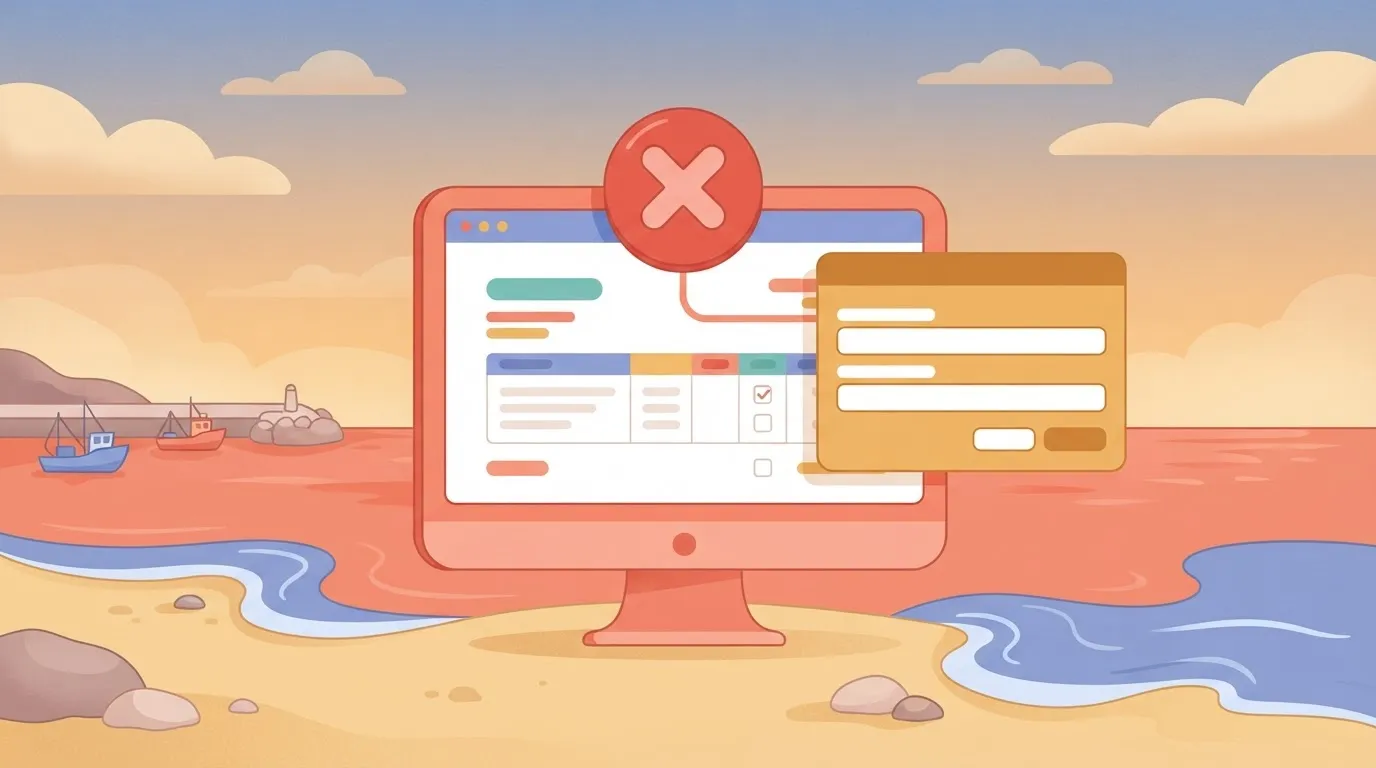
Accuracy shifts from individual memory to programmatic validation when you transition to systemic guardrails. This transition ensures that the data residing in the finance system isn't a subjective interpretation, but a verified technical copy.
Standardizing the audit trail for every transaction
A digital handoff generates a comprehensive log that records the exact time, source, and transformation of data. In a manual workflow, the "audit trail" is often a fragmented collection of emails, making it difficult for an auditor to prove records weren't altered.
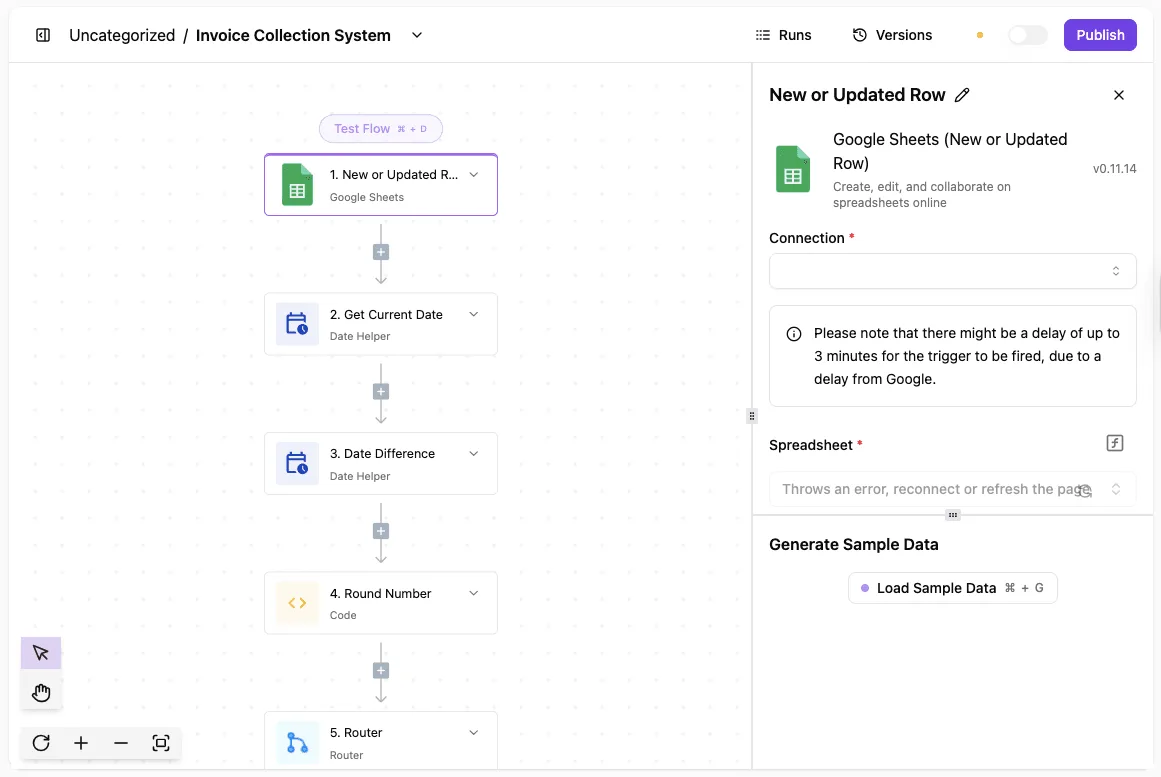
By using a Git-based version control system to manage these handoffs, your procurement teams can prove to auditors exactly which logic the system applied to a transaction at any specific moment.
Refocusing human judgment on high-risk exceptions
Automating routine data transfer allows your finance team to reserve manual intervention for high-complexity anomalies. When the system handles the 99% of transactions that match perfectly, your procurement officer can dedicate full attention to the 1% that trigger fraud alerts.
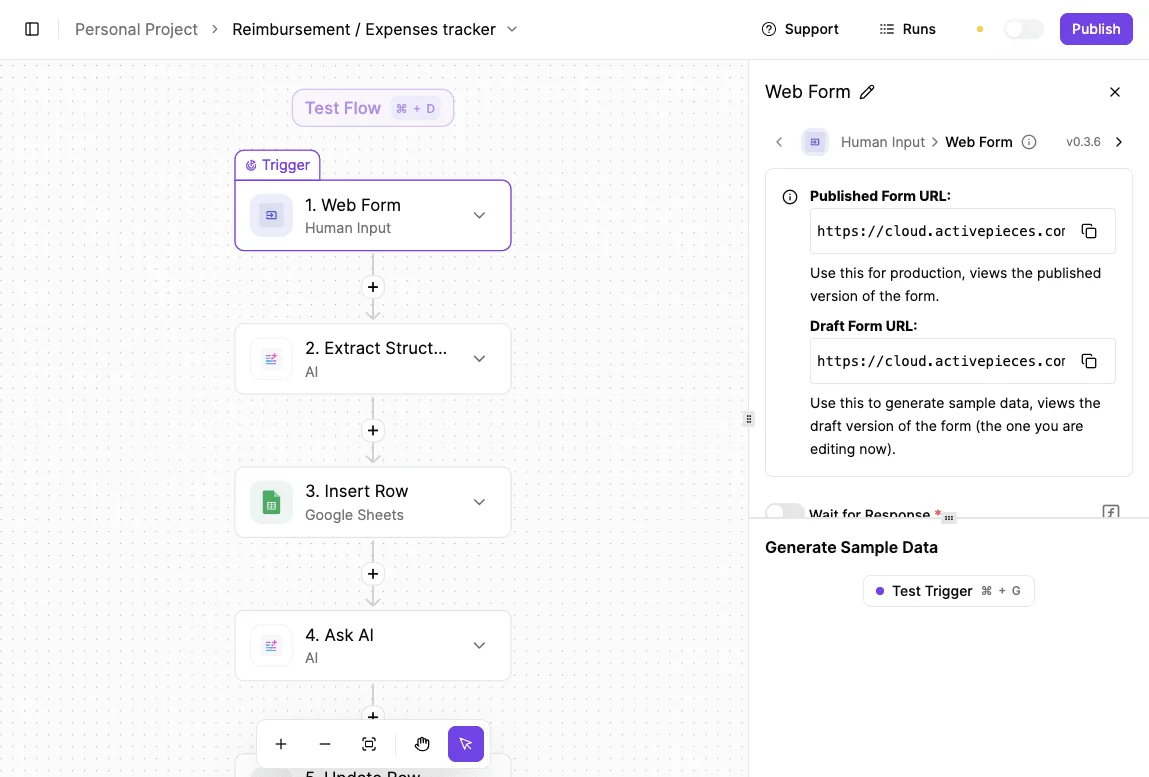
Reducing fatigue decreases the likelihood of missing a genuine red flag.
Standardizing the automated procurement workflow across departments
Establishing a reliable handoff requires mapping data fields, setting up real-time triggers, and building validation logic. This structural alignment ensures that the procurement system speaks the same language as the accounting software.
Step 1: Mapping the Purchase Order to the Invoice
The integrity of the handoff depends on a 1:1 schema mapping between the Source Procurement Object and the Destination Ledger Entry:
- If the "Vendor ID" in the procurement tool doesn't point to the exact same database entity as the "Supplier Code" in the ERP, the automation will create duplicate records.
- You achieve this by creating a transformation layer that translates disparate field names into a standardized JSON format.
- This ensures that regardless of which department initiates the spend, finance receives data in a predictable, auditable structure.
Visual data mapping for non-technical users
A non-technical user builds this transformation layer by using a visual mapper or a dedicated data transformation step within the automation platform.
Instead of writing code, you drag the "Purchase Order Number" field from your procurement tool and drop it into the "Invoice Reference" field of your accounting software.
The platform then generates the underlying JSON structure automatically, ensuring the data remains formatted correctly for the destination system.
Step 2: Configuring the receipt of goods trigger
Automation should only initiate the payment bridge once the warehouse management system confirms the physical or digital receipt of goods. Using a webhook, the system monitors for a status change to "Received" or "Delivered."
A webhook is a mechanism that allows one application to send real-time data to another as soon as a specific event occurs. Instead of the finance system constantly asking the warehouse system for updates, the warehouse system "pushes" the information the moment the goods arrive.

This ensures the workflow reacts instantly to physical changes in the supply chain.
This event-driven approach ensures your finance department never pays an invoice for items still in transit. By anchoring the workflow to a verified physical event, you eliminate the risk of "ghost" accruals.
Step 3: Building the automated three-way match logic
The final safeguard is a programmatic validation that compares the purchase order, the receiving report, and the supplier invoice. This logic acts as a digital gatekeeper.
The 4-Step Validation Logic:
- Trigger on 'Approved' status in Procurement tool.
- Extract line-item data and tax IDs.
- Perform 3-way match against PO and Warehouse receipt.
- Push validated data to the ERP for final settlement.
Once the logic is committed to the codebase, it provides a permanent audit trail that demonstrates exactly why a specific payment was authorized or blocked.
You can follow the rest of this with the builder open. Start free, no card.
Automating the handoff with Activepieces
Activepieces automates data movement between procurement and finance by utilizing 733+ integrations, including MIT-licensed core connectors, to eliminate the risks inherent in custom-coded middleware.
Activepieces enables teams to sync flows to Git and promote them through Release Management, ensuring that financial logic is versioned and reviewed as software rather than hidden in a private history.
This promotion from test to production is a deliberate step supported by separate projects and environments, a capability detailed in the Activepieces Git Sync and Release Management documentation for both self-hosted and cloud deployments.

Connecting siloed financial software suites
Data consistency is maintained by linking specialized procurement platforms to general ledger ERPs through Activepieces’ library of pre-built integrations. When a purchase order is finalized in a tool like Ironclad, the platform pushes that record directly into accounting software such as Xero or NetSuite.
Direct linkage removes the "data rot" caused by time lags. The accounts payable department sees new liabilities the moment they're legally committed.
Building conditional logic for approval routing
The platform enforces compliance by applying granular, multi-step logic to every data transfer. You define specific triggers and actions to handle complex workflows:
- A trigger monitors the procurement suite for a "Contract Signed" status.
- A conditional branch checks the total contract value against departmental budget thresholds.
- An action routes the data to a specific Director for digital sign-off if the value exceeds the standard limit.
- A final step updates the ERP only after the required approval metadata is attached.
Monitoring handoff health with execution logs
Activepieces provides a transparent record of every data movement through detailed execution logs. Every agent decision and deterministic step is captured in the Run Details and Debugging UI, allowing for a step-by-step trace of how a procurement decision was reached.
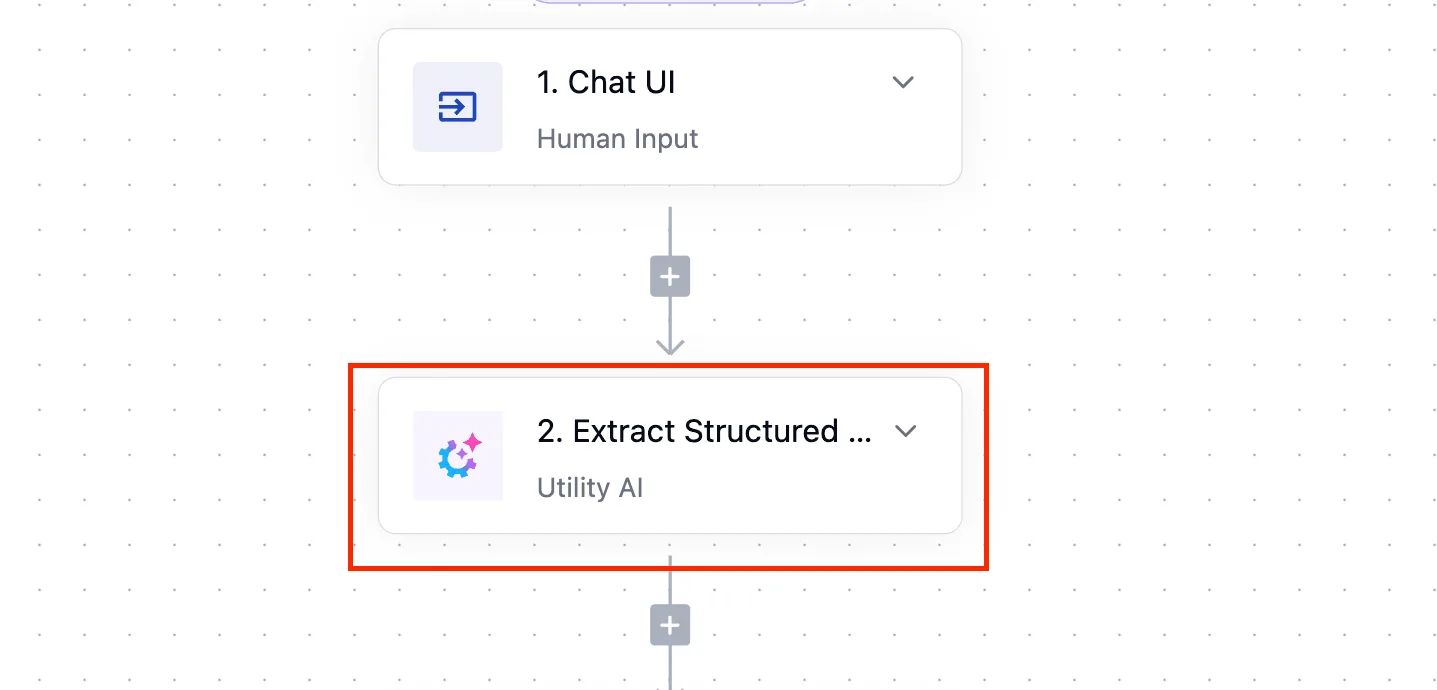
These traces export as audit logs and event streams into existing SIEMs.
You maintain a dual-layer audit trail because these logs can be reviewed alongside the Git-managed code. This proves not just what the automation was supposed to do, but exactly what it did.
Eliminating handoff friction
Eliminating handoff friction begins with a targeted audit of manual bottlenecks followed by a pilot program focused on a single, high-frequency vendor category.
Identify high-volume, low-complexity vendors
The initial transition must prioritize vendors that generate frequent transactions with minimal variability. By selecting a category like office supplies, your procurement teams can build a version-controlled workflow for a narrow set of data fields.
The visual workflow builder allows you to define a "New Flavor Created" trigger, which acts as the entry point. This specific trigger configuration ensures that the automation only activates when a pre-defined data set is present.
Audit the data mismatch rate
To establish a baseline, you must calculate the frequency of discrepancies between procurement purchase orders and finance payment records. Every identified mismatch represents a breakdown in the manual handoff process.
By documenting these errors before implementing Git-based controls, your procurement lead can demonstrate a quantifiable reduction in "data rot." This audit also identifies which specific fields are most prone to human error.
Establish the Human-in-the-loop threshold
A clear policy must define the specific financial or risk-based triggers that require a manual override within the automated workflow.
- Total contract value exceeding your department's discretionary spending limit.
- Vendors flagged with an expired insurance certificate or tax compliance status.
- Transactions involving international entities in jurisdictions requiring specialized VAT handling.
Setting these boundaries ensures that the automation manages the routine volume while your procurement team retains oversight of high-risk exceptions.
Frequently asked questions
Does automating the handoff increase the risk of duplicate payments?
By enforcing a rigid cryptographic check on invoice numbers and metadata before the data ever reaches the accounts payable queue, automating the handoff reduces the risk of duplicate payments.
When a human manually re-keys data from a procurement portal into a financial system, they lack the immediate validation to catch transposed characters that bypass standard ERP deduplication.
Consequently, you risk paying the same vendor twice for a single obligation. By using a Git-managed script to cross-reference the unique identifier of a purchase order against the ledger in real-time, the system can automatically flag a redundant entry for manual rejection.
This ensures that your finance team only reviews unique, verified payment triggers rather than cleaning up ledger errors after the cash has left the account.
How do we handle partial shipments in an automated workflow?
Partial shipments are managed through a line-item reconciliation logic that updates the remaining balance of an open purchase order rather than closing the entire obligation upon the first receipt.
If a shipment contains only half of the requested units, the automation matches the packing slip to the specific line item and leaves the parent purchase order in a "partially fulfilled" state.
This state prevents the system from prematurely triggering a full payment that would violate the terms of the contract.
Furthermore, this granular tracking means your procurement officer doesn't have to manually calculate outstanding balances, which removes the possibility of overpaying for goods that are still sitting in a warehouse.
Will this replace our existing ERP's procurement module?
This architecture acts as a connective tissue between specialized tools rather than a replacement for the core Enterprise Resource Planning (ERP) system, which is the final system of record.
The ERP remains the authoritative source for financial reporting, while the automation handles the high-velocity data translation that the ERP’s rigid interface often makes difficult or error-prone.
By keeping the "heavy lifting" of data transformation outside the ERP, your IT department can update procurement workflows without undergoing a full, months-long system reconfiguration.
What happens if the API connection between tools fails?
When the Application Programming Interface (API), which is the digital bridge between two software tools, fails, the workflow enters a "fail-safe" state where the data is cached in a version-controlled queue rather than being lost.
Because the logic is governed by Git, every failed transaction is logged with a specific error code.
You can see exactly which line of code failed and why. This level of transparency prevents the "silent failures" common in manual processes where an email is missed and a vendor goes unpaid for weeks without anyone realizing the chain was broken.
Related reading
References
Build it
Set this up in minutes.
No code required. Connect your accounts, and Activepieces runs it from there.
Start free Talk to sales