Marketing to Sales Handoff: 2026 Automation Guide
Automating marketing to sales handoffs is essential for maintaining momentum in the buyer's journey and ensuring that no qualified lead falls through the cracks.
By establishing clear criteria for what constitutes a sales-ready lead and utilizing tools like Activepieces to synchronize data across your tech stack, organizations can eliminate manual entry errors and reduce response times significantly.
This guide explores how to map your lead flow, set up automated triggers for instant notifications, and implement lead scoring models that empower sales teams to prioritize high-value opportunities effectively.
Through a streamlined approach, businesses can foster better alignment between departments and ultimately drive higher conversion rates.
Automating marketing to sales handoffs refers to the implementation of systematic, software-driven workflows that transfer qualified leads between departments to ensure data integrity and eliminate manual delays in the revenue cycle.
Bridge marketing interest to sales action
The cost of the 'leaky bucket' in lead management
When the manual transfer of records between the marketing automation platform and the CRM fails due to inconsistent field mapping or human oversight, lead leakage occurs.
When you have to export a CSV from a webinar platform and manually upload it to a CRM like Salesforce, the resulting delay creates a gap. High-intent prospects often disengage before the first outreach.

This friction means you're paying for top-of-funnel traffic that never reaches a sales representative. It effectively lowers your return on ad spend for every day the data sits idle.
To stabilize this, you're moving toward multi-step automated bridges, often using Activepieces to synchronize contact records across stacks without the manual intervention that introduces data decay.
Speed to lead: Why minutes matter more than hours
The window for a successful conversion closes as soon as a prospect shifts their attention to a competitor or a different internal priority.
If your handoff process relies on a daily batch sync, your sales team is contacting leads who have already lost the context of their initial inquiry.
Nobody wins when account executives spend their first interaction re-establishing value rather than advancing the deal. It lowers the overall win rate for the quarter.
Nobody wins when account executives spend their first interaction re-establishing value rather than advancing the deal.
Automating the trigger from a form submission to a Slack notification for your sales pod ensures the conversation happens while the prospect is still on the website. This maximizes the relevance of the sales pitch.
Defining the Minimum Viable Lead (MVL) data set
A standardized MVL ensures that every lead you pass to sales contains the specific context required to start a meaningful conversation without further research. The Four Pillars of Handoff Data provide a framework for this requirement:
The Four Pillars of Handoff Data
The Identity pillar captures the individual’s name and verified email address so the salesperson knows exactly who they're addressing. The Firmographics pillar includes company name and employee headcount to allow the routing engine to assign the lead to the correct market segment.
The Behavior pillar tracks specific page visits or whitepaper downloads to give the representative a clear hook for their initial outreach. The Source pillar records the original lead source and UTM parameters to allow you to track which campaigns are driving actual revenue.
Establishing these pillars as non-negotiable fields prevents your sales team from receiving empty leads that lack the necessary context for follow-up.
By enforcing these data standards at the point of entry, you ensure that every automated handoff is actionable from the moment it arrives in the CRM.
This takes minutes, not a project: automate it in Activepieces free.
Step 1: Connect your lead capture source to the workflow
Establishing a direct, authenticated link between the capture source and the orchestration layer ensures that lead data enters the pipeline without the latency inherent in manual exports.
By enforcing these data standards at the point of entry, you ensure that every automated handoff is actionable from the moment it arrives in the CRM.
This initial configuration transforms your lead capture tool from a siloed repository into a live trigger for the entire revenue engine.
Selecting your primary lead entry point
The architecture begins by identifying the specific event that signals a high-intent prospect, such as a form submission from a marketing site or a new entry in a lead generation tool.
Selecting the correct entry point prevents the system from processing noise, such as support tickets or newsletter signups, which would otherwise dilute the quality of your sales queue.
This selection ensures that the automation only triggers for prospects who have demonstrated a clear interest in your product or service.
Authenticate your lead capture source
Securely linking the capture source to the automation bridge requires a persistent connection, typically via an API key or an OAuth 2.0 handshake, to encrypt data flows.
This step establishes the governance needed to prevent unauthorized data injections while maintaining a steady stream of prospect information.
The following data highlights the critical nature of this real-time connection; by eliminating the manual delays of legacy handoffs, you can compress your response times to meet buyer expectations.
Achieving this target requires that the initial data payload isn't only captured but is structurally sound for the downstream CRM.
Testing the initial data payload capture
Executing a test run with real data allows you to verify that every field, from email addresses to custom intent signals, maps correctly to the automation bridge's schema.
This validation step catches formatting errors, such as a phone number field accepting text, before the lead reaches the CRM. This prevents your sales team from receiving incomplete or unactionable records.
Inspect the JSON output in the automation bridge to verify all key-value pairs are present. Map these specific outputs to the corresponding fields in the CRM entry step. Trigger a live submission from the source form to generate a fresh data packet.

Step 2: Filter and score leads before they reach sales
Setting the criteria for Sales Qualified Leads (SQLs)
Automated scoring logic defines the threshold for sales intervention. This ensures your Business Development team only engages with prospects who meet specific firmographic and behavioral requirements. By codifying these criteria into a centralized workflow, you remove the subjective interpretation of readiness.
Without this logic, reps often cherry-pick high-profile logos while ignoring mid-market opportunities that are statistically more likely to close. This standardization forces a consistent follow-up cadence across all territories, which stabilizes your predictable revenue model.
Adding a filter step to stop junk data
A dedicated filter step acts as a secondary gatekeeper, terminating the workflow for any entry that fails to meet minimum data integrity standards despite passing initial validation.
This specific layer of the bridge prevents your marketing automation platform from syncing test entries or competitors into the CRM.
Keeping your sales pipeline clean prevents your reporting team from having to manually excise junk records during end-of-quarter audits. The logic ensures that only leads with verifiable intent signals proceed to the routing phase.
The following decision tree illustrates how the bridge evaluates lead quality in real-time to determine the immediate next action for the record.
[Decision tree showing a lead entering a 'Branch' step: if Score > 70, route to 'Slack Alert + Salesforce'; if Score < 70, route to 'Add to Nurture Sequence'.]
This branching logic guarantees that high-intent prospects receive immediate attention while automated touchpoints maintain lower-scoring leads without human intervention.
Routing leads based on intent signals
Conditional routing directs the high-scoring leads to the specific communication channels where your sales team is active. These channels include a dedicated Slack channel for the internal communications tool or a priority task queue in the Salesforce CRM.
High-intent leads trigger immediate notifications to the account executive, reducing the lead response time to seconds.
The system diverts low-intent leads to a nurture sequence in the Marketo engagement platform to preserve your sales team's capacity for active deals.
Out-of-territory leads are re-routed to a global holding queue, preventing lead ownership disputes between regional managers. Automating these paths eliminates the handoff lag where a hot lead sits in an inbox while a rep performs administrative tasks.

You can follow the rest of this with the builder open. Start free, no card.
Step 3: Map lead data into your CRM automatically
Automated mapping ensures that lead data enters the CRM with standardized formatting, preventing the manual entry errors that typically degrade database integrity. When RevOps teams rely on manual input, Landbase reports that 91% of CRM data is inaccurate.
91% of the data is wrong, which means account executives are frequently calling the wrong numbers or pitching to the wrong titles.
By enforcing a structured automation bridge, you can bypass the 76% of entries that are typically incomplete, which means your team spends less time manually correcting bad data. This ensures every record contains the necessary firmographic details to route the lead correctly.
Building these bridges requires a platform where a ten-step enrichment process costs the same to run as a simple two-step sync.
Activepieces uses a published pricing model of 1 credit per flow run regardless of step count, which removes the financial penalty for adding the granular data validation steps that high-volume teams like MoneyGram and FundingSocieties require.
Check for duplicate contacts in your CRM
The first stage of the automation must verify if a lead already exists.
This check prevents the 30% duplicate rate cited by Landbase, which otherwise forces sales teams to waste hours merging fragmented activity histories, leaving them less time to actually close deals, a drain that directly erodes the efficiency of the entire revenue organization, meaning that teams reclaim significant bandwidth for high-value revenue activities.

The workflow begins by using the lead’s email address as a unique identifier to query the CRM (such as Salesforce) before generating a new record.
This logic ensures that the system recognizes existing customer relationships and appends new interactions to the correct historical record.
- Set the trigger to the form submission event.
- Search for an existing contact record using the email field.
- Apply a conditional branch: if a record is found, update it; if not, create a new one.
Mapping custom fields for sales context
Mapping specific intent data into custom CRM fields eliminates the 40% of records with missing fields identified by Landbase, so representatives can finally rely on a complete picture of every prospect.


This provides the context required for a personalized discovery call. Sales teams no longer waste time on leads lacking actionable background information.
The screenshot below illustrates a three-step orchestration where an AI agent processes a "New Submission" from Typeform to categorize the lead before creating a task in Asana.
During the build phase, you should use Mock Data or Test Trigger functions to ensure accuracy.
Your RevOps lead can then validate field alignment without polluting the live production environment. Following this validation, the system can reliably pass high-value data like Budget Range or Urgency directly into the sales representative's view.
Triggering the internal sales notification workflow
The final step pushes a formatted alert to your sales team's communication hub, such as Slack or Microsoft Teams. This ensures the lead is acted upon while the prospect is still on the website.
Included in this notification should be the direct CRM link and the specific Pain Point captured in the form.
The rep can then skip the research phase and move immediately to outreach. This real-time delivery is the final link in the automated chain, turning a digital signal into a human conversation.
Step 4: Verify the end-to-end handoff with a live test
Verification requires a "Ghost Lead" to traverse every automated bridge to ensure that field mapping holds under real-world API conditions.
If a single transformation fails to fire, the sales representative receives an empty notification, which forces them back into the manual CRM search patterns you're trying to eliminate.
Running a 'Ghost Lead' through the entire system house
Testing begins by submitting a live entry through the customer-facing web form using a unique test domain to trigger the full routing logic.
This process validates that the lead routing engine, which assigns ownership based on territory, correctly identifies the test parameters and pushes the record to the CRM.
By using a live entry rather than a manual record creation inside the CRM, you confirm that the webhook listener is active. This ensures that the system drops no leads during the initial handshake between the website and the database.
Confirming notification delivery and data accuracy
The technical success of the handoff is measured by the arrival of a Slack message or email containing the specific "Pain Point" data captured during the ghost test. You must verify that the following elements appear correctly in the notification:
The direct hyperlink to the CRM record eliminates the need for the rep to manually search by name.
The raw text from the inquiry field provides the rep with the exact language the prospect used to describe their problem. The lead source attribution dictates which talk track the rep should select for the initial call.
Track handoff performance with a weekly review
Standardizing the adoption curve requires a weekly review of the "Time to First Touch" report to identify where automated bridges are being bypassed.
During this steering committee session, your RevOps team compares the timestamp of the lead creation against the timestamp of the first outbound activity logged by the sales team.
When the gap exceeds the established threshold, it indicates that the notification template lacks sufficient context. The automated bridge then needs further data enrichment to earn the rep's trust.
What Activepieces does about this
Activepieces provides the open-source orchestration layer required to build these multi-step bridges without the "automation tax" that typically discourages deep data enrichment.
Because the platform is available under an MIT license, RevOps teams can self-host the engine to maintain total data residency, ensuring that sensitive lead information never leaves their private infrastructure.
This architectural freedom allows for the creation of complex, twenty-step workflows (incorporating AI categorization, multi-source enrichment, and conditional routing) that would be cost-prohibitive on platforms that charge per individual task or transformation.
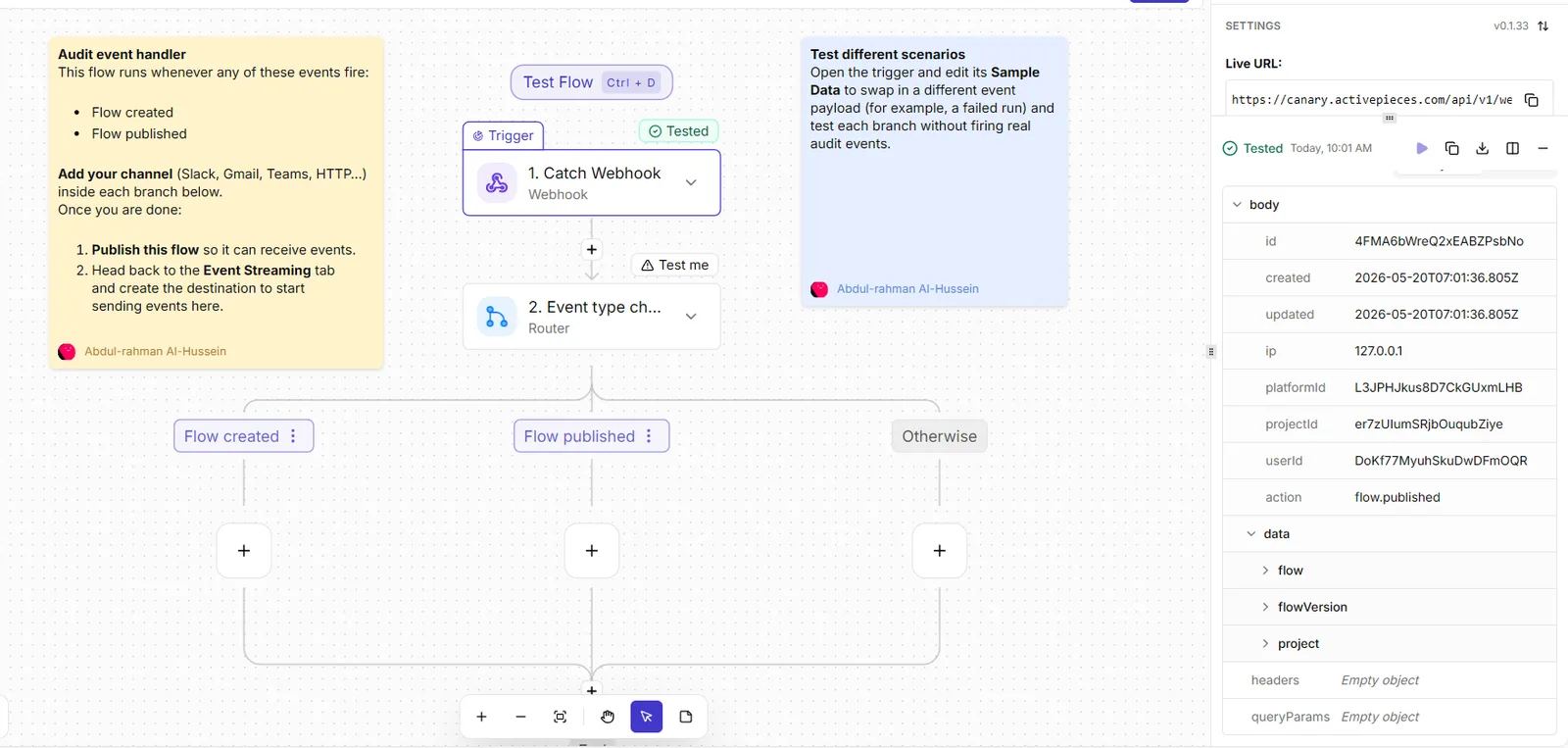
The platform addresses the "leaky bucket" problem by treating every lead handoff as a resilient, stateful process rather than a simple trigger.
By using the "Find or Create" logic natively within the Salesforce or HubSpot integrations, Activepieces ensures that the 91% inaccuracy rate reported by Landbase is countered at the moment of entry, so users can trust their pipeline data without manual verification.
This specific focus on data integrity is why high-growth organizations like MoneyGram and FundingSocieties utilize the platform to synchronize their revenue stacks; they require a system where adding a data validation step doesn't increase the monthly bill.
For teams moving toward the Minimum Viable Lead (MVL) standard, Activepieces offers a visual builder where non-technical managers can enforce data pillars.
You can drag in an "AI Lead Scorer" step to analyze raw form text or a "Clearbit Enrichment" step to populate missing firmographic fields before the record ever hits the CRM.
This ensures that when a sales representative receives a Slack notification, it contains the full context of the prospect's intent, not just a bare email address.
Ultimately, Activepieces eliminates the friction between marketing intent and sales action by providing a transparent pricing model of 1 credit per flow run.
This means a workflow can perform a dozen API lookups to verify a lead's seniority and budget, yet it still only counts as a single execution.
This allows you to build the robust, multi-layered bridges necessary for true alignment without fearing the escalating costs that usually force companies to settle for incomplete, manual handoffs.
Frequently asked questions about automated handoffs
How do i prevent duplicate leads from entering the CRM?
A multi-step lookup sequence acts as a gatekeeper by searching for existing unique identifiers, such as email addresses or LinkedIn URLs, before a new record is created.
This prevents the sales team from wasting time on redundant outreach to the same prospect. The bridge must execute a specific logic flow:
Query the CRM for an existing lead or contact matching the email address.
Check for an associated account to ensure the lead is routed to the existing account owner rather than a new representative.
Update the existing record with new intent data if a match is found, or create a new entry only if the query returns no results.
What happens if the automation fails mid-transfer?
An automated bridge utilizes a persistent queue and a dead-letter notification system to ensure that no lead data is permanently lost during a server outage or API timeout.
This means your revenue operations team can re-run the failed step once the connection is restored without the marketing team needing to resubmit the source data.
When a transfer fails, the system triggers an alert to a dedicated Slack channel used by the technical team. This alert provides the exact error code so they can diagnose whether the issue is a formatting error or a credential expiration.
Should i automate the first sales email or keep it manual?
The choice depends on the lead’s intent score, where high-intent signals trigger an immediate automated confirmation. Lower-intent research leads are queued for manual personalization.
Automating the initial thank you or resource delivery ensures the prospect receives an instant response, which keeps the brand top-of-mind during the peak of their interest.
However, reserving the specific meeting request for a manual touchpoint allows the account executive to reference specific pains mentioned in the lead form. This increases the likelihood of a booked discovery call.
How do i track which marketing source produced the lead?
UTM parameters and hidden form fields must be mapped directly to persistent fields in the CRM to ensure that the original acquisition source is never overwritten by subsequent interactions.
This allows your marketing team to calculate the exact return on investment for specific campaigns rather than guessing which channel drove the revenue.
By locking the Original Source field after the first entry, the system preserves the integrity of the data. This protection remains even if the prospect clicks on a different ad six months later.

Related reading
References
Build it
Set this up in minutes.
No code required. Connect your accounts, and Activepieces runs it from there.
Start free Talk to sales