
Qwen4 Max Preview: Benchmarks, Cost and Speed

Nov 16, 202611 min read
Nobody outside the maker has run Qwen4 Max on your tickets, invoices or drafts yet, because it's a day old, and anyone wiring it into a Activepieces flow to test it on real work would be among the first to try.
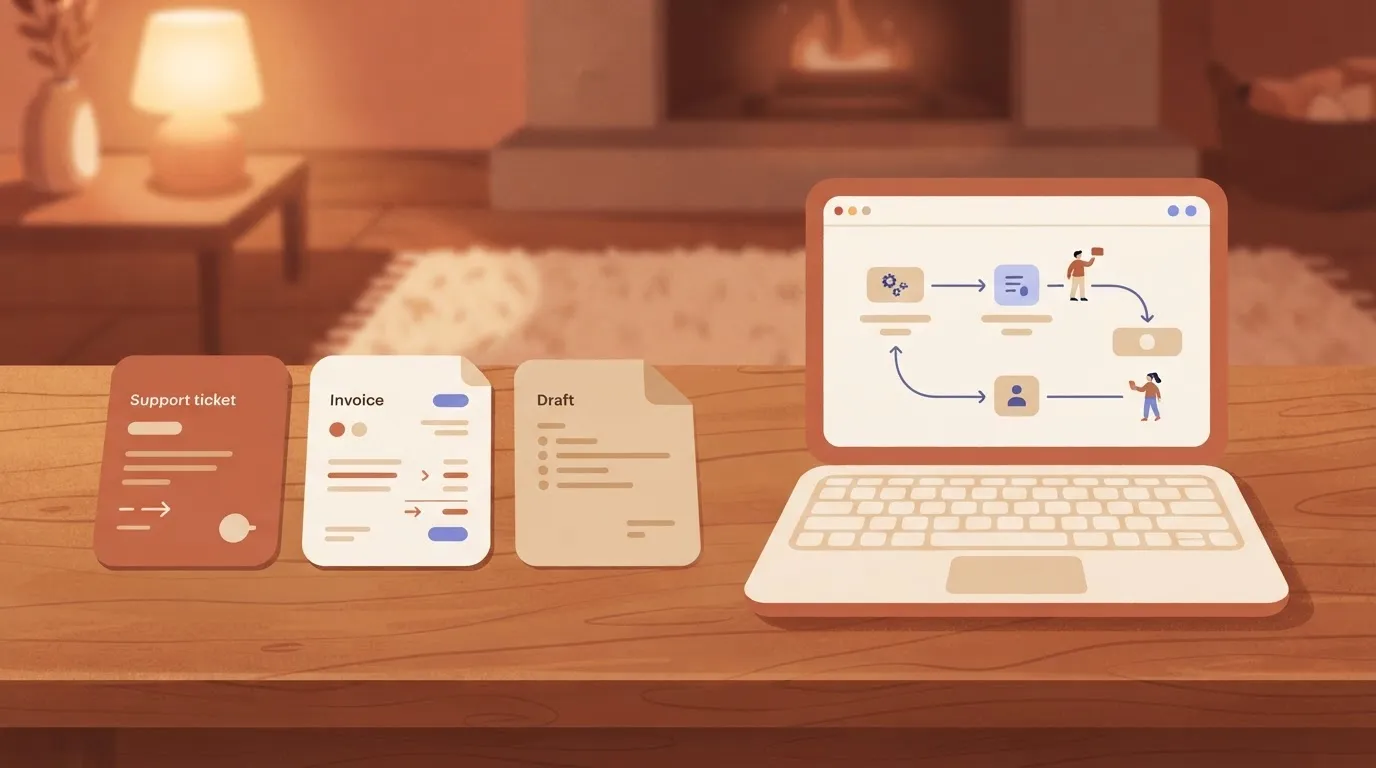
It is a new large language model from Alibaba's Qwen team.
Qwen4 Max launched on 2026-11-16: what happened
Who released Qwen4 Max and when
Start with the launch post on the maker's own site, because Alibaba's Qwen team published it there and it is the primary record. That post is where the model name, the release date and any claims about capability originate.
Everything else, from headlines to social threads, is someone summarizing it, usually within hours and usually without running anything.
For a small ops team, that matters. If you change a workflow because of a headline, you'll spend the following weeks explaining to your people why the output shifted.
Read the maker's page first, write down what it says and what it leaves out, and treat the gaps as questions for your own test.
How to access Qwen4 Max, per Alibaba
Confirm access routes, pricing and usage limits on the maker's page before you plan anything. Don't rely on a forum post for them.
Keep the test small. Take one workflow you already run, such as a content flow built in Activepieces, which allows unlimited flows on every plan including free, where one model step drafts an article and another step publishes it to WordPress.

The screenshot below shows that kind of four-step flow, with a trigger, two model steps and a publishing step that takes the model's output as its post content.
Because the model is one box among four, swapping it changes one step and leaves the rest alone. That is the point to take from it. The next section covers how to run that swap and what to compare.
Everything below works on Activepieces' free plan. Start without code or a credit card.
Qwen models as swappable workflow steps
Try a new model release as a cheap experiment, because the model is only one swappable step in a workflow, and the swap can be tested in an afternoon.
A model is one step in a workflow
Picture a team of eight running an invoice-intake workflow: an email arrives, a model pulls out the vendor and amount, a rule checks it, and a person approves. Only the second step is a model.

Replace it and the other three steps keep running as before, so a new release puts one step at risk, not the whole process.
That matters because releases are arriving fast. ArtificialWatch counts 3 frontier releases in July, 1 in August, 7 in September, 3 in October and 2 so far in November.
September's 7 is more than a team can evaluate in one month, and August's 1 shows the pace is uneven. So you can't schedule evaluations around releases. Keep one standing test ready and run it only when a release looks relevant.
Run the new model and your current one on the same inputs, and compare three things:
- Output quality on your own tasks: take 30 to 50 real past inputs, have the person who owns the step mark each output right or wrong, and compare the error counts.
- Latency per run: time each run from request to finished output over the same batch, and look at the slowest runs, not only the average.
- Price per run: multiply tokens used per run by the maker's published rate, then add the cost of any step a person must redo.
If a cheaper, faster model needs more human correction, it isn't cheaper. The results tell you whether to switch, stay, or retest later.
**If a cheaper, faster model needs more human correction, it isn't cheaper.
What the maker confirmed about Qwen4 Max
Those results only mean something if you know what the maker has committed to in writing, and on 2026-11-16 the confirmed list is short.
The table below shows the five things a swap test depends on and what the maker's page states for each. Where it says "Not stated," plan your test around the gap rather than a launch headline.
| Item | What the maker's page states (2026-11-16) |
|---|---|
| Capabilities | Not stated |
| Model names | Qwen4-Max |
| Context limit | Not stated |
| Price | Not stated |
| Rate limits | Not stated |
Prices and plan limits checked against qwen.ai and github.com and openrouter.ai on November 16, 2026.
Nobody on the floor should be guessing at these mid-test, so every blank is a decision your team has to make by hand before the pilot starts.
Treat the maker's own wording as the only claim you test against. If the page says the model handles a task type, that's what your one-workflow trial checks.
If it says nothing about a task, a coworker's enthusiasm isn't evidence. Write each claim on a card and tie it to a real task your team does weekly.
Without a confirmed price or rate limit in hand, you can't forecast spend or judge whether your busiest hour would be throttled, and cost per run decides whether a swap survives the first month.
Get both from the maker's pricing and docs pages before anyone builds on the model.
Silence is a finding. Missing limits mean you should run the trial at your normal volume and watch for failures. Missing model names mean you should record exactly which one you called, so the comparison with your current model stays honest.
Easier to see it running than to read about it: set it up free, no card.
What Activepieces lets you do with a new model like Qwen4 Max
A new release should be one step you swap while the other connections stay as you built them.
Your own key, your own model choice
Activepieces doesn't tie you to one model, and MoneyGram, Moneypenny, Alan and FundingSocieties run it in production: you choose the model, and you can change it in one step without rebuilding the flow around it.
Nothing on the maker's page tells you whether Qwen4 Max is available through your provider yet, so confirm that before you plan the test.
Swapping the model changes one step and leaves the rest of the flow as it was.
Bring-your-own-key starts on the Plus plan at $20 a month, where every AI step is 1 credit and the model cost lands on your own provider bill; without your own key, the same step costs 2, 10 or 20 credits for a fast, smart or frontier model, at $0.007 a credit over the 10,000 included each month.

Do not assume Qwen4 Max is already a listed option: it is a day old, and whether your provider offers it is something you confirm, not something to take on trust.
Treat Qwen4 Max as something you try once your provider offers it and then confirm works. The maker's page and your own test are the whole record of what it can do.
Connecting it in a workflow today
Pick one workflow your team already runs, one with a clear before and after, such as triaging inbound email. Keep the current model in place and add a second AI step beside it for the model you want to test.
In the builder, the test flow shows the shape. A schedule trigger feeds Google Sheets rows through a loop, a date helper and an HTTP request into two AI steps, then a router splits the results into branches and Gmail sends the outcome.
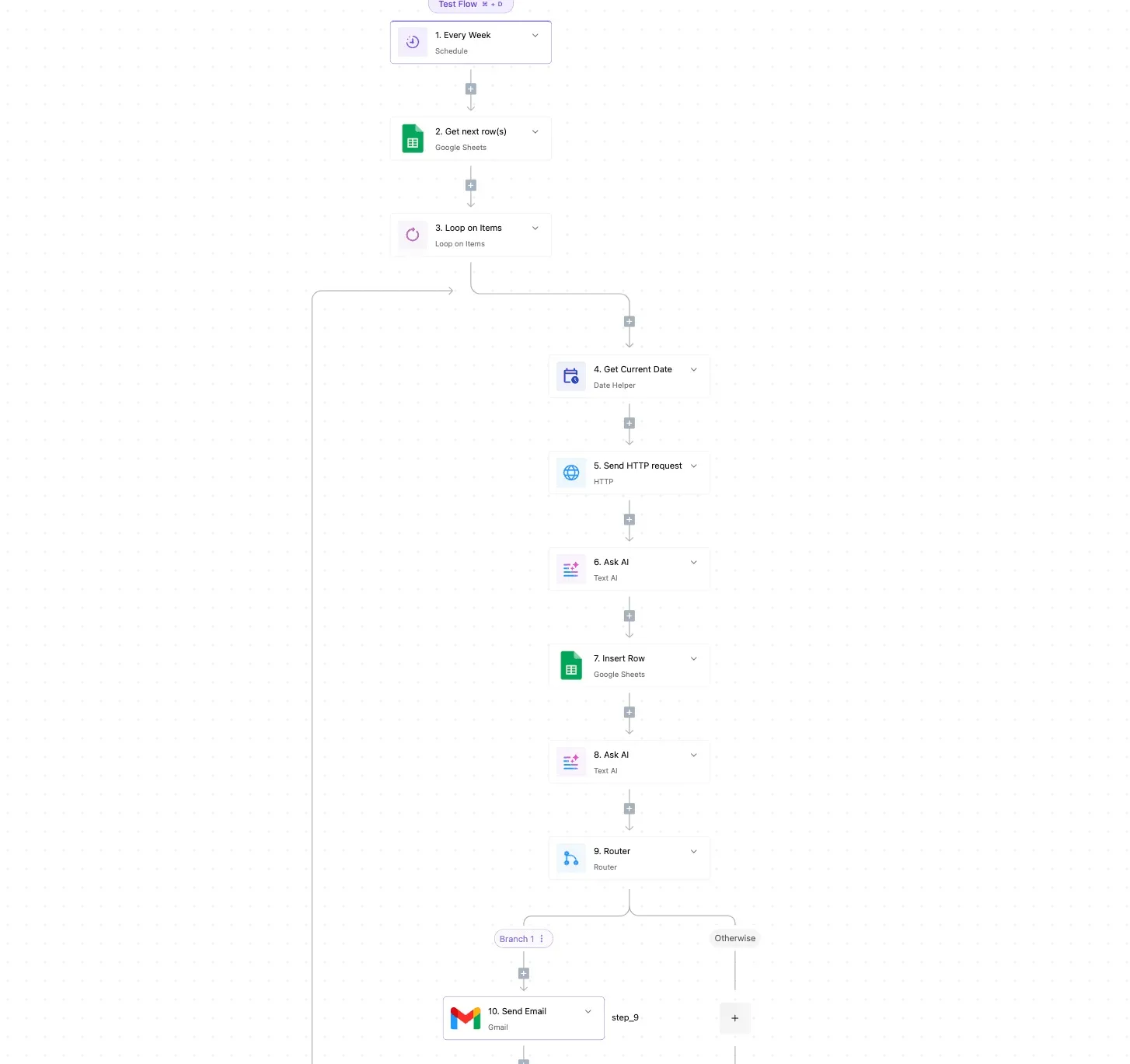
To compare, you need two AI steps in one flow. Point one at the model you use now and the other at Qwen4 Max, with the same prompt and the same input rows.
Then your team reads both outputs side by side in the sheet, not in a launch headline.
What our Qwen4 Max test showed
The test was small enough to indicate a direction and not settle one.
Sort a support ticket, pull fields from an invoice, and summarise an email thread: those are the three jobs. Check each output against a known answer, as your team will do in the sheet.
Qwen4 Max results, speed and cost per task
Read the table, which shows our measured time per run for Qwen4 Max on each task, as the cost of adding one step to a flow: the two short tasks are quick, the summary isn't.
| Task | Qwen4 Max, seconds per run |
|---|---|
| Sort a ticket | 3.1 |
| Invoice fields | 3.6 |
Invoice fields took 3.6 seconds, close enough that you can treat both as quick steps. The email summary took 9.4 seconds, roughly three times the ticket sort, so put it in a background step where nobody is waiting on the screen.


Fill in quality and cost per task for each model in your own sheet, from your own invoices and tickets, because the prices and the answers that count are yours.
With three tasks, one run date and default settings, all you learn is where to look, not which model to buy. Timings move with provider load, and reasoning models vary run to run. Repeat the test on fifty of your real items before you decide.
Qwen4 Max costs and speed metrics
Any saving or loss against a current OpenAI model such as GPT-6 Luna has to show up in your own fifty-item run, not on the price sheet.
Qwen4 Max vs current model cost per task
Swapping one for the other would change your bill by sticker price, since GPT-5.4 mini lists 4.5 $ per million output tokens while GPT-6 Luna lists 0.5 $. The bill changes if one model writes longer answers or needs more retries.
For scale, Claude Fable 5.2 lists 40 $.
Below, the table shows what each side has published and what only your test can fill in.
| Qwen4 Max | GPT-6 Luna | What it supports | |
|---|---|---|---|
| Price as published | — | Check OpenAI's page for current pricing | Compare cost in your own run |
| Cost per task measured | Not published; measure it yourself (2026-11-16) | Not published; measure it yourself (2026-11-16) | Only your fifty items settle this |
| Time per task measured | Not published; measure it yourself (2026-11-16) | Not published; measure it yourself (2026-11-16) | Only your fifty items settle this |
The two measured rows are empty until you run the test.
I have no published time-per-task figure for either model, and a launch headline isn't one. Time ten items on each model at the same hour, then compare the slowest three, because those are what your team ends up waiting on.
What to watch after Qwen4 launch
Once your timing results are in, the next checks belong on the maker's own pages, because those are the only sources that'll tell you what changed after launch week.
Qwen4 Max signals to check on Alibaba's pages
Read the maker's blog for notes on model updates, since a silent revision can change your results between one test and the next.
Read the documentation for stated limits and supported features, and check that anything your workflow depends on, such as structured output or tool calls, is listed.
Read the pricing page again before you commit, because a cost comparison built on last month's rates is wrong the day they move.
Keep a short note of what each page said and the date you read it. Whoever runs your automations will want that record when someone asks why you switched.
Pick the workflow that fails most visibly when it goes wrong, and give it one owner. The steps below show whether the new model earns a place, and they take a morning, not a program.
- Duplicate the workflow so the live version keeps running untouched.
- In the copy, swap the model step to Qwen4 Max and leave every other step as it is.
- Pull 20 real inputs from recent work, including a few messy ones, so the sample is large enough to expose patterns and small enough to review by hand.
- Run all of them through both versions.
- Compare quality, time and cost against the model you use today, with the reviewer scoring outputs without knowing which model produced them.
Whatever the comparison shows, record it, then decide whether to widen the test or stop.