Recruiting Automation Examples and Use Cases (2026)

Oct 19, 202615 min read
Copy four admin handoffs: candidate intake, interview scheduling, status updates, and offer and onboarding paperwork.
Each is a rule-following task where a person moves information from one place to another, the kind of work that tools like Activepieces are often pointed at, and none requires judging a candidate.
Recruiting automation is workflows that move hiring admin
Product facts in this article were checked on 19 October 2026.
If nobody retypes anything, the automation is working. Recruiting automation is software that carries hiring information to the next step without anyone retyping it.
A form submission creates a record, an accepted time creates a calendar invite, and a stage change sends a message. The test is whether the output is predictable from the input.
Below, four handoffs pass that test, each shown with the manual task it replaces:
- Candidate intake replaces copying application details from email and forms into the applicant tracking system (ATS), the database recruiters use to track candidates.
- Interview scheduling replaces the email thread of proposed times between recruiter, candidate and interviewers.
- Status updates replace hand-written "where do we stand" messages after each stage change.
- Offer and onboarding paperwork replaces assembling documents, chasing signatures and re-entering details for payroll and IT.
Together they cover the repetitive middle of the process, so a rollout can start there and leave the hiring decision alone.
Rules-based workflows versus AI screening
When a trigger fires, a condition is checked and an action runs, with the same result every time, you have a rules-based workflow.
You can build one in an ATS feature or a workflow builder such as Activepieces, and anyone can audit why a message went out.
Put a model in place of the rules and the work changes. AI screening is different in kind: a model infers fit from a résumé and ranks or rejects candidates, so the output varies and the reasoning is hard to inspect.
On the adoption curve, teams usually start with the first kind and then feel pressure to move to the second. The team that breaks the guardrails first is typically the one under the heaviest application volume, because it's tempted to let a model auto-reject.
Treat that step as the line to hold. Templates make the safe side measurable: one template per handoff lets you compare time-to-schedule or time-to-first-reply before and after rollout.
From the top of the funnel to the close, intake comes first, scheduling and status updates run through the interview stages, and paperwork closes the process after an offer is accepted.
The decisions between those steps, such as who advances and who gets the offer, stay with people. The next sections take each handoff in turn.
Everything below works on Activepieces' free plan. Start without code or a credit card.
Five recruiting workflows you can copy today
Copy five flows: intake logging, interview scheduling, stage-change emails, offer e-signature routing, and silent-candidate follow-up. Each moves information between people and systems, and none decides who gets hired. Build each once as a template, so every recruiter starts from the same version.
Read the right-hand column first. The table ranks the flows by the cost of a misfire, and it tells you the order to roll them out, with low-risk flows first and the offer flow last.

| Workflow | Trigger | Apps | Time saved | Risk if it misfires |
|---|---|---|---|---|
| Intake to tracking | New application submitted | Application form, applicant tracking system (ATS), spreadsheet, chat | High, removes retyping | Low: a duplicate row |
| Interview scheduling | Candidate moves to interview stage | ATS, calendar, email | High, ends email back-and-forth | Medium: a double-booked panel |
| Stage-change emails | Stage field changes | ATS, email | Moderate | Medium: a wrong-stage message reaches a candidate |
| Offer e-signature | Offer approved by a person | ATS, e-signature tool, email | Moderate | High: wrong terms sent out |
| Silent-candidate follow-up | No stage change after a set wait | ATS, email, chat | Moderate | Low: an unneeded nudge |
Start at the low-risk end and add the rest as the team gains confidence.
Trigger on a new submission. Write the candidate to a spreadsheet row, then post a short alert to the recruiting channel. Duplicates are the main failure, so check for an existing email address first.
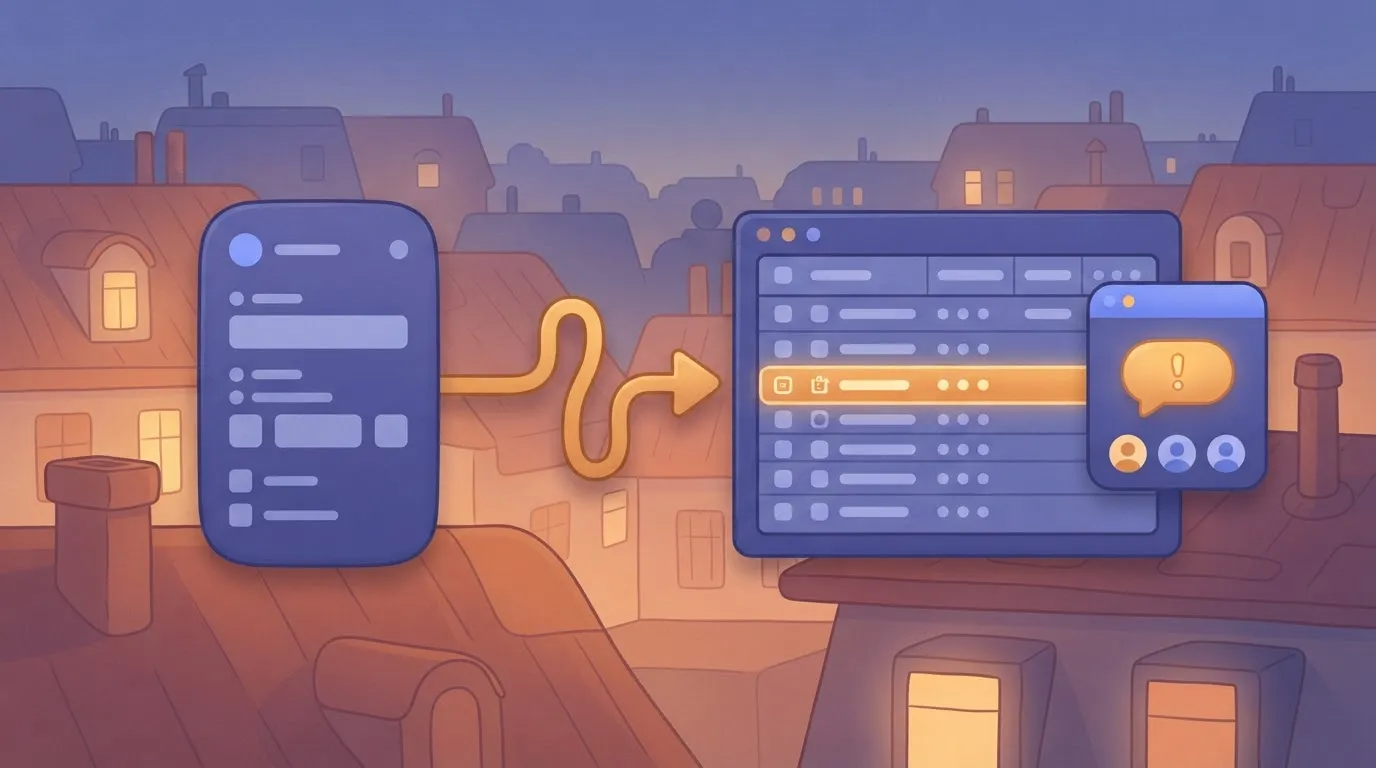
Trigger when a candidate reaches the interview stage. Send a booking link, create the calendar event once they choose, then schedule reminders for candidate and panel. Test panel availability rules before launch.
Trigger on a stage field change. Look up the matching template, fill in the candidate's name and role, and send. Hold rejection templates for human review, because the stage field is only as accurate as the recruiter who set it.
Trigger only when an approver marks the offer approved. Generate the document from the approved fields, send it for signature, and write the signed status back to the ATS. The approval stays with a person.
Trigger when a candidate sits unchanged past your wait threshold. Notify the recruiter, then send a holding message once they confirm. Silence stops being a failure mode, and the flow never decides anything about the candidate.

What recruiting automation costs and requires
At the pilot stage of the adoption curve, start with three things:
- A named owner for each handoff
- Stage definitions in your applicant tracking system (ATS, the database where candidates move through hiring stages) that everyone agrees on
- A written list of what the flow may never do
Of the three, the last matters most. The first team to stretch the guardrails is usually the one under the most volume pressure, often high-volume coordinators.
Without the list, they'll add a rejection step "just for the obvious cases." Write the rule down first: the flow moves information, and a person decides.
Build one template per handoff (intake confirmation, interview scheduling, status update) and track it as a lever. Measure how long a candidate waits for each message before and after, and how often a recruiter edits the template's output.
If edits stay high, the template is wrong, not the recruiters.
Comparing three ways to build recruiting automation
Because cost and effort rise together with flexibility, pick the least flexible option that covers your handoffs. The table sets the three routes side by side on what you pay for, how long setup takes, and where each one stops.
Workable and 100Hires are two ATS products that bundle automation into monthly plans, and both publish tiered pricing on their own pages, which you should check on the day you buy.
| Route | Cost model | Setup effort | Limits |
|---|---|---|---|
| ATS built-in (for example Workable, 100Hires) | Monthly subscription by plan tier, with automation bundled in | Lowest: configure stages and message templates | Only the triggers and actions the vendor exposes; harder to reach outside tools |
| General workflow tool | Subscription or usage-based, depending on the tool | Moderate: connect apps, build and test each flow | Depends on available connectors; someone must maintain the flows |
| Custom code | Engineering time plus hosting and upkeep | Highest: build, secure and monitor it yourself | You own every failure, including audit trails and data handling |
If your handoffs sit inside one ATS, start with its built-in automation. Move to a workflow tool when a flow must cross systems, and keep custom code for cases neither route can cover.
Easier to see it running than to read about it: set it up free, no card.
Published figures on what automation actually delivers
Although plenty of recruiting teams already use AI, few published numbers measure outcomes. Treat adoption data as proof of use and vendor gains as claims to test in your own pipeline.
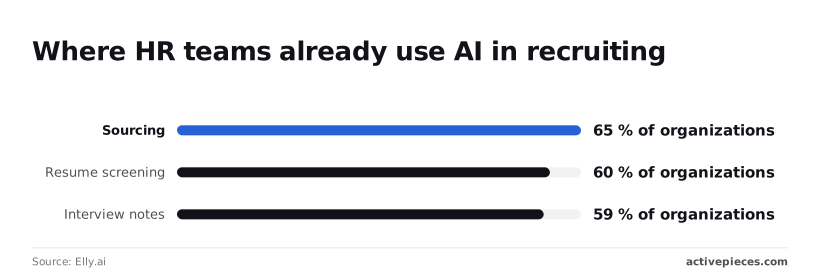
In a 2025 Elly.ai report, 65% of organizations use AI for sourcing, 60% for resume screening and 59% for interview notes.
With adoption past the early-adopter stage, the question for a rollout is no longer whether teams will use these tools but which steps they hand over. Screening at 60% is the one to watch, because it sits closest to the hiring decision.
You can weigh each figure accordingly: the table below lists the ones we can source, who produced them and whether they come from measurement.
The adoption rows show how widespread use is, not that it works, and the legal row shows where the cost of getting a decision step wrong is written into law.
| Figure | Source | Year | Measured or vendor-reported |
|---|---|---|---|
| 65% of organizations use AI for sourcing | Elly.ai talent acquisition report | 2025 | Vendor-reported survey |
| 60% use AI for resume screening | Elly.ai talent acquisition report | 2025 | Vendor-reported survey |
| 59% use AI for interview notes | Elly.ai talent acquisition report | 2025 | Vendor-reported survey |
| $500 for a first violation of NYC Local Law 144, up to $1,500 for each later one | New York City Department of Consumer and Worker Protection | 2023 (enforcement began) | Statutory, not a measurement |
For automated tools that screen candidates for jobs in New York City, the Local Law 144 penalty applies. That puts the cost on the decision step, not on scheduling or paperwork, which matches where this article says to keep a human.
Here is what would disprove the case for admin automation. If you template intake, scheduling and status updates and your median days from application to first interview doesn't fall, the claim fails for your team.
If a pilot's candidate response rate or recruiter hours per hire stay flat, the vendor figure didn't transfer.
Run the pilot on one team first and compare it against a matched team still working by hand. Only then should you copy the template to the rest.
The strongest case against automating recruiting
For any step that ranks or rejects a person, the objection holds; for steps that only move information, it fails. The test for copying a template is whether the step decides anything about a candidate.
Where criticism of recruiting automation holds up
Stated at full strength, the case has three parts:
- Screening automation scales bias. A model trained on past hiring decisions learns who got hired before, and it applies that pattern to every application at the same speed, with no reviewer positioned to notice.
- An impersonal process pushes candidates away. People who get a machine-generated rejection, or no human contact at the moments that matter to them, read it as a signal about how the employer treats staff.
- Errors at volume are expensive. A wrong call in one interview is one lost hire. A wrong filter, run on every application, quietly discards qualified people in bulk, and nobody sees the ones who never reach a recruiter.
Behind all three sits the same feature: the automation is making a judgment about a person. In rollout terms, this is the stage where the adoption curve turns dangerous.
The first team to push past its guardrails is usually the one drowning in applications, because auto-reject looks like relief. Treat any template that scores, ranks or rejects as a decision system, and keep a named human accountable for its output.
Why admin automation still holds up
Once the step carries no judgment, each of the three objections weakens sharply. A scheduling flow that offers interview slots, books the one a candidate picks and sends a reminder can't favor one name over another, because it never evaluates anyone.
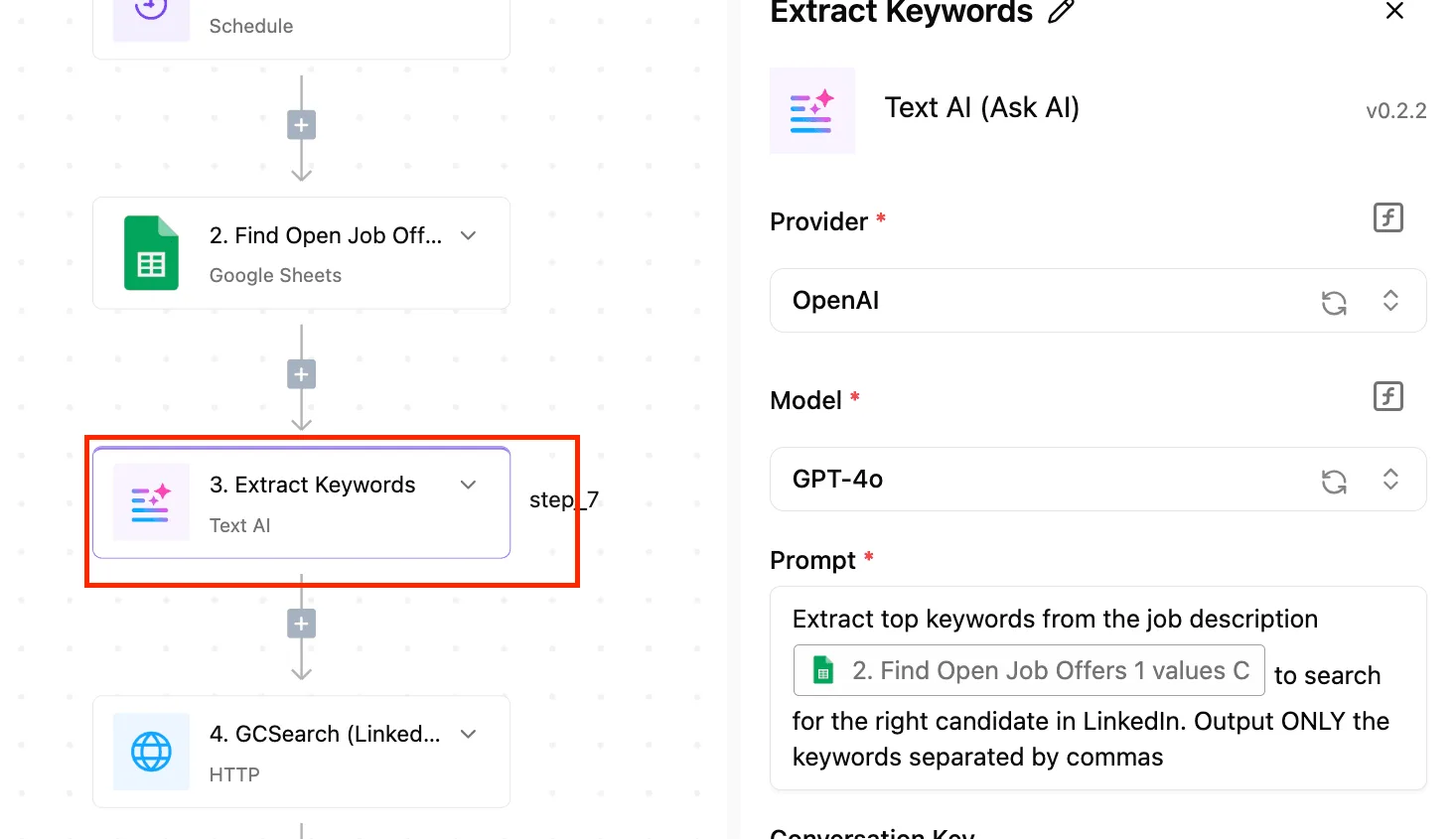
Intake that copies an application into the tracking system, or a paperwork flow that sends the right forms and chases the unsigned ones, makes no call that could be wrong in a biased direction.
On candidate experience, the objection tends to reverse here too. Slow replies and lost status updates are what candidates complain about, and a prompt, accurate automated message fixes that. It beats silence.
This is also what makes admin steps measurable as templates. You can count time to schedule, forms completed on first send and status updates delivered on time, then compare teams.
Those numbers show whether a template works, and a bad result costs a delay rather than a person's candidacy.
Build the intake workflow in Activepieces
For the admin chain you just measured, Activepieces is a good fit. It's a no-code workflow builder that connects your applicant tracking system (ATS), email, calendar, Slack and an e-signature tool, and it lets you put a human approval step wherever a person should decide.
It's not a hiring tool, and that's the reason to use it here.
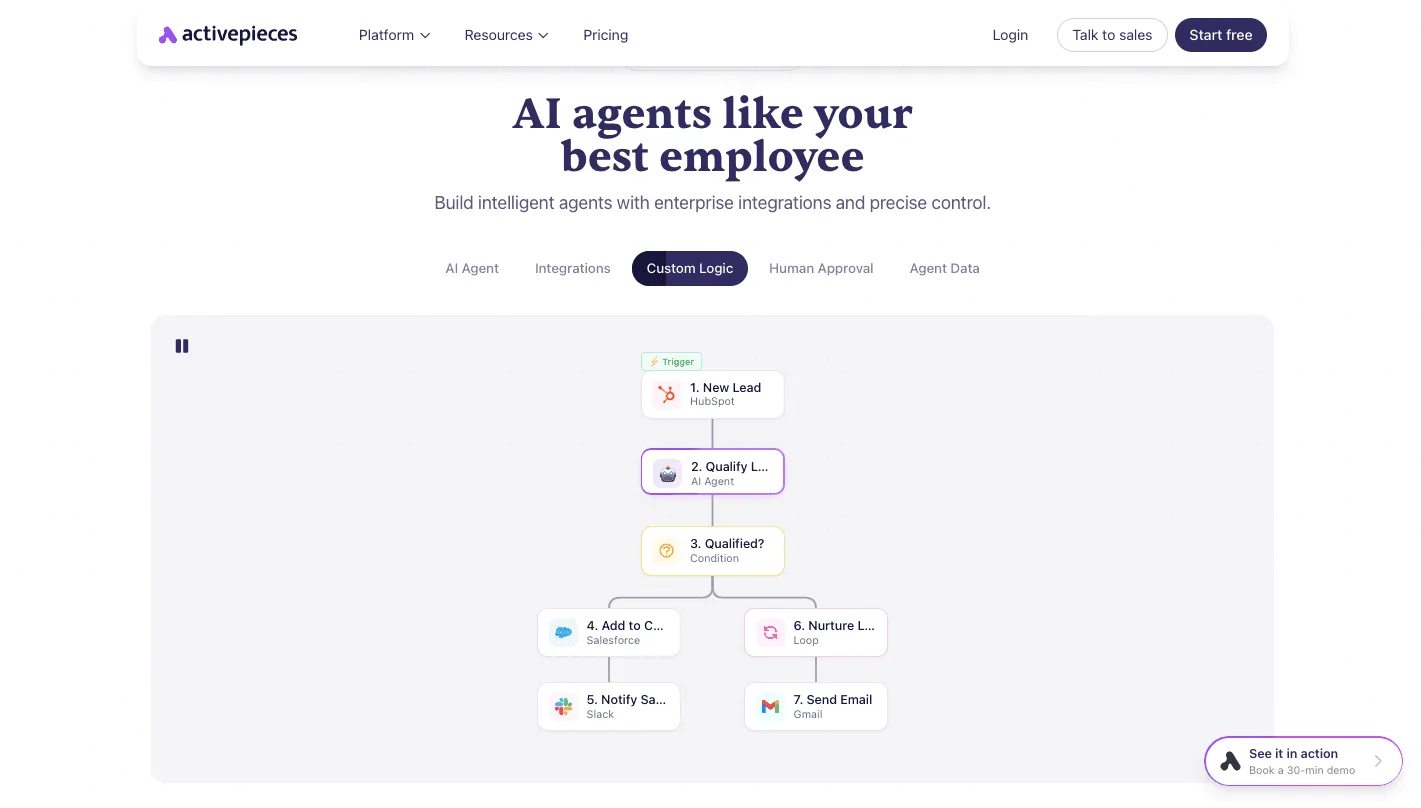
Look to the product's own homepage for the shape. Its example is a sales workflow, not a recruiting one: a new HubSpot lead triggers an AI qualification step and a condition routes the result.
The flow then writes to Salesforce, posts to Slack and sends a Gmail message.
Beside AI Agent and Custom Logic, the page lists Human Approval as its own tab. Take from it the structure, a trigger followed by checks and hand-offs, with approval as a first-class step rather than an afterthought.

Applied to candidate intake, the same structure looks like this:
- Trigger when a new application lands in the ATS.
- Send the candidate an acknowledgement by email, so no one waits in silence.
- Check the record for missing fields with a condition step, and request anything absent.
- Post a summary to a recruiter in Slack and pause for approval before anything moves forward.
- On approval, create the calendar invitation and send the e-signature paperwork.
In that chain, nothing scores or ranks anyone. The decision stays at step four, and the automation handles the clerical work on either side of it.
Be honest about fit first. If your ATS already has built-in acknowledgement emails and interview scheduling, use those; fewer tools means fewer places for a handoff to break. Activepieces earns its place when the steps span products your ATS doesn't connect natively.
A template library is a search index, and a handoff nobody has templated, like a re-engagement note for silent candidates, returns nothing.
Activepieces skips the search: describe the handoff in plain language to the built-in AI chat and it builds and publishes a runnable flow, template or no template. MoneyGram, Moneypenny, Alan and FundingSocieties run it in production.
Widen the rollout only once the approval step is being used as intended rather than clicked through.
To build it, start on the free plan with no card: https://cloud.activepieces.com/sign-up
Frequently asked questions
Is it legal to automate candidate screening?
It depends on where you hire, and the safest scope is automating the admin around screening while a person makes the decision. Some jurisdictions restrict decisions made solely by automated tools, and others require candidate notice or bias audits for automated hiring tools.
So an auto-sent rejection triggered by a score carries more legal risk than an auto-sent confirmation of receipt. Have counsel review any step that rejects or ranks people.
Settle who owns the data: candidates' records belong in your system, and any vendor in the flow should process them only under a written agreement.
How long does a first recruiting workflow take to set up?
Within a working session, a single-trigger workflow, such as intake confirmation or interview scheduling, can be running, while the review and rollout around it take longer.
Automate first the handoff your team complains about most, because it gives you the clearest before-and-after. Pilot with one recruiter or one team, fix what breaks, then widen the group.
Can small teams without an ATS automate recruiting?
Yes, because a shared inbox, a spreadsheet or form responses, and a calendar are enough to trigger and track the same flows.
An applicant tracking system (ATS) often has built-in automations for stage emails and scheduling, so check what yours already does before building anything parallel. Where it falls short, such as moving data between your forms, calendar and chat, an automation tool covers the gap.
How do I stop automated emails sounding robotic?
Write each template as a recruiter would send it by hand, then automate only the fields that change: name, role, time slot, next step. Keep a named sender and a reply path to a real person.
Treat templates as a lever you can measure. When candidates reply with questions an email should have answered, rewrite that template and compare the reply rate against the old version.
What should I measure after launching?
Measure the time each handoff takes, since that's what you set out to remove. Track the gap between application and first response, the gap between interview request and confirmed slot, and how often a recruiter must step in to fix an automated message.
Add candidate drop-off by stage, so you see whether faster admin keeps people in the process. If those improve while hiring decisions stay with your team, the rollout is working.