
Reflection Beam Open Weights: Specs, Cost and Tests

Oct 18, 202614 min read
Beam 1.0 is Reflection's first open-weight model, published on Hugging Face as Beam-1.0-501B-A23B. Reflection describes it as built for advanced coding and long-horizon agentic workloads, the kind of work teams now wire into automation tools like Activepieces.
The model card lists Reflection as author and says it takes text in and returns text out, so there's no vision or audio input to plan around.
Reflection Beam 1.0 open weights, in plain terms
What the model name tells you
The name carries two numbers. 501B is the total parameter count, so the download is large and a self-hosted copy needs serious GPU memory.
A23B is the number of parameters active per token, which follows from the sparse mixture-of-experts design. Compute per token is closer to a 23B model, but you still have to hold all 501B in memory.
The name says nothing about the license, but Beam's pages state Apache 2.0. That's a separate file, and it decides whether you can ship this inside a client's workflow.
Beam 1.0 launch date and sources checked
The facts here come from Reflection's own blog post and the Hugging Face model card, read on 2026-10-18. Where those pages are silent, this article says so rather than filling the gap. Later sections read the repository file by file.
Start by trying it as a single step in an automation. Activepieces Cloud's free plan costs $0 and includes 1,000 credits a month and unlimited flows, so a one-step Beam trial costs nothing on the platform side.
The next section starts with the files.
Everything below works on Activepieces' free plan. Start without code or a credit card.
Beam 1.0 items released and withheld
Four of the six usual open-release items are published for Beam, one is marked coming soon and one is withheld.
That's the open-weights claim, and the table below shows which rows the maker's pages actually settle, so you know which ones to confirm yourself before building on them.
| Item | Stated or unstated | What the maker says | Source |
|---|---|---|---|
| Parameter count | Stated | 501B total, 23B active per token, text input | Hugging Face |
| Weights | Check on page | Announced in the release post | Reflection |
| License text | Check on page | Linked from the release post | Reflection |
| Context length | Stated | 1M tokens | Hugging Face |
| File formats | Stated | BF16, FP8 and NVFP4 | Reflection |
| API availability | Stated | First-party API at platform.reflection.ai, free to start, public beta | Reflection |
| Training data | Unconfirmed here | Not quoted in this article | Reflection |
| Training code | Unconfirmed here | Not quoted in this article | Reflection |
Prices and plan limits checked against reflection.ai and huggingface.co and huggingface.co and openrouter.ai on October 18, 2026.
If anything is marked unconfirmed, that is a gap in this article, not a finding about the model. Close it on the maker's page before it goes into a plan.
According to the Hugging Face post, this is a mixture-of-experts model with 501B parameters, 23B of them active per token.
Per-token compute matches a 23B model, but you still have to store all 501B, so memory decides whether self-hosting is realistic. Check the file formats on the model page against your serving stack before you download anything.
Read the license file itself, not the headline word "open". Look for limits on commercial use, on redistribution and on using outputs to train other models. An automation step in a paid product trips those clauses first.
**Read the license file itself, not the headline word "open".
One item is withheld and one is marked as coming soon, per Reflection. A withheld item means you can't reproduce or audit the model, so test it only on your own tasks. A "coming soon" item doesn't exist yet, so don't plan around it.
How to access Beam 1.0 weights or API
For a quicker start, the hosted API wins, while the downloaded weights give you full control of your data at the price of a serious hardware bill.
Download the weights from Hugging Face
Reflection's developer docs list three weight formats, and it shows how much storage and memory each one implies. Read it as a floor: these are the files alone, before any working memory for long contexts.
At 933.81 GiB, BF16 needs a multi-node cluster, not a workstation. FP8 is 468.72 GiB, about half that, and still means a multi-GPU server. NVFP4 (4-bit) is 273 GiB, the smallest option, and it's still far beyond any single consumer card.

Test the 4-bit build on your own tasks before trusting it, because smaller files usually cost some output quality.
Use the hosted API instead
There is no hardware question on the API route: you get a key, send requests from an automation step, and the maker runs the model.
The trade is that your inputs go to Reflection's servers. Read its data-handling terms before you route anything sensitive through it.
For this integration, the weight sizes above and our own per-task costs are the only cost figures given. Per-token API pricing and the license terms for the weights belong on Reflection's own pages, so take them from there on the day you budget.
Beam 1.0 strengths and weaknesses so far
Right now, every claim about Beam 1.0's strengths comes from the maker. Treat each claim as a lead to test rather than a result.
The maker's pages describe the model as capable at the work an automation step actually asks for. That means following a structured instruction, producing output in a fixed shape, and handling multi-step requests. Those are the right things to claim for a workflow model.
Such claims are also the hardest to check from a launch announcement. Whether your step returns valid JSON on the ninth run in a row, or keeps a field name stable across a long input, is something a headline benchmark says little about.

How to read Beam 1.0 benchmark tables
Read the benchmark tables the way you'd read a spec sheet before quoting a job. Look for which tasks the maker chose, who ran them, and whether the comparison models are current ones or older picks that flatter the result.
If the maker ran a table on its own harness, it tells you what the maker measured, not what you'll get.
If the pages don't say how a test was set up, you can't reproduce it, so don't let that score carry weight.
The stated limits matter as much as the claims. Check the maker's own notes for what the model isn't tuned for, including input types and tool-calling behavior.
Independent evidence is thin, which is normal days after a release. Until outside testers publish methods you can follow, the only trustworthy data is a small set of your own real inputs, scored against what your current model already does.
Easier to see it running than to read about it: set it up free, no card.
Beam 1.0 versus GPT-5.4 mini test
On our own three tasks, Beam 1.0 got two right and GPT-5.4 mini got three, at more than twice the cost per task. That's a reason to keep testing, not to switch.

The three tasks and how they were scored
On 2026-10-18 Reflection Beam 1.0 (default settings, which reason before answering) and GPT-5.4 mini ran through OpenRouter on the same three automation tasks, which means you can directly compare their performance.
The tasks were to sort a support ticket, pull fields from an invoice, and summarise an email thread, and sharing them makes any performance differences attributable to model capability rather than task variation.
I compared each output with the answer your current model would be expected to give, the comparison the previous section called for.
Results, speed and cost per task
Beam was less accurate and more expensive here, and slower on invoice fields.
Beam 1.0 got 2 of 3 right and GPT-5.4 mini got 3 of 3. Median time was 0.9 seconds against 0.8, which you wouldn't notice in a workflow step, so speed doesn't differentiate them.
$0.000324 per task for Beam against $0.000142 for GPT-5.4 mini is about 2.3 times higher. At 10,000 runs that's roughly $3.24 against $1.42, so price only matters at high volume.
By task, per our OpenRouter test: ticket sorting took 0.9 seconds on Beam and 0.8 on GPT-5.4 mini. Email summary took 0.8 and 0.9, so the two were close there.
On invoice fields the times were 1.5 and 0.7, so Beam was twice as slow on the one task that needs exact field extraction. If your step does extraction, that's the number to watch.
Three tasks, one run each, is an indication and not a benchmark. One miss decides the 2-versus-3 gap, so a different invoice could flip it.
Use these numbers to decide what to test on your own data, not what to deploy.
Beam 1.0 compared with established model options
Beam 1.0 is the only row below whose license and price you still have to confirm yourself. That settles how much weight it gets next to options you can already price.
Take from the table that the open-weight claim is only as good as the license file behind it. It shows what each model's own pages let you assume and what you must read before a trial.
| Model | License | Access route | Price per vendor page (check on test day) | Fit for automation work |
|---|---|---|---|---|
| Beam 1.0 | Apache 2.0 open weights | Downloaded weights or the maker's API, whichever its pages list | Use the maker's pricing page; record the date you read it | Small trial step only, with a fallback |
| GPT-6 Luna | Proprietary, no weights | OpenAI API only | OpenAI's pricing page; record the date | Predictable hosted step for efficient, high-volume tasks |
| Mistral Large 4 | Open-weight; read the license terms for commercial use | Weights for self-hosting, or Mistral's API | Mistral's pricing page for the API; self-hosting costs are your hardware | General-purpose multimodal step where you want to host it yourself |
| Z.ai GLM 5.3 | Third-party open weight; read the license file | Weights, or a host that serves it | The host's pricing page; record the date | Text-only steps that need very long context |
I won't quote a rate I haven't read off the vendor's page on a date, so no prices are filled in.
Copy each one in with its check date, then run the same ten real tasks through every row before deciding anything, meaning you're comparing consistent performance rather than betting on a single lucky result.
Run Beam 1.0 as a step in an Activepieces workflow
Activepieces has no Beam-specific integration, and it doesn't need one. Its AI steps take whichever provider key you already hold, so a Beam trial is billed at the rate your provider charges and the spend shows up on your account, not ours.

A platform that resells you its own model has picked and priced your model before you open it, and that is deciding your AI strategy for you, which leaves nothing to test Beam against.
MoneyGram, Moneypenny, Alan and FundingSocieties run Activepieces in production, and Claude, ChatGPT, Cursor or any MCP client can reach it. That leaves three general routes, and the first needs nothing the platform doesn't already ship.
Take them in order of simplicity, and run each one's check on your ten tasks before you trust it with a live flow, so problems surface in testing, not production.
Whichever route you pick, decide first whether you call the maker's hosted API or run the weights yourself. The hosted API means your data leaves your network under the maker's terms, so read those terms before sending anything customer-facing.
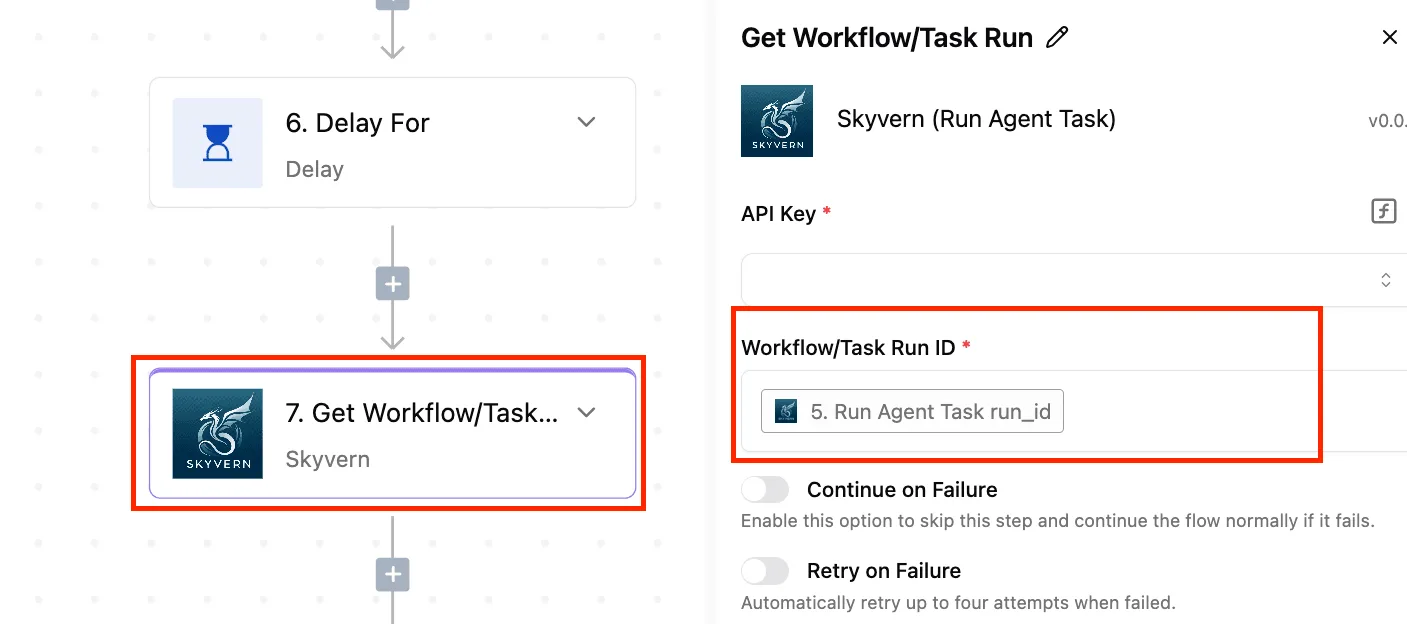
If you self-host, data stays in-house, but then you own the serving stack and the hardware.
You're also bound by the license on the weights file you actually downloaded. Check that license file by file, as the earlier table did, rather than trusting the headline "open weights."
Call Beam 1.0 with an HTTP request step
Add Activepieces' generic HTTP integration, one of the 741 integrations counted in its MIT-licensed core, point it at the Beam endpoint from the maker's docs, and put the key in a connection, where credentials are held centrally, never in the step body.
You map the prompt field and the response field by hand, which is tedious but visible.
The check: send one task with a deliberately malformed input and confirm the step fails loudly on an error status instead of passing an empty string downstream.
Better: an AI step with an OpenAI-compatible provider
If the maker documents an OpenAI-compatible endpoint, a custom provider in the AI step lets you swap Beam in. You change the base URL and the model name, with a new key. That also lets you swap it back out.
The check: confirm the maker's pages actually state that compatibility, then run one structured-output task, since compatible chat calls often differ on JSON mode and tool calls.
Agent route: an MCP server
Add Activepieces' generic HTTP integration, one of the 741 integrations counted in its MIT-licensed core, point it at the Beam endpoint from the maker's docs, and put the key in a connection, where credentials are held centrally, never in the step body, so you're not building a custom connector.
It's the most moving parts for the least gain at trial stage.
The check: list the tools the server exposes and confirm the agent can only call the ones you intended.
Start with one low-stakes step on the first route, and widen only if your own tasks justify it.
Frequently asked questions
Is Reflection Beam 1.0 really open source? Not established. The claim is open weights, which means the trained model files can be downloaded.
It doesn't mean the training data or training code are published. Unless the maker's pages list those, treat both as unknown, and read the license text before using the word "open source" anywhere.
Can I use Beam 1.0 commercially? That depends on the license file shipped with the weights, not on the announcement copy.
Open the license itself and look for use restrictions and any carve-outs for larger companies. If the file is missing or the summary disagrees with it, count commercial use as unconfirmed.
Can I run Beam 1.0 on my own hardware? Possibly, if the weights are actually downloadable. The model card should state the memory footprint and context length.
If it doesn't, those are unknown, and you can't size a server until you've loaded the model yourself. Hosted API pricing is likewise unknown unless the maker lists it.
Comparison and integration
Is Beam 1.0 better than GPT-6 Luna? No independent benchmark result that I can point to answers this; our own small test used the older GPT-5.4 mini.
Any comparison the maker publishes is self-reported, so treat it as a claim rather than a measurement. Run both models on the same set of your own automation tasks and compare the outputs.
Does Activepieces support Beam 1.0? I have no maker-stated integration to cite, so assume no dedicated step exists until you find one in the Activepieces catalogue.
If Beam is served behind an HTTP endpoint, whether you host it or the maker does, a generic request step can call it. That's a workaround you build and test yourself, not a supported connector.