
Restaurant Automation Software: 2026 Buyer's Guide

Nov 24, 202616 min read
Toast suits restaurants that want the point of sale (POS) to be the automation core; Square suits smaller or mixed-format operators; Zapier and Activepieces, which has 750 integrations counted in its MIT-licensed open-source monorepo, cover gaps the POS leaves.
Restaurant Automation Software Shortlist and Criteria
Two of these are POS platforms and two are connectors, so they aren't rivals.
Restaurant automation software is the set of tools that handle repetitive restaurant tasks, such as order routing, inventory updates, staff scheduling and customer messaging, either inside a restaurant-specific POS or by connecting the POS to other apps through workflow tools.
What counts as restaurant automation
Restaurant automation software is any system that moves an order, count, schedule or payment between people and tools without someone retyping it.
The reason to care is cost structure. The National Restaurant Association's full-service breakdown puts labor at 36.5% of sales and food at 33%, about 70% together, so retyped invoices and manual schedules touch the largest costs.
Occupancy takes 5.7%, according to the National Restaurant Association, and other costs and profit share the remaining 24.8%, of which pre-tax profit is 2.8%, leaving almost no room for cost increases. At 2.8%, a small leak in labor or food can erase the margin.


Four criteria applied to every tool:
- Which restaurant systems it connects without custom work.
- Who owns each connection, meaning which account and permission scope the token carries, and who can revoke it.
- Whether a non-developer can maintain it.
- Published entry price, taken from the vendor's own page.
Where a price couldn't be verified, the table says "not confirmed" rather than estimating.
Restaurant automation software comparison table
No single tool covers every column, and the table shows it. The POS vendors are strongest inside their own catalogue, and the connectors are strongest outside it. Read the limit column before the price column.

| Tool | Published entry price | Main strength | Main limit | Best for |
|---|---|---|---|---|
| Toast | from $0/month (Starter Kit) | Built for restaurants; orders, kitchen and payments in one system | Automation stops at what Toast has built | Restaurants standardising on one POS |
| Square | free software; card processing fees apply | General POS that also serves restaurants | Less restaurant-specific depth | Small or mixed-format venues |
| Zapier | from $19.99/month (Professional) | Broad catalogue of ready-made app connections | Not restaurant-specific; cost rises with task volume | Quick links between common apps |
| Activepieces | not confirmed | MIT-licensed core with 750 integrations; missing ones can be added as pieces | You maintain what you add | Gaps no vendor has covered |
Check date: 2026-11-24. Entry prices couldn't be confirmed against vendor pages.
Each gap in the limit column is a job someone must own, so the next step is deciding which of those jobs your POS already handles.
This takes minutes, not a project: automate it in Activepieces free.
Toast restaurant POS
Toast is a restaurant-specific POS that handles orders, payments and kitchen routing inside one system. Those jobs belong to Toast's configuration rather than to a workflow you build and maintain.
What it automates
Per Toast's own pages, the core is order capture, payment processing and routing of tickets to the kitchen, with add-on modules listed around that core.
Because these run inside the POS, the restaurant owns one account and one set of permissions for them. Nothing passes through a third-party connection that someone has to authorise and later remember.
Anything outside the listed modules is a gap, and a gap means a job with an owner you have yet to name.
Toast POS published pricing
Toast's published entry prices run from $0 a month for the Starter Kit to $69 a month for Point of Sale. The subscription line is a small share of what a restaurant ends up paying.
The Starter Kit carries a card rate of 3.09% per transaction on pay-as-you-go pricing, so payment processing costs scale directly with sales volume.
The $0 subscription is therefore recovered through payments processing, and the cost grows with sales volume rather than with the number of features you switch on.
Beyond these entry plans, pricing depends on the modules and hardware you choose, and you should price your own configuration before comparing it with anything else.
Toast POS limits and best fit
The limits are structural. Toast's model ties the software to its own hardware and its own payment processing, so leaving later means replacing terminals and renegotiating processing, not just exporting a menu.
Before signing, find out who holds the account credentials, who can issue API access and what happens to that access if the contract ends.
Toast fits a restaurant that wants one vendor accountable for the order-to-kitchen-to-payment path and is willing to accept that dependency.
It fits less well where the jobs that matter most sit outside Toast's listed modules, such as cross-system handoffs to accounting, staffing or supplier ordering. Those jobs are the gaps the next sections measure.
Square for Restaurants
Square for Restaurants is a point-of-sale system with a free tier and paid plans. It suits small or single-location operators who want the till, ordering and kitchen screens in one account before any automation is added.
Inside the POS, Square handles online ordering, a kitchen display that routes tickets to the line, and table management for dine-in service.
These cover the first jobs a small restaurant would otherwise wire together by hand: an order placed online appears in the kitchen without anyone retyping it, and a table's status follows the sale.
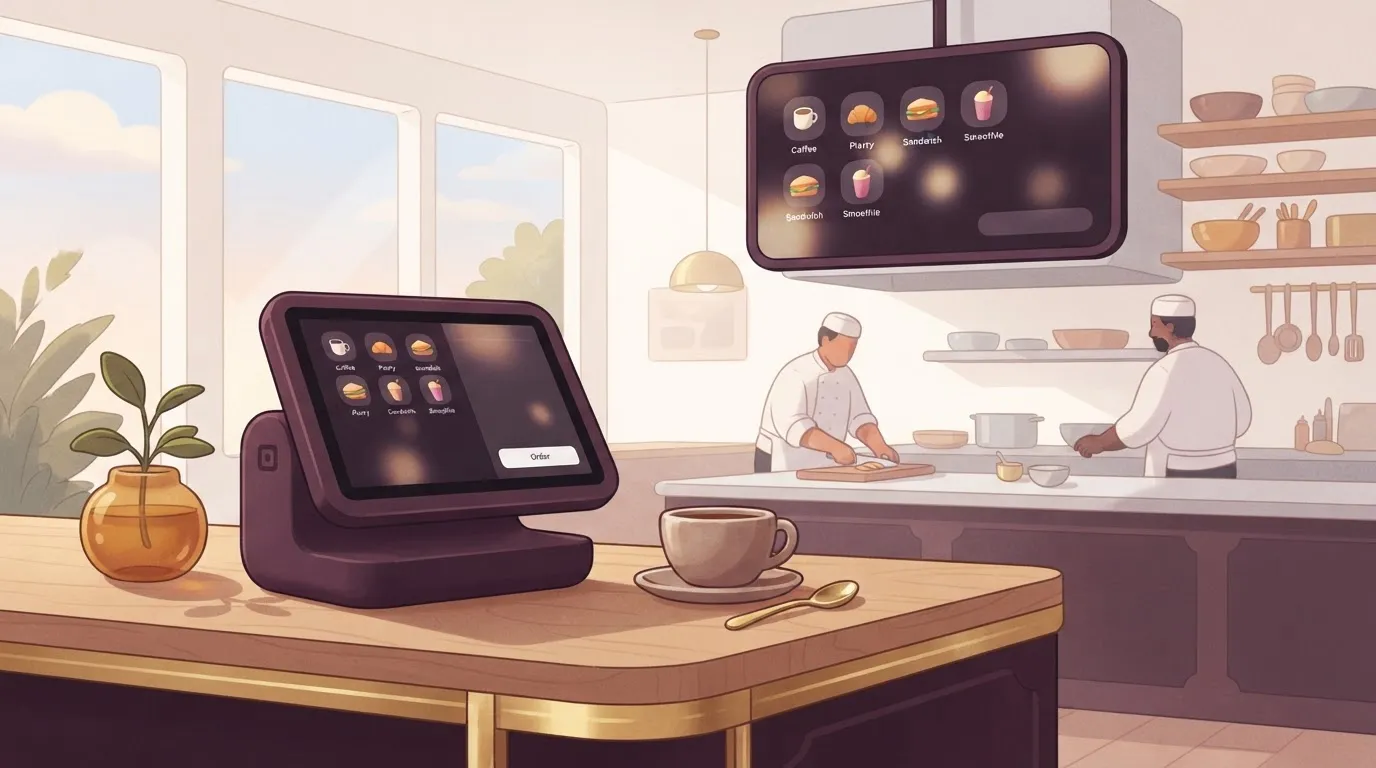
Rota messages and supplier reorders sit outside its own catalogue and are not covered. Those are the gaps later sections measure.
When a workflow tool connects to Square, ask who owns the connection. It should be authorised by the account owner, scoped to the data the flow reads, and recorded so it survives a staff change.
Square for Restaurants plans and pricing
Square publishes its plan prices on its own site, with a free tier and paid plans above it. Card processing is charged at one rate in person and a higher one online, and that holds on every plan.
When orders move online, a restaurant pays more per sale than the free tier's headline suggests. Check the current rates on Square's pricing page, since they change and a quoted figure goes stale.

Against Toast, a restaurant-specific POS, Square is cheaper to start with at small scale, and its free tier lets an owner trial the system before paying. Toast is built only for restaurants and goes deeper on restaurant operations. Square is the lighter, more general system.
One location, a small team and a simple menu are where Square fits best. As locations, menu complexity or reporting needs grow, an owner should test whether its depth still holds. Whatever Square leaves unbuilt stays manual unless another tool picks it up.
Zapier for restaurant automation
The picture below shows that pattern:
- One POS sending data out to a spreadsheet
- One POS sending data out to an email
- One POS sending data out to a chat window
- Zapier sitting on those arrows and running in its own cloud rather than in your building

Zapier restaurant POS integration gaps it fills
Take the three destinations in that picture. Daily sales can land as rows in a spreadsheet the bookkeeper already reads. A closed shift can trigger an email to the owner. A voided-order spike can post to the managers' chat.
None of these needs the POS vendor to have built anything. It needs Zapier to offer a connection to your POS and to each destination, and it needs one named person to own each of those logins.
When the employee who authorised the spreadsheet connection leaves, the automation stops, so record the owner of every connection on day one.
Zapier pricing and task limits
Zapier bills by task, meaning each completed action in a flow. A POS that sends every order into a spreadsheet and a chat message uses two tasks per order, so volume climbs faster than order counts suggest.
StackWorkbench lists monthly prices for the Professional plan against the Team plan at five task tiers:

| Tasks per month | Professional to Team, $ per month |
|---|---|
| 2,000 | 73.5 – 103.5 |
| 5,000 | 133.5 – 178.5 |
| 10,000 | 193.5 – 253.5 |
| 20,000 | 283.5 – 373.5 |
| 50,000 | 433.5 – 598.5 |
At 2,000 tasks, the Team plan costs $30 more than Professional, so the gap is small for a single site.
At 50,000 tasks it's $165, and the monthly bill itself has grown more than fivefold from the entry tier, so business growth triggers software cost escalation.
Cost therefore rises with every order you automate, and the right moment to count tasks is before you build, not after the first invoice.
You can hand these flows to a manager with no developer, because each step is a form field rather than code. That suits low-volume reporting and alerts.
Cost therefore rises with every order you automate, and the right moment to count tasks is before you build, not after the first invoice.
The limits are structural: Zapier is cloud-only, so order and sales data pass through its servers with no self-hosted option, and cost scales with volume. Anything that must stay on your own infrastructure, or that fires on every line item, needs a different answer.
You can follow the rest of this with the builder open. Start free, no card.
Activepieces
Activepieces carries data from your POS to the places the POS vendor never built, such as sheets, email and chat, across 750 integrations counted directly in its MIT-licensed open-source monorepo. It doesn't replace the POS.
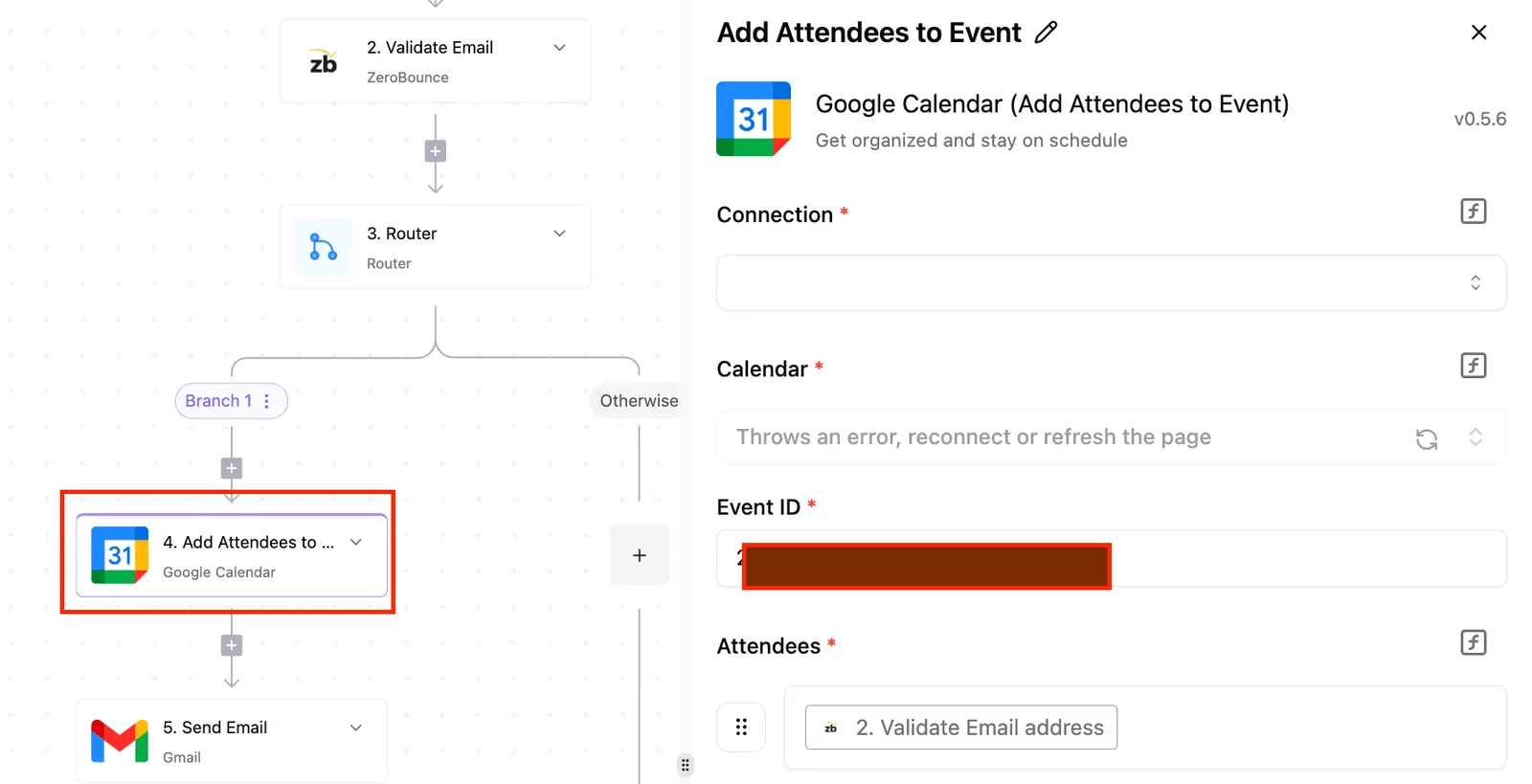
Where it fits a restaurant
Start with ownership: the Free plan allows up to 5 users, so decide which one named account holds each connection, and every link in a flow has an owner you can point to.
Before building anything, decide who owns the POS login, the Google account behind a sheet and the chat workspace token. If a manager leaves and their account's the one authorised, the flow stops.
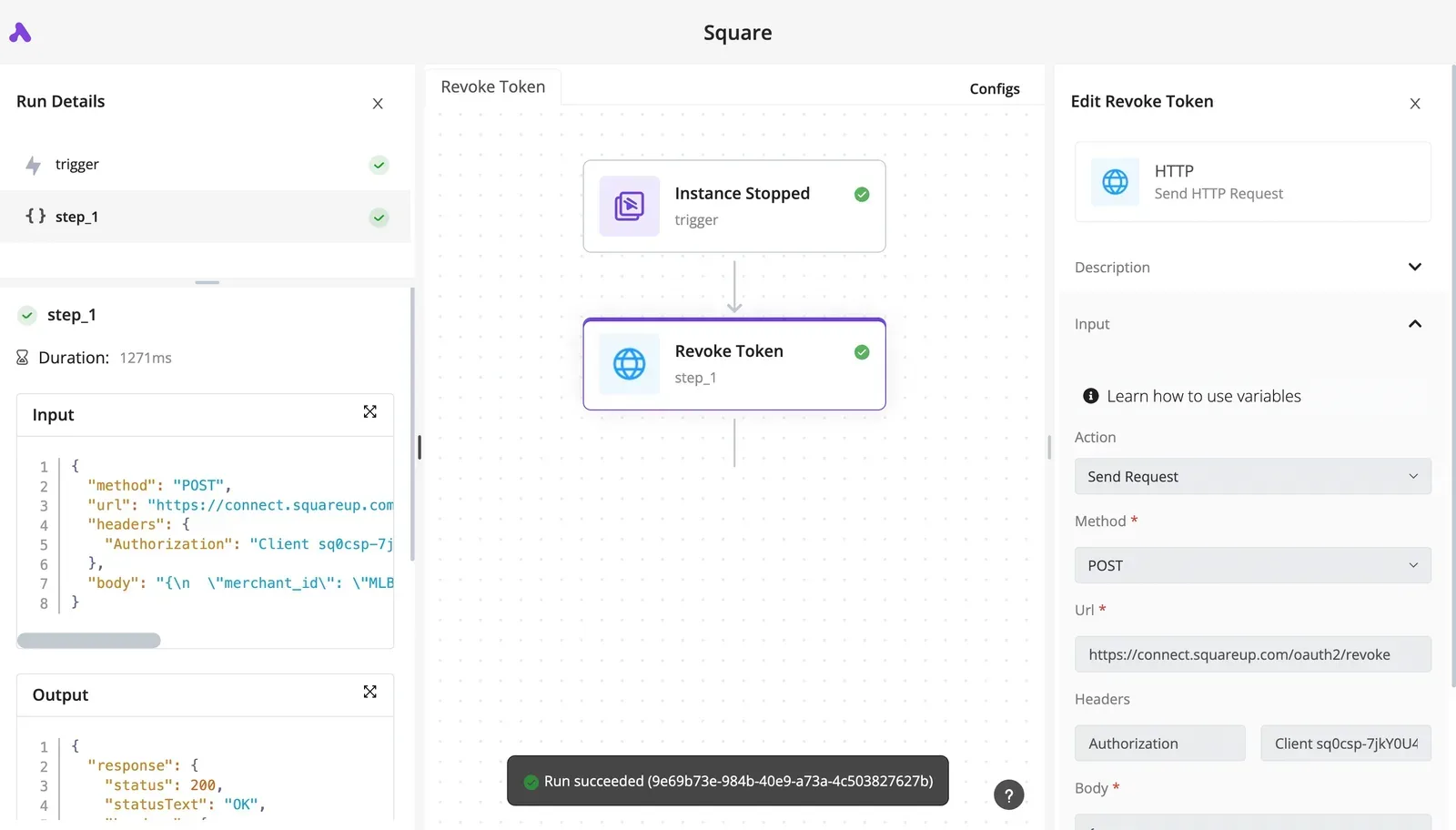
The practical jobs are narrow. A closed-day sales export lands in a sheet, a low-stock note goes to email, and a refund above a threshold alerts a chat channel.
A POS vendor's catalogue only grows when the vendor decides it's worth building, so a missing connector means waiting on their priorities. Activepieces lets you generate the missing integration with AI and add it privately to your own instance, with no vendor release in between.
About 60% of its 750 integrations were contributed by the community, and you can count them yourself in the open-source monorepo on GitHub.
Before you commit, check the integration list in the repository, because a POS connector exists only if it appears there. Until you've seen it there, treat it as unconfirmed.
Pricing and self-hosting
The table shows Activepieces' cloud tiers, which include unlimited flows on every plan down to the free one, beside one Zapier plan, so you can see what a flat fee buys against a per-task model.
Read it as a starting point and confirm on the vendor page before you buy.
| Plan | Monthly price | Who it suits | Check date |
|---|---|---|---|
| Activepieces Cloud Free | $0 | One site trying a single flow before spending anything | 2026-11-24 |
| Activepieces Cloud Plus | $20 flat | A single restaurant running a few daily reports | 2026-11-24 |
| Activepieces Cloud Team | $200 flat | A group with several people building and reviewing flows | 2026-11-24 |
| Activepieces self-hosted | Your own server cost | An owner who needs data kept on infrastructure they control | 2026-11-24 |
| Zapier Professional (comparison) | $19.99 | A restaurant that wants a hosted tool with no server to run | 2026-11-24 |
Self-hosting moves the cost from a subscription to whoever patches and backs up the server. Name that person before you choose it.
Activepieces has no POS, kitchen display, scheduling or inventory of its own. It moves data between systems that have them, through its 750 integrations.
If your POS vendor already offers a native export to your accounting tool, use that first, and keep Activepieces for what the catalogue leaves uncovered.
For a restaurant that wants its POS data to reach sheets, email and chat without replacing the POS, Activepieces is the better fit, on the criterion of catalogue reach you can verify.
Its 750 integrations are counted directly in an MIT-licensed open-source monorepo rather than quoted from a marketing page, so the catalogue is a floor you can check yourself instead of a ceiling someone else set.
The cost is that you must decide up front which named account owns the POS login, the Google account behind the sheet and the chat token, since a flow stops if a departed manager's account was the one authorised.
Monday Morning Steps for Choosing Restaurant Software
Start with the POS you already run or you're about to buy, and add nothing else until you know which jobs it leaves undone.
The steps below are in order, and skipping ahead is how restaurants end up paying for two tools that do the same work.
The numbered list below shows the order of work; the point to take from it is that a workflow tool comes fourth, not first.
- Write down the two or three jobs where someone re-types the same data. Typical ones are sales totals into the accounting tool, new-hire details into payroll, and supplier orders into email. Name who does each job today, because that person's the first to tell you whether the replacement works.
- Check whether the POS already does each job. Read the vendor's integrations page, then ask the vendor in writing whether the connection's native or goes through a third party. Note which account holds the connection and who at the restaurant owns that login, since a connection tied to a departed manager's account stops when the account's closed.
- Price the POS from its vendor page, including the add-on modules those jobs need. Record the date you read it.
- Add a workflow tool only for the jobs still undone after step 2.
- Re-check every price before you sign.
When to add a restaurant workflow tool
If the POS covers two of your three jobs, the workflow tool exists for one job, and you should judge it on that job alone.
Ask what permission each connection needs. A read-only token on the POS and a write scope on the accounting tool is a smaller risk than a full-admin login shared in a group chat.
Then name one owner for the tool, someone who can open it without a developer and see why a run failed.
Re-check restaurant software prices before signing
A price you noted weeks ago is a memory, not a quote, because vendor pages change.
Read the POS page and the workflow tool's page again on the day you commit, and compare them with your dated notes. If a module you need has moved to a higher tier, redo step 3 before anything else.
Two cases change the pick: several locations running different POS systems, where no single vendor's native export covers everyone, and a requirement to host the data yourself. Either one moves the workflow tool from leftover duty to a larger role.
Frequently asked questions
Is restaurant automation software the same as a POS system?
No. A POS takes orders, payments and menu changes; automation software moves data between the POS and other systems, such as payroll, supplier ordering or review alerts.
Many restaurant POS vendors bundle some automations, so the line is blurry, but a vendor's built-in automations cover only what that vendor has built. The gaps are where a separate workflow tool earns its place.
Can I automate a restaurant without a developer?
Yes, for most first jobs. Sending a low-stock message to a supplier or posting a daily sales summary to a manager's chat is configured in a visual editor, not written as code.
You can't hand off ownership, though. Decide who holds the login to the POS connection and who's told when a run fails. When a former employee's personal account is closed, a flow built under it stops working.
Does restaurant automation software suit a single-location café?
It can, if you start with one job and the POS you already use.
A café with one location and a small team gains most from automations that remove a daily manual copy, such as end-of-day totals into a spreadsheet. Multi-site approval chains and central purchasing matter less.
Before you add a second tool, check which plan includes the POS's own automation features, since the built-in option may already cover the job.
Can I self-host restaurant workflow automation?
Some workflow tools can be run on your own server, and some POS vendors can't, because their automations run only in the vendor's cloud.
Self-hosting keeps order and staff data on infrastructure you control. It also makes you responsible for updates, backups and who holds server access. Read each vendor's own documentation on deployment before you commit, as options differ by product and plan.
How often do restaurant software prices change?
Often enough that a price you were quoted last year shouldn't be assumed to hold. Vendors revise plans, add-on fees and limits on their own schedule, and POS payment processing terms may be separate from the software fee.
Take the current figures from each vendor's pricing page before you budget, and record the page and the date you read it. Re-check at renewal.
Related reading
Build it
Set this up in minutes.
No code required. Connect your accounts, and Activepieces runs it from there.
Start free Talk to sales