
Restream Pricing: Plans and Costs for 2026

Nov 13, 202615 min read
Restream remains a dominant force in the multistreaming market, offering a robust suite of tools designed to broadcast live content to dozens of social platforms simultaneously.
As creators look to scale their reach, many are turning to sophisticated automation workflows, such as those facilitated by Activepieces, to manage their production schedules and post-stream distribution more efficiently.
This 2026 pricing guide breaks down the current costs of the Free, Standard, and Professional tiers, helping you determine which plan aligns with your streaming frequency and technical requirements.
Whether you are a solo gamer or a corporate entity, understanding these limits is essential for optimizing your digital presence.
Restream pricing and plan limits for 2026 broadcasts
Broadcasting live video to several social platforms simultaneously from a single encoder feed is the core function of Restream, a cloud-based multistreaming service.
While the service simplifies the technical overhead of managing multiple RTMP connections, the tier structure dictates the quality of the viewer's experience through strict resolution caps and destination counts.
The 2026 Restream plan comparison table
To illustrate how the transition from personal to professional broadcasting requires a significant shift in both financial commitment and technical output capabilities, the following table outlines the current service tiers.
| Plan | Monthly Price | Annual Price | Max Resolution | Included Destinations |
|---|---|---|---|---|
| Free | $0 | $0 | 720p | 2 |
| Standard | $19 | $16 | 1080p | 3 |
| Professional | $49 | $41 | 1080p | 5 |
| Premium | $99 | $83 | 4K | 15 |
| Business | $299 | $249 | 4K | 20 |
Resolution is the primary lever for plan upgrades in this progression, as high-definition 1080p and 4K streams are locked behind paid subscriptions.
Restream free plan vs paid plan features
When a creator uses the Free plan, it serves as a technical proof-of-concept but carries a mandatory watermark, which prevents the maintenance of a professional brand identity during live events.
Upgrading to the Standard tier removes this branding and increases the destination limit.
To ensure that post-production teams have high-quality source files for repurposing content, the Professional and Premium tiers introduce split-track recording and increased storage for uploaded videos.
For large-scale operations, the Business plan provides the highest destination ceiling and prioritized support, which reduces the risk of downtime during high-stakes corporate broadcasts.
Restream annual billing discount explained
By choosing annual billing, a user reduces the total cost of ownership by approximately twenty percent across all paid tiers, which frees up budget for hardware or marketing.
To further streamline operations, users can integrate Activepieces to automate the distribution of stream recordings to cloud storage or social media announcements immediately after a broadcast ends.
The value of a high-resolution stream is captured and distributed without manual intervention through this automation.
If you are running this arithmetic for your own team, see what the same workload costs on Activepieces.
Why creators outgrow the Restream Free and Standard tiers
When their distribution strategy requires unbranded professional broadcasts and simultaneous delivery to multiple high-traffic social platforms, creators outgrow the Restream Free and Standard tiers.
While these entry-level plans facilitate basic connectivity, the technical constraints on visual identity and destination volume necessitate an upgrade to maintain a professional viewer experience.
The cost of removing the Restream watermark
Because the cloud-based multi-streaming service Restream applies a mandatory visual watermark to all broadcasts initiated on the Free tier, creators are prevented from maintaining a clean, professional brand aesthetic.
This overlay is hard-coded into the outgoing RTMP stream, meaning viewers on every connected platform see the Restream logo regardless of the creator's own graphic overlays.
Moving to the Professional or Premium tiers is the only way to gain "Custom Branding," which allows the removal of this watermark and the addition of personalized logos.
For creators who sell sponsorships, this transition is essential, as brand partners typically require an environment free from third-party platform advertising within the video frame.
Multistreaming limits by platform type breakouts
The specific composition of a creator’s destination list most often triggers the transition between tiers, as Restream differentiates between standard social channels and "Extra Destinations."
- Free Tier: Supports streaming to two basic channels simultaneously, which serves creators testing a dual-platform strategy like YouTube and Twitch.
- Standard Tier: Increases the channel count but often limits the ability to add custom RTMP outputs or specific business-grade platforms without purchasing additional destination add-ons.
- Professional and Higher Tiers: These plans include "Extra Destinations" by default, which are required for streaming to Facebook Pages, Facebook Groups, or custom website embeds via RTMP.
A creator who moves from a personal profile to a managed business page is forced by this tiered structure to upgrade to ensure their stream reaches their professional audience.

Understanding Extra Destination costs
An Extra Destination is not simply a slot in your total count; it is a specialized permission to stream to business-grade platforms like Facebook Pages or custom RTMP servers.
While higher tiers include a specific number of these slots, they are often the first limit a professional creator hits, as standard social slots cannot be swapped for them.
If a creator exceeds the number of Extra Destinations included in their plan, they must pay an additional monthly fee per destination or upgrade to a higher tier.
This means a user on the Professional plan might still face extra costs to reach a ninth destination or a second Facebook Group, even if they have not filled their total destination cap.
Restream video storage and recording limits
Based on the subscription level, Restream limits the utility of its "Record Only" and "Video Storage" features, impacting how creators handle post-production and VOD (Video on Demand) content. The following table illustrates how these technical caps scale:

| Feature | Free Plan | Professional Plan | Premium Plan |
|---|---|---|---|
| Stream Recording | No storage provided | Limited hours per stream | Extended hours for long-form content |
| Video Storage | Zero capacity | Limited cloud storage for uploads | Maximum capacity for pre-recorded loops |
| Upload File Size | Not available | Standard file size limit | Increased limit for high-bitrate files |
The visual below illustrates how these subscription tiers are presented to users during the selection process.
Creators can calculate their monthly overhead before committing to a specific growth trajectory thanks to this pricing transparency. To manage the resulting files, creators use Gemini 3.8 Flash to analyze stream transcripts and identify high-engagement segments for social clipping.
Hidden costs and the price of scaling your audience
Rather than flat subscription fees, professional streaming costs scale primarily through destination volume and resolution requirements. While a base plan might facilitate a standard broadcast, the necessity of reaching diverse audiences across multiple platforms simultaneously introduces incremental costs that can double a monthly commitment.
Rather than flat subscription fees, professional streaming costs scale primarily through destination volume and resolution requirements.
Cost of extra Restream streaming destinations
Restream, the multi-streaming platform, tiers its pricing based on the number of simultaneous social channels a creator can target.
While the entry-level Professional plan supports a fixed number of destinations, creators who need to broadcast to additional custom RTMP outputs must purchase add-ons or upgrade.
The following comparison illustrates how the monthly investment shifts when a creator moves from a standard broadcast to a full-scale webinar setup with integrated AI tools.
| Configuration | Base Monthly Cost | Included Capability |
|---|---|---|
| Professional Plan | $49 | Standard multi-streaming to a set number of platforms. |
| Professional + AI Clips | $78 | Adds automated short-form content generation for social growth. |
| Professional + AI Clips + Live Webinar | $177 | Enables large-scale audience interaction and lead generation. |
A creator only pays for high-capacity audience tools when their viewership justifies the investment under this tiered structure.
The price of high-definition 1080p and 4K streaming caps
Because Restream limits Full HD and Ultra HD capabilities to its higher-tier subscriptions, broadcast quality is a primary driver of plan migration.
Creators using the free or entry-level tiers are often capped at 720p resolution, which can appear unprofessional on modern high-resolution displays.
Outmano reports that moving to the Professional tier is their only way to unlock 1080p streaming, ensuring the visual fidelity matches the standards of platforms like YouTube or LinkedIn.
For those requiring 4K resolution to support high-detail gaming or product demonstrations, the cost increases further, as this demands higher bitrate support that is typically reserved for top-tier or business-grade plans.
Team seats and collaborative streaming costs
Shifting from a solo operation to a collaborative environment where multiple users manage the stream is often required for scaling a production.
Restream limits the number of team seats available on its lower plans, meaning a creator cannot grant independent login credentials to a dedicated producer or chat moderator without upgrading.
To streamline the handoff of these polished broadcasts, creators often use Gemini 3.8 Flash to automate the generation of show notes and social media descriptions from the final stream metadata.
Worth checking against a plan that does not meter every step: one credit covers a whole run on Activepieces.
Restream vs StreamYard and Castr on value for money
For mid-tier creators who require multi-platform reach without the overhead of specialized hardware, Restream Professional provides the most balanced entry point.
While the base subscription supports simultaneous broadcasting to several platforms, the true utility of the service is defined by how it handles destination scaling, guest interaction, and the archival of high-definition assets.
Direct price comparison for 5+ destinations
Restream Professional offers a middle-ground destination count that forces a decision between platform breadth and per-channel cost efficiency.
| Service | Plan Name | Included Destinations |
|---|---|---|
| Restream | Professional | 5 |
| StreamYard | Core | 3 |
| Castr | Standard | 10 |
Restream Professional serves creators who have outgrown basic social sharing but do not yet require the massive syndication capabilities of Castr, as the data confirms.
Restream Studio features and guest limits
Restream Studio serves as the primary browser-based interface for managing live production, offering high-definition 1080p streaming as the default standard for professional tiers.
This resolution ensures that broadcasts maintain visual fidelity on large displays, whereas lower tiers often throttle output to 720p.
Guest capacity is similarly tiered, with the Professional plan supporting up to 10 participants on-screen simultaneously.
Exceeding this limit requires an upgrade to the Premium tier to avoid locking out contributors, which dictates the complexity of panel discussions or interview formats.
Video-on-demand (VOD) hosting costs compared
Through its integrated storage system, Restream manages recorded content, preserving past broadcasts for immediate repurposing or delayed transmission.
- Restream Professional retains recordings for a set duration, ensuring creators have time to download or trim highlights before the files are purged to save server space.
- StreamYard Core offers a different storage window, which affects how quickly a producer must move files to a local drive to prevent data loss.
- Castr Standard emphasizes its cloud-based VOD (Video on Demand) capabilities, providing a repository for pre-recorded videos that can be scheduled to go live as "simulated" broadcasts.
Creators often deploy Gemini 3.8 Flash to analyze the transcriptions and generate timestamps to optimize the distribution of these recordings, which significantly reduces the manual labor required to make long-form videos searchable on platforms like YouTube.
Automating the creator workflow beyond the stream with Activepieces
Activepieces connects a creator's streaming infrastructure to downstream communication and content management tools via 747+ integrations, ensuring that complex multi-platform syncs remain predictable.
By acting as a self-hosted or cloud-managed bridge, it eliminates the administrative lag between ending a broadcast and updating promotional channels.
The platform uses a flat credit-per-run model where a ten-step distribution sequence costs the same as a single-step alert, ensuring that complex multi-platform syncs remain predictable.
The meter is the run, meaning a single credit covers the entire flow regardless of how many steps are needed to sync a broadcast to multiple social channels.
The following sequence demonstrates how a creator can automate the post-production distribution cycle:
- Catch the Restream webhook to trigger the workflow immediately after a session ends.
- Extract the recording URL to ensure the automation has the correct source asset for distribution.
- Post to Discord 'Announcements' to notify the community that the replay is live.
- Create a draft in WordPress with the video link to prepare the long-form blog post.

Intelligence gathered by Gemini 3.8 Flash (such as the generated timestamps and summaries) is immediately placed where it is most accessible to the audience through this automated handoff.
By shifting the burden of asset movement to Activepieces, the production team can focus on high-level content strategy while the underlying software handles the repetitive task of cross-platform synchronization.
For creators who require absolute data sovereignty over their stream metadata and audience lists, Activepieces provides an air-gapped edition that runs on private infrastructure.
Security features like SSO, SCIM, and custom RBAC are available in this local environment just as they are in the managed cloud, allowing organizations like MoneyGram and FundingSocieties to maintain strict governance over their broadcast data.

This parity is visible in the self-hosted documentation, where audit logs and secret managers are listed as standard enterprise capabilities for air-gapped deployments.
Choosing the right Restream plan for your broadcast
Balancing the technical overhead of high-bitrate video against the specific number of delivery endpoints required for your broadcast is necessary when choosing a Restream plan.
While the entry-level Free plan allows for basic testing, it restricts creators to two streaming destinations and mandates the Restream watermark, which signals a lack of professional infrastructure to your audience.

Scaling to the Professional or Premium tiers is a requirement for anyone managing a multi-channel brand presence, as these levels remove branding and unlock the 1080p resolution necessary for crisp text and detail on modern displays.
Before committing to a monthly or annual billing cycle, assess your current production pipeline against these operational requirements:
- Do you need 1080p resolution to ensure your visual quality meets the standards of platforms like YouTube and Twitch?
- Are you streaming to more than 3 platforms simultaneously, exceeding the capacity of the entry-level paid tiers?
- Do you need to remove the Restream watermark to maintain a cohesive and professional brand identity?
- Do you need more than 15 days of storage for your recordings to facilitate long-term content repurposing and VOD management?
If your workflow involves high-volume asset management or complex reasoning for multi-stream scheduling, you might integrate a tool like Claude Sonnet 5.5, the Anthropic model that balances speed and intelligence, to draft platform-specific descriptions.
Once the plan is selected, the next step is automating the post-stream handoff, such as using Gemini 3.8 Flash to generate instant summaries from your live audio feed for social media promotion.
Frequently asked questions about Restream costs?
Does Restream offer a completely free trial of paid features?
Rather than a time-limited trial, Restream provides a Free plan, meaning users can test the core multistreaming technology without a credit card.
This entry-level tier includes a permanent watermark on the video feed, which requires an upgrade to a paid subscription to remove for professional branding.
Because it excludes premium destinations like Facebook Groups or Custom RTMP (Real-Time Messaging Protocol), creators must pay to reach private communities or independent websites even though it allows streaming to two platforms simultaneously.
Can I pay for just one month of Restream Professional?
To provide flexibility for creators who only stream during specific event seasons, standard subscriptions are available on a monthly basis.
Choosing the monthly billing cycle increases the per-month cost compared to an annual commitment, so users pay a premium for the ability to cancel at any time.
If a creator needs higher resolution or more concurrent destinations for a single product launch, they can subscribe for thirty days and then revert to the Free plan to stop recurring charges.
Is there a discount for non-profit streaming organizations?
To make professional broadcasting accessible to community services, Restream offers a dedicated discount program for 501(c)(3) organizations and registered charities.
Applicants must submit official government documentation to the support team to verify their tax-exempt status before the lower rate is applied to the account.
This reduction applies to the ongoing subscription cost, allowing churches and advocacy groups to allocate more of their budget toward equipment rather than software overhead.
What happens to my recordings if I cancel my subscription?
As long as an account remains on a paid tier that supports storage, cloud recordings are retained.
When a subscription expires or is downgraded to the Free plan, Restream deletes the stored video files from their servers, so creators must download their archives locally before the billing cycle ends.
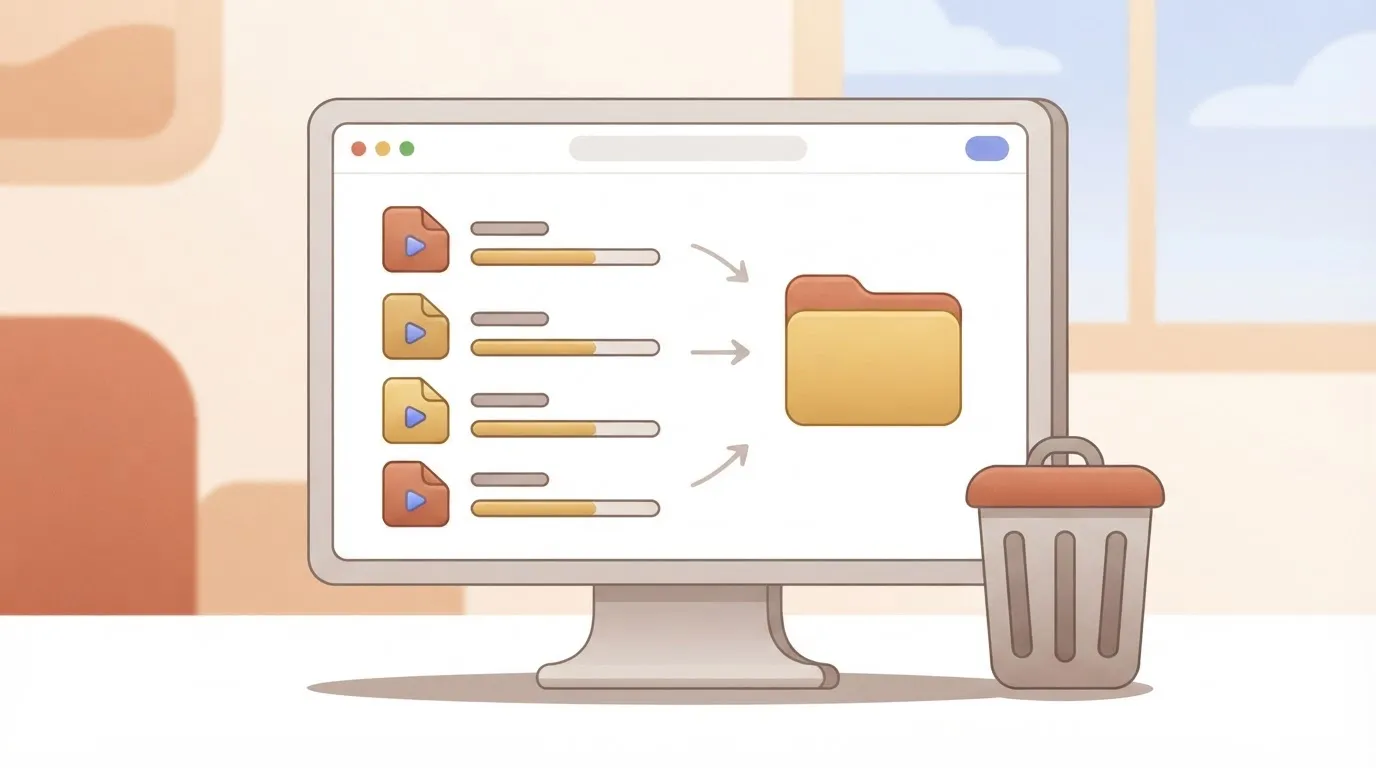
To manage this handoff, teams often use Claude Sonnet 5.5 (an AI model capable of complex reasoning) to analyze stream transcripts and identify which high-value segments should be archived or repurposed for social media before the cloud storage is wiped.
Running the numbers
See what the same workload costs here.
Free forever plan, and every paid plan self-hosts at no extra cost.
See pricing Talk to sales