SAP Business One AI Agents: Build a Chat Automation

Sep 11, 202614 min read
Build Your First SAP Business One Chat Automation in 30 Minutes
SAP Business One chat automation is the practice of using conversational interfaces and middleware to execute ERP transactions and data queries through natural language messaging.
SAP Business One chat automation defined
SAP Business One chat automation translates natural language instructions into structured API calls. This allows you to execute ERP transactions through messaging platforms without opening the native client.
You'll use Large Language Models to interpret intent, moving from rigid menu-clicking to a fluid interaction model where a simple message in a chat window triggers complex backend workflows.
The shift from manual entry to conversational ERP
When field sales teams rely on manual screenshots and emails to update the home office, they break standard guardrails and consistently delay inventory synchronization. Conversational ERP replaces these fragmented updates with direct triggers.
A representative can text a SKU and quantity to a bot to reserve stock instantly. This architectural shift eliminates the lag between a customer handshake and a recorded commitment, which prevents the double-selling of high-velocity items.
Why mid-market firms skip complex ERP UI menus
Standard ERP interfaces require specialized training, creating a bottleneck within accounting and warehouse departments. This complexity often results in a high volume of internal support tickets for simple data lookups.
Furthermore, you're adopting chat-based triggers because they lower the technical barrier for non-power users.
This reduces the administrative burden on your core finance team.
This request flows through Activepieces, which validates the data against the rigid SAP Business One schema before execution. This three-layer structure ensures that you never touch the underlying database directly. It maintains system integrity while increasing the speed of data entry.
The role of middleware in secure SAP connectivity
Acting as the essential translation and security layer, middleware converts the ambiguous text of a human conversation into the exact JSON payloads required by the Service Layer.
Without this buffer, raw LLM outputs would frequently fail against SAP’s strict validation rules, causing failed transactions and data corruption.
By centralizing these connections in a dedicated automation layer, you can audit every chat-initiated change from a single dashboard. This oversight prevents conversational speed from compromising corporate compliance.
Everything below works on Activepieces' free plan. Start without code or a credit card.
The strategic mandate for SAP AI integration
Executive leadership has shifted from passive interest to formal directives. A majority of SAP customers now operate under specific mandates to deploy AI for measurable operational efficiency.
This transition marks the end of the "wait-and-see" era for ERP management. It moves AI from a speculative line item to a core requirement for your departmental performance reviews.
Analyzing the shift toward specific AI use cases
You measure your IT teams on their ability to solve narrow, high-impact problems like automated inventory reconciliation rather than generic chat interfaces.
According to SAP, 40% of organizations are now prioritizing specific AI use cases, signaling a shift toward practical, targeted technology integration.
An additional 38% are still in the phase of exploring potential cases, indicating that nearly four-fifths of the market is actively hunting for immediate functional wins.
Why 'exploring' is giving way to 'executing'
Steering committees are demanding execution because the cost of inaction is now visible in the competitive gap between automated and manual supply chains.
While 17% of firms view AI as a broad strategic priority, the remaining 5% fall into miscellaneous categories.
This data reflects a market where the "early adopter" advantage has expired. The baseline for a modern SAP Business One deployment now includes a conversational interface as a standard operational requirement.
Charting the executive directives for SAP ecosystems
The following breakdown of SAP customer AI mandates illustrates how the focus has narrowed toward functional, task-oriented deployment.
The baseline for a modern SAP Business One deployment now includes a conversational interface as a standard operational requirement.
| Mandate Type | Percentage of Customers | Operational Consequence |
|---|---|---|
| Specific Use Cases | 40% | Teams must deliver production-ready tools for defined workflows. |
| Exploring Use Cases | 38% | Budget is allocated for pilots but requires proof of ROI. |
| Strategic Priority | 17% | AI influences the total technology stack and vendor selection. |
| Other | 5% | Non-standard or niche applications with limited broad impact. |
40% of organizations prioritize these specific cases, so resources are increasingly concentrated on high-impact operational improvements. This shift toward specific, actionable mandates forces a reevaluation of how you bridge the gap between human intent and the rigid technical requirements of the SAP database.

Step 1: Prepare your chat interface and AI
Establishing a conversational interface requires a stable gateway for user intent and a structured logic engine to parse that intent into ERP-ready parameters.
By isolating the chat environment from the database logic, your technical team ensures that syntax errors in a user’s message never reach the production tables.
Creating a Slack App for user input
The Slack API is the primary ingestion point where your field sales teams submit unstructured requests.
Building a dedicated Slack App allows you to define specific permissions. This configuration secures the communication loop by requiring a unique Bot Token for every interaction. Only authenticated users within the workspace can trigger a query against the business data.

Configuring OpenAI API keys for intent recognition
OpenAI is the translation layer, converting natural language into the structured JSON formats required by SAP Business One service layers.
To move beyond generic chat, you must define an Assistant with a "System Prompt" that dictates how to handle specific ERP entities like Item Codes or CardCodes.
Generating an API key and assigning it to this Assistant creates a dedicated processing unit. Every user prompt passes through a set of business rules before reaching the next stage of the automation.
Testing the 'Hello World' chat response
Validating the connection between the chat interface and the AI brain confirms that the handshake is successful before complex data mapping begins. 40% of firms now require production-ready tools for defined workflows, meaning that experimental prototypes are no longer sufficient for business needs. First, create a Slack App and generate a Bot Token.
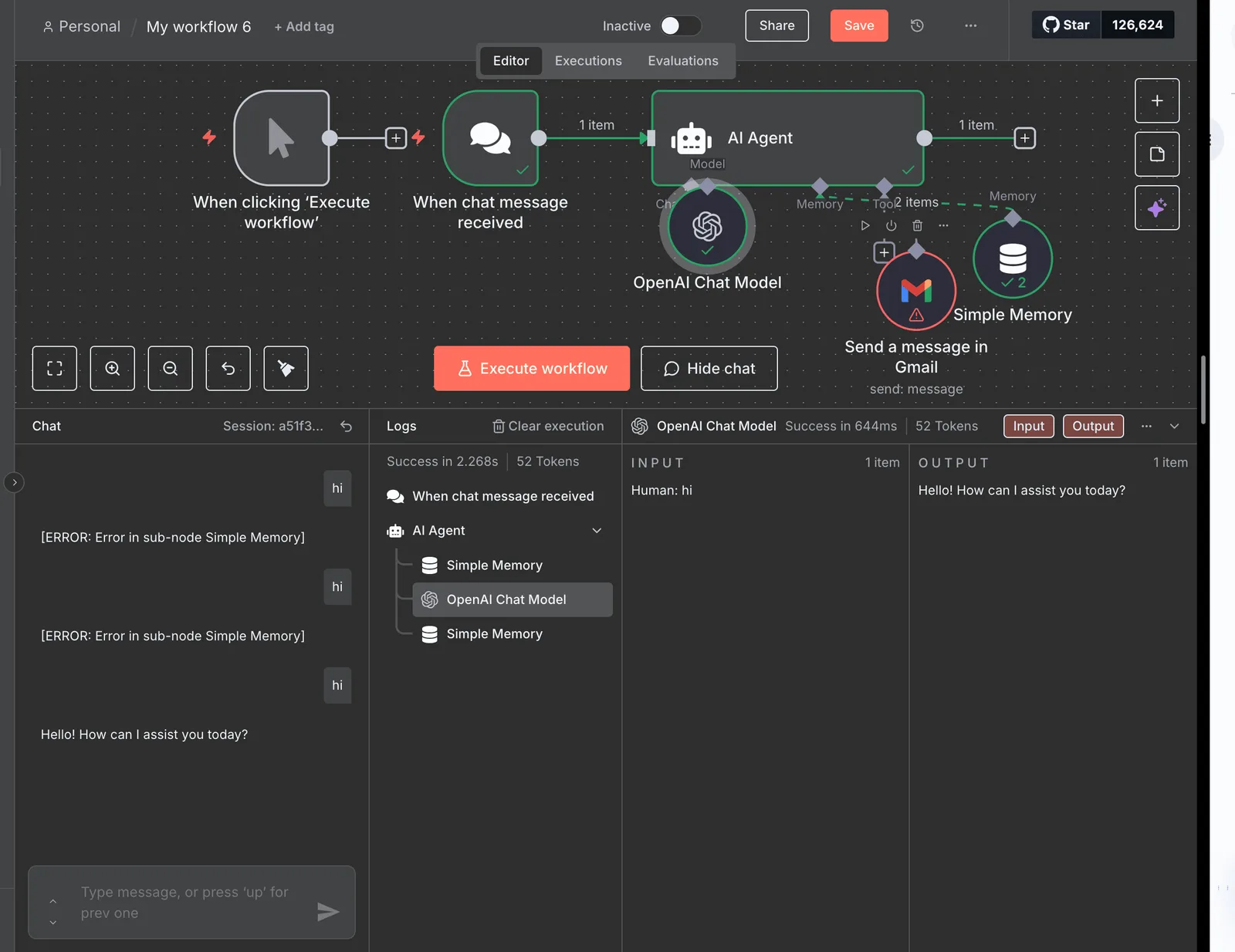
Second, define an OpenAI Assistant with a 'System Prompt' for ERP translation. Third, store the API keys in the connection manager.
A successful return of a "Hello World" or a simple intent confirmation proves that the authentication headers are correct.
Step 2: Expose the SAP Service Layer endpoint
Secure communication with the SAP Business One Service Layer requires a stable, encrypted endpoint that translates HTTP requests into database operations.
Locating the SAP Service Layer URL and port
The Service Layer acts as the gateway for all modern integrations, requiring a specific network configuration to accept incoming traffic.
HTTPS must be enabled on Port 50000 to ensure all data in transit is encrypted. A valid SSL certificate issued by a trusted authority is required.
The exact Company Database name serves as the unique identifier for routing requests. A dedicated B1 user with appropriate object permissions prevents unauthorized access. The resulting URL follows a standard OData format, typically structured as https://<ServerAddress>:50000/b1s/v1.

Setting up a dedicated API user in SAP B1
Adoption success depends on treating the automation as a distinct digital worker. Your SAP B1 administration team must create a specific user account for the middleware, which allows you to audit automated changes separately from manual entries.
This user requires a "Professional" or "Indirect Access" license type to maintain compliance. By assigning this user to a specific "Integration" authorization group, you can restrict its scope to only the Business Objects required.
Validating the OData connection via Postman or browser
Before linking the ERP to an automation platform, the connection must be verified using Postman to confirm the Service Layer is responding correctly.
A successful validation involves sending a POST request to the Login endpoint with a JSON body containing the company database, username, and password.
According to Help, if the Service Layer returns a B1SESSION cookie, the connection is live and ready to process data.
Easier to see it running than to read about it: set it up free, no card.
Step 3: Map chat triggers to SAP Business One actions with Activepieces
Activepieces provides a per-project MCP server that exposes every connected SAP action as a tool schema, allowing an agent to call the ERP directly without manual data mapping.
By acting as the intermediary, it ensures that a sales rep’s conversational request is validated against ERP business rules. This validation happens before the API call is even attempted, preventing the database corruption that occurs when raw chat data hits a production environment.

The moment an SAP connector is configured in Activepieces, it becomes immediately available as a tool for your AI agents.
The Integrations Framework ensures that every action defined in the open source repo (visible in the packages/integrations directory) is automatically exposed as a schema on the Activepieces per-project MCP server.
This allows Claude or ChatGPT to call SAP functions directly without a second migration or manual tool export.
Selecting the Slack 'New Message' trigger
When the Slack "New Message" trigger captures a user’s request, the automation sequence begins. This trigger is a listener that monitors specific channels for keywords.
Because this trigger captures the entire message object, the system can extract the user's unique Slack ID to verify their authorization levels against the SAP Employee Master Data.
This validation step ensures that a junior staffer can't accidentally trigger a high-value credit memo, effectively enforcing internal controls at the point of entry.
Map chat variables to ERP fields
The Activepieces SAP B1 integration provides a visual interface to map chat variables directly to rigid ERP fields like 'CardCode' for customers and 'ItemCode' for inventory.
Activepieces places every agent interaction within a governed access model, ensuring that your AI is treated as a user rather than just code.
By checking the enterprise RBAC documentation, you can confirm that SSO and SCIM policies apply to what an agent may connect to, while the run detail view provides an individual log for every tool call.

Organizations like MoneyGram and Moneypenny run this in production to maintain this level of granular auditability across their ERP automations.
Handling multi-line items in a single chat command
To process complex orders, the Activepieces "Loop" function iterates through a single chat message to identify multiple product SKU requests.
This iterative logic allows a single human sentence to generate a multi-line Sales Order. The final document in SAP Business One reflects the complete customer requirement.
Step 4: Add validation logic and error handling
Human-in-the-loop approvals are the primary defensive barrier against data corruption. Without a manual checkpoint, a simple phonetic misspelling can trigger an automated procurement cycle for the wrong SKU.
Human-in-the-loop approvals are the primary defensive barrier against data corruption.
Setting up a 'Confirm Order' button in the chat workflow
By presenting the extracted data back to the user before it hits the SAP Service Layer, the system forces a visual audit of quantities and tax codes.
The deployment of a structured confirmation card within the chat interface transforms a conversational guess into a verified transaction request.
This means the responsibility for data accuracy shifts from the LLM back to the human operator. This gatekeeper mechanism ensures that only sanitized, intentional payloads are transmitted to the production environment.
Handling SAP 'item not found' errors gracefully
When the SAP Business One database fails to return an exact match for a requested Item Code, automated workflows must include a conditional branch.
Instead of allowing the sequence to terminate with a generic system failure, the logic should prompt the user to select from a list of close matches or flag the request for the warehouse manager.
Logging successful transactions in a secondary audit trail
Every completed write-operation should be mirrored in a dedicated logging tool like Google Sheets or a centralized SQL table to provide a non-volatile record of the automation's performance.
This secondary trail allows your finance team to reconcile chat-originated orders against the general ledger without navigating the complex SAP change logs.
The Monday morning rollout plan for chat-based ERP
Defining allowed commands for SAP chat automation
Restricting the initial deployment to read-only queries and low-risk updates ensures that the system handles high-volume requests without accidentally triggering irreversible financial commitments.
Your IT operations team must verify that the API user associated with the chat interface lacks the authorization to delete master records or approve payments.
To maintain operational integrity during the pilot, the following steps establish the necessary guardrails.
Audit user permissions in B1 to ensure the service account adheres to the principle of least privilege.
Set Slack channel rate limits so that automated loops or spamming don't exhaust the ERP’s API license capacity.
Conduct a 1-hour 'Natural Language' training session for staff to standardize how they request data. Monitor the first 50 transactions for P95 latency (target <2s) to identify bottlenecks in the translation layer before they impact user adoption.
Setting up an automation monitoring dashboard
A dedicated monitoring view allows your systems team to catch failed translations before they accumulate into a backlog of unprocessed orders.
By tracking the success rate of intent recognition, you can identify exactly which phrases require new synonyms in the mapping layer to improve accuracy.
Frequently asked questions about SAP automation
Is my SAP data stored on the AI's servers?
Because the chat interface is a transient pass-through rather than a permanent storage vault, SAP data remains within your controlled environment.
When a user queries a balance, the middleware fetches the specific record from the SAP HANA database, presents it to the Large Language Model for natural language formatting, and then flushes the session context.
This means your proprietary financial records aren't used to train public AI models. This isolation prevents a competitor from inadvertently prompting the AI to reveal your specific margin structures or vendor terms.
How do I handle custom fields (UDFs) in chat?
Custom User Defined Fields (UDFs) are accessible by mapping the specific technical keys from the SAP Service Layer to recognizable aliases within your integration schema.
By defining these UDFs in the middleware, the chat assistant can recognize "Project Code" even if the database knows it only as "U_PrjCd." This mapping ensures that non-technical staff can update unique business data without needing to know the underlying SQL table structure.
Can this handle complex price lists and discounts?
The system manages complex pricing by triggering the native SAP Price List logic rather than attempting to recalculate discounts within the chat interface itself.
Because SAP Business One uses hierarchical priorities for volume discounts and special prices, the automation submits a "Draft Document" request to the ERP to return the final calculated total.
This approach prevents the chat tool from quoting an incorrect price to a customer. It relies on the ERP’s established "Golden Record" for all financial calculations.
What happens if the SAP Service Layer goes offline?
If the SAP Service Layer (the primary API gateway for the ERP) becomes unavailable, the automation triggers a graceful error handling routine that notifies the user of the downtime.
Instead of the chat interface hanging or providing stale data, it identifies the connection break and suggests an asynchronous retry or directs the user to a manual support queue.
This prevents the "black hole" effect where a user assumes an order was placed when the backend was actually unreachable. This logic maintains the integrity of the procurement audit trail.