
Shared Inbox Automation: Route Emails to Chat with AI

Oct 21, 202612 min read
Shared inbox routing via chat explained
Why manual email triage doesn't scale
Shared inbox routing uses AI to categorize incoming emails and instantly notify you via chat platforms like Slack. This process removes the human gatekeeper who must read every message first.
When you are in the early adoption stage of this workflow, you realize that manual triage is a compounding tax on your high-value output.
According to Stealthagents, employees spend 15% of their workday on email, which means over an hour of every shift is consumed by inbox management.
Roughly six hours each week is consumed by sorting and responding rather than executing.
When combined with the 19% of time spent on the chat platform and 23% spent in meetings, the remaining 43% of the day left for deep work is fragmented beyond utility. Deep work is the time required for complex problem-solving.

$63 is the weekly cost per employee in wasted time created by this friction. It forces you to treat manual routing as a leak in your department budget rather than a standard operating procedure. You're viewing the process as a financial liability.
Why basic email filters fail modern teams
Basic email filters rely on rigid if-then logic that can't account for the nuance of customer intent or the urgency of a high-value lead.
Activepieces provides an MIT-licensed core to build structured automation flows, ensuring that your routing logic remains transparent and self-hostable while moving beyond simple keyword matching that often results in misrouted tickets.
Every other platform searches its templates. Activepieces writes yours.
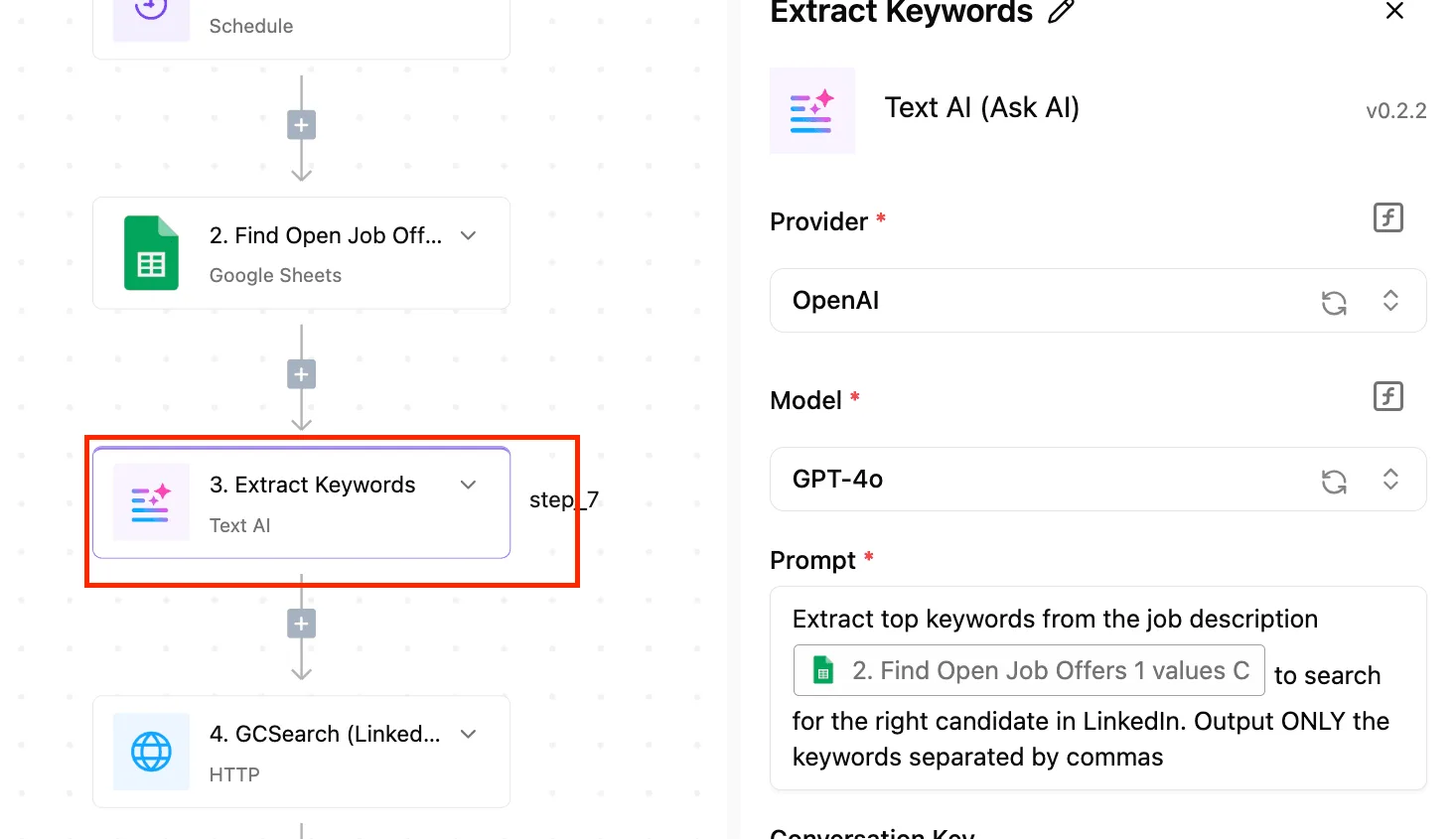
Ask the built-in AI chat for a workflow with no template (for example, "when a support email mentions a billing error, notify the finance channel and create a task in Linear") and watch it build and publish that flow instead of returning a search result.
Every other platform searches its templates. Activepieces writes yours.
Because keyword filters trigger on specific strings like "billing," they often miss a frustrated customer who uses the word "invoice" or "payment" instead.
Domain rules sort by sender, which fails when a single contact person sends both a support request and a partnership inquiry to the same address.
When time-based alerts notify everyone at once, they create a bystander effect where no one takes ownership because the notification lacks a specific owner.
The role of LLMs in intent recognition
Large Language Models (LLMs) are advanced AI systems trained on vast datasets to understand context. They bridge the gap between a raw email and an actionable chat notification.
Unlike a filter, an LLM can recognize that an email mentioning "the recent update broke my dashboard" is a high-priority technical bug, even if the word "bug" never appears.
Before it ever hits your screen, the system filters out noise. This saves the 0.8 hours per week typically lost to spam, so that time can be redirected toward more productive tasks.
By mapping these intents to specific chat channels, you can ensure that the right person sees the right message instantly.
This protects that 43% of deep work time from unnecessary interruptions, ensuring that complex projects receive the focus they require, which means your team can finally complete high-value tasks without constant context switching.
Everything below works on Activepieces' free plan. Start without code or a credit card.
Step 1: Connect your shared mailbox trigger
This stage establishes the connection to the data source and ensures the automation only triggers on new, unread messages.
By grounding the workflow in a specific mailbox event, you move from the pilot phase to a standardized intake process that eliminates the need for a human to refresh an inbox.
Choosing your email trigger connector
You begin by selecting a dedicated connector for the communication tool where the messages arrive, such as the Outlook or Gmail integration.
Selecting a "New Email" trigger rather than a "New Folder" event ensures the workflow initiates the moment a message hits the server. This prevents the latency that occurs when you rely on manual drag-and-drop actions.
Filtering for specific senders or keywords
Configuring internal filters within the trigger limits the automation to high-priority traffic. This granular control acts as a guardrail.
It prevents the automation engine from consuming task credits on automated newsletters or "Out of Office" replies. ### Testing the initial data pull
Generating a sample data packet allows the system to map the specific structure of your incoming emails to the downstream chat tool.
By loading a real "Result" from the inbox, you verify that the automation can read the "Body" and "Sender" fields before you attempt to route them to a specific person.
Step 2: Classify email intent with AI
Classifying email intent transforms unstructured text into structured data, allowing the system to route messages based on logic rather than manual oversight.
How the AI node classifies emails
The AI or LLM node acts as the decision-making engine positioned between your email trigger and your chat router. It functions as a virtual processor that receives the raw email text, applies your specific instructions, and outputs a structured category.
Classifying email intent transforms unstructured text into structured data, allowing the system to route messages based on logic rather than manual oversight.
You drag this node into your flow to create a bridge where the "thinking" happens. Within this node, you select your preferred model, such as GPT-6 Astra or Claude Sonnet 5.5, and enter the classification prompt that governs how the AI interprets incoming data.
Writing the AI classification prompt
The classification prompt must explicitly define the expected JSON output format to ensure downstream systems can parse the information without error.
By instructing the model to act as a specialized triage officer for your Customer Success team, you provide the necessary persona to distinguish between a technical bug report and a general inquiry.
This structure ensures that the chat tool receives only the essential context, reducing the cognitive load on the responding engineer.
Defining your routing categories
Effective routing categories must be mutually exclusive to prevent the AI from stalling on ambiguous choices.
| Category | Responsibility |
|---|---|
| Support | Handles technical troubleshooting and bug reports. |
| Financial | Covers invoices, payment failures, and refund requests. |
| Commercial | Manages new leads, upsell inquiries, and contract renewals. |

Mapping email body to AI input
Mapping requires passing only the relevant message components into the AI node to minimize token usage and processing time.
You strip out massive image attachments and redundant email signatures so the model focuses exclusively on the customer’s latest request. The system stays responsive even during high-volume periods.
Easier to see it running than to read about it: set it up free, no card.
Step 3: Deliver the notification to chat
The delivery stage converts raw analysis into a structured payload for messaging platforms.
Formatting the Slack or Teams block
Standardizing the visual layout via JSON-based UI frameworks ensures that critical data like customer sentiment or urgency levels are visually distinct.
Examples include Block Kit for Slack or Adaptive Cards for Microsoft Teams. Structured blocks allowed responders to scan and categorize issues in seconds.
Adding deep links back to the email
To remove the friction of manual searching, every notification must include a direct URI link that opens the specific message within the email client.
Without this link, you must copy a subject line or sender address and perform a manual query. These deep links ensure that the transition from a chat alert to a drafted reply is a single-click action.

Routing emails with conditional branches
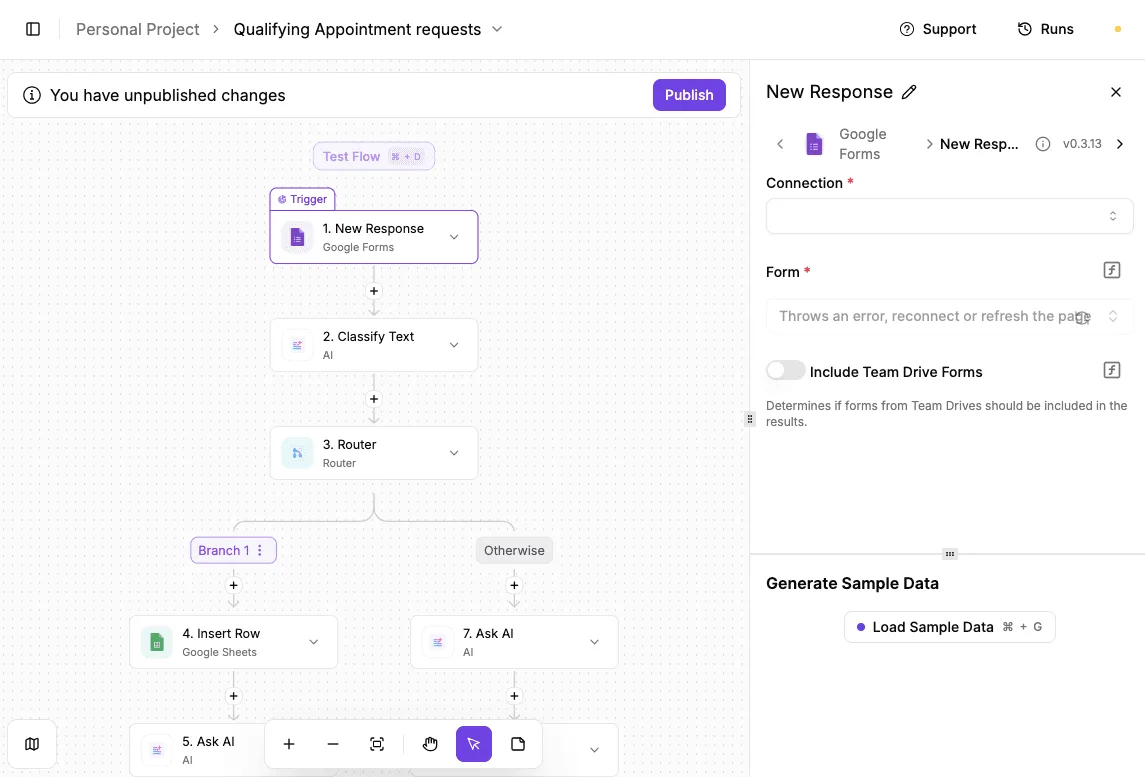
The workflow uses router modules to direct the payload to specific destinations based on the AI’s classification of the intent. This targeted distribution prevents channel noise. It ensures that high-priority alerts aren't buried by irrelevant notifications.
Mapping AI categories to chat channels
The Router piece acts as a traffic controller by evaluating the output variable generated by the AI node. You configure individual branches within the Router to look for specific values, such as "Support" or "Financial," in that variable.
When the AI labels an email, the Router matches that label against your predefined paths to trigger the correct Slack channel action. This connection ensures that a "Commercial" inquiry is never sent to the technical support channel by mistake.
Build your email router with Activepieces
Companies like MoneyGram and Moneypenny run Activepieces in production to bridge these communication gaps using a visual canvas and pre-built connectors.
The platform functions as an automation engine where you can connect disparate software APIs through a drag-and-drop interface, which removes the engineering bottleneck typically required to sync communication tools.
Every connector is an agent tool.
Check the Integrations Framework and MCP Server documentation to see how the same action that runs in your flow is exposed as a tool for Claude or ChatGPT, meaning you never have to wire up the same email integration twice.
Using the Gmail and Slack integrations
Standardizing the flow begins with the Gmail trigger and Slack actions. These are pre-configured integration modules that handle the authentication and data mapping between these two environments, so developers can bypass weeks of manual backend configuration.
This linear progression ensures that every message follows a predictable path from receipt to delivery without manual intervention.
Passing email attachments and metadata to Slack
The router preserves the context of the original email by mapping metadata directly into the Slack message payload. Activepieces provides 734+ integrations that treat these elements as dynamic variables.
This means you can view the urgency of the request and download necessary documents without ever opening your mail client. The responder has all the primary data required to resolve the issue within their primary chat interface.
Tracking automation errors in workflow history
The flow history serves as the audit trail for the adoption phase, providing a granular log of every successful execution and any failed attempts.
This allows you to troubleshoot the logic without guessing where the data dropped. This visibility turns automation from a black box into a measurable process.
The Monday morning routing checklist
Maintaining high precision in automated triage requires a structured feedback loop to prevent the gradual drift of classification accuracy.
Reviewing unclassified email logs
The 'Unclassified' folder acts as the primary diagnostic tool for identifying gaps in your current logic. It captures any message that fails to meet the confidence threshold for automated routing.
- Review the 'Spam' logs for false positives to ensure legitimate leads aren't being discarded.
- Identify 'Unclassified' messages in the run history to map out missing intent categories.
- Update the AI prompt with new category examples to increase future hit rates.
- Test the revised prompt against the previous week’s log to verify the fix works without breaking existing routes.
Updating AI prompts for product launches
Prompt engineering must be treated as a dynamic configuration rather than a static asset. When your marketing team launches a campaign, the influx of specific queries can overwhelm a general-purpose prompt.

Updating the system instructions to include new product names ensures that high-priority inquiries reach the specialized task forces immediately.
Auditing response times from chat triggers
Monitoring the latency between a message arriving in the shared mailbox and the notification appearing in the real-time chat tool is the final check on system health.
Regular audits of these timestamps allow you to identify bottlenecks in the API chain.
Frequently asked questions
Can I route based on sentiment?
Sentiment analysis allows you to prioritize hostile or urgent customer inquiries by tagging the message tone before it hits the chat channel.
By using a natural language processor (a tool that interprets the emotional weight of text) the system can bypass standard queues for messages categorized as "frustrated."
High-risk churn signals reach a senior manager immediately rather than sitting in a general inbox.
How do I prevent duplicate notifications?
Duplicate alerts are suppressed by implementing a state-check against the unique Message-ID, which is a permanent identifier assigned to every email. The automation platform queries a centralized database to see if that ID has already triggered a notification.
This database is a record-keeping layer like Airtable or a SQL table. You'll never waste time coordinating responses to the same inquiry twice.
Will this work with encrypted emails?
Standard automation flows can't parse the body of messages protected by PGP or S/MIME. These are encryption protocols that scramble text for anyone without a private key.
Because the AI can't read the encrypted payload, the router can only process the unencrypted metadata, such as the sender’s address or the subject line. Highly sensitive legal or security threads still require a manual hand-off within the native email client.
Can I reply to the email directly from chat?
You can trigger email replies from chat by using a webhook to pass your chat message back to the email provider’s API. A webhook is a bridge that sends data from one application to another.
You type a response in the chat thread, and the chat platform sends that text to the automation controller.
The controller instructs the email service to send a reply using the original thread's ID. The system logs the sent message in the shared mailbox to maintain a complete audit trail.