
Snowflake Okta Integration: How to Set It Up (2026)

Nov 23, 202616 min read
A Snowflake Okta integration's a no-code workflow that pairs one trigger from one app with actions in the other, such as a new Okta user becoming a row in a Snowflake table.
In Activepieces, an MIT-licensed core with 750 integrations, you build it in a visual flow builder, which means you likely won't need custom code for most common tools.
Where a connector lists no action for what you need, an HTTP request step calls the vendor's API directly. This page was checked on 2026-11-23.
Snowflake Okta integration basics
What people automate between the two apps
To query identity changes with SQL instead of exporting them by hand, write Okta events into a Snowflake table. A new or deactivated Okta user triggers an insert or update on a Snowflake access table.

A Snowflake query result, such as a list of stale accounts, drives an Okta action against those users. A scheduled Snowflake query posts its results back to Okta-side admins as a review task.
Start with the first of these. It removes the most manual work because the export's the step people repeat, and it needs only one trigger and one insert action.
Okta and Snowflake integration prerequisites and permissions
When a first attempt fails, it has usually stalled on permissions rather than on the builder. The Snowflake role's the usual culprit: an insert action fails with an authorization error if the role lacks write access on the target table.

The list below shows what the first flow depends on, so check each item against your own accounts before you open the builder.
- An Activepieces account (the free plan includes unlimited flows)
- An Okta org, with an API token created by an admin whose own permissions cover the data you want to read
- A Snowflake account with a user, a role, and a warehouse the role can use
- A target table in Snowflake, with columns that match the Okta fields you plan to send
Once those exist, a first flow takes little time. Most of it goes on Snowflake grants and the token, not on the flow itself. Each app's connector page in the builder lists the triggers and actions available, so read it before you design anything.

With the prerequisites in place, the remaining question's where this approach sits relative to what Okta already does.
SSO and SCIM versus workflow automation
Okta single sign-on controls who can log in to Snowflake. SCIM provisioning creates, updates and deactivates Snowflake users from Okta as the source of truth. Both are configured inside the two products and are about identity and access.
Workflow automation does something different. It moves data and triggers actions between the apps, such as logging identity events into a table or acting on a query result.
It doesn't replace SSO or SCIM, and you can run all three side by side. Use SCIM to manage the accounts and a flow to record and react to what happens to them.
This takes minutes, not a project: automate it in Activepieces free.
Five Snowflake and Okta workflows you can build in Activepieces
To record and react to Okta activity, Activepieces offers five flows, and every Snowflake step in them uses a name from the Activepieces Snowflake piece, one of the 750 integrations counted in its open source monorepo.
Where an Okta step has no listed name I haven't invented one, and the flow uses a webhook or HTTP request instead.
Build the first row first, since it replaces the most hand-copied exports, and add the others only when a real request arrives. The table shows each flow's trigger, its actions and the gap.
| Flow | Trigger and owning app | Actions and owning app | Job done | Gap needing HTTP request or Custom API Call |
|---|---|---|---|---|
| 1 | Webhook receiving an Okta event hook (Okta sends, Activepieces receives) | "Insert Row" (Snowflake) | Audit rows for each user event | Okta event hook registration is done in Okta itself |
| 2 | "New Row" (Snowflake) | HTTP request to the Okta API | Okta change driven by a new row | Okta side is an HTTP request |
| 3 | "New or Updated Row" (Snowflake) | HTTP request to the Okta API | Okta follows edited rows | Okta side is an HTTP request |
| 4 | Webhook receiving an Okta event hook | "Run Query" (Snowflake), then a message step | Alert only when the event matches a condition | None on the Snowflake side |
| 5 | Webhook receiving an Okta event hook | "Upsert Row" (Snowflake) | One current row per user, not a pile of duplicates | Okta event hook registration is done in Okta itself |
Prices and plan limits checked against activepieces.com and activepieces.com on November 23, 2026.
Next come the details of each flow and where it stops.
When an Okta event arrives at the webhook, Activepieces writes it with "Insert Row", or with "Insert Multiple Rows" if you batch.
A sixth flow that matches none of the rows above needs no template: describe it to the built-in AI chat in plain language, say "when an Okta user is deactivated, insert a row and message their manager", and Activepieces builds and publishes a runnable flow instead of returning an empty search, even beyond its 750 integrations' stock examples, so you're not constrained to pre-built templates.
Reporting then becomes a Snowflake query instead of a spreadsheet export. If you want one row per user instead of one per event, swap in "Upsert Row", which is flow five.
When Activepieces sees a "New Row" or "New or Updated Row" in Snowflake, the Okta call is still an HTTP request, because neither trigger is Okta-specific and the Okta integration's one listed trigger is New Event.
A row added to an offboarding table can therefore trigger an Okta change, but only after you build the request yourself.
Every login would raise an alert, because the webhook fires on every event. A "Run Query" step checks the event against a Snowflake table, such as a list of watched accounts, and a branch sends the message only on a match.
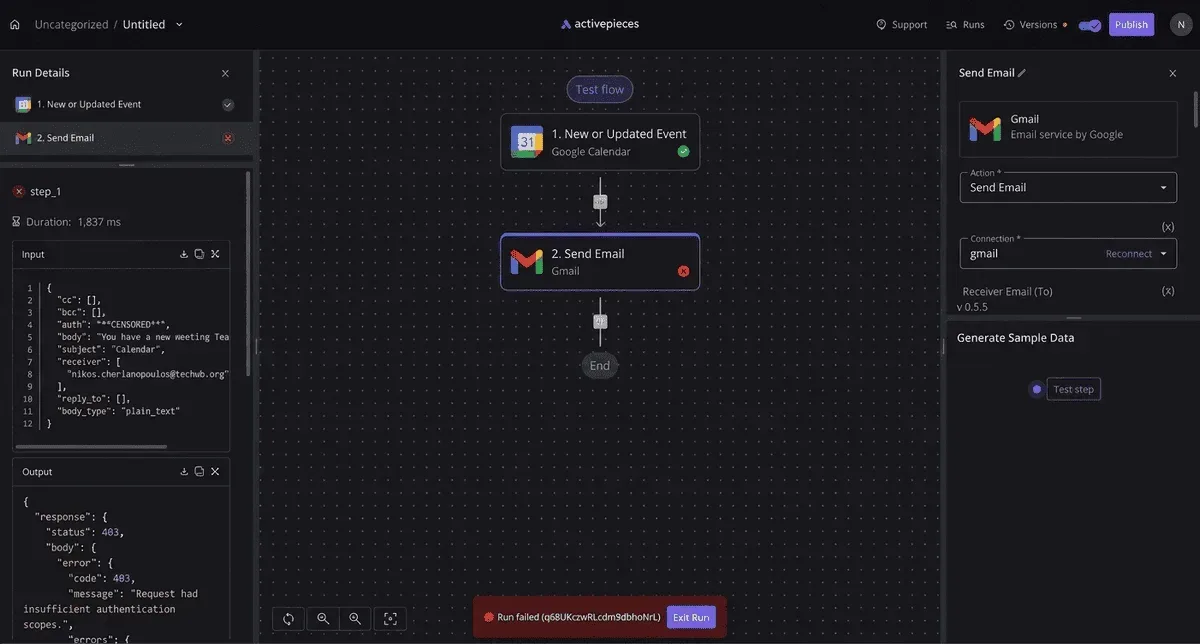
When a step's missing, use an HTTP request or the Custom API Call step against Okta's API. Activepieces then stops being the limit, with unlimited flows on every plan including free, and Okta's own permissions and rate limits become the ones that apply.
Test each request before relying on it, because a failed call's the gap you only discover later.
Creating Okta to Snowflake workflows
To get an Okta event into a Snowflake row, make six moves: create the flow, connect Okta, add Insert Row, connect Snowflake, map fields, then test and publish. Apply the same rule as for the requests: nothing goes live until you've seen a row land.
There's no choice to agonise over: the Okta piece listing shows exactly one trigger, New Event.
- Create a new flow and open the trigger step.
- Pick Okta, then New Event.
- Open the connection dialog and authorise against your Okta org. Use an account that can read the system log, or the trigger will connect and then return nothing.
This goes wrong first at the connection dialog, so save it and re-open it to confirm it persisted. Stage 1's finished when the trigger step shows a connected account and no warning.
Stage 2: Add the Snowflake action and map fields
Add a second step, choose Snowflake, then Insert Row. Create the Snowflake connection from that step's dialog. Give it a role that can insert into one table and nothing else; a connection that's a bad default for a flow that runs unattended.
Create the target table in Snowflake before you map anything. The action writes to columns that already exist, and a missing column's a failure you meet at test time, not at design time.
Then map the fields:
- Select the database, schema and table in the action.
- For each column, pick a value from the trigger's output: event type, timestamp, actor, target, outcome.
- Leave out columns you can't fill from the event. A guessed mapping writes wrong data without raising an error.
Decide now which event types belong in this table, because the trigger fires on every Okta event. A table that mixes everything's harder to query than three narrow ones.
If you need a Snowflake operation that Insert Row doesn't cover, the HTTP request step from the earlier section's the fallback.
Stage 3: Test with a real event and publish
Test the trigger first. Sign in to Okta in another tab to produce a fresh event, then load it as sample data. A sample you typed yourself proves nothing about the shape Okta sends.
Run the Insert Row step against that sample and read the result. A success message isn't enough: open the table in Snowflake and confirm the row exists with the right values in the right columns.
If the step errors, the message usually names the column or the permission at fault, so fix that one thing and re-test.
Publish only after a row's landed. Then trigger one more real event and check that a second row appears without you touching the flow. That second row's your evidence the published version works, not just the draft.
Before you add more flows, ask what this one can't do, because the limits decide when you stop at one flow and when you add another.
You can follow the rest of this with the builder open. Start free, no card.
Troubleshooting Snowflake Okta errors
Six errors cause most failed Snowflake and Okta flows:
- A token without the right permission
- An Okta rate limit
- A denied Snowflake role
- A network policy block
- A sleeping warehouse
- A type mismatch
Before you rebuild anything, match your error message to a row; the table gives each symptom with its fix.
| Error | Symptom | Cause | Fix | Source doc | Checked |
|---|---|---|---|---|---|
| Auth or token permission | 401 or 403 from Okta | Token or scope lacks the admin permission the action needs | Reissue the token with the required scope | Okta API access docs | 2026-11-23 |
| Okta rate limit | 429 mid-run | Too many calls per window on that endpoint | Add a delay, batch, or reduce the trigger frequency | Okta rate limit docs | 2026-11-23 |
| Snowflake role denied | "Insufficient privileges" | Connection's role has no grant on the object | Grant the role access, or switch roles | Snowflake access control docs | 2026-11-23 |
| Network policy block | Login rejected despite valid credentials | Caller's IP is outside the allowed list | Allow the automation platform's IPs | Snowflake network policy docs | 2026-11-23 |
| Warehouse resume delay | Slow first step, then timeout | Suspended warehouse must start before the query runs | Raise the timeout or keep the warehouse running | Snowflake warehouses overview | 2026-11-23 |
| Type mismatch | Insert fails or value arrives as text | Okta returns strings or nested JSON, the column expects another type | Cast in the step before the insert | Snowflake data type conversion docs | 2026-11-23 |
Starting with Okta, the rows are grouped below by where they fail.
Okta authentication and rate limit errors
If you get a 401 or 403, the token authenticated but can't perform the action you picked, so check its scope before the flow logic.
A 429 means you hit Okta's rate limit. I haven't confirmed a single figure for it, because limits differ by endpoint and plan, so read the number for your own endpoint in Okta's documentation.
Polling triggers that fire every minute are the usual cause, and widening the interval's the cheapest fix.
Snowflake role, warehouse and network policy errors
When you see "Insufficient privileges", look at the connection's role, not the credentials. Grant that role usage on the warehouse and the target table. A rejected login with correct credentials points at a network policy, so allow the platform's outbound IPs.
Run a flow often and the warehouse is where the cost lands. Per Snowflake documentation and Datastudios, hourly rates depend on size and edition, so a flow that wakes an X-Small every few minutes burns a few dollars a day even for tiny queries.

| Warehouse size | Cost per hour |
|---|---|
| X-Small | $2 to $4 |
| Small | $4 to $8 |
| Medium | $8 to $16 |
| Large | $16 to $32 |
| X-Large | $32 to $64 |
Pick Small by habit and you double the X-Small cost. Medium and Large are the point where a polling trigger becomes a real line item. Use X-Small for flow-driven inserts.
When a step times out only on the first run of the day, it's this, not a bug: a suspended warehouse adds a resume delay to the first query.
Type mismatches fail the opposite way, consistently. Okta sends timestamps and group lists as strings or arrays, so cast them before the insert.
Where Activepieces Fits Against Other Ways to Connect Them
Zapier, Make and the native features all connect Snowflake and Okta too, and casting those types's the same chore in any of them; Activepieces fits better when you need an MIT-licensed core, self-hosting, or unlimited flows on every plan, including free.
Other tools that connect Snowflake and Okta
Read the price column as a billing model, not a quote: plan prices change, so check each vendor's pricing page before you commit.
The table below compares the four routes on hosting, licence, step limits, cost at 1,000 tasks a month and fit, and at that scale you're no longer guessing about cost.
| Hosting | Open source | Step limits | Price at 1,000 tasks a month | Best fit | |
|---|---|---|---|---|---|
| Activepieces | Cloud or self-hosted | Yes | Unlimited steps on its plans, per its docs | Self-hosting has no per-task fee; cloud follows its plan page | Teams that want control of where flows run |
| Zapier | Cloud only | No | Multi-step depth depends on plan | Billed per task, so volume drives the tier | Fast setup with the widest app catalogue |
| Make | Cloud only | No | Many modules per scenario; each module run counts as an operation | Billed per operation, so long scenarios cost more | Branching, visual flows |
| Native Okta or Snowflake features | Inside each product | No | Limited to what each product exposes | Included in your existing contract | One-sided jobs that never leave the platform |
Nothing here's a bad choice. If your team already runs Zapier, adding a Snowflake insert to an Okta trigger takes minutes, and a native feature needs no extra vendor review.
When Activepieces is the better fit
Pick it when the data in question's user identity. Hosting the automation yourself means Okta group lists and user attributes pass through infrastructure you control rather than a third-party cloud, which is often the first question a security reviewer asks.
Open source means you can read what a step does before it touches production.
For the flow this article builds, the step limit matters. An Okta event, a type cast, an insert and a follow-up check add up to more steps than a trivial two-step zap.
On a tool that charges or caps per step, every extra cast or lookup's a cost, so you end up trimming the flow to fit the plan. Where no listed action exists, the HTTP request step covers the gap without leaving the builder.
Open Activepieces, create a flow, and choose the Okta trigger that fires on the event you currently handle by hand.
Add the Snowflake insert as the first action, put the casts from the previous section in between, and run one test event before you turn it on.
Frequently asked questions
Can I connect Snowflake and Okta without writing code?
Yes: pair one trigger from either app with actions from the other, and build it in the visual editor. A new or deactivated Okta user can fire an insert or Update Row in Snowflake, and nothing needs a script.
You may type something that looks like code in exactly one place: a cast in a field mapping, which the earlier section covered.
Mind the Update Row case: if an Okta user's deactivated, the flow can set a status column to inactive in a table you own. It doesn't touch that person's Snowflake login, so access removal still happens on the identity side.
Is this the same as setting up Okta SSO for Snowflake?
No. SSO decides how people sign in to Snowflake, and it's configured in the two products' own admin settings.
The flow in this article moves data and events between them: it writes rows, updates rows, and reacts to Okta changes. You can run both, and many teams do.
Neither replaces the other. If your goal's "staff log in with their Okta account," stop here and follow the SSO documentation from Okta and Snowflake instead.
Can I self-host the workflow so data stays in my network?
That depends on whether your automation tool offers a self-hosted edition, so check before you build, not after. Even then, the flow only moves where the step in the middle runs.
Okta and Snowflake are both hosted services, so each event still travels from one vendor's cloud to the other.
Self-hosting keeps the intermediate payloads, credentials and run logs on infrastructure you control. It doesn't make the connection private. If your policy requires network isolation between the two vendors, that's a conversation with their network settings, not with the flow.
What do I do if the step I need is not available?
Use an HTTP request step, often labelled Custom API Call, and call the vendor's API directly. For Okta, that means sending your request to your Okta domain with an API token in the Authorization header.
For Snowflake, the SQL API accepts a statement over HTTPS, so you can run SQL the listed actions don't cover.
Test the request with a single harmless read first. When the call fails, the error body from the vendor's usually more useful than the step's status line, so open it before you change anything.
Related reading
References
Build it
Set this up in minutes.
No code required. Connect your accounts, and Activepieces runs it from there.
Start free Talk to sales