Strands Decider Automation: Is It Worth It? (2026)

Nov 16, 202615 min read
Read an incoming request, then send it to one of your Strands agents, or to a person, using rules you wrote down.
That is the whole job of Strands decider automation, a small routing step, much like the branch steps you might already build in a workflow tool such as Activepieces.
The fastest path is an explicit, testable branch, not a free-form model call that improvises.
What Strands decider automation is
Is Strands decider automation worth it?
Think of a billing email that says "you charged me twice and I'm cancelling today." Send it to the support agent and the customer waits for an answer about the wrong problem.

Send it to billing when it was really a login complaint and you refund someone who never asked.
Because a wrong route costs more than a slow one, the decider's first job is to be predictable, and its second is to be quick.
What to take from it is that the decider makes one narrow choice and nothing else, so you can log it and test it against real tickets.
Because a wrong route costs more than a slow one, the decider's first job is to be predictable, and its second is to be quick.
Once the choice is that narrow, the next question is where Strands itself supports it.
Strands docs terms for decider routing
As far as I can tell, Strands doesn't document a feature named "decider"; that's our word for the job.
The nearest documented ideas are the multi-agent patterns in the Strands Agents SDK, especially a graph of agents where the path taken depends on a condition you define.
You would put your routing rule on that condition, and keep the model's judgment out of the path itself wherever a plain rule will do.
Where the choice really is fuzzy, a model can classify the request, but the branch that follows should still be explicit.
Activepieces runs that classifying Agent step and the deterministic condition after it on one engine, inside one flow definition, so the run trace logs the label and the branch as a single execution rather than a callback between two systems.
MoneyGram, Moneypenny, Alan and FundingSocieties run Activepieces.
Strands docs date checked and version
As of 2026-11-16, this section reflects the state of things. I'm not stating a docs version. The Strands documentation changes and I won't name one I can't point to.
Open the docs for the exact SDK version you have installed. Before you build on any of this, confirm the multi-agent pattern and its condition mechanism still work as described here.
Everything below works on Activepieces' free plan. Start without code or a credit card.
Numbered steps to build a Strands decider today
You get a working decider in five steps: install the SDK, define the agents, constrain the decision, wire routing with a fallback, and log what it chose, so you finish with something observable and tunable.
Each step below names the docs page to check against your installed version.
- Install the
strands-agentspackage into a clean virtual environment, then set up credentials for your model provider. The Strands Quickstart page lists the default provider and the credentials it expects. Confirm them before writing any agent code, because a missing credential looks like a routing bug when it isn't. - Define the agents the decider can route to. Create one
Agentper destination, each with a narrow system prompt. Use a billing agent, a technical agent and a human-review agent. The Agents page in the Strands docs covers construction and prompts. A wrongly escalated refund dispute costs more than a slow one, so the human-review agent isn't optional. It's where uncertain cases go. - Write the decision step with a closed set of outcomes. Make the decider return one value from a fixed list:
billing,technicalorhuman_review. Use the structured output feature described on the Structured Output page, with an enumerated field, so a free-text answer can't get through. Test it with an angry email that mentions both a charge and a crash. If it can't pick one, it should pickhuman_review. - Connect routing and run a test input. Wire the decider to the agents with the multi-agent graph pattern, using conditional edges as the Graph page describes. Send any decision outside the allowed set to
human_review. Then run your angry email through it and read the result before trusting it with real tickets. - Log the decision so it can be audited. Write one record per decision: the input, the chosen route, and whether the fallback fired. The Strands logging and observability pages describe the hooks available. Use standard Python logging if your version offers nothing better.
If you can't replay a past decision from its log line, the step isn't finished.
Documented settings, limits and the errors they cause
When a routing call fails, the cause is usually a documented setting or a provider limit, and each leaves a symptom in the log line you just made replayable.
Fix the list of allowed routes, set a cap on hops, and set a timeout; those are the settings that decide where work can go and how long it may wait.
A wrong escalation costs a customer a second wait, so a hard stop is cheaper than a clever guess.
Limits and quotas from the model provider
Before launch, not after the first angry email, read the pricing and limits pages where your model provider sets request and token quotas.
When a call is throttled, Strands waits and tries again. The default retry waits double each time: 4 seconds, then 8, 16, 32 and 64. That adds up to 124 seconds.


Over two minutes can pass before a throttled routing call fails, with the customer waiting the whole time. Fast routing needs headroom under the quota, not reliance on retries.
Start with the symptom, because that's what a ticket will describe. The table matches what you'll see in the log to its likely cause and the fix.
| Failure | Symptom | Documented cause | Fix | Docs |
|---|---|---|---|---|
| Unlisted route | Work lands on the wrong agent or none | Decider returned a name outside the allowed list | Reject any answer not on the list and log it | Strands docs |
| Loop | Same two agents hand work back and forth | No cap on hops | Set a hop limit and escalate to a person when it is hit | Strands docs |
| Timeout | Request hangs, then fails | No time limit on the model call | Set a timeout shorter than your customer's patience | Strands docs |
| Rate limit | Slow replies, then throttling errors | Quota exceeded, retries backing off | Lower concurrency and tune retries | Strands retry docs |
| Missing credentials | Fails on the first call | Provider key not set in the environment | Set the key and check it at startup | Strands docs |
Strongest case against decision automation
Put plainly, the strongest case against automating the decision is that a model adds variance, testing burden and delay to a step a plain rules table already handles.
Believers in that view aren't being stubborn, and the objection fails only if the evidence below goes the other way.
Non-determinism and testing Strands deciders
If an angry refund email goes to the billing-FAQ agent instead of a human, the customer waits, writes again, and is angrier. A wrong routing costs more than a slow one.
Send the same email through a rules table and it goes to the same place every time. A model may not, and you can't write a regression test for "usually right." The objection holds if the same ticket, run twice, ever routes differently.
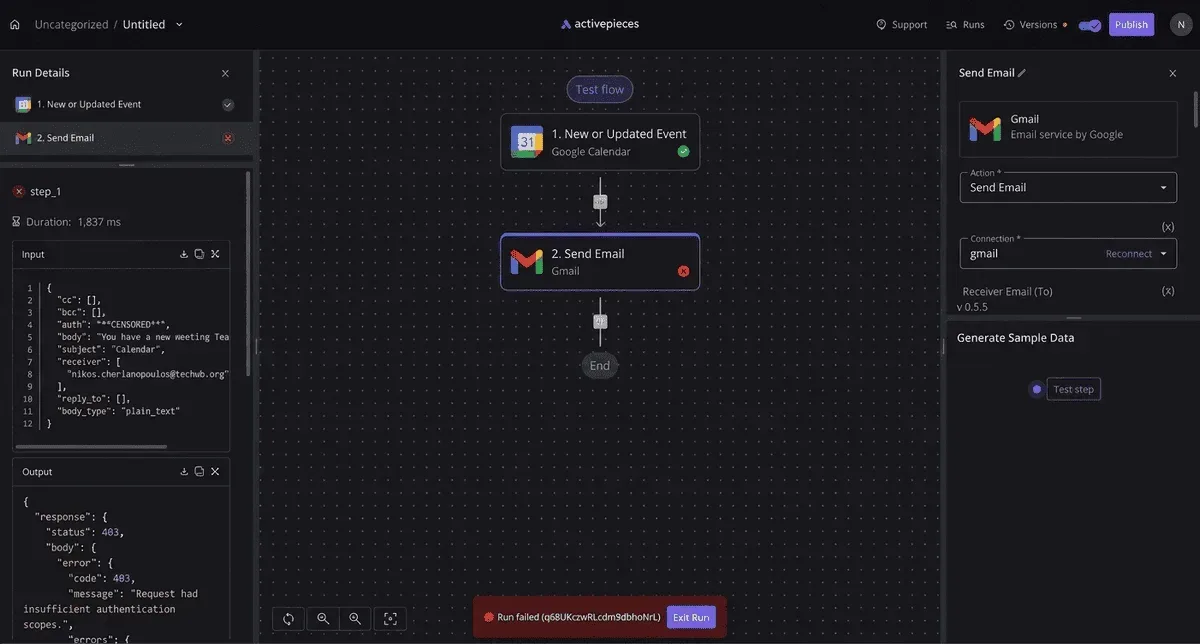
Cost and latency per decision
Before any real work starts, every routing step is a hop. The chart shows the decision taking 115 milliseconds on an RTX 3090 GPU, which is fine for a chat.
On an Apple M3 CPU the same decision takes 153 milliseconds, and 200 milliseconds on a laptop CPU, so a team without a GPU pays more per hop. Those are the friendly numbers.


Median latency per decision, on a log scale, runs from tens of milliseconds on small encoders to thousands on a CPU microVM:
On an AgentCore microVM the same decision took about 9.1 seconds. A customer would see that as a frozen screen before anyone has read their email.
Whether the objection wins therefore depends on the deployment target, and a team that can't get faster hardware should say so before building.
When a rules table is simply better
If your queues split on a keyword, a customer tier or a form field, a table is faster, free and fully auditable.
Automate only the cases the table can't express, such as an email that says "cancel" while clearly asking about a refund. If a table covers nearly every test ticket, the objection is right and the decider shouldn't ship.
Easier to see it running than to read about it: set it up free, no card.
Why constrained deciders work
Keep the list of routes short and fixed, fall back safely when unsure, and log every choice, and a decider keeps most of the speed of automation. It also removes most of the risk of a wrong handoff.
Constrain Strands decider output with fallback
Take a ticket that reads "You charged me twice and I want to talk to someone today." A free-form decider might invent a route, send it to a general agent, or write a polite reply.
Constrain it and it can only answer "billing", "technical" or "human_review". If its answer isn't on that list, the step rejects it. Nothing unexpected reaches the next agent.
Decider fallback route and logging
When an answer is rejected or low-confidence, it goes to the fallback route. Send it to a person.
A wrong escalation to a human costs a few minutes of someone's time. A wrong automatic route on an angry customer costs a second angry email, and that one's worse.
Store the input, the output and the route taken for every decision, and the record is there when a customer complains. You can see what the decider saw and why the ticket went where it did.

The one condition that decides it
It comes down to what the input looks like. If the decider reads structured data, such as a field that says "refund request" or an order status code, a plain table or rule usually does the job. You don't need a model at all.
When the decider reads free language, a model earns its place, but only inside the closed list above.
A rushed, angry paragraph that mixes a billing complaint with a login problem is the typical case. Ambiguous text is where the fallback gets used most, so expect it there.
First-week checklist for Strands deciders
Here's the work that fits in a first week. It's short because the point is a small, explicit step you can test, and each item below makes that step easier to check.
- Fix the closed set of allowed routes.
- Add a fallback route that goes to a person.
- Log every decision with its input and output.
- Write 20 test inputs with the route you expect for each.
- Check how ambiguous your real inputs are, using angry, mixed-topic emails and not only clean examples.
Once those are in place, run the 20 tests, read the log for any misroute, and fix the list or the fallback before you widen what the decider handles.
Where Activepieces fits around a Strands agent
Before the agent and after it, Activepieces does the work: starting the run when a business event happens, and handling approval and notifications once the decider has answered.
It has 750 integrations to start those runs from and send those notifications through, and it doesn't configure Strands or replace the routing step itself.
Because of the Activepieces split, your 20 tests stay meaningful: the part you test stays small and the plumbing around it stays visible.
The workflow on the canvas
Here is the shape on the canvas below: a new HubSpot lead starts the flow, an AI Agent step qualifies it, a condition checks the answer, and the branches add the lead to Salesforce, post to Slack, or send a Gmail follow-up.
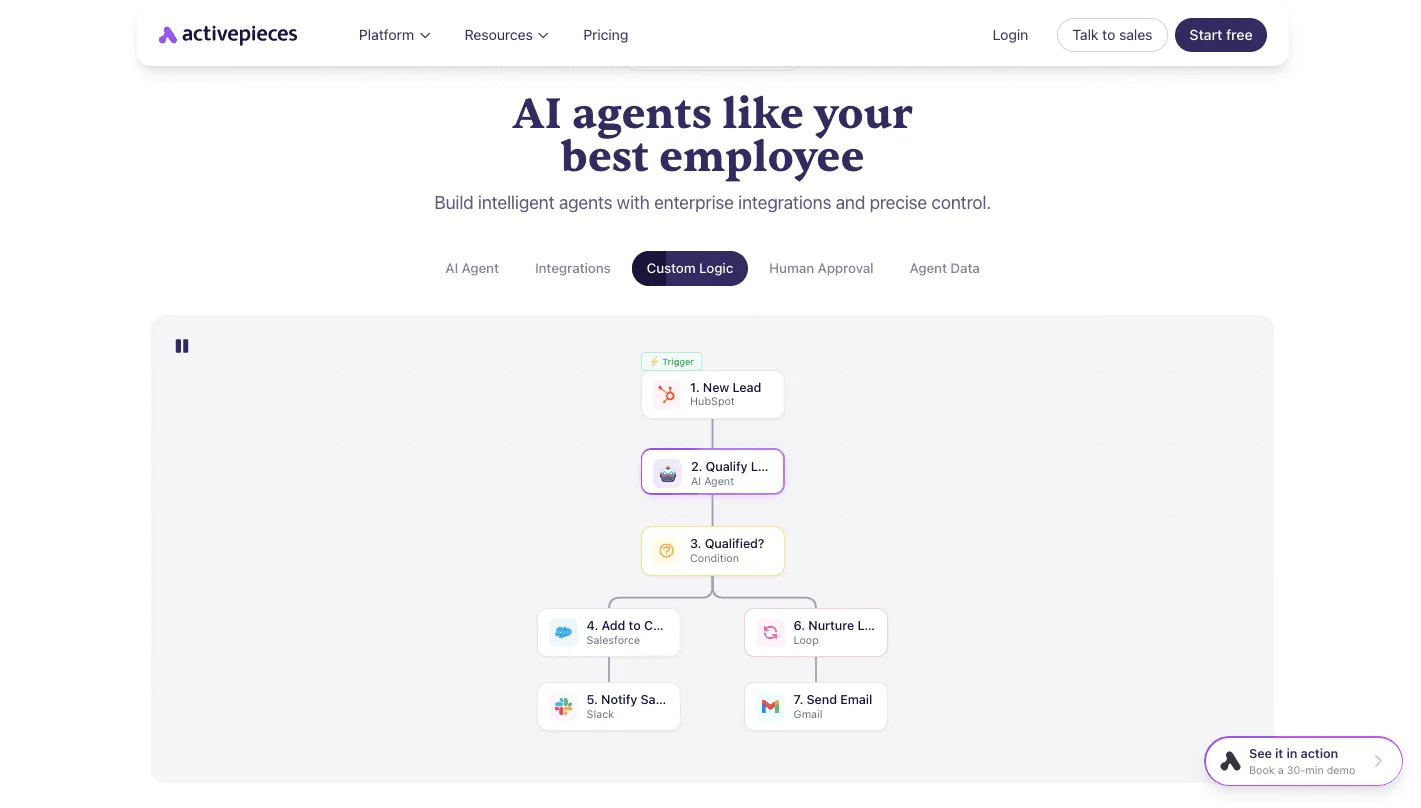
Take from it that the decision is one box among seven, and every box before and after it is an ordinary step you can read.
Triggering an agent run from a business event
Before the decider has done any work, each event you wire up spends credits, because the trigger is where a ticket or lead becomes an agent run.
Activepieces' pricing guide lists 1,000 credits a month on Free, 10,000 on Plus and 50,000 on Team.
At 300 tickets a day, a support queue is about 9,000 a month, so Free runs out in the first few days. Plus is the lowest tier with room for even one step per ticket.
Count steps, not tickets: a flow with an agent step, a condition and two notifications costs more per event than the trigger alone.
Point the trigger at the same input the 20 tests use. If a real angry email routes differently from your test copy, you want to see that in the run history, not in a customer's reply.
Human approval after a decision
Put a person between the decider's answer and any action that is hard to undo, such as a refund, an account lock or a message to an executive. A wrong escalation costs more than a slow one.
To pause the flow until someone approves or rejects, Activepieces has a human approval step, and a rejection becomes a log entry you can use to fix the routing list.
Every plan, including free, allows unlimited flows, so a separate approval flow for each risky action doesn't use up a flow allowance.

Don't bother with any of this if your agents only run from a script you start yourself. Skip it as well if volume sits well under 1,000 runs a month and nobody needs notifying, so basic tooling won't become your bottleneck.
A plain function call around the Strands agent is simpler and has less to break.
Frequently asked questions
Is Strands decider automation free to use?
You pay nothing to license the routing code, because the Strands Agents SDK is open source. You still pay for what it calls: model usage, hosting, and any tool or API behind a route.
If the decider is a plain function, it makes no model call, so its own cost is close to zero. Check the maker's current pricing before you budget.
Can a decider route to non-Strands tools or APIs?
Yes. A decider that returns a route name only needs a lookup from that name to something callable. That can be a Strands agent, a plain function, or an HTTP call to your ticketing system.
Send a refund request to a FAQ bot and you get an angry customer's second email; a wrong route costs more than a slow one. So keep the lookup table explicit, and send any unknown name to a human queue rather than guessing.
How do I stop a decider from looping?
Put the limit in your own code, not in a prompt. Count the hops per request, stop at a fixed ceiling, and hand the case to a person when it is reached.
Log every hop with the route chosen and the reason. If a ticket bounced between two agents, the log shows where the rule failed, and you can add that ticket to your tests.
Does it work with models outside the default provider?
On model providers, Strands is built to run agents on more than one, and Amazon Bedrock is its default. A rule-based decider doesn't care which model sits behind each agent.
If you do use a model to pick the route, choose a small, fast one, such as Claude Haiku 5.5, and constrain its output to your list of route names. Rerun your test emails after any provider switch, because routing behavior can shift.
What changed in Strands in 2026 that affects deciders?
Read the project's release notes and changelog directly. I haven't confirmed a specific 2026 change here, and I won't guess at one.
Pin the SDK version your decider runs on.
Before you upgrade, replay your saved set of real customer emails, including the angriest ones, and compare the routes chosen against the last run. Any difference is a decision to review, not a surprise to find in production.