Support Handoff Automation for Engineering Orgs: 2026 Guide

Sep 19, 202612 min read
Engineering-to-support handoffs define the customer experience tail-end
What counts as a closed support loop
A closed loop occurs only when the engineer who deployed the fix and the support agent reach a shared state of technical verification. It's the final synchronization point where the system translates a code change in a repository into a resolution message for the user.
Automating engineering to support handoffs is the practice of using integrated workflows to synchronize technical resolutions between developers and customer-facing teams to ensure that code fixes are accurately communicated to the end user.
In a high-integrity workflow, you must document the specific environment variables or database migrations involved in the fix for the agent. This documentation prevents the customer from encountering a "fixed" bug that still persists in their specific regional shard.
Why the handoff is not just a status change
When you move a ticket to "Resolved" in a project management tool like Jira, you signal a state change in the codebase. The handoff represents a transfer of technical context. This prevents the support agent from providing inaccurate or incomplete instructions to the user.
The support agent requires the specific logic of the resolution to explain why a double-charge occurred or how a cache-clearing step will prevent a tenant from seeing stale data.
Relying on manual updates introduces specific friction points that erode the quality of the resolution. These failures manifest in four distinct ways:
- The 'Done but not Sent' lag: You merge a PR and close the task, but the support agent is never notified, causing the customer to wait days for a fix that is already live.
- The 'Missing Context' follow-up: The agent receives a notification that you fixed a bug but has no details on whether the user needs to refresh their session or re-authenticate, leading to a secondary support ticket.
- The 'Wrong Channel' ping: Technical details dropped into a fleeting Slack thread rather than the system of record leave the next agent who handles the case with no history of the resolution.
- The 'Stale Status' customer update: A customer is told an issue is "under investigation" when you've already patched it, making your work appear disorganized and technically incompetent.
The cost of the 'silent resolution'
Nobody notices for three days when you deploy a technical fix but the customer-facing communication fails. This silent resolution results in unnecessary churn and wasted engineering hours spent re-investigating "zombie" tickets.
Nobody notices for three days when you deploy a technical fix but the customer-facing communication fails.
When you patch a race condition that was causing data leakage between accounts, the fix is only valuable if the affected users are confirmed to be secure.
If the loop remains open, the customer assumes the vulnerability still exists. They may begin the offboarding process. Activepieces links the deployment event directly to the support ticket to eliminate the human error inherent in manual updates.
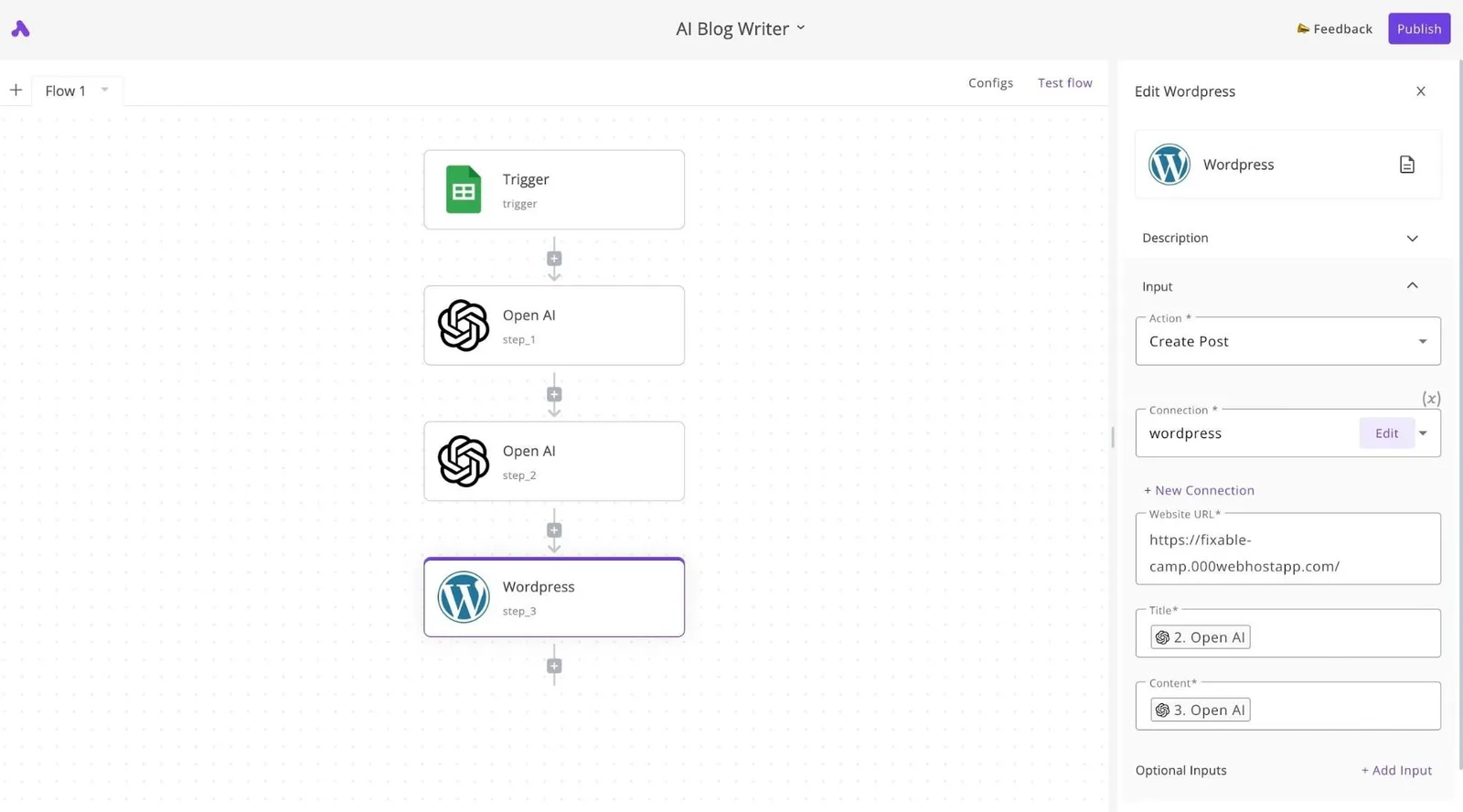
This ensures that the moment a fix passes CI/CD, the agent has the exact internal log link and resolution summary needed to satisfy the user.
This takes minutes, not a project: automate it in Activepieces free.
Rising escalation costs and resolution gaps
Operational costs scale vertically with the complexity of the technical handoff, turning every unresolved Jira ticket into a compounding liability for your engineering budget.
The true cost of Tier 3 escalations
Tier 3 escalations represent the highest per-incident cost. They pull specialized developers away from product roadmaps to perform manual log analysis.
Operational costs scale vertically with the complexity of the technical handoff, turning every unresolved Jira ticket into a compounding liability for your engineering budget.
According to Unthread, a Tier 1 support interaction costs 6 USD, which allows you to handle high volumes without eroding the margin on a standard SaaS subscription.
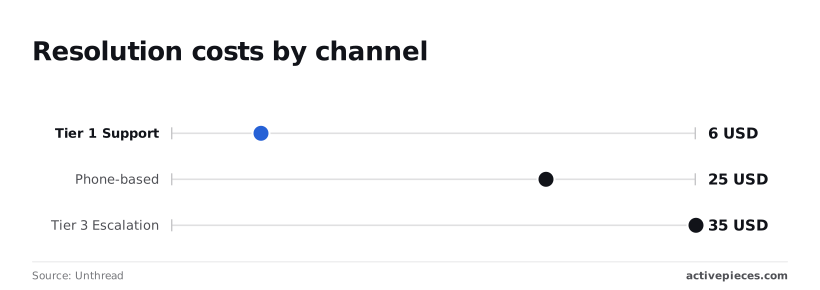
Unthread reports that phone-based support rises to 25 USD, meaning a single complex billing inquiry can consume the entire monthly profit from a mid-tier user.
35 USD per ticket is the significant spike that occurs at Tier 3.
This creates a scenario where a recurring "ghost in the machine" bug, such as a race condition in a payment gateway, can cost thousands in engineering hours before a single line of code is changed.
The financial risk of stalled resolutions
The resolution gap represents the measurable decline in user trust. This happens when a ticket moves from the help desk to your engineering backlog.
Stealthagents data shows that non-escalated tickets maintain an 89% CSAT (Customer Satisfaction) score, which means the vast majority of customers remain satisfied when their issues are resolved at the first point of contact.
Escalated tickets drop to 67%, creating a 22-point resolution gap that directly correlates with increased churn risk, so companies must prioritize first-contact resolution to protect their long-term revenue.
Closing the loop to protect engineering resources
Automating the feedback loop ensures that engineering time is spent on shipping code rather than answering "what is the status" pings from the support team. To protect these resources, the handoff must be bi-directional:
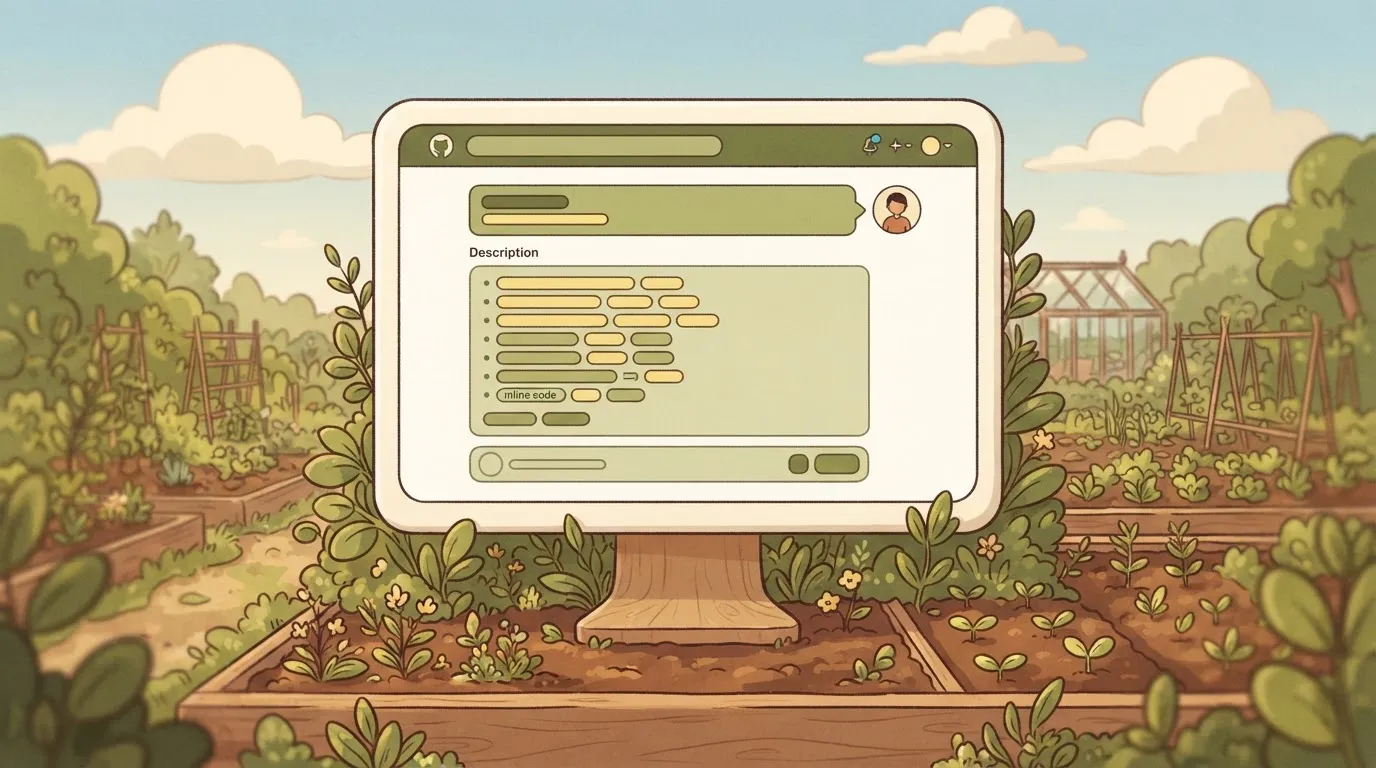
- The support agent triggers an escalation that auto-populates a GitHub issue with environment variables and browser metadata.
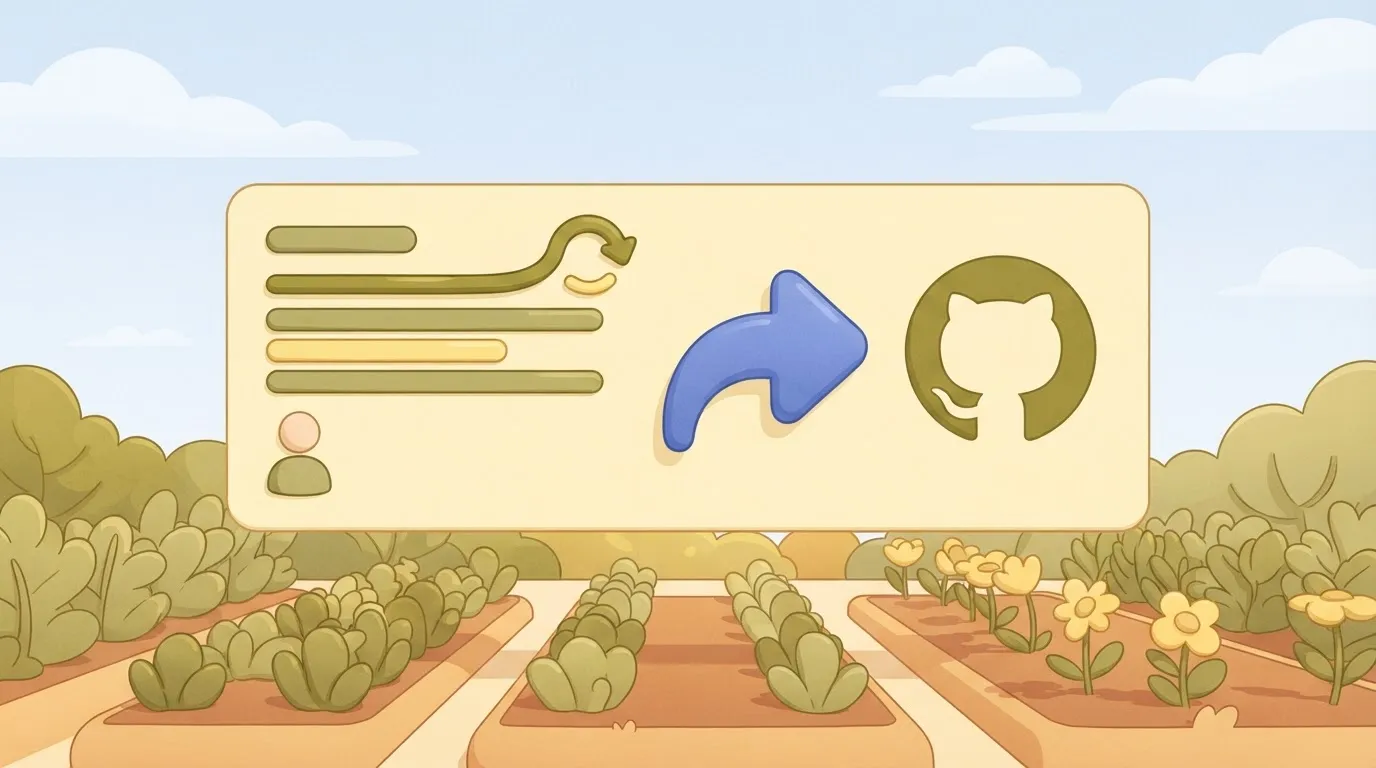
- You close the issue, which triggers a webhook to update the support platform.
- The support platform sends a templated, yet specific, resolution summary to the user.
Without this cycle, the 35 USD cost of a Tier 3 ticket effectively doubles as you spend 30 minutes in Slack explaining the fix to the agent, leaving the business with significantly higher operational overhead per issue.
Human-dependent handoffs scale poorly and create information silos
Manual handoffs fail at scale. Human memory and manual task-switching can't keep pace with high-volume deployment cycles.
Context switching between IDE and support tools
You lose significant momentum when forced to leave your Integrated Development Environment (IDE) to manually update progress in a secondary tracking tool.
This friction often results in "batch updating," where you close multiple tickets at the end of the week rather than at the moment of completion. This leaves the support team in the dark for days.
Ghost tickets: why resolved bugs stay open in support
When you merge a pull request in a version control system like GitHub, a "ghost ticket" often occurs. The corresponding ticket in a customer service platform like Zendesk remains in an "Open" or "Pending" state.
The following illustration of the Information Silo effect shows you closing a task in your project management tool. The support agent watches an idle timer, unaware that the solution is already live.
[Illustration: The 'Information Silo' effect: An engineer closes a ticket in Jira/GitHub while a Support Agent stares at a blank Zendesk status, with a '23 minute 15 second' timer hovering over the agent], by which time the customer has already been left waiting in the dark for nearly half an hour, rendering the support agent’s current response completely obsolete, which means the agent is providing outdated information to an already frustrated user.
Inconsistent data across Jira and Zendesk
Without a synchronized link, the specific details of a resolution rarely migrate accurately from the engineering ticket to the support desk. This leads to several critical failure modes:
- You note a fix is only available in a beta environment, but the agent tells the customer it is live in production.
- The support agent provides the customer with a workaround that was deprecated by the new code change.
- Your team closes a ticket as "Won't Fix" due to an architectural constraint, while the agent continues to promise a resolution to the user.
You can follow the rest of this with the builder open. Start free, no card.
Automating the feedback loop with Activepieces and API triggers
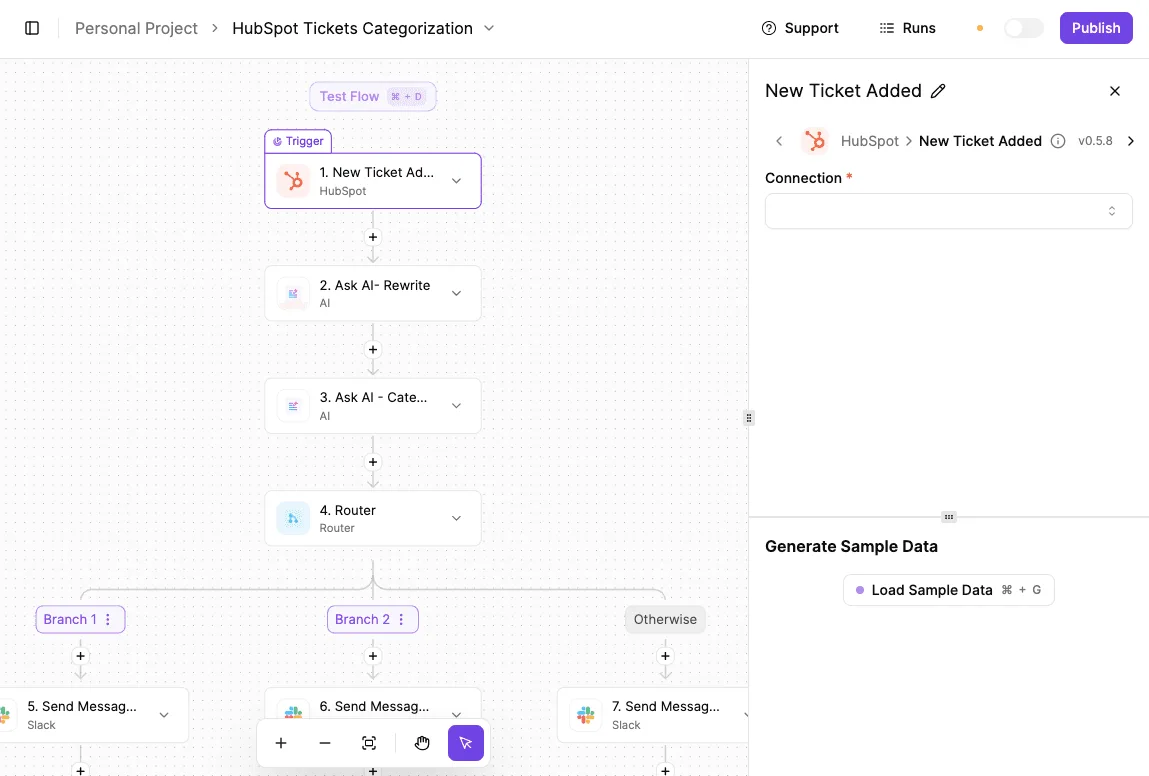
Activepieces bridges the resolution gap by using the open-source automation platform to sync state changes between technical and customer-facing tools.
Standard template libraries often fail to capture the specific edge cases that cause these handoffs to break.
Activepieces removes the catalog as a ceiling by allowing you to describe a custom workflow in plain language to the built-in AI chat, which then constructs and publishes the flow.
You can ask for a specific multi-step logic (such as creating a HubSpot task and messaging a Slack owner only after a Stripe payment fails twice) and the system builds that runnable flow even if no template exists for it.
Mapping Jira transitions to Zendesk updates
Linking Jira to Zendesk via an Activepieces flow ensures that every time you move a ticket to "Resolved," the corresponding support ticket is instantly updated.
The shift from manual oversight to automated integrity ensures that the specific technical context (such as a specific database shard migration) is never stripped away during the handoff.
| Dimension | Manual Quality Control | Automated Data Integrity |
|---|---|---|
| Context Retention | Dependent on human memory; nuances of the fix are often lost in translation. | API payload carries raw technical data; exact logs or version numbers stay attached to the ticket. |
| Speed | Requires a manual ping; creates a lag between the code deploy and the customer notification. | Instant trigger; the moment the code is merged, the support agent is notified. |
| Scalability | Degrades under high ticket volume; agents skip notes to save time during outages. | Consistent performance; every ticket receives the same level of detail regardless of system load. |
Standardizing the 'Resolution Note' format
Activepieces enforces a uniform data structure by pulling specific fields from the engineering environment and injecting them into the support ticket.
Every agent tool call and the data it acted on is traced step by step alongside deterministic workflow steps in the Run Details and Debugging UI.
This granular decision trace can be streamed as audit logs into the SIEM your security team already runs, ensuring that an agent's decision to resolve a ticket is reviewed with the same rigor as a manual workflow step.
Handling edge cases like reopened issues
The automation logic must account for the "reopened" state in the customer service platform Zendesk. This state signifies that a fix failed in the user's specific environment and requires an immediate escalation back to the engineering tool GitHub.
Activepieces manages this by using conditional branching: if a customer replies to a solved ticket saying the issue persists, the automation can automatically reopen the linked GitHub issue and tag you.

Quick wins for support handoff automation
Measuring resolved-to-closed ticket lag time
Closing the communication loop requires measuring the silent interval between you pushing a fix and the support agent notifying the customer.
By tracking the time elapsed between these two distinct status changes, you can identify specific handoff points where manual updates are failing. These often occur when a fix is deployed to production but the corresponding support ticket remains in a "Pending Engineering" queue.
Standardize the engineering resolution field
Automated workflows rely on structured data. Every engineering resolution must include specific metadata that a machine can parse for the support team.
Requiring a standardized set of resolution codes ensures that the automation engine can distinguish between a code change that requires a customer update and a "Won't Do" status. The latter requires a delicate explanation from an account manager.
Running a single-trigger automation pilot
Starting with a narrow, high-impact automation pilot prevents the system from becoming a source of notification noise that you eventually ignore.
- Identify the top 3 recurring bug labels in GitHub, the version control platform where you track code issues.
- Map GitHub usernames to Zendesk agent IDs, the unique identifiers in the customer service software.
- Create a 'Resolution' Slack channel for automated pings, providing a central feed for real-time visibility.
MoneyGram and FundingSocieties run Activepieces in production to manage these complex automation environments where data integrity is critical.
Frequently asked questions
How do we prevent internal dev notes from reaching customers?
Field-level permissions in the project management tool (such as Jira’s "Internal Note" visibility setting) must be mapped to a specific null-action in the integration middleware.
You enforce this by using a service account that only has read access to "Public" comment types. This restriction ensures that even a misconfiguration in the automation logic can't physically pull restricted data.
Which engineering triggers are best for automation?
The most reliable triggers are state changes in the version control system. A Pull Request being merged into a production branch is a prime example. These represent a verified change in the codebase rather than a manual status update.
Can we automate handoffs for bug fixes only?
Automation logic can filter by issue type. This ensures that routine maintenance or internal refactors don't trigger customer notifications, while critical regressions trigger an immediate sync.
How do we handle tickets that require a screen recording?
Tickets containing heavy binary files or video formats require a cloud storage bridge. Standard API payloads for ticket updates often have strict size limits that will cause the sync to fail.
The automation detects a video file extension in the engineering ticket and uploads the file to a secure, private bucket in a storage service like Amazon S3.
A time-limited, signed URL is generated and posted as a comment in the support tool. This allows the support agent to view the recording without the system hitting payload caps.
Related reading
References
Build it
Set this up in minutes.
No code required. Connect your accounts, and Activepieces runs it from there.
Start free Talk to sales