
Telegram API: Bot API vs MTProto Explained (2026)

Oct 2, 202615 min read
Telegram API architecture for bots and custom clients
Bot API vs. MTProto: Choosing your entry point
Selecting the wrong interface often leads to unnecessary architectural complexity or account bans, as Telegram provides two distinct ways to interact with its servers.
Designed specifically for automated services that don't require a personal user account, the Telegram Bot API is an HTTP-based wrapper that acts as a simplified intermediary.
Conversely, the native, encrypted protocol used by official Telegram apps is the MTProto API. It provides full access to user-level features like secret chats or folder management.
- Use the Bot API if you're building an automated customer support tool, a notification service, or a mini-app inside the Telegram interface.
- Use the MTProto API if you're developing a custom client for a specific operating system or need to automate a personal account for data archiving.
- Activepieces allows you to connect Telegram once and make it available both as a step in your automated flows and as a tool for AI assistants like Claude or Cursor via MCP. This eliminates the need to re-integrate the API for different agents, as the same integration action exposed in the MIT-licensed core is reachable by Claude, ChatGPT, or custom agents via a per-project MCP server.
How to generate your BotFather API token in 60 seconds
The single gateway for creating and managing all bot identities on the platform is the BotFather, the official administrative bot.
To obtain a token, start a conversation with @BotFather within the Telegram app and issue the /newbot command.
This string functions as your authorization bearer token for every HTTP request sent to the Telegram servers.
- Initiate a chat with the
@BotFatherverified account to access the bot management menu. - Follow the prompts to assign a display name and a unique username ending in "bot" so the platform can index your service.
- Copy the provided API token into an environment variable file to ensure your code can authenticate with the Telegram gateway.
Verifying your Telegram bot token in a browser
You can test your new token immediately without writing a single line of code by using a standard web browser. This confirms that the Telegram gateway recognizes your bot and that your network can reach the API servers.
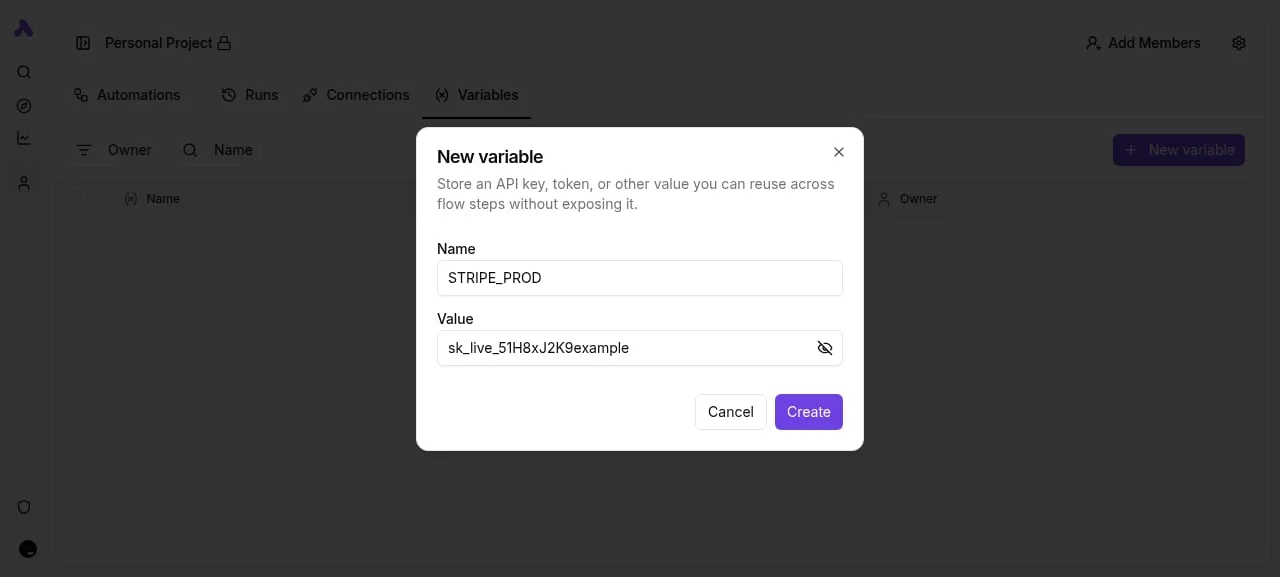
Paste the following URL into your browser address bar, replacing <YOUR_TOKEN> with the string provided by BotFather: https://api.telegram.org/bot<YOUR_TOKEN>/getMe. If the token is valid, the browser will display a JSON object containing your bot's username and ID.
Securing your API ID and Hash for MTProto applications
An api_id and an api_hash are required for building a custom client. These are permanent credentials tied to your developer identity rather than a specific bot.
You obtain these through the Telegram API Development Tools portal and must treat them with the same level of security as a private encryption key.
If you leak these credentials, an attacker can impersonate your application, leading to the permanent termination of your developer account.
The following table compares the scale of the environment where these credentials operate:
| Platform | Maximum Group Member Capacity |
|---|---|
| Discord | 2,500,000 |
| Telegram | 200,000 |
| Messenger | 5,000 |
| 1,024 | |
| Signal | 1,000 |
While Telegram supports massive broadcast-style groups, this comparison highlights that the architectural strain on your MTProto client increases as you approach these limits. Once you secure your credentials, the next step is handling the high volume of updates these large groups generate.
The fastest way to settle a shortlist is to try one. Activepieces is free to try, no credit card.
Sending your first Telegram API request via HTTPS
Structured HTTPS POST or GET requests directed at a centralized gateway are required for interacting with the Telegram Bot API, rather than a direct socket connection to the chat servers.
This abstraction ensures that your application logic remains decoupled from the complex MTProto protocol used by Telegram’s native clients.
The anatomy of a Telegram Bot API request
Every interaction follows a standardized URL schema where the bot’s unique authorization token is the primary path component.
The base address is consistently https://api.telegram.org/bot<token>/<methodName>. When sending data, the API accepts four distinct formats:
- URL query strings for simple GET requests.
- application/json for structured data payloads.
- application/x-www-form-urlencoded for standard web forms.
- multipart/form-data for uploading files like logs or images.
Choosing Path A allows you to leverage high-level reasoning models like Gemini 3.8 Flash to parse incoming JSON without managing low-level encryption layers.
Using getMe to verify your Telegram bot token
The simplest way to confirm your token is valid and the service is reachable is the getMe method. It requires no parameters and returns a User object containing the bot’s basic information. A successful response looks like this:
{
 "ok": true,
 "result": {
 "id": 12345678,
 "is_bot": true,
 "first_name": "ProductionMonitorBot",
 "username": "prod_monitor_bot",
 "can_join_groups": true,
 "can_read_all_group_messages": false,
 "supports_inline_queries": false
 }
}
If the ok field is false, the request failed, and you must inspect the description string to diagnose whether the issue is an invalid token or a network timeout.
Sending a text message to a specific Chat ID
The sendMessage method, which requires both a chat_id and a text string, must be used to push an alert to a user.
Because Telegram doesn't allow bots to initiate conversations with strangers, the chat_id must belong to a user who has already sent a /start command to your bot.
Formatting these requests with a tool like Claude Sonnet 5.5 ensures that you escape special characters in your text field for MarkdownV2 or HTML parsing modes. This prevents the API from rejecting the payload due to malformed entities.
Telegram API character limits by type
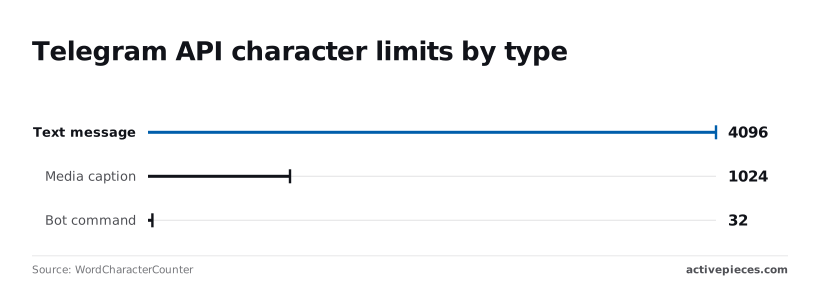
Hard-coded limits in the Telegram API define the maximum payload size for every request, and exceeding these boundaries results in an immediate 400 Bad Request error, which means developers must implement client-side truncation to prevent failed transmissions.

Managing long-form text messages
Text messages are capped at 4,096 characters. You must split any automated report or log dump exceeding this threshold into multiple chunks to ensure delivery.
This 4,096-character limit includes all spaces and invisible formatting tags, according to Uie-telegram.
When using Gemini 3.7 Flash for complex coding tasks, you should prompt the model to truncate summaries at 4,000 characters to provide a safety buffer for metadata.
Telegram API limits for captions and media
Media captions are restricted to 1,024 characters, so a bot distributing high-resolution images or files can't include the same level of detail as a standard text message.
This 1,024-character ceiling forces a shift in design, as noted by WordCharacterCounter.
If your caption exceeds this, you must send the media first and follow it with a separate text message containing the full description.
Formatting bot commands for user discovery
Bot commands are limited to 32 characters. This dictates that every functional trigger must be concise and alphanumeric to remain valid.
WordCharacterCounter specifies this 32-character limit to ensure commands fit within the mobile UI overlay.
Developers should use GPT-6 Astra to brainstorm short, high-intent command aliases that stay within this tight constraint while remaining intuitive for the end-user.
Reading a table only gets you so far. Build the same workflow in Activepieces and compare it yourself.
Telegram API rate limits and performance constraints
Global and per-chat broadcast limits (30 messages per second)
Telegram enforces a strict global limit of 30 messages per second across all chats to prevent infrastructure degradation from spam-heavy bots.
Exceeding this threshold triggers an immediate cooling-off period where the API rejects all outgoing traffic. The limit is even tighter at one message per second for individual chats.
If you're using Gemini 3.7 Flash to generate dynamic responses, you must implement an internal queue to stagger these outputs, or you risk the API server dropping your requests entirely.
Telegram webhooks vs long polling for updates
The primary method for reducing response latency and minimizing wasted CPU cycles on your application server is transitioning from long polling to webhooks. While long polling is easier to debug locally, it forces the bot to constantly "ask" Telegram for updates.

Webhooks allow Telegram to push data only when an event occurs. The following table compares these transport methods to help you decide when to migrate your architecture:
| Method | Latency | Server Overhead | Reliability |
|---|---|---|---|
| Long Polling | 1200ms | High | High |
| Webhooks | <100ms | Low | Medium |
| WebSockets | 240ms | Medium | Low |
This shift to webhooks requires a publicly accessible HTTPS endpoint. You must manage SSL certificates to ensure the Telegram servers can securely hand off user data.
Handling Telegram API 429 rate limit errors
A 429 error code indicates that your bot has hit a rate limit and must pause execution for the duration specified in the retry_after field of the JSON response.
Ignoring this field and immediately retrying the request will result in an exponential increase in the ban duration, potentially leading to a permanent revocation of your bot token.
To maintain service continuity, your backend should use a circuit breaker pattern that reads the retry_after integer and holds all further outgoing calls in a buffer until that window expires.
**Ignoring this field and immediately retrying the request will result in an exponential increase in the ban duration, potentially leading to a permanent revocation of your bot token.
Automating Telegram interactions without manual polling
Integrating Telegram with a workflow automation platform allows you to bypass the overhead of maintaining a persistent server listener by utilizing the platform's managed webhook infrastructure.
Connecting the Telegram integration to your workspace
Establishing a secure handshake between Telegram and your automation environment requires the BotFather to issue a unique authorization token. You must input this token into the Telegram connector within your workspace to grant the platform permission to intercept incoming traffic on your behalf.
Once the connection is verified, the platform registers its internal URL as the official webhook destination for your bot. You no longer need to write custom logic to handle the setWebhook method in your code.
Setting up a 'New Message' trigger for instant response
A New Message trigger acts as the entry point for your automation, firing the moment the Telegram API pushes a JSON payload to your designated endpoint.
To process these events efficiently, you can pair the trigger with a high-performance reasoning engine to interpret user intent before taking action.
- Gemini 3.8 Flash handles high-throughput messaging workloads where low latency is the priority.
- Claude Sonnet 5.5 balances intelligence and execution speed for bots requiring complex decision-making.
- GPT-6 Astra handles advanced reasoning and agentic coding tasks for bots that must interact with external databases or APIs.
Mapping Telegram data to Google Sheets or CRM systems
Transferring data from a Telegram message into a structured format like a Google Sheets spreadsheet or a CRM involves extracting specific keys from the raw JSON object.
The automation platform exposes these fields (such as the sender's unique ID, the message timestamp, and the text content) as dynamic variables that you can drag into the input fields of other service connectors.
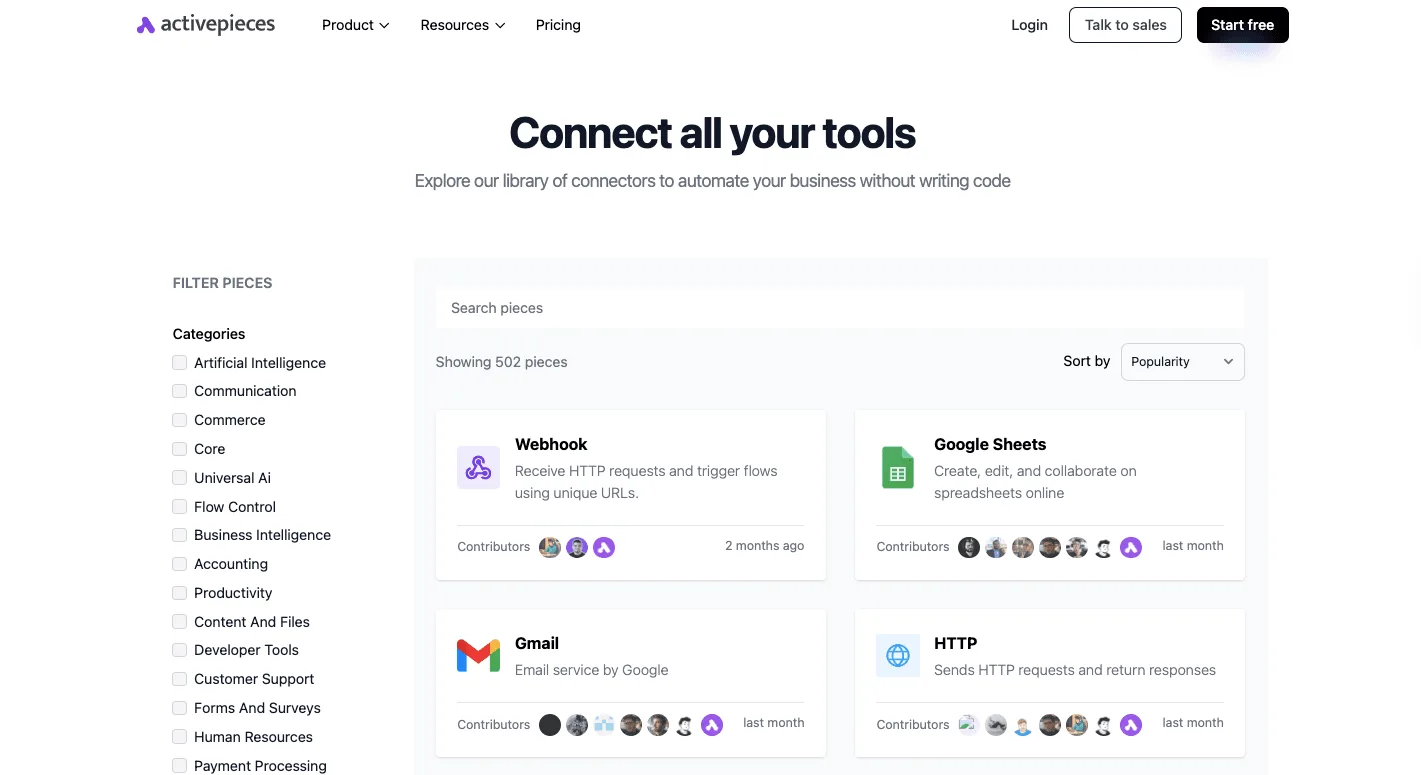
By mapping the from.id to a lead record in a CRM, you ensure that every user interaction is logged against a persistent identity.
Production checklist for Telegram API implementations
Production readiness for Telegram bots requires moving beyond functional code to a defensive architecture that protects against credential leaks and denial-of-service bans.
Storing API tokens in environment variables
Environment variables isolate sensitive credentials from the application logic so that tokens remain specific to the execution environment rather than the codebase.
Using a tool like python-dotenv to load these values means that your production secrets never touch your version control system, preventing a single accidental git push from compromising your bot’s identity.

Verifying Telegram webhook requests with secret tokens
Validating the X-Telegram-Bot-Api-Secret-Token header ensures that incoming POST requests originate from Telegram’s servers and not from a malicious actor attempting to spoof user updates.
Because your webhook URL is technically public, implementing this handshake is the only way to verify that the payload containing user data is legitimate.
The Production Security Checklist:
- Store Bot Tokens in environment variables (never hardcoded)
- Implement an IP whitelist for incoming Webhook requests from Telegram
- Set up a 'Flood Wait'
Implementing exponential backoff for broadcast bots
Handling a 429 Too Many Requests error requires an exponential backoff strategy to prevent the Telegram API from extending your cooling-off period or issuing a permanent service ban.
If your bot hits a rate limit while messaging thousands of users, your code must parse the retry_after field in the error response.
The application must pause execution for that duration so that subsequent requests aren't discarded by the API gateway.
Every tool call an agent makes in a Telegram run appears in the run trace, and because the engine that runs your agents is public code in an MIT-licensed core, you can verify exactly how the logic handles state and retries.
This level of enterprise governance is why companies like MoneyGram and Moneypenny run Activepieces in production, ensuring that their automated workflows remain under central control and fully auditable.
What Activepieces does about this
Activepieces provides a managed execution environment that handles the transition from simple scripts to production-grade Telegram bots without requiring you to build a custom webhook listener or rate-limiting logic.
The platform functions as a resilient intermediary that registers its own infrastructure as the official webhook destination for your bot token.
This architectural shift ensures that incoming updates are captured instantly and queued, preventing the data loss that often occurs when a self-hosted script crashes or fails to respond within Telegram’s timeout window.
To solve the problem of service bans, the platform implements automated concurrency control and retry logic based on the retry_after headers returned by the Telegram API.
When you use the Telegram integration within a flow, the underlying engine (which is open-source under the MIT license) manages the pacing of outgoing requests to stay within the 30 messages per second global limit.
This built-in governance is a primary reason why organizations like MoneyGram and Moneypenny utilize Activepieces to automate their communication workflows, as it provides a central, auditable trace of every API interaction.
The platform also bridges the gap between the Telegram Bot API and modern AI development by exposing Telegram as a tool for agentic frameworks.
Through a per-project MCP server, you can connect your bot once and make its messaging capabilities available to models like Claude or Cursor.
This allows an AI agent to send production alerts or customer responses while Activepieces handles the low-level HTTPS handshakes, credential encryption, and payload formatting required to keep the bot compliant with Telegram’s strict architectural constraints.
Frequently asked questions about Telegram API usage
What is the maximum file size for Telegram Bot API uploads?
Telegram enforces a strict file size ceiling for bot-driven transfers to ensure their delivery servers aren't utilized as unrestricted bulk storage.
Specifically, the Bot API restricts outgoing file uploads to 50MB and incoming file downloads to 20MB, which means developers must compress or split larger media files before transmission.
If your application attempts to push a local file that exceeds this 50MB limit, the API returns a 413 Request Entity Too Large error.
This error halts the execution of your message-sending function. To bypass this for larger assets, you must host the file on an external server and pass the direct URL to the Telegram method, shifting the bandwidth burden away from the bot's local environment.
Why is my bot not receiving messages in a group chat?
A bot remains deaf to most group activity unless Privacy Mode is explicitly disabled or the bot is promoted to an administrator. By default, the Telegram BotFather enables Privacy Mode for every new token.
This means the bot only sees messages that start with a slash command or specifically mention its username.
To process the high-velocity streams required for real-time analysis with Gemini 3.8 Flash, you must toggle this setting off in the BotFather menu so the bot can ingest the full group message sequence.
Is there a cost for using the Telegram API for business?
Standard bot interactions remain free of charge, but Telegram for Business introduces a paid tier for specialized commercial features. Subscribing to this premium tier is necessary if you intend to integrate a bot directly into a personal user profile rather than a standalone bot account.
For enterprise-scale deployments, the primary cost isn't the API access itself. The main expenses are the infrastructure required to host the webhooks and the token consumption of frontier models like GPT-6 Astra.
Related reading
References
Still comparing
The fastest way to settle it is to build something.
Open source under MIT, so you can self-host the same thing later.
Start free Talk to sales