
Meta AI third party app connections for businesses

Oct 1, 202613 min read
API-driven bridges form the backbone of Meta AI third-party connections. According to Cybernoz, these allow Meta's Llama models to exchange data with external software like Google Workspace, Microsoft 365, and specialized business tools.
These integrations function as high-privilege relays that translate natural language prompts into executable actions within your document stores and communication channels.
The architecture of the Meta AI extension model
The extension model operates by exposing authenticated endpoints of external services directly to the Llama inference engine.
When you interact with Meta AI, the system evaluates whether your intent requires a skill or extension, such as searching a file in Google Drive or drafting an email in Microsoft Outlook.
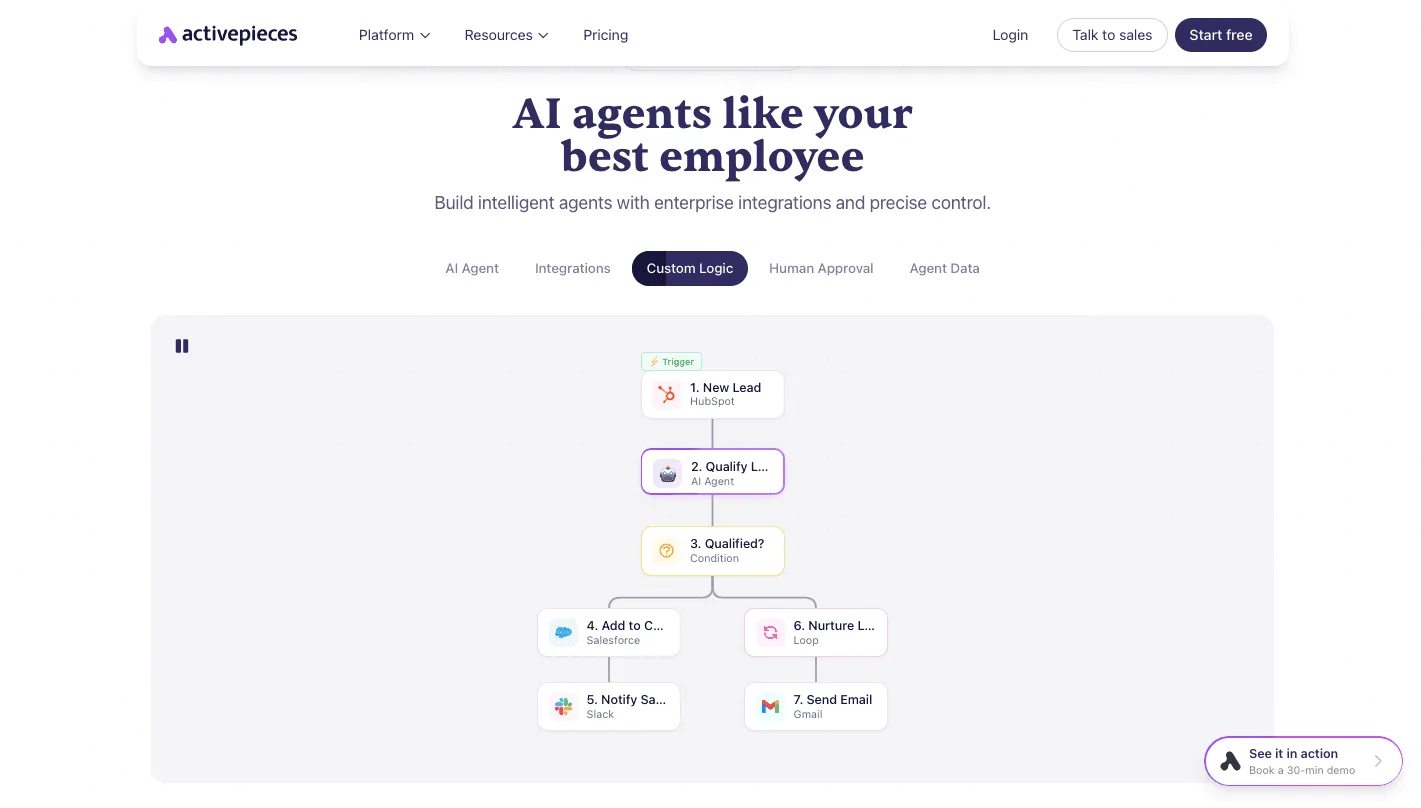
In this diagram, the LLM acts as the central router, maintaining persistent two-way connections. Persistent OAuth-based sessions mean the security boundary of your enterprise CRM or productivity suite effectively dissolves into the Meta AI environment.
How Llama 3 processes external tool calls
Llama 3 handles external requests through function calling. The model identifies the specific API schema required to fulfill your request.
Llama 3 parses your prompt to extract parameters, such as a contact name or a date range, and formats them into a JSON payload.
By using a transparent automation gateway, you can open the run detail view for any agent step to see that each tool call is listed separately with its specific input and output, rather than being collapsed into an opaque result.
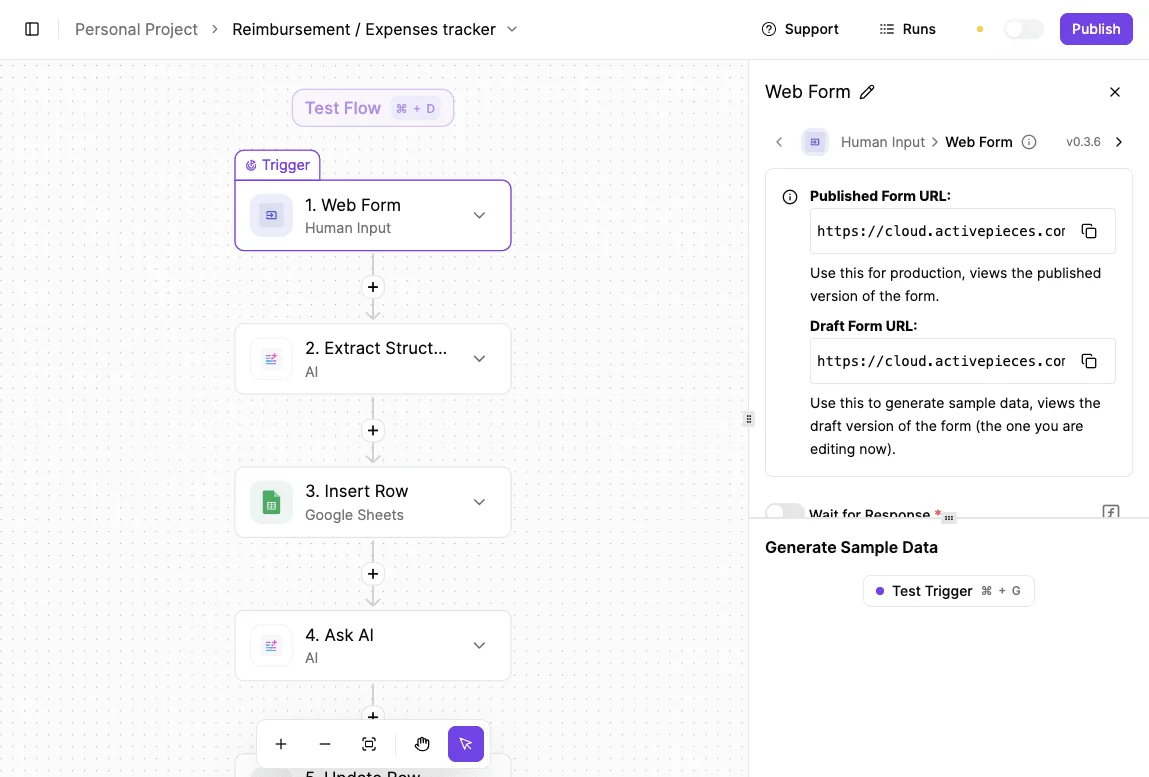
Once the system sends this payload to the third-party API, it feeds the resulting data back into the model's context window.
Your AI agent is not code; it is a user, and a business that treats it as a simple library is flying blind.
A platform that brings every agent under the same access model as your employees uses enterprise RBAC, SSO, and SCIM to govern what an agent may connect to rather than just what a person may open.
Open the run detail view for any agent step to see that each tool call is listed separately with its specific input and output, rather than being collapsed into an opaque result.
This level of control is why MoneyGram and Moneypenny run Activepieces in production to manage their automation environments.
Without mediation, the model operates with the full permissions of your linked user account. A single prompt injection could trigger a mass data export.
Data residency and the pass-through mechanism
The pass-through mechanism holds data retrieved from an external app in the model’s active memory. Passing sensitive information through the inference stack means that data residency isn't confined to the original vendor's cloud.
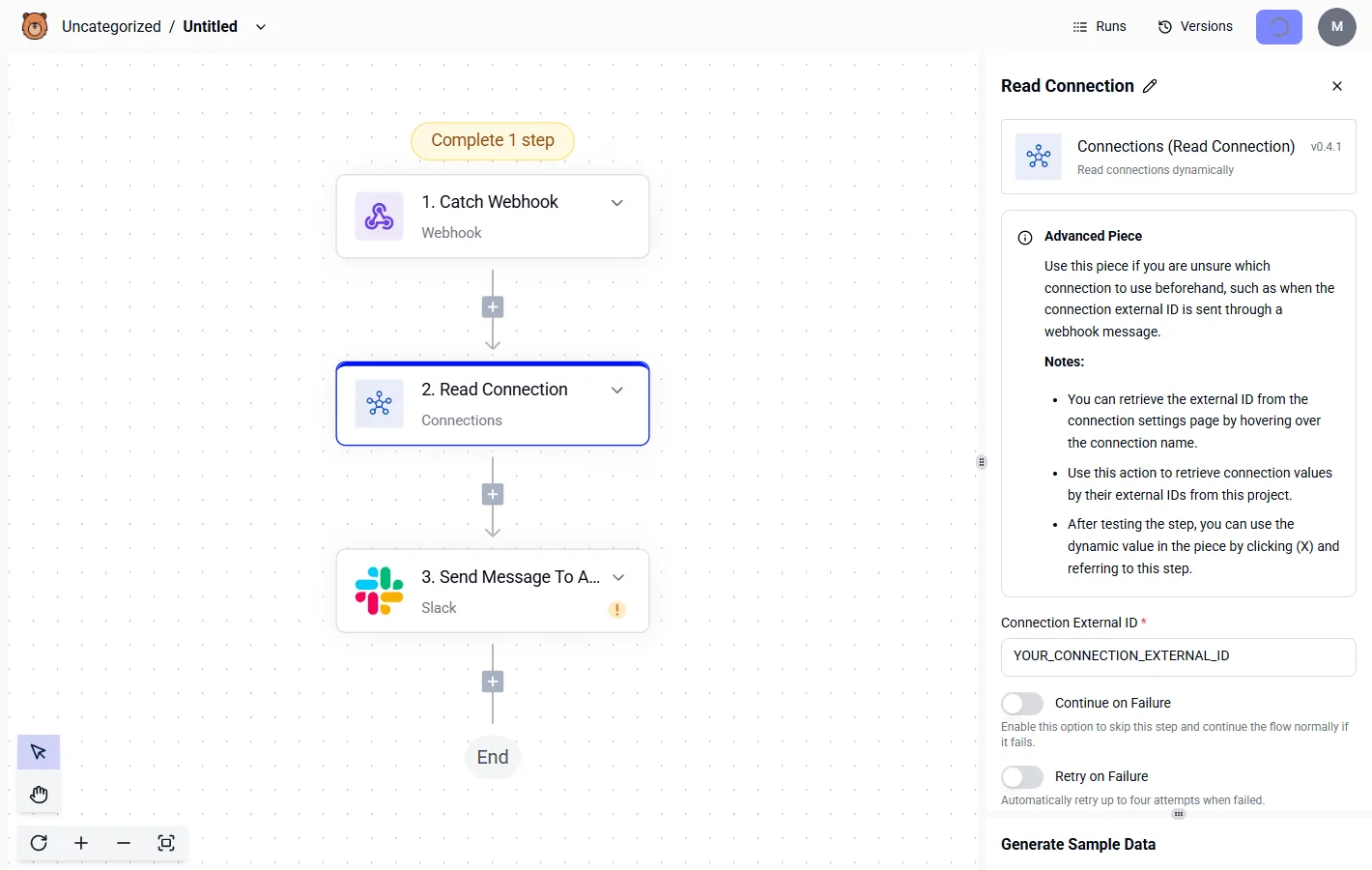
When a document moves from an encrypted Google Workspace bucket into the Llama context window, it enters a shared processing environment. A security admin can see that Meta AI accessed a file, but can't easily determine what the model did with that information.
How native hooks boost Meta AI performance
Meta AI achieves performance by bypassing the external webhooks that typically throttle cross-platform automation.
Meta's native integration allows the model to index and retrieve internal message histories or file metadata at wire speed. This internal proximity is critical for maintaining a "hot" context window.
It ensures that the model doesn't lose track of complex, multi-step instructions during latency spikes common in third-party integrations.
Native Meta AI integration for productivity
Efficiency is maximized by native Meta AI integration, which eliminates the authentication handshakes and API rate-limiting that occur when moving data between disparate cloud environments.
By keeping the reasoning engine and the data store within the same administrative boundary, Meta can offer a seamless experience where the AI functions as a direct extension of your existing permissions.
Zero-latency data retrieval within the Meta ecosystem
Direct integration allows you to bypass complex UI menus in favor of a single conversational prompt. This consolidated approach addresses the massive sprawl of third-party connections currently plaguing your enterprise environment.
According to data from Cybernoz, 6,710 connected apps are found in the average Google Workspace environment.
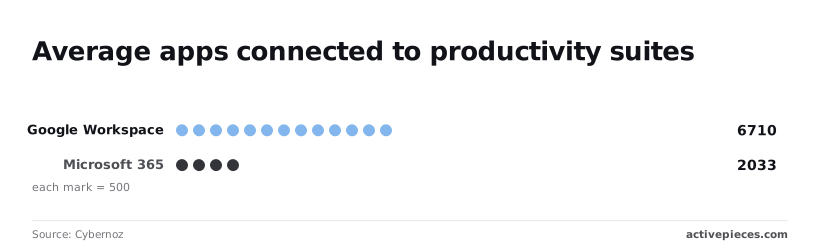
Cybernoz’s analysis shows that 2,033 is the average number of connected apps for Microsoft 365. This creates a fragmented landscape where every new integration increases the risk of a misconfigured permission.
By using a native AI layer, you can reduce this count by replacing specialized third-party plugins with a single, versatile internal agent.
The simplicity of the natural language as interface model
A native AI deployment leverages your existing Identity and Access Management (IAM) framework. This ensures that the model never accesses data you can't see yourself.
This eliminates the Privilege Creep often found in third-party middleware where an external service account might gain broader access than the end-user it represents.
By keeping the AI’s operations within the native OAuth scope of the Meta platform, you can apply a single set of conditional access policies. These policies govern both the human user and the AI agent simultaneously.
Everything below works on Activepieces' free plan. Start without code or a credit card.
Why native connections threaten data sovereignty
Native AI integrations force a binary choice: total isolation or surrendering your corporate data perimeter to an external vendor’s processing logic.
When a platform like Meta AI connects directly to your enterprise environment, the traditional security boundary dissolves. The AI acts as a privileged user with no intermediary to inspect the payload before it leaves your internal network.
Native AI integrations force a binary choice: total isolation or surrendering your corporate data perimeter to an external vendor’s processing logic.
Meta AI's missing granular permission controls
Broad scopes are the standard for direct OAuth connections between Meta AI and enterprise tools. These don't distinguish between viewing a record and modifying its underlying schema.
In a standard integration with a CRM, the AI often inherits your full session token.
Because it often inherits your full session token, the AI can inadvertently overwrite historical contact logs while attempting to summarize a recent thread.
Without a decoupled mediation layer, there's no mechanism to enforce read-only constraints on specific database fields. This leads to permanent data corruption if the model hallucinations a corrective action.
How Meta AI uses third-party data for model refinement
Data sharing policies in native connections often default to prioritizing the continuous improvement of the vendor's underlying architecture over your intellectual property.
Meta can use data ingested via these hooks to fine-tune future iterations of models unless a specific enterprise-grade exclusion is negotiated and verified. The following table illustrates how shifting to a decoupled architecture restores the sovereignty that native connections relinquish.
| Feature | Native Connection (Meta-controlled) | Decoupled Layer |
|---|---|---|
| Data Perimeter | Extends to vendor cloud | Terminates at corporate gateway |
| Auditability | Limited to vendor-provided logs | Full request/response payload capture |
| Permission Granularity | Bound to OAuth scope | Field-level regex and RBAC |
| Training Opt-out | Subject to vendor TOS changes | Guaranteed by physical data separation |

Prompt injection risks in Meta AI connections
Directly linking an AI to a data source exposes your entire application stack to indirect prompt injection attacks. Malicious data in a file can hijack the model’s instructions.
If a frontier model like Claude Sonnet 5.5 processes an email containing hidden instructions to exfiltrate your API keys, a native connection provides a direct path for the AI to execute that command.
A decoupled layer prevents this by treating the AI as an untrusted execution environment. It sanitizes all outputs before they interact with the system's write-capable endpoints.
The Activepieces approach to AI governance
For Meta AI and sensitive production environments, a decoupled architecture is the only way to enforce granular access controls and data masking.
Relying on native plugins creates a direct pipeline. The model's internal reasoning is often opaque to you and can execute commands without a secondary verification step.
Every agent tool call and the data it acted on is traced step-by-step in Activepieces, sitting alongside deterministic workflow steps in the same run record.
This trace exports via the audit logs and event-streaming feature into the SIEM your security team already runs, ensuring an agent's decisions are reviewed with the same rigor as a standard workflow.
The MIT-licensed core provides the transparency needed to verify how these traces are generated before they are sent to external monitoring tools.
Decoupling the model from the data source
The traditional security perimeter is bypassed when Meta AI is directly connected to an ERP system or a customer database.
Broad API scopes are often required to function when a model like Meta’s Llama series is integrated natively.
By inserting a mediation layer, you can ensure that the AI never sees the raw database credentials or the full schema.
This limits its visibility to only the specific data points required for the immediate task.
The following Decoupled Architecture diagram illustrates how this mediation functions in practice. On the left, Meta AI initiates a request.
In the center, a Governance & Automation Layer acts as the gatekeeper, containing dedicated modules for Audit Log, PII Masking, and Permission Filter. On the right, the sanitized request is finally passed to the target business application.

Using a decoupled layer to sanitize meta AI outputs before execution
Sanitization is necessary because frontier models, including Gemini 3.8 Flash or GPT-6 Astra, can occasionally generate syntactically correct but logically dangerous code or API calls.
If Meta AI suggests a script to update user records, a decoupled automation layer can parse that suggestion against a whitelist of approved methods before any write operation occurs.
Destructive actions, such as mass deletions or unauthorized privilege escalations, are prevented by this whitelist.
Building a private agentic bridge for Llama models
Establishing a private bridge allows you to utilize high-reasoning models like Claude Opus 5.5 or GPT-6 Astra alongside Meta AI without exposing your internal network topology to the public internet.
Audit Logs provide a forensic trail of what the AI requested versus what the automation layer actually executed. PII Masking replaces sensitive customer names with synthetic tokens before the data leaves the secure environment.
Permission Filters restrict the AI to read-only access for certain departments, regardless of the model's internal capabilities.
By standardizing these checks in a central layer, you can switch between different models without rewriting the underlying security logic for every individual application.
Governed AI connectivity for operations
Auditing existing Meta AI extension permissions
Securing the perimeter begins by identifying where unmanaged models are already accessing sensitive internal endpoints. Native extensions often request broad read/write access to the Document Object Model.
This means the model can ingest every client name or private note visible in your browser window.
To stop the silent exfiltration of data, you must revoke these direct browser-level integrations.
By transitioning to a structured middleware, you ensure that a model like Gemini 3.8 Flash only interacts with the specific JSON payloads it's explicitly sent.
Switching Meta AI logins to API-key automation
A visibility gap is created by direct user logins to AI interfaces, where individual prompts bypass corporate logging systems.
Replacing these personal accounts with centralized API-key management allows you to rotate credentials and monitor usage programmatically.
When a developer uses Claude Opus 5.5 for code optimization through a dedicated automation layer, the interaction is tied to a service account rather than a personal identity.
This structure enables stripping PII before it reaches the model.
Requiring human approval for Meta AI write actions
Autonomous agents must be restricted from executing state-changing operations without explicit administrative approval. While a model like GPT-6.1 Sol can efficiently draft responses, allowing it to commit changes directly to production creates an unmanageable risk of hallucinated errors.
Under a mandatory approval step, a human must review the logic of the AI-generated output. The Undo capability remains within your control, not the model provider's.
The following 5-step path to governed AI connectivity formalizes this transition:
- Inventory existing shadow AI usage.
- Provision a dedicated automation middleware.
- Define Allow-listed data fields for AI access.
- Implement.
Frequently asked questions about Meta AI third-party connections
Can Meta AI read my private Slack or Teams messages?
Meta AI can access any message content within the scopes granted during the OAuth handshake. This typically includes all channels and direct messages you can see.
Because these integrations often rely on broad read_public and read_private scopes, the model may ingest sensitive internal discussions to generate context for its responses.
Unless a proxy layer filters specific keywords or user IDs, the LLM processes the full stream of conversation. Proprietary data shared in a private chat becomes part of the active context window.

Does Meta AI store the passwords for my connected apps?
Rather than storing raw plaintext passwords, Meta AI utilizes OAuth tokens. It holds a cryptographic key that represents your permission to act on your behalf. While this avoids the risk of a direct password leak, these bearer tokens are often long-lived.
Until they expire or are revoked, they grant the same level of access as the password itself. If the token storage is compromised, an attacker gains the same lateral movement capabilities across your connected SaaS suite as if they had the original credentials.
How do i revoke Meta AI's access to my Google Drive?
Revocation must be handled through the security settings of your identity provider, such as the Google Account Permissions dashboard. This ensures the underlying token is invalidated. Simply deleting the Meta AI chat history doesn't disconnect the service.
The API connection remains active until the specific third-party app entry is removed from your Google security console. Once revoked, Meta AI loses the ability to call the files.get or files.list endpoints, effectively severing the data pipeline.
Is there a way to use Meta AI with local, on-premise databases?
Because Meta’s cloud infrastructure can't traverse corporate firewalls without a publicly accessible endpoint, direct connection to on-premise databases isn't supported. To bridge this gap securely, an intermediary architecture is required:
- A secure gateway to expose specific database views via an encrypted HTTPS endpoint.
- An orchestration layer to sanitize queries before they reach the local SQL or NoSQL environment.
- A deployment of a reasoning model like Gemini 3.1 Pro or Claude Opus 5.5 within a controlled VPC to handle the data processing without sending raw records back to Meta’s public servers.