
Voiceflow Pricing 2026: Plans, Credits and Overages

Oct 17, 202615 min read
Price the plan against your monthly conversation volume, not the lowest number on the page.
Voiceflow sells four plans (Free, Pro, Business and Enterprise), and the monthly fee on each is only the entry price, meaning your actual monthly bill, which you can sanity-check by modelling follow-up automations in a tool like Activepieces, will include additional charges.
Voiceflow pricing is the tiered subscription structure, spanning Free, Pro, Business and Enterprise plans, under which a team pays a base monthly fee plus charges set by the number of seats, the credits or usage allowances consumed, and any add-ons.
Seats, credit or usage allowances and add-ons decide the real bill. Enterprise has no public price at all.
Design, test and deploy chat and voice AI agents on a visual canvas, with teams collaborating in shared workspaces: that is what Voiceflow is for.
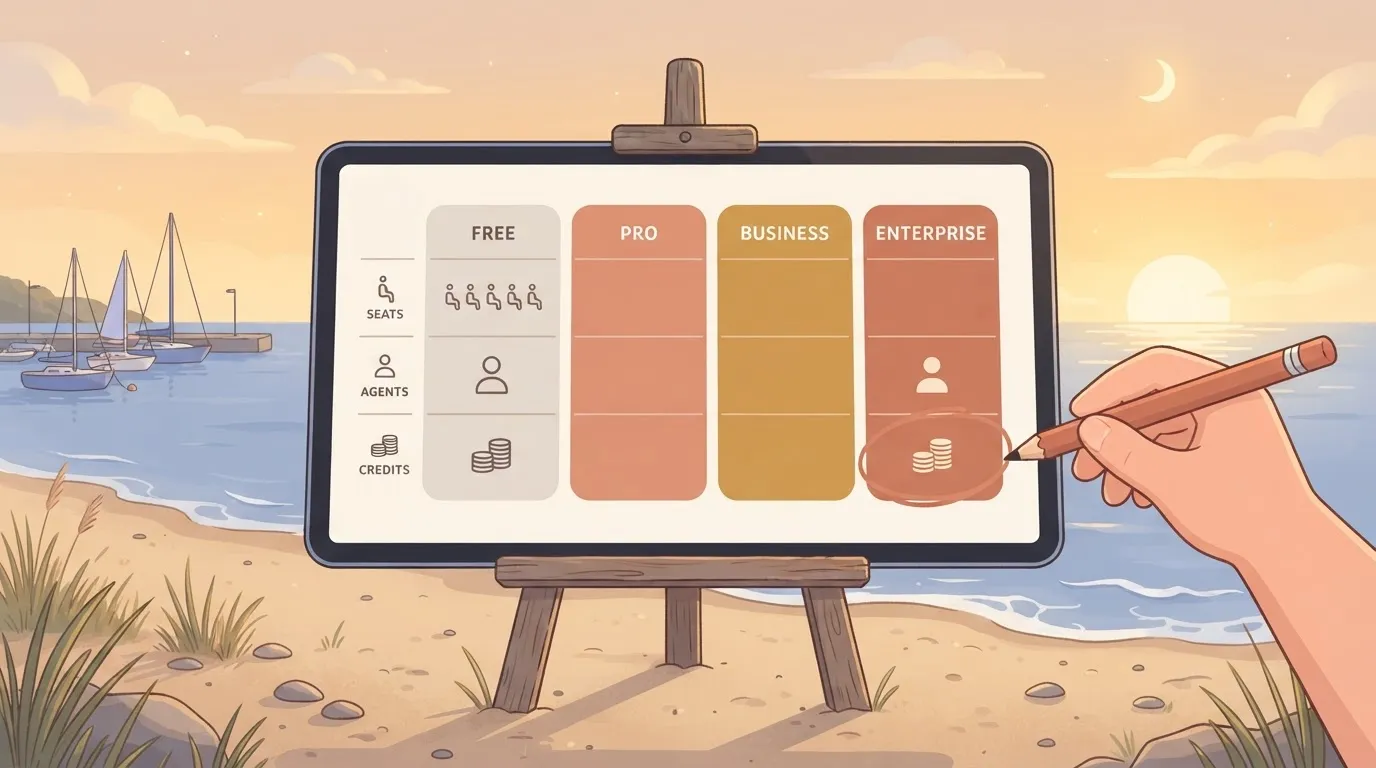
Voiceflow Pricing Today: Every Plan in One Table
Read the right-hand columns first: a tier that caps agents or credits will force an upgrade long before the left-hand price matters.
| Plan | Monthly price | Annual price | Seats | Agents | Credits / usage included | Gated features |
|---|---|---|---|---|---|---|
| Free | None | None | Minimal | Few | Small trial allowance | Most collaboration and deployment controls |
| Pro | Fixed fee | Discounted vs. monthly | Limited, extra seats cost more | More than Free | Larger allowance, overage possible | Team governance, advanced controls |
| Business | Higher fixed fee | Discounted vs. monthly | More seats, still metered | Higher ceiling | Larger pooled allowance | Security and workspace administration |
| Enterprise | Quoted by sales | Quoted by sales | Negotiated | Negotiated | Negotiated | Isolation, compliance and support terms |
Plan structure as of 17 October 2026. Exact dollar amounts and allowances are on voiceflow.com/pricing.
You can read roughly what you pay to start from the first three rows. Nothing in them tells you what happens in month three, when volume climbs.
Voiceflow Overage Costs the Pricing Table Omits
When a team burns through its included credits mid-month, the table can't show what happens next. That's the number an accountant should demand, because a plan that looks cheap at low volume can cost more than the next tier up once overage kicks in.
Add extra seats and add-ons, and the gap widens. Enterprise hides the answer behind a sales call, which makes comparison impossible until you've already committed time.
Activepieces free plan gives 1,000 credits a month with unlimited flows, so the same test applies there: ask what a month of real traffic costs, not what the cheapest tier costs.
If you are running this arithmetic for your own team, see what the same workload costs on Activepieces.
What Voiceflow Plans Cost at Realistic Usage
To cost a month of real traffic, add the base price, the seats and whatever messages exceed your allowance. Which of those dominates depends on how many conversations you run.
With one editor and test traffic, the entry tier is the right answer. You pay no seat charges, and your own test messages are unlikely to touch the allowance.
The mistake is carrying that tier into production unchanged, because the same plan with real users attached stops being cheap.
For five editors at 5,000 conversations, the bill has three parts, and only one of them is the headline number:
- Start with the Pro base price.

- Convert conversations to messages (conversations × average messages per conversation), subtract the 10,000 included, and multiply the remainder by $0.005.
At two messages per conversation you sit exactly on the allowance, so overage is zero. Every message beyond that adds half a cent, so a chattier bot costs more without anything on the pricing page changing.
High-volume deployment
At 50,000 conversations on Business, the same three steps apply:
- Start with the Business base price.
- Add the extra seats, priced from the Business seat rate.
- Take 50,000 × messages per conversation, subtract the included allowance, and multiply by $0.005, which equals your overage cost.
Using the 10,000 allowance and $0.005 rate from above, a hypothetical five messages per conversation gives 250,000 messages. That leaves 240,000 billable messages, or $1,200 in overage alone. Seats are now a rounding error, and the credit line decides the bill.
Buy the tier whose allowance matches your measured message count, not the one with the lowest base price.
Hidden Costs and Limits Voiceflow Teams Hit
After signup, Voiceflow teams hit five limits:
- Credits that expire
- Per-editor seats
- Knowledge base caps
- Plan-gated API and SSO
- Model and channel fees billed elsewhere
Each moves the bill independently of the headline tier. The list below sets out what to price before you commit.
- Credits at $0.005 per chat message and $0.05 per voice minute
- $50 per extra editor
- Knowledge base limits
- Plan-gated API and SSO
- LLM and channel costs billed elsewhere
Each of these is a separate line item, so the total is their sum, not the plan price.
At $0.005 a chat message, 10,000 messages consume $50 of credits. A voice minute costs $0.05, ten times a chat message, so 1,000 voice minutes also consume $50.
Included credits don't roll over, so a quiet month wastes the allowance and a busy one pushes you toward overage or a bigger tier.
Moving four builders from Pro to Business adds $360 a month before any usage, because a Pro editor costs $60 per month and a Business editor costs $150.
An extra editor seat is $50, so adding a contractor is cheaper than upgrading everyone, but it still compounds across a team.
Whether you get API access depends on your plan, and SSO sits at enterprise. If your security review requires SSO, the entry tier isn't an option, whatever it costs.
Knowledge base size, version and environment counts, and transcript retention also scale with plan, so check each against your real content and audit needs.
LLM usage and channel fees such as telephony are billed through Voiceflow credits, at rates that depend on the vendor and model. The credit math above therefore covers only the platform. Add provider invoices to it, or you'll understate the monthly cost.
Voiceflow Against Botpress, Chatbase and Lindy on Price
When several people build and the volume is steady, Voiceflow may work out cheaper; Botpress, Chatbase and Lindy may cost less when one person runs a small bot or a few tasks. Provider invoices sit on top of every one of these.
Comparison table of four platforms
it shows how each platform charges and what it lets an agent do.
| Platform | Entry paid price | Free tier | Usage scaling | Apps it acts in | Human approval | Self-hosting |
|---|---|---|---|---|---|---|
| Voiceflow | Per-editor seat plan | Yes | Credits and allowances | Integrations and API calls | Live-agent handoff | Cloud only |
| Botpress | Pay-as-you-go | Yes | Usage-billed AI spend | Integration hub | Handoff to a person | Not on standard cloud plans |
| Chatbase | Flat monthly tier | Yes | Message credits per tier | Connected actions | Handoff to a person | Cloud only |
| Lindy | Monthly plan | Yes, limited | Task credits | Broad app connections | Confirmation steps | Cloud only |
Qualitative comparison as of 2026-10-17. Exact prices are left out because they change often; confirm them on each vendor's pricing page.
Only one column is a clear yes or no across all four: none of the others offers self-hosting as a standard option, so that column rarely decides the choice.
Where designers, writers and engineers all edit the same agent, Voiceflow suits the team. Its seat pricing is predictable, so a steady conversation volume produces a steady bill.
The cost is that every extra editor adds a line item, and a heavy month can still exhaust the allowance.
Where an alternative costs less
Chatbase costs less when one person maintains a support bot and wants a flat tier with no seats to count. Botpress costs less when traffic is spiky, because you pay for what you use rather than for a fixed allowance.
Lindy costs less when the job is a handful of back-office tasks rather than live conversations. Pick whichever meter matches your busiest month, not your average one.
Worth checking against a plan that does not meter every step: one credit covers a whole run on Activepieces.
Connecting a Voiceflow Agent to Business Apps
Connect it one of three ways, and each moves cost between your Voiceflow bill and your own labor: native integrations and API blocks, a webhook into a workflow tool, or custom code.
Like the meters above, every action the agent takes is a call you pay for somewhere, so the question is where you want that bill to land.
Read the approval column closely, because it decides whether a refund can go out unreviewed. The table shows what each route adds and who carries it.
| Route | Added monthly cost | Setup effort | Approval step before a refund | Who maintains it |
|---|---|---|---|---|
| Native integrations and API blocks | None beyond your plan, though calls count toward usage | Low to moderate | You design it inside the conversation flow | Your Voiceflow builder |
| Webhook into Zapier, Make or n8n | A workflow subscription, or hosting if you self-host n8n | Moderate | Usually a built-in pause or notification step | Your builder plus whoever owns the workflow tool |
| Custom code | Hosting and developer time | High | You write it yourself | Your engineers |
| Activepieces (741 integrations) | $0 on the free plan; Plus $20 a month, Team $200 a month | — | — | — |
Start with the cheapest row that can do the job, and move down only when the row above can't.
Because they add no second invoice, native blocks are the right default for reading a customer record or creating a ticket. Their limit is branching: once an action needs several dependent steps, the flow becomes hard to read and harder debug.
When you use a webhook, the request goes out and the workflow tool does the multi-step work in your CRM, helpdesk or billing system. You gain connectors and retries, but you now pay a second meter and own two systems that can fail separately.
For refunds and any change to billing, put a person between the agent's proposal and the action. Workflow tools make that pause cheap to build. Natively you must build it yourself, and custom code leaves it entirely to you.
Activepieces as the Workflow Layer Behind Voiceflow
When the conversation ends and the work begins, Activepieces takes the Voiceflow webhook and carries out the actions across your other apps, with unlimited flows on every plan, including the free one at $0 and 1,000 credits a month, while Voiceflow keeps the conversation itself.
What it does and does not replace
Ask what happens after the chat, and Voiceflow's native answer is that you build it yourself. Every integration you wire by hand is a maintenance bill you carry.
To move that work into a flow, there is Activepieces, an open source automation platform with an MIT-licensed core. Its AI agent step can act across 741 integrations, counted from the packages/integrations/community folder of the open source monorepo on GitHub and listed at https://www.activepieces.com/pieces.
That matters for cost because the agent's reach is set by the apps it can touch, not by how much glue code you are willing to maintain.
It doesn't replace Voiceflow's conversation design. Prompts, dialogue paths, knowledge base and channel handling stay where they are.
Activepieces starts at the webhook, and all 741 of its integrations sit on the action side of it, with no opinion about how the chat got there. If your complaint is that the conversation itself is clumsy, a second tool won't fix it.
Approval step and self-hosting
Picture a refund request. The Voiceflow agent collects the order details and sends a webhook to an Activepieces flow, one of the unlimited flows every plan includes.
The flow pauses at an approval step, so a person signs off before money moves. Only then does it issue the refund in the billing app and add a note to the helpdesk ticket.

The pause is the point. An agent that can refund without a human check is a liability priced per mistake, and the approval step caps that exposure at the cost of a reviewer's minute.
Because the core carries an MIT licence, as the LICENSE file in the GitHub repository shows (the packages/ee/ directories sit under a separate commercial licence), you can also self-host it.
For a team that has outgrown per-run pricing, that means flow volume is limited by your own infrastructure rather than by a plan tier, though you take on running it.
The free plan costs $0 with no card needed, and includes 1,000 credits a month and up to 5 users; you can start it at https://cloud.activepieces.com/sign-up.
Monday Checklist for Choosing a Voiceflow Plan
Start Monday by counting last month's real conversations and the people who edit your agent, because every other number on this page is meaningless until those two exist.
A plan priced for a guess will be wrong in one direction or the other, and you'll find out on an invoice.
Work through these in order:
- Pull last month's conversation count from your current chat tool or logs, and count the people who build or edit, not those who only view. Editors set your seat bill, so a team that "just needs a few more hands" is buying a different plan.
- Capture the live pricing page with a screenshot or saved copy, and write the date on it. Pricing changes, and a dated record is the only thing you can hold a quote against later.
- Map each feature you need to the plan that gates it.
- Ask sales about overage rates, annual lock-in and whether unused credits roll over.
- Trial the Free tier for two weeks against real traffic, not a demo script.
- Set a usage alert before you upgrade, so the first warning comes from you and not from the bill.
It shows which plan unlocks each feature you listed, so the cheapest plan that covers all of them is visible at a glance, and the one that merely looks cheapest is not.
Build it yourself from the page you saved: one row per needed feature, one column per plan, marked where the plan includes it. Don't copy a table from a third-party review.
If a feature is missing from the page, treat that as an open question for step four rather than an assumption.
Use too much, and the feature grid goes silent: it shows what you can use, not what happens then. Overage rates, the cost of locking in annually and whether credits expire are rarely in the grid.
I distrust any tier where the answer to "what do I pay at the margin?" requires a call.
Make the call anyway, and get the answer in writing. Then run the trial, because two weeks of real conversations will tell you more about your monthly volume than any estimate.
I distrust any tier where the answer to "what do I pay at the margin?" requires a call.
Frequently asked questions
Is Voiceflow free to use?
Yes, there's a free plan, but it's built for prototyping, not for running live traffic. Treat it as the entry fee: you can build and test an agent, then you hit its limits once real conversations arrive.
Price the paid plan against your expected monthly volume, not against the free tier.
Does Voiceflow charge per editor seat?
Yes, paid plans bill for editors, so each extra person who builds or edits agents raises the monthly total. That cost grows with headcount, independent of conversations.
A team of five builders and a team of one can pay very different amounts for identical traffic, so count who actually needs edit access and give everyone else view-only roles where the plan allows.

What happens when I run out of Voiceflow credits?
Because credits are the usage allowance, running out means you either buy more or move to a higher plan, and the exact behavior depends on your plan's terms. Read those terms before launch.
The practical risk is a busy month exhausting the allowance mid-campaign, so compare the cost of top-ups against the next tier before it happens, not during.
Can I switch Voiceflow plans or cancel mid-month?
In the workspace billing settings you handle plan changes and cancellations, but how a mid-cycle change is prorated or refunded is set by the billing terms, not by this article. Check them first if your volume is uneven.
Upgrading ahead of a known peak and downgrading after is only worth doing if the terms let you recover the unused portion.
Does Voiceflow offer self-hosting?
Not on its standard plans, which run as a hosted service. If self-hosting is a hard requirement for data residency or compliance, treat that as a disqualifier unless Voiceflow confirms an alternative in writing. Ask for that answer before you build anything.
Related reading
References
Running the numbers
See what the same workload costs here.
Free forever plan, and every paid plan self-hosts at no extra cost.
See pricing Talk to sales