
AI Agent Audit Log: What to Capture (2026 Guide)

Nov 22, 202617 min read
At 02:14 a support agent, one wired into a workflow built on Activepieces, begins issuing refunds to the wrong customers, and by morning the only question that matters is whether anyone can say why.
The 02:14 Refund Run With No Usable Trail
Most teams discover at that point that they chose an agent platform for its connectors and never asked what it would remember.
Choose the platform whose log can rebuild one bad run. Match it to who will operate the agent: a code framework with tracing for engineers, a no-code workflow builder with run history and approval steps for business teams.
For teams with developers, a code framework such as LangChain or CrewAI gives full control over what gets recorded, but every gap in the record is your own to close.
For business teams without engineers, Activepieces may be a route: it lets them build agents and approval steps without code, though the table below confirms none of its audit-log properties.
As used here, an AI agent audit log is a record that answers four things about a single run:
- who or what triggered it
- what the model saw
- which tools it called
- who approved each consequential action
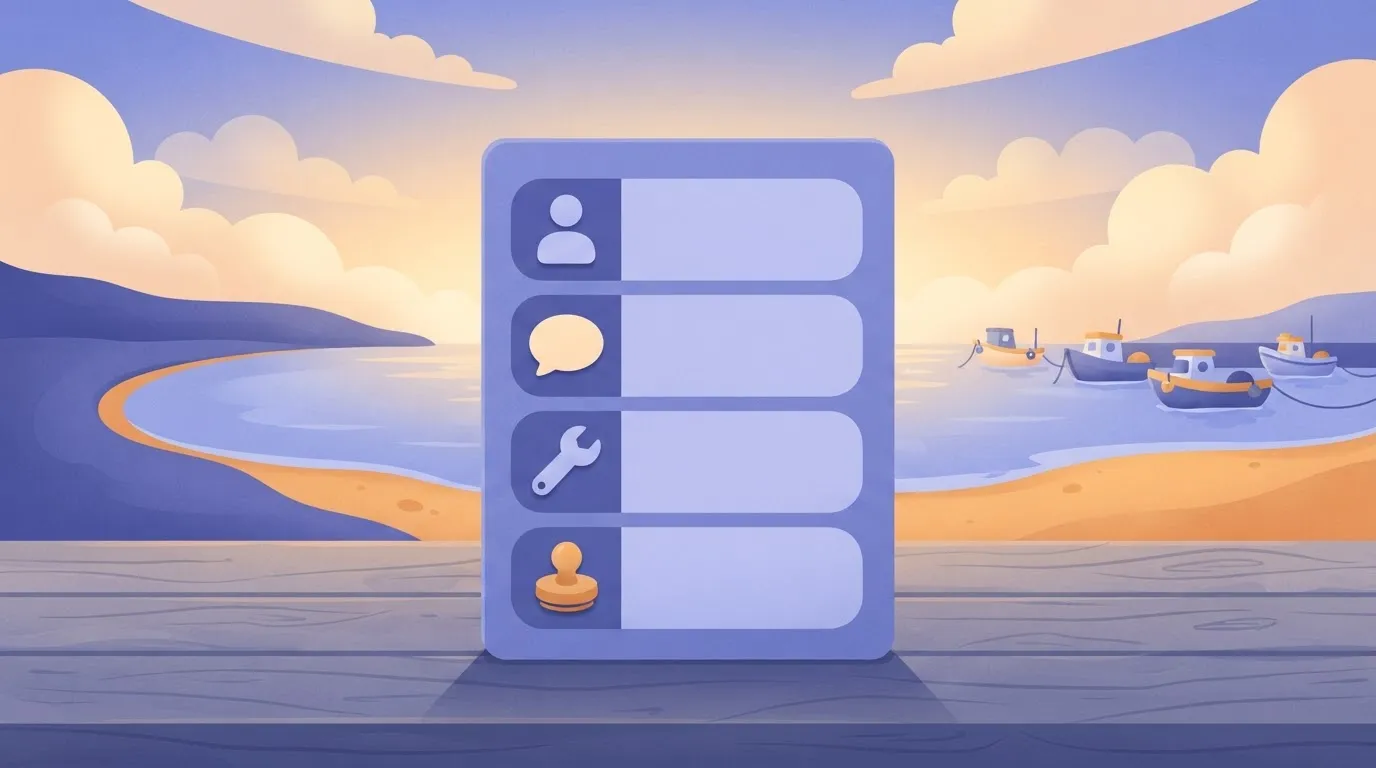
That definition rules out a log of successes and failures. It also rules out a log that holds only the final output.
Timeline of the Refund Agent Incident
Read the incident below as illustrative: it is assembled from a common failure pattern rather than reported from a named company.
When a batch of tickets triggers a refund agent, it misreads a template change in the helpdesk and starts crediting accounts that never requested one.
Nothing links the integrations. One agent issues refunds to many customer accounts, and the helpdesk, the payments system and the workflow tool each hold a fragment of the story. The log that should join them is empty, and that gap is the liability.
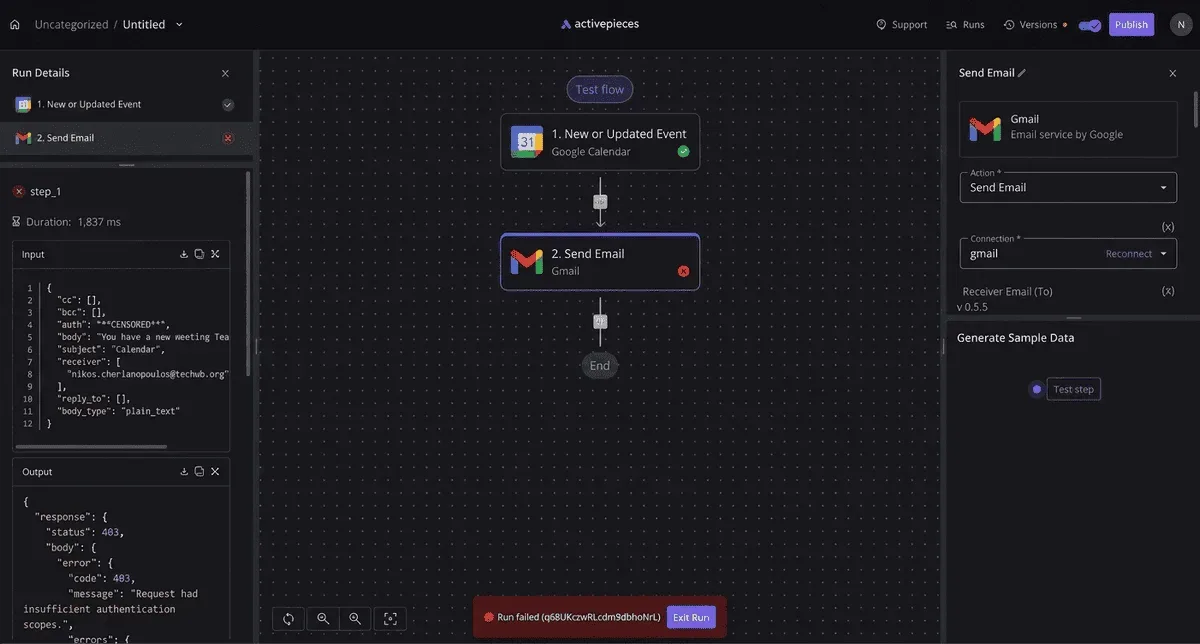
What the on-call lead can see is that money has left. They can't see which ticket text the model read, which tool call authorised each payment, or whether a person ever approved the batch.
Each system reports its own activity accurately, and none can speak to the chain between them.
What follows is the practical test: for each platform, can you reconstruct this run without asking three vendors for three exports?
This takes minutes, not a project: automate it in Activepieces free.
The Staff Cost of One Wrong Agent Action
Approve one wrong refund overnight and it costs more than the refund; the larger cost is the staff time spent working out how it happened.
Refunds, money and customers affected
Take a single case: an agent approves a $4,200 refund it should have refused, which means cash left the organization's account in error. The refund is the visible loss, but it is only part of the bill.
Approve one wrong refund overnight and it costs more than the refund; the larger cost is the staff time spent working out how it happened.
Our best guess runs about $3,100 above the refund itself, so each incident inflicts nearly double the damage of the wrong payment alone.
Past the refund itself, the bill is clawback, goodwill credits to customers we contacted in error, and the investigation.
How common agent-caused errors are
45% of organizations running one to five agents have had an agent-caused error, according to DECUS Insights, citing the Nylas State of Agentic AI H2 2026 report, making such incidents a standard risk for organizations at this scale. Incidents like this aren't rare.
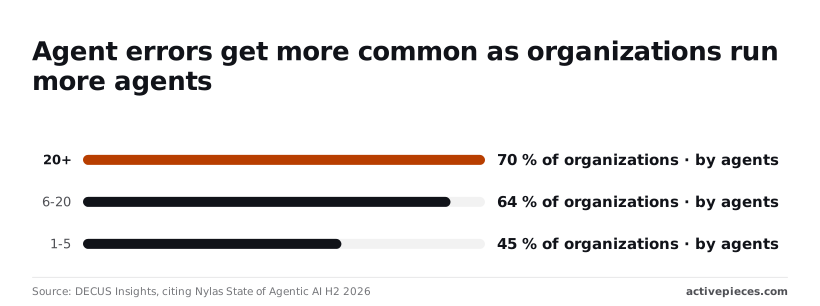
At six to twenty agents the share rises to 64%, and at more than twenty it reaches 70%, which reveals that scaling agents dramatically increases incident risk. That's DECUS Insights' analysis of the Nylas State of Agentic AI H2 2026 report.
If your team runs even a handful of agents, an incident is closer to likely than exceptional. Each agent you add makes it more likely.
Because the odds climb with agent count, weigh the cost of an incident against how fast you can understand it.
Hours spent reconstructing who did what
On Monday morning, someone has to answer four questions: who triggered the run, what the model saw, which tools it called, and who approved the step.
If those answers sit in three systems, such as the automation platform's run history, the model provider's logs and the approval tool's messages, a person has to export each one. They then line up the timestamps by hand.

That's where the staff hours go. The work is slow, and it needs someone who knows all three systems, which usually means pulling a senior person off their own job. It also leaves the team unable to say with confidence that the reconstruction is complete.
All of this is counted in the $7,300 estimate, which is a rough guess rather than a measured figure.
Where a platform keeps the full chain of trigger, input, tool call and approval in one place, that work is shorter.
A platform that doesn't leaves the team rebuilding the night from fragments, and the reader should count every missing link as a cost they will pay later.
Why the Existing Logs Answered Nothing
When we tried to reconstruct one bad run, the logs we already had couldn't do it, because they recorded that steps happened but not what the model received, which version answered, or who signed off.
Run history is not an audit log
Open the screen every automation platform gives you and you get run history: steps in order with a pass or fail beside each.
It answers "did it run?" It doesn't answer "why did it do that?" The distribution of documented failures shows why that gap matters.
What 100 documented failures show
In Clyro's analysis of 100 AI agent failures, context blindness accounts for 31.6% of failures, so nearly a third trace back to what the model saw. A log that doesn't store the input can't confirm or rule out the largest single cause.

30.3% of failures, according to Clyro, are rogue actions, which means roughly three failures in ten involve a tool call nobody intended. Without a record of which tool the agent called and on whose authority, the damage is visible but its origin isn't.
Quality can slip while the agent keeps running, and Clyro puts that silent degradation at 24.9%, so quality loss accumulates without detection. With no model version recorded you can't say when the behavior changed or which requests it affected.
Rarer, per Clyro, are memory corruption (8.1%) and runaway execution (5.1%), but each still needs the same trail to diagnose.
Because the provider's usage page showed one caller, nobody could tie a bad run to the person or schedule that started it. Treat a shared key as an unassigned liability: it saves setup time and costs you attribution on every incident.

Missing Approvals and Short Log Retention
For any consequential action we couldn't show that a human had looked at it, because the log recorded no approval. Retention was a separate gap: run history ages out on a platform-set schedule, so an incident noticed late may already be unrecoverable.
The table below sets each field the audit test requires against what existing run history captured and what was missing. Read the last column as the list of costs to price into any platform you assess.
| Field | Question it answers | What existing run history recorded | What was missing |
|---|---|---|---|
| Trigger | Who or what started the run? | A run entry with a timestamp | The person or schedule behind it |
| Input | What did the model see? | Nothing usable | The full prompt and retrieved data |
| Model | Which model answered? | Nothing | Model name and version |
| Tool calls | What did it act on? | Step names and pass/fail | Arguments and results |
| Approval | Who authorized the action? | Nothing | Approver, time and decision |
| Outcome | What changed as a result? | Final status | The effect on the target system |
| Retention | Can we still see it later? | Platform default window | A period set by us |
| Key ownership | Whose credentials were used? | One shared key | A key per person or workflow |
Prices and plan limits checked against docs.claude.com and claude.com and openai.com and gemini.google on November 22, 2026.
Each gap becomes a pass-or-fail question for every platform considered next.
You can follow the rest of this with the builder open. Start free, no card.
Audit Log Options Compared on the Same Tests
On the same pass-or-fail questions, the vendor pages alone don't show that any platform here can reconstruct a bad run. The table marks what the vendor pages confirm and what they don't.
Read every "Not confirmed" as an open liability line until the vendor documents it. The table carries the date 22 November 2026.
| Platform | Price | Strength | Limit | Self-hosting | Retention | Best for |
|---|---|---|---|---|---|---|
| Zapier | Not confirmed | Wide app coverage | Model inputs in run history not confirmed | No, hosted | Not confirmed | Light workflows with few tools |
| Make | Not confirmed | Visual scenario design | Approver identity not confirmed | No, hosted | Not confirmed | Branching flows without code |
| n8n | Not confirmed | Self-hostable, so logs stay with you | You own storage and access control | Yes | Set by you when self-hosted | Teams that must hold their own evidence |
| Power Automate | Not confirmed | Fits Microsoft identity and approvals | Model inputs not confirmed | Not confirmed | Not confirmed | Microsoft-centred organisations |
| LangSmith / Langfuse | Not confirmed | Traces of prompts and tool calls | Not a workflow builder | Langfuse yes; LangSmith not confirmed | Not confirmed | Reconstructing what the model saw |
| CrewAI-style framework | Not confirmed | Full control of what is logged | Logging is whatever you write | Yes, runs in your environment | Set by you | Teams with engineers |
| Activepieces | Not confirmed | Not confirmed | Not confirmed | Not confirmed | Not confirmed | Covered in its own section |
Across the table, workflow builders are Records who triggered a run, while tracing tools record what the model saw. The paragraphs below say what each group leaves for you to close.
Because Zapier and Make are both hosted, the vendor decides what is recorded and for how long. Run history shows that a step fired. This comparison couldn't confirm whether either keeps the full model input, or names the person who approved a tool call.
Until a vendor page says so, assume your reviewer can't answer those two questions after the fact.
Host n8n yourself and the log moves into your control, which also makes you responsible for retaining and protecting it.
Power Automate inherits Microsoft's identity and approval features, which helps with who approved. Its capture of model inputs isn't confirmed, so test one real run before relying on it.
LangSmith, Langfuse and Code Frameworks for Audit Logs
Where the builders lack the "what the model saw" evidence, tracing tools record prompts, responses and tool calls. They don't replace an approval step. A code framework logs only what your engineers write, so the audit trail is exactly as good as their discipline.
In this comparison, Activepieces' model-level evidence isn't confirmed, so the table marks it that way rather than guess.
Where Activepieces Fits an Agent Audit Trail
Activepieces belongs on this shortlist for one kind of team: the one that wants the agent, a human approval step and run history on a single no-code platform.
, and the Observability and Monitoring docs describe that per-step agent decision trace.
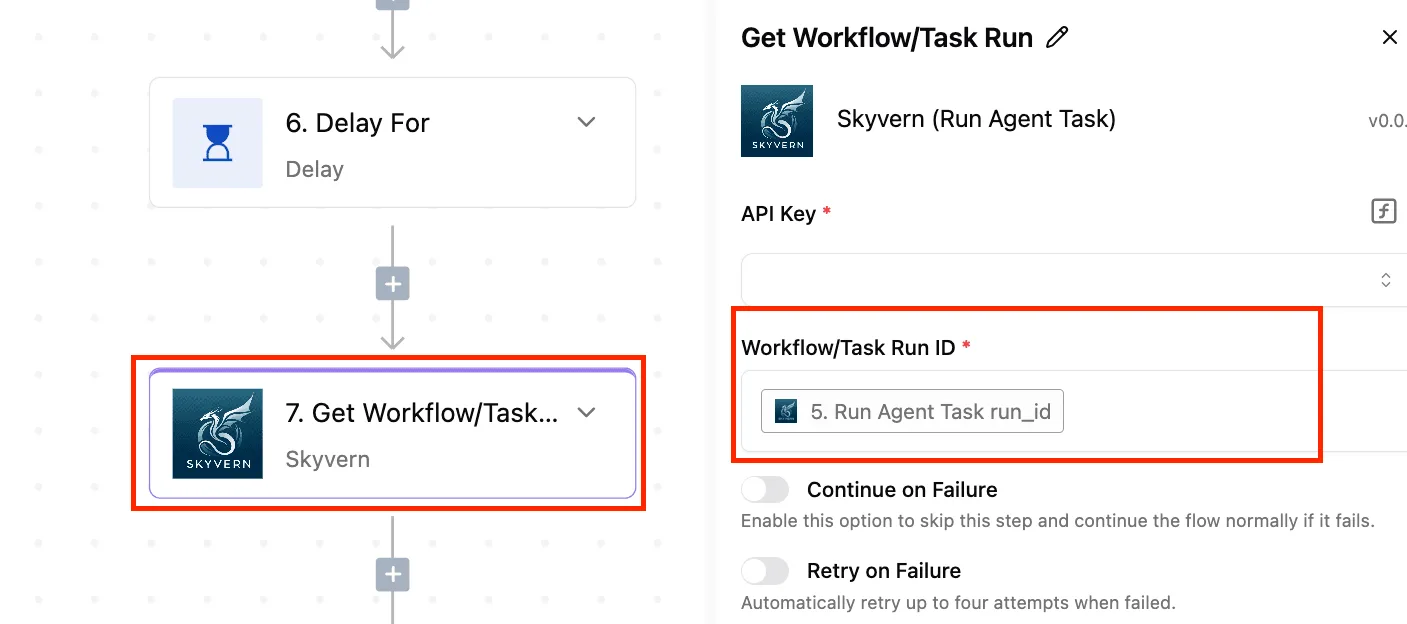
The audit logs and event-streaming feature then exports that trace into the SIEM your security team already runs, and MoneyGram, Moneypenny, Alan and FundingSocieties run Activepieces in production.
It is not a dedicated LLM observability tool, so it ranks below a tracing tool on what the model saw, and above one on keeping agent, approval and history in one place.
What the run history records
Each time a workflow runs, Activepieces keeps a record of that run, step by step, which the Run Details view lays out with the data passing between steps.
For an agent built as a workflow, that lets you open one bad run and see which trigger started it and what data moved between steps.
That covers the first and third questions in the test: who or what triggered the run, and which tools it called.
Look for a run-level view like the one in the screenshot below in any builder. A canvas with a trigger, a chat receiver and an agent step sits beside an execution panel with the input and output of a single exchange.

That panel shows what went in and what came out, which is useful. It doesn't show why the model chose a tool, so treat it as a record of inputs and outputs, not of reasoning.
Approval step and key ownership
To put a human ahead of a risky action such as sending an email or writing to a customer record, Activepieces includes an approval step.
The consequence is practical: the approver's decision sits inside the same run you are investigating, not in a chat thread elsewhere.
Confirm that the record names the approver before relying on it.
Self-hosting is the other control worth weighing. Running it on your own infrastructure keeps run history on systems you govern, at the cost of your team owning patching, backups and access control.
You also choose the model and bring your own API key, so usage bills to your account and the key's permissions are yours to scope. That's a convenience, but every connected key is a liability line.
What is not confirmed
As reviewed for this comparison, the vendor's pages don't confirm model-level tracing: the full prompt the model saw, retrieved context, or the model's intermediate tool-selection steps. They also don't confirm tamper-evident storage or the retention period for run history.
If your bad-run question includes "what did the model see," pair Activepieces with a dedicated LLM tracing tool, and verify retention before you depend on either.
The Audit Rules the Team Now Enforces
The team enforces four rules. The agent can't edit its own log, each agent has its own key, refunds above a set amount need a human, and the team writes down the retention period.
Four Audit Log Rules for AI Agents
Protecting the log and the keys
The first rule is that each run writes six fields to storage the agent can't edit. Those fields are who triggered it, what the model saw, which tool it called, the arguments it passed, who approved it, and the time.
Let an agent rewrite its own record and you have a log you can't rely on in the one case you need it.
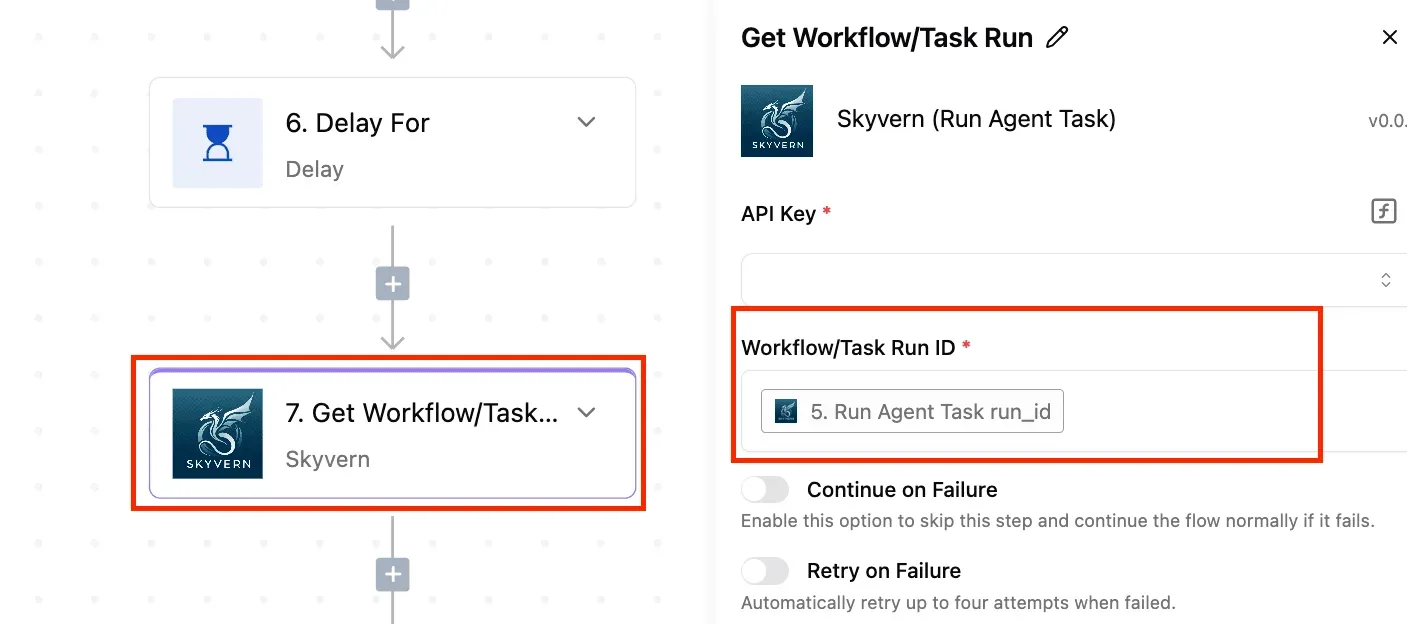
The second rule is one API key per agent. With a shared key, a bad run can't be traced to the agent that made it, and revoking the key stops every agent at once.
Requiring Approval Above a Refund Threshold
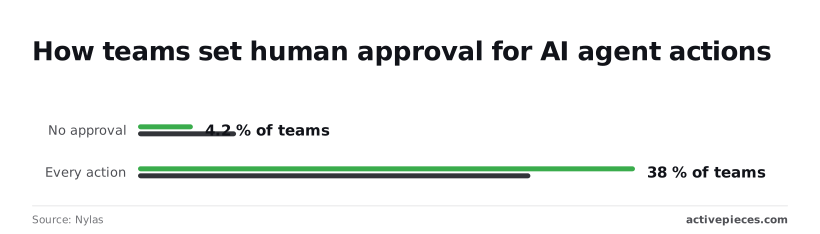
The third rule is approval above a refund threshold, and the data explains why.
With fewer teams putting a human in front of every action, a threshold has to be set deliberately, and the log has to show what was approved automatically.
Audit Log Retention and a First Test
The fourth rule is a stated retention period. A log that expires before anyone notices the incident answers nothing, so write the number down and check it against what your tool actually keeps.
Pick one real run from last week and try to reconstruct it from the log alone. Whatever you can't answer is the gap to close first. Then, in this order:
- Write the six fields for every run to storage the agent can't edit.
- Issue one API key per agent and retire any shared key.
- Set the refund amount above which a person must approve.
- State the retention period in writing and confirm the tool enforces it.
- Schedule a weekly review of a sample of runs, including some that were auto-approved.
Once these five are in place, the tools in the table can be judged against a working standard, not against their feature lists.
Frequently asked questions
How long should an AI agent audit log be kept?
Keep it as long as the longest retention obligation that applies to the process the agent touches, and have your compliance or legal owner set that period in writing.
Platform defaults are set for the vendor's convenience, not your obligations. If the default is shorter than your requirement, a bad run discovered late can't be reconstructed, and the log fails the one test that matters.
Is workflow run history enough for compliance?
Usually not. Run history shows that steps executed and whether they succeeded.
It often doesn't show who triggered the run, what the model was given, or who approved a sensitive action. It may also be trimmed automatically, or visible only to the person who built the workflow.
Before relying on it, take one past run and try to answer all four reconstruction questions from it. Any question it can't answer is a gap to close with a separate log.
Should an agent log its reasoning or only its actions?
Log the actions and the inputs always, and treat the model's stated reasoning as a supplement. Actions and inputs are the evidence: what the model saw, which tool it called, with what parameters, and who approved it.
When a model explains its own choice, the explanation is generated text, not a record of cause, so it can read convincingly and still mislead a reviewer. It can also repeat customer data into a second location that now needs its own access controls.
Keep the reasoning if it helps debugging, but don't let it stand in for the record.
Who should own the API key an agent uses?
The business should own it, through a named service account or an organization-level key, never an individual employee's personal key.
A personal key ties the agent to one person's employment, so the agent breaks or keeps running unsupervised when that person leaves. It also muddies attribution, because usage appears under a human who didn't make the calls.
The tradeoff is that one shared key across several agents hides which agent did what. Issue one key per agent where the platform allows it, so each key's usage maps to one agent and one accountable owner.
Related reading
Build it
Set this up in minutes.
No code required. Connect your accounts, and Activepieces runs it from there.
Start free Talk to sales