
AI Agent Human Approval: How to Add It (2026 Guide)

Nov 22, 202614 min read
Pause the agent before a risky action, ask a named person in the channel they already use, and log whether that person approved, edited or rejected. That is what the best tools for AI agent approval do. Everything else is secondary.
Zapier, Make, n8n and Power Automate all take this seriously, and which one fits depends on your team.
Best tools for AI agent approval
Best AI agent approval tools by team type
Pick the line that describes your team, then check the pause step in the table. I last checked prices on 22 November 2026.
- Zapier: business teams with no engineers who want the most ready-made app connections.
- Make: teams that want to see the whole flow on one canvas and branch it visually.
- n8n: technical teams that want control over where the workflow runs.
- Power Automate: companies already living in Microsoft 365, where approvals can land in Teams and Outlook.
- Activepieces: teams weighing a newer no-code builder against the four above.
What an agent needs to act safely
Before you pick a platform, check that it can give your agent five things:
- A trigger, meaning the exact event that starts a run, such as a new invoice row.
- A short list of apps and actions the agent may touch, and nothing beyond it.
- An approval step that stops the run and shows the approver the actual amount, customer or record, not a summary.
- An audit trail with who approved, when, and what they changed.
- A stated place where the model runs and whose API key it uses.
Most builds fail at the third item. If the approver gets a wall of text, they click yes without reading. A good request names the field being changed, shows old and new values, and offers approve, edit and reject.
**If the approver gets a wall of text, they click yes without reading.
This isn't a niche precaution. Zapier's AI agents survey charts 7 enterprises under "Enterprises still need people overseeing their agents". Oversight is the default expectation, so a platform without a real pause step is the exception to avoid.

Plans change, so confirm the figure on the vendor's page before you commit. Every price and limit in this article comes from the vendor's own pricing or documentation page, and I read each page on 22 November 2026.
This takes minutes, not a project: automate it in Activepieces free.
Comparison of approval features, plans and prices
Where a list price or plan wasn't confirmed, the table below says "not confirmed" instead of guessing, and it judges each option on the same pause-and-resume test.
How each tool was judged
For each tool the test is the step that stops a run and waits for a named person.
I then checked three things: whether the approver gets the request in a channel they already use, whether the run resumes on their answer, and whether the answer is recorded with who gave it.
If a tool only emails a link to a generic inbox, it scores low, because approvers facing a bare "Approve" button tend to click without reading. "Check date" is the day I last looked at the vendor's own pages.

| Tool | List price and plan needed | Approval strength | Limit | Best for | Self-hosting | Check date |
|---|---|---|---|---|---|---|
| Zapier (no-code automation service) | Not confirmed | Built-in step that holds the run until a reviewer replies | Plan that includes it not confirmed | Teams with no engineers | Not offered | 2026-11-22 |
| Make (visual scenario builder) | Not confirmed | You assemble the wait and the reply yourself | Audit record is yours to design | Teams comfortable with branching logic | Not offered | 2026-11-22 |
| n8n (workflow tool with AI agent nodes) | Not confirmed | Send-and-wait actions in chat apps, resuming on the reply | Plan for hosted version not confirmed | Mixed teams wanting control | Yes | 2026-11-22 |
| Power Automate (Microsoft's workflow service) | Not confirmed | Approvals action in Teams and Outlook, with a recorded response | Strongest inside Microsoft 365 | Companies already on Microsoft 365 | Not offered for cloud flows | 2026-11-22 |
| LangChain or CrewAI (code frameworks) | Free libraries; hosting costs not confirmed | Interrupt and resume in code, or a human-input option | You write the channel, the log and the resume | Engineering teams | Yes, it's your code | 2026-11-22 |
| Activepieces (open source, MIT-licensed AI automation platform) | Free: $0 with 1,000 credits a month; Plus: $20 a month with 10,000 credits a month; Team: $200 a month with 50,000 credits a month; Ultimate: custom price through sales | — | Unlimited flows on every plan, including free; credits cap usage (1,000 a month on Free) | — | Yes, the MIT-licensed core can be self-hosted | 2026-10-23 |
Prices and plan limits checked against docs.claude.com and claude.com and openai.com and gemini.google on November 22, 2026.
What the approval comparison table leaves out
It doesn't show how readable the approval message is. Open each tool's request and check that the approver sees the amount, the customer and the action, not just a title.
Before committing, test one request left unanswered overnight, because the table also can't show your plan's limits on waiting runs. Prices are the gap, since I couldn't confirm them, so read each vendor's pricing page for the plan that includes the approval step.
Zapier, Make and Power Automate approval options
Of the three, Power Automate ships the most finished approval step. Zapier gives you a dedicated pause action, and Make asks you to build the pause yourself from a webhook and a message.

Zapier approvals
To pause a run in Zapier, you add its Human in the Loop tool as a step in a Zap. Its Request Approval action stops the run, sends the request to a named person, and resumes only after they answer.
Put the exact action in the message body ("Refund this customer, this order, this amount") and the approver can judge it in a glance. Leave it as a generic "Approve?" and you've built a button people press without reading.

If your team already lives in Zapier's app library and wants the pause without writing logic, it suits you. Check its pricing page for which plan includes the tool, because I won't state a tier from memory.
Anyone who needs the approval record elsewhere has to export it, because it lives inside Zapier's run history.
Make approvals
In Make, the pause is something you assemble. A common pattern is two scenarios. The first sends the proposed action to the approver in Slack or email with a link, then stops.
Then a second scenario starts from a custom webhook that the link calls, reads the approve or reject value, and carries out the action.
You have to add the safeguards yourself. Nothing stops someone clicking the link twice, so build a check that the request is still pending. Nothing logs who approved unless you write that into a data store or sheet.
If you're comfortable with branching and routers and want the approval to look exactly the way you designed it, Make suits you. Confirm on Make's own documentation whether a native approval module has been added for your plan, since I haven't verified one.
Microsoft Power Automate
In Power Automate the approvals are built in. The Start and wait for an approval action sends a request to chosen people by email, Teams or the Approvals app, and the flow holds until someone responds.
You pick the approval type, such as approve or reject, or first to respond versus everyone must approve.
Put the amount, the customer and the reason in the Details field, which takes formatted text. The outcome and the approver's comments come back as outputs, and the response is recorded in the Approvals app, so the audit trail comes mostly for free.
It suits organisations already on Microsoft 365, where approvers sit in Teams all day. Licensing depends on your Microsoft agreement, so check what your plan includes before committing.
You can follow the rest of this with the builder open. Start free, no card.
n8n, Activepieces and code frameworks compared
Although all four can pause for a person, self-hosted and coded tools bundle nothing else for you: the audit trail, the API key and the model's location become yours to confirm.
- Whether the run really stops until a person answers, and what resumes it once they do.
- Where the audit trail lives, and whether it records who approved, when, and what they saw.
- Whose API key the model call uses, and whether the model runs on your server or a vendor's.
- What the vendor leaves unconfirmed, so you test it rather than assume it.
Star counts are context only, because a large community doesn't mean a better approval step.
n8n approvals
At 211,563 GitHub stars, n8n has the most of any tool here. That means the most forum answers and shared workflows to copy from, not proof that its approvals are better.
When a run reaches a Wait step, n8n can pause it and message an approver in a chat app such as Slack. Confirm how long your own instance keeps execution history, because that history is your audit trail.
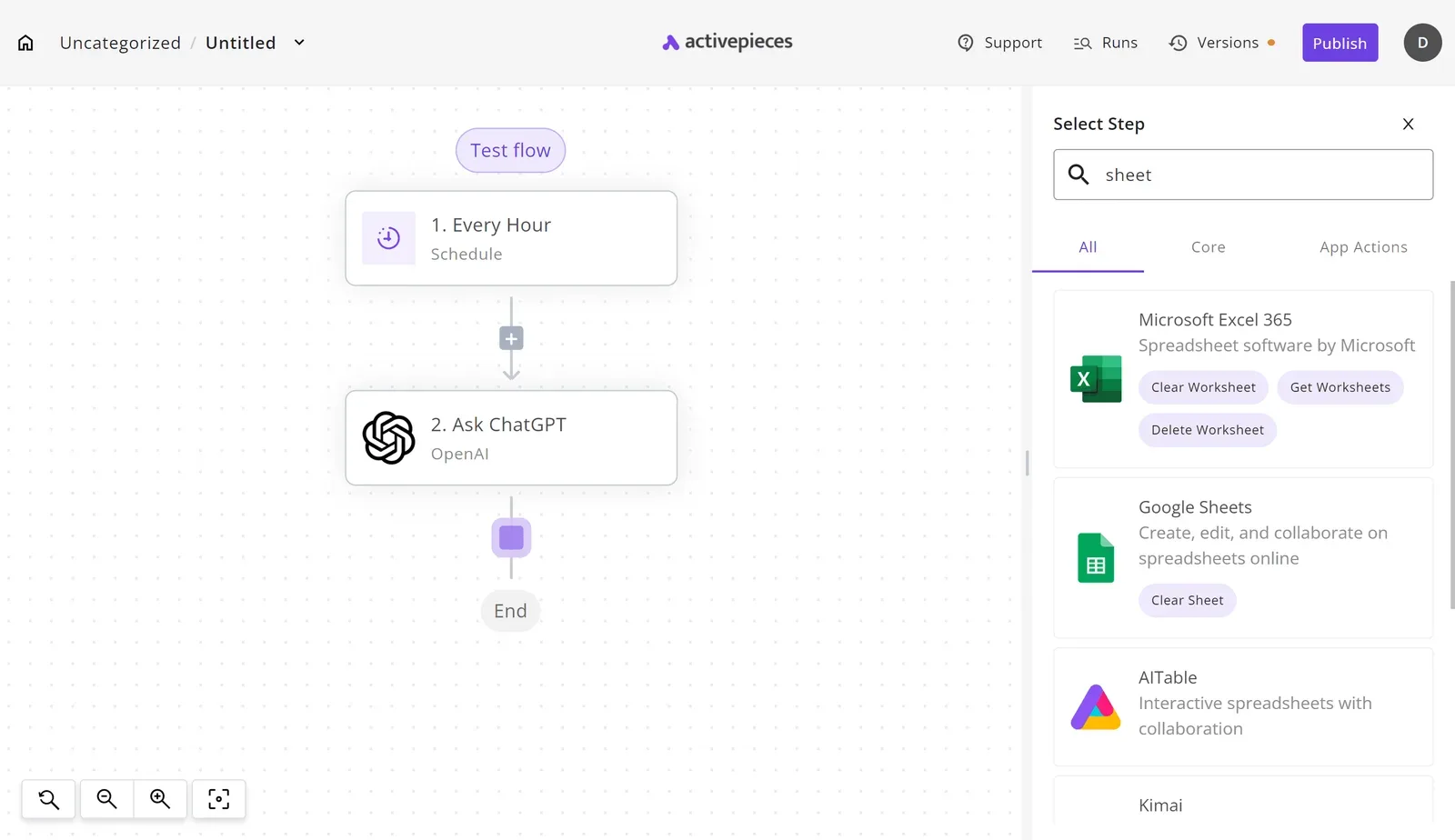
Activepieces approvals
At 25,670 stars, Activepieces has the fewest of the five tools in the same tracker, so expect fewer worked examples to borrow.
What it does differently is keep judgment and rules in one flow on one engine: an Agent step sits beside the fixed automation steps in a single flow definition, so the draft, the pause and the refund all appear in one run trace, with no second system and no webhook callback to wire up.

MoneyGram, Moneypenny, Alan and FundingSocieties run it in production. I couldn't confirm three things from the sources behind this article:
- whether the approver is reached in the channel they already use
- how long a paused run waits
- where each decision is recorded
Until you've seen those on a real run with a real approver, treat the pause step as unproven. The core is MIT-licensed and self-hostable, so you can run that test on your own infrastructure before you commit.
LangChain and CrewAI
With a code framework, you build the pause yourself. LangGraph, the stateful agent layer from the LangChain team, has 45,263 stars. CrewAI has 61,163, and AutoGen, a third framework, has 61,960.

Any of them is well supported by other developers, so you can find examples. That says nothing about whether the approver sees a clear request or just clicks yes.
None of them gives you an approval screen or a log by default. Someone must write the message the approver reads, the place it's sent, and the record of the answer.
The upside is control: the API key is yours, and you choose where the model runs. If nobody can maintain that code, the framework is the wrong starting point however large its community.
Build an approval step on a no-code platform
On any no-code platform, a refund workflow that waits for a person's click is seven steps, so if any single click doesn't happen, it stalls. The step that decides whether it works is the fifth: the message the approver actually sees.
- Trigger on a refund request.
- Agent drafts the refund.
- Pause the run.
- Send the approver a message with Approve and Reject buttons.
- Branch on the answer.
- Issue the refund.
- Log who decided and when.
Stage 1: trigger and agent draft
Start with the trigger node set to your helpdesk's "New ticket" or a form submission, filtered to tickets tagged "refund". Pass the order ID, the customer's message and the amount requested into the agent step.
Tell the agent to return a draft, not to act: order ID, refund amount, reason in one sentence, and the policy line it relied on.
Give it read-only access to orders and no access to the payments tool. That one permission setting means a wrong draft costs the approver a click, not you a refund.
Stage 2: pause and ask
Add your platform's "wait for approval" or "human in the loop" node. Its output is a message with two buttons, so put the amount, the customer name and the agent's one-sentence reason in the first lines.
Send it to Slack, not email. ClearFeed's comparison of Slack and email puts replies in a shared Slack channel at 5 minutes and in a support Slack channel at 11 minutes, against 90 minutes for email.

Set a timeout on the pause node, for example escalating to a second approver after 30 minutes, so an unanswered request never sits indefinitely.
Stage 3: act on the decision and log it
Add a branch on the button value. On Approve, call the payments tool with the amount from the draft. On Reject, post the reason back to the ticket and stop.
Last, write one row to a sheet or database table: ticket ID, amount, decision, the approver's Slack user ID and a timestamp. That row is your audit trail, and it should be written on both branches, because rejections are the decisions you'll be asked about.
Frequently asked questions
Can an AI agent approve its own actions?
No. If the same agent that proposes a refund also clicks "approve", you have a log entry and no control. The approval has to come from a person, or from a separate rule the agent can't edit, such as a fixed spending limit.
Where a platform lets the agent's own step set the approval field, treat that as a missing approval step. Check this on the platform's current pages before you build; this article's vendor checks were done on 22 November 2026.
What happens if the approver never responds?
Left unanswered, the run should stay paused, then escalate or expire. It should never default to "yes".
Look for a timeout setting on the approval step and a choice of what happens when it fires. The safe choices are to reassign to a named backup, send a reminder, or cancel and record "no decision".
Write the timeout outcome to the same audit row as an approval or rejection, so a stalled request is visible rather than silently dropped. If a platform can't say what happens on silence, ask before you trust it with money or customer messages.
Do I need to self-host to keep data private?
Not automatically. Self-hosting answers where the workflow engine runs. Privacy also depends on where the model runs and whose API key it uses, and a self-hosted engine that calls a hosted model still sends your prompts out.
Check three things: what data each step sends to the model, what the vendor says about retaining or training on it, and whether you can bring your own key.
For some teams, a hosted platform under a clear data agreement is fine. Others, handling regulated records, will want the engine and the model both under their control.
Which actions should always need a human to approve them?
Anything hard to undo, or that touches money, customers or data you can't recover. In practice, that means:
- Payments, refunds, credits and changes to pricing.
- Messages sent to customers or partners in your name.
- Deleting or overwriting records, and changing who has access.
- Anything that crosses a legal or contractual line, such as signing or submitting.
You can usually let reading, drafting and summarising run without a pause.
Then apply the test I use on every approval screen: would the approver actually read this, or just click yes?
Show the amount, the recipient and the exact change in the request itself. If they have to open another tab to find out what they're approving, they'll click yes.
Related reading
References
Build it
Set this up in minutes.
No code required. Connect your accounts, and Activepieces runs it from there.
Start free Talk to sales