AssemblyAI STT 3.7: Accuracy and Pricing in 2026

Nov 19, 202611 min read
AssemblyAI STT 3.7 is a speech-to-text model release from AssemblyAI, identified in its documentation as assemblyai-stt-3-7. Your team may run transcription inside automations, such as call recordings routed to a ticket queue each morning through a workflow built in Activepieces.
That identifier's what you match against your own configuration.
To keep what follows honest, this section pins down the release facts and the day they were checked, since everything later rests on the maker's own words.
What shipped in AssemblyAI STT 3.7 and when
The release in brief
AssemblyAI is a company that sells speech-to-text through an API, and STT 3.7 is its newest named model in that line. Every claim in this article about accuracy, speed or price traces back to what AssemblyAI itself published about it.
Nothing here comes from running the model, and some figures come from third-party pages. That limit's deliberate, because it means you can check each claim yourself.
Check one thing first: your workflow either uses this model name or it doesn't. The same check applies whether the transcription step lives in custom code or in a no-code builder.
Only the maker's announcement was used for the release facts below:
- The maker is AssemblyAI.
- The model name is assemblyai-stt-3-7.
- The source is AssemblyAI's own announcement page for the release.
- The check date is 2026-11-19.
What you read today may differ from what was read on that date, because vendors revise release notes after the fact. Treat the date as the point at which these facts were last confirmed.
If you are running this arithmetic for your own team, see what the same workload costs on Activepieces.
Why the 3.7 release matters to automation teams
When a transcription model changes, it matters to an automation team only where it alters the text that later steps read. That shows up as extraction accuracy, turnaround time and per-hour cost.
Every later step inherits its mistakes, because speech-to-text is the first link in a chain. Audio goes in, text comes out, and a following step pulls names, dates and commitments from that text. Three common chains show what a swap touches:

- Call recording to CRM note: the summary and field extraction read the transcript, so a misheard product name lands in the record the rep opens before the next call, and slow turnaround means the note isn't there in time.
- Meeting audio to task: owners and action items come from the transcript, so a misheard name assigns work to the wrong person, and since every meeting gets transcribed, per-hour cost scales with the calendar.
- Voicemail to ticket: short, noisy audio becomes a ticket title and priority, so accuracy decides whether it routes to the right queue and speed decides how soon support sees it.
Which downstream steps feel a model change first
Because it has no way to correct a word the transcript got wrong, the extraction step feels it first. Steps that wait on the transcript feel speed next, since a faster or slower model moves every handoff behind it.

Last to show up is cost, and it compounds, because it multiplies across every hour of audio the workflow handles. Your team can check each of these against its own recordings.
What is measurably new in AssemblyAI STT 3.7
The vendor's other changes are not quantified.
Accuracy, language coverage, speed and API changes
On SyncDev's model page, That's roughly one fewer wrong word in five, so a reviewer on a six-person ops team has fewer speaker-attributed lines to fix per call.

To see what each claim is and how much weight it can bear, read the table.
| Vendor claim | Source page | Date | Quantified |
|---|---|---|---|
| cpWER 29.3% to 23.5% | SyncDev model page | Not cited here | Yes |
| DER 14.7% to 9.4% | SyncDev model page | Not cited here | Yes |
| Languages — | Not cited here | Not cited here | Yes |
Prices and plan limits checked against activepieces.com on November 19, 2026.
Treat each row as a hypothesis for your own recordings, since every one is a vendor claim with no independent check. The language and realtime rows have no cited source here, so confirm them on the maker's pages before you plan around them.
There is no speed number to plan around yet. No latency figure or usage limit appears in the sources behind this section, so wait for a number in the maker's documentation that you can time.
Before you switch any step, read the maker's current API reference for the exact identifier, because the sources behind this section give no model-name change or selection parameter.
What Activepieces has already shipped for AssemblyAI
If you'd switch a step to the new model, Activepieces, the workflow builder, already lists an AssemblyAI integration.
We haven't run 3.7 ourselves; the results reported here are AssemblyAI's own published figures.
The shipped support, with date and link
On the Activepieces AssemblyAI page, the package @activepieces/piece-assemblyai is described as transcribing and extracting data from audio using AssemblyAI's Speech AI. According to Activepieces, it exposes 14 actions and 0 triggers.
With no triggers, nothing in the integration starts a flow when audio arrives, so you need a schedule or another app to kick off the run.
The page gives no date. We found nothing on it saying the integration covers 3.7. Treat compatibility as unconfirmed until you check the integration's action fields against the maker's API reference.
Connecting transcription to a workflow today
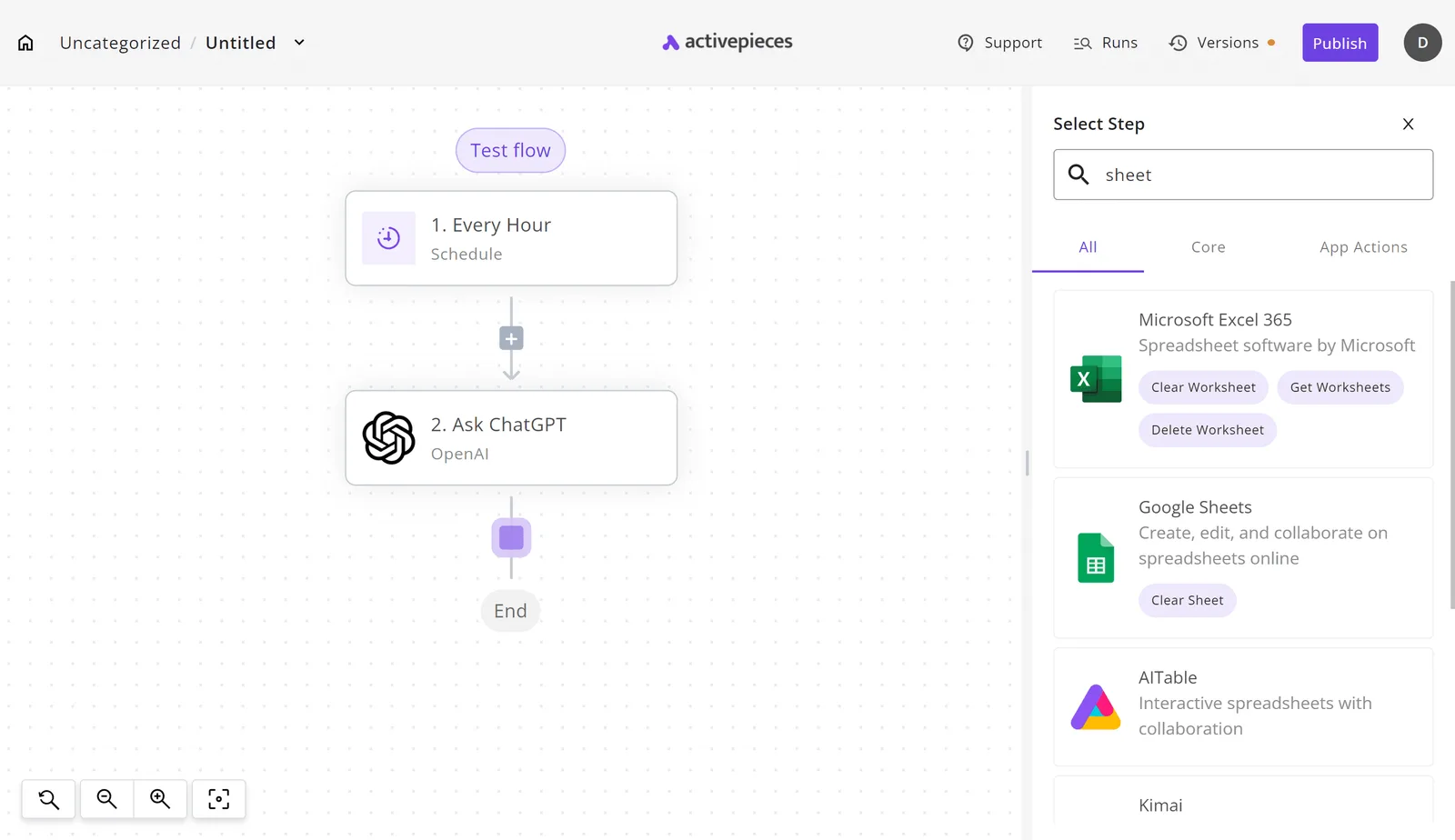
Start from a flow you already run, so the comparison is against your own baseline. In the screenshot, the builder shows a three-step flow on the canvas: an Every Hour trigger, an Ask ChatGPT action and an End node.
On the right, the Select Step panel's open with "sheet" typed into the search field. The search returns spreadsheet integrations such as Google Sheets and Microsoft Excel 365.
Adding any integration works this way, so the AssemblyAI integration is one search away, and the same panel is where you'd add a spreadsheet step to log results.
From there, put the transcription action between your trigger and your next step. Run it on a handful of recordings you already know well, and compare the output with what your current step produced.
Worth checking against a plan that does not meter every step: one credit covers a whole run on Activepieces.
Cost and speed against current transcription options
AssemblyAI STT 3.7 versus other transcription vendors
Beside each option's hourly price, the table below puts its stated speed and its accuracy or language claim. Where a vendor page gave no figure, the cell reads "not published", so a blank is a gap in the vendor's documentation and not a zero.
Read the price column as the firm one and treat the other two as questions for your own test recordings.
| Option | Price per audio hour | Stated speed | Accuracy / language claim |
|---|---|---|---|
| STT 3.7 | — | not published | not published |
| Realtime | $0.30 | not published | not published |
| Realtime-Agent | $0.45 | not published | not published |
| OpenAI mini | $0.18 | not published | not published |
| gpt-transcribe | $0.27 | not published | not published |
| 4o | $0.36 | not published | not published |
Realtime, Realtime-Agent and gpt-transcribe are simply the names the comparison sources give to the other options, and this article holds no vendor page describing what each one is for.
The "Realtime" names suggest live, streaming use rather than batch transcription of finished recordings, but that's an inference from the names. Read each maker's page before treating any of them as a drop-in for a recorded-audio step.
With speed and accuracy unstated, price is the only column that can rank these options before you run a test.
What the figures mean at a team's volume
Take a team transcribing 200 hours of recordings a month, so the transcription service needs to handle that recurring volume without breaking.
OpenAI mini costs $36, gpt-transcribe $54, Realtime $60 and Realtime-Agent $90.
Your own hours will move every line, but the order won't.
What to watch next after STT 3.7
Which AssemblyAI STT 3.7 pages to check
Check four published places, in this order. They're AssemblyAI's changelog, its docs pages on deprecations and model selection, and your automation platform's integration page.
Each one tells you whether your transcription step changes without anyone on your team touching it.
It takes one person an unhurried morning to run the sequence below, and it works best as a standing item in a weekly ops review rather than a one-off.
It shows where vendor changes surface first and where they reach your workflows last, so you learn about a change in the order it can hurt you.
- Read the AssemblyAI changelog for anything new about STT 3.7, since it's where the maker records what shipped and when. Anything dated after your last test is a reason to rerun that test.
- Open the docs pages on deprecations and model selection. Deprecations tell you which model names your steps may rely on that are being retired, and model selection tells you whether your step names a model or inherits whatever's current.
- If a step doesn't name a model, retest it before that date or pin the model you validated, in case the default moves.
- Recheck the Activepieces integration page, because the integration only exposes what its page lists, and your workflow can only use a setting that appears there.
What the December 8 date can and cannot be taken to mean
The sources behind this article do not say what the default is, what it changes from, what it changes to, or whether STT 3.7 becomes the default on that day.
The pages most likely to settle it are the deprecations and model-selection pages in AssemblyAI's docs.
The distinction matters because of how a step is configured.
A step that names a model carries an explicit identifier, such as assemblyai-stt-3-7, in whatever field the integration uses to pick one, and it keeps that model until you change it or the maker retires the name.
A step that leaves that field empty inherits whatever the maker currently calls the default, so a change to the default changes your transcripts without any edit on your side.
The sources give no parameter name for this selection, so open your own step and see whether a model is filled in. If it's blank, that step is the one exposed to a default change, whatever the date turns out to be.
Frequently asked questions
Once your own numbers are recorded, four practical questions remain. On most of them the vendor has published nothing I can cite, so a gap means you test rather than assume.
- Pricing change: not stated by the vendor.
- How to switch to assemblyai-stt-3-7: not stated by the vendor beyond the model name itself.
- Older models remaining: not stated by the vendor.
- Workflow use: depends on how your step calls the model, covered below.
It's not stated in any source this article cites, so the lines above and the date in the watch list agree: both are things to confirm on the vendor's pages.
Because availability is the vendor's call to confirm, and this article cites no availability date, check the vendor's release notes and your own account before you plan a cutover around it.
If the model name doesn't appear in your account, treat it as unavailable to you.
Whether STT 3.7 changes AssemblyAI's price per hour isn't stated by the vendor in anything this article relies on. Until a pricing page says otherwise, assume nothing and compare your current invoice line against the published rate.
Leave cost out of any internal case for switching until you have that comparison.
Do I have to change my existing workflows to use 3.7?
Not stated by the vendor. The identifier is assemblyai-stt-3-7, so the likely change is one model field in the transcription step. That's an inference, not a vendor statement.
Whether older models keep working is also unstated, so pin your current model in a copy of the workflow and run the same audio through both. Keep the old version live until the new one matches your recorded results.
Related reading
References
Running the numbers
See what the same workload costs here.
Free forever plan, and every paid plan self-hosts at no extra cost.
See pricing Talk to sales