
Autodesk Fusion 360 Pricing 2026: What It Costs a Month

Nov 5, 202613 min read
Autodesk Fusion 360 is Autodesk's cloud-connected CAD, CAM and simulation package, and its paid subscription costs 680 $ per year for 2024-2026, per rad.cm.
That's the per-seat starting point, not the finished bill, much as a team wiring its design handoffs together with a tool like Activepieces finds the real cost in the surrounding pieces. Extensions and cloud-credit limits sit on top of it.
The metered unit is the seat-year: one named user, billed annually. At 680 $, a 5-person team starts at 3,400 $ per year before any extension, and a 20-seat company starts at 13,600 $.
Autodesk's own pricing pages list $680 per year or $85 per month for a Fusion seat, and the cells below follow them.
The table sets out each plan with price, inclusions and caps.
Autodesk Fusion 360 plans, prices and usage limits
| Plan | Monthly price | Yearly price | Inclusions | Caps | Check date |
|---|---|---|---|---|---|
| Personal | not listed | not listed | not listed | not listed | not listed |
| Paid Fusion subscription | not listed | 680 $ (rad.cm, 2024-2026) | not listed | not listed | not listed |
| Extensions | not listed | not listed | not listed | not listed | not listed |

What each plan caps
The paid price has moved in steps, not a slope. It was 300 $ per year from 2014-2017, 495 $ for 2018-2021, 545 $ for 2022-2023, and 680 $ for 2024-2026. The first jump added 195 $ per seat.
The latest added 135 $, about 25 percent over 2022-2023.
A 20-seat shop now pays 7,600 $ more per year than it would at the 2014-2017 rate.
Caps work differently. A cap's a metered limit, such as cloud credits, that stops work or adds cost once you pass it.
You should treat any cap as unpriced until Autodesk states it for the extension you need, because I have no confirmed cap figures.
Where exports feed an automation tool, Activepieces bills 1 credit per flow run however many steps the flow holds, while Zapier bills per task and Make per module, so a ten-step flow costs the same as the two-step workaround it replaced.

If you are running this arithmetic for your own team, see what the same workload costs on Activepieces.
Real monthly Fusion 360 costs
Seat count times $85 on monthly billing, or times $56.67 on a yearly or three-year term: that is the monthly total, because Autodesk Fusion 360 bills per seat.

The only thing that changes the bill is how many seats you hold and how long you commit. Vagon's pricing breakdown lists:
The gap widens in proportion to seat count, so the commitment matters more the larger the team.
If you are a solo creator, one seat costs $85 on monthly billing and $56.67 on yearly, which is $680 over the year. That saves $28.33 a month, or $340 across twelve months.
Vagon also lists an annual promo at $39.67 per month, about $476 a year. That's cheaper still, but a promo is a temporary price, so budget the renewal at $56.67.
Take a 5-person team: five seats cost $425 a month billed monthly (5 × $85) and $283.35 on yearly (5 × $56.67). The $141.65 monthly difference adds up to $1,699.80 a year.
At the promo rate, the same team would pay $198.35 a month, but only while the offer lasts.
Fusion 360 cost for a 20-seat company
At twenty seats the bill is $1,700 a month on monthly billing and $1,133.40 on yearly. The $566.60 monthly gap is $6,799.20 a year.
The 3-year price is the same $56.67 per seat as the annual one, so committing for three years buys no extra discount on the figures we confirmed. All it adds is lock-in. The promo, at $39.67, would bring the bill to $793.40 a month.
The figures we have show no lower rate for larger seat counts. Whether Autodesk or a reseller offers volume terms at 20 seats is unclear, so ask for a written quote before assuming the list price is final.
Hidden costs and billing limits
Where the quote and the invoice diverge is in extensions, cloud credits, and how you use the software, because the plan price in Autodesk Fusion 360 covers the base application only. Check each against Autodesk's current terms before you commit, since they change.
Fusion 360 extensions and cloud credits costs
Extensions are paid add-ons that unlock specific capabilities, such as advanced simulation, generative design, or additional machining strategies. They're priced per user per year, so each seat that needs one pays for it separately.
If only two people on a five-person team run simulations, buy two extension seats, not five. Resellers list these yearly prices, and they differ from reseller to reseller, so compare the extension line as carefully as the base plan.
Cloud credits are the second meter. Certain operations, such as cloud simulation, generative design studies, and some rendering, run on Autodesk's servers and consume credits rather than your own machine's time. The unit being metered is the job, not the month.
If you run a few studies a quarter, you will barely notice. Iterate on generative designs daily, though, and you can run through your allotment and have to buy more, so estimate studies per month before you call the plan flat-rate.
Fusion 360 personal use eligibility and limits
The free personal tier is for non-commercial work, and it carries a revenue ceiling and a hobby-scope definition.
If you sell parts, take paid client work, or run a business on it, you likely don't qualify, and treating it as free is a compliance risk rather than a saving.

When a workflow depends on a feature that is restricted compared with the paid product, you are pushed to a paid plan even if your use is otherwise eligible.
Storage, collaboration and lapsed subscriptions
Projects live in Autodesk's cloud, and storage and sharing come with caps that vary by plan. If you hand files to outside contractors, check how many collaborators you can invite and whether they need their own paid seat to edit.
A cheap plan that forces every contractor onto a license isn't cheap.
The last cost arrives when a subscription lapses. When a paid plan ends, you generally lose editing and some export rights, while your data stays in the cloud.
A cheap plan that forces every contractor onto a license isn't cheap.
Getting back in means paying again, so a gap in renewal can stall a live project.
Worth checking against a plan that does not meter every step: one credit covers a whole run on Activepieces.
Fusion 360 pricing versus SolidWorks, Onshape and FreeCAD
At $680 per year, Autodesk Fusion 360 is the cheapest paid seat of the four. Onshape Standard costs $1,500 and SolidWorks Design Standard $2,820, according to 3DS SOLIDWORKS. Renewing that seat each year costs the least of any paid option here.

Price and free tier side by side
The table sets the four tools on the same four dimensions, so you can see that the entry price is only the first column of the bill.
| Tool | Entry price (per seat) | Free tier | Simulation / CAM | Cloud or desktop |
|---|---|---|---|---|
| Fusion 360 | $680/yr | Personal use, if you qualify | Basic CAM included; advanced CAM and simulation are paid extensions | Desktop app with cloud storage |
| SolidWorks Design Standard | $2,820/yr | None for commercial work | Extra, through higher tiers or add-ons | Desktop |
| Onshape Standard | $1,500/yr | Free plan for non-commercial use | Extra, through a higher tier | Browser-based cloud |
| FreeCAD | Free | Entirely free | Included, with less polish | Desktop |
The free column's the one that reorders the ranking. Only Fusion 360 and Onshape give a qualifying hobbyist a polished tool for nothing, and only FreeCAD does so with no qualification test.
Where Fusion 360 is cheaper or costlier
Per seat, Fusion 360 undercuts SolidWorks by $2,140 a year and Onshape by $820.
Across five seats at list price, that's $3,400 for Fusion 360, $7,500 for Onshape and $14,100 for SolidWorks. A small team therefore pays roughly four times as much to standardize on SolidWorks.

Add extensions and the gap narrows. Fusion 360's $680 buys the base seat, not advanced CAM or simulation, so a shop that needs both should price the add-ons before comparing against a tier that bundles them.
When a different tool fits better
If you can live without vendor support and tolerate a rougher interface, FreeCAD fits better, because its bill is zero at any seat count. Onshape fits better for distributed teams that want nothing installed, since the browser delivers the same model to every seat.
SolidWorks earns its $2,820 only when customers or suppliers send you SolidWorks files, because converting formats costs you time on every job.
Pre-purchase checklist for Fusion 360
Run five checks in order, because each one can remove the cost of the next: eligibility, extensions, a real-part trial, the billing term, then renewal reminders.
- Check free-tier eligibility: the personal tier is for non-commercial work with revenue under $1,000, so any paid client job disqualifies you.
- List the extensions your workflow needs, by task, such as simulation or manufacturing toolpaths, and price each one separately.
- Trial with a real part from your current work, not a tutorial model.
- Choose the billing term.
- Set renewal reminders.
Check Fusion 360 eligibility and trial first
Eligibility comes first because it's a yes-or-no gate. If you qualify, the rest of the sequence is moot. If you don't, using the free tier anyway is a licensing problem, not a saving.
For the extension list, write down the operations you perform each month, then map each to the module that enables it.
Then trial with a real part. A part you actually ship will hit the cloud-credit limits and the missing-extension walls that a demo model never touches. Record what you hit, since that's your true feature list.
Pick a Fusion 360 billing term
Choose the term after the trial, not before. A longer commitment usually lowers the per-month rate, but you're betting that the seat count and extension list you just measured will hold.
If the trial left either one uncertain, take the shorter term and treat the premium as the price of finding out.
Track Fusion 360 renewals and seat requests
Put the renewal date on a shared calendar, with a reminder far enough ahead to cancel or resize before the charge posts. Assign a named owner, because a reminder nobody owns gets ignored.

For teams, route seat requests through one form or inbox. That lets you see who actually needs an extension before another seat's bought, and it keeps the next renewal sized to real use.
What Activepieces does about this
Activepieces doesn't lower Autodesk's price, and it can't tell you what your extensions will cost. What it does is automate the checklist above, the steps that stop the sticker price from becoming the bill.
The two that are easiest to automate are the renewal reminder with a named owner and the single seat-request inbox. A flow can post the renewal date to a shared channel weeks ahead and assign it to a person.
Another can take a seat request from a form, ask which extension the person needs and why, and log the answer in a sheet. That sheet is the record of who needs what, so the next renewal is sized to real use.
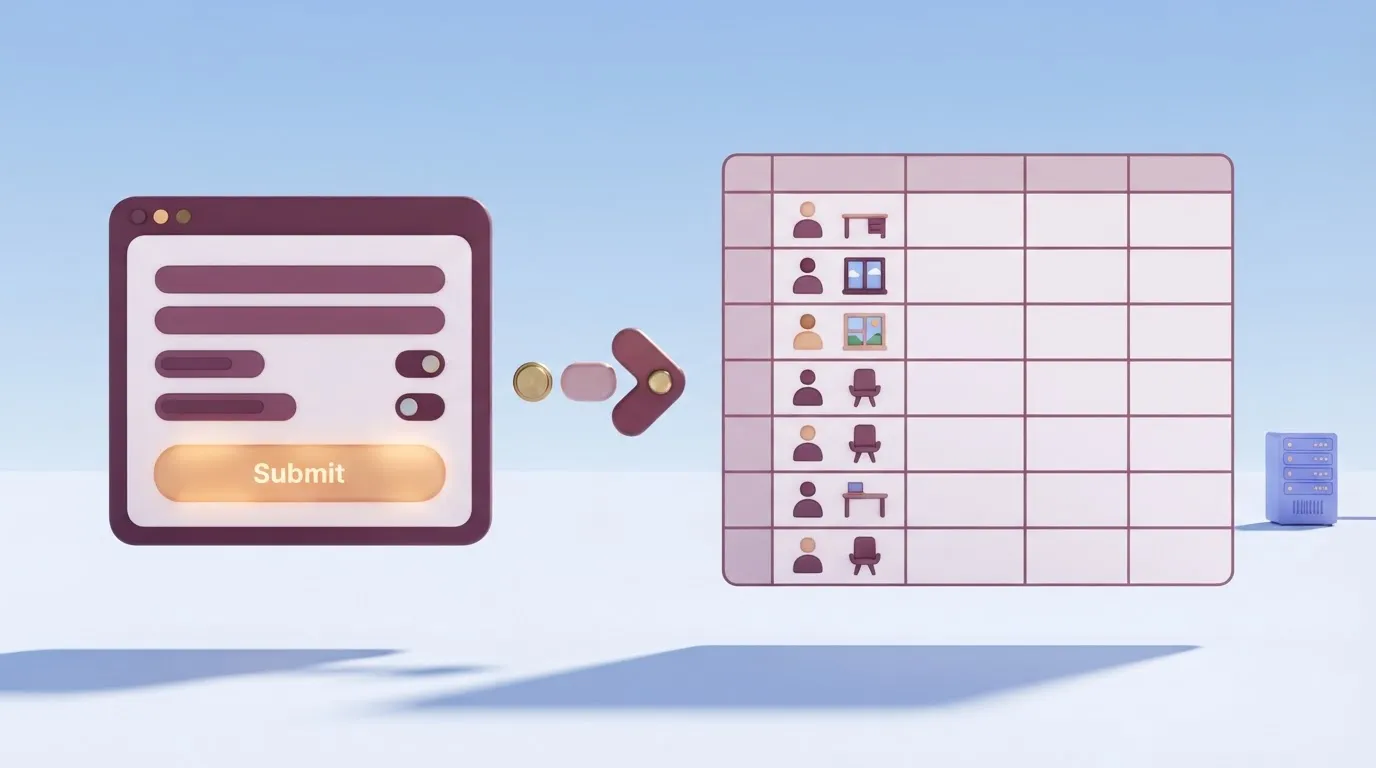
The cost of running those flows is predictable. Activepieces bills 1 credit per flow run however many steps the flow holds, so a request flow with a form, a lookup, a sheet write and a message costs the same as a two-step reminder.
Per-task and per-module billing would charge you for each of those steps, and a team tracking seats and extensions would pay for it every time someone asks.
The core is open source under the MIT licence, and you can self-host it. That matters if your seat and extension records sit next to client files and you'd rather they stayed on your own infrastructure.
Self-hosting means running it yourself, so weigh that against the hosted version, which skips the upkeep. Either way, start with the renewal reminder: it's one flow, and it protects the date that decides your exit.
Frequently asked questions
These are the questions that can still change what a renewal costs after you've sized seats and extensions to real use. For each one, the terms that decide it sit on an Autodesk page, so check that page before you budget around the answer.
Is Fusion 360 still free for hobbyists?
Yes, if your use is non-commercial, Autodesk has a free personal-use license with a reduced feature set. The catch is that the license is defined by what you do with the output, not by who you are.
The moment a part, design or file earns money, you're outside the free tier and into a paid seat. Read the eligibility terms on Autodesk's personal-use page, because the feature limits there decide whether the free tier covers your workflow at all.
Can I pause or cancel a Fusion 360 subscription mid-term?
You can generally stop a subscription from renewing, but you shouldn't assume a mid-term cancellation returns money for the unused months. Treat the paid term as a fixed commitment and the renewal date as your exit point.
Autodesk's cancellation and refund terms spell out the exceptions, so read them before you buy a longer term for a seat you may not keep.
Fusion 360 pricing does differ by country. Autodesk sets prices by region and currency, and local tax is added on top, so a US price you read in a review isn't necessarily your bill.
Resellers can also quote differently from Autodesk's own store. Price the plan from the store page for your country, using the currency and tax treatment shown at checkout.
Do students and educators pay for Fusion 360?
Eligible students and educators can usually get free educational access, but it requires verification and is limited to learning and teaching. It's not a way to run client work at no cost.
If a student starts doing paid jobs, the commercial use puts them back on the same pricing as everyone else. Autodesk's education page lists who qualifies and how verification works.
Can a small business use the startup offer?
Possibly, but eligibility is set by Autodesk's criteria for the offer, and a small business doesn't qualify automatically just by being small. Check the company-stage and revenue conditions on the startup page, then compare the discounted cost against what happens when the offer period ends.
A discount that expires is a lower first bill, not a lower long-run cost, so price the year after it as well.
Related reading
References
Running the numbers
See what the same workload costs here.
Free forever plan, and every paid plan self-hosts at no extra cost.
See pricing Talk to sales