
Automate Cloudflare DNS, WAF, and Workers (2026 Guide)

Nov 21, 202612 min read
Programmatic workflows replace manual dashboard interactions in a modern Cloudflare setup, often utilizing tools like Activepieces to bridge disparate services, to ensure that edge security and performance settings remain consistent across global environments.
By treating the network perimeter as software, teams eliminate the configuration drift that occurs when individual administrators make undocumented changes to firewall rules or page routing.
Cloudflare automation via API and Infrastructure as Code
The shift from dashboard to API-first management
Manual updates become a liability for high-traffic applications because managing a global edge through a web interface introduces human latency and inconsistent state.
When a security engineer modifies a Web Application Firewall (WAF) rule via the dashboard, there is no native version history or peer-review process.
Integrating Cloudflare into existing CI/CD pipelines ensures that teams test and document every change before deployment. Configuration as Code is a requirement for maintaining a defensible security posture against automated threats.
Nanosek illustrates the speed of automated defense with the response to PHP2Shell (CVE-2026-109618), where the gap between public disclosure and protection determined which stacks remained online.
**Configuration as Code is a requirement for maintaining a defensible security posture against automated threats.
10 hours and 32 minutes: that is how far Cloudflare’s automated WAF rule deployment preceded the public disclosure of PHP2Shell, according to Nanosek, giving their customers a vital head start against attackers, giving their customers a vital head start against attackers, as the edge absorbed the initial surge of exploit attempts
This lead time allows organizations to patch internal servers while the edge handles the immediate surge of exploit attempts.
Key automation entry points: API vs. Terraform vs. Workers
Specific automation tools are required for different layers of the Cloudflare stack.
To maintain the source of truth for infrastructure state, teams use Terraform. Teams define DNS records, load balancer pools, and WAF rules in declarative files so they can reproduce or roll back the environment instantly.

Custom logic executes at the edge within Cloudflare Workers, a serverless environment. This is necessary for tasks like dynamic headers or A/B testing that happen too fast for centralized servers to handle.
In Activepieces, the logic governing how these edge tools are called sits in an MIT-licensed core rather than a hidden config panel.
Because the engine is public code, every retry or state change it executes is visible in the monorepo and can be verified directly against the step-by-step trace in the run-details UI.
Prerequisites for secure automated access
A strict identity and access management (IAM) framework is required for automated access to prevent a leaked credential from compromising the edge network.
Instead of using Global API Keys which grant full account permissions, organizations must implement scoped API Tokens that follow the principle of least privilege.
By restricting these tokens to specific zones and permissions, such as "DNS:Edit" or "WAF:Read," administrators ensure that a compromised CI/CD runner cannot delete an entire domain.
IP pinning for API calls ensures that even if an attacker intercepts a token, they cannot use it from an unauthorized network.
This takes minutes, not a project: automate it in Activepieces free.
Deploy edge resources with Terraform and OpenTofu
Teams can treat edge configurations like software when using infrastructure as code. This ensures that teams document, peer-review, and easily roll back every DNS change or security rule.
Authenticating the Cloudflare Provider (Checked May 2024)
Linking your local environment to the Cloudflare API requires a scoped API Token. Secrets stay out of your version control system when you define the provider block in a providers.tf file and reference the token through an environment variable.

Creating your first automated DNS record resource
Routing remains consistent across different environments without manual intervention when you use a version-controlled DNS record. You define a cloudflare_record resource block specifying the zone ID, the record name, and the target IP address.
resource "cloudflare_record" "web_server" {
 zone_id = var.cloudflare_zone_id
 name = "www"
 value = "192.0.2.1"
 type = "A"
 proxied = true
}
The Proxied Status is a boolean value that determines if the record uses the Cloudflare CDN and security features or remains a direct DNS resolution.
Deploying a WAF Rate Limiting rule via HCL
Origin servers stay protected from volumetric attacks by rate limiting rules that restrict the number of requests a single IP address can make within a specific window. In HashiCorp Configuration Language (HCL), you define a cloudflare_ruleset resource targeting the http_ratelimit phase.
resource "cloudflare_ruleset" "rate_limiting" {
 zone_id = var.cloudflare_zone_id
 name = "Restrict excessive requests"
 description = "Apply rate limiting to API endpoints"
 kind = "zone"
 phase = "http_ratelimit"

 rules {
 action = "block"
 expression = "(http.request.uri.path matches '^/api/')"
 ratelimit {
 characteristics = ["cf.unique_client_exp", "ip.src"]
 period = 60
 requests_per_period = 100
 }
 }
}
Matching criteria and the action to take, like issuing a challenge or a block, are included in this block once the threshold is crossed. Because this is defined in code, you can apply the exact same protection logic to your staging and production environments simultaneously.

Verifying the deployment via Cloudflare CLI (flarectl)
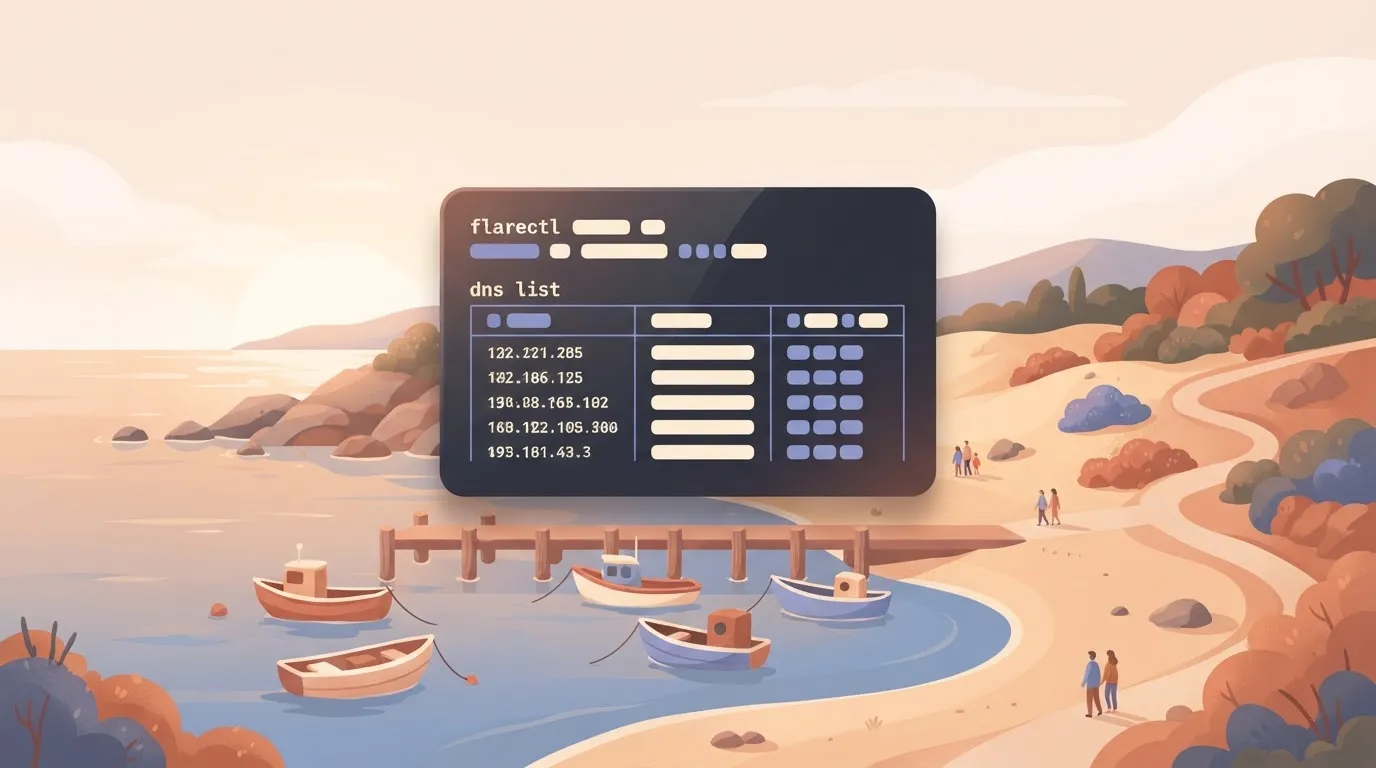
You must confirm the state of the edge using flarectl, the official command-line interface for Cloudflare, after running a terraform apply. By exporting your API Token to the CLOUDFLARE_API_TOKEN environment variable, you initialize the CLI.
Run the dns list command for your zone to see the newly created records. Check the output against your HCL files to ensure the IP addresses and proxy settings match your intended state.
Automate request logic with Cloudflare Workers
JavaScript runs directly at edge locations via Cloudflare Workers, eliminating the logic of routing requests back to a central origin server.
How the Cloudflare Workers fetch event works
The fetch event is the trigger that fires whenever a request hits a Cloudflare data center assigned to your Worker. It acts as the entry point for your code, allowing you to intercept the traffic before it reaches your origin server.
Inside this event, the Request object contains all incoming data, such as the URL, method, and headers sent by the user. The Response object is what the Worker sends back, either by fetching it from the origin or generating it entirely at the edge.

Modifying HTTP headers with a Cloudflare Worker script
Incoming Request objects are intercepted and modified into Response objects by a functional Worker script using the Fetch API. To improve security without touching your application code, you can inject headers like X-Content-Type-Options or Content-Security-Policy directly at the edge.
export default {
 async fetch(request, env, ctx) {
 const response = await fetch(request);
 const newHeaders = new Headers(response.headers);

 newHeaders.set("X-Content-Type-Options", "nosniff");
 newHeaders.set("Content-Security-Policy", "upgrade-insecure-requests");

 return new Response(response.body, {
 status: response.status,
 statusText: response.statusText,
 headers: newHeaders,
 });
 },
};
Deploying Workers with the Wrangler CLI
Wrangler is the official command-line interface (CLI) for Cloudflare Workers, providing the necessary tools to build, preview, and deploy scripts. It is distributed as an npm package and requires a Node.js environment for installation.
You can install the tool globally or run it directly using npm install -g wrangler to prepare your local machine for edge development. Once installed, you use it to manage the lifecycle of your serverless functions through a standardized terminal workflow.
- The sequence begins with
wrangler initto generate the project scaffold. - You then write
worker.jslogic to define how the script handles thefetchevent. - Use
wrangler devfor local testing to simulate the edge environment on your machine. - Finally, run
wrangler deployto global edge to push the script to all Cloudflare data centers simultaneously.
Automating deployments with GitHub Actions
By using the Wrangler Action in a GitHub Actions workflow, you can trigger a deployment every time code is merged into your main branch. A transparent audit log is created within your repository, showing exactly who changed the edge logic and when the deployment occurred.
Local Workers testing with Miniflare and wrangler dev
Miniflare powers the wrangler dev command, providing a local environment that mimics Cloudflare-specific features like KV storage and Durable Objects. Execution errors are avoided on the distributed network by testing first with Miniflare.
You can follow the rest of this with the builder open. Start free, no card.
Building multi-step Cloudflare workflows without custom code
Business logic in external applications is triggered by Cloudflare workflows whenever security or infrastructure events occur. While Workers handle the high-performance request filtering, visual automation platforms bridge the gap between technical logs and the communication tools used by stakeholders.
Connecting the Cloudflare API to Activepieces
A Cloudflare API Token with scoped permissions is required for authentication between the edge and your automation canvas. Once the token is generated in the Cloudflare dashboard, it serves as the bridge for the automation platform to poll for events or push configuration changes.
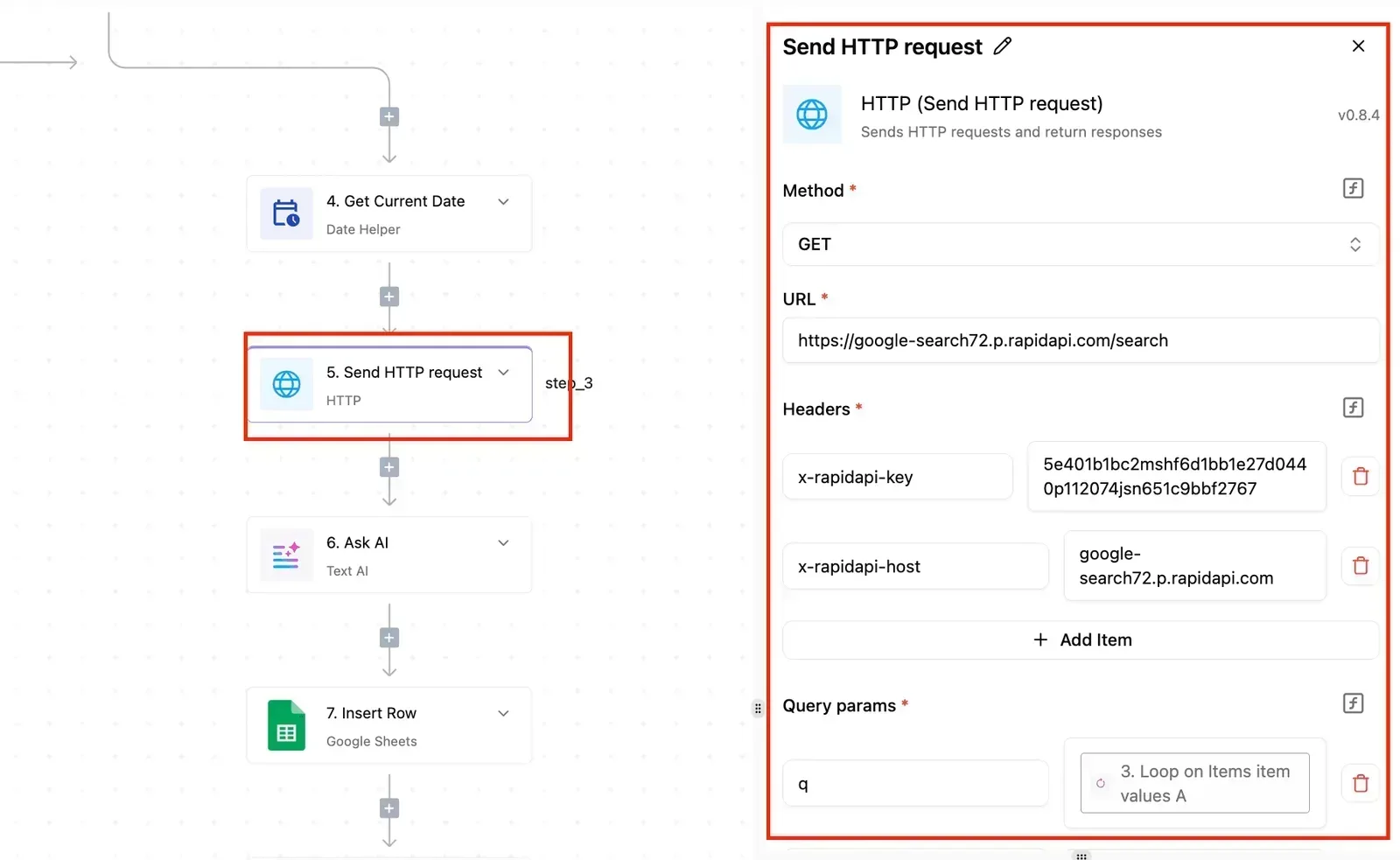
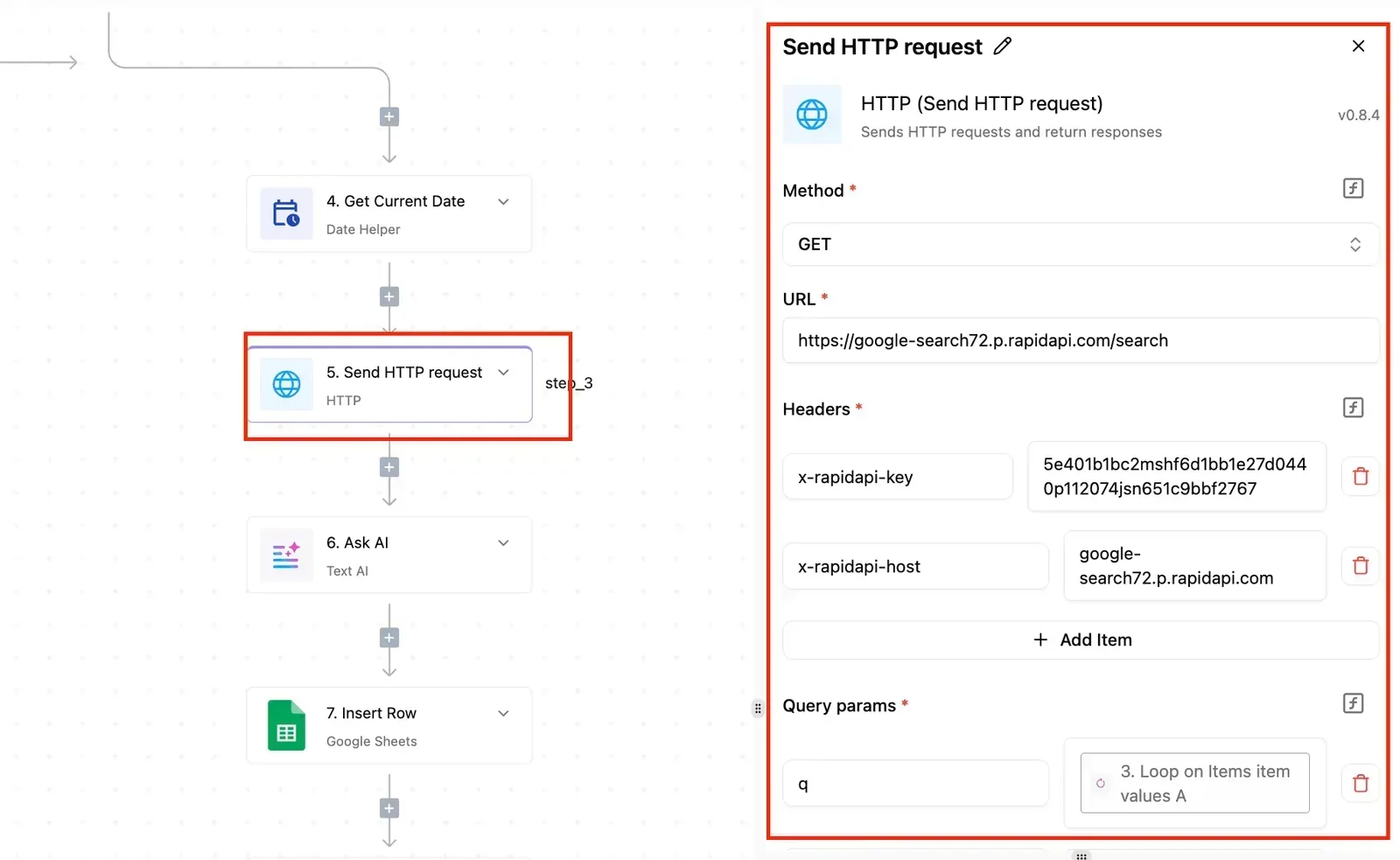
Activepieces uses Git Sync and Release Management to promote these flows from test to production as versioned code, ensuring that any logic interacting with your edge is reviewed and audited.
Automating Slack alerts for WAF security events
Security teams respond to spikes in blocked requests before they escalate into successful breaches by monitoring the Web Application Firewall (WAF) through automated alerts.
By setting a trigger that watches for WAF events, you can format the raw JSON data into a readable summary for a specific team channel.
[SCREENSHOT: A workflow automation canvas showing a two-step flow titled "Payments Notificati..." with a Stripe "Payment Failed" trigger connected to a Slack "Send Message To A Channel" action. The right panel displays the Slack action configuration with fields for Action (Send Message To A Channel), Authentication (slack), Channel (activepieces), and Message (showing a template with payment failure details). The left sidebar shows Run Details with step_1 marked as completed with a 574ms duration. A success notification at the bottom indicates "Run succeeded".]
Companies like MoneyGram and Moneypenny are among the teams that run Activepieces in production.
Logging Cloudflare DNS changes to Google Sheets
A permanent, searchable history for compliance and troubleshooting is provided by logging DNS record updates to a shared document like Google Sheets.
By automating the sync between the Cloudflare Audit Log and a spreadsheet, you create a version-controlled timeline of every IP change and record deletion.
Handling Cloudflare API limits and common automation errors
Respecting the platform’s request ceilings and permission models is essential for Cloudflare automation reliability.
Handling the Cloudflare API rate limit
1,200 requests every five minutes: this is the standard limit Cloudflare enforces for most account types. To prevent this, developers must transition from individual record updates to the Cloudflare Bulk Redirects API or Batch operations.
Failing to monitor this window results in a 429 error on that token or IP, which pauses further requests from it until the retry-after cooldown expires.
Cloudflare API error codes and their meanings
When a script fails, the HTTP status code provided by the API identifies whether the failure is due to traffic volume, credential mismatch, or server-side exhaustion.
| Status Code | Error Type | Description |
|---|---|---|
| 400 | Validation Error | The JSON payload contains a syntax error or an invalid parameter. |
| 403 | Token Permissions | The API token lacks the specific "Edit" or "Read" permission for the resource. |
| 429 | Rate Limit Exceeded | The 1,200-request threshold has been breached. |
| 504 | Gateway Timeout | The Cloudflare edge took too long to respond to the API request. |
Using exponential backoff for Cloudflare API calls
A script waits for progressively longer intervals after receiving an error when implementing exponential backoff. Instead of a "while-true" loop that hammers the API, a robust script uses a multiplier to increase the delay.
Dozens of simultaneous Workers waking up and retrying at the exact same millisecond creates a "thundering herd" scenario, which risks overwhelming the backend infrastructure with a sudden spike in traffic, potentially leading to cascading failures across the entire system, so the stability of the platform is effectively held hostage by the synchronization of these background tasks.
Frequently asked questions about Cloudflare automation
Teams must move away from manual dashboard overrides and toward a codified state to prevent infinite retry loops from degrading edge performance.
How do I automate Cloudflare SSL certificate renewals?
Universal SSL certificates are renewed by Cloudflare by default, but custom certificates require integration with a certificate authority like Let’s Encrypt via the ACME protocol. By using the Terraform provider, you can manage the cloudflare_custom_ssl resource to programmatically update certificate bundles.
Can I automate Cloudflare Tunnel creation via CLI?
Cloudflare Tunnels are best automated using the cloudflared replication controller or Terraform to create secure connections without opening public inbound ports. Injecting secrets into a Kubernetes Secret or a Vault instance is possible once you use the CLI to generate a tunnel credentials file.
What is the best way to automate Cache Purging for CI/CD?
Triggering a "Purge by Tag" request via the Cloudflare API immediately after a successful build is the most reliable method for cache purging. By assigning a Cache-Tag header to your assets, you can clear specific versions of a site without wiping the entire global cache.
Is there a cost for using the Cloudflare API?
No separate fee is charged by Cloudflare for API access, as it is included as a core feature across all plan levels from Free to Enterprise. However, the API is subject to rate limits that vary based on your plan. Provided your logic includes back-off headers to handle rate-limiting responses, automating via the API is a cost-neutral way to increase operational maturity.
Build it
Set this up in minutes.
No code required. Connect your accounts, and Activepieces runs it from there.
Start free Talk to sales