
Azure Virtual Machines Pricing: Types and Costs (2026)

Nov 5, 202616 min read
According to Economize, a D4s v5 Linux virtual machine costs $140.16 a month pay-as-you-go on Azure.
The same machine runs from $29.59 to $86.50 depending on how you commit, so reserving in advance is far cheaper than on-demand, even for teams running scheduled jobs on it, such as workflows built in Activepieces.
Azure Virtual Machines pricing is the total cost of running a virtual machine on Azure: the hourly compute rate plus attached disks, outbound data transfer, software licences, and the billing model chosen, whether pay-as-you-go or a one- or three-year commitment.
Azure Virtual Machines is Microsoft's rented-server service: you pay for compute by the hour, and disks, network traffic and licences are billed separately. Leaving a steady server on pay-as-you-go means paying the highest rate there is.
Pay-as-you-go, Spot, reservations and savings plans compared
Read the table for what each purchase model bills for and what it asks of you. The tradeoff is price against freedom to change your mind.
Figures are monthly Linux prices for a D4s v5, from the Economize pricing page, November 2026. I have no Windows rate to quote, so I leave it out.
| Model | Unit billed | Linux, D4s v5 | Limits |
|---|---|---|---|
| Pay-as-you-go | Per hour of running time | $140.16 | None; stop any time |
| 1-year reservation | Fixed term, one size and region | $86.50 | Locked in for 12 months |
| 3-year reservation | Fixed term, one size and region | $55.36 | Locked in for 36 months |
| Savings plan | Hourly dollar commitment | No figure here | Commitment applies across sizes |
| Spot | Per hour of spare capacity | $29.59 | Azure can reclaim the machine |

Run a machine continuously and the longer term wins: the one-year reservation saves $53.66 a month, and the three-year one saves $84.80, provided you keep the machine running continuously, so if you turn it off, the savings no longer accrue.
Spot is cheapest but suits only work that can restart safely.
Every figure above is for the D4s v5, which has 4 vCPUs and 16 GB of memory, so pricing for other machine sizes would differ from these amounts. Smaller machines cost less, but the gaps between purchase models are the part that carries over.
Azure free account VM allowance and exclusions
A new free account includes 750 hours a month of certain small B-series machines for 12 months, meaning you could run a single small B-series machine continuously at no cost.
Switching off forgotten machines is a chore you describe rather than hire for: tell Activepieces' built-in chat which VMs to deallocate and when, and it publishes a live flow in your account.
That flow is subject to the same RBAC and audit logs as any flow someone wired up manually, and every run leaves a trace anyone on the team can read, no Azure certification needed.
The allowance doesn't cover a D4s v5, so the prices above apply from the first hour.
A real monthly bill for a five-person team
Five lines added together make the bill, and the two app VMs and the database VM are only the first three. Disks, backup and outbound traffic fill out the rest, and they're billed from the first hour.
Sample Azure VM workload and pricing assumptions
Take two app VMs and one database VM, each running all 730 hours of an average month, so nothing's switched off overnight. Add managed disks, backup, and 500 GB of outbound traffic.
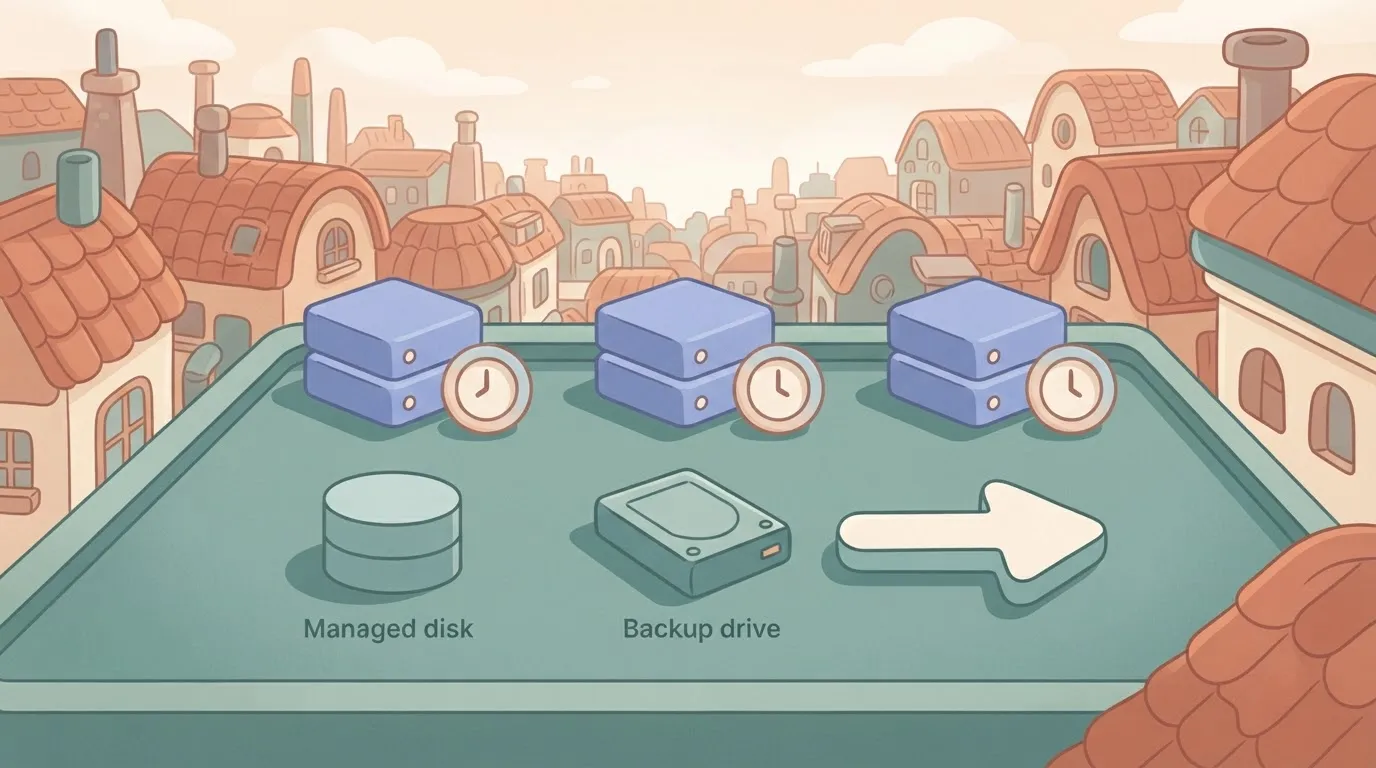
This section prints no dollar amounts because rates differ by region and change, and an invented figure would be worse than none. Take each rate from the pricing page for your region on the day you price it, and write that date beside it.
Under pay-as-you-go, every line is hourly or per-unit, with no promise from you. Multiply each rate by its quantity, then add the lines. This is the flexible price, and you pay it for being free to stop tomorrow.
A commitment trades that freedom for a lower rate on the compute lines. The disk, backup and traffic lines aren't reduced by it. Committing therefore shrinks the VM lines and leaves the rest alone, so the saving is smaller than the headline discount suggests.
To see how each line is built and what the commitment changes, read the table. It shows that the VMs dominate but aren't the whole bill.
| Line item | Rate basis | Pay-as-you-go monthly | One-year commitment |
|---|---|---|---|
| Two app VMs, 730 hours each | Per VM hour | Rate × 1,460 hours | Lower committed rate × 1,460 hours |
| Database VM, 730 hours | Per VM hour | Rate × 730 hours | Lower committed rate × 730 hours |
| Managed disks | Per disk, per month | Same either way | Same either way |
| Backup | Per protected instance and storage used | Same either way | Same either way |
| 500 GB egress | Per GB leaving Azure | Same either way | Same either way |
| Total | Sum of the lines | Add all five | Add all five |
Check the rows marked "same either way" first: each is a cost a commitment can't touch.
If you are running this arithmetic for your own team, see what the same workload costs on Activepieces.
Cut fees and limits affecting Azure VMs
Most of the costs a commitment can't touch sit outside the hourly rate, and six of them catch small teams out:
- A VM shut down from inside its operating system keeps its compute charge until you deallocate it.
- Disks bill for the size you provisioned, and snapshots bill separately.
- A public IP address can bill whether or not anything is using it.
- Outbound traffic beyond the monthly free allowance is charged per gigabyte.
- Windows and SQL Server licences add a per-core charge on top of the compute price.
- vCPU quotas cap how many cores you can start, whatever your budget says.
Stopped VMs, disks and idle IP charges
When you shut down inside the machine, Windows or Linux stops, but Azure still holds the hardware for you and keeps billing.
Only the portal's Stop button, or the equivalent deallocate command, releases it. Skip this and a "switched off" test server costs the same as a running one.
Once a VM is deallocated, its disks stay behind, and you pay for their provisioned size, not the data on them. Old snapshots and unattached disks are the usual leftovers. A static public IP also bills while idle, so delete the ones you aren't using.

Azure VM bandwidth, licence and support costs
Data coming in is free. Data going out to the internet is metered after a monthly free allowance, and traffic between regions is charged too. A backup copied to a second region quietly becomes a recurring line item.
Pick a Windows or SQL Server image and the licence comes bundled into the hourly price. If you already own eligible licences with Software Assurance, Azure Hybrid Benefit lets you apply them and drop that charge.
Check what you own before you pay for it twice.
Basic support is included. Faster response times come with a paid monthly plan, so decide whether you need one before an outage forces the question.
Quotas are set per region and per VM family. You can request an increase, but do it before launch day, not during it.
When reserved, savings plan or Spot beats pay-as-you-go
Commit only to the part of your bill that hasn't moved in months, and leave everything else on pay-as-you-go until it's earned a track record.
A team that signs for three years on a server it replaces in eight months pays for the empty seat the whole way through.
The table below sets the five ways of buying side by side; read it for the trade each one makes between price and freedom.
A team that signs for three years on a server it replaces in eight months pays for the empty seat the whole way through.
| Discount range | Flexibility | Exchange or cancellation rules | Eviction risk | Best-fit workload | |
|---|---|---|---|---|---|
| Pay-as-you-go | None; the list rate | Total | Stop any time, pay only for hours used | None | New, unproven or short-lived work |
| 1-year reservation | Moderate | Tied to a VM family and region | Limited exchange or refund terms | None | Steady servers you're sure of for a year |
| 3-year reservation | Largest of the fixed commitments | Lowest | Same limited terms, over a longer lock | None | Core systems that'll outlive the contract |
| Savings plan | Moderate, a little below a reservation | Spreads across VM types and regions | A committed hourly spend you can't cancel | None | Spend that's steady but whose shape changes |
| Spot | Deepest | Spare capacity only | Nothing to cancel | High; Azure can reclaim the machine | Work that can stop and restart |
Check current percentages and terms on Azure's pricing page before you sign, because they change.
If a database server or file server runs around the clock, a reservation pays. Start with one year. The three-year discount is larger, but you pay for the deepest lock-in with a team whose needs can shift in half that time.
If you resize machines, move regions or expect to retire servers, a savings plan fits better. You commit to an hourly dollar amount, not a specific machine, so the discount follows you.
Commit to your lowest typical spend, not your average, or you pay for hours you never use.
When a stopped job can simply start again, as with report builds, test runs and video conversion, Spot suits. Never put a customer-facing system on it; when Azure needs the capacity back, your machine goes.
Worth checking against a plan that does not meter every step: one credit covers a whole run on Activepieces.
Compare Azure VMs with AWS, Google, and DigitalOcean
With spot capacity ruled out, Azure's ordinary 2 vCPU, 8 GB Linux VM is rarely the cheapest on list price, so this configuration comes at a cost premium. DigitalOcean usually is, and Azure wins mainly when commitments or Microsoft licences enter the bill.
I'm not quoting dollar figures here, because I haven't confirmed any against the vendors' pages and a stale price is worse than none. Take the shape of each bill from the table, then read the live calculator on the day you buy.
The three big providers charge for the machine, its disk and its traffic separately, so the headline rate is only the first line. DigitalOcean folds more of that into one monthly price.
| Provider | Price shape | Billing granularity | Free egress | Commitment discount | Support |
|---|---|---|---|---|---|
| Azure | Separate lines for VM, disk, traffic | Per second on Linux | Small monthly allowance | Reservations and savings plans | Paid plans |
| AWS EC2 | Separate lines for VM, disk, traffic | Per second on Linux | Small monthly allowance | Savings plans and reserved instances | Paid plans |
| Google Compute Engine | Separate lines for VM, disk, traffic | Per second after a short minimum | Small monthly allowance | Committed-use discounts | Paid plans |
| DigitalOcean | One monthly price per server | Hourly, capped at the monthly price | Bundled with each server | None comparable | Basic help included |
Check date: read each vendor's page the day you decide.
Egress is data leaving the provider's network. The big three give a small free amount, then charge for the rest, so a busy site pays more as it grows.
DigitalOcean bundles an allowance with each server, which makes a quiet or steady workload easy to predict.
When Azure is not the cheapest sensible choice
If you run one or two ordinary Linux servers with modest traffic, a flat-rate provider will usually cost less and be easier to budget.
Azure earns its premium when you'll commit for a year or more, already hold Microsoft licences you can reuse, or need Microsoft's identity and management tools next to the servers. Without one of those, you're paying for breadth you won't use.
Cut an Azure VM bill with Activepieces
Machines left running that nobody is using account for most of the waste on a small team's Azure bill. Azure's own tools should catch the first round of it before you add anything else.
Built-in Azure cost controls to enable first
Start with three things that cost nothing extra to turn on. Cost Management budgets let you set a monthly ceiling and send an email when spending approaches it, so an overrun reaches you during the month instead of on the invoice.
Azure Advisor reviews your resources and flags virtual machines that sit mostly idle, which tells you what to shrink or remove.
Auto-shutdown, found in each VM's settings, powers a machine off at a fixed time every day, which stops a test server from billing through the night and the weekend.
Do these first. If the problem is one forgotten machine, they solve it, and you've added no new software to maintain.
Automate Azure VM shutdown and orphan checks
Native controls leave gaps. Auto-shutdown is set machine by machine, so a new VM someone creates next week has no schedule unless they remember it.
Budget alerts tell you that you overspent, not which machine did it. And a deleted VM often leaves its disk behind, still billing.
Activepieces lets you build a sequence of steps on a canvas across its 747 integrations, with unlimited flows on every plan including free, and that is how it fills those gaps, so you can automate your entire workflow without upgrading to a paid plan.
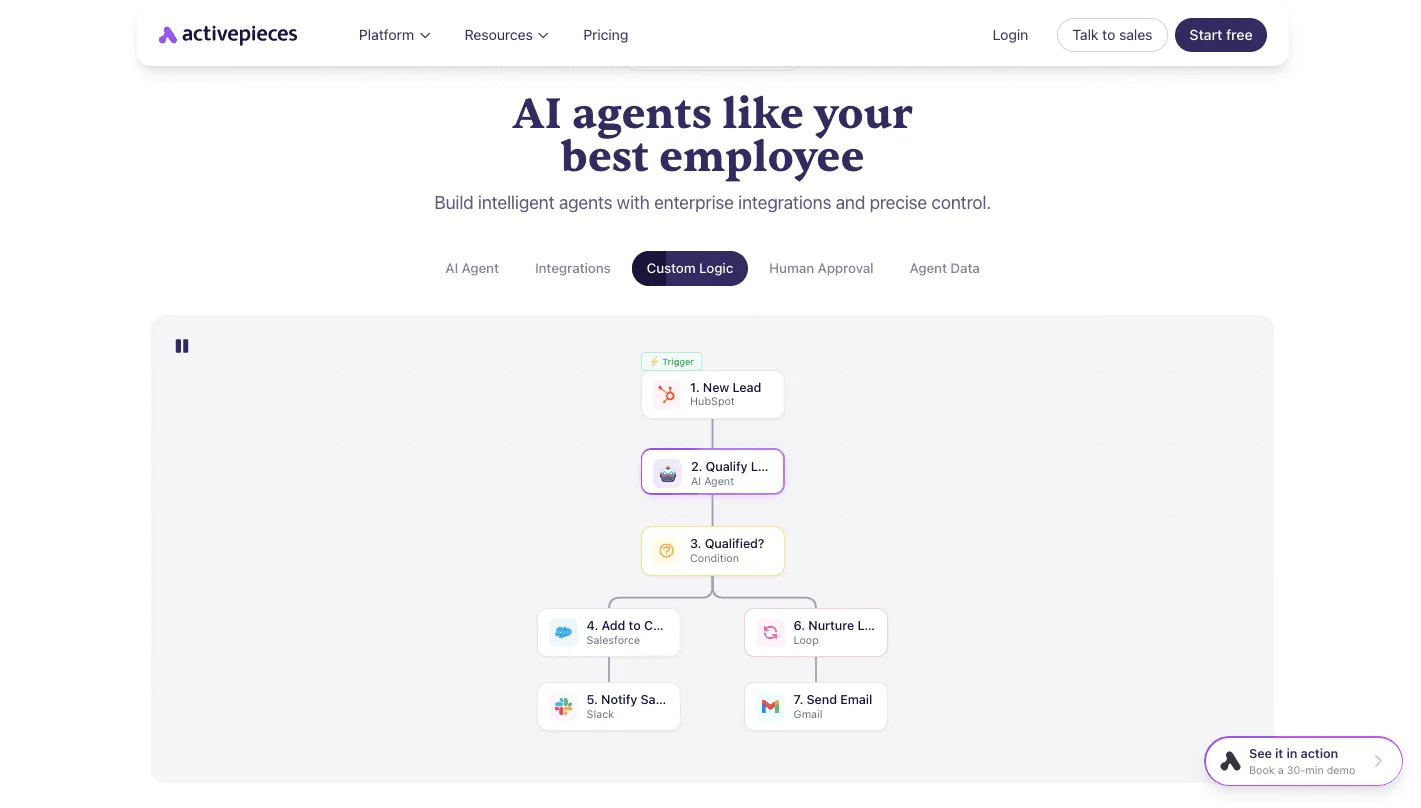
The screenshot below is the vendor's own example, a lead-handling flow, not an Azure one.
It shows a trigger, an AI step that makes a judgment, a yes-or-no condition, and actions that follow. Take from it how the integrations connect, since a cost workflow uses the same parts.
(screenshot)
Built that way, one workflow runs on a schedule, finds VMs carrying a non-production tag, and deallocates them. Deallocating matters: a stopped VM still reserves its compute and keeps billing, while a deallocated one doesn't.
A second workflow lists disks attached to no machine and sends you the list to review. A third sends a budget warning to chat, where your team will see it.
This is housekeeping. It doesn't replace a VM or change what you commit to, and it depends on your tagging being consistent.
What to do when pricing Azure VMs?
Price them in this order, after fixing your tags, because every step leans on knowing which machine belongs to whom. Skip the order and you'll commit money to machines you didn't need to run.
The sequence below puts the cheap, reversible moves first and the one-way commitment last:
- List every VM and its size.
- Run the Azure pricing calculator with your real hours and your real egress (data leaving Azure).
- Deallocate machines that sit idle.
- Right-size with Azure Advisor.
- Set a budget alert.
- Commit only to the baseline after 30 days of data, so the foundation isn't built on what might be opening-week volatility.
Inventory and right-size your Azure VMs
Export the list of machines from the portal and write down the size, the owner and the hours each one really runs. Then price that list in the calculator, adding disks and egress, not just the hourly rate.
A stopped machine still bills for compute until it's deallocated, so shut down through Azure, not from inside the operating system.
To spot machines bigger than their workload needs, use Advisor, Azure's built-in recommendation tool. Treat its suggestions as a starting point and check them against a busy week.
Create a budget on the subscription with alerts at a few thresholds. An alert won't stop spending, but it tells you about a runaway machine or an egress spike while it's a nuisance, not a surprise on the invoice.

Then leave the setup alone for 30 days so you have a record of what you actually used.
Across those 30 days, look at the lowest level of usage that never went away, which means it's your reliable minimum. That floor is what a reservation or savings plan should cover.
Everything above it stays pay-as-you-go, so a quiet month costs you flexibility, not a stranded contract.
Frequently asked questions
Before you budget
Once a team starts committing, a few questions still come up, and each has a short answer.
Figures are left out because Microsoft changes them often; check the Azure virtual machines pricing page and the bandwidth pricing page, as read on 5 November 2026, before you budget.
Stopped machines and the free tier
Does Azure charge for a stopped virtual machine? Only if it's stopped the wrong way.
A VM shut down from inside its operating system keeps billing for compute; one deallocated from the Azure portal doesn't, though its disks and any reserved public address still bill, so a "parked" machine is never free.
Is there a free tier for Azure virtual machines? Yes, for new accounts, and for a limited period. It covers a small allowance of entry-level burstable machines plus starter credit.
Treat it as a way to test, not to run a production workload, because the bill starts the day it ends.
Regions, reservations and outbound data
Are Azure VM prices the same in every region? No. The same size costs different amounts in different regions, and Windows and Linux are priced differently within each.
Picking the cheaper region saves money only if your users and your other services aren't far away, since distance can cost you more in data transfer than the rate saves.
Can I change VM size after buying a reservation? Often, within limits. Instance size flexibility lets a reservation cover other sizes in the same family, and Microsoft has offered exchanges, but its rules on exchanges and refunds have changed over time.
Read the current terms before signing, because a commitment you can't reshape is the one that strands money.
How is Azure VM outbound data billed? Data leaving Azure is billed per gigabyte after a monthly free allowance, and data coming in is generally free.
A team that serves downloads or backs up offsite will see this line grow while the VM rate stays flat.
Related reading
References
Running the numbers
See what the same workload costs here.
Free forever plan, and every paid plan self-hosts at no extra cost.
See pricing Talk to sales