Best Automation Software for Accounting Firms (2026)

Nov 24, 202616 min read
Pick the tool your least technical maintainer can repair in the middle of filing season, then check what it costs at your volume and where client data runs.
Accounting-firm automation is software that moves documents, approvals and ledger entries between your apps on rules you set, without someone retyping them.
Each tool fails differently on a bad day, so the useful question is who opens it when it breaks.
Best automation for accounting firms
- Zapier suits a firm where a bookkeeper or office manager owns the workflows, because the builder is a plain step-by-step list.
- Make suits someone comfortable with a visual canvas who wants to see branching logic laid out.
- Power Automate suits a firm already living in Microsoft 365, where flows sit next to the mailboxes and files they touch.
- n8n suits a firm with a technical person on call, since it can be self-hosted and takes custom code.
- Activepieces suits a firm that would rather describe a process to its built-in chat than hire someone to build it. The chat publishes a live flow, the same kind a builder would assemble by hand, run under the firm's existing RBAC and audit logs, and every run leaves a trace a non-developer can read.
How each tool was checked and on what date
If a plan changed after November 2026, it isn't reflected here, because everything was checked that month against vendor pages only.
The criteria were four: who can fix it without a developer, price at your volume, where client data runs, and whether it connects the accounting apps you already use.
Before committing, confirm your ledger and practice-management apps on each vendor's integrations page, since connector lists change often.
Read the maintainability column first: it predicts who gets the call when a flow stops. The table also shows who each tool is built for and which can be self-hosted.
| Tool | Best for | Non-coder maintainable | Self-hosting |
|---|---|---|---|
| Zapier | Simple app-to-app handoffs | Yes, linear builder | No, cloud only |
| Make | Multi-branch flows | Workable, steeper canvas | No, cloud only |
| Power Automate | Microsoft 365 firms | Yes, inside Microsoft tools | Cloud service; desktop flows run on your machine |
| n8n | Teams with a technical owner | Partly; code nodes are common | Yes |
| Activepieces | Firms wanting own-server data | Yes, step-based builder | Yes |
Price the tool against your own monthly volume on its pricing page, not against a headline plan, because each vendor meters usage differently.
Everything below works on Activepieces' free plan. Start without code or a credit card.
1. Zapier for accounting firms
If your maintainer is a non-coder, Zapier fits: it connects QuickBooks Online, Xero and common document apps. It runs only in Zapier's cloud, and its task pricing rewards checking against your own volume.
Connectors and ease of maintenance
QuickBooks Online and Xero both appear in Zapier's app directory, as do the document and storage apps most firms use for client files.
When a Zap (Zapier's name for one automation) breaks, it usually fails at a named step with a visible error.
Whoever owns the process can open the run history, see which step stopped, and re-run it without reading code. On a busy Tuesday in March, that's the property that matters.
Price and task limits as listed
Count tasks, not records. Zapier meters usage in tasks, and each completed action step in a Zap counts as one. A five-step Zap therefore spends several tasks per client record, so your real volume is higher than your record count.
Look at the Professional entry price to see how little the headline tells you. According to Academy, in January 2024 it was $49 a month, billed annually, for 2,000 tasks.
It's now $19.99 for 750 tasks. Per 1,000 tasks that works out to about $24.50 then and about $26.65 now.
Cheaper to enter, dearer per task: the entry price fell by more than half, but each task costs slightly more. A firm that outgrows the smaller allowance pays more per unit than the older plan charged.
Count tasks from your busiest month, not an average one, and read the current tier on zapier.com/pricing before committing.
Limit and best for
Whenever a Zap runs, client data passes through Zapier's servers, because Zapier is a hosted service only and there's no self-hosted edition. If an engagement letter or a regulator requires data to stay on infrastructure you control, this is a hard limit.
It fits a firm whose maintainer is a bookkeeper or office manager rather than a developer, and whose apps already appear in the directory. The monthly task count has to stay within a tier whose price you have checked.
2. Make for accounting firms
If your maintainer can read a flow diagram and trace a failed run module by module, Make suits you. The firm's apps must be in Make's directory, and its data must be able to live in Make's cloud.
Open Make's scenario builder and you get a canvas:
- each app is a circular module
- lines connect them
- you can open a past run and see what data passed through every module

On a busy Tuesday in March, when a client's invoice never reached the ledger, that matters. The maintainer clicks the failed module and reads the input it received, instead of guessing.
You pay for that in a steeper learning curve than a simple trigger-and-action list. Routers, iterators and aggregators are how you split a batch of invoice lines or merge them back, and a bookkeeper who has never met those ideas will stall.
Check the app directory for your ledger software, document storage and email before committing. Where an app is missing, Make's generic HTTP module can call its API, but that moves the work to someone who can read API documentation.
Price and usage limits as listed
Make bills in credits, and a credit is spent per module action, not per scenario.
A scenario that loops over every line of a bank statement spends credits on each line at each step, so a month-end reconciliation costs far more than the flow looks like on the canvas.

Price it by counting modules times items, not by counting scenarios. Plan prices and credit allowances are on make.com/pricing; read them against your busiest month, not your average one.
When an engagement letter or client contract requires data to stay on infrastructure you control, Make's standard plans don't give you that option, because Make runs in its cloud. The question is settled before price enters.
Make fits a firm with one maintainer comfortable with visual logic, workflows built from apps in the directory, and a credit estimate that survives a loop over real client data.
Microsoft Power Automate for accounting firms
If your firm already lives in Microsoft 365, where the work is Outlook attachments, SharePoint folders, Teams approvals and Excel workbooks, Power Automate suits it. Its licensing is the part most likely to surprise you.
For Outlook, SharePoint, Teams and Excel, the connectors are all standard. The flows most firms start with (file an emailed engagement letter, ping a channel when a folder changes) need nothing beyond the licenses already paid for.
A non-developer can maintain these in the visual editor, and the person who fixes them usually already administers the tenant.
Later, someone adds a connector to a practice-management or payments app, the flow is marked premium, and it stops running for users without the right license. That is where it fails.
Licensing and list price
Read the table for how the four cases separate. The takeaway is that the price follows the connector tier first and the plan type second, so check each flow's connectors before you count seats.
| Apps covered | License needed | Listed price | Who maintains it | |
|---|---|---|---|---|
| Standard-connector flow | Outlook, SharePoint, Teams, Excel and other Microsoft 365 apps | Included with eligible Microsoft 365 plans | No separate charge | Whoever administers the Microsoft 365 tenant |
| Premium-connector flow | Third-party and database connectors outside the standard set | A paid Power Automate plan | Per Microsoft's pricing page | The same admin, now also tracking licenses |
| Per-user plan | Each licensed user's own flows | One license per person who runs them | Billed per user per month | Each flow's owner |
| Per-flow plan (legacy) | Specific flows, whoever triggers them | One license per flow, existing licenses only | No longer sold (removed from the price list February 1, 2024) | A designated owner for that flow |
Because the plans bill differently, a firm with many staff using a few shared flows and a firm with a few staff using many flows land on different plans. Read Microsoft's current pricing page before choosing.
If client data must stay on your own servers, this is the limit: cloud flows run in Microsoft's cloud, in the region tied to your tenant, and there's no self-hosted version.
It fits a Microsoft 365 firm whose maintainer already manages licenses and who can audit connector tiers before each new flow ships.
Easier to see it running than to read about it: set it up free, no card.
3. n8n for accounting firms
n8n suits a firm that has someone technical to build its flows and, if it self-hosts, to keep the server running. A firm without that person is leaning on a tool that wasn't designed for its maintainer.
Visual as it is, n8n expects you to read data as structured fields and to open a failed run to see which step broke. That's comfortable for a developer and slow for a bookkeeper covering on a Tuesday in March.
You can write code inside a step when no ready-made connector exists, and that flexibility is real. The cost is that every custom step becomes something only the person who wrote it can safely change.

Price and self-hosting terms
Cloud pricing by executions
Twelve steps, one run: on n8n Cloud, which bills by executions, meaning whole workflow runs, not individual steps, a flow with twelve steps still counts as one run. That makes long client-onboarding flows cheaper than on tools that bill per step.
Per N8n, Starter includes 2,500 executions a month at €20, and Pro includes 10,000 at €50, both billed annually, so the Pro tier actually costs less per execution. Pro therefore offers four times the monthly executions for 2.5 times the annual cost.
Starter works out to €8 per 1,000 and Pro to €5, so the unit price falls as volume rises. The chart shows both plans by executions included and by cost per 1,000 executions.
For a firm, that means the plan to price is the one that covers your busiest month, not your average one. A deadline-week spike on Starter forces an upgrade, and Pro then costs less per run than the plan you left.
Self-hosting and who maintains it
You can also self-host, under n8n's Sustainable Use License as written on its site. Read its terms on commercial use before running it for client work. Self-hosting keeps client data on infrastructure you choose, but patching, backups and uptime become your job.
The limit is the person. n8n is a good fit when a technically capable maintainer owns the flows and the hosting.
If the person who would fix a broken flow isn't comfortable with data structures and server upkeep, the flexibility goes unused and the maintenance burden is the part you keep.
4. Activepieces for accounting firms
For a firm that wants client data on its own server and a builder a non-developer can open, Activepieces offers an MIT-licensed core you can self-host and a step-based editor, across 750 integrations, though accounting-app coverage should be checked.
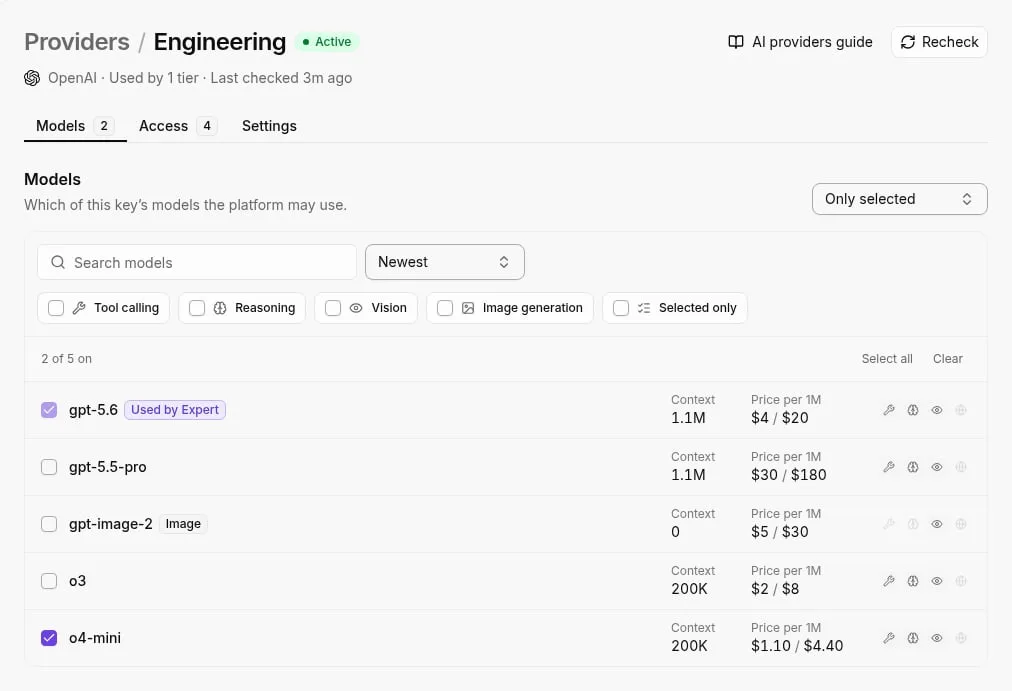
Its coverage of accounting apps is unconfirmed.
Describe a firm's process to its built-in chat and the flow that appears in your account is a live, ordinary one, governed by the same RBAC, audit logs and run traces that cover any flow built by hand.
Every run leaves a trace the person on call can read, so the Tuesday-in-March test is passed without hiring a builder.
Flows are built in a visual, no-code editor: a trigger, then steps in sequence. When something breaks, the person on call opens the flow, finds the step that failed and changes it there. That's the Tuesday-in-March test, and it's the strongest argument for the product.
What I can't confirm is whether it has ready-made connectors for the tax, bookkeeping or practice-management apps your firm uses. It also ships no accounting templates, and it's not a practice-management suite.
Check your specific apps against its integration list before committing. A generic web request step may cover a gap, but it takes more upkeep than a ready-made connector.
Start with the first job a firm would build, because it fits the generic integrations well. This sequence takes a prospective client from form to filed documents:
Nothing here is exotic: each step uses ordinary building blocks, a form trigger, a record write, an email, a file upload and a notification.
The firm's own storage and the staff owner's inbox are the only parts specific to your setup, so a less technical maintainer can follow the whole chain.
Price, self-hosting and limits as listed
If you run the MIT-licensed edition yourself, client documents and records can stay on infrastructure you control, since the core is available in that form. The cost is that someone now owns server upkeep, which is the burden the previous section warned about.
Hosted cloud plans also exist. I'm not reproducing plan prices or task limits here, because I haven't verified them for this article. Read activepieces.com/pricing on the day you decide, and compare the limits against your busiest month.
Skip it if you need a deep, proven catalogue of accounting connectors on day one, or if nobody at the firm will take responsibility for a self-hosted server.
In that case the cloud plan is the fallback, and it gives up the data-control reason for choosing this tool.
Activepieces is the better fit for accounting firms that want to describe a process in plain language and end up with something a non-developer can run and maintain, rather than hiring a builder.
Its built-in chat turns that description into a live, ordinary flow in the firm's own account, governed by the same RBAC, audit logs and run traces as any hand-built flow, so whoever is on call can open it, find the failed step and fix it there.
The comparison leaves one gap open: its coverage of accounting apps is unconfirmed, so a firm that depends on a specific accounting tool should check that before committing.
Automation selection and build costs
Checklist for choosing automation for accounting firms
Pick the tool whose least technical maintainer can open a broken run, read the error and fix it without calling anyone. Then confirm that its price holds at your volume and that client data runs where your engagement letters say it does.
If the cloud plan is the only one that fits your budget, that last check may already have failed, so run it first.
Work through these in order:
- Name the person who will be at their desk when a run fails during filing season. If that person is a bookkeeper rather than a developer, test the tool by having them rebuild one existing flow from scratch.
- Count tasks per month, not workflows. Most hosted tools bill per task or operation, so a flow that touches ten client records per run is ten billable steps, and the bill grows with your client list.
- Find where the data is processed and stored. Tax documents, bank feeds and payroll details should not pass through a region or a vendor your clients have not agreed to.
- Confirm that the apps you already use, such as your practice management system and your document portal, have working connectors. A missing connector means a custom HTTP call, and that's a repair a non-developer won't be able to make.
- Ask what happens when someone leaves. A flow only one person understands is a flow nobody can fix.

What outsourcing a build costs
Price ranges by complexity
Expect roughly $300 to $6,000 per build, depending on how complex the flow is, if you hire an agency to build each workflow; scaling to multiple automations via agencies gets expensive, which means you must pick your highest-priority workflows.
According to 1920 Agency, Beton AI and Navspace, a single workflow costs $300 to $1,000, so a one-step job like filing an emailed invoice is cheap to outsource.
A simple workflow runs $500 to $1,500, which means a short chain, such as intake form to client record to reminder email, can cost about as much as a month of a mid-tier hosted plan.
For a full client setup, expect $1,800 to $4,500, so onboarding a new client type end to end is a project budget, not an expense line. A complex workflow costs $2,000 to $6,000, which means each complex automation is a material investment.
What the price leaves out
Those prices cover the build only. Each time a client portal changes a field or a connector updates, the fix is another invoice unless someone in the firm can make it.
Outsourcing makes sense for a flow you'll build once and rarely touch. For anything that changes every tax season, the cost that matters is the Tuesday repair, and the maintainer you picked in the checklist is the one who pays it.