Claude Fable 5.2 Automation: Setup Guide (2026)

Nov 15, 202614 min read
You hand a task to that model to run on its own, such as sorting messages or drafting replies, and that is Claude Fable 5.2 automation.
Claude Fable 5.2 automation is the practice of connecting that model to a workflow tool, such as Activepieces, so it carries out a repeatable task like sorting messages or drafting replies on its own, within the model's published limits and prices.
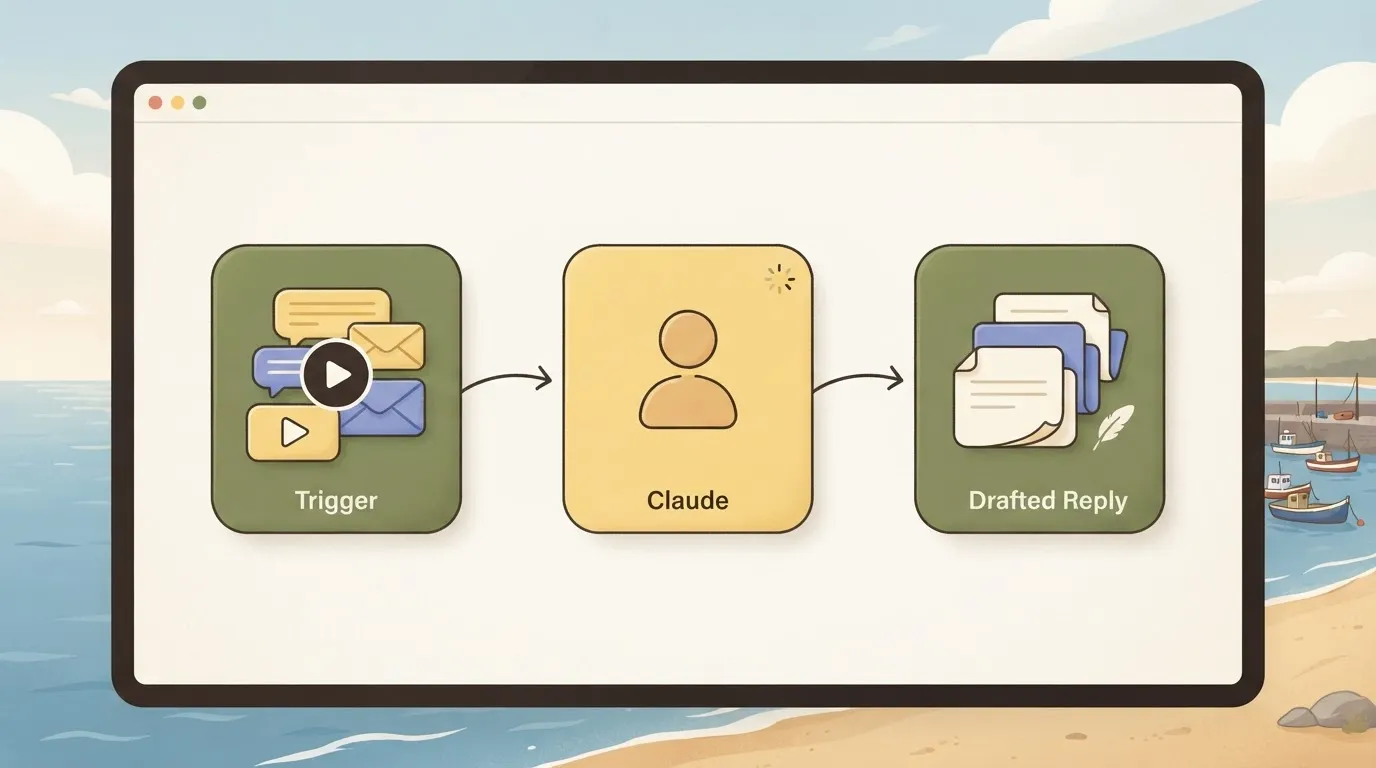
It works only as far as the model's name and limits match what Anthropic publishes, so confirm those first, then pick a route.
A misspelled model name makes every run fail, and you may not notice until someone asks why nothing has arrived in days.
Claude Fable 5.2 automation and the fastest path
Find the Claude Fable 5.2 model name
Open Anthropic's models page and find the exact name you plan to type into your automation. I did this on 2026-11-15, and Claude Fable 5.2's listed there.
Pick the name whose stated use matches your job, because a model chosen for a different purpose will still run, just at the wrong cost or speed.
The table shows the three names most likely to get mixed up and what Anthropic says each is for.
| Model | Anthropic's stated best use | Listed on models page (checked 2026-11-15) |
|---|---|---|
| Claude Fable 5.2 | Demanding reasoning and long-horizon agentic work | Yes |
| Claude Opus 5.5 | Long-running agentic coding and knowledge work | Yes |
| Claude Haiku 5.5 | Fast, high-volume, latency-sensitive tasks | Yes |
Prices and plan limits checked against docs.claude.com and claude.com and openai.com and gemini.google on November 14, 2026.
Read limits and prices on the day you build, not from memory or from an article, this one included.
Pick the wrong route and you rebuild later, because each one trades effort against control.
- A script gives you the most control. It also means you write, host and repair the code yourself, which is a poor fit if nobody on your side reads code.
- A no-code workflow connects steps on a canvas, so you describe what should happen and the tool runs it. In Activepieces, you describe the process to the built-in chat, it builds the flow, and you check that flow instead of assembling it by hand. MoneyGram, Moneypenny, Alan and FundingSocieties run Activepieces in production.
- The Claude apps suit one-off work you do yourself. They don't run on a schedule or react to new emails, so they stop being automation the moment you walk away.
For most readers the no-code route's the shortest path.
This takes minutes, not a project: automate it in Activepieces free.
Set up API key, model ID, first request
Four stages take you from nothing to a working request, and each one leaves something you can test before moving on.
Stage 1: Create an API key in the Console
Sign in to Anthropic's Console, the web dashboard where billing and keys live, and create a key under its API keys page.
Copy it when it appears, because it's shown once, and a lost key means making another. Treat it like a card number: anyone holding it spends your money.
Where it goes is shown in the provider dialog below, from the admin area of an automation tool. It asks for a base address, already filled in, and a masked key field, with Anthropic listed behind it next to its own Enable button.

Stage 2: Copy the model ID exactly
Open the Console's models page and copy the ID of the model you want, character for character. For Sonnet 5.5 that's claude-sonnet-5-5.
When an ID is guessed or half-remembered, it comes back as an error, or worse, quietly points at an older model than you meant to pay for.
The display name's for people; the ID's what the system matches.
Stage 3: Send one request and read the response
To make a first request to the Messages API, you need three body fields.
They're model (the ID from stage 2), max_tokens (a cap on how long the reply may run, which also caps what one call can cost) and messages (the conversation so far, starting with your question).
Alongside those fields, send two headers: x-api-key carries your key, and anthropic-version pins the API version so behavior doesn't shift under you.
Read the reply for the text inside its content, and for the stop reason. If it says the cap was hit, the answer was cut off and your limit was too low.
Stage 4: Add a system prompt and structured output
Without a system prompt, each call drifts and you tidy the output by hand afterward. It's a standing instruction sent with every request: who the model's acting as, what it must never do, what shape the answer takes.
Ask for a fixed shape, such as JSON with named fields, and show one example of it. Then run the same request several times. If the shape holds, the next step can read the output without a person checking each one.
Stages 5 and 6: run Claude from a trigger in Activepieces
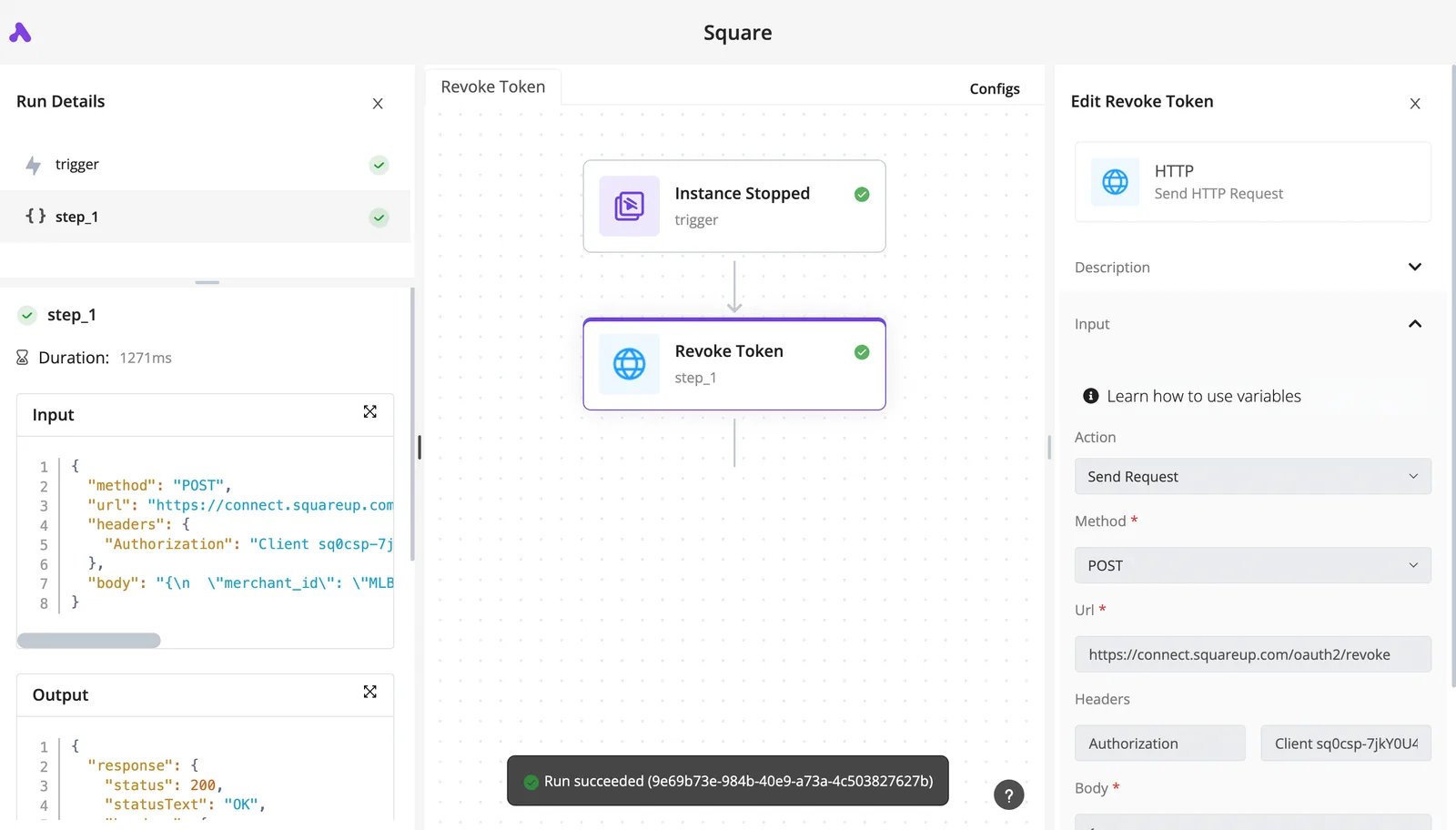
Let Activepieces run it once the output shape holds: its Claude step is one of 750 integrations counted in an MIT-licensed open source core, so the integrations you build with are public.
A trigger starts the flow, a Claude step makes the call, and an action writes the result where your team already looks. Doing nothing means someone pastes into a chat window every morning, forever.
Read the table for who has to babysit the thing afterward, because that is the cost people forget. It compares three ways to run the same job.
| Setup time | Maintenance | Cost control | |
|---|---|---|---|
| Scheduled script | Longest: you write it and find somewhere to run it | Yours: every API change and failed run lands on you | Strong, if you code limits in |
| No-code tool (Activepieces) | Short: you assemble steps rather than write code | Low: the tool hosts the run and shows its history | Moderate: you set the model per step, and a run is 1 credit however many steps it has |
| Claude apps | Almost none | Manual: a person starts each run | Weak: nothing runs unattended |
For most readers the no-code row wins. Next, the two stages.
Stage 5: Add the trigger and the Claude step
Describe the job to Activepieces' built-in chat in plain words: "when a new row appears in this sheet, send the text to Claude and return a summary." It publishes a live flow in your account, the same kind of flow you would have built by hand, with a row trigger, a Claude step and an output action you can open one by one.
Flows are unlimited on every plan, including free. Each run also leaves a run trace listing what every step did, so you check the steps rather than assemble them.
Confirm three things on the Claude step: the model ID, the prompt you tested earlier, and the API key connection. For Sonnet 5.5 the ID is claude-sonnet-5-5.
Which model you choose sets the bill. Per Anthropic's pricing page, one call costs $0.00045 on Haiku 5.5, $0.009 on Sonnet 5.5, $0.018 on Opus 5.5 and $0.036 on Fable 5.2, making Haiku accessible for high-frequency use.

Run it a thousand times and the bill is about 45 cents on Haiku, $9 on Sonnet, $18 on Opus and $36 on Fable, so model choice materially affects cumulative cost at scale.
Picking the heaviest model for a simple sorting job costs eighty times more than Haiku for the same result.
Stage 6: Send the result somewhere and test the run
Add a final action that writes the output to a Google Sheet row or posts it to a Slack channel, the team chat where people will notice a bad result.
Picking the heaviest model for a simple sorting job costs eighty times more than Haiku for the same result.
Then run the flow once on a real input and open the run trace. It shows what each step received and returned, so a wrong answer points to a specific step instead of a mystery.
Test with three or four ugly inputs, not one clean one. Only then switch the flow on.
You can follow the rest of this with the builder open. Start free, no card.
Understand Fable 5.2 limits, settings and pricing
Before the flow runs unattended, confirm these numbers: Fable 5.2 takes a 1M-token context, returns up to 128K tokens per reply, and costs $8 in and $40 out per million tokens.
Read the table for each setting, where it was read and when; "not stated" means the page gave me no figure, and you shouldn't assume one.
| Setting | Value | Source | Check date |
|---|---|---|---|
| Context window | 1M tokens | Anthropic models page | 2026-11-14 |
| Max output | 128K tokens | Anthropic models page | 2026-11-14 |
| Price per MTok (input/output) | $8 / $40 | Anthropic pricing page | 2026-11-14 |
| Tier 1 rate limits | 4,000 RPM / 500K ITPM / 100K OTPM | Anthropic rate-limit page | 2026-11-14 |
| Batch pricing | not stated | Anthropic pricing page | 2026-11-14 |
| Prompt caching | not stated | Anthropic pricing page | 2026-11-14 |
| Spend limits | not stated | Anthropic rate-limit page | 2026-11-14 |
Context is rarely the problem: one million tokens is roughly a few thousand pages, enough that a workflow rarely runs out of room. The 128K output ceiling is the tighter limit, because a long report that needs more has to be split across calls.
Fable 5.2 price per million tokens
When a short question gets a long answer, the bill grows, because output costs five times input. Fable 5.1 cost $10/$50, so 5.2's 20% cheaper.
Next to Fable 5.2, Opus 5.5 at $4/$20's half the price and Sonnet 5.5 at $2/$10's a quarter, so you're paying a premium for hard reasoning.
Skip that premium on simple jobs. Batch and caching rates aren't stated here, so don't count on discounts until you've read them.
At Tier 1, 4,000 requests, 500K input tokens and 100K output tokens per minute are the ceilings.
One maximum-length reply of 128K exceeds a full minute's output allowance, so set a lower output cap per call or the flow'll stall. Spend limits aren't stated; set your own alert.
Effort's the dial. On VulcanBench, Fable 5.2's coding score runs 91.92 at low, 92.25 at medium, 92.76 at high, 93.25 at extra-high and 93.85 at max. That's under two points from bottom to top, so max effort buys little for most automations.


Start at low or medium and raise it only if the results demand it.
Fix common Claude API errors
When a Claude call fails, the cause is usually a wrong model name, a bad key, a rate limit or a reply cut short, and only some of them are worth retrying.
Retry only the busy-signal errors; the rest need a person to change something. The table shows each documented error, what causes it, and whether the workflow should try again.
| Error type | Cause | Fix | Retry in workflow |
|---|---|---|---|
| 400 invalid_request_error | Malformed request or bad field | Correct the request body | No |
| 401 authentication_error | Missing or wrong key | Replace the key | No |
| 403 permission_error | Key lacks access to the resource | Use a key with access | No |
| 404 not_found_error | Model name or resource doesn't exist | Copy the name from Anthropic's models page | No |
| 413 request_too_large | Request body over the size limit | Send less content | No |
| 429 rate_limit_error | Too many requests or tokens | Wait for the retry-after time | Yes |
| 500 api_error | Fault on Anthropic's side | Wait and try again | Yes |
| 529 overloaded_error | Service temporarily overloaded | Wait and try again | Yes |
| stop_reason max_tokens | Reply hit your output cap | Raise the cap or ask for less | No |
Set the retries on the three "Yes" rows and route everything else to an error branch that alerts you, so a stuck run never loops quietly.
A 400 means the request itself is malformed, and retrying sends the same mistake again, so fix the request instead.
On a 401, the key's missing, mistyped or revoked; on a 403, the key's real but isn't allowed to do what you asked. Neither fixes itself, so send both to the error branch and alert someone.
When a 429 arrives, it comes with a retry-after instruction, and your workflow should wait that long before trying again.
A 529 means the service's busy, so wait and retry. Cap the number of attempts, because endless retries during an outage pile up work you'll have to clean up later.
When a reply stops with max_tokens, it looks like a success but ends mid-sentence, so downstream steps may act on half an answer. Check the stop reason after every call, and raise the output cap or shorten the request when it appears.
Frequently asked questions
Copy the name exactly from Anthropic's models overview page into your workflow. A misspelled name fails the call outright, and you pay for the hour spent hunting the cause.
Can I use Claude Fable 5.2 automation without writing code?
Yes. A visual workflow builder lets you describe the process in plain language and then shows you the flow it made. You don't write the steps, but you still check them.
Read the model name, the output cap and the retry settings in the finished flow, then run it once and read the trace. Skipping that check means you find the mistake on a real customer's record.
How much does automating with Claude Fable 5.2 cost?
You pay per unit of text sent and received, and the rate depends on the model. On the day you build, the cost's whatever Anthropic's pricing page lists for Fable 5.2. Input and output are priced separately, and long answers cost more than long questions.
Run the workflow often and it multiplies whichever rate you picked.
Separate from price, rate limits by account tier are another question, and the table above lists the Tier 1 limits. Read your own tier on Anthropic's rate limits page before you plan volume.
Do I need a Claude subscription as well as an API key?
No. A chat subscription and API access are separate products with separate billing, and a workflow calls the API.
The key comes from your developer account, and the usage it generates is billed there. Paying for a chat plan doesn't cover automation, and having an API key doesn't give you the chat plan.
Store the key in your workflow tool's credential or secrets feature, never pasted into a step or a shared document, because anyone who sees it can spend your money.
How do I stop a workflow from running up a large bill? Set limits in three places:
- Set a spending limit on your Anthropic account, so a runaway loop hits a wall.
- Cap the output length on each call, and check the stop reason as described above.
- Cap retries and loop counts inside the workflow, and review the run trace after the first few live runs.
Doing nothing here is the expensive option, because an unattended loop bills you every minute it runs.
Related reading
References
Build it
Set this up in minutes.
No code required. Connect your accounts, and Activepieces runs it from there.
Start free Talk to sales