
Clay API: Documentation, API Keys, and Webhooks (2026)

Nov 24, 202614 min read
You push rows into a Clay table through a webhook and send enriched rows back out through an HTTP API column, which is a pattern you can also wire up with an automation tool like Activepieces on either side.
It's not a general endpoint where you submit a lookup and get an answer.
The Clay API is the set of webhook and HTTP interfaces that let you send rows into a Clay table and pull enriched rows back out to your own systems, rather than a general-purpose endpoint for running enrichment lookups on demand.
When rows stop arriving, whoever owns the integration gets paged, so they need to know which direction each integration runs. Status as of checked 2026-11-24.
Understand Clay API access scope
What the Clay API is, in one definition
In practice, "the Clay API" is two mechanisms on a table: a webhook that accepts incoming records and an HTTP API column that calls an endpoint you choose.
I couldn't confirm the scope of a separate public or enterprise API from Clay's documentation on this date, so treat it as unconfirmed. If your design depends on it, get the answer from Clay in writing before you build.
Webhooks in versus HTTP API column out
Data enters through the table's webhook, from a CRM, a web form or a Google Sheet. It leaves through an HTTP API column that posts each enriched row to your own endpoint.
The takeaway is that Clay sits in the middle and your systems sit at both ends.
Two ownership questions follow. If the webhook rejects a request, the failure shows up on the sender's side, not in Clay.
If your endpoint is down, the failure lands in a column on a row in Clay, where nobody watches overnight unless you set that up.
If the webhook rejects a request, the failure shows up on the sender's side, not in Clay.
Activepieces covers that sender side without anyone being hired to build it: type "post each new CRM row to this table's webhook" into its built-in chat and it publishes the flow into your account, the same artifact a builder would have assembled by hand.
It sits under the same RBAC and audit logs as every other flow, and each run leaves a trace that whoever is on call can open and read when a request is rejected.
MoneyGram, Moneypenny, Alan and FundingSocieties run Activepieces, though the shape of Clay's API stays the same.
Which plans include API access
I couldn't confirm from Clay's documentation, as of checked 2026-11-24, which plans include table webhooks, the HTTP API column or any public API. Don't assume your current plan covers all three.
Before committing, ask Clay which plan covers each mechanism and what the per-table limits are.
Everything below works on Activepieces' free plan. Start without code or a credit card.
Get your API key and authenticate
To make the first authenticated request you need a Clay table with a webhook source, the URL that source generates, and the auth token sent in a request header.
Create all three under an account the named owner controls, not a contractor's login, because the token lives and dies with that workspace.
Create a table and add a webhook source
You can't call Clay cold. Every request lands in a table, so the table comes first. Create a table in the workspace the owner administers, then choose Add source and pick Webhook.
If Webhook is missing from that list, your plan is the likely reason. Settle that with whoever holds the billing relationship before anyone writes code, because the failure otherwise shows up as a missing feature, not an error message.
Copy your Clay webhook URL and token
Once the source exists, Clay shows its unique webhook URL and an authentication token in the webhook source panel. Copy both into your secrets store, not a ticket or a chat thread.
The URL identifies one table. A second table gets a second URL, so a pipeline feeding several tables carries several URLs.
Send the token in the x-clay-webhook-auth header, with the token as the value and nothing prepended to it. If the panel shows a different header name in its own example, trust the panel. Post a small JSON body to the URL with that header.
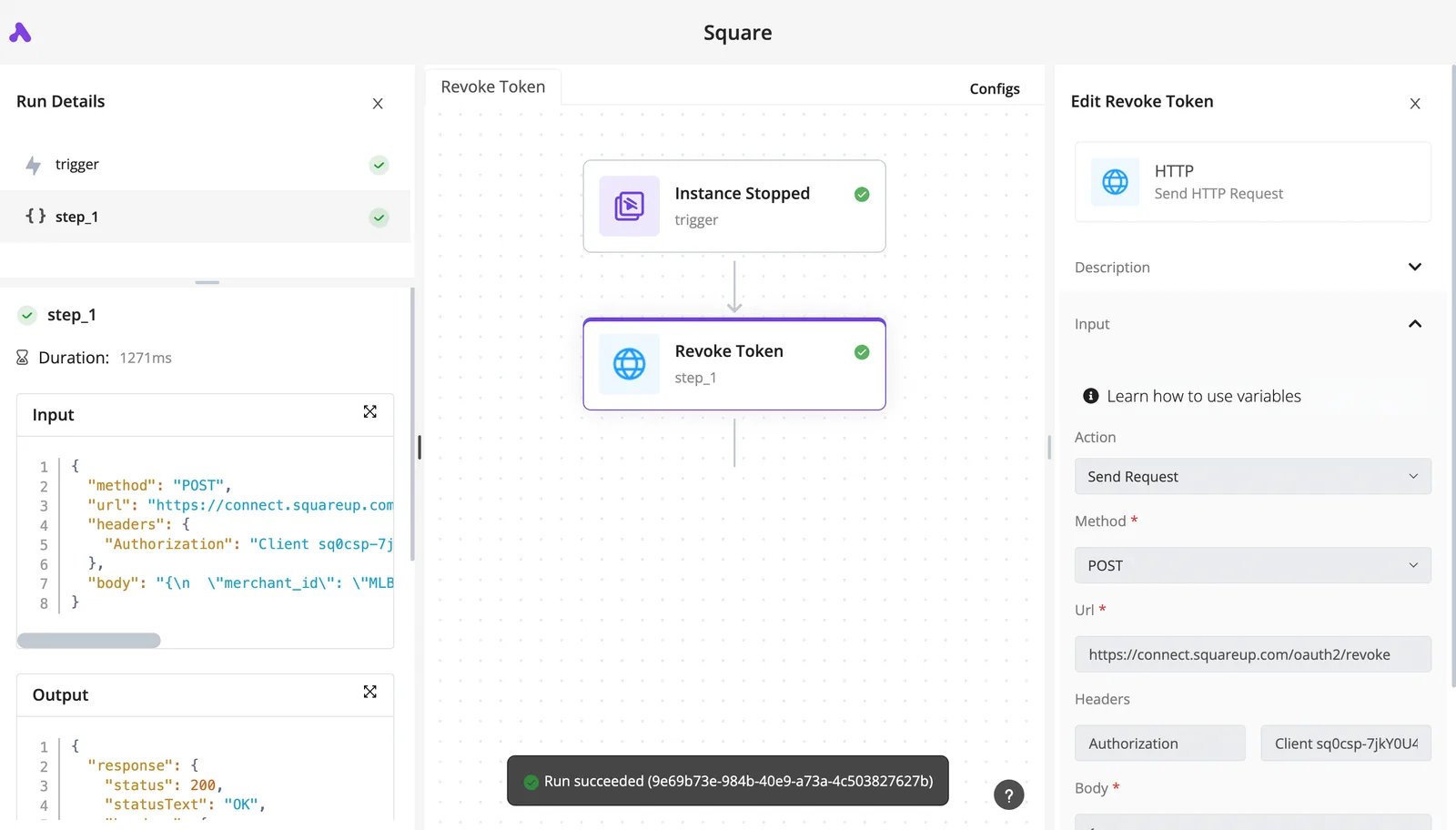
When the call succeeds, you get a success status, and the row appears in the table within moments.
Look at the run record below: the input shows a POST carrying its authorization header, and the output returns a 200 with an OK status. Check for the same pairing on your own first request.
Don't read a 200 as more than acceptance: the table took the row. It doesn't mean enrichment has finished. That result comes back later, through the webhook step that sends rows out.

Check workspace settings for Clay API keys
Not every credential lives on the table. Some access is set at the workspace level. Open the workspace settings screen and look for an API or key section. What appears there depends on your plan, so record what you see and what you don't.
If a workspace-level key exists, note who can view and rotate it, and write that person's name beside the table's token in your runbook.
Send your request to create a row
Send one curl POST of a flat JSON record to the table's webhook URL and you get one row. Run it under a credential whose owner you can name before the first test, not after the first failure.
POST one JSON record to the table webhook
Copy the webhook URL and the token from the table's webhook source panel and keep both in environment variables, not in the command history. Send one object with a few flat keys:
curl -X POST "$CLAY_WEBHOOK_URL" \
 -H "Content-Type: application/json" \
 -H "x-clay-webhook-auth: $CLAY_WEBHOOK_TOKEN" \
 -d '{"company_name": "Example Co", "company_domain": "example.com"}'
The auth header carries the token you copied from the source panel. A successful response only tells you the record was accepted. It doesn't tell you enrichment has run, so the table is where you confirm the result.
Map fields to columns
Open the table. One new row should be there, with each JSON key becoming a column of the same name. That's the mapping: your key names are the contract.
Rename a key in your sender later and the table grows a new, empty-looking column while the old one stops filling. Keep keys flat and stable, and have whoever owns the sender write them down beside the webhook URL.
Return enriched data to your own endpoint
Don't look for results in the response to your POST. They leave the table afterward, when you add a column that sends the finished row to an HTTP endpoint you control.
That means you need a receiver that is up when the enrichment finishes, and someone on call for it.
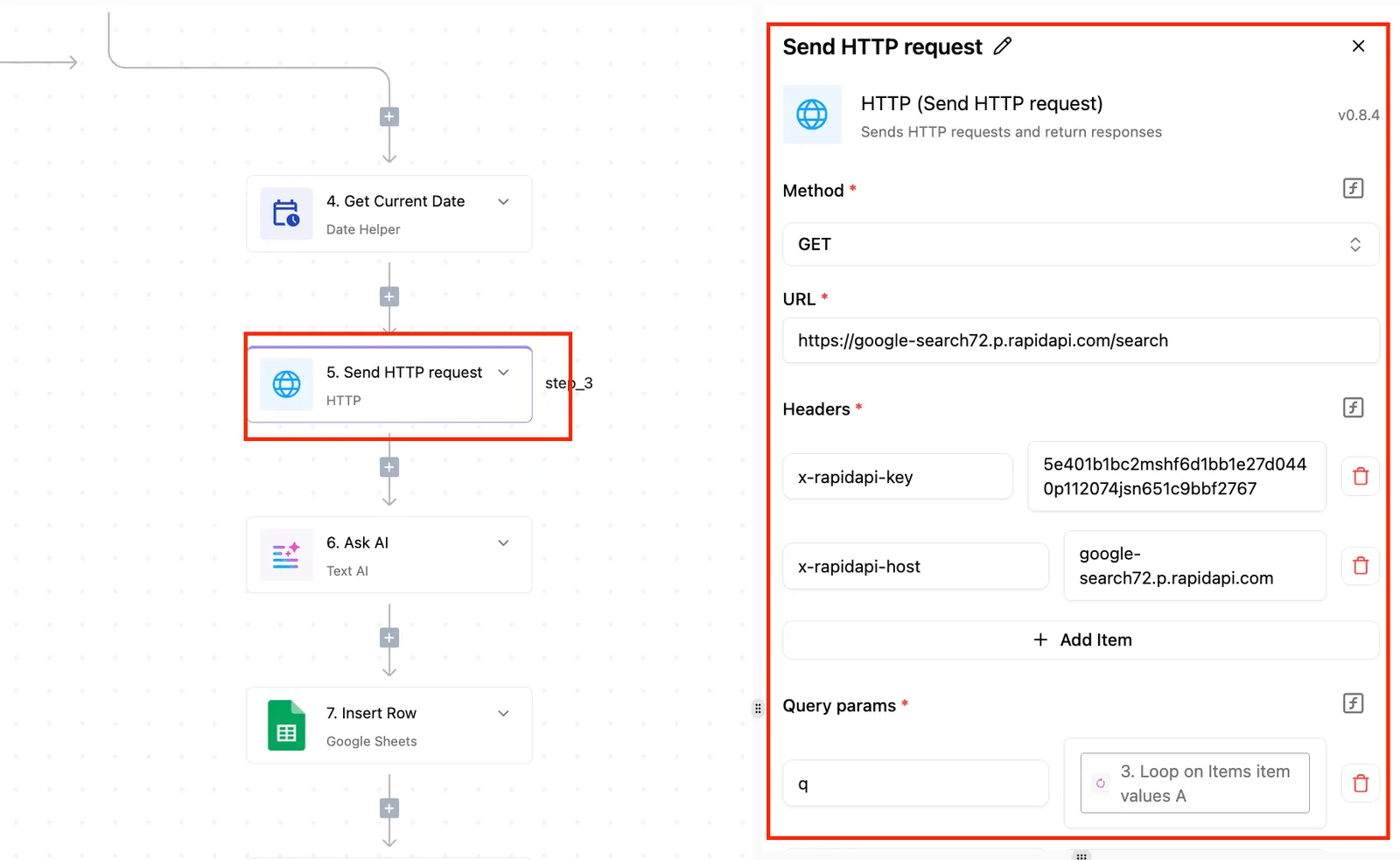
In the canvas below, a sender-side workflow of the kind that feeds this table reads rows from a Google Sheet one at a time, loops over them, and passes each to an "Ask AI" step running a Perplexity model (sonar-pro).

Its prompt asks for product, industry, target audience, company size, location and value proposition.
Take from it that the sending workflow, the Clay table and your receiving endpoint are three separate things, each with its own failure point and its own owner.
Until you've seen one record go out, one row appear with the right columns, and one enriched payload arrive at your endpoint, you haven't tested the integration.
Easier to see it running than to read about it: set it up free, no card.
Review Clay API pricing and rate limits
On Clay's published plan prices, Free is $0 a month, Launch is $185 and Growth is $495. API access is gated by plan, so confirm it in Clay's docs before you build.
The table below shows what each tier publishes, and the gaps tell you what to ask Clay before launch.
| Plan | Webhook/API access | Data Credits | Actions | Rows per table | Webhook rate | Source | Date |
|---|---|---|---|---|---|---|---|
| Free | not published | 100 | 500 | not published | not published | Clay | 2026-11-24 |
| Launch | not published | 2,500 | 15,000 | not published | not published | Clay | 2026-11-24 |
| Growth | not published | 6,000 | 40,000 | not published | not published | Clay | 2026-11-24 |
| Enterprise | not published | 100,000+ | 200,000+ | not published | not published | Clay | 2026-11-24 |
Before a 2am page decides it for you, someone must answer every blank in that table in writing.
Understand Data Credits versus Actions in Clay
A Data Credit pays for an enrichment lookup, such as finding an email, a phone number or a company record from a data provider.
An Action is one run of a column or step on a row, so a table with four columns can spend four Actions on every row.
Clay's plan page doesn't say whether an inbound webhook row consumes either meter. Plan as if each row could cost an Action, and test with a handful of rows while you watch both balances.
That is also why Growth's higher price per credit is headroom. You're buying more of both meters each month, not cheaper ones, so if your volume fits inside Launch you're paying for capacity you won't use.
Compare Clay plan price per Data Credit
Launch gives you 2,500 Data Credits for $185, about $0.074 each, so to participate you need $185 upfront. Growth gives 6,000 for $495, about $0.083 each.
The larger plan is the more expensive way to buy Data Credits, so you're paying for headroom and access, not a discount.
Actions run the other way: 15,000 on Launch and 40,000 on Growth work out to roughly $0.012 each on both, so the plan choice barely changes action cost.
Webhook and table limits by plan
Free allows 100 Data Credits and 500 Actions. If each inbound webhook row costs one Action, a single test batch of 500 rows ends your month.
Clay didn't publish webhook request rates for any tier in the source above. Treat them as unknown, and have whoever owns the integration get them confirmed in writing, because a limit you discover in production is an outage.
Test what happens when Clay credits run out
At zero credits, Clay's plan page doesn't say what happens, so don't assume rows queue, fail loudly or retry. Test it on Free, where 100 Data Credits run out fastest, and record whether your sender gets an error or silence.
Then name one person who owns the credit balance and the alert on it.
Handle Clay API errors properly
You'll meet a short, documented set of errors, and each one pages somebody, so decide now who that is. Everything here is limited to what Clay's docs and changelog state; where they're silent, the gap is flagged for Clay support rather than guessed at.
Fix Clay API authentication failures
When you get a 401 or 403, the token was rejected. The usual cause is a bad, expired or mis-copied token, or one the workspace's plan doesn't cover.
The fix is to confirm the token against the one issued for that table or workspace, then check that your plan includes the access you're using.
If you see a 404, the URL usually points at a table or endpoint that no longer exists, so re-copy the address from the table itself.
Rate limit and retry handling
If you get a 429, you're sending faster than your workspace is allowed, and the response carries a Retry-After header. Wait for the interval it states instead of retrying immediately, and add backoff so that parallel workers don't all return at once.
Payload, row and timeout limits
When a 422 comes back, look at your request: invalid JSON, or a missing Content-Type header. Validate the body and set the header to JSON on every call.
Separately, Clay documents a ceiling on payload size and a cap on rows per table. An oversized request should be split into smaller ones. A full table won't accept more, so archive or start a new table before the cap, not after.
Any timeout figure you've seen for Clay's HTTP column is unverified, because it isn't confirmed in what we reviewed. Confirm it with support.
Avoid duplicate rows in Clay webhooks
We found no documented idempotency key for webhook sends. Assume a retried request can create a second row, particularly after a 429 or a network timeout where you never saw the response.

Give every record a stable identifier of your own, send it with the data, and deduplicate on it in the table or downstream.
Call Clay endpoints without code using Activepieces
Without code, Activepieces can push rows from your CRM, a form or a sheet into a Clay table's webhook, and that's the whole of its honest fit here. It sends data in; Clay still does the enrichment, spends the credits, and decides what comes back.
If you own the check on what Clay accepts, you also own the workflow that feeds it, so name the person who gets paged when it stops.
Send rows to a Clay webhook from a workflow
Build the flow as a fixed sequence, because each step depends on the one before it.
- Set the trigger to fire on a new CRM row or a new form submission.
- Describe the flow in the built-in chat and let it assemble the steps. The catalogue stands at 750 integrations, every integration is usable as an AI tool, and if a system has no integration you can generate one with AI and add it privately to your own instance, so you're not waiting on a Clay-specific one.
- Tell it to POST to the webhook URL from your Clay table.
- Add the authentication header, if your table's webhook is configured to require one.
- Map the JSON body, one key per column you want Clay to receive.
- Set retries on the step.
- Add a failure alert that reaches a named person.
Keep the body keys identical to the field names your Clay table expects. A renamed column in the CRM that silently maps to nothing is the most likely way this flow looks healthy while enriching empty rows.
Handle failures and retries
Retry only for transient faults, such as a timeout or a brief error from Clay's side. A malformed body or a rejected credential will fail every attempt the same way, so retrying it only delays the alert.
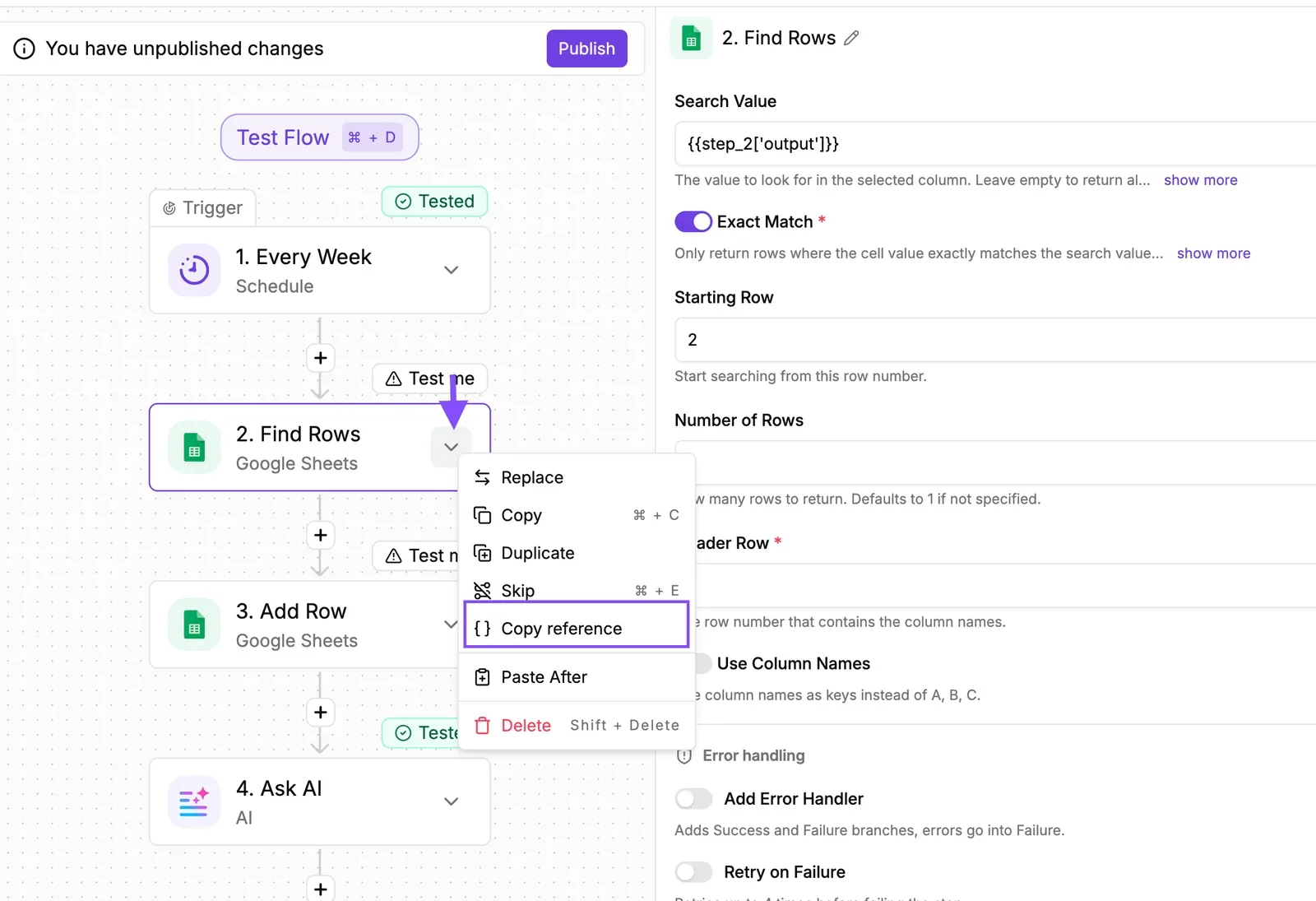
Send the alert on the final failure, include the row identifier, and route it to a channel a specific person reads, not a shared inbox nobody owns.
Also decide in advance what happens to the rows that failed. If nobody replays them, they never reach Clay, and the gap shows up later as leads that were never enriched.
Set up Clay API and webhooks next
Start with the plan, because webhook and API access to Clay is gated by plan and your table has its own limits. Check both in your workspace before you build anything.
Then send one test row through the whole flow and confirm it lands in the table with every field populated. Last, switch on the failure alert and write down who receives it. A flow with no named owner hasn't been finished.