
Lever API: Rate Limits and Webhooks (2026 Guide)

Nov 1, 202614 min read
When a sync built on the Lever API fails at 2am, whoever created its key is the person who gets paged. Decide who owns that key before you write any code.
The Lever API is a REST interface to the recruiting data in your Lever account.
It exposes opportunities, candidates, postings, interviews and feedback over HTTP, and it can notify your systems of changes through webhooks.
Calling it is simple, whether from scripts or from Activepieces, which has 746 integrations and an HTTP step that reaches any Lever endpoint, which means your existing tools are almost certainly already integrated. Keeping it working under load is the hard part.
Lever API access and key ownership
API key versus OAuth
If your own team owns and runs the integration against a single Lever account, an API key suits it. OAuth suits a product that acts on behalf of many customers' accounts, because each customer grants access and can revoke it.
For an in-house sync, the key is the simpler choice, and it makes ownership plain: one key, one named owner.
Ask a Super Admin first, because only a Super Admin can create a key, in Lever's settings. Record the key's owner at that moment, not during an incident.
Lever API sandbox and production keys
You will not read production data with a sandbox key, because a key belongs to the account that issued it. Test against the sandbox, then issue a separate production key and treat each as its own credential with its own owner.
The access facts, checked on 2026-11-01 against Lever's developer documentation:
- Creating a key requires a Super Admin in Lever settings.
- Use an API key for an internal integration and OAuth for a multi-customer product.
- Store the key in a secrets manager, never in code or a repository.

This takes minutes, not a project: automate it in Activepieces free.
Lever API endpoints and the data they expose
Lever has two APIs, a public Postings API for job listings and an authenticated Data API that holds candidate records, and the second is where sync jobs get someone paged.
The Postings API needs no authentication to read published postings, can read postings and submit applications, and typically serves career-site job lists and apply forms; it documents postings only.
On the other side sits the authenticated Data API, which needs an API key or OAuth, can read and write, typically feeds syncs to an HRIS, warehouse or ticketing system, and documents opportunities, contacts, stages, feedback, offers, users and webhooks.
Build a sync on the Postings API alone and it will quietly miss everything after the application, because that API can't see a candidate's stage, feedback or offer.
Contacts, opportunities and webhooks
When an applicant returns, they have one contact and several opportunities, because a contact is the person and an opportunity is one candidacy for that person.
Jobs that treat "candidate" as a single record duplicate people or merge histories.
Poll, and you ask repeatedly and spend rate-limit budget on empty answers, while webhooks push changes such as stage moves as they happen. Webhooks can still arrive more than once, so the receiver must tolerate duplicates.
When a write fails midway, two systems can end up disagreeing, and not every resource in the Data API accepts writes. Confirm each endpoint's write support in the current docs before a job depends on it, and note the date you checked.
Lever API pricing and rate limits by plan
Whoever is paged when a sync stalls will find no per-call price and no plan-based limit in what I could verify.
The only figures are 10 requests per second sustained, 20 in bursts, and 2 per second for application POSTs, which means POST-based requests are rate-limited to a fifth of the general sustained rate.
I found no published per-request price, and nothing that ties API limits to a plan. Treat cost per unit as unknown until Lever gives you a figure in writing.
Documented rate limits
None of these figures appears on Lever's own pages. They come from APIs.io, a third-party directory of API rate limits, which makes them leads to verify, not commitments. The table gives each figure with its source and check date.
| Item | Figure | Source page | Check date |
|---|---|---|---|
| API cost per unit | not published | not published | not published |
| Sustained rate | 10 requests/s | apis.io/rate-limits/lever/lever-rate-limits/ | 2026-11-01 |
| Burst rate | 20 requests/s | apis.io/rate-limits/lever/lever-rate-limits/ | 2026-11-01 |
| Application POST cap | 2 requests/s | apis.io/rate-limits/lever/lever-rate-limits/ | 2026-11-01 |
| Plan differences | not published | not published | not published |
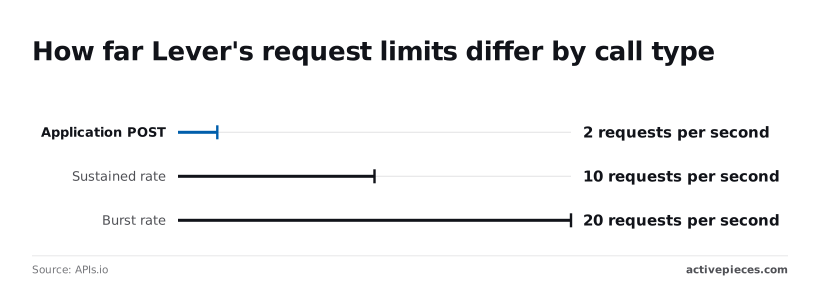
According to Apis, a job that sustains 10 requests per second can only borrow up to 20 briefly, so you cannot rely on the burst capacity to sustain traffic above 10 requests per second.
A backfill that pushes past 10 for long will start receiving rejections.
The 2 per second cap on application POSTs is the tighter constraint: a bulk import of 1,000 candidates takes at least about eight minutes, however fast everything else runs.
Ask Lever for cost per unit and plan differences in writing, and record who at your company owns that answer.
A minimal working Lever API request
Whoever owns that answer also owns the key. Start with a request that reads and changes nothing: a GET on the opportunities endpoint, with the API key as the Basic auth username, a blank password, and a limit on page size.

Lever API cURL request with authentication
curl -u "$LEVER_API_KEY:" \
 "https://api.lever.co/v1/opportunities?limit=$PAGE_SIZE"
Leave the colon off and curl prompts for a password, which hangs a scheduled job with nobody watching. The colon after the key is the blank password.
Keep the key in an environment variable, never in the command text, so it stays out of shell history and logs.
Lever API response format and pagination
When a call succeeds, you get an HTTP success status and a JSON body shaped like this:
{
 "data": [],
 "hasNext": true,
 "next": "opaque-token-string"
}
data holds the records. When hasNext is true, pass next back as the offset parameter on the following request.
Treat the token as opaque: don't parse it or build one yourself. A loop that ignores hasNext silently syncs only the first page, and nothing errors to tell you.
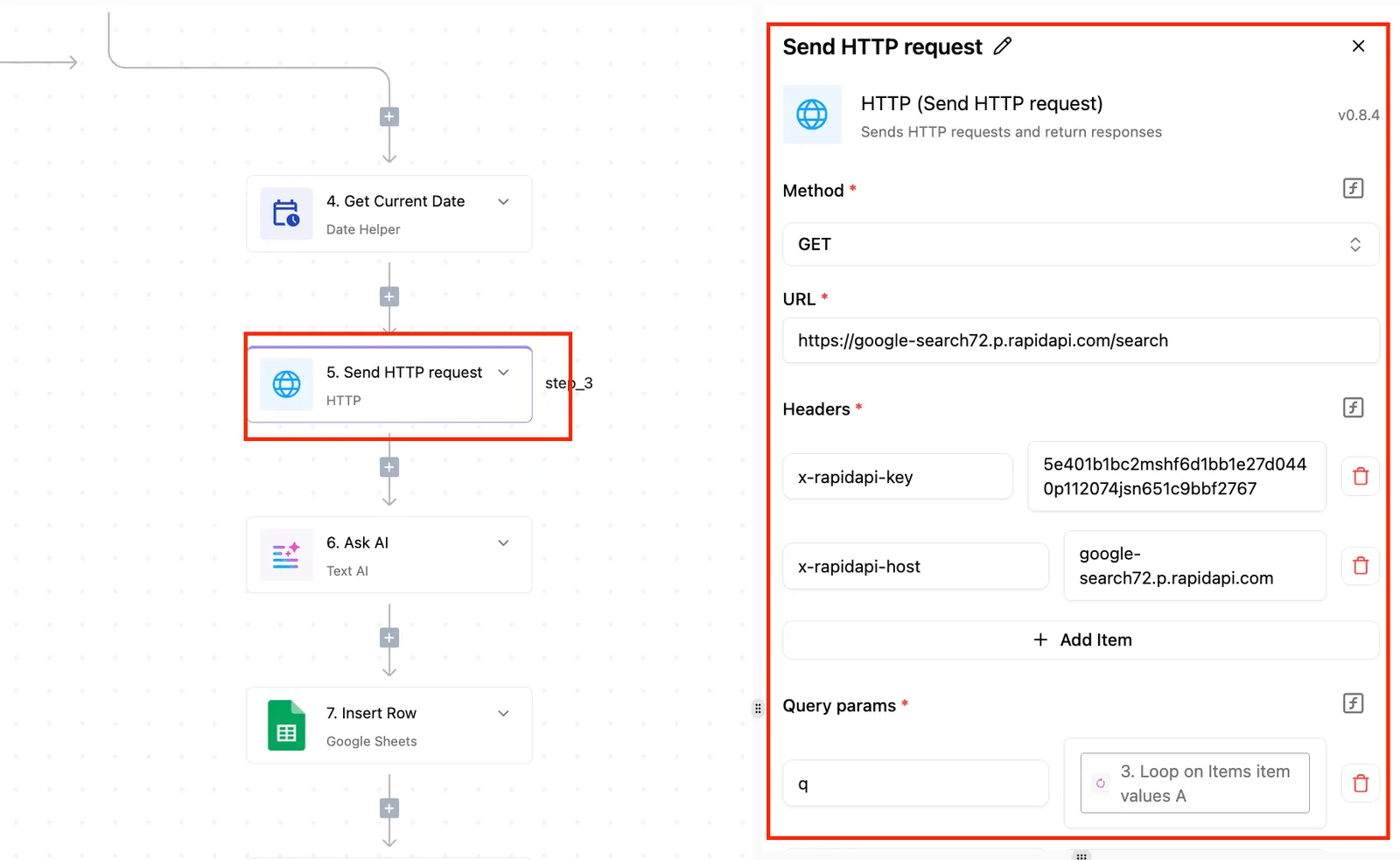
For each call, the run trace should record both the request and the response. The trace below, from a different service's call, shows a completed run with trigger and step both marked successful, the recorded input, and an output carrying a success status.
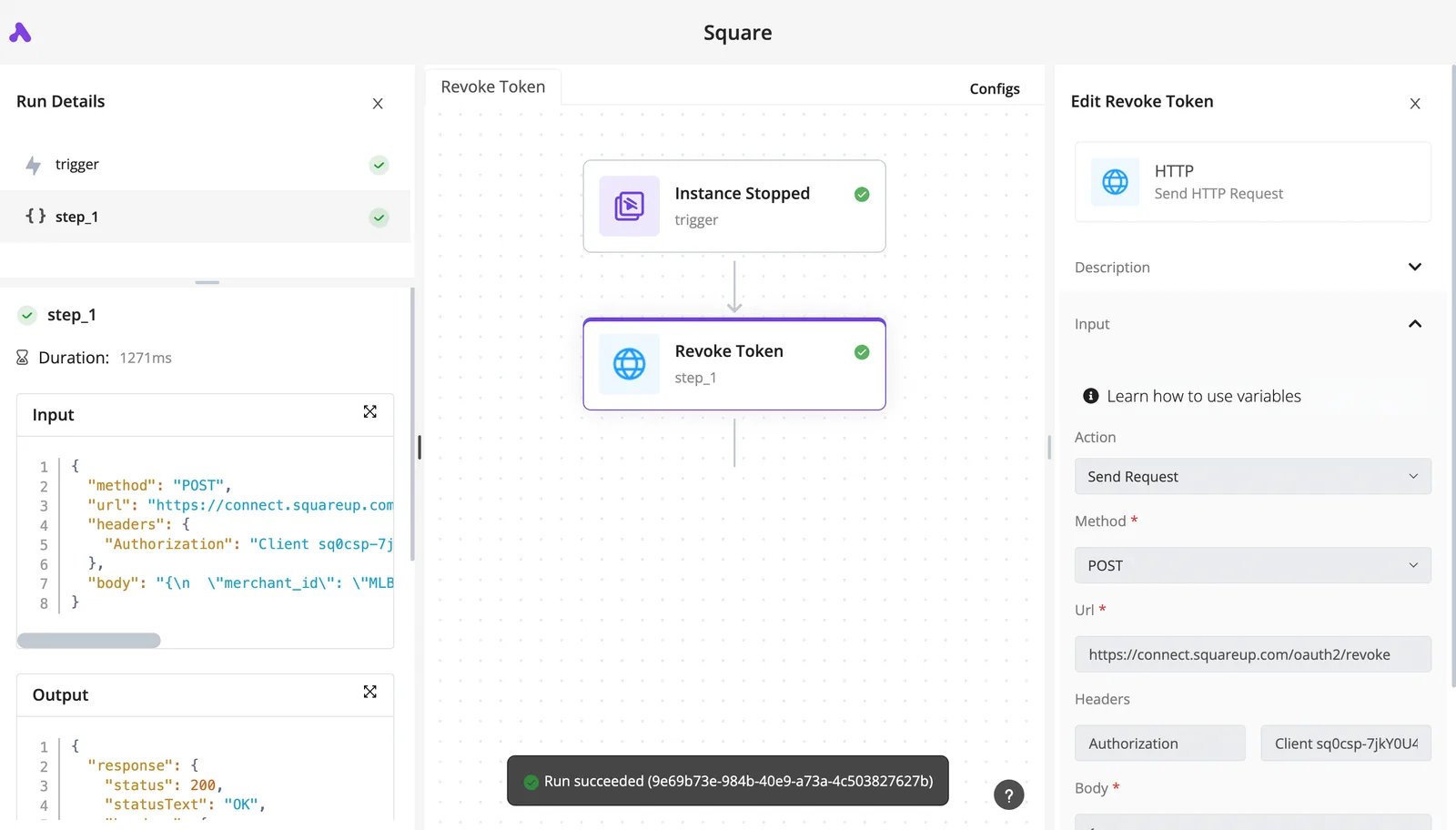
That's the evidence you want for every Lever call, since "it returned data" isn't proof the job finished.
Activepieces produces that kind of trace without code on your side: describe the Lever read in its built-in chat and what it publishes is a live flow in your account, with a run trace for every run recording the request and the response.
That flow runs under the same RBAC and audit logs as one someone assembled by hand.
MoneyGram, Moneypenny, Alan and FundingSocieties run Activepieces in production, and its MIT-licensed open source monorepo holds 746 integrations under packages/integrations/community on GitHub, so whether a native Lever connector exists is answered by that directory listing.
Make the first write against a test record that you created and can name, never against live candidates. Send one request, read the response, and confirm the change in Lever's interface before repeating it.
Don't retry a failed write until you know whether it landed, because a blind retry is how duplicates start.
You can follow the rest of this with the builder open. Start free, no card.
Lever API errors and limits that break production
Four failures account for most 2am pages: a permission gap, a rate limit, half-finished pagination, or a duplicate webhook.
**Don't retry a failed write until you know whether it landed, because a blind retry is how duplicates start.
The table lists every failure mode we track, with its cause and the fix; retrying fixes only two rows, and the remaining failures require their specific remedy, which means most failures can't be fixed by simply retrying.
| Status or symptom | Cause | Fix |
|---|---|---|
| 400 | Malformed or invalid payload | Fix the input; do not retry |
| 401 | Bad or expired credentials | Rotate the key; alert the owner |
| 403 | Key lacks permission for the resource | Widen scope deliberately; do not retry |
| 404 | Record archived, deleted or wrong ID | Reconcile against a fresh listing |
| 429 | Request rate too high | Backoff, then resume |
| 5xx | Server-side fault | Backoff with idempotent upserts; retry guidance not found |
| Duplicate webhook delivery | Same event delivered more than once | Idempotent upserts keyed on event ID; retry guidance not found |
| Expand bloat | Over-broad expand parameters | Request only needed fields; reconcile |
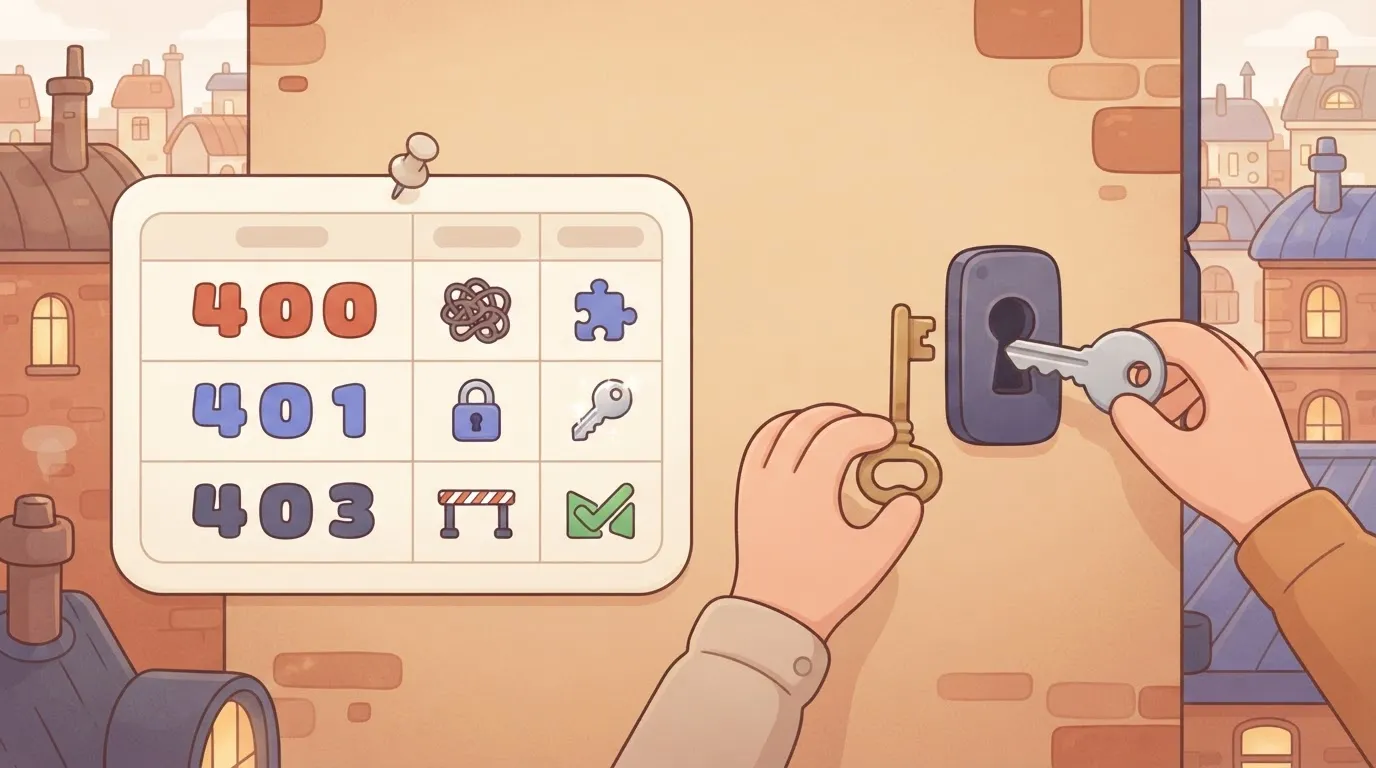
Retrying will not heal a 401 or a 403. A 401 means the credential's dead, and a 403 means it works but can't reach this record. Route both to whoever owns the key, not to a loop.
On a 429, back off, then resume from where the job stopped. A job that restarts from the beginning after a 429 spends its limit re-reading data it already has.
When a sync stops mid-listing and records success, it has silently dropped the tail. Save the position only after a page is fully written, and run a periodic reconciliation to catch what incremental sync missed.
Treat every webhook delivery as possibly repeated. Upsert on a stable identifier so a second copy changes nothing.
Fix Lever API sync jobs with Activepieces
If the work is receiving Lever webhooks or calling Lever endpoints over HTTP and passing stage changes to Slack, a spreadsheet, an HRIS or a CRM, Activepieces fits the job.
A run costs 1 credit however many steps it has, and the Free plan carries 1,000 credits a month with unlimited flows, so splitting the sync into small, separately traced steps adds nothing to the bill.
Once the second copy's harmless, the next question's who owns the machinery that delivers the first one.
When a workflow tool beats custom code
When a hand-written sync fails at 2am, the person paged is usually the one who wrote it, or nobody.
A flow in Activepieces puts each step, its retry behavior and its recorded run in one place that a successor can open and read without reading source.
That's the case for it: ownership transfers by inspection.
Check the community directory of the Activepieces monorepo for a native Lever connector before you start; roughly 60% of its 746 integrations were contributed by the community, so the listing is the quickest answer.
If it does, use it; if not, the HTTP step calls any Lever endpoint, and you verify the endpoint and its limits against Lever's own dated documentation, not a blog post.
Webhook-to-action pattern for Lever events
The event then fans out to Slack, a spreadsheet, the HRIS and the CRM. A nightly reconciliation run feeds back into the same flow, catching events that never arrived.
Take this from it: the flow is the single place where verification, retry and fan-out happen. Each destination step should upsert on the stable identifier, so a retried delivery changes nothing.
When something breaks, the run trace shows which step failed and with what payload, which is the first thing an on-call person needs.
Write code when the transformation is heavy, when a destination has no usable API step, or when your organisation can't host or approve a workflow tool and its credentials store.
Also skip it if nobody is named to own the flows. A visual flow with no owner fails exactly as quietly as a script with none.
Monday checklist for a Lever API integration
Name one person who gets paged when the Lever sync stops, and do the six steps below in this order, because each one assumes the one before it's finished.
Before the first call
- First, create a dedicated key with minimal permissions. Issue it for this integration alone and grant only the scopes the job reads or writes. A shared or broad key means a leak, or a bug, reaches far more candidate data than the job ever needed.
- Second, test in a sandbox. Run the full process against non-production data, including a deliberately interrupted run. Whatever breaks there costs you an afternoon, where in production it costs you duplicated or missing candidate records.
- Third, re-read Lever's rate-limit and changelog pages, and record the date you read them. Trust only Lever's own documentation. Limits and behaviours change, so a dated note tells the next person whether your assumptions are current or simply old.
Before go-live
- Fourth, add backoff and logging. Retry rejected requests with increasing delays, and log every call, status and retry. Without the log, a throttled night looks identical to a quiet one, and nobody finds out until a recruiter asks where a candidate went.
- Fifth, use webhooks plus a nightly reconciliation. Webhooks deliver changes quickly, but deliveries can be missed or repeated. A scheduled comparison of both systems catches the gaps and makes duplicate deliveries harmless.
- Sixth, name a key-rotation owner. Write down who rotates the key, how often, and who is told. An unowned key outlives the person who created it, and the job then fails on the day it expires.
Frequently asked questions
After a failure, the trace tells you what happened. These answers cover what to settle with Lever and your own team before the first run.
Cost and testing
Is the Lever API free to use? Lever's public documentation doesn't set a separate price for API calls, so cost is a contract question.
Ask your Lever account representative whether API access is included in your plan, and get the answer in writing before anyone builds on it.
Does Lever have a sandbox for testing the API? Lever's documentation describes a sandbox environment, but availability depends on your account, so confirm it with Lever.
Without one, test against a narrowly scoped set of real records, and know which person owns cleaning up whatever the test writes.
Access and credentials
Can I use the Lever API without being a Lever customer? Generally no. Credentials are issued from inside a customer's Lever account, so there's nothing to call without one.
A contractor or vendor building an integration needs the customer to grant access, and that customer should name who revokes it when the work ends.
How do I get a Lever API key if I'm not an admin? You ask someone who's an admin. Key creation sits behind administrative permissions, so a non-admin can't generate one.
Request it through the account owner and record who holds the key. When the sync fails at 2am, that person's the one who can rotate it.
How often should I poll Lever instead of using webhooks?
Poll only as a backstop, and set the interval from what Lever's current, dated rate-limit documentation allows, not from habit. Webhooks should carry the normal flow.
A slow, scheduled poll is there to catch events that were missed. If you poll faster than the limits permit, the platform's retry handling will spend your quota on retries instead of new work.
Related reading
References
Build it
Set this up in minutes.
No code required. Connect your accounts, and Activepieces runs it from there.
Start free Talk to sales