
Cohere API: A 2026 Developer Guide

Oct 12, 202612 min read
By deploying the Command R model series through the Cohere API, developers can integrate retrieval-augmented generation (RAG) and tool-calling capabilities into production environments. This interface provides a unified SDK to access the full Command R+ and Command R model hierarchy.
Start using the Cohere API quickly
Create your account and API key
Accessing the model requires a unique identifier to authorize requests and manage rate limits across your applications. You begin by creating an account on the Cohere Dashboard, which is the central hub for monitoring token consumption and managing your deployment credentials.
Once the account is active, you generate an API key. Store this string securely in an environment variable or a secret manager like AWS Secrets Manager. Exposing it in client-side code allows unauthorized users to consume your compute quota.

Select your environment: Trial vs. Production
To ensure that experimental code does not impact mission-critical stability, Cohere distinguishes between development testing and live traffic through two distinct key types.
The Trial key is the default for new developers. It has a free tier for prototyping and integration testing, though it includes a mandatory rate limit that prevents it from being used for high-volume customer-facing applications.
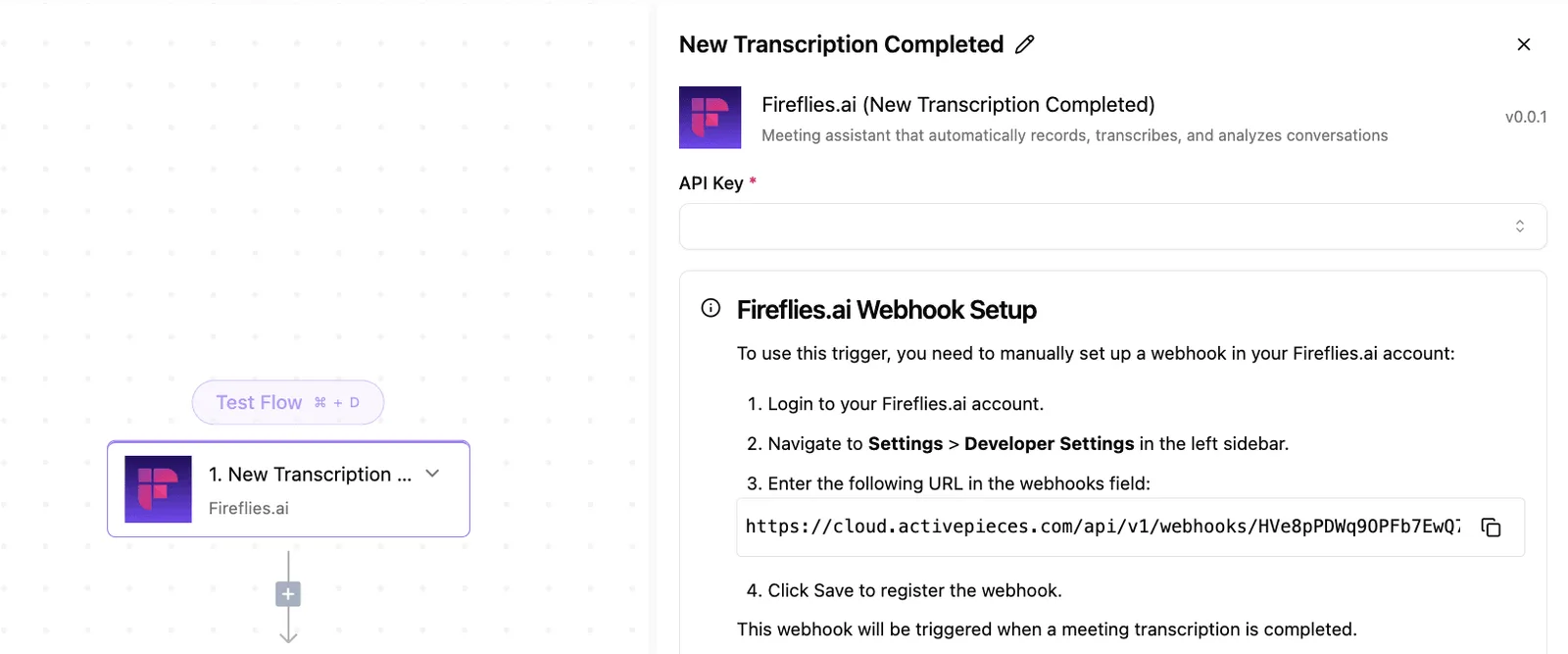
Nobody can handle multiple simultaneous user sessions without encountering 429 Too Many Requests errors unless they use a Production key. This key removes throughput restrictions and provides the higher concurrency necessary for live applications.
Testing the Cohere Chat endpoint with Python
When you need to verify that your environment is correctly configured, you can execute a basic completion request using the Python SDK. This sequence demonstrates the minimal overhead required to move from a fresh environment to a model-generated response:
- Generate API Key in the Cohere Dashboard.
- Install the 'cohere' Python library.
- Initialize the Client with the key.
- Call 'co.chat' with the Command R.
Sample code to initialize client and send message
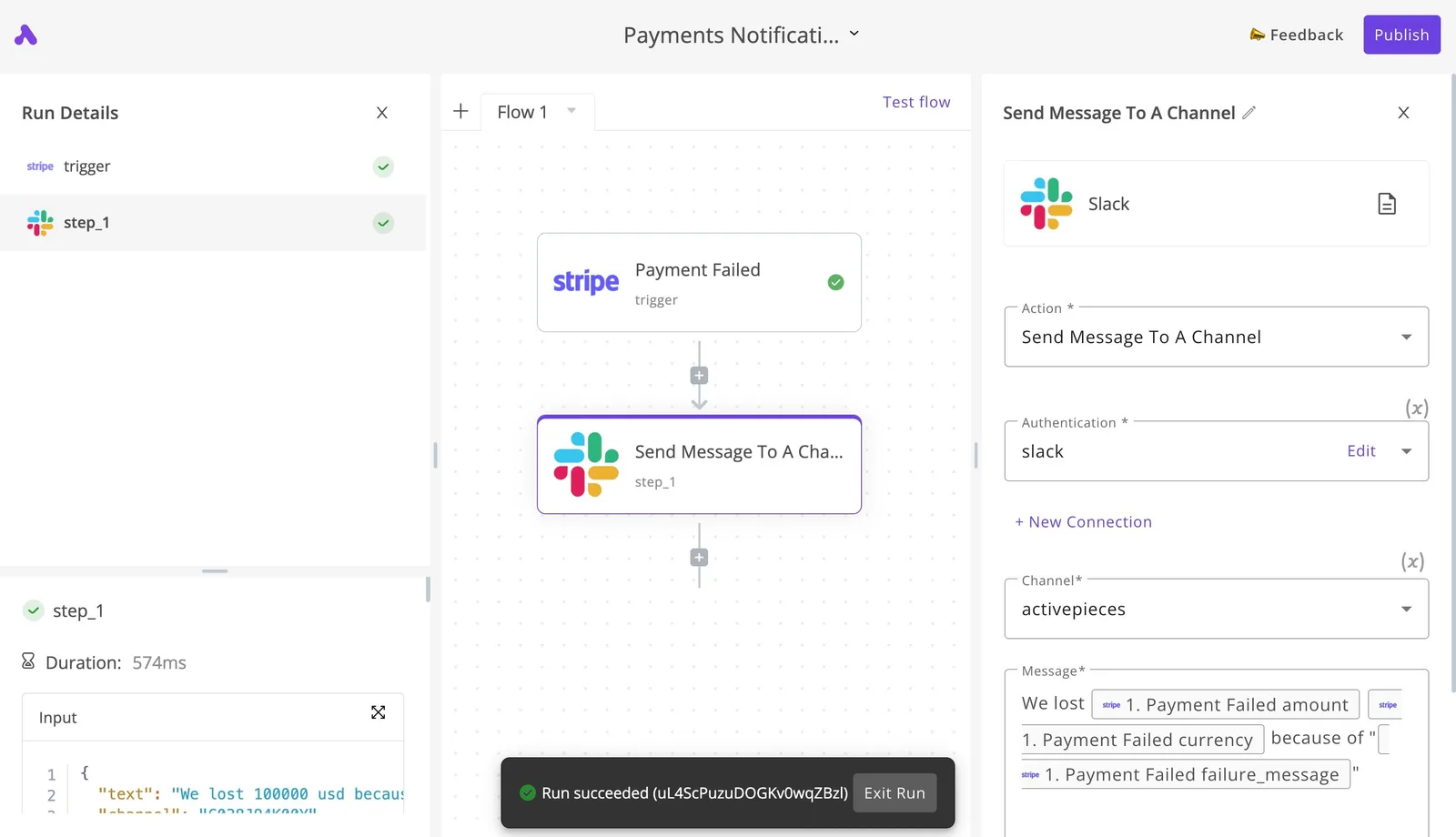
The following code block establishes a connection using your credentials and sends a simple message to the model. This script uses the standard client initialization and the chat method to receive a structured response.
import cohere
## Initialize the client with your API key
co = cohere.Client('YOUR_API_KEY')
## Send a basic chat request to the Command R model
response = co.chat(
 model="command-r",
 message="Hello World"
)

print(response.text)
This specific sequence confirms that your local authentication headers are valid. It also proves that the client can successfully hand off a prompt to the inference engine.
Once the inference engine returns the 'Hello World' response, you can begin implementing more complex logic, such as incorporating Activepieces to automate the flow of data between your CRM and the Command R model.
This takes minutes, not a project: automate it in Activepieces free.
Choosing the right Cohere model for context length
Matching your workload's token volume to the specific architectural limits of the Command and Rerank families is the first step in selecting the correct Cohere model.
While legacy integrations often default to restricted windows, the current R-series has the headroom necessary for complex Retrieval-Augmented Generation (RAG) without aggressive chunking.
Generative models: Command R+ and Command R
For agentic workflows, the Command R series is the production standard. It has a 128,000-token context window that allows an engineer to pass hundreds of pages of documentation or multiple code repositories into a single prompt.
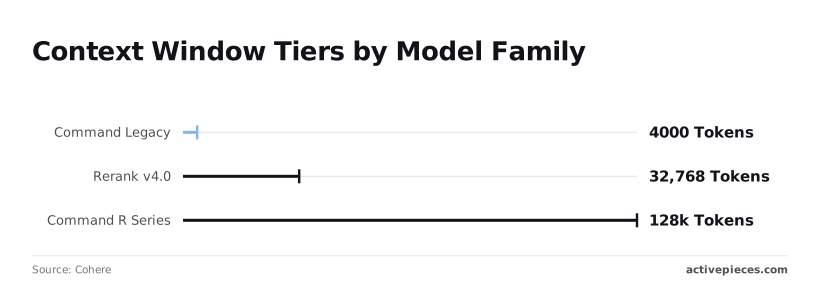
Because the model can maintain coherence over much larger spans of text than previous iterations, you can reduce the complexity of your vector database retrieval logic.
For high-volume classification or routing where latency is the primary constraint, Command Light is a faster alternative, though its smaller 4,000-token limit requires more precise pre-processing of input data.
Using Cohere's Embed and Rerank 3.5 endpoints
Before data ever reaches a generative model, Rerank 3.5 and the Embed family handle the heavy lifting of semantic relevance for search and discovery pipelines.
Rerank 3.5 is a cross-encoder that scores the relevance of document snippets against a query, which is essential for filtering out noise in a RAG pipeline.
What the Cohere Embed endpoint does
The Embed endpoint transforms natural language into embeddings, which are high-dimensional numerical representations of text. These vectors capture the underlying meaning of a sentence rather than just matching keywords.
By converting text into these mathematical structures, the system can perform similarity comparisons to find the most relevant data for a prompt.
When a user submits a query, the Embed endpoint generates a vector for that query and compares it against a pre-indexed library of document vectors. This process allows the RAG pipeline to retrieve information based on semantic intent.
Without this numerical translation, the generative model would lack the context needed to provide accurate, data-driven answers.
32,768 tokens is the expanded context window available when moving to the more advanced Rerank v4.0. A developer can rank much longer document sections or even entire technical specifications without losing the semantic signal at the end of the file.
Control Cohere model safety and hierarchy via API
When you integrate directly with the Cohere API, you retain full control over the model's behavior and the safety guardrails applied to its output.
This direct relationship is essential for developers who need to fine-tune the balance between model creativity and strict adherence to safety protocols.
Adjusting Cohere API safety filter settings
The Cohere API allows you to adjust safety settings at the request level, ensuring that your application meets specific compliance or brand guidelines. By interacting with the API directly, you can toggle these filters on or off based on the sensitivity of the task.
Relying on a secondary platform to access these models often introduces a layer of abstraction that hides these critical settings.
You might find yourself restricted by the platform's default safety posture, which could be too aggressive for your internal tools or too lax for customer-facing features.
Navigating the command model hierarchy
Direct API access provides immediate availability of the latest model versions and experimental features within the Command hierarchy. As Cohere releases updates to Command R or R+, you can update your model parameter instantly without waiting for a third-party provider to update their backend.
This direct path also ensures you are billed exactly for what you use at the rates set by the provider.
Intermediary platforms often bundle these costs into a subscription or add a markup, which obscures the true cost of your inference and limits your ability to optimize spend as your traffic scales.

Command R context window size by model
A 32x increase in addressable memory marks the shift from legacy infrastructure to the current R-series, fundamentally changing how we architect stateful agents.
Using an older Command Legacy endpoint limits you to 4,000 tokens, which means a long conversation history will quickly overflow and cause the model to lose track of previous instructions or user context.
| 2026 Cohere Model Lineup | Context Window | Input Price per 1M tokens |
|---|---|---|
| Command R+ | 128k | $3.00 |
| Command R | 128k | $0.15 |
| Command Light | 4k | $0.30 |
| Rerank 3.5 | 4k | $2.00/1k searches |
Command R is the price-to-performance leader for most backend tasks.
It has the full 128k context window at a fraction of the cost of the flagship R+ model. Command R is the logical choice for most automated data extraction tasks where the volume of text is high.
It works well when reasoning requirements do not demand the maximum parameter count of the R+ tier.
You can follow the rest of this with the builder open. Start free, no card.
Run Cohere workflows in Activepieces
Without requiring custom middleware for authentication or error handling, Activepieces connects the Cohere API to downstream services via a self-hosted or cloud-based automation canvas.
By abstracting the request-response cycle into discrete steps, you can build logic that triggers on external events and pipes processed text directly into your system of record.
A platform that resells you a model has made your AI decision and priced it before you ever opened the product. Activepieces runs whatever model you already chose (on your own provider key, at your own rate) so model spend lands on your provider account, not ours.
A platform that resells you a model has made your AI decision and priced it before you ever opened the product.
You can check the Bring-Your-Own-Key availability by tier on the pricing page to see how this preserves your direct relationship with the model hierarchy.
Connecting your Cohere API key
Only during execution does Activepieces inject your API key into the runtime environment, keeping it encrypted at rest. When you add a new integration, the platform prompts for a connection where you input your production key from the Cohere dashboard.
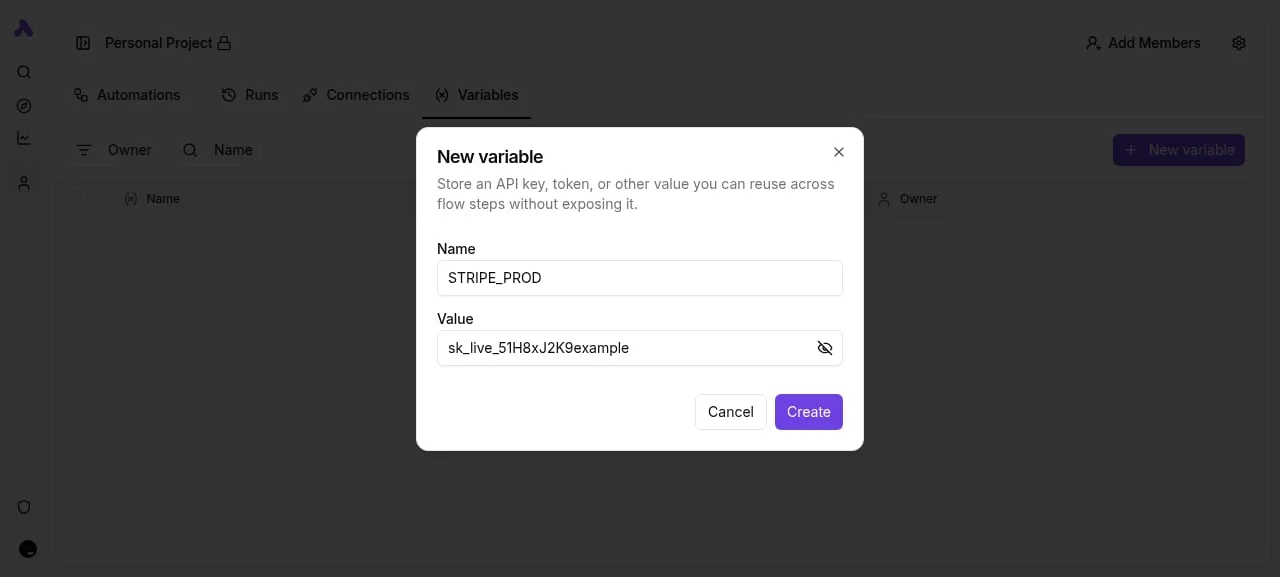
This centralization means you rotate keys in one location rather than updating environment variables across multiple microservices, reducing the risk of orphaned credentials in your CI/CD pipelines.
Building the summarization workflow
If sent in a raw batch, long-form inputs could trigger 429 Rate Limit errors; constructing a reliable summarization pipeline requires handling these carefully. Use the following steps to build a flow that processes incoming data through Cohere and routes the output:
- Select a source like GitHub to watch for new issues or Webhook to receive raw text payloads from your application.
- Add the Cohere integration and select the "Summarize" action, which allows you to map the body text from the trigger directly into the model's context window.
- Add a destination like Slack to post the summary to a specific channel or use the HTTP integration to POST the result back to your internal database.
Stitching an agent framework to a workflow tool usually means gluing two execution engines together with a callback, but Activepieces runs judgment and rules on a single engine.
You can place an Agent step alongside deterministic automation steps in the same flow, keeping the entire run trace in one place rather than bridging two systems.
[12] cohere API response times by endpoint
The latency floor and data sovereignty of your AI features are dictated by your method of deployment.
While Cohere Cloud is the fastest path to integration, AWS Bedrock is a deeper infrastructure integration for teams already within the Amazon ecosystem, and Private Deployment eliminates third-party data transit entirely.
| Deployment Type | Data Logging | Regional Availability |
|---|---|---|
| Cohere Cloud | None for Enterprise; Opt-out for Standard | Global |
| AWS Bedrock | None by default | AWS Regions (5+) |
| Private Deployment | Controlled by customer | Customer-defined |
By choosing a private deployment, you give your security team full auditability over the inference logs, ensuring that sensitive RAG data never leaves your VPC.
This choice directly impacts your architecture, as private instances require manual scaling of GPU clusters rather than relying on the auto-scaling capabilities of a managed API.
Build this flow for free in Activepieces.
Frequently asked questions
Does Cohere use my API data for training?
Cohere does not use data submitted through their production API to train their base models. This separation ensures that proprietary prompt engineering and sensitive customer inputs remain isolated from the global weights of the Command model family.
While many consumer-facing chatbots utilize user interactions for reinforcement learning, Cohere’s enterprise-facing API treats data as transient for the purpose of inference.
Even if Cohere itself has discarded the data, your information is subject to the intermediary’s retention policy when you access these models through a third-party reseller. The platform provider might store your logs in a plain-text database.
How do I increase my rate limits for production?
Transitioning from the trial tier to a production organization and providing a valid payment method is required to increase rate limits.
You must use production keys for live traffic because trial keys will trigger HTTP 429 errors if you attempt to run high-volume concurrent loops. To move beyond these initial constraints, you must request a quota increase through the dashboard.
If you are building agentic workflows using high-reasoning models like Claude Opus 5.5 or GPT-6 Astra alongside Cohere for embeddings, you must manage these limits independently for each provider.
High-volume systems often require a centralized rate-limiting proxy to queue requests. This prevents a single runaway loop from exhausting your entire monthly budget in minutes.
Can I self-host Cohere models via VPC?
By utilizing managed cloud environments like Amazon Bedrock or Google Cloud Vertex AI, you can deploy Cohere models within a Virtual Private Cloud (VPC).
A VPC is a private, isolated section of a public cloud provider’s network that allows you to run resources in a virtual network you define. This deployment strategy ensures that data never traverses the public internet, satisfying strict compliance requirements for financial or medical data.
When using these managed services, you retain the ability to toggle safety filters and manage model versions directly. This is often restricted when using a standard API wrapper.
Amazon Bedrock is an AWS service that is an access point for foundation models via an API without managing underlying infrastructure. Google Cloud Vertex AI is a machine learning platform that allows you to train and deploy AI models and applications.
Azure AI Studio is a platform for developing and deploying generative AI applications within the Microsoft ecosystem.
Each of these environments allows you to provision "Provisioned Throughput," which guarantees a specific level of performance for your application.
This is the preferred path for senior engineers who need to ensure that a critical production agent has dedicated compute resources that cannot be throttled by other users on a shared multi-tenant API.
Related reading
References
Build it
Set this up in minutes.
No code required. Connect your accounts, and Activepieces runs it from there.
Start free Talk to sales