
DeepL Alternatives: Best Translation Tools in 2026

Nov 18, 202614 min read
Switch only when the new engine removes your specific constraint: language coverage, per-character cost or cloud fit. A DeepL alternative is simply another machine translation API, so it can be wired into the same Activepieces flow you already run without changing anything else.
DeepL alternatives and why people leave DeepL
If none of those applies, staying is the right call. This was checked on 18 November 2026, and prices and limits come from each vendor's own pages.
The reasons people actually leave DeepL
When a language pair is missing, that is a hard stop, and it is the first of three constraints behind most exits: DeepL supports fewer languages than the large cloud providers.

$25 per million characters is what DeepL API Pro charges, according to Chatscontrol, the highest of the four engines below, so a high-volume pipeline feels it first.
The third is cloud fit: a team already on AWS, Azure or Google Cloud often wants billing and access control in one place.
82% of companies in a survey of language service firms use DeepL, per The Biz AI Hub, which means any language service firm without it is likely disadvantaged.

Per The Biz AI Hub, Google Translate follows at 46%, Microsoft at 32% and Amazon Translate at 17%.
Professional translators picked DeepL most often, so a quality complaint is rarely the right reason to leave it.
Read the table against your own volume and cloud account, because the cheapest engine per character is not the one with the most generous free allowance.
| Engine | Price per million characters | Free monthly tier | Custom option | Main limit |
|---|---|---|---|---|
| DeepL API Pro | $25 | 500,000 characters (API Free) | Glossaries | Narrower language list |
| Google Cloud Translation | $20 | 500,000 characters | Glossaries, adaptive translation | Needs a Google Cloud project |
| Microsoft Translator | $10 | 2 million characters | Custom Translator | Needs an Azure subscription |
| Amazon Translate | $15 | 2 million characters, first 12 months only | Custom terminology | Free tier expires; needs an AWS account |
Amazon's allowance ends after a year, so a prototype that looks free will start billing.
Where an engine feeds a larger workflow, the API's price and limits still decide the cost, and the workflow around it is a separate question.
**Amazon's allowance ends after a year, so a prototype that looks free will start billing.
Activepieces runs that workflow, and the agents, shared tables, MCP tools and approvals around it, as one product, with access, audit and release controls applied across all of it, self-hosted or on cloud.
Stitching the same span together from point tools means six vendors and six places to prove what happened when a translation job broke. MoneyGram, Moneypenny, Alan and FundingSocieties run it in production.
The fastest way to settle a shortlist is to try one. Activepieces is free to try, no credit card.
Google Cloud Translation
At $20 per million characters, Google Cloud Translation removes the per-character and language-coverage constraints, but it needs a Google Cloud project before the first call.
Since the API's price and limits set the cost, these five facts are the ones to check against your own volume:
- Language coverage extends past DeepL's list, so a missing pair is the clearest reason to switch.
- The price is $20 per million characters, unchanged since 2017, so a budget set today isn't exposed to list-price drift.
- A free tier renews every month, which absorbs prototype traffic.
- Custom model options let you train on your own sentence pairs, so domain terms stop being guessed.
- Quality on some European pairs can trail DeepL, and setup runs through a cloud project with billing and credentials.
Pricing and free tier
In the ChatsControl comparison, Google Cloud costs 10, 190 and 1,990 $ per month at the three volumes, against 30.49, 255.49 and 2,505.49 $ for DeepL API Pro.

The gap is 20.49 $ at the lowest volume, 65.49 $ at the middle and 515.49 $ at the highest, so the saving only matters once volume is high.
Below Google at every volume sits Microsoft, listed at 0, 80 and 980 $. Amazon is at 15, 150 and 1,500 $, above Google at the lowest volume and below it at the other two. Google is therefore cheaper than DeepL, not the cheapest cloud.
On some European pairs, output can read less naturally than DeepL's. Run a sample of your real segments through both engines before committing. Setup is the second cost: a project, billing and service credentials all come before the first translation.
If you need a language DeepL lacks, translate at high volume, or already run on Google Cloud, Google Cloud Translation suits you. If none of those applies, staying on DeepL is the better call.
Microsoft Translator for language coverage
If your constraint is language coverage or an existing Azure footprint, Microsoft Translator, sold as Azure AI Translator, suits you, and it asks for more setup than DeepL's sign-up-and-paste-a-key flow.
Pay-as-you-go, per character translated: that is how Azure bills Translator, and it offers a free tier for testing.
Because the meter is the same unit DeepL uses, the cost question comes down to your monthly volume against the current rates on Azure's pricing page.
Mix custom models and document jobs and the bill has more than one line, because they are metered separately from plain text.
Where it beats DeepL
Where DeepL stops, Azure AI Translator keeps going: it supports more languages than DeepL, including many lower-resource ones DeepL doesn't offer. Two features also matter.
Custom Translator lets you train a model on your own parallel sentence pairs, so product names and domain terms come out the way your team writes them.
Document Translation processes whole files, such as Word, PDF and PowerPoint, from Azure Blob Storage, and keeps their layout. If your constraint is a language DeepL lacks, or house terminology you can't enforce with a glossary alone, this is the constraint it removes.
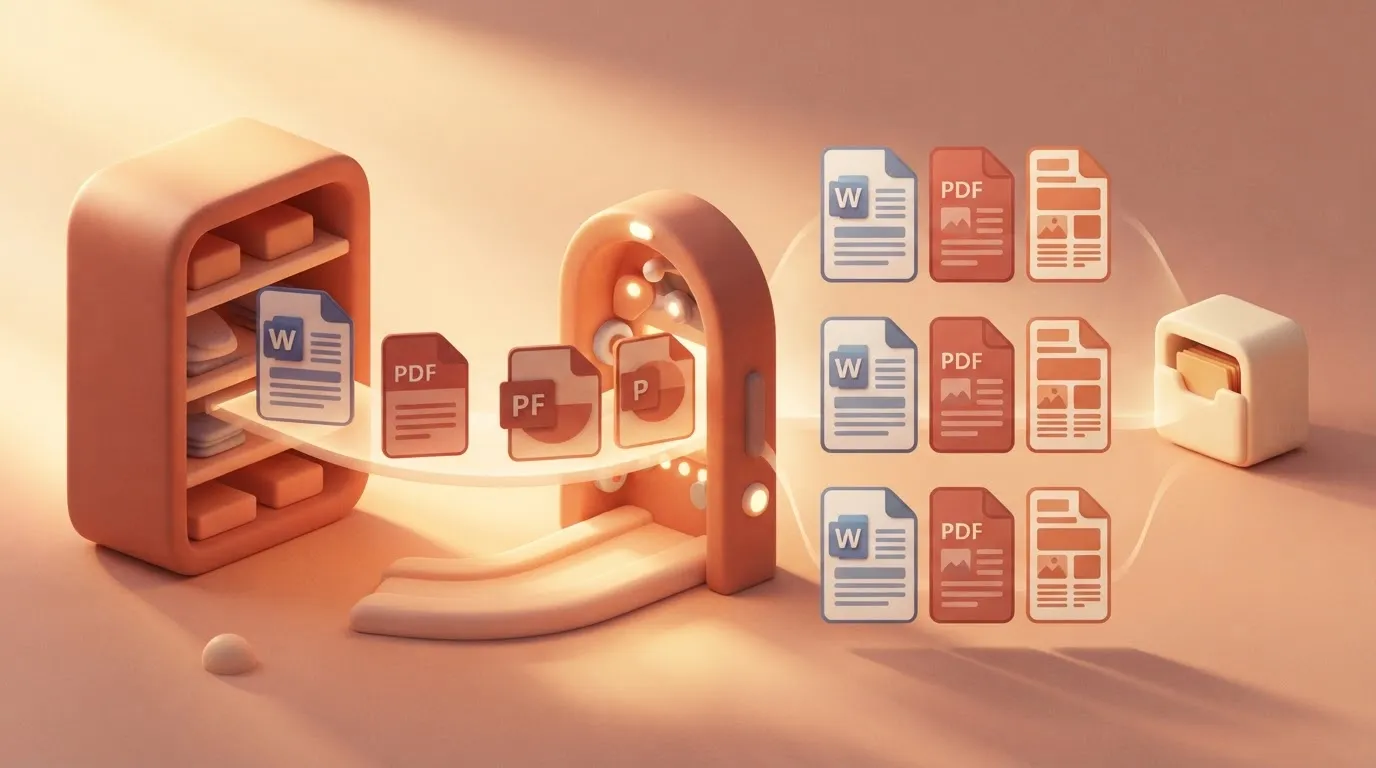
Microsoft Translator setup limits and Azure requirements
Before the first translation, you need an Azure subscription, a Translator resource, a key, and often a region value sent in the request headers, and a missing region header is a common cause of authentication failures.
A pair that reads well in one direction may need review in the other, because quality varies by language pair. Test your own pairs with your own text before migrating anything.
If you already run on Azure and Microsoft 365, Translator sits under the same tenant, billing and access controls as the rest of the stack.
It also suits anyone who needs a language DeepL doesn't cover. If you have neither, the added setup is a cost with nothing to offset it.
Amazon Translate for AWS integration
When your pipeline already runs on AWS, Amazon Translate adds no setup. It's a managed API inside the same account, billing and permissions you use for everything else.
Nothing about the cost model should surprise you: Amazon Translate bills per character of source text, the same unit DeepL's API uses. New AWS accounts get a free tier, which is enough to run a real sample of your content before committing.
Check the AWS pricing page for the current rate and the free-tier allowance for your account, because both can change and differ by translation type.
If your blocker is a language DeepL doesn't offer, Amazon Translate removes it: it supports considerably more languages than DeepL.
For product names and legal phrases, custom terminology is the second advantage. You upload a glossary of source terms and their required translations, and the service applies them across requests, so they come out the same every time.
Because Amazon Translate sits inside AWS, you can also trigger it from S3 uploads or Lambda functions, control access with IAM, and keep traffic private through VPC endpoints.
It only runs on AWS. There's no self-hosted version, no on-premises option and no way to call it without an AWS account and IAM credentials.
If your stack lives on another cloud, or you need to keep text off any hosted service, the setup cost lands on you.
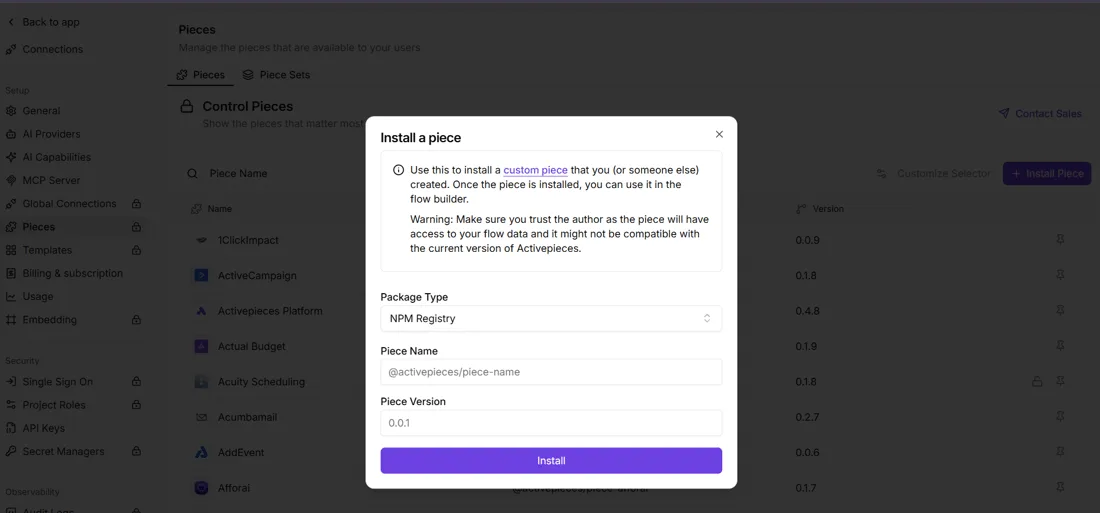
Where an automation platform has no ready-made Amazon Translate step, some let an admin install a missing integration by package name and version, as in the dialog below. That's a workaround, though, not a substitute for being on AWS.
It also suits anyone whose DeepL problem is a missing language. If you aren't on AWS and DeepL covers your languages, nothing here fixes a problem you actually have.
Reading a table only gets you so far. Build the same workflow in Activepieces and compare it yourself.
Activepieces
Do not expect Activepieces to translate anything itself. It's an MIT-licensed workflow automation tool with 750 integrations that calls a translation engine for you, so it only helps if your problem is moving text through DeepL, Google or Microsoft without doing it by hand.
What it does and does not do
Activepieces runs a trigger, then a chain of steps, then an output.
The translation step is a connector to an engine you already have an account with, and a plain run costs 1 credit however many steps it has, against 1,000 credits a month on the free plan.
That means the quality of the output is the quality of that engine, and the language list is that engine's language list.
If DeepL's coverage was your reason for leaving, Activepieces doesn't extend it. It can only route the text to an engine that does, and since every plan includes unlimited flows, keeping a separate flow per engine costs nothing extra.
It's also not a drop-in replacement for the DeepL app or API. It sits in front of one.
Translating content automatically across apps
One row at a time, a person copy-pastes between a spreadsheet and a translator and forgets which rows are done. That is the typical failure this fixes.
A workflow replaces it: a new spreadsheet row fires the trigger, the text goes to the translation connector, and the translated document comes out the other end.
It shows one trigger feeding a single Activepieces box that holds three connector blocks (DeepL, Google, Microsoft), three of the 750 integrations, and producing one output.
Swapping engines without rebuilding
Because the engine is one block in the middle, changing from DeepL to Google or Microsoft means replacing that block and re-mapping its fields. The trigger and the output stay as they are.

That makes a side-by-side test on your own content cheap: run the same rows through two engines and compare the results before you commit to a switch.
It also lowers the cost of being wrong. If you move for a cost or coverage reason and the new engine reads badly on your material, you reverse one step, not the whole pipeline.
When to skip it
Skip it if you translate occasionally, by hand, and nothing about that is painful. Skip it if you already have a developer calling the DeepL API directly, since the workflow tool adds a layer without removing a constraint.
And skip Activepieces if your constraint is language coverage or cloud fit: it runs on Activepieces Cloud, with an EU region in Frankfurt, or on your own servers, but it doesn't change either constraint, because it inherits both from the engine behind it.
Activepieces is the better fit for teams that want to route translation through an engine they already use, such as DeepL, Google or Microsoft, while keeping governance in one product.
Its RBAC, SSO, SCIM, audit logs, log and event streaming, and environments with git sync come in a single platform, self-hosted or on cloud, with no cut-down version either way.
It will not translate anything itself, so output quality and language coverage stay with the engine you connect, but on the criterion of consolidated governance around that workflow, Activepieces is the better choice.
Monday checklist for switching from DeepL
Switch only if the alternative removes the specific constraint you have, and if it removes none, stay on DeepL. Six steps settle that in a day:
- Pull 20 real documents from your own workload.
- Run them through two free tiers.
- Count your monthly characters against each vendor's price.
- Check each vendor's data terms.
- Switch only if a constraint is removed.
- Otherwise, stay.
Twenty real documents (contracts, support tickets, whatever you translate every week) expose terminology and formatting failures that vendor samples hide.
Run the identical set through DeepL and one candidate, so any difference comes from the engine and not the input.
Estimate monthly characters and translation costs
Add up the characters in those 20 documents, scale to a month, then multiply by each price. Intento's price comparison puts GPT-4.1 at $3.11 per million characters, so 5 million characters a month costs about $15.55.
At that volume the bill is rarely the deciding factor.
Further down, the same comparison listed several other models. In Intento's figures, Gemini 3.5 Flash was $3.74, GPT-5.6 Terra $4.66, Claude Sonnet 5 $6.09 and.
In Intento's figures, GPT-5.5 sat at $11.64, nearly four times GPT-4.1, so which model you pick moves the bill more than which vendor you pick.
Check data terms and glossary support
Read what each vendor says about retaining or training on submitted text, and where it processes it. Free tiers can carry different terms from paid plans, so read the terms for the plan you'd run in production.
Then check glossaries. An LLM has no glossary feature to switch on, so your term list has to travel inside every prompt, which adds characters to your count.
If the candidate fixes your language gap, your cost or your hosting requirement and the data terms hold, switch. If not, you have spent a day confirming that DeepL was the right choice.
Frequently asked questions
Is there a free alternative to DeepL?
Yes, but "free" usually means a capped free tier, not an open-ended service. DeepL's own API has a free plan, and the major cloud translation services offer monthly free allowances. Self-hosted open-weight models have no per-character fee, but you pay in hardware and maintenance.
To test quality, a free tier is enough. Check the cap against your real volume before building on one.
Is Google Translate as accurate as DeepL?
It depends on the language pair and the kind of text, so a single verdict would be unreliable.
For widely used pairs the gap is often small enough that you'll only see it on your own material. For languages DeepL doesn't cover, the comparison is moot.
Run a sample of your real content, including your ugliest sentences, through both and have a fluent reader mark the differences.
Can I switch translation engines without rewriting my integrations?
Only if the engine sits behind one step that takes text and a target language and returns text. Then the swap is mostly credentials and request format.
Expect three things to need rework: language codes differ between vendors, formality settings have no universal equivalent, and glossaries are stored per vendor and don't transfer. Budget time to rebuild those and re-check output afterward.
Which DeepL alternative is best for documents and PDFs?
It depends on how much layout fidelity you need. DeepL, Google Cloud and Microsoft Azure each document a file-translation feature, and they differ in supported formats and how they handle formatting.
Before any engine can translate a scanned PDF, the text must be extracted by OCR, which makes it a separate problem. Test each candidate on your most complicated real file: tables, footnotes, mixed columns.
Do these services use my text to train their models?
Not uniformly, and the terms often differ between free and paid tiers. Some vendors state that paid API content isn't used for training. Free plans may carry different conditions.
Read each vendor's current data-processing terms for the exact plan you'll use before sending confidential text. If the terms are unclear or unacceptable, a self-hosted model keeps the text on your own infrastructure.
Related reading
References
Still comparing
The fastest way to settle it is to build something.
Open source under MIT, so you can self-host the same thing later.
Start free Talk to sales