
Devin MCP Server: Setup and Security Guide (2026)

Nov 15, 202616 min read
Devin MCP's Devin acts as a client of the Model Context Protocol (MCP), the standard through which the agent calls tools hosted elsewhere, much as Activepieces exposes its own tools to MCP clients. Each connection's a grant of access.
Every server you attach is a new liability line, and you should treat it that way until it has earned its place.
How Devin MCP connects to outside tools
What the Model Context Protocol does
When an AI agent needs to know what a separate program can do, MCP gives it a common format for asking, and then for requesting that the program do it. The program, called a server, publishes a list of actions.

The agent, called a client, picks from that list. Neither side needs custom integration code for the other.
The servers are GitHub (code hosting), Linear (issue tracking) and a database, each holding its own key.
Each server holds its own key, so a key leaked from one doesn't open the others.
After the diagram, the practical question's which of those servers you connect first, and what each key may touch.
Devin as MCP client versus Devin's own MCP server
These are two different arrangements, and they carry different risks. As a client, Devin reaches out to servers you or a vendor run, using credentials you hand over. Your exposure's whatever those credentials permit.
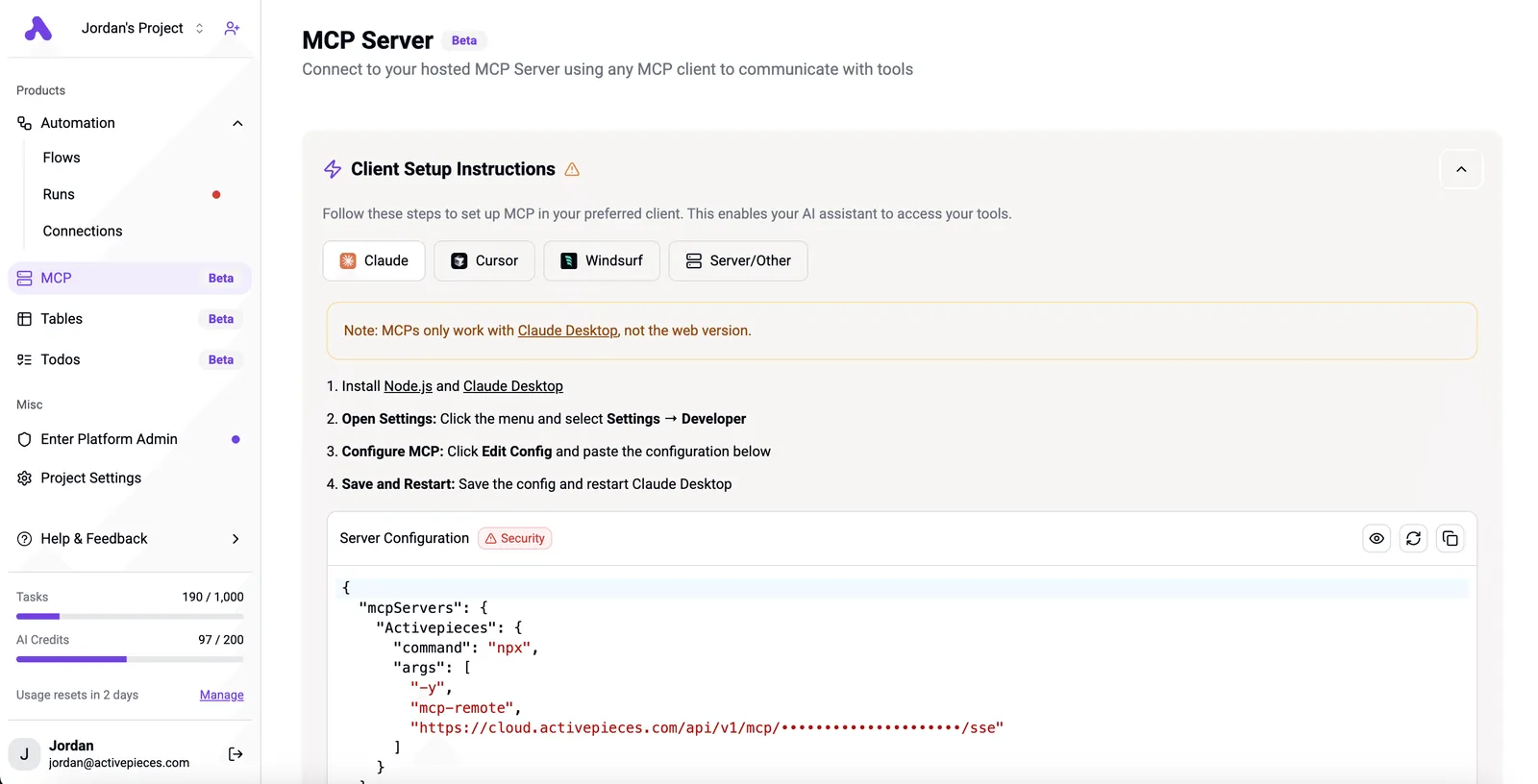
Turn the arrangement around and other tools would call into Devin. That would be a Devin-hosted MCP server.
Whether and how Devin offers this is a matter for its documentation, and you should confirm it there rather than assume it. The client role's the one this article concerns.
Devin MCP sources and when we checked them
Checked on 15 November 2026, these three sources underpin this section: Devin's documentation, its pricing page and its changelog.
Documentation describes intended behaviour, the pricing page shows which plans include a feature, and the changelog shows what has changed since. If you read this later, check the changelog first, because MCP support's the kind of feature that shifts between releases.
This takes minutes, not a project: automate it in Activepieces free.
Where teams use Devin MCP in practice
Treat anything marked inferred as a hypothesis to test, because most documented uses are read-heavy and the write-capable ones are where the liability sits. The table compares three common connections on exposure; effort and risk ratings are my judgment, not vendor figures.
| Connection | What Devin can read | What it can change | Setup effort | Risk if misconfigured | Documented or inferred |
|---|---|---|---|---|---|
| Linear (tickets) | Issues, comments, project status | Issue status and comments, depending on token scope | Low | Moderate: wrong tickets closed or commented | Marketplace listing documented; scope inferred |
| GitHub | Repositories, pull requests, issues | Branches, pull requests, comments | Medium | High: code changes under a shared identity | Marketplace listing documented; permissions inferred |
| A database | Tables the credential can query | Rows, if the credential allows writes | Medium to high | Highest: unreviewed changes to live data | Inferred from database servers in the marketplace |
The pattern: risk rises with what the credential can change, not with how hard setup is. Scope the credential first.
**The pattern: risk rises with what the credential can change, not with how hard setup is.
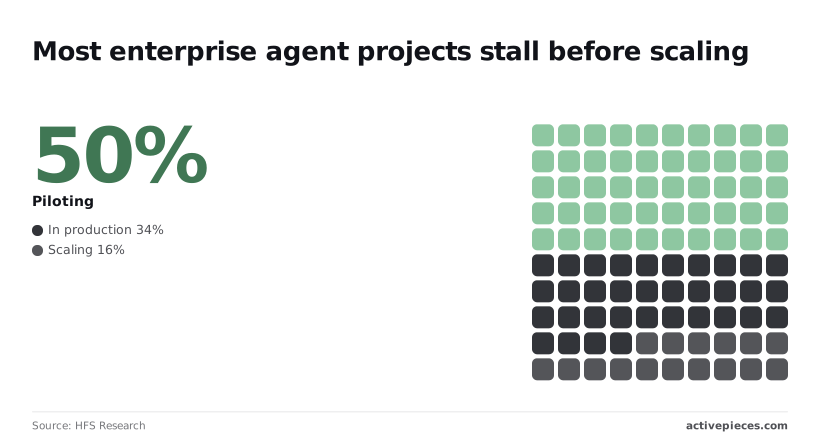
Of 100 enterprises, 50 are piloting agents, 34 are in production and only 16 are scaling, according to HFS Research.
Because most projects stall between pilot and scale, a narrow first connection's the cheaper way to find out why.
If the token's read-only, ticket trackers, error monitors and documentation servers give Devin context without letting it alter anything. That's the lowest-liability starting point. The remaining exposure's disclosure: Devin can read whatever the token reads, including customer details pasted into tickets.
Devin MCP write access to databases and deploys
Once Devin can write, the audit question changes from "what did it see" to "what did it do." A database credential with write rights, a deploy hook or a messaging tool each creates an action nobody reviewed before it happened.
I found no documented guidance on safe defaults for these, so assume none exist. Use a read-only database role, route deploys through an approval step, and keep messaging out of the first pilot.
This reverses the direction of trust: the credential for that connection can start work on your repositories, so whoever holds it holds that authority.

Record who has it and revoke it like any other service key.
Stage-by-stage Devin MCP setup walkthrough
Getting from an empty settings page to one working connection takes four stages, and each stage ends with a decision about what the agent may touch. Stop after the third if one server covers your need.
Stage 1: Open the MCP settings and pick a server
Go to Settings, then MCP Marketplace, and choose a single server whose data you can afford to expose. Pick the one with the narrowest job, such as a spreadsheet or a ticket queue, not the broadest.
Enable a connector and you have added a new liability line. The admin list of available integrations shows this clearly: each row has a checkbox, and the screenshot below has two connectors switched on and one off.
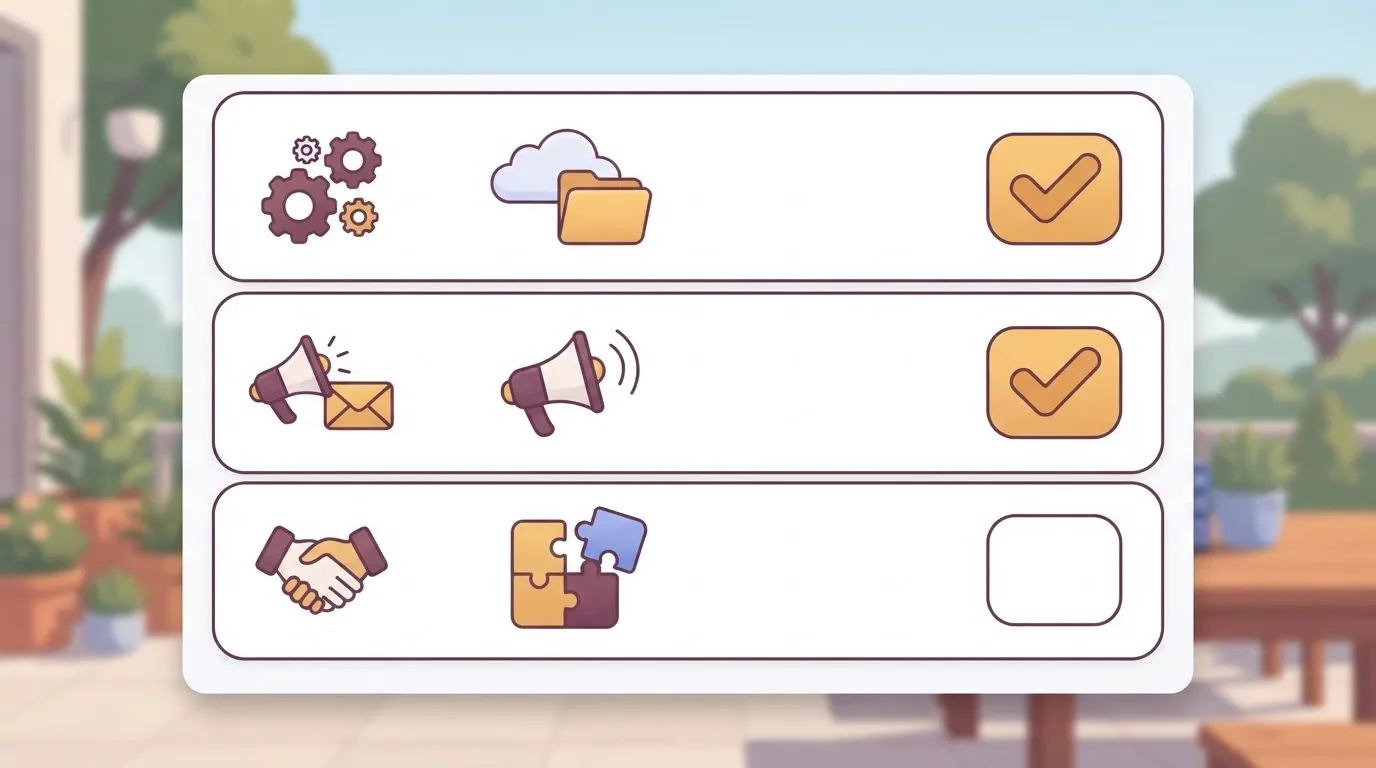
The agent reaches whatever you tick, so tick as little as the task requires.
(screenshot: available connectors with enable toggles)
With one server chosen, the next step's to give it access.
Stage 2: Add credentials and test the connection
Select the server and enter its credentials in the auth fields. Use a key created only for this agent, with the least permission the server allows. Don't paste a personal login, because you couldn't revoke it without cutting off a person.
Then run the connection test. A passing test proves the credential's valid, not that it's narrow. Check what the key can do in the vendor's own console before you rely on it.
(screenshot: successful test result)
Stage 3: Run one small read-only task
Ask the agent for something that only reads: list the last few records, or summarize one document. Compare the answer with the source system.
This is your evidence that the connection works and that it returns what you expect. If the agent reaches data you didn't intend, revoke the key and narrow the scope before anything is added. Write actions wait until a read-only run has been reviewed.
Stage 4: Add a custom server only if needed
If the marketplace lacks the system you need, use the option to add your own server. The form asks for a server name, a transport, a command or URL, and any auth values.
Choose the transport your server supports. A local server takes a command to launch it. A hosted one takes a URL. Name the server for what it touches, so a reviewer reading the list later can tell its purpose without opening it.
Because a custom server's code is code you chose to trust, treat it as unreviewed until someone has read what it can do.
If Devin has to reach an internal tool that has no connector, Activepieces runs as an MCP server per project, and its flows can be exposed to Devin as tools, so the internal system can be reached through a flow; a missing integration can also be generated with AI and added privately to your own instance, a side option and not something Devin requires.
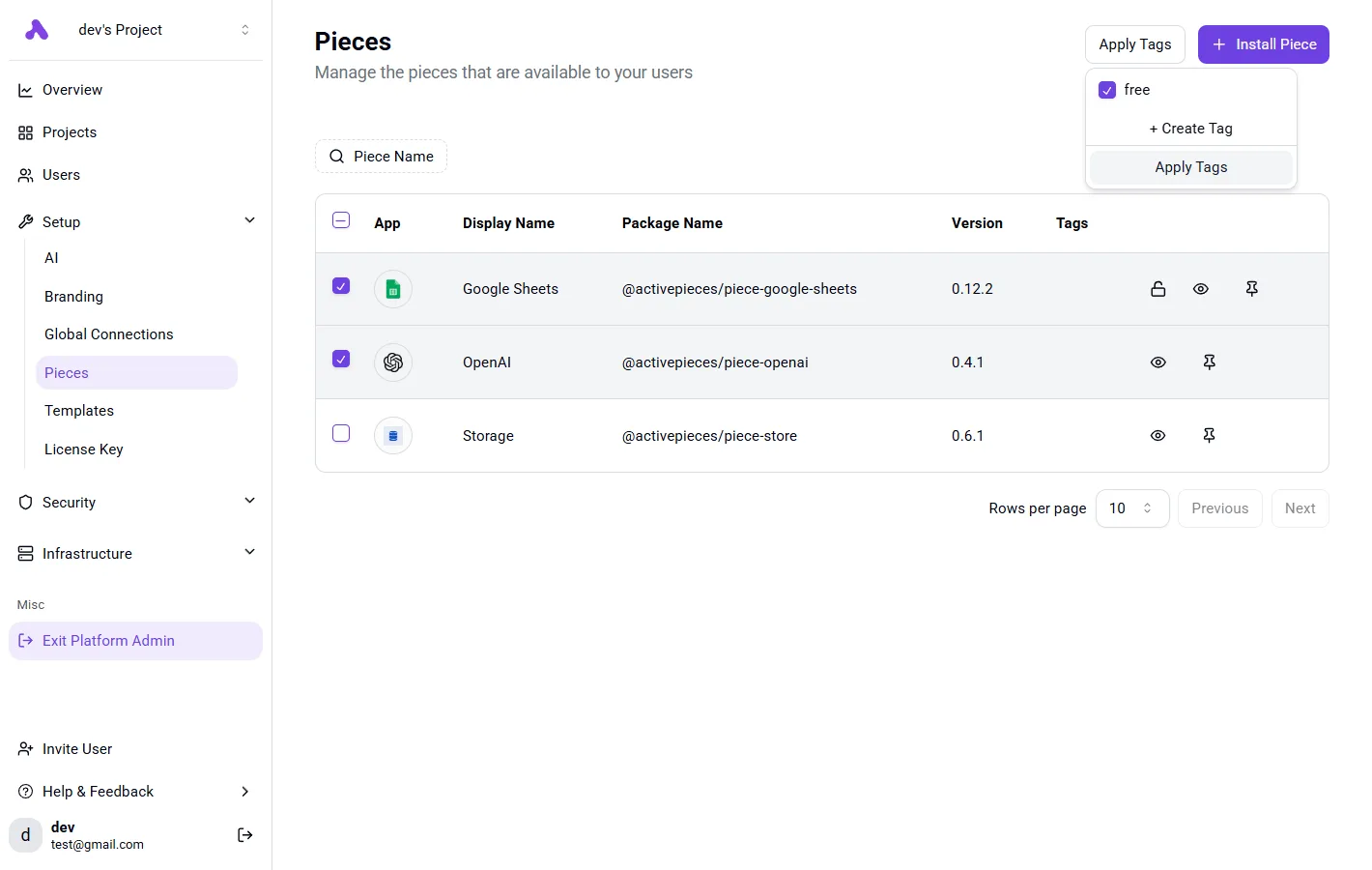
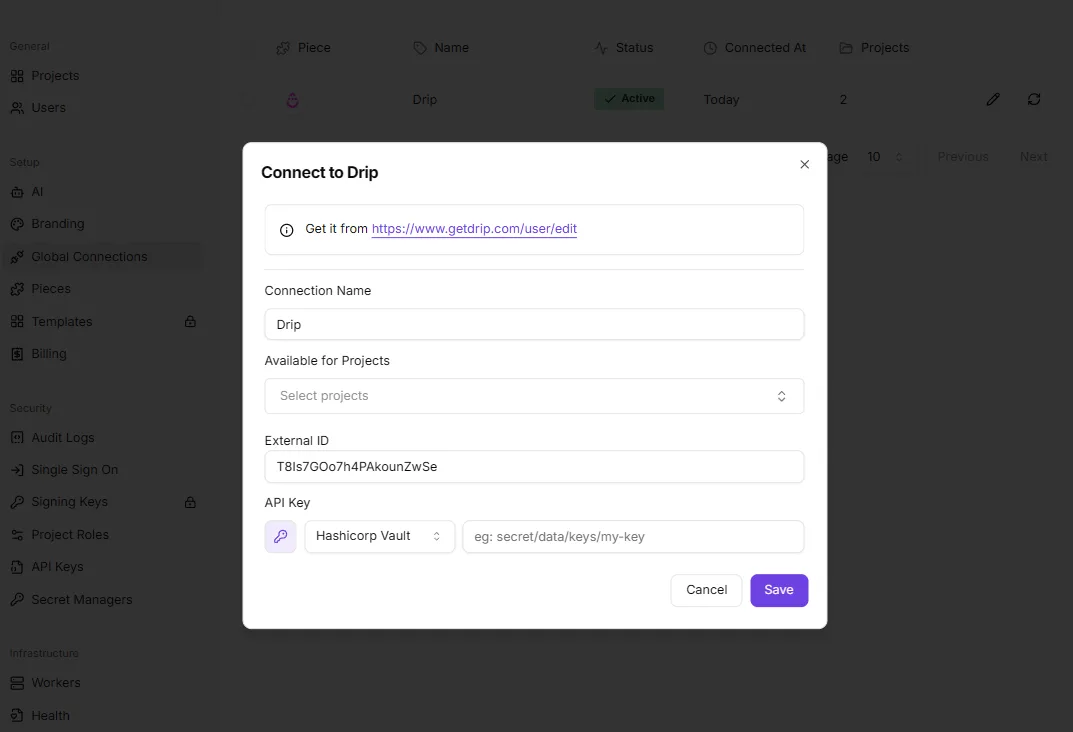
Every one of its 750 integrations, counted in the open source packages/integrations/community directory, is registered once and then runs as a step in a flow and as a tool on the project's MCP server, so there is no second catalog to publish to and nothing to wire up twice.
Record the owner, the key it uses and the date it was added, then repeat Stage 3 against it before you widen anything else.
You can follow the rest of this with the builder open. Start free, no card.
What Devin MCP costs and requires
Expect to pay the price of a Devin plan plus the usage the agent consumes. Each server you connect adds its own vendor bill, so every new connection opens two cost lines.
Devin's an AI software engineering agent. On Enterprise plans it meters work in agent compute units (ACUs), so a connection that makes it do more work costs more; self-serve plans use included quota and on-demand credits.
Devin plan and usage costs
I don't see a table in your message. I haven't received any table or sentences to work with yet. Once you do, I'll add the missing consequences (what each number means for the reader) one clause per sentence, keeping everything else as written.
Where I couldn't confirm a cell against devin.ai/pricing and Devin's documentation, I say so.
You should treat those cells as open until you've read the page yourself. Don't budget from them.
| Plan | Price | Included usage | MCP availability | Admin controls |
|---|---|---|---|---|
| Free | $0 | Unverified | Unverified | Unverified |
| Pro | $20/month | Unverified | Unverified | Unverified |
| Max | $200/month | Unverified | Unverified | Unverified |
| Team | As listed on devin.ai/pricing | Unverified | Unverified | Unverified |
| Enterprise | As listed on devin.ai/pricing | Unverified | Unverified | Unverified |
At $0, the free tier means you can test one connection without a purchase order. It doesn't tell you whether MCP's enabled there, and that's the first thing to confirm.
The gap between $20 and $200 a month's a tenfold difference, so the plan you pick should follow the number of servers you intend to connect, not the other way round.
If any member can enable a server, your connection list's only as controlled as your least careful user. Admin controls are therefore the column that matters most for governance. Find out who holds that permission before you pay for seats.
Costs and limits on the server side
Not all of the exposure shows up on Devin's bill. Each connected service meters in its own way: API calls, seats, rate limits or per-record charges.
An agent that loops on a task can run those meters faster than a person would, and the invoice arrives from the server's vendor, not from Devin.
For each server you connect, record three things before enabling it:
- Which plan or API tier the vendor requires for programmatic access.
- The rate limit, and what happens when the agent hits it.
- Who receives the invoice if usage climbs.
Where you couldn't confirm a vendor's limits, assume they're lower than you need and test with a narrow task first. An unverified limit's a liability line until someone has read the vendor's documentation and signed off on it.
Five Devin MCP mistakes to avoid
When Devin's MCP connections fail, most failures trace to five avoidable mistakes. They're an over-scoped token, too many servers at once, a wrong transport or command, secrets pasted into prompts, and session logs nobody reads.
Each one widens who can see or change what, so each gets a fix.
If the token has write access to all of them, one bad instruction can change every repository. Issue the narrowest credential that does the job: read-only first, one repository or project, a short expiry. Widen it only after the logs show the agent needs more.
Too many servers at once
Add a server and you add tools the agent can call.
Connecting all three gives the agent 129 actions to choose from and 129 actions to audit, so start with one or two servers and add the next only when the first's understood.
Server quality matters as much as count. The chart after this paragraph shows 43% of MCP server vulnerabilities, per Bobby Blaine's Substack, are command injection, meaning a crafted input runs commands on the host.
Another 13% are missing authentication, so anyone who reaches the server can use it, and 10% are path traversal, which exposes files outside the intended folder. The remaining 34% are other types.

Together, injection and missing auth account for more than half, so prefer maintained servers and never expose one without authentication.
When a connection test fails, it usually means the wrong transport or the wrong launch command. Check whether the server's remote (HTTP) or local (a command run on your machine), then copy the vendor's documented command exactly.
Don't improvise flags, because an altered command's how injection-prone setups start. Test with one harmless read action before granting anything else.
Handling secrets badly in Devin MCP
Once a key is pasted into a prompt, it's stored in the session history, where everyone with access to that history can read it. Put credentials in the platform's secret store and reference them by name.

Then read the session logs. They're the only record of what the agent called, and a log nobody opens catches nothing.
Review them after the first runs and on a schedule, looking for calls outside the intended scope. What you find there decides whether the next server's added or the current token's narrowed.
What Activepieces does about this
The advice in this article is to start with one or two servers and widen from there. Activepieces is built so that choice is available to you. Every connector in it can be an agent tool, and you decide which ones the agent gets.
Each project runs its own MCP server, so you scope the agent to that project's tools and leave the rest unexposed. A first connection can be one ticket queue or one spreadsheet, and nothing else in the catalog is in reach until you add it.

The same integration action runs in two places.
It is a step in a flow and a tool on the project's MCP server, and the catalog has 750 integrations, counted in the open source packages/integrations/community directory, which means you'll likely find what you need already built.
A step you have already run in a flow, read its output and checked what its credential can touch is the same action the agent calls as a tool.
When Stage 3 gives you a clean read-only result, you are not rebuilding anything for the next step. You are widening the reach of something you have already watched work.
That is how I would use it alongside Devin. Connect one or two integrations, run the read-only task from Stage 3 and read the log, so you can test the setup with minimal time investment.
If the log is clean, add the next integration to the project's server, or expose a flow as a tool when the job needs several steps in order.
A flow also gives you a place to put the approval step the article recommends for deploys, so a write action does not reach live data unreviewed.
If an internal system has no connector, you can generate the missing integration with AI and add it privately to your own instance. That is a side option, and Devin does not require it.
The core of Activepieces is open source under the MIT licence, so you can read what a integration does before you trust it. That answers the custom-server worry above, where code you chose to trust stays unreviewed until someone has read it.
You can also run it on your own infrastructure, which keeps the credentials for those 750 integrations in your own secret store instead of a vendor's, meaning you avoid third-party credential exposure.
Frequently asked questions
Is Devin MCP free to use? Not necessarily, and the cost sits in two places. Whether MCP access's included depends on your Devin plan, so confirm that on your account's plan page before you build on it.
Separately, each connected service bills under its own terms, so a server that calls a paid API adds that cost to every task the agent runs.
Can Devin run an MCP server I host myself?
Possibly, if Devin can reach the server, but confirm it in Devin's documentation. A server on a private network behind a firewall's invisible to the agent until you expose it deliberately.
That exposure's a new liability line: whoever can reach the endpoint can attempt to call it. Put authentication in front of it and give it a token that can only read.
Does Devin support the same MCP servers as Claude or Cursor?
Mostly, because MCP's an open protocol and a server written to the specification isn't tied to one client. The differences appear in transport and sign-in methods, which vary between clients.
A server that works in Cursor may therefore need a different connection setup in Devin. Test each server on a harmless task before assuming parity, and don't copy a configuration across without checking who it authenticates as.
What should I do on Monday to start with Devin MCP?
Connect one server, give it the least access that still lets it do something useful, and read what the agent actually did before you widen anything. The checklist below keeps the first week small enough to audit:
- Pick one server, the one whose data you'd least mind the agent misreading.
- Create a read-only token for it, so a bad instruction can't change anything.
- Add the server to Devin with that token and nothing broader.
- Run one task that needs the server, with a clear expected result.
- Read the session log: which tools were called, with what inputs, and what came back.
- Decide: add a second server if the log's clean, or narrow the token if it shows reach you didn't intend.
Treat the decision in step six as the real output of the week. A second connection is justified by evidence from the first, not by enthusiasm, and the same discipline applies to every connection after that.
Related reading
References
Build it
Set this up in minutes.
No code required. Connect your accounts, and Activepieces runs it from there.
Start free Talk to sales