Edge0-145B Automation: How to Set It Up (2026 Guide)

Nov 15, 202614 min read
Run the model locally through its documented edge0-infer command line or the Edge0 Chat desktop app; that is the fastest supported path. Design every step around a 256K-token context window, because that's the first limit a long-running workflow, whether hand-coded or assembled in a tool like Activepieces, will hit.
Edge0-145b automation is the practice of running the Edge0-145b model through its documented interface as an automated, multi-step workflow, with each step designed around the vendor's published limits, such as the 256K-token context window, and its documented error behaviour.
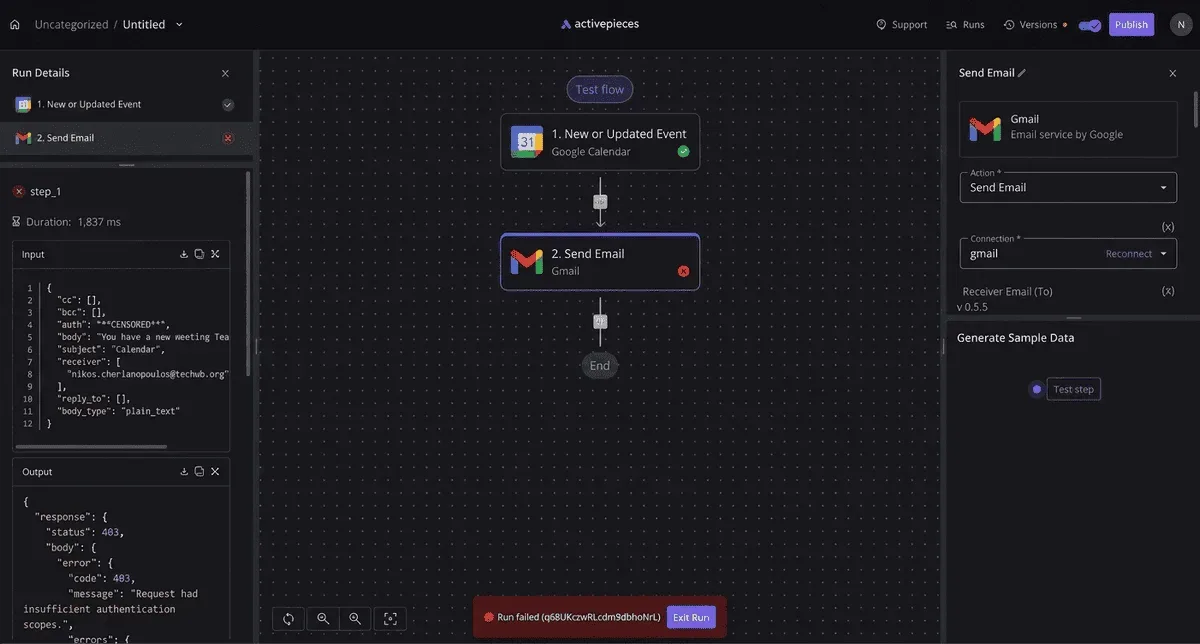
Edge0-145b automation is a documented-interface job
What edge0-145b is, per the vendor
I couldn't confirm a vendor description beyond the ModelRigs listing, so treat anything richer as unverified. The comparison below sets Edge0-145B against similar open models; the point is that its window is mid-pack, not generous. The four facts, checked 2026-11-14:
- Edge0-145b is a 145-billion-parameter open model, per the ModelRigs listing.
- It's listed in the Q3_K and NVFP4 quantised formats (quantisation stores the weights at lower numerical precision to shrink the file), so the format you pick decides the hardware you need.
- Its context window is 256K tokens, matching Kimi K2 at 256K.
- That window is the one limit that shapes automation, and the vendor does not document what happens past it.
60% more than DeepSeek-V3's 160K: that is what Edge0-145B holds. Modelrigs states that DeepSeek-V4.1-Flash has 1,000K and Llama 4 Scout 10,000K, so inputs that fit there can overflow here. Chunk documents and cap history from step one, not after the first rejected request.

What counts as automation here
When a scheduled or triggered process sends prompts and handles replies with no human in the loop, that is automation here.
Activepieces lets you put the edge0-145b call in an Agent step directly beside the fixed-rule steps that check its reply and decide where it goes, so the model's judgment and your rules live in one flow definition.
Open the run trace and the call, the validation and the routing appear as one execution from trigger to last step, with no callback tying a second system to the first. The model's limits apply regardless of what wraps it.
A run that works on a short test input and fails on a real 300K-token export hasn't been automated, only demonstrated.
This takes minutes, not a project: automate it in Activepieces free.
Two ways to reach edge0-145b
Edge0-145b ships as open weights, not as an account on a hosted service. That means there are two real routes to a working call, and the six steps below read differently on each.
A run that works on a short test input and fails on a real 300K-token export hasn't been automated, only demonstrated.
Self-hosting edge0-145b with a local inference server
Download a quantised file from the Hugging Face model page and serve it with a local inference server such as llama.cpp's llama-server or vLLM.
Either one exposes an HTTP endpoint, and most speak the OpenAI-style chat format, so the rest of your automation sees an ordinary URL.
On this route, access is a file download, and a credential exists only if you set one yourself, for example with the server's API-key option.
Hardware sizing and out-of-memory on load are fully yours: pick the file that fits your VRAM before you start, because a model that doesn't fit fails at load, not at the first request.
An Activepieces HTTP step against such a server looks like this. Use method POST, the URL http://your-server:8080/v1/chat/completions, a Content-Type: application/json header, and an Authorization: Bearer header if you set a key. The body is JSON with a messages array holding your prompt.
The server must be reachable from wherever Activepieces runs, since a cloud-hosted flow can't see your localhost.
Using a third-party host for edge0-145b
If a provider hosts edge0-145b, you get a vendor-style endpoint with an account and a key, and the access and credential steps apply as written, including any approval queue.
I found no such host in the ModelRigs listing, so confirm one exists and read its documentation before planning around it.
Here hardware sizing and load-time out-of-memory drop out of your hands, but the host's own context, rate and timeout limits take their place. Those limits are the ones to write down in each step.
Six numbered steps that work with edge0-145b today
You get from nothing to a working run in six steps. Each one ends with writing down the limit the vendor's listing gives you, because that's the line you'll otherwise find in production.
- Get the weights. Download them from the listing; no hosted account is involved. An approval queue is a schedule risk, so ask for access before anything else.
- Set the credential. Copy the key or token setting name exactly as the vendor's documentation prints it, and cite that page in your notes. Store the key in a secrets manager, not in the workflow body, so rotating it doesn't mean editing every run.
- Make the first successful call with the smallest request the docs allow. Then send a deliberately bad one. The error response, its status and its wording, is what your retry logic will have to read later, so keep a screenshot of it.
- Attach the trigger. Start with a schedule if your volume is predictable, or an event if work arrives unevenly. Whichever you pick, check the documented rate limit against the busiest moment of that trigger, not the average one. A burst that exceeds the limit is rejected at the worst possible time.
- Handle the output. Validate the response shape before anything downstream consumes it, and decide in advance what happens to a partial, empty or refused response. An unhandled empty response doesn't fail loudly. It passes through as a blank field.
- Run a test with realistic inputs and note the timestamp of any failure. Include one oversized input and one repeated call, since those exercise the documented limits and the error behaviour you recorded in step 3.
Documented limits and quotas for edge0-145b
Of the model's published limits, a 256K context, a 16-39 GiB VRAM range and 40.81 GiB of Q3_K weights, the vendor documents behaviour for none, which means you cannot know what happens when you hit them. The table below shows it.
| Limit | Value | Scope | Behaviour when exceeded |
|---|---|---|---|
| Context | 256K tokens | Per request | Not documented |
| VRAM | 16-39 GiB | Per deployment | Not documented |
| Q3_K weights | 40.81 GiB | Model file | Not documented |
You can't fit the weights on a 16 GiB card, because the file is larger than the bottom of the VRAM range. Because no failure behaviour is published, trigger each limit deliberately in your first working build and record the error you get.

Before the first token arrives, a long prompt waits on prefill speed (prefill is the pass where the model reads your whole prompt before it writes anything), which is the practical ceiling. The Hugging Face model page charts it at 4K and 16K context:
- RTX 5090 D: 2169.9 to 3554.9 tokens/sec, so a 16K prompt starts answering in under ten seconds.
- RTX 4090: 2042 to 3179.4 tokens/sec, close behind.
- Apple M2 Ultra: 755.6 to 800.3 tokens/sec, roughly a quarter of the 5090 D's best figure.
- RTX Spark N1X: 674 to 770.3 tokens/sec, the slowest of the four full-hardware entries.
- 16 GiB VRAM budget: 249 to 335 tokens/sec, so a 16K prompt can wait about a minute.


Size your timeouts against the slowest hardware you'll actually run on.
Because these figures come from a model card, not a vendor pricing page, they carry no plan or tier scope. Treat them as limits of the model and hardware, not of any subscription.
Re-run your limit tests after any model update instead of assuming the numbers held, since no changelog entries were available for this section.
You can follow the rest of this with the builder open. Start free, no card.
The strongest case for skipping automation entirely
At five runs a week, manual use or a built-in feature beats a custom Edge0-145b setup, because the maintenance you owe the automation costs more than the work it replaces. The re-testing after every model update is part of that bill.

For anyone going local, the hardware makes the case sharper. The Op Stack prices a Framework 128GB at $3,449 and a GMKtec EVO-X2 at $3,499, so cost alone won't determine your choice.

Its RTX PRO 5000 is $7,985. So the cheapest route to running a 100B+ model costs more than a year of manual effort at the lowest volume below.
The table uses assumed inputs, not measurements. They're ten manual minutes per run, a 4% automation failure rate, and manual slips of 2% rising to 5% as volume grows, so the process doesn't scale well.
Replace them with your own logs before trusting the winner column.
| Runs per week | Manual minutes per week | Automation maintenance, hours per month | Error rate (manual / automated) | Winner |
|---|---|---|---|---|
| 5 | 50 | 4 | 2% / 4% | Manual |
| 50 | 500 | 4 | 3% / 4% | Automation |
| 500 | 5,000 | 8 | 5% / 4% | Automation |
At five runs you spend about 3.5 hours a month doing the work by hand and 4 hours keeping a pipeline alive, so the pipeline loses and fails more often.
At fifty runs, manual work grows to roughly 36 hours a month against the same 4 hours of upkeep, so you're still spending far more time on manual work than on automation upkeep.
Skipping automation is therefore right below that line. Above it, the limits are a design input rather than a reason to stay manual, and the next section starts from the fastest path that respects them.
Common edge0-145b errors and how to fix them
Retry only the errors caused by load rather than by your request. Most edge0-145b failures fall into four kinds, and the table sets out each error's symptom, cause, fix and retry rule; the retry column is the part to build into code first.
| Error | Symptom | Cause | Documented fix | Retry? |
|---|---|---|---|---|
| Authentication failure | Request rejected before any output | Missing, expired or wrongly scoped credential | Reissue the credential and confirm its permissions | No, until the credential changes |
| Rate-limit response | Request refused while others succeed | Calls arriving faster than your allowance | Slow the caller and space requests out | Yes, with backoff |
| Timeout | No response within the wait window | Slow processing or a heavy request | Shorten the input or split the work | Yes, with backoff, if the call is safe to repeat |
| Out-of-memory on load | Model fails to start or load | Host lacks the memory the model needs | Move to a larger host or a lighter configuration | No, until the host changes |
Check each fix against the vendor's own error reference before you rely on it. Retrying an unchanged request after the two "No" rows only repeats the failure, and in a loop it repeats it all night.
When authentication or permission errors arrive, they fail immediately and identically every time. Log which credential was used and which action it was refused for, then stop the job. A retry loop here only fills the logs.
Rate-limit and timeout errors both answer to the same pattern: wait, then try again, waiting longer after each failure. Add random variation to the delay so parallel workers don't retry in step.
Retry a timed-out call only if running it twice is harmless; otherwise check whether the first attempt completed.
When an error arrives with no remedy in the documentation, save the full response, the time it occurred and the request that caused it.
Send that to the vendor's support channel as one ticket, because a timestamped example gets an answer and "it sometimes fails" doesn't.
Wrapping edge0-145b in a workflow with Activepieces
Wrapped in Activepieces, the open-source AI automation platform, edge0-145b's HTTP interface gets scheduling, retries, branching and a run history that shows what failed. The timestamped failure you just filed becomes something you catch within minutes instead of something a customer reports.
When a workflow tool is worth it
A workflow tool earns its place the moment a call to edge0-145b has to run unattended and something downstream depends on it. A cron script that posts to the endpoint is the fastest working path, and for one call on one schedule it's enough.

Other workflow tools, n8n and Zapier among them, do the same job with different hosting and pricing terms.
The case for any of them is that retries, branching and alerts are built in rather than hand-written, so you spend your time on the vendor's limits instead of on plumbing.
In the flow below, five steps run in order, making any single failure a blocker for all downstream work, which means this flow is only as strong as its weakest step.
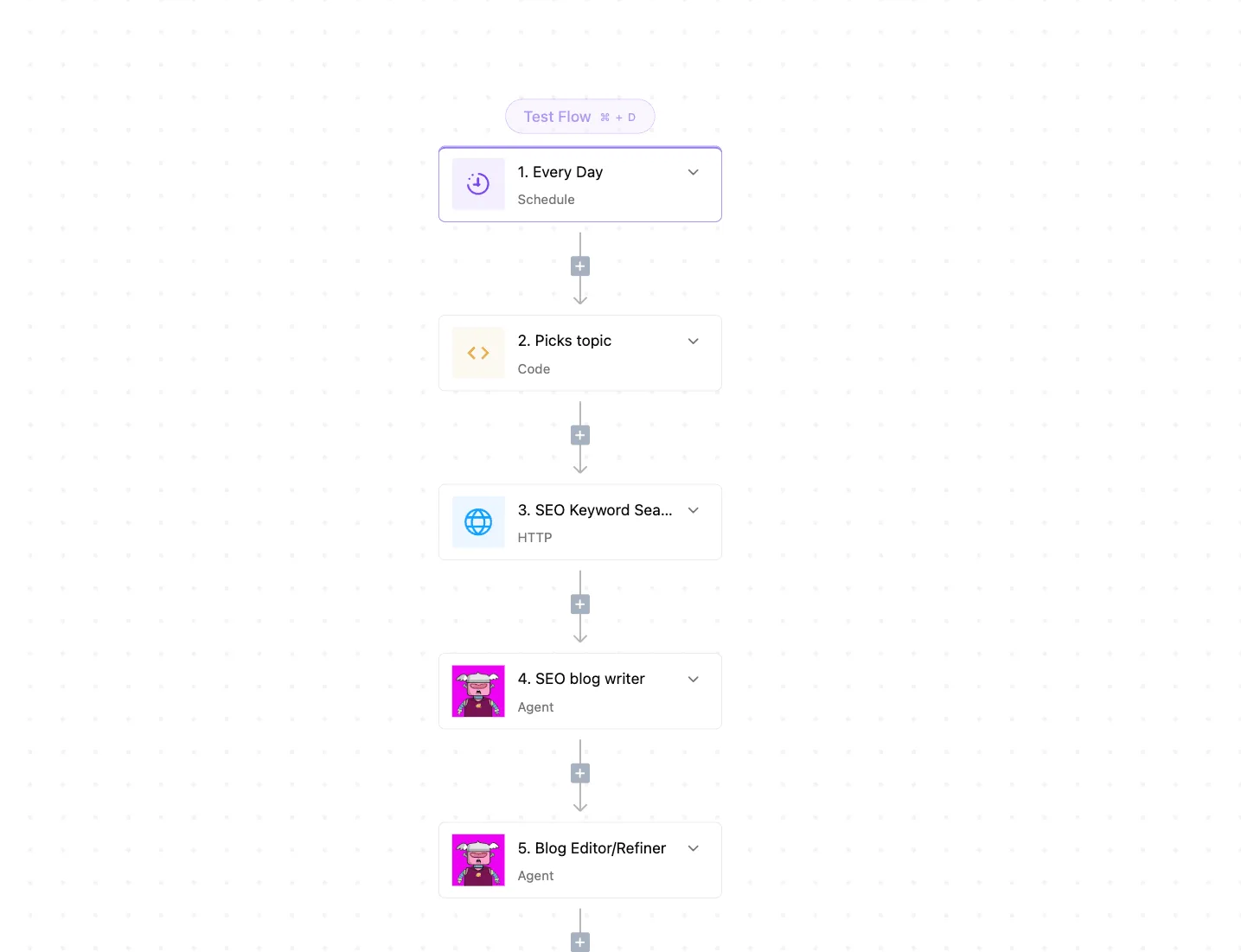
A daily schedule trigger starts it, a code step picks a topic, an HTTP request goes to a keyword service, and two agent steps write and then refine a post.
It shows the shape to copy: each step is its own card, so a failure points at one step instead of at a whole script, and the plus buttons between cards are where you insert the checks described next.
Build it in this order:
- Put the edge0-145b call in an HTTP request step, with the vendor's documented endpoint and authentication.
- Turn on the step's retry setting, and set it to match the error behaviour in the docs, so you retry the errors the vendor marks as transient and nothing else.
- Add a branch after the call that checks the status code and the response body, because a success status with an empty body is still a failure for you.
- On the failure branch, send an alert that carries the request, the response and the time, which is the same evidence the support ticket needed.
If the limit is on the vendor's side, retries only spend the allowance faster, and Activepieces can't raise a quota, shorten a timeout or alter how edge0-145b reports errors. The limits you documented stay your design constraints.
Frequently asked questions
Once the limits are written down, three gaps remain, and each is settled by what the vendor's documentation says today, not by a forum thread:
- Maximum output tokens isn't documented, so set your own ceiling and test it against real jobs.
- 8-bit and FP16 builds aren't shipped, so plan around the released weights only.
- Minimum VRAM isn't stated, so measure on your own hardware before you commit to it.
On whether edge0-145b has an official API, treat the vendor's documentation as the only authority. If an endpoint isn't described there, don't build on one inferred from a third-party wrapper or a screenshot.
Can edge0-145b run on a schedule without code?
Only if the trigger and the call both sit inside what the vendor documents. A scheduler is just a clock, and it doesn't know about limits.
When a job fires on time and hits a ceiling, it fails on time, so write your retry and back-off rules into the schedule itself. Test the first scheduled run before you trust the tenth.
Where the documentation is silent, assume the job fails and design it to be safe to run again. Retries against a vendor-side limit only use the allowance faster.
For current pricing, go to the vendor's own pricing page, read on the day you budget. A price quoted in an article is already a day old, and so is a price in a screenshot.
Related reading
References
Build it
Set this up in minutes.
No code required. Connect your accounts, and Activepieces runs it from there.
Start free Talk to sales