Gamma API: Access, Rate Limits and Costs (2026)

Nov 23, 202614 min read
Before you write any code, check two things in Gamma's docs: API access depends on your plan, and on a key created in your account settings.
The docs state both on the day you build, and if you plan to wire the call into a workflow tool such as Activepieces, the same check applies there.
The Gamma API is an asynchronous service that lets you generate Gamma presentations, documents and webpages from code: you authenticate with a key from your account settings, submit a generation request, then poll for the finished result, with credits, rate limits and errors governing each call.
Each of these four facts can change without notice, so write each down with the date you read it:
Gamma API access, key and plan requirements
- The plan that unlocks API access, from Free through Enterprise
- The place in Gamma account settings where you create the key
- The link to Gamma's current API documentation
- The date you checked each of the above
When access fails, the date you checked tells you whether Gamma changed or you misread.
What the Gamma API lets you generate
You send Gamma a request and get back generated content: presentations, documents and similar outputs, built from the text you supply. It's asynchronous, so the request doesn't return the finished result. It returns something you must wait on and check.
Read the endpoint list in the docs; supported output types and parameters change.
Which plan includes API access
Your setup can look like it works and still fail at plan gating, which is the first place it breaks. Gamma sells tiers from Free through Enterprise, and API access belongs to some of them, not necessarily all.
Open the pricing page and the API docs side by side and find the lowest tier that lists API access. Record that tier name and the date.
If your account sits below it, Gamma may not offer the key at all, or it may refuse requests, and the error will say nothing about billing.
Create an API key and store it safely
Create the key inside your Gamma account settings, in the section the docs point to. Copy it once, at creation, and put it straight into a secret store, such as your server's environment configuration.
Or skip writing the job: describe it to the built-in chat in Activepieces, say a deck per new row, the generation ID stored first, polling until completed, and it publishes the flow a developer would have assembled by hand.
That flow runs under the same RBAC and audit logs as any hand-built one, and every Gamma run leaves a trace that someone who has never read code can open and follow. MoneyGram, Moneypenny, Alan and FundingSocieties run Activepieces in production.
Don't paste it into source files, tickets or chat. If a key has appeared in any of those, treat it as exposed and replace it.
Everything below works on Activepieces' free plan. Start without code or a credit card.
Make your first Gamma API request
With a clean key in hand, the first request is a POST to /v1.0/generations carrying inputText. You fetch the result by repeating a GET on the returned generation ID until it reports completed.
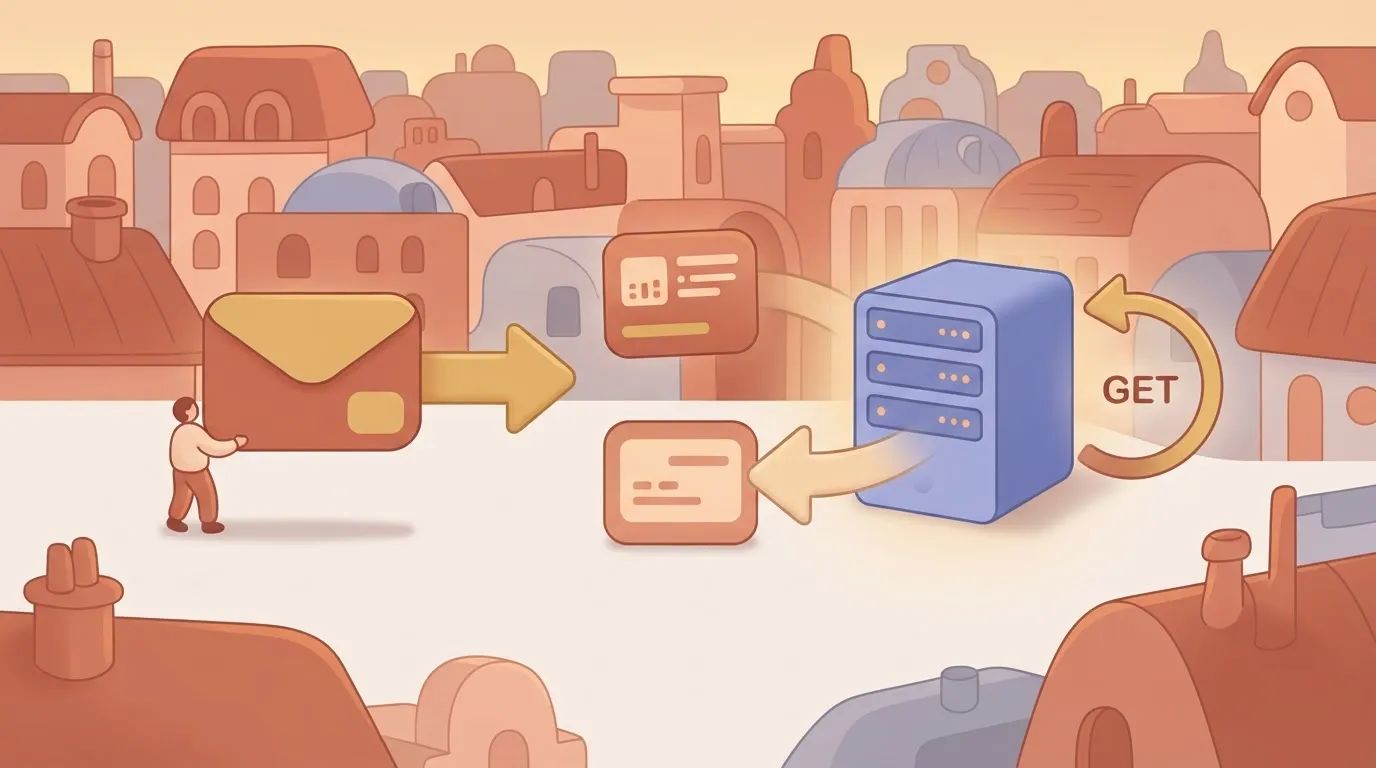
The five steps below are the whole round trip, and the order matters:
- Set the base URL to the one Gamma's developer docs give, and nowhere else.
- Add the auth header exactly as the docs name it, with your key as its value.
- POST to
/v1.0/generationswithinputTextand every field the docs mark as required. - Store the
generationIdfrom the response before you do anything else with it. - GET
/v1.0/generations/{id}until the status reads completed.
Stage 1: send the generation request
You do not get a presentation back from the POST. You get an acknowledgement that Gamma has queued the work, and the generationId in that acknowledgement is the only handle you get on the job.
Write it to a database row, a log line, anything durable, before your code moves on.
If the process dies between the response and the write, you end up with a generation you can't look up.
**Write it to a database row, a log line, anything durable, before your code moves on.
Poll the Gamma API for the finished result
Call the GET endpoint with the stored ID. Early responses will say the job is still running, and that's the normal state, not an error.
Loop with a pause between calls, and stop on completed or on a failure status. Always set an exit condition, or a job that never completes holds your worker open.
Add theme, format and export options to requests
Only after the plain request round-trips should you add the optional fields for theme, output format and export. Add them one at a time. If a request that worked now fails, you know which field did it.
Understand Gamma API pricing and rate limits
Pass an image model as an accepted value and you have also made a price decision, because it sets what each picture costs, from 2 credits to 8.
Gamma API image model credit costs
Per Gamma's image model reference, five models carry a credit cost per image. Flux 1 Pro and Flux 2 Pro each cost 8 credits, so they're the most expensive options listed. Ideogram 3 Turbo costs 6 and GPT Image 2 Mini costs 5.
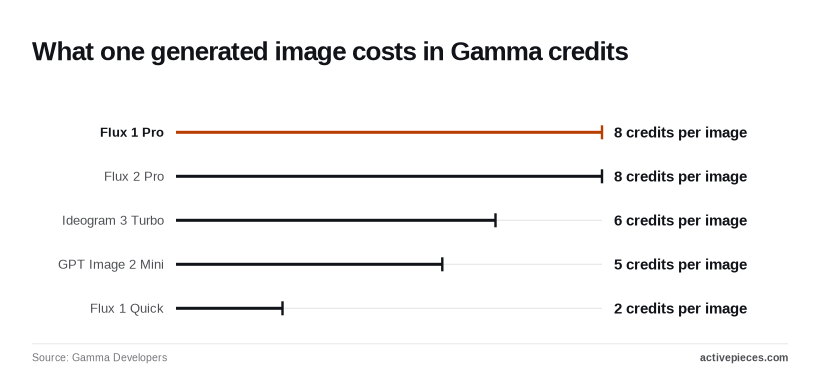
A job that defaults to a premium model burns four times the credits of one that names Flux 1 Quick, and nothing in the response will flag the difference.
Seat prices are a separate cost
Per Toollers, seat prices run from 9 to 12 $ per seat per month on Plus, 18 to 25 $ on Pro and 90 to 100 $ on Ultra.

Pay monthly and you pay up to a third more for the same seats, because the lower figure in each range is the annual rate. Those are seat prices, not API prices.
Rate limits per plan
I could not confirm a requests-per-minute figure for any plan in Gamma's docs on 2026-11-23, and the only concurrency number is the Free plan's 2 agent jobs.
| Plan | API access | Credit allowance | Requests per minute | Concurrency |
|---|---|---|---|---|
| Free | unpublished | unpublished | unpublished | 2 agent jobs |
| Plus | unpublished | unpublished | unpublished | unpublished |
| Pro | unpublished | unpublished | unpublished | unpublished |
| Team | unpublished | unpublished | unpublished | unpublished |
| Enterprise | unpublished | unpublished | unpublished | unpublished |
Checked 2026-11-23. Every "unpublished" cell means you find the limit by hitting it, so build your retry handling before launch rather than after the first 429 in production. Re-read Gamma's docs on the day you build, because Gamma may have filled these cells in since.

Estimate monthly Gamma API spend for 500 decks
Take an assumed five images per deck. On Flux 1 Pro that's 40 credits a deck, or 20,000 credits for 500 decks. On Flux 1 Quick it's 10 credits a deck, or 5,000 in total.
Pick the cheaper model and you free 15,000 credits a month. This counts images only, because Gamma publishes no per-deck text cost I can cite. Treat the totals as a floor and check your own balance after a ten-deck test run.
Easier to see it running than to read about it: set it up free, no card.
Handle common Gamma API errors
After a ten-deck test run, the first error you meet is likely an empty balance, and six errors cover most failed Gamma calls.
- 401, invalid key: the key is wrong, Gamma revoked it, or you sent it incorrectly. Regenerate it and resend.
- 400, bad body: the body has a malformed or missing field. Compare it with the current docs; I couldn't confirm the exact error payload.
- 404, unknown generation ID: you mistyped or truncated the ID, or Gamma never issued it. Store it exactly as returned.
- 429, workspace_concurrency_limit_exceeded: too many generations are running in your workspace at once. Wait for one to finish, then retry.
- Credit exhaustion: the balance is zero. Top up; I couldn't confirm which status code Gamma returns.
- Failed generation: the status reports failure. Retry once, then inspect the input; I couldn't confirm whether Gamma refunds the credits.
Don't retry 401, 400 or 404 automatically. An unchanged request returns the same answer, so a retry loop only delays the alert that someone must fix a key, a body or a stored ID.
Log the last four characters of the key, never the whole thing.
429 rate limits and credit exhaustion
Take Canva's Connect API: its caps run from 10 to 100 requests per minute, because limits belong to endpoints, not vendors.
Per SkillUI, user capabilities allow 10 requests per minute, so a permissions check in a loop stalls first. Create design and create folder allow 20 each, so bulk setup scripts need pacing.
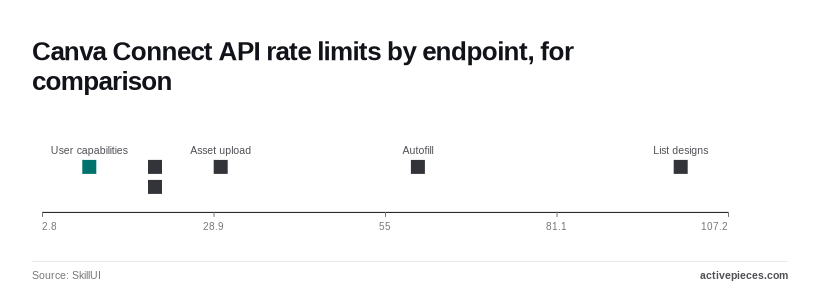
At 30, asset upload caps how fast you can feed images in. Autofill allows 60, so batch jobs are throttled to about one a second. List designs allows 100, so reads are the cheapest calls you make.
For 429s, back off exponentially with jitter. Whether Gamma sends a retry-after header is unconfirmed. Credit exhaustion is different: retrying never helps, so stop the queue and alert.
Handle failed or slow Gamma API generations
Because generation is asynchronous, you poll the ID. A few seconds between polls is a sensible starting point (our suggestion, not a documented interval), and a hard ceiling on total wait stops a stuck job from polling forever.
If you re-POST because a poll was slow, you may pay for two decks. Save the generation ID before the first poll, and after a timeout keep polling that ID instead of creating a new request.
Call the Gamma API without code using Activepieces
You can run the same Gamma calls from Activepieces, an automation builder with an MIT-licensed core, by sending the same endpoint, header and body through its HTTP step.
The saved generation ID and the polling loop become workflow steps instead of code, and every plan, the free one included, allows unlimited flows.
Inside Activepieces, nothing about Gamma's behaviour changes. Credits still drain, rate limits still apply, and a failed generation still returns whatever error Gamma's docs describe on the day you build.
On the Activepieces side, the free plan gives you 1,000 credits a month, and when they run out your flows stay on and runs wait until the credits refresh.
What the builder gives you is a place to put the integrations the previous section asked for: a stored ID, a repeated check, and a branch for failure.
I'm not pointing at a dedicated Gamma integration here. Check whether one exists in the Activepieces integration list when you build, which counts 750 integrations in the open source monorepo, roughly 60% of them community-contributed, so you're likely to find what you need already built.
If it doesn't, the HTTP step carries the identical request.
Build the trigger, generate and poll workflow
Start with a trigger that fires when a new row lands in the sheet or table where requests are collected. Add an HTTP step that posts to Gamma's generation endpoint, with the API key in the header and the row's text in the body.
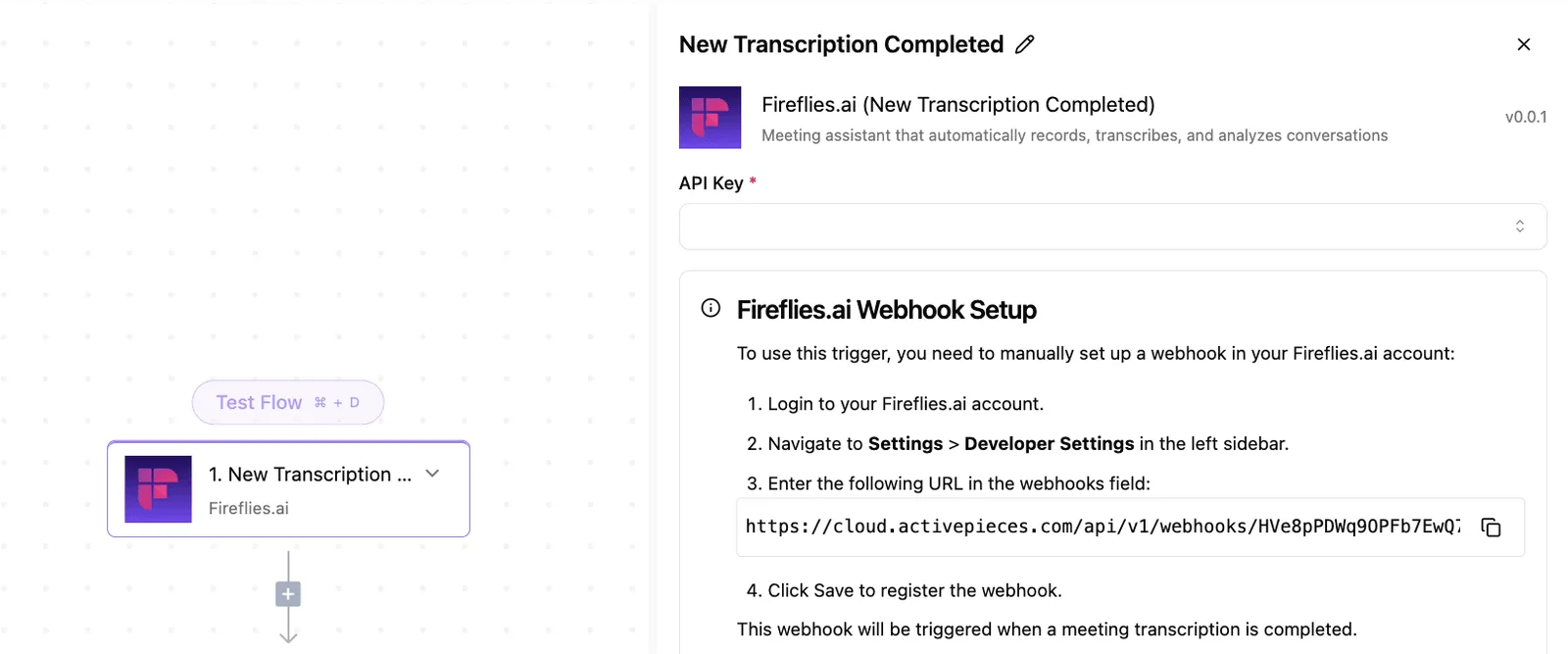
Copy all of it from the docs page rather than from memory.
Store the returned generation ID in the next step before anything else happens, so a timeout later can't orphan it.
Then add a loop that calls the status endpoint with that ID, waits between calls, and exits when the status is complete or failed.
Keep the wait at or above whatever interval Gamma's docs recommend, because a tight loop is how you meet the rate limit.
Test the trigger before building on it
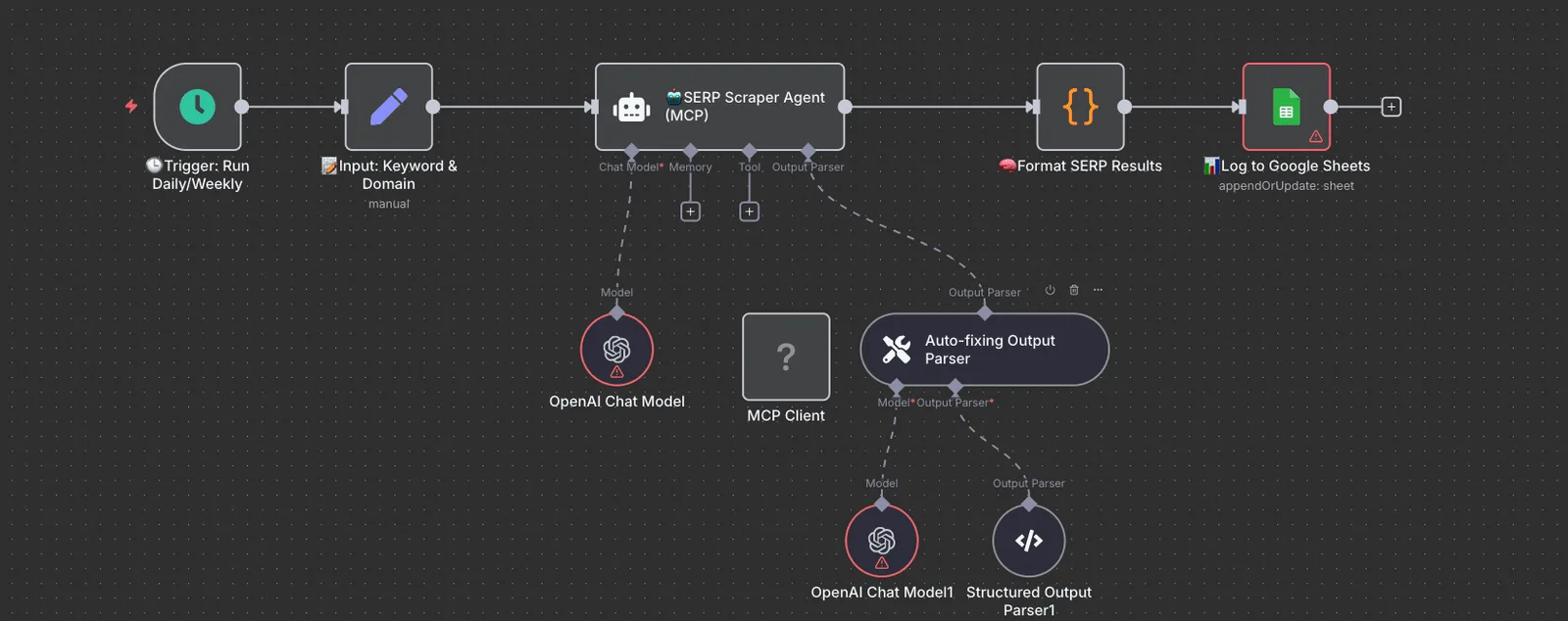
In the screenshot below, the same pattern appears with a different trigger. It's a Calendly "Event Canceled" trigger feeding a Slack message and a Gmail email, with the trigger panel marked "Tested Successfully" and sample data showing "invitee.canceled".
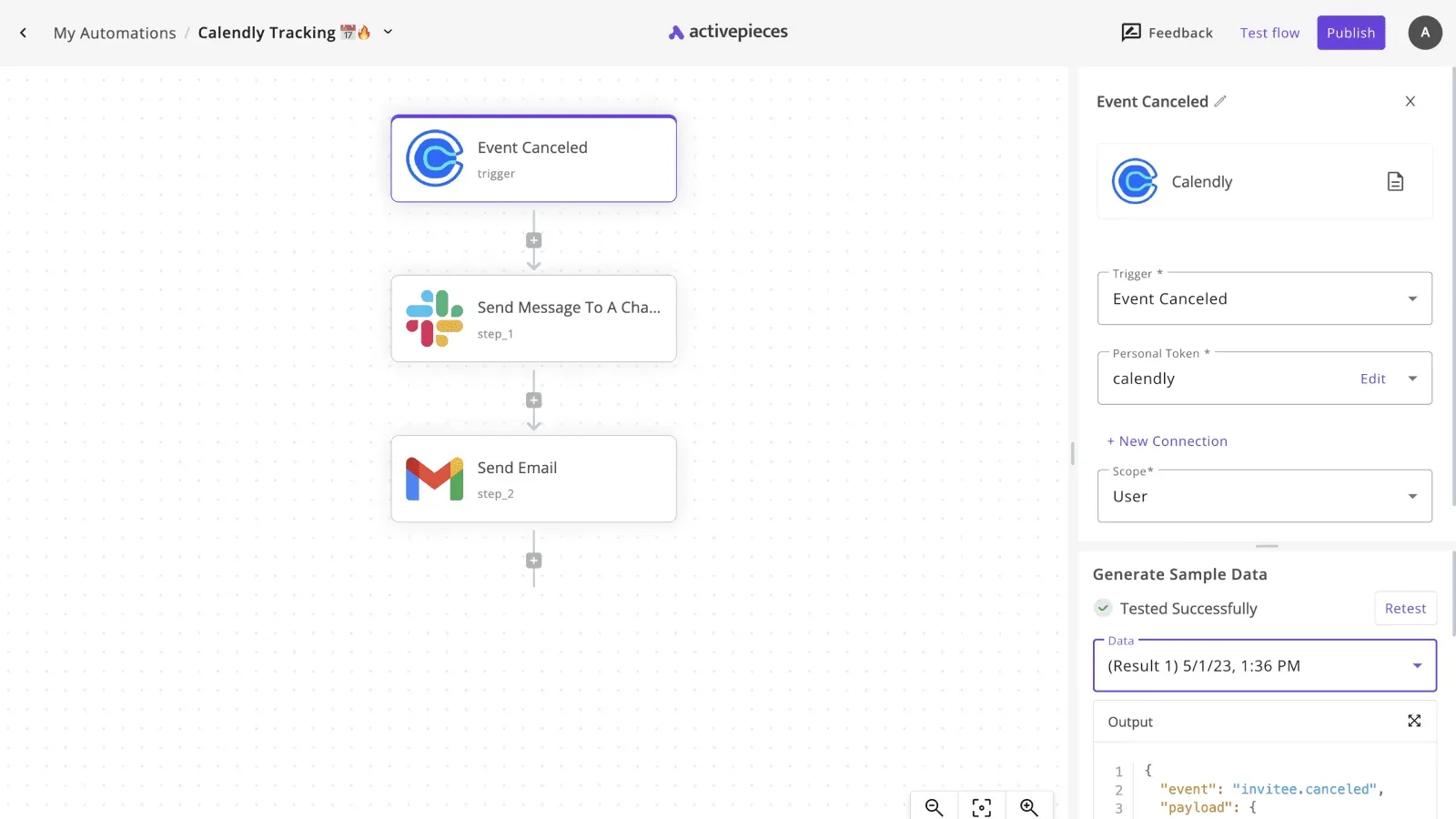
Take from it the habit, not the apps: test the trigger first, read the sample data, and only then build on its fields.
After the trigger tests clean, finish the chain with a Slack message that posts the finished presentation link to a channel. Send a second message on the failure branch, carrying the generation ID, so a person can see what stalled.
When code is still the better choice
Once volume rises, code wins. Each polling loop in a no-code run is a series of billed task steps, and many rows at once means many loops waiting on the same rate limit.
With a script, you can share one queue, back off on the rate-limit response, and retry safely against a known ID. It also puts your credit checks in a place you can test and version.
Use Activepieces for low or moderate volume, for prototypes, and for teammates who should be able to read the flow; the Plus plan is $20 a month flat for 10,000 credits, which means your team can try it affordably.
Move to code when the queue, not the first request, becomes the part you have to control.
Frequently asked questions
Is the Gamma API free to use?
Don't assume a free account includes API access. Whether the Gamma API is free depends on your plan, and Gamma's pricing and API docs are the only authority on the day you build.
Check that your key works and that your credit balance covers a test generation before you promise a client anything. A request that fails on credits fails after you've already built the surrounding code.
Can the Gamma API edit an existing presentation?
As documented, the API is a generation service: you send input and get a new gamma back. Unless the docs list an endpoint for changing a finished one, plan on regenerating instead of editing.

Since regenerating means every revision costs credits again, keep your input text stored on your side and change it there rather than treating Gamma as the source of truth.
Does the Gamma API support webhooks instead of polling?
Poll. The generation call returns an identifier and you ask for status until it finishes, which is why the earlier sections spend so long on interval and backoff.
If the docs add a callback mechanism later, it will be listed alongside the status endpoint. Until you've seen it there, a design that waits for a push will wait forever.
Can I export Gamma API output to PDF or PowerPoint?
Yes, export is part of the generation request: you ask for a file format and the finished result includes a link to it.
Read the credit table on the day you build to see how exports are counted, and note that the links are for downloading, not for permanent hosting.
Fetch the file when the job completes and store it yourself.
Check two limits in the same read-through, because they fail quietly on large jobs: the ceiling on page count and the ceiling on input text length.
When a job looks stuck, it usually isn't, because generation takes minutes, not seconds. Check the docs for both limits and for any stated completion time before you set your timeout.