
Calendly Salesforce Integration: No-Code Setup (2026)

Nov 15, 202617 min read
A no-code Calendly-to-Salesforce integration is a flow where a booked meeting triggers the creation or update of a Salesforce record, and with a visual builder like Activepieces you can build the first one in an afternoon.
Your reps are retyping invitee details from calendar invites into the CRM, and that's the real cost here.
Retype enough records and one will carry a misspelled email, a duplicate contact, or a meeting that never gets logged. A flow replaces the retyping with a rule that runs the same way every time.
Build Calendly-Salesforce integration
What people actually automate between the two apps
When a meeting is booked or canceled, Calendly gives you a trigger for each, Event Scheduled and Event Canceled, and Salesforce is where the result lands.
A booking becomes a new lead or an updated contact. A cancellation becomes a status change, so nobody chases a meeting that no longer exists.
Before a flow creates anything, it can check whether someone already has a meeting, because Calendly also has lookup actions, such as finding events by invitee email. That lookup is your first defense against duplicates.

The full list is on the Calendly trigger and action page, which I read on 2026-11-15.
Requirements before connecting Calendly and Salesforce
Most failed first attempts trace back to one of these four things, usually the last, so check each before you open the builder. The checklist below covers what must be true before the first test.
- A Calendly account (the Free plan works for the Scheduling API and webhooks)
- A Salesforce edition that includes API access
- An account on Activepieces, the no-code automation tool that will sit between the two
- A Salesforce user with API permission enabled on their profile
Do not assume the two are interchangeable: Calendly's own native Salesforce sync is a separate question from the API route used here, and it may sit on a different plan. Confirm which one you hold.
With those four in place, you can build and test the flow.
Build one flow, not five. A single trigger and a single Salesforce action is enough to prove the connection and show you where your data disagrees with itself.
- Connect your Calendly and Salesforce accounts, using the Salesforce user that has API permission.
- Set Event Scheduled as the trigger.
- Add a lookup step that searches Salesforce for the invitee's email.
- Create the record only if no match comes back; otherwise update the one found.
- Map invitee name, email and meeting time to the matching Salesforce fields.
- Book a test meeting yourself and check the record.
Once that one booking lands cleanly, add cancellations next.
Everything below works on Activepieces' free plan. Start without code or a credit card.
Five Salesforce and Calendly workflows worth building
If you build five flows, you cover most of what a booking link needs to do inside your CRM. They log the booking, handle changes, create follow-up work, route by owner, and fall back to HTTP when a step is missing.
Read across each row: the trigger in Calendly (the scheduling tool), then what happens in Salesforce (the CRM).
Read the last column as the manual work you stop doing, because every flow you skip is a copy-paste job someone on your team still does by hand.
| Flow | Trigger (Calendly) | Salesforce actions | Optional filter or branch | Work saved |
|---|---|---|---|---|
| Log new bookings | "Event Scheduled" | "Create Lead" | Look up the invitee's email first; update the existing record if found | No retyping invitee details |
| Reschedules and cancellations | Calendly's cancellation trigger | Update the matching record | Only when a matching record exists | No stale meeting dates in the CRM |
| Follow-up tasks | "Event Scheduled" | "Create Task" | Only for certain event types | No "remember to prep" sticky notes |
| Route by owner or source | "Event Scheduled" | "Create Lead" or "Create Task" | Branch on owner or lead source | No manual reassignment |
| Missing steps | Any Calendly event | HTTP or webhook call | Depends on the gap | Avoids a workaround spreadsheet |
Prices and plan limits checked against activepieces.com and activepieces.com on November 15, 2026.
Logging bookings and handling changes
Build them in that order. Each one reuses the matching logic from the one before it.
This is the flow you already built. "Event Scheduled" fires, a search checks whether the invitee's email exists in Salesforce, and "Create Lead" runs only when it doesn't. Skip the search and every repeat booker becomes a duplicate, which is the spreadsheet-with-two-Janes problem again.
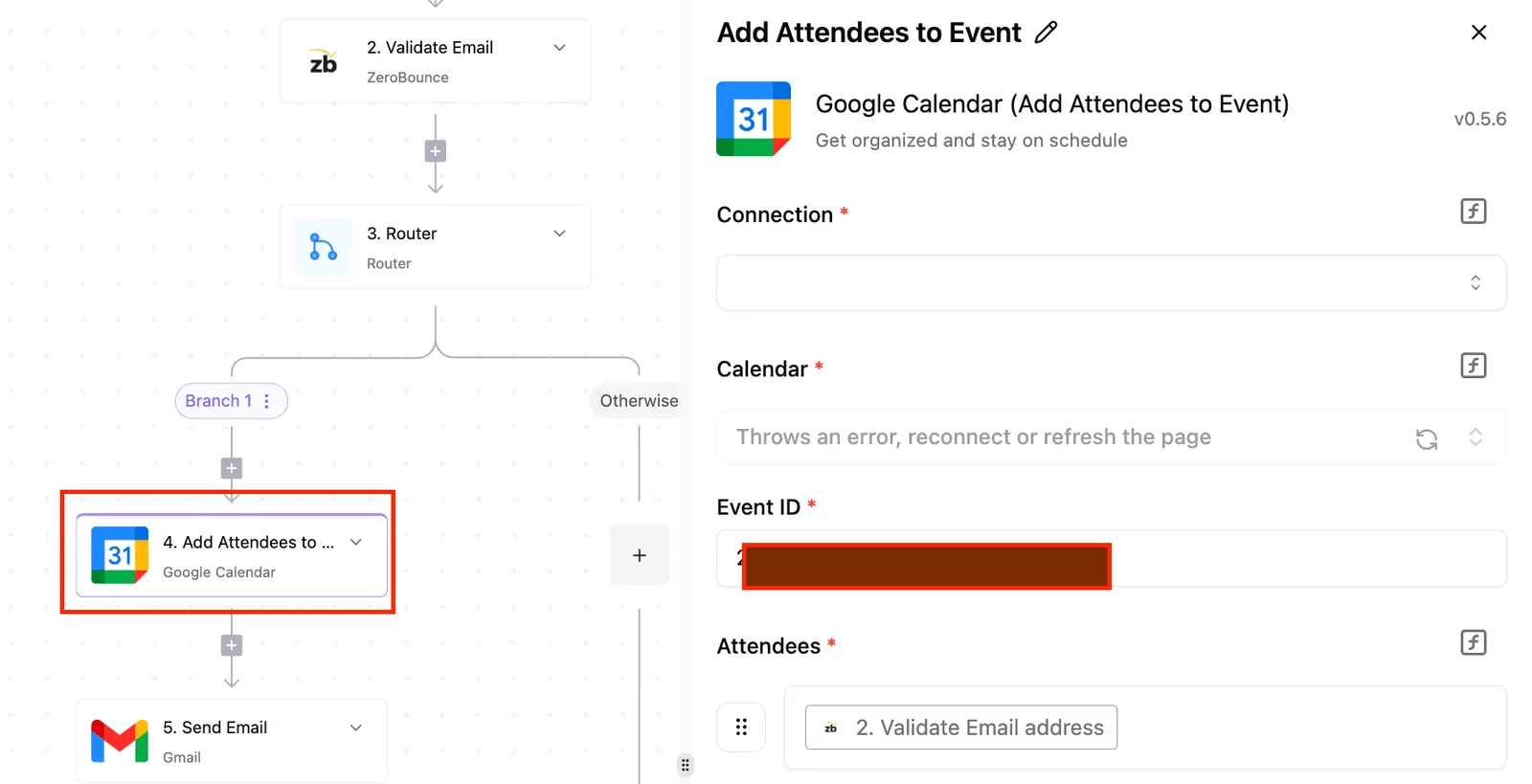
When a booking moves or disappears in Calendly but not in Salesforce, the record claims a meeting that will never happen.
Trigger on the cancellation, find the same record you matched at booking, and update it. If nothing matches, stop the flow instead of creating a fresh record.
Create Salesforce tasks from Calendly bookings
Use "Event Scheduled" again, then "Create Task" assigned to the record's owner. Filter by event type so a quick intro call doesn't generate the same prep checklist as a full demo.
Add a branch after the lookup. If the matched record has an owner, assign the task to them. If it's a new lead, branch on its source and send it to the right queue.

This is where unclear field mappings do the most damage, so check that the source values in Calendly match Salesforce's picklist spelling exactly.
Use HTTP requests for Calendly-Salesforce gaps
If your automation tool lacks a Calendly trigger or Salesforce action you need, use its HTTP request step to call the API directly. Or subscribe to a Calendly webhook and send the payload on.
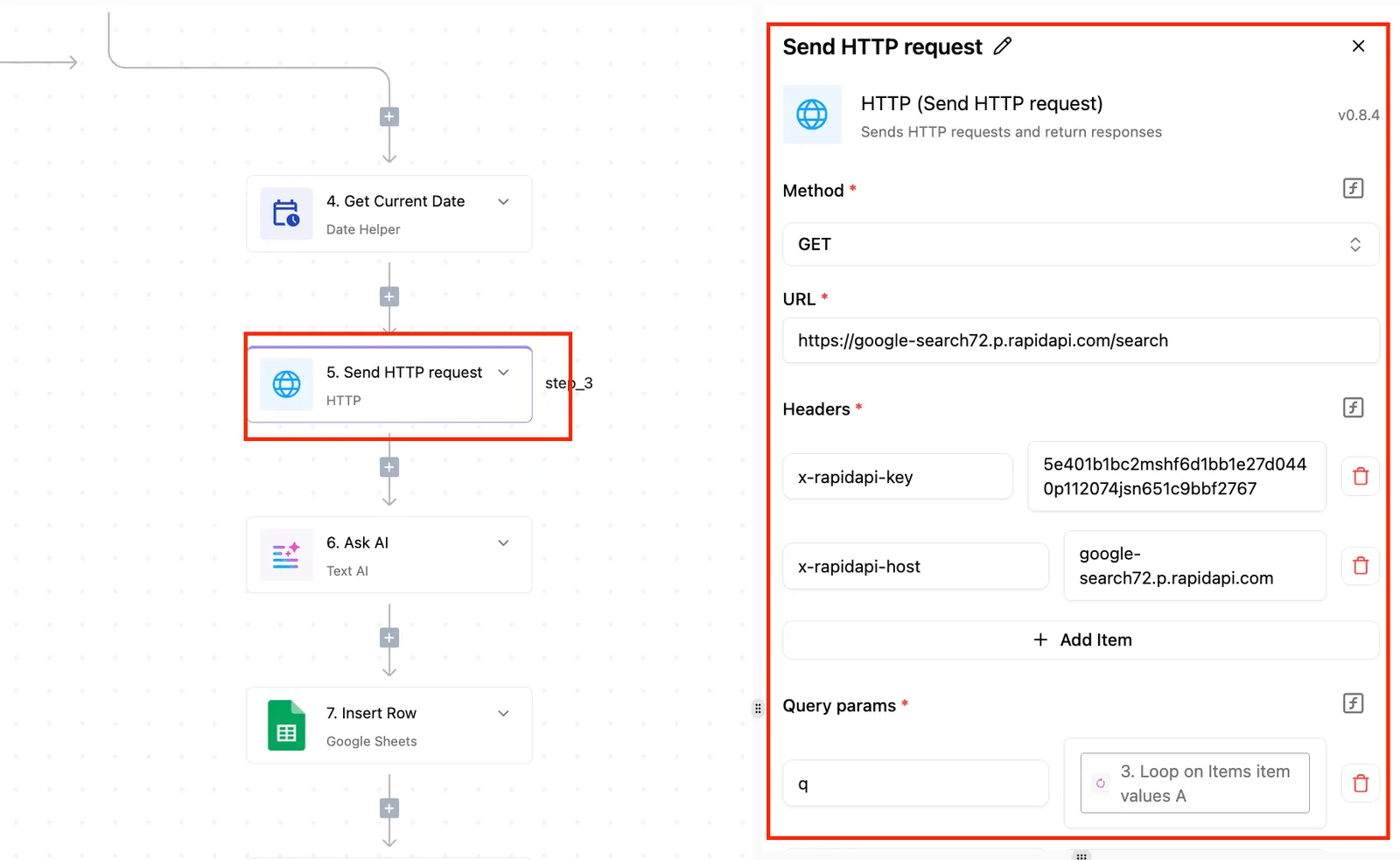
Do this for one gap at a time, and test it the way you tested the first booking.
Build the booking-to-Salesforce workflow step by step
Build one flow in four stages: connect both accounts, trigger on a new booking, map each field to a Salesforce record, then test with a real booking before you publish.
Calendly is the scheduling tool that collects the booking. Salesforce is the CRM where the record has to land.
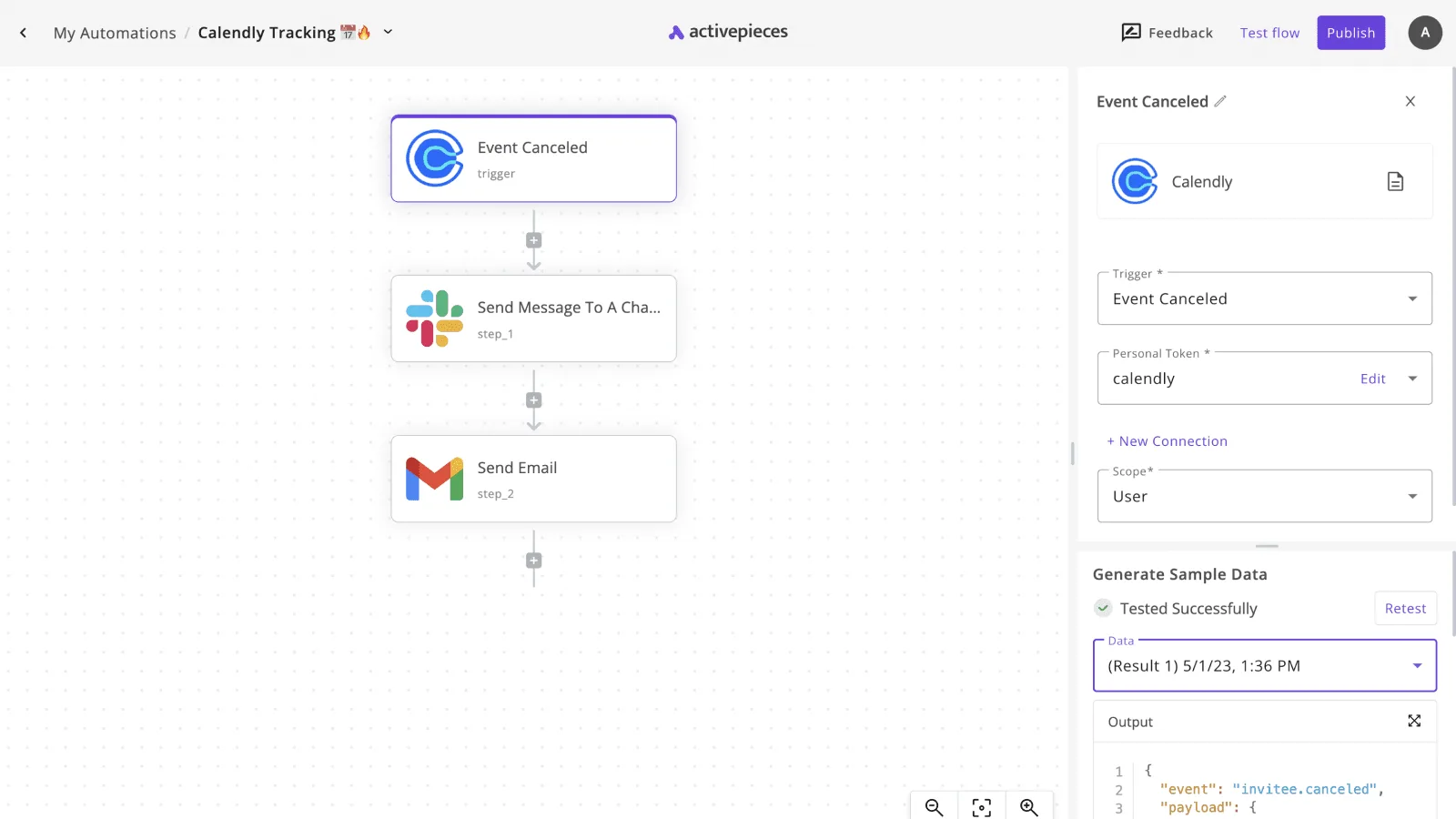
In a no-code builder, a finished flow reads top to bottom: one trigger, then steps, each joined to the next by a line.
The example below is longer than ours, with a qualifying condition and notifications, so take the shape from it and not the length.
For ours, a trigger, a duplicate check and one create step are enough.
Stage 1: connect Calendly and Salesforce
Connect Salesforce with a dedicated integration user, not your own login. A flow tied to a personal login stops the day that person changes a password or leaves.
Give that user permission to create and edit the object you're writing to, because a missing permission looks like a mapping failure and wastes an afternoon.
Connect Calendly as the owner of the event type you want to watch. Another user's account won't see those bookings.
Choose the trigger that fires when an invitee books. Then make a real booking on your own calendar page before you load the sample.
Because the builder pulls the sample from that booking, you see the field names exactly as Calendly sends them. Mapping from a guess at the names is how blank fields end up in Salesforce.
Stage 3: map fields to the Salesforce record
Add a step that searches Salesforce for an existing record with the invitee's email. Follow it with a condition: if one is found, update it or stop; if not, create a new record.
Skip the condition and every repeat booker becomes another copy of the same person, and cleaning those up later costs far more than the filter does. That condition is the duplicate filter.

Map the create step field by field:
- Email goes to Email, taken straight from the sample.
- Name needs care. Salesforce requires a last name, so if Calendly sends one full-name field, split it, and give a single-word name a fallback in the last-name field.
- Company is required on a Lead, so map it from a booking question or enter a fixed placeholder like "Unknown".
- Event name and start time go into a description or custom field, so the sales rep sees what was booked.
Stage 4: test with a real booking and publish
Run the test against the sample, then book again from a different email address and open the record in Salesforce. Check that the name split correctly and no field is empty.
Book a third time with the same address to confirm the duplicate check stops a second record. Publish only after all three pass.
Once it has run cleanly on live bookings, add the next gap as a separate step and test it the same way.
Easier to see it running than to read about it: set it up free, no card.
Fix Calendly-Salesforce workflow errors
Add a step and it can fail in one of several predictable ways, and every one has a fix you can apply without code. The table pairs what you'll see with its cause, so you can work backwards from the symptom.
| Symptom | Cause | Fix |
|---|---|---|
| Flow stops, no new records | Expired connection | Reconnect both accounts and re-run the failed bookings |
| "Insufficient access" error | Missing API permission | Enable API access on the Salesforce user's profile |
| Record rejected on create | Required field missing | Map a value to every required field, or add a default |
| Same person appears twice | Duplicates | Search by email before creating; update if found |
| Answers vanish | Custom answers not mapped | Create matching custom fields and map each question |
| Meetings an hour or more off | Time zones | Send the timestamp with its offset, not as plain text |
| Cancelled meetings still show | Cancellations not handled | Add a separate cancellation step that updates the record |
| Errors only at busy times | Rate limits | Reduce calls per booking and retry later |
Fix the first row you recognise, then rerun one test booking before touching the next.
Connection and permission errors
When a flow worked on Monday and is silent on Friday, the usual cause is an expired connection, because the token behind it was revoked or timed out. Reconnect, then replay the missed bookings by hand.
If the error appears on the first run, it's permissions: the Salesforce user behind the connection lacks API access or write rights to the object.
Use a dedicated integration user rather than a person's login, so a staff departure doesn't take the flow down with it.
Fix duplicate and missing Salesforce records
If a flow creates a record on every booking, one repeat customer turns into five contacts, even though Calendly sends an email address. Search first, then update or create.
Missing records are the opposite problem: Salesforce rejects any create that omits a required field, so map every one, including last name, which Calendly may not split out for you.
Fix Calendly time zone and field mapping errors
Store a booking as plain text and it loses its offset, and the meeting lands at the wrong hour for someone. Pass the full timestamp.
Custom questions fail quietly: if no Salesforce field matches an answer, the answer is dropped and nothing errors. Cancellations behave the same way, since a flow built only on "booking created" never hears that the meeting was cancelled.
Calendly and Salesforce API rate limits
Per its help article on API limits, Salesforce caps API requests per 24 hours by edition.
Developer edition allows 15,000, which is ample for testing but means a loop that runs wild can exhaust a test org in a day. Enterprise allows 100,000, and Unlimited allows 500,000.
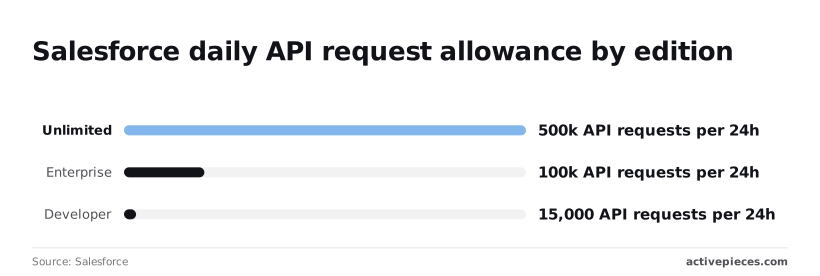
Suppose each booking costs about four calls (search, create, update, note). Developer then covers roughly 3,750 bookings a day, so a scheduling flow rarely hits the ceiling unless it loops.
When it does, the symptom is errors at busy times, so retry later rather than immediately.
Other tools that connect these apps and where Activepieces fits
Zapier and Make are hosted tools that bill by usage, Calendly's native Salesforce option is built in, and Activepieces lets you run the flow on your own server, with an MIT-licensed core and 750 integrations to draw on, so you can connect to The text came through as a fragment ("most services you're already using."), with no competitor, numbers, product names, or superlative to remove.
Could you paste the full sentence so I can rewrite it without inventing details? The first two climb in price the way the editions did.
Comparing options by integration step costs
Your booking flow isn't one step. A sound one searches Salesforce for an existing contact, creates or updates it, then logs the meeting, and every extra step is where a metered tool starts charging you.
The table shows how the four options differ on the things that decide that. Read the cost and step columns together, because a cheap plan with a tight meter isn't cheap for a flow with a lookup in it.
| Option | Cost model | Hosting | Step limits | Control |
|---|---|---|---|---|
| Activepieces | Free to self-host as open source | Your server, or their hosted version | Unlimited steps per the docs | High: you own the runtime and the flow |
| Zapier | Per task; Professional is $19.99 for 750 tasks | Zapier's cloud | Each action step counts against the task allowance | Medium: configure in their editor |
| Make | Per operation; Core is $16 | Make's cloud | Each module run counts as an operation | Medium-high: visual branching and routing |
| Native Calendly-Salesforce option | Part of the Calendly side, no separate tool | Calendly's side | Nothing to count, but nothing to add | Low: fixed fields and fixed behavior |
a cheap plan with a tight meter isn't cheap for a flow with a lookup in it.
At 750 tasks, a three-action booking flow covers roughly 250 bookings before you hit the ceiling.
Make's $16 is the lower entry price, but you pay in operations, so a flow with branches uses its allowance faster than it looks.
The native option has no meter at all, and its price is that you take the mapping it ships with.
When unlimited steps and data privacy matter
Choose it when the flow needs more steps than you want to pay for, or when booking data shouldn't pass through another vendor's cloud.
The docs say steps are unlimited, so the lookup-before-create step that prevents duplicate contacts costs you nothing extra. That matters because duplicates are the most common matching failure in this pairing.
You also decide who can see the Salesforce credentials if you self-host, which is the permission mistake the article warned about earlier.
You pay for that by running it. If nobody on your team wants to maintain a server, the hosted version removes that burden, and Zapier or Make may still be the calmer choice.
Pick one tool and build one flow: a new Calendly booking that finds the contact in Salesforce, updates it if it exists and creates it if not.
Book a test meeting with an address already in Salesforce and a second with a brand-new one. If the first makes a duplicate, fix the match before adding a single new step.
Frequently asked questions
Although Calendly has a native Salesforce integration, which plans get it and how much it can be configured depend on your tier.
Most no-code builders use a connector instead, because it lets them control matching and field mapping, which is where the duplicates you just fixed come from.
Do I need a paid Calendly plan to connect to Salesforce?
Not any more: Calendly's webhooks, its instant notifications that a booking happened, now work on the Free plan. Those are now available on the free plan too, with no paid plan required, though some partner integrations, including Zapier, still require a paid Calendly plan.
If a connector polls, leads arrive late, which matters if someone follows up within minutes of a booking.
Check the Salesforce side too. The Professional edition needs an API add-on before any outside tool can write records, and the higher editions include API access. If your connection test fails at the authorization step, look at your edition before you look at the flow.
Can I sync Calendly meetings to Salesforce events instead of leads?
Yes. Map the booking's start time, end time and invitee to a Salesforce Event, and relate it to the matching lead or contact. The match step still comes first: an event with nobody to attach to is just clutter on a calendar.
For no-shows, update the event or a status field when a booking is cancelled or missed, rather than creating a second record. A cancelled meeting is a change to the existing record, not a new one.
If a Calendly booking isn't creating a Salesforce record, check these in order, because the cheapest cause comes first:
- Confirm the trigger fired: the webhook subscription must be active, and the test booking must have been on the event type the flow watches.
- Check whether a filter stopped it, since a condition on event type or invitee email can quietly exclude your test.
- Check whether Salesforce rejected the write. A missing required field, such as Last Name or Company on a lead, or an integration user without edit access to a field, fails the step.
- Check whether the failure was retried. Calendly retries failed webhook deliveries for up to 24 hours, so a short outage on your side may fix itself. After that window the booking isn't resent, and you have to re-create it by hand.
To tell which of the four applies, open the run history in your connector.
Can I self-host the automation so booking data stays on my servers?
You can run the middle layer yourself with a self-hostable workflow tool such as n8n, so the mapping and matching logic runs on infrastructure you control.
Because the data still originates in Calendly and ends up in Salesforce, both cloud services, self-hosting narrows where it passes through, not where it lives. If that satisfies your compliance requirement, it's a reasonable choice. If it doesn't, no connector will.