
Microsoft Copilot API: The 3 Options Explained (2026)

Oct 20, 202617 min read
Microsoft Copilot API is several APIs, not one
Is there a single Copilot API?
There's no single Copilot endpoint with one public key. According to Reuters, builders choose among three separate surfaces, Azure OpenAI and Foundry models, Copilot Studio agents, or the Microsoft 365 Copilot APIs through Graph, and each has its own authentication, billing and limits.
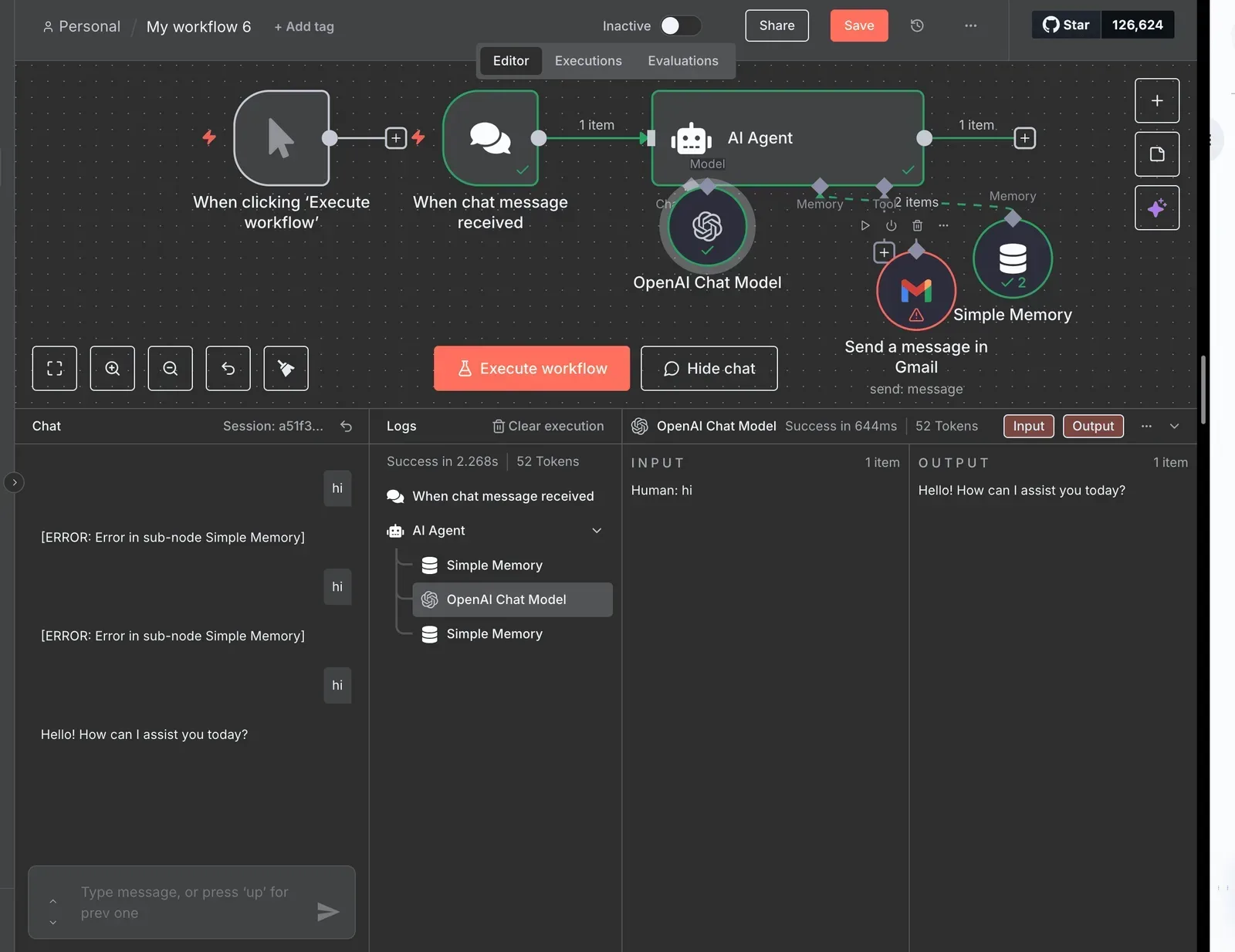
Search for "Copilot API" and you'll find tutorials that call one of the three and describe it as the whole thing.
Then you copy the key from one portal, point it at an endpoint belonging to another, and get a 401 or a 404 that tells you nothing about why, which is the kind of mismatch you also hit when wiring up automation tools like Activepieces to the wrong service.
The error is accurate: the credential was never valid for that service.
Take from it that "the Copilot key" doesn't exist, and that a key which works on one arrow does nothing on the other two.
Once you see three arrows, the work becomes choosing among them, and that choice is the rest of this guide.
Which Copilot API fits which job
When your code needs a model, Azure OpenAI and Foundry models are the fit: you send a prompt, you get a completion, and you build everything around it.
Copilot Studio's for when you want a configured agent, with topics, connectors and a channel, that Microsoft hosts and runs for you.
Per Reuters, the Microsoft 365 Copilot APIs through Graph are for when your app needs Copilot's view of a user's own mail, files and meetings. Such a call runs under that user's permissions and licence.
You won't see a wrong choice at the first test call; it shows up later as a licensing surprise or a missing permission.
Activepieces keeps judgment and rules in one flow: an Agent step sits beside the HTTP step that calls your Azure OpenAI deployment, and the run trace logs a single execution, so a 401 from the wrong surface appears in the same trace as the agent's output instead of in a second system behind a callback.
You won't see a wrong choice at the first test call; it shows up later as a licensing surprise or a missing permission.
Confirm anything that affects a budget against Microsoft's current documentation before you build on it, because quotas and preview status change often.
Everything below works on Activepieces' free plan. Start without code or a credit card.
Choosing your API by caller and data
Pick by who is calling and what data they must reach. Use Azure OpenAI for your own code calling a model, Copilot Studio for a hosted conversational agent, and the Microsoft 365 Copilot APIs for a user's tenant content.
The table shows where the three diverge, so check your job against the data column first.
| Azure OpenAI / Foundry | Copilot Studio | Microsoft 365 Copilot APIs | |
|---|---|---|---|
| Audience | Developers building their own app | Makers building agents, low-code | Developers working inside a tenant |
| Authentication | API key or Microsoft Entra ID | Direct Line secret or token; Entra ID for signed-in users | Entra ID tokens through Graph |
| Billing basis | Azure subscription, usage-based | Copilot Studio capacity or pay-as-you-go | Tied to the user's Copilot licence |
| Data reached | Only what you send or connect | Knowledge sources and connectors set on the agent | Mail, files, chats, within the user's permissions |
| Licence prerequisites | Azure subscription with model access granted | Copilot Studio licence or capacity | Microsoft 365 Copilot licence per user |
Prices and plan limits checked against docs.claude.com and claude.com and openai.com and gemini.google on October 19, 2026.
Call the wrong one and each fails in its own way.
If you call Azure OpenAI with a Copilot licence and no Azure subscription, you get an authorization error, because the two billing systems never meet. The model sees nothing of your tenant unless you wire it in yourself.

Talk to an agent through Direct Line and you reach the agent, not a model. You get the agent's configured knowledge and connectors, so asking it for something outside them yields a polite non-answer, not an error.
Run a Microsoft 365 Copilot API call as an unlicensed account and it gets refused at the door, because these calls run as a licensed user. Results also vary by person, because the same query respects each caller's permissions.
Getting access and API keys for Copilot
Because each surface has its own door, the key you hold for one won't open another. Two people in the same tenant can therefore get different answers to "can I call it?"
The Azure OpenAI path is the one with the most steps, so it comes first.
Until an Azure subscription, a resource, and a named model deployment all exist, in that order, the Azure OpenAI call fails.
- Create or pick an Azure subscription. Some models require an approval request, so file it before you plan a sprint around that model.
- Create an Azure OpenAI resource in a supported region. Not every region offers every model; if the one you want is missing, the portal simply won't list it, and you must create the resource elsewhere.
- Deploy a model and give the deployment a name. Your code calls that name, not the model name. Call the model name and you get a "deployment not found" error.
- Choose authentication: an API key, or an Entra ID role assignment (next subsection).
- Copy the endpoint from the resource's overview page. It's specific to the resource, so a resource in another region has a different endpoint.
A resource with no deployment returns errors that look like a bad key, which is why skipping step 3 is the common mistake.
Entra ID versus API key
To start fast, use an API key; Entra ID's what you want once more than one person or service touches the resource.
With a key, whoever holds it has full access, and rotating it means redeploying every caller. With Entra ID, you assign a role to a user or managed identity, so you can revoke access per caller without touching the others.
Some organizations disable key authentication by policy, in which case the service rejects the key you copied and only a role assignment works.
Copilot Studio and Microsoft 365 licensing prerequisites
Don't look for an Azure resource here; Copilot Studio and the Microsoft 365 Copilot APIs start from licensing and tenant permissions. Copilot Studio requires a license and an environment to build in, and any secrets for its connectors live in that environment, not in Azure.
Before a Microsoft 365 Copilot API call works, users need a Copilot license, and an admin must grant Microsoft Graph permissions. A missing consent shows up as an authorization error, not a licensing message, so check consent first when a call returns "forbidden."
Copilot API models, endpoints and pricing
Because each surface bills in a different unit, no two prices compare directly, and only the Microsoft 365 figure below has a confirmed price. The table shows what I could confirm per unit; where it says "not confirmed", don't budget from it.
| Surface | Unit | Published price | Source |
|---|---|---|---|
| Azure OpenAI | Per million tokens | Not confirmed | None |
| Provisioned throughput units | Per unit of reserved capacity | Not confirmed | None |
| Copilot Studio | Message or credit | Not confirmed | None |
| Microsoft 365 Copilot | Per user per month | $30; $21 for Business | Computerworld |
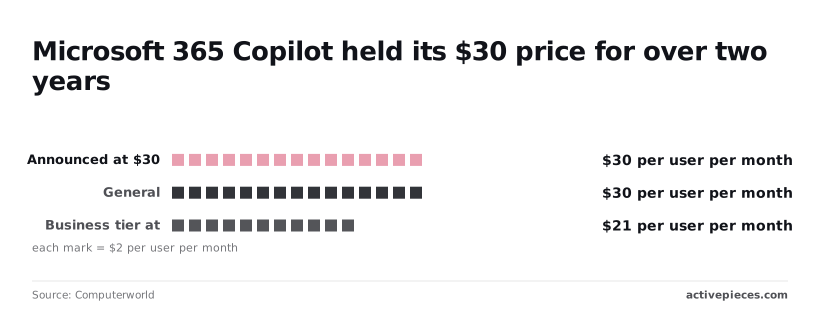
Three of four rows are blank, so check the Azure and Copilot Studio pricing pages before quoting anyone a number.
I have no confirmed Azure OpenAI rate, only the benchmarks it must beat.
Flagship input costs $2.50 per million tokens at OpenAI, $3 at Anthropic, $1.25 at Google Gemini and $3 on AWS Bedrock, per thread-transfer.com. A price within that $1.25–$3 band is ordinary; far outside it, ask why.
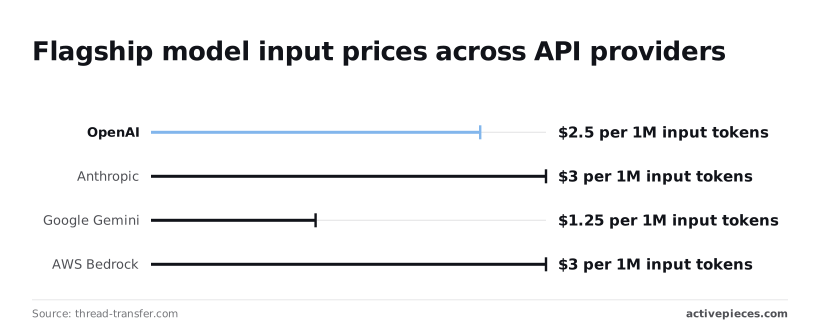
Tokens don't apply to Copilot Studio, which meters conversations in messages or credits. I couldn't confirm a price per unit, so a token estimate can't be converted into a Studio bill.
Announced at $30 per user per month, the Microsoft 365 Copilot licence reached general availability at the same $30, so the price held through launch.
The Business tier is $21. A 100-person team therefore pays $2,100 monthly instead of $3,000, a $900 difference, if it qualifies for Business.
Rate limits and quotas by tier
That is only half of what a tier costs you. The other half is how much traffic it accepts before answering HTTP 429, and each surface counts that traffic in a different unit.
Look at the table for the unit each tier meters and where you ask for more. Copilot Studio has no token or request quota to raise, so a plan that assumes one will fail.
| Tier | Tokens/min | Requests/min | Quota per subscription and region | How to request an increase |
|---|---|---|---|---|
| Azure OpenAI Standard | Set per model and deployment | Derived from the tokens/min you assign | Yes, per model | Quota request in the Azure portal |
| Azure OpenAI Global | Set per model and deployment | Derived from the tokens/min you assign | Yes, a separate pool from Standard | Quota request in the Azure portal |
| Azure OpenAI Provisioned | Not metered; capacity is bought in units | Depends on workload shape | Yes, in provisioned units | Quota request, then purchase |
| Copilot Studio | Not exposed | Not exposed | No; capacity is licensed per tenant | Buy more capacity |
| Graph throttling | Not applicable | Throttled per app and tenant | No | None; back off and reduce calls |
Read the Graph row twice. Nothing there can be bought, so retry logic is your only lever.
Starve a deployment on Standard and it may still have headroom on Global, which has its own pool; both draw on quota allocated per subscription, region and model.
A deployment can't exceed what you assigned it, so unassigned quota sits idle while another deployment returns 429.
If you want predictable latency, Provisioned reserves capacity instead of sharing it. You pay for that reservation whether or not traffic arrives, and the capacity you can reserve is itself capped by quota.
When Graph is overloaded it answers with 429 and a Retry-After header; ignore that header and the throttling lasts longer. Copilot Studio fails differently: when licensed capacity runs out, you buy more rather than file a request.
Easier to see it running than to read about it: set it up free, no card.
Minimal Copilot API request example
To watch quota behave for yourself, use Azure OpenAI:
- One POST to your deployment's chat completions URL
- An
api-keyheader - A
messagesarray
Azure OpenAI chat completions request
curl -X POST "https://YOUR-RESOURCE.openai.azure.com/openai/deployments/YOUR-DEPLOYMENT/chat/completions?api-version=YOUR-API-VERSION" \
 -H "Content-Type: application/json" \
 -H "api-key: YOUR-KEY" \
 -d '{"messages":[{"role":"user","content":"Reply with the word ready."}]}'
YOUR-RESOURCE is the name of the Azure OpenAI resource you created. YOUR-DEPLOYMENT is the name you gave a deployment, not the model's name, so using the model name returns a not-found error and sends you hunting for a permissions problem that doesn't exist.

YOUR-API-VERSION comes from the current reference page, and the key is on the resource's Keys and Endpoint page.
Reading a successful Copilot API response
Look for an HTTP 200 with a JSON body whose answer sits at choices[0].message.content. Check finish_reason beside it, because a value other than a normal stop means the text was cut off or filtered.
The usage object reports prompt and completion tokens, which is what your quota is charged against, so read it on your first call.
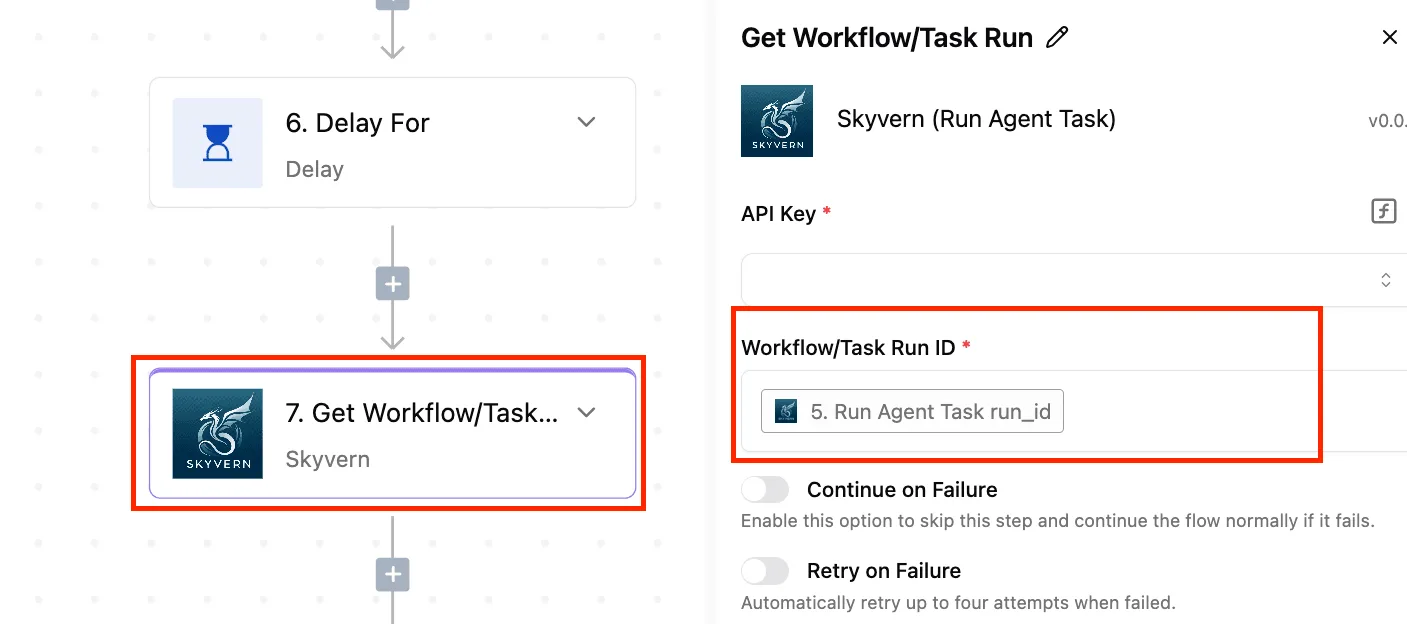
Though the run below is a different vendor's API, it shows the same checks. The input panel holds the POST and its Authorization header, and the output holds a 200 with "OK".
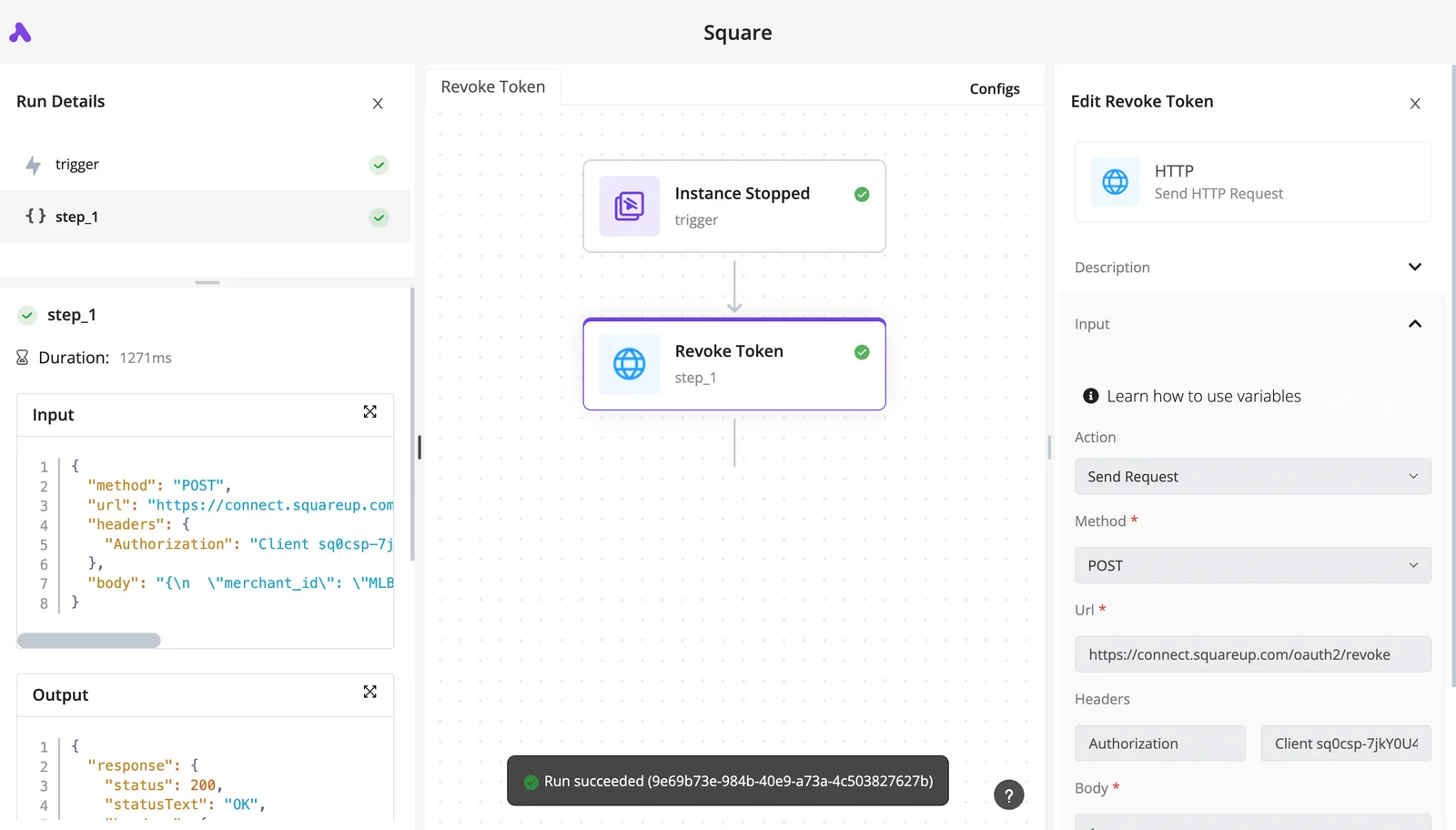
Compare your own request and response in exactly that way before building on it.
A 429 here means your deployment's quota is spent, and unlike Copilot Studio you can't buy your way past it from the call site.
This request won't reach Direct Line, the REST channel for Copilot Studio agents, which is a separate endpoint with its own secret and conversation flow.
Copilot API error handling and retries
Not every failure is worth retrying, and most of those against these surfaces fall into seven error classes.
The table below pairs each with its cause, its fix and the retry policy that fits, so you can wire the right reaction into your client instead of a blanket retry loop.
| Error | Cause | Fix | Retry policy |
|---|---|---|---|
| 401 | Wrong key, expired token, or a key sent to a surface that does not accept it | Check which surface you are calling and which credential it expects | Do not retry; fix the credential |
| 403 | Valid identity without permission, or a network rule blocking the caller | Grant the role or open the network path | Do not retry; escalate to whoever owns access |
| 404 | Deployment name, endpoint or API path does not exist | Use the deployment name, not the model name | Do not retry; correct the URL |
| 429 with Retry-After | Quota or rate limit reached on that deployment | Raise quota or spread load | Wait the Retry-After value, then back off with jitter; keep headroom; fall back to a second deployment |
| 400 content filter | Prompt or completion tripped a filter | Change the input or review filter configuration | Do not retry unchanged; no fallback helps |
| Timeout | Long generation or a slow upstream | Stream, shorten output, raise the client timeout | Retry once or twice with backoff |
| Regional capacity | The region cannot serve the request at that moment | Deploy in another region | Fall back to a deployment elsewhere |
Three of these rows say "do not retry," and that's where most wasted traffic comes from.
Copilot API 429 and quota errors
A 429 is the one error where the server tells you what to do: honour the Retry-After header before anything else. Retrying sooner just spends more of the same quota.
Backoff with jitter handles bursts, but sustained 429s mean the deployment is undersized, so the fix is quota, not cleverness.
Keep headroom below the limit rather than running at it, and point a second deployment, ideally in another region, at overflow traffic.
Copilot API 401, 403 and 404 errors
These three look like outages and are almost always setup errors. A 401 often means a key meant for a different surface, such as a Copilot Studio secret sent to Azure OpenAI.
A 403 means your identity is recognised but not allowed. A 404 usually means you sent the model name where the deployment name belongs. Retrying never changes the answer.
Copilot API content filter and timeout errors
A content-filter 400 is deterministic: the same input gets the same refusal, so log the filter category and change the input.
Timeouts are different; they are transient, so allow a bounded retry, and prefer streaming so a long answer doesn't hit the client limit.
When the cause is regional capacity, retrying in place is the wrong move; switch to the fallback deployment instead.
Run Copilot-backed calls in Activepieces workflows
When the Copilot-backed call is one step in a larger automation, Activepieces helps; when the call's the whole product, it adds little.
Its value is the plumbing around the model call: triggers, branching on failure, and a record of each run, with 742 integrations in the open source monorepo supplying the steps on either side.
When a workflow tool helps
Look at the screenshot below: a four-step recruitment flow.
It has a schedule trigger, a Google Sheets lookup for open job offers, a Text AI step selected and configured with the OpenAI provider, GPT-4o as the model and the prompt "Extract top keywords from the job description", then an HTTP step that calls a search endpoint.
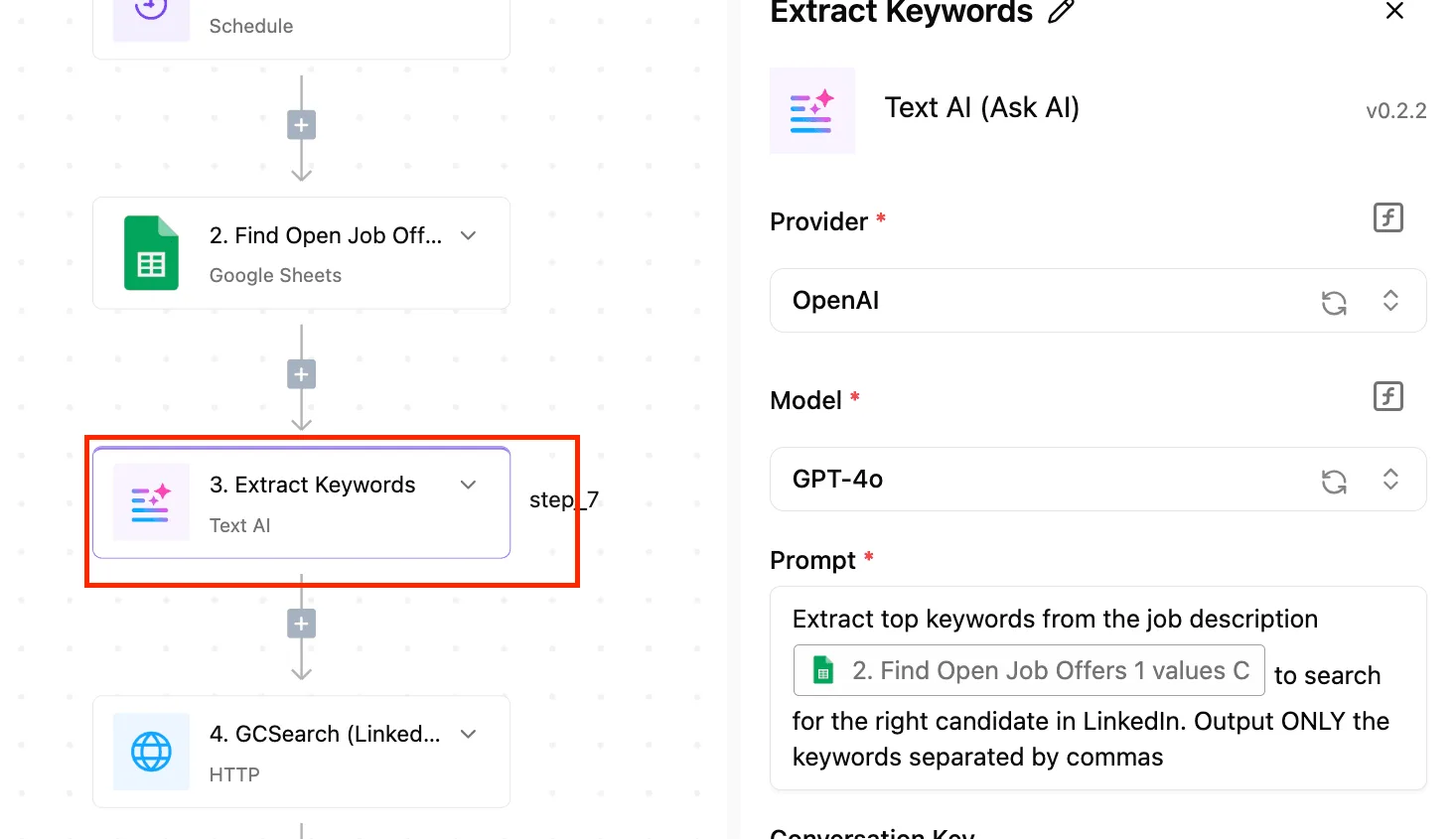
The thing to take from it is that the model call is a single box with three fields, and everything useful happens in the boxes on either side.
That shape fits Azure OpenAI deployments reached through the HTTP step. You point the step at your deployment's endpoint, pass the key in a header, and then use the step's retry setting and an error branch to decide what happens on a failure.
The branch is where the previous section's advice lives: on a capacity error, route to a second HTTP step aimed at your fallback deployment instead of re-running the first one.
Be precise about what the screenshot proves. It shows an OpenAI provider step, not an Azure OpenAI or Copilot Studio one. Treat the HTTP step as the route to Azure, and check any pre-built integration against your own tenant before relying on it.
When to call the API directly
Call the API directly when the work is latency-sensitive, streaming, or high-volume. A workflow engine puts a hop between your application and the model, and it gives you no per-token control over quota handling beyond what an HTTP step exposes.
If your code already needs custom backoff, request queuing, or usage tracking across deployments, write it where you can test it.
Keep Activepieces for scheduled or event-driven jobs where a failed run should show up in a run trace for someone who doesn't read your codebase.
MoneyGram, Moneypenny, Alan and FundingSocieties run it, and every plan, including free, allows unlimited flows, so giving each job its own flow adds nothing to the bill.
Frequently asked questions
Because most leftover questions come from assuming one Copilot API exists, each answer below names the surface it applies to.
Is there a free Microsoft Copilot API? No surface is free in the sense of an open key you can call indefinitely. Azure OpenAI bills per use against an Azure subscription, and Copilot Studio is licensed separately.
Any trial credit on a new Azure account is a way to prototype, not a budget line, so price the production traffic before the demo is approved.
Can I use the consumer Copilot app through an API? Not through any documented endpoint that I know of. The consumer app is a product, not one of the three surfaces.
If you automate its web interface, you're scripting a page that can change without notice and likely breaking its terms. For model calls, use Azure OpenAI.
Does Microsoft 365 Copilot licence include Azure OpenAI access? No. The licence covers Copilot inside Microsoft 365 apps for the named user.
Azure OpenAI is an Azure resource with its own deployments, quota and consumption billing. Licensing everyone in the tenant therefore gives your application neither a key nor any throughput.
How do I raise my rate limit?
Start in the Azure portal's quota page and file an increase request for the exact deployment that is returning 429 errors, because quota is assigned per subscription, region and model.
If the request is slow or refused, spread load across deployments in other regions, or look at provisioned throughput for steady traffic. Retrying harder against the same deployment only lengthens the queue.