Hedra Pricing 2026: Plans, Credits and Cost per Video

Nov 17, 202614 min read
Hedra's AI character video app sells four paid plans at $20, $50, $75 and $100 a month.
Each one buys a pool of credits rather than a number of videos, so you have to estimate your credit consumption to choose the right tier, much as you would when sizing up task allowances in an automation tool like Activepieces.
Everything below comes from Hedra's pricing page as of 17 November 2026.
Flip the monthly and annual switch on the page and the displayed price changes with it. Every price in this article is the monthly one.
If you plan to pay annually, read the figure after flipping the switch, because the plan's credit allowance is the number you're buying either way.
Stage 2: Read the plan table
Read the credits column first, because it sets how much finished video you can make before the month ends. The table shows the metered unit, monthly credits, next to the monthly price.

| Plan | Monthly price | Monthly credits |
|---|---|---|
| Basic | $20 | 2,000 |
| Pro | $50 | 7,200 |
| Teams | $75 | 14,400 |
| Ultra | $100 | 18,000 |
At 2,000 credits for $20, Basic works out to $0.010 a credit. Pro raises that to 7,200 credits for $50, about $0.0069 a credit, so you get 3.6 times the credits for 2.5 times the price.
Teams has 14,400 credits for $75, roughly $0.0052 a credit. Ultra has 18,000 credits for $100, roughly $0.0056 a credit.
Teams is cheaper per credit than Ultra. Ultra only wins if you need the extra 3,600 credits, which cost $25 more, so the Teams plan is the better value for most users.
Pay the least and you pay the most per credit, and since failed generations spend credits like good ones, you also pay the most per usable clip. Price per credit falls steeply from Basic to Pro, then flattens.
What a credit buys on each model
Do not count a credit as a second of video. Each generation model on the pricing page spends credits at its own rate, so the same 7,200 credits produce different amounts of finished video depending on which model you pick.
Before choosing a plan, find the credit cost of the model you'll use most and divide the plan's allowance by it. Then divide again by the number of attempts a usable clip takes you.

That second division is where plans are mis-bought. A failed Hedra generation still spends credits, so the retry rate belongs in the sum from the start.
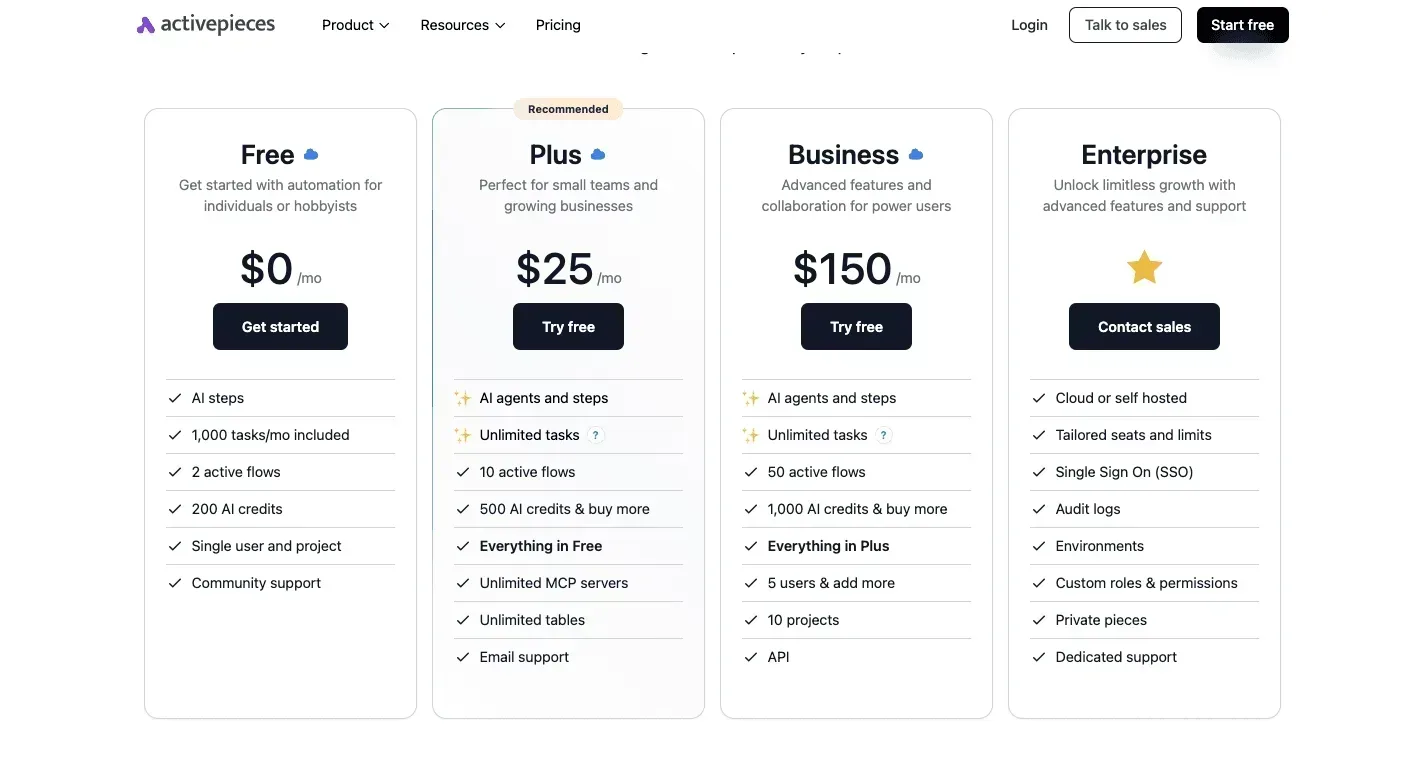
If you queue clips through Activepieces, a run costs 1 credit however many steps it holds, so a ten-step flow with a render check after every clip costs the same as a two-step flow without one.
Zapier bills per task and Make per module, so on those pricing pages the same check step is charged, and breaking the work into smaller, safer integrations taxes the builder for doing it properly.
All of this applies only if Hedra's docs list an API at all. The next section puts numbers on it.
What Hedra Plans Cost at Realistic Monthly Usage
At Character-3's 720p rate of 5 cents per second, a finished minute costs $3.00 before re-renders. A weekly clip runs about $12 a month and a daily short about $45.

Estimate Monthly Hedra Cost From Finished Minutes
Multiply seconds by the per-second rate, because seconds are what Hedra meters. The table below uses my own assumptions: a one-minute weekly clip, ten two-minute explainers a month, and a 30-second daily short.
It prices each at 5 cents per second, so every extra render adds the same amount again.
| Use | Finished minutes a month | Cost per minute at 5¢/s | Monthly cost, one render each |
|---|---|---|---|
| Weekly talking-head clip | 4 | $3.00 | $12 |
| Monthly explainer batch | 20 | $3.00 | $60 |
| Daily short | 15 | $3.00 | $45 |
Nearly as much spend for fewer minutes: that is the daily short set against the explainer batch. That's why a plan chosen by "videos per month" misleads: ten explainers and thirty shorts are different amounts of metered video.

Change the model and the rate moves further than any plan change could. Kling V3 Standard costs 12.6 cents per second, about $7.56 a minute, roughly 2.5 times Character-3.
Veo 3 Fast is 15 cents ($9.00 a minute), and Kling V3 Pro is 16.8 cents ($10.08), making Kling Pro $1.08 more expensive per minute.
At 40 cents, or $24 a minute, Veo 3 Standard would cost $96 for the weekly clip alone, which means additional content segments would substantially increase the total cost. Choosing a premium model for talking heads multiplies the bill, not the quality you need.
Weekly clips on the lowest paid plan
If its credits cover four finished minutes a month, the lowest paid plan is the natural fit, since that is the smallest workload here.
Test it by doubling the figure. If each clip needs two renders to get a usable take, you're buying eight minutes, about $24 of Character-3 time. A plan that barely clears four minutes will run dry in the second week.
When to Upgrade Hedra Plans for Batch Explainers
Twenty finished minutes, rendered twice, means 40 minutes of metered video, or $120 at 5 cents per second.
At that volume, compare two numbers: the price gap to the next plan, and what the extra credits would cost if bought separately. If the gap is smaller, upgrade.

Run the same test on the daily short, where 15 minutes doubled is 30. The cheapest plan only stays cheap if you rarely re-render.
If you are running this arithmetic for your own team, see what the same workload costs on Activepieces.
Hidden Limits and Costs Hedra Users Hit
The costs that bite are the ones a credit count hides.
Those are credits that lapse, retries that consume them, and rights attached to a clip only after you have paid to render it. The five surprises below each name where to check them and whether that check came back confirmed.
The costs that bite are the ones a credit count hides.
I marked anything not stated on a public Hedra page as unverified, so put those to Hedra before you pay.
- Lowest-tier watermark: check Hedra's pricing page; status unverified.
- Clip-length cap per generation: check the pricing page and docs; status unverified.
- Credit rollover: check the pricing page and terms; status unverified.
- Re-render waste: follows from credits being metered per generation, so every retry spends the same unit as a keeper; status derived, with your retry rate as the input.
- Extra-credit price and cancellation terms: check the terms of service and the billing screen; status unverified.
Because Hedra meters in credits, what matters is whether unused credits survive the billing period. If they lapse, a light month pays for nothing and a heavy month forces a top-up at whatever the extra-credit rate is.
Read the rollover and top-up terms together, because the rollover rule decides how often you pay that rate.
Hedra Credits Lost to Re-renders and Failures
When a generation runs, Hedra spends a credit, whether or not the clip is usable. I couldn't confirm whether a failed generation is refunded, so treat it as unverified.
Count two retries on top of the keeper and the chart that follows shows the cost per finished Character-3 minute at each resolution.
Take this from it: higher resolutions multiply the retry penalty.
At delivery quality, a plan that looked cheap at a draft setting costs more per usable minute. Draft at the low setting, then render the final once.
Hedra Watermarks, Commercial Rights and Export Limits
Check three things here: whether the lowest tier stamps a watermark, whether commercial use is allowed on that tier, and whether the plan limits voice cloning.
A watermarked clip is a preview, not a deliverable, which pushes anyone shipping client work onto a higher tier regardless of credit math.
Since a cap forces you to stitch several generations, and each stitch is another metered render, queue priority and per-clip length caps belong on the same checklist.
I couldn't confirm any of these from a public page, so all of them stay unverified until you read the current terms.
Hedra Compared With Its Closest Alternatives
Those same gaps shape this comparison. Hedra's nearest rivals are Hailuo AI, Pictory and HeyGen. I couldn't confirm price, clip length or watermark for any of them, so the table sorts them by what each makes and what it suits.
That matters because the output type decides what you pay for, whatever the sticker says.
| Tool | What it makes | Best use |
|---|---|---|
| Hedra, the AI character video app | A speaking character from an image and audio | Talking-character clips, where a re-render means regenerating a performance |
| Hailuo AI, MiniMax's video generator | Generated video from prompts | Short cinematic or b-roll shots, where you often regenerate to get a usable take |
| Pictory, the AI video maker | Finished videos assembled from scripts or existing content | Turning articles and recordings into publishable videos |
| HeyGen, the AI avatar video app | A presenter avatar delivering a script | Repeatable presenter-style videos for explainers and training |
Read the table as a warning about comparability. A generator and an assembler don't meter the same thing, so a lower entry price on one page tells you nothing about the other until you convert both to finished minutes.
Worth checking against a plan that does not meter every step: one credit covers a whole run on Activepieces.
Hailuo AI Pricing Compared With Hedra Retries
If any rival shares Hedra's cost problem, it is Hailuo AI, because a generative video tool rewards retries.
Each prompt that misses is metered the same as one that lands, so the real cost of a clip is the plan's price divided by the takes you keep, not the takes you make.
Before paying, read the credit cost of one generation on Hailuo's pricing page, then multiply by how many attempts your own prompts usually need.
Start from a script you already have and the picture changes. Pictory assembles footage, captions and voiceover around it, so the first draft is usually close to the final one and re-renders are cheaper to reason about.
If your source material is written content or recorded talks, this is the one where a small plan is least likely to become the expensive one.
Pick by the job, then check the unit on that vendor's pricing page.
- Character performance: Hedra, with credits budgeted for retakes.
- Short generated shots: Hailuo AI, with the same retake allowance.
- Script-to-video from existing content: Pictory.
- A consistent presenter: HeyGen.
Once you know the job, the next step is to price it in minutes of finished video, not plan tiers.
Activepieces for Repeat Hedra Video Jobs
Unless you render batches of Hedra videos from a script list, setting up Activepieces, an open-source automation tool, isn't worth it. It removes the manual hand-offs around each render and doesn't do anything to Hedra's price.
When Hedra Video Automation Is Worth It
Once a script sheet gets past a handful of rows a week, the manual work isn't the render but the checking, downloading, filing and telling someone it finished. That's where a workflow saves time.
It doesn't reduce credits, and a re-render still costs what it costs, so price the job in finished minutes first.
, and the spread shows why a wasted run matters. An RTX 4090 is $0.89 per GPU-hour and an RTX PRO 6000 is $2.49, so the cheapest tier's the one to test on.
Higher up, an H100 is $3.00 and an MI355X $5.00. A B200 is $7.26 and a B300 $8.25.

At the top, an hour costs roughly nine times the 4090's, so an automation that blindly re-fires failed jobs on a premium chip multiplies cost fastest. If you run a few clips a month, do it by hand.
Here's the sequence, in order, and what it needs at each step:
- Trigger on a new script row. Activepieces watches a spreadsheet and starts a run when a row is added, so only approved scripts enter the queue.
- Send the script to Hedra. This step depends on Hedra's docs publishing an API or an integration. Nothing on the pricing page I worked from names either, so confirm it in Hedra's documentation before building. Without one, this step stays manual.
- Wait for the render. The flow pauses or polls until the video is finished, which keeps a person from watching a progress bar.
- Store the finished file in a cloud folder. The file lands in a shared folder named after the script row, so a clip is never lost in a downloads directory.
- Notify the producer. A message with the folder link goes out, and review starts the moment the file exists.
Without any Hedra connection, steps 1, 4 and 5 still work. Step 2 decides whether the whole chain is hands-off or only half of it, which is the question to settle before you count the hours it would save.
Frequently asked questions
To confirm a plan detail, check Hedra's own pricing page, because it's the only place that settles one.
Is there a free Hedra plan?
Check the plan list at the top of Hedra's pricing page: if a free tier is listed, it's the cheapest way to test.
Look at what the credit allowance is and whether it covers a full finished clip. A free allowance that disappears after two re-renders tells you how fast you'll outgrow it, so run one real clip through it before paying.
Can I cancel Hedra mid-month and keep my credits?
What Hedra does with the remainder of a paid period decides it, and that's stated in its terms and billing settings rather than in the plan cards.
Before cancelling, look at the account's billing section for the date access ends, and use up the credits before that date.
Don't assume unused credits carry over or get refunded.
Does Hedra allow commercial use on every plan?
Don't assume it. Commercial rights are a plan-level term, so find the usage or licensing note on the pricing page, or in the terms it links to, and read which plans it names.
If you publish clips for clients or run paid ads, confirm this before you pick the cheapest plan, because switching later doesn't retroactively cover clips made earlier.
Is annual billing worth it for Hedra?
It's worth it only if your monthly minutes of finished video stay steady for the whole year.
The pricing page shows the monthly and annual rates side by side, so work out the difference per month and compare it with what one extra month of re-renders costs you.
If your volume is still uncertain, pay monthly for a quarter first, then switch once you know your usage.
How often does Hedra change its pricing?
I can't give you a verified cadence, and no figure here should be read as one.
Of an AI video app's pricing, credit allowances and plan names are the parts that tend to be revised.
Treat any price you have saved or seen quoted elsewhere as provisional. Open the pricing page on the day you subscribe, and read the credit allowance as well as the price.
Related reading
Running the numbers
See what the same workload costs here.
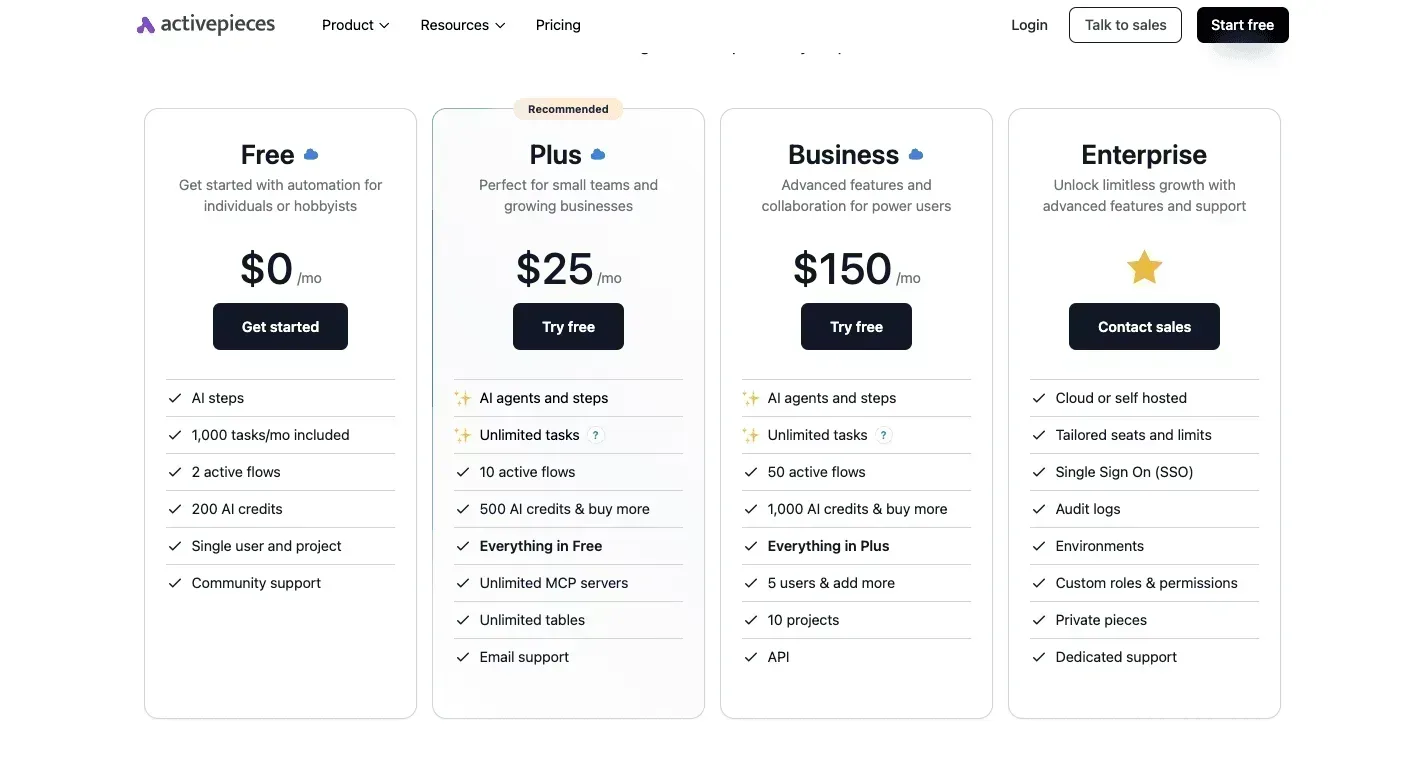
Free forever plan, and every paid plan self-hosts at no extra cost.
See pricing Talk to sales