How to Automate AI Call Notes to CRM Syncing

Nov 14, 202612 min read
When a meeting concludes, a workflow must trigger to begin the automation of AI call notes. This process extracts specific intent from the audio and routes structured data into CRM objects via a dedicated automation layer.
By implementing this, you replace the manual habit of copy-pasting summaries from a meeting assistant into a lead record. Every discovery call results in a populated field rather than a buried text block.

Connect AI transcripts to CRM records
The three-layer stack for call automation
To move from a raw conversation to a functional system of record, a functional automation pipeline requires three distinct components. The first layer is the Meeting Assistant, such as Fireflies.ai or Otter.ai, which captures the audio and generates a foundational transcript.
Intercepting that transcript is the second layer: the Automation Layer. When a connector is registered in Activepieces, it functions as both a workflow step and a tool schema on a per-project MCP server.
This allows an agent to call the CRM integration directly from Claude or ChatGPT without a second migration or a separate catalog to publish to.
Check the Integrations Framework and MCP Server documentation to see how the same integration action exposed in the open-source repo at packages/pieces (where roughly 60% of the 748+ integrations are community-contributed) runs as an MCP tool.
Finally, the CRM, typically Salesforce or HubSpot, receives the cleaned data into pre-defined fields like "Pain Points" or "Budget Confirmed."
Messy transcript blocks are transformed into structured CRM fields through this architecture. When an Automation Layer sits between the transcript and the record, it applies a prompt overlay to the raw text.
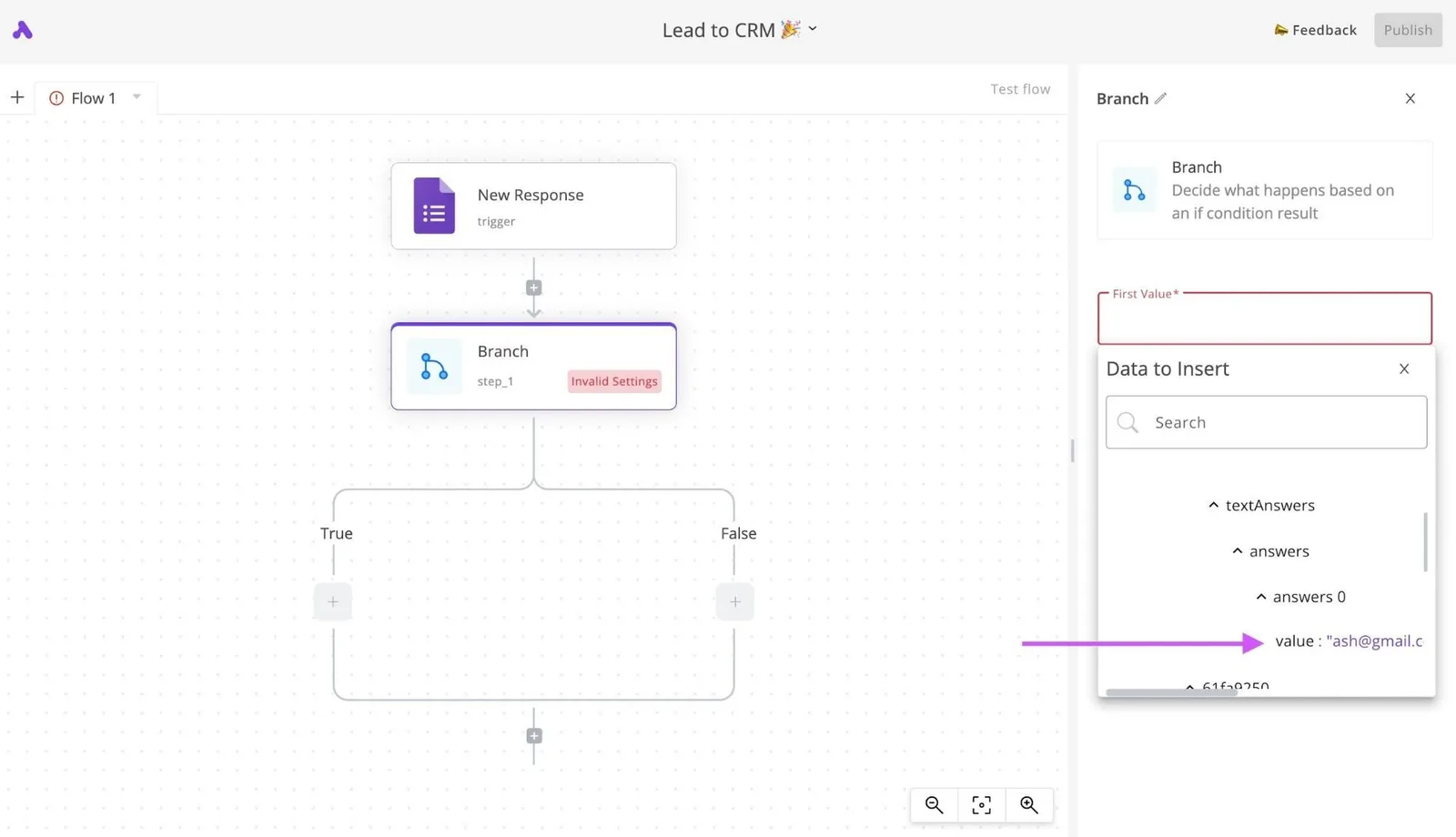
"Subject," "Summary," and "Next Steps" become distinct data points that can trigger follow-up tasks rather than simple paragraphs in a note. Without this middle step, your CRM becomes a graveyard of unsearchable text files.
Why native integrations often fail to map custom data
A "sync all" approach is what native integrations between meeting recorders and CRMs usually use, dumping the entire transcript into a single note field. This creates a visibility gap because your CRM can't run reports on text hidden inside a long-form attachment.
Without this middle step, your CRM becomes a graveyard of unsearchable text files.
Logic gates are required for custom data mapping, and native plugins don't provide them. If you use unique sales methodologies, such as MEDDIC or BANT, you'll need your AI to look for specific signals that a generic native sync will ignore.
Defining exactly which part of the conversation updates the "Forecast Category" and which part remains in the private internal notes is possible when you use a dedicated automation builder.
The ROI of automated data entry for sales teams
Eliminating "administrative drift" (where the quality of CRM data degrades as the sales day progresses) is the primary return on automating call notes. Automated mapping documents the final call of the day with the same precision as the first.
Moving from anecdotal coaching to data-driven intervention becomes possible with this consistency. Because the data is structured, you can run a report to see how many calls mentioned a specific competitor instead of reading through hundreds of individual meeting summaries.

By shifting the burden of data entry from the human to the automation layer, you capture a complete history of the buyer’s journey without increasing the rep's non-selling hours.
This takes minutes, not a project: automate it in Activepieces free.
Step-by-step walkthrough for building a call-to-CRM automation
Building a call-to-CRM automation requires a no-code workflow builder to sequence a webhook trigger, an AI transformation step, and a CRM search-and-update action. This structure parses unstructured meeting text into specific fields like "Budget" or "Next Steps" before it hits your system of record.
Stage 1: Catching the meeting transcript via Webhook
When a transcription service, such as Fathom or Otter.ai, completes a recording, the automation begins by sending a POST request containing the transcript to a unique Webhook URL.
This URL acts as a digital listener. The workflow initiates the millisecond the call data is available so no manual export is required.
Similar logic is illustrated in the screenshot below for a document workflow, where a Human Input trigger captures initial data to kick off a multi-step sequence of extraction and summarization.
Stage 2: Structuring the data with an AI prompt integration
Extracting specific entities such as pain points, competitors mentioned, and follow-up dates from a messy transcript requires an AI model like Claude Sonnet 5.5. By using a dedicated AI integration, you can enforce a strict JSON schema. This prevents conversational filler from cluttering the CRM.
Claude Sonnet 5.5 balances high-speed extraction with the intelligence needed to distinguish between a "soft interest" and a "hard requirement."
Stage 3: Finding and updating the lead in your CRM
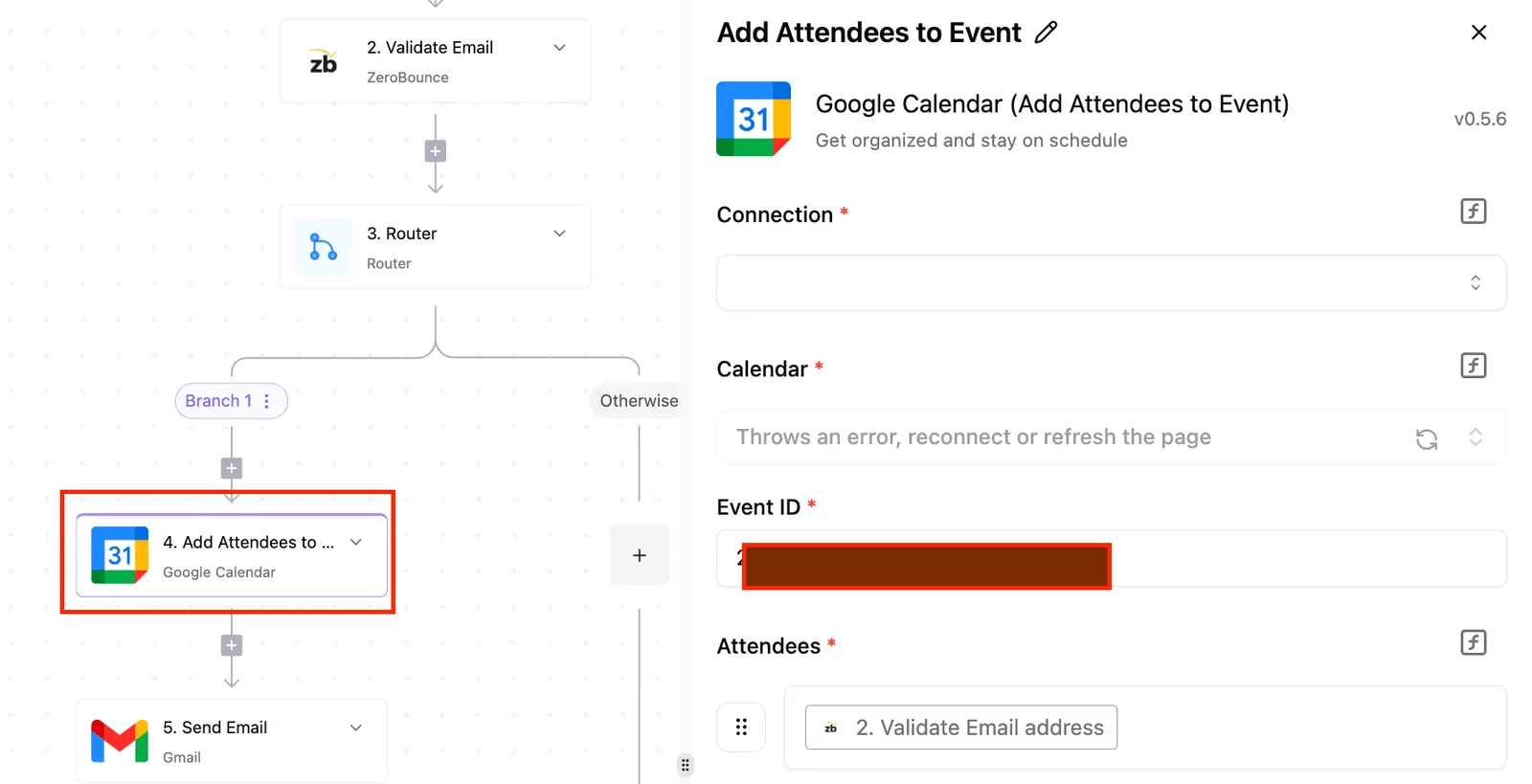
Once the AI structures the notes, the workflow uses a "Find Lead" action in Salesforce or HubSpot to match the meeting participant’s email address to an existing record.
This lookup is critical because it prevents the creation of duplicate contacts, which preserves the integrity of your attribution reporting. If a match is found, the workflow executes an "Update Record" action, mapping the AI-generated summary directly into the "Discovery Notes" field.
Notifying your team of unmatched CRM records
Instances where a meeting occurs with a person not yet in the CRM must be handled by a Branch or "If/Else" condition.
If the search step returns no results, the workflow should route to a Slack or Microsoft Teams notification sent to the account owner.
This accountability loop prompts the rep to create the record manually so the intelligence captured by the AI isn't lost in a dead-end execution.
Build your own automated workflow with the MIT-licensed core at https://www.activepieces.com and start free with 1,000 credits a month.
Comparing automation tools for syncing AI meeting summaries
Whether your priority is rapid deployment or managing high data volumes, selecting the right automation layer is essential.
| Platform | Ease of Use (Non-coder) | Handling Long Transcripts (Token Limits) | Pricing Model |
|---|---|---|---|
| Zapier | Highest; uses a linear, natural-language interface. | Moderate; multi-step paths can fragment large payloads. | Task-based; every step in a workflow consumes a credit. |
| Make | Moderate; requires understanding of data arrays and mapping. | High; visual canvas handles complex data structures well. | Operation-based; charges per individual module execution. |
| n8n | Lower; designed for technical users with a logic-heavy UI. | Very High; supports self-hosting to bypass cloud data caps. | Execution-based; charges per workflow run regardless of steps. |
| Activepieces | High; balances a clean interface with modular flexibility. | High; optimized for large text blocks between AI and CRM. | Run-based; 1 credit per execution regardless of step count. |
The decision between these platforms rests with you. You must balance the immediate speed of a Zapier setup against the long-term cost efficiency of Activepieces or Make as call volumes scale.
For organizations utilizing high-performance reasoning models like Claude Opus 5.5 or Gemini 4 Carbon, the automation layer must be able to pass large context windows without timing out.
You can follow the rest of this with the builder open. Start free, no card.
Solving common errors in AI-to-CRM data pipelines
A mismatch between the unconstrained nature of conversational AI and the rigid validation rules of a relational database is typically where data pipeline failures stem from.
Every agent tool call and the data it processed is traced step-by-step alongside the deterministic workflow steps. This unified trace exports as event streams into existing SIEMs, ensuring an agent's CRM updates are audited with the same rigor as a fixed workflow.
Activepieces is used by teams at companies including MoneyGram and Moneypenny.
Managing LLM context windows for hour-long meetings
Ensuring the model doesn't lose track of the middle of the conversation during lengthy transcripts requires a tiered processing strategy. When using Claude Opus 5.5 for complex reasoning, a sixty-minute transcript can approach the practical limits of a single prompt's effective attention.
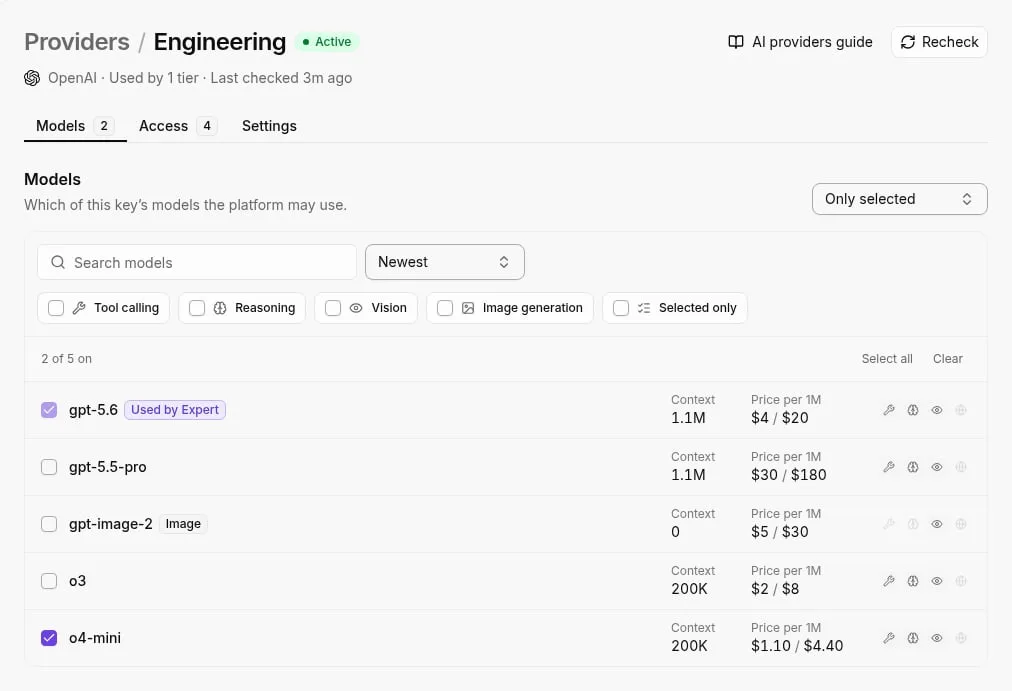
To solve this, the automation should first pass the raw text through Gemini 3.5 Transcribe to establish accurate speaker diarization, then use a recursive summarization flow.
By breaking the transcript into ten-minute chunks and summarizing each, you ensure that a pivot in the final five minutes of a call is weighted as heavily as the opening discovery.
Fixing CRM lead matching errors
Using unique identifiers rather than fuzzy logic on names is what reliable record linking depends on. The workflow must be configured to prioritize a "Search for Record" action using the email address parsed from the calendar invite or the meeting metadata.

- First, check for a matching Domain in the Account object to see if the Lead belongs to an existing customer.
- Second, create a new Lead record if no email match exists, tagging the source as "AI Call Sync."
- Third, route a notification via Slack to the meeting owner if multiple records are found, requiring a manual selection to prevent data duplication.
Sanitizing AI output for clean CRM fields
The LLM exceeding the character limits of specific Salesforce fields is the most frequent cause of API injection failures.
| Salesforce Field Type | Character Limit | Recommended AI Prompt Limit |
|---|---|---|
| Account Name | 255 | 200 characters to allow for manual edits |
| Account Description | 32,000 | 30,000 characters to prevent truncation |
| Custom Text Area | 255 | 240 characters for concise bullet points |
By enforcing these limits within the "System Instructions" of the automation step, you prevent the CRM from rejecting the payload. This sanitization layer ensures that the final record is both readable for the sales rep and compliant with the database architecture.
Deploy AI call notes to sales
Before the data commits to the CRM, a deliberate hand-off is required where the AI generates a draft and a human salesperson verifies the intent. This human-in-the-loop stage prevents "hallucinated" commitments from entering the system of record.
Writing AI prompts for CRM field mapping
Effective prompts should instruct the model to categorize information into specific fields rather than a single block of text.
When using Claude Sonnet 5.5 for its balance of speed and reasoning, the prompt must explicitly define the difference between a "Technical Requirement" and a "Business Pain Point." This ensures the output maps correctly to the corresponding fields in Salesforce.
Validating data via Slack
Once the transcript is processed, the workflow should trigger a notification in the team’s communication hub.
The illustration shows a Slack notification containing the AI summary with two buttons: 'Approve & Sync to CRM' and 'Edit Manually'. A cursor is clicking 'Approve'.
By clicking 'Approve', the salesperson triggers the final API call that pushes the structured data into the lead or opportunity record.
Auditing AI call note accuracy
Accountability for these prompts lies with you. You must audit the outputs against actual call recordings to refine the instructions. You remain responsible for making sure the "Next Steps" field contains actionable tasks rather than vague conversational summaries.

Frequently asked questions about AI call note automation
Is it secure to send call transcripts through an automation tool?
Whether you enforce Zero Data Retention (ZDR) policies at the API level determines the data security in call automation.
While a standard consumer interface might use inputs to train models, enterprise-grade APIs for tools like Claude Sonnet 5.5 or Gemini 3.8 Flash typically exempt customer data from training sets by default.
Your Chief Information Security Officer (CISO) is responsible for verifying that the automation middleware supports SOC2 Type II compliance so that PII is encrypted both at rest and in transit.
How much does it cost in API credits to summarize one call?
The specific models chosen for transcription and reasoning determine the cost of processing a single call, rather than a flat monthly subscription.
| Step | Cost | Description |
|---|---|---|
| Transcription | $0.0045 per minute via GPT-Transcribe | High-accuracy speech-to-text, providing professional-grade documentation for every minute of audio. |
| AI Processing | $0.05 via GPT-6 Luna | Structured extraction and summarization, so actionable insights are generated immediately after the recording ends. |
| Automation Tasks | $0.01 via a workflow execution platform | The entire post-call administrative burden is handled without manual intervention. |
| Total | $0.24 per 30-minute call | A highly cost-effective solution for scaling your operational efficiency. |
Can AI call notes detect sentiment and update CRM fields?
By mapping specific conversational cues to structured CRM picklist values, AI models now perform intent and sentiment classification. Using a high-reasoning model like Gemini 4 Carbon, the system can distinguish between a "polite decline" and a "hard budget objection."
Does this work with Zoom, Google Meet, and Microsoft Teams?
As long as the meeting software can export a recording or a JSON transcript to a cloud storage bucket, automation layers remain platform-agnostic.
Zoom triggers when a cloud recording is completed. Google Meet triggers when a new file is added to a specific Google Drive folder. Microsoft Teams triggers via the Microsoft Graph API when a meeting transcript is finalized.
Build it
Set this up in minutes.
No code required. Connect your accounts, and Activepieces runs it from there.
Start free Talk to sales