Retell AI Pricing per Minute in 2026 by Call Mix

Nov 2, 202614 min read
Pay for a minute on either of Retell AI's two plans, pay-as-you-go or enterprise, and you pay a stack of separate lines, and anyone wiring those calls into a workflow built in Activepieces ends up tallying them up the same way.
Retell AI pricing is the usage-based billing model for its AI voice agent platform, in which the cost of each call minute is the sum of separate charges for voice, language model, telephony and any add-on features, not a single flat rate.
Retell AI pricing plans and limits

The default's 20 concurrent calls and enterprise gives 50+, so applications needing more than 20 simultaneous calls must upgrade to enterprise. Prices below were checked on 2026-11-02.
What Retell AI is and how it bills
Put a call through Retell AI, a platform for AI voice agents that make and take phone calls, and each minute's billed as several lines at once, with the language model dominating them.
By Cost Per Output's breakdown of a default call, the language model's 70% of per-minute cost, voice infrastructure's 24% and text-to-speech's 6%. So a model choice moves your bill far more than a voice choice does.

In dollars, the same lines look like this. Voice AI Cost prices them as follows: the language model's $0.384 per minute, voice (text-to-speech)'s $0.10, add-ons are $0.10, the voice engine's $0.055 and telephony's $0.015. This means language inference dominates the cost.
Add the five lines and you get $0.654 per minute, meaning continuous operation of a single concurrent line costs nearly $1,000 per day.
Don't expect the two sources to agree on the model's share, because they assume different configurations (about 59% here).
Every current plan, price and limit
Set side by side, the two plans differ on what you pay, what it covers, how many calls can run at once and how the rate is published.
| Pay-as-you-go | Enterprise | |
|---|---|---|
| Price | Per minute, as the sum of line items | Negotiated, not a single listed rate |
| What's included | Voice, language model, telephony and add-on lines, each billed separately | The same line structure, at agreed terms |
| Concurrency limit | 20 by default | 50+ |
| How the rate is published | Line by line on the pricing page | Not published as a flat figure |
Prices and plan limits checked against community.retellai.com on November 2, 2026.
At volume, the concurrency row matters more than the price row. At 20 simultaneous calls, a campaign that dials in bursts queues the rest, and the only way past that ceiling's the enterprise tier.
You can't model a rate you can't read in advance, and the enterprise rate is exactly that. Price your mix on pay-as-you-go lines first and use that as the benchmark in any negotiation.
Go to the pricing page, where Retell groups the per-minute lines by voice, language model and telephony. Pull each line for your chosen model and voice, then add your add-ons.
If you are running this arithmetic for your own team, see what the same workload costs on Activepieces.
Your monthly Retell AI costs
At $0.23 a minute for voice, language model and text-to-speech on a default stack, 10,000 minutes costs about $2,300 before telephony and add-ons. Everything below's that arithmetic, scaled.
Stage 2: list the per-minute line items
Start with the language model, the biggest line, at $0.16 a minute. That's roughly 70% of the $0.23, so the model you pick moves your bill more than anything else.
Another $0.055 a minute goes to voice infrastructure, the fixed cost of keeping the call connected. Text-to-speech is only $0.015 a minute, small enough that switching voices barely matters.
Telephony and add-ons are separate lines on top. Take their rates from your own plan and add them to the $0.23.

Treat the $0.16 as a default, not a ceiling. A heavier model, or a long prompt resent on every turn, pushes the LLM line up while the other two stay put.
At the default $0.23, before telephony and add-ons:
| Monthly minutes | Voice + LLM + TTS |
|---|---|
| 1,000 | $230 |
| 10,000 | $2,300 |
| 50,000 | $11,500 |
Move down the rows and the scaling is linear. A $0.01 change in any line's $100 at 10,000 minutes and $500 at 50,000.
Add your telephony rate times the same minutes, then any add-ons, and you have your own estimate. Run it again with the LLM line at your real model's rate.
Hidden costs and limits: concurrency, numbers, LLM choice, rounding
You won't see concurrency or phone numbers in a per-minute rate. Concurrency caps how many calls run at once, and phone numbers are billed separately from minutes. Check both against your plan.
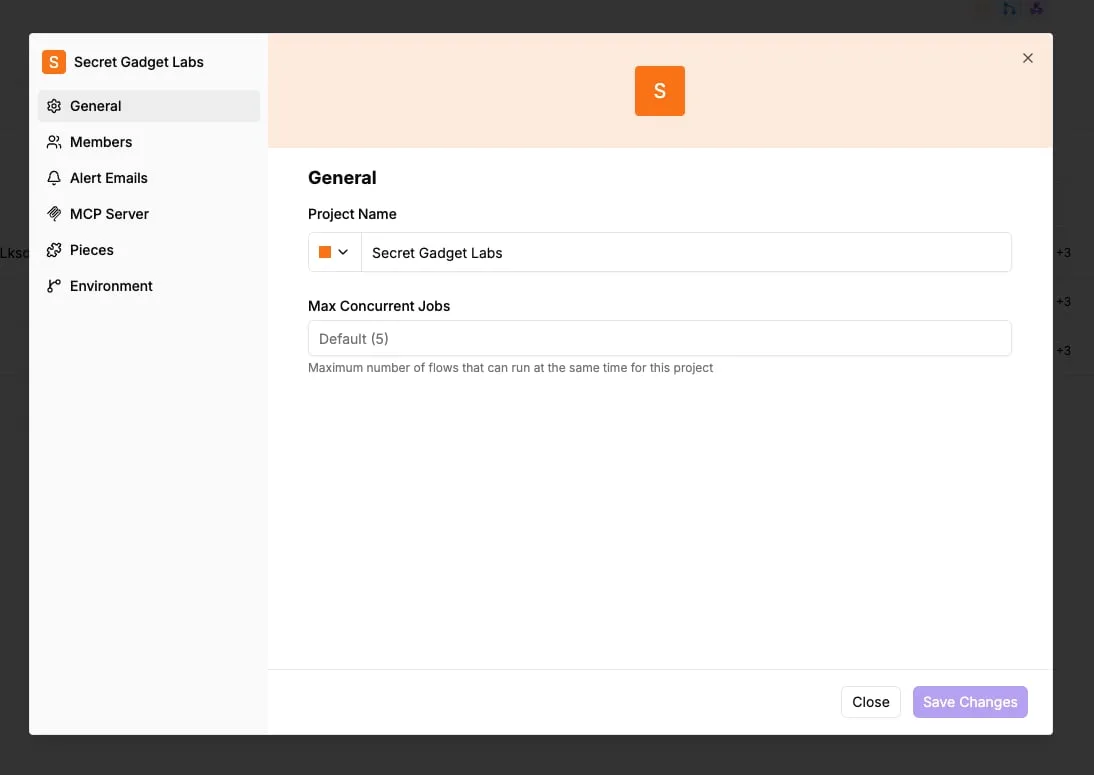
If you launch calls from a job queue, the queue view's worth watching as a cost control. A typical dashboard shows 132 active jobs, 284 waiting and 136 failed.
When a job's active, it's a live call holding a concurrency slot. When a job's failed, it's a retry that, if it connects, bills again. A failure rate near that 136-of-762-completed ratio would add a real share to the monthly total.
Finally, ask whether your minutes are billed per second or rounded up. If each call rounds up to the next full minute, a 20-second call is billed as 60, which triples its cost. For short calls, that rounding can matter more than the LLM choice.

Retell AI against the closest alternatives on price
Beyond rounding, these four vendors differ in a larger way: what each headline rate leaves out, so none of the quoted numbers can be compared until you add back the missing lines.
Read the table below for those differences by vendor, and the takeaway's that the columns on exclusions and billing model matter more than the first one.
| Headline per-minute price | What it excludes | Plan commitment | Concurrency limit | Billing model | |
|---|---|---|---|---|---|
| Retell AI | Per-minute rate for the voice agent | Voice infrastructure, text-to-speech and language model; telephony and add-ons on separate lines | Pay as you go to start | Set by account | Metered usage across several lines |
| Vapi | Per-minute platform fee | Speech, language model, voice and telephony provider charges | Pay as you go; larger deals via sales | Set by account | Platform fee plus pass-through provider costs |
| Bland AI | Per-minute rate on connected calls | Some features and call outcomes priced separately | Tiered plans | Tied to plan | Plan plus usage |
| Synthflow | Subscription with included minutes | Overage minutes, telephony and some add-ons | Monthly or annual plan | Tied to plan | Subscription plus overage |
Retell AI versus Vapi
These two are the closest in structure, and that's the trap. Both quote a rate that covers the platform and leave the model, voice and phone line to be added.
Look at Vapi and the pass-through is explicit, so its bill's closest to a sum of vendor invoices. Retell bundles more into its headline, which makes it easier to estimate and harder to see where the money goes.
With Bland, capacity is tied to the plan you buy. If your call volume swings, you're paying for the tier that covers your peak rather than your average, and that gap's a cost the per-minute rate hides.
Retell bundles more into its headline, which makes it easier to estimate and harder to see where the money goes.
Buy Synthflow and you're buying a subscription with included minutes. That favors steady volume and punishes a quiet month, since the allowance's spent whether or not the calls happen. Retell's metering does the opposite, so the better deal depends on how flat your traffic is.
When the cheapest headline rate is not the cheapest bill
Only if the excluded lines are small for your call mix does the cheapest headline rate win. A low platform fee with pass-through costs, a subscription you underuse, and a plan tier bought for peak concurrency can each outweigh a lower quoted rate.
Price your own calls line by line, and treat any vendor whose real cost needs a sales call to learn as the one with the most unknowns in your model.
Worth checking against a plan that does not meter every step: one credit covers a whole run on Activepieces.
Where Activepieces fits around a Retell AI voice agent
On a Retell bill, Activepieces adds no line, and its meter is the run rather than the steps inside it: the follow-up to a call-ended webhook costs 1 credit whether it has two steps or ten, where Zapier bills per task and Make per module.
Four minutes on the always-applied voice engine costs $0.22 before any other line is counted, going by Retell's community thread on average cost, which lists it at $0.055 a minute. Retell's own lines are already substantial.
Add text-to-speech and the same thread lists $0.015 a minute, which adds $0.06 to that call. Neither figure covers what happens once the caller hangs up, so that work either gets done by a person or by a workflow tool.
Skip Activepieces and your Retell cost doesn't change.
It doesn't replace Retell, the language model or the telephony, so it enters your model as one credit per finished call: 10,000 finished calls a month fit inside the 10,000 credits of the $20-a-month Plus plan, and each credit over that is $0.007.
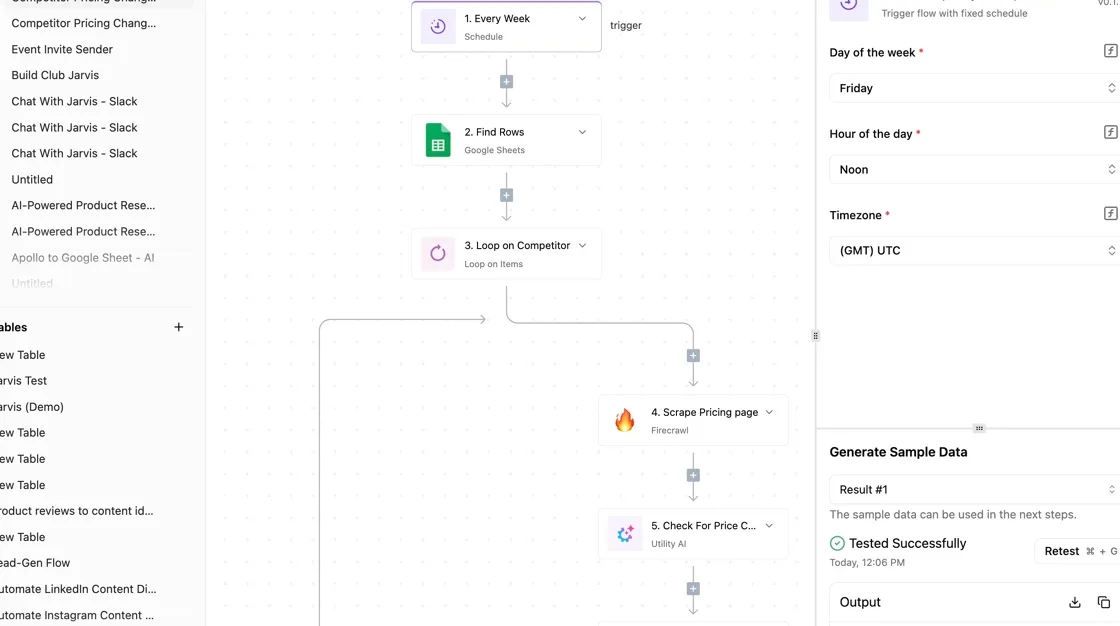
Picture a finished call leaving the Retell agent as a webhook, as in the flow below. It fans out into three branches: a CRM record, a team chat alert and a summary email.

Read it as the full extent of what you're adding, which is three outputs from one event. It doesn't touch the minutes you're billed for.
Those three branches come down to two jobs that decide whether the flow earns its place.
Receive the call-ended webhook
When a call ends, Retell can send an HTTP request to a URL you give it.
In Activepieces, a flow that starts with a webhook trigger supplies that URL, and flows are unlimited on every plan, including the free one with 1,000 credits a month, so a separate webhook flow per agent adds nothing beyond its credits.
Point Retell at it and every finished call starts one run of the flow, carrying the call's details as the payload. This is the only connection between the two products, so you can test it with a single call before building anything else.
Write the call result to a CRM or sheet
From that payload, the first branch takes fields and writes them to a customer record in a CRM, or to a row in a spreadsheet if you have no CRM. Choose a sheet when you want to audit call outcomes before trusting them.
The alert and email branches then reuse the same fields, so one mapping step serves all three outputs.
Retell AI spend limits
Run a week of real test calls, then compare the invoice to your estimate line by line. That comparison tells you which line's lying to you, and the rest of the steps follow from it.
The mapped fields and tool calls from the workflow above are what generate the extra language model and add-on charges.
Do these in order:
- Run a week of test calls, including short calls, long calls, transfers, and the awkward ones where callers interrupt or go silent. A single polished call proves nothing about your average, and your average's the number you're budgeting.
- Compare the invoice to your estimate. Take the voice, language model, telephony and add-on lines separately and put your predicted figure beside each billed one. If the total's off, the gap will sit in one line, and that line's where you spend your attention.
- Set any usage alert the dashboard offers. If Retell AI gives you a spend or usage threshold, turn it on before you scale up, so a looping agent or a stuck call shows up as a notification instead of as next month's invoice. If you can't find one, put a daily check on the usage page in your calendar and treat that as the alert.
- Test the cheapest model against your quality bar. Write down what a passing call looks like first: correct answer, correct field captured, no invented details. Then replay the same scenarios on the cheapest language model you're willing to consider, and move up a tier only where it fails. Pay for capability only where your own tests show you need it.
- Check concurrency at peak hours. Work out how many calls land at the same moment on your busiest day, then confirm your plan's concurrent call limit covers it. A limit that's too low drops or queues callers exactly when volume is highest. A limit set far above need can mean paying for headroom you never use.
Tomorrow morning, place the test calls, and save the invoice breakdown on day seven so the comparison's ready to run.
Frequently asked questions
Questions will come up during your test week that the headline rate can't answer. Here's where each one lands on the invoice, and what to confirm before you commit.
Does Retell AI have a free trial or free credits? New accounts have been able to start with promotional credit rather than a card-first commitment, but the amount changes, so read it off the current pricing page.
Treat it as your test budget. If it covers your ten or so sample calls, you can price your call mix before paying anything.
Is Retell AI billed per minute or per second? The pricing page quotes rates per minute, but the rounding rule's what sets your bill.
Short calls such as voicemail pickups and wrong numbers punish rounding up to a full minute. Check the duration against the billed amount on your day-seven invoice breakdown and you'll see which rule applies to you.
Can I bring my own LLM or telephony to lower the cost?
Yes, Retell supports connecting your own language model and your own phone carrier, and each swap removes one line from Retell's bill. It doesn't remove the cost. You pay the model provider and the carrier directly instead.
Only if their combined price, including your engineering time, is lower than Retell's bundled line is the saving real. Price both paths against the same test calls.
What happens if I go over my concurrency limit?
Past your limit, calls generally don't queue politely. They fail to connect or get rejected, depending on the call type.
For outbound campaigns that means a dialer pacing too fast wastes attempts, and for inbound it means a caller hears nothing.
Find your plan's limit, compare it to your peak hour, and ask what raising it costs. If the answer requires a sales call, treat that price as unknown in your model.
Does Retell AI charge for voicemail or failed calls?
A call that never connects shouldn't accrue talk time, but a call that connects to voicemail does, until the agent detects the machine and hangs up. How fast that happens depends on your voicemail settings, so test it.
Call a number that goes to voicemail during your test week and read what the invoice shows. Multiply that line by your expected voicemail share, because on outbound lists it can be a large slice of total minutes.
Related reading
References
Running the numbers
See what the same workload costs here.
Free forever plan, and every paid plan self-hosts at no extra cost.
See pricing Talk to sales