
eCommerce Automation: What It Is and How It Works
Learn how eCommerce automation works and explore its key benefits. Discover how Activepieces can help automate your eCommerce workflows.

Feb 4, 202615 min read
You didn’t open an online store so you could spend your days doing admin work. But somewhere along the way, answering the same emails, updating inventory, and double-checking orders became the job.
As your sales grow, that workload only gets heavier. Eventually, you need better systems.
This guide shows how eCommerce automation helps take repetitive work off your plate and explains how to build a store that runs efficiently in every single task.
Get your time back and let your systems handle the rest. Try Activepieces today!
TL;DR
- eCommerce automation uses software to handle routine store work so humans focus on real decisions.
- It saves time, reduces human error, and keeps customer communication fast as sales grow.
- Automation covers operations, marketing, support, finance, and AI-driven actions.
- Common tools include marketing automation, inventory systems, shipping software, chatbots, and workflow platforms.
- Activepieces connects everything with flexible workflows, AI, and approvals that scale with your store.
Everything below works on Activepieces' free plan. Start without code or a credit card.
What Does eCommerce Automation Work?
eCommerce automation means software takes over routine work in an eCommerce store. Many eCommerce store owners use automation to streamline repetitive tasks and keep their day focused on decisions that need a human.
Here’s how it usually operates. Something happens, like a customer placing an order or stock dropping low. The system checks a rule, for example, “Is this customer a first-time buyer?” or “Did inventory fall below a set number?”
After that check, the system acts. It can update customer data, send a message, or adjust records. Some workflows analyze customer data and respond to changes in inventory levels in the same step, which helps avoid selling items you no longer have.
Many businesses start with core eCommerce processes, including:
- Order fulfillment confirms payment, prints labels, and sends tracking updates.
- Marketing automation recovers warm leads by sending reminders based on shopping habits or purchase history.
- Support automation answers common questions like “Where is my order?” so you don’t have to.
Key Benefits of eCommerce Automation
Implementing automation in your eCommerce business will give you these benefits:
Saved Time Doing eCommerce Operations
Let’s discuss where your time actually goes during a typical day. Manual tasks, such as copying order details, fixing stock numbers, or repeating data entry, eat up hours each week.
By automating those steps, you can streamline operations. You can set up workflows once and let them run.
For instance, follow-up email marketing sends after delivery. SMS messages go out based on order status. Then, loyalty programs assign points after checkout without review.
These customer-facing activities, such as follow-up email marketing, SMS messages, loyalty programs, and more, continue even when no one logs in.
Inventory updates also happen right away, so you don’t sell items that already left the shelf.
Reduced Human Error and Operational Risk
Mistakes often come from typing prices, addresses, or quantities by hand. Automation reduces human error by applying the same rules consistently in your eCommerce platform.
eCommerce store owners see fewer pricing mismatches, fewer oversold products, and fewer shipping issues once systems take over.
Let’s say you manually update a sale on a website, Amazon, and Instagram, which often creates gaps. When you implement automation, it can schedule an update that applies everywhere, so buyers don’t see different prices on different pages.
Improved Customer Experience
Customer experience improves when communication occurs promptly.
In a “want-it-now” economy, you need to do everything quickly. Doing it manually is no longer possible. But with automation, the moment an order is processed, an automated message confirms the purchase.
In shipping, you can expect delivery notices arrive when carriers scan packages. Support tools aid customer interactions by answering typical questions like, “Where is my order?”
Since you do it quickly, you can enhance customer engagement and build loyalty over time.
Standardized Business Processes
Automation turns habits into automated processes with rules. Every order follows the same path, and return uses the same checks. Reporting stays consistent because data follows the same format.
Critical tasks don’t depend on memory or availability, either. New hires learn faster since the systems guide each step. That predictability raises employee satisfaction and keeps daily work steady even as order volume grows.
Types of Automation for an eCommerce Business
Each type solves a different set of problems, and together they cover how the store sells, supports buyers, and handles money.
Operational eCommerce Automation
Order processing needs to move fast and stay accurate, or problems stack up quickly. With automation, payments get checked, shipping labels get created, and tracking details reach the buyer.
Your warehouse teams, for example, can see order tags like “High Value,” “International,” or “Fragile,” which removes the need for back-and-forth messages.
Inventory remains in sync during this process. Products update the moment a purchase goes through. Items automatically hide from the website when stock reaches zero, which prevents buyers from placing orders that can’t ship.
Behind the scenes, sales data flows into accounting. Purchase orders prepare themselves when stock drops, so your work is predictable even as volume grows.
Marketing eCommerce Automation
When someone signs up for a newsletter, marketing automation automatically receives a three-part email sequence that explains the brand and highlights popular products.
As visitors browse, the system tracks customer behavior and responds in real time. Abandoned cart reminders are sent after a short delay. Browse follow-ups appear when someone views a product but leaves.
After delivery, a message asks for a review or shares a simple how-to guide tied to the purchase. If buying stops for 60 or 90 days, automation sends a “We miss you” email with a small incentive.
These marketing campaigns adjust as activity changes. Groups update through real-time customer segmentation, which keeps messages relevant.
You stay top of mind throughout the entire customer journey, from first visit to repeat purchase, without planning every send by hand.
Customer Support eCommerce Automation
Customer expectations in eCommerce are high, and delays quickly cause frustration.
Automation acts as your digital front desk, available 24/7. Common customer queries like order status get answered as soon as someone enters an email or order number.
More advanced systems can review incoming messages as they arrive. Emails that contain angry language or legal threats are routed to managers immediately. Tickets from VIP buyers also move to the top of the queue automatically.
Let’s say a package hasn’t moved in 48 hours, the system sends a message that says, “We noticed your package is delayed, we’re looking into it.” That early contact often protects customer satisfaction before frustration grows.
Financial and Back-Office Automation
Finance automation connects sales activity with records. Each order sends fees, taxes, and refunds into bookkeeping software as they happen. Bank deposits match transactions automatically, which makes problems easier to spot before the month’s end.
Tax calculations adjust based on buyer location, and filing follows set schedules. Inventory changes also trigger purchasing actions. When stock drops below a threshold, the system generates a purchase order based on recent sales patterns.
High-value orders trigger internal alerts so you stay informed. Automated systems further send daily summaries by email or chat, so your decisions are based on live numbers.
AI-Powered eCommerce Automation
AI-powered automated systems learn from past activity and adjust actions over time. Product descriptions are generated from short inputs, which speeds up catalog updates.
When a customer says, “My shirt arrived, but it’s too small and I need a medium,” the system starts an exchange, checks stock for that size, and emails a return label.
Fraud checks also improve by spotting patterns rather than relying on single details.
Types of eCommerce Automation Tools
Check out the different types of eCommerce automation tools below:
Marketing Automation Tools
A marketing automation tool reacts to actions and watches what happens in your store. That approach changes how your marketing efforts work day to day.
These tools operate on a Trigger → Condition → Action framework:
- Trigger: An event happens on your site, such as a customer viewing the same product three times.
- Condition: The system checks a rule. “Has this person purchased before?” No. “Are they marked as VIP?” Yes.
- Action: The system sends a message, such as a personalized SMS with a VIP-only discount tied to that product.
When someone signs up for your newsletter, the tool sends a brand story email right away. After two days without a purchase, a bestseller’s message follows. If a shopper adds items to a cart and leaves, the system sends a reminder after an hour and adjusts the offer based on the cart value.
Inventory Management Systems
An inventory management system keeps product counts accurate as sales happen. Without one, selling on more than one channel creates problems fast.
Inventory tracking operates through constant updates. A sale occurs, the count drops, and every connected channel reflects the change immediately.
When stock levels reach a preset point, alerts appear before items sell out. You tell the system, “This item takes three weeks to arrive. Alert me when 20 days of stock remain.” The system calculates timing based on recent sales speed.
Incoming shipments also get scanned, which updates availability immediately. Bundles adjust counts for each item inside them, too.
Shipping Fulfillment Software
Shipping fulfillment software pulls all orders into one place and handles those steps in seconds.
After payment clears, order details appear in the shipping dashboard. The system compares carrier prices based on weight and destination.
With one click, postage gets purchased and the label prints along with a packing slip. Once the label prints, the system updates the order status and emails the tracking number to the buyer.
Batch handling changes the daily pace. Dozens of orders are processed at once rather than individually. Rules further apply insurance to higher-value customer purchases or select preferred carriers for lighter packages.
For returns, customers receive labels by email and send items back without opening tickets. In turn, it keeps shipping predictably during busy periods and reduces follow-up messages.
Chatbot Solutions
A chatbot solution lives on your site or messaging channels and answers questions to support customer communication.
Bots range from simple rule-based menus to AI-powered systems that understand full sentences and tone. As someone asks, “Where is my package?” or “What is your return policy?” The bot reads order details or help content and responds instantly.
More advanced setups go further by providing guidance pulled from product pages. You can also build a product quiz. The bot asks, “What is your skin type?” then recommends three specific products from your catalog.
Whenever the bot detects a complex issue, it routes the customer inquiry to a human with context included.
Workflow Automation Platforms
A workflow automation platform connects tools in your online business that don’t normally share data.
Each workflow follows the Trigger → Condition → Action pattern.
For example, it can create a high-priority task in Trello and send a red alert message to a support channel. If an order comes from a flagged country or uses a suspicious email address, the system tags it as rejected and sends a warning.
Using an eCommerce automation platform makes these workflow processes reusable. You create automated workflows once and let them run without supervision.
Easier to see it running than to read about it: set it up free, no card.
Why Activepieces Is the Best eCommerce Automation Tool

Activepieces is an open-source automation tool you can use to create workflows that respond to events, check context, and take action.
These workflows don’t replace how you already operate since they can integrate with your existing systems. You can further customize such workflows to meet your business needs and integrate with multiple platforms you use.
Other than that, you get:
AI That Works Inside the Workflow
AI is integrated into each workflow and participates in decisions as they occur. An AI agent can read an incoming message, understand intent, and decide what action fits the situation. That could mean drafting a reply, pulling order details, or choosing which step comes next.
You still decide what they can do, but they don’t need exact wording to move forward. That keeps automation useful even when inputs change day to day.
Human Approval
Some actions should never run without a second look. Refunds, account changes, or sensitive messages need review. Activepieces supports approval steps that pause a workflow until someone confirms the action.
Only the steps that need a human stop. Everything else keeps moving. You get speed where it’s safe and control where it’s needed.
Integrations That Grow With You
Activepieces currently offers 625+ pre-built pieces covering customer relationship management (CRM), accounting, payment processing, communication, and many more.
Here are some eCommerce integrations you can connect with:
- WooCommerce
- Shopify
- Cartloom
- Drupal
- ChargeKeep
- Square
- Stripe
New connectors appear often because the community contributes directly to the platform.
For custom needs, developers can build private pieces using TypeScript.
eCommerce Workflow Templates
It’s much faster to implement automation for your eCommerce business with these templates:
Competitor Pricing Change Alert
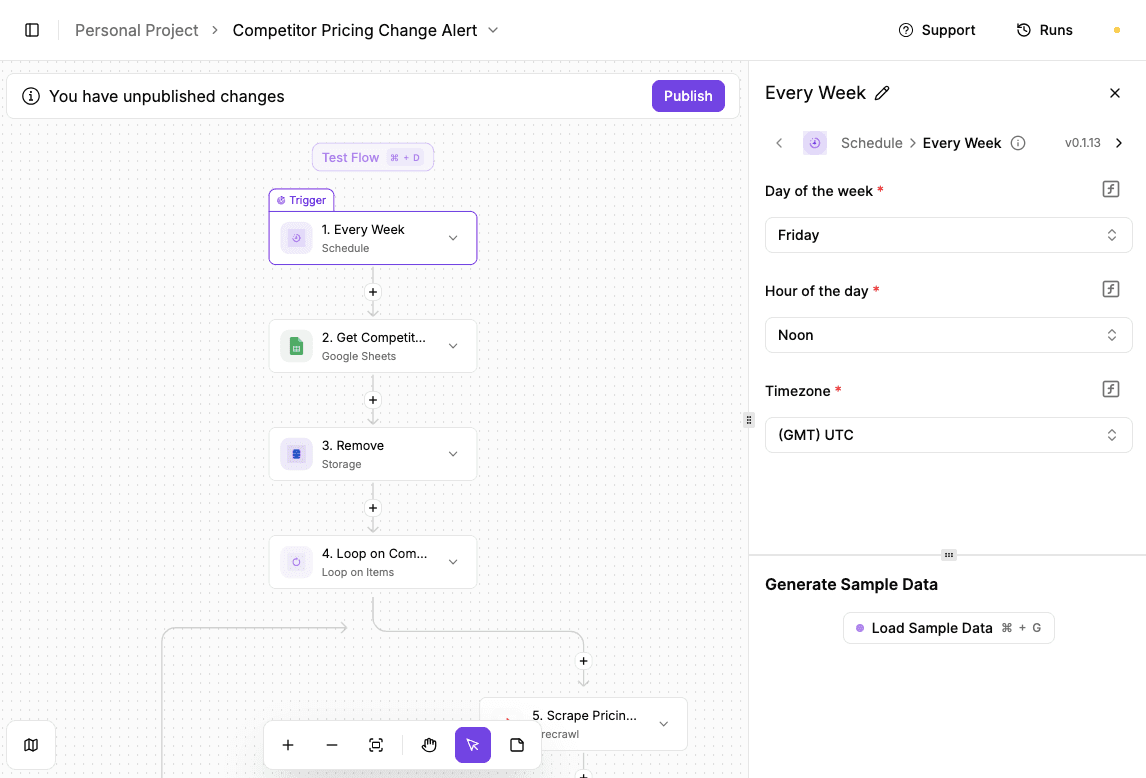
The Competitor Pricing Change Alert template is an Activepieces automation workflow that watches call transcripts for pricing changes mentioned by prospects or customers. Every time a call ends, the system checks the conversation, pulls out pricing details, and records them automatically.
Key parts include:
- Trigger from Fireflies: The workflow starts when a new transcription finishes. A webhook fires automatically, so every completed call enters the system without anyone clicking anything.
- Transcript retrieval: Activepieces searches Google Drive using the transcription name, finds the correct file, and reads the full transcript text, so nothing gets missed.
- AI analysis: An AI model scans the transcript and extracts pricing mentions, summaries, or other defined fields. Long conversations turn into short, usable insights.
- Rules and timing: You can add conditions to control when alerts get created, such as only flagging competitor pricing calls. Each record includes a clear timestamp in your chosen timezone.
- HubSpot ticket creation: The extracted details map directly into HubSpot ticket fields, so pricing changes show up where your sales or ops teams already work.
Get the template here: Competitor Pricing Change Alert
Automated Upselling

The Automated Upselling template is an Activepieces workflow that sends personalized upsell emails to customers on a schedule you control. It pulls customer or purchase data, writes tailored messages with AI, and sends them automatically.
Key parts include:
- Scheduled trigger: The workflow runs on a set day and time. You choose the weekday, hour, and timezone, so messages go out when customers are most likely to read them.
- Data pulled from Google Sheets: Activepieces connects to your spreadsheet and pulls the exact rows you want. Each row usually represents one customer or one past purchase.
- Customer-by-customer loop: The workflow processes one row at a time. That keeps each email personal rather than blasting the same message to everyone.
- AI-written upsell email: An AI model uses the row data to write a relevant upsell email, such as suggesting a refill, add-on, or upgrade tied to past behavior.
- Email delivery: Gmail sends the message using the AI-generated subject and body. Once published, the automation runs on its own every week.
Get the template here: Automated Upselling
Support Call to Ticket

The Support Call to Ticket template is an Activepieces automation piece that turns finished support calls into ready-to-use tickets without manual follow-up. When a call ends and the transcript becomes available, the workflow reads it, pulls out the real issue, and creates a ticket in HubSpot.
Key parts include:
- Call transcription trigger: The workflow starts when Fireflies finishes a new transcription. The trigger fires on its own, so every completed support call enters the system right away.
- Transcript retrieval: Activepieces searches Google Drive by file name to find the exact transcript created by Fireflies, then reads the full text so nothing gets missed.
- AI issue extraction: An AI step reviews the conversation and pulls out the ticket title, problem summary, and main concern in plain language that a support agent can act on.
- Timestamp handling: A date step adds the correct time and timezone, so follow-ups and reporting stay accurate.
- Conditional routing: Rules decide when a ticket should be created, such as ignoring internal calls or low-priority chats.
- Ticket creation: HubSpot receives the structured data and creates the ticket automatically.
Get the template here: Support Call to Ticket
Open New Possibilities for eCommerce Automation With Activepieces

You’ve already done the hard part by building a store people want to buy from. Now, you need software that can integrate seamlessly with your system. Activepieces gives you that.
You can start small. Build a flow that does order updates or customer follow-ups. From there, expand into AI agents that respond to emails, update records, or flag issues before they turn into support tickets.
When you need approval steps, you can add them. Developers who want deeper logic can write it directly.
If you want fewer tabs open, fewer late nights fixing broken connections, and systems that actually work together, Activepieces gives you the platform to dominate the eCommerce industry.
Turn everyday store work into automated flows that run on their own. Explore Activepieces now!
FAQs About eCommerce Automation
What is eCommerce automation used for?
E-commerce automation handles routine tasks like follow-ups, inventory updates, and email marketing automation, so an eCommerce brand can focus on strategic tasks. It supports personalized customer experiences and helps with encouraging repeat purchases.
How does eCommerce automation work?
Automation runs through simple automation processes. A trigger happens, rules get checked, and an action runs. A clear automation strategy defines those rules, while strong integration capabilities connect the system to your existing tools.
What are examples of eCommerce automation?
Examples include post-purchase emails, inventory updates, support ticket creation, product recommendations, and basic customer replies.
What should you look for in eCommerce automation software?
Look for easy setup, flexible workflows, solid integrations, and room to adapt as your business grows.