Top AI Workflow Automation Tools for 2026

Sep 2, 202521 min read
A platform that resells you a model has made your AI decision and priced it before you ever opened the product. Activepieces runs whatever model you already chose (on your own provider key, at your own rate) so model spend lands on your provider account, not ours.
1. Activepieces: Best for open-source AI agents and privacy
A platform that resells you a model has made your AI decision and priced it before you ever opened the product.
Reach it from Claude, ChatGPT, Cursor or any MCP client, because the strategy is yours to set, not ours to sell back to you.
You can check Bring-Your-Own-Key availability by tier on the pricing page, then compare that rate to what a platform charges when it resells its own model.
While competitors like Zapier have over 9,000 integrations and Make has roughly 3,000, Activepieces focuses on a core library of 738+ verified integrations, signaling a strategy prioritized on maintenance quality over sheer breadth.
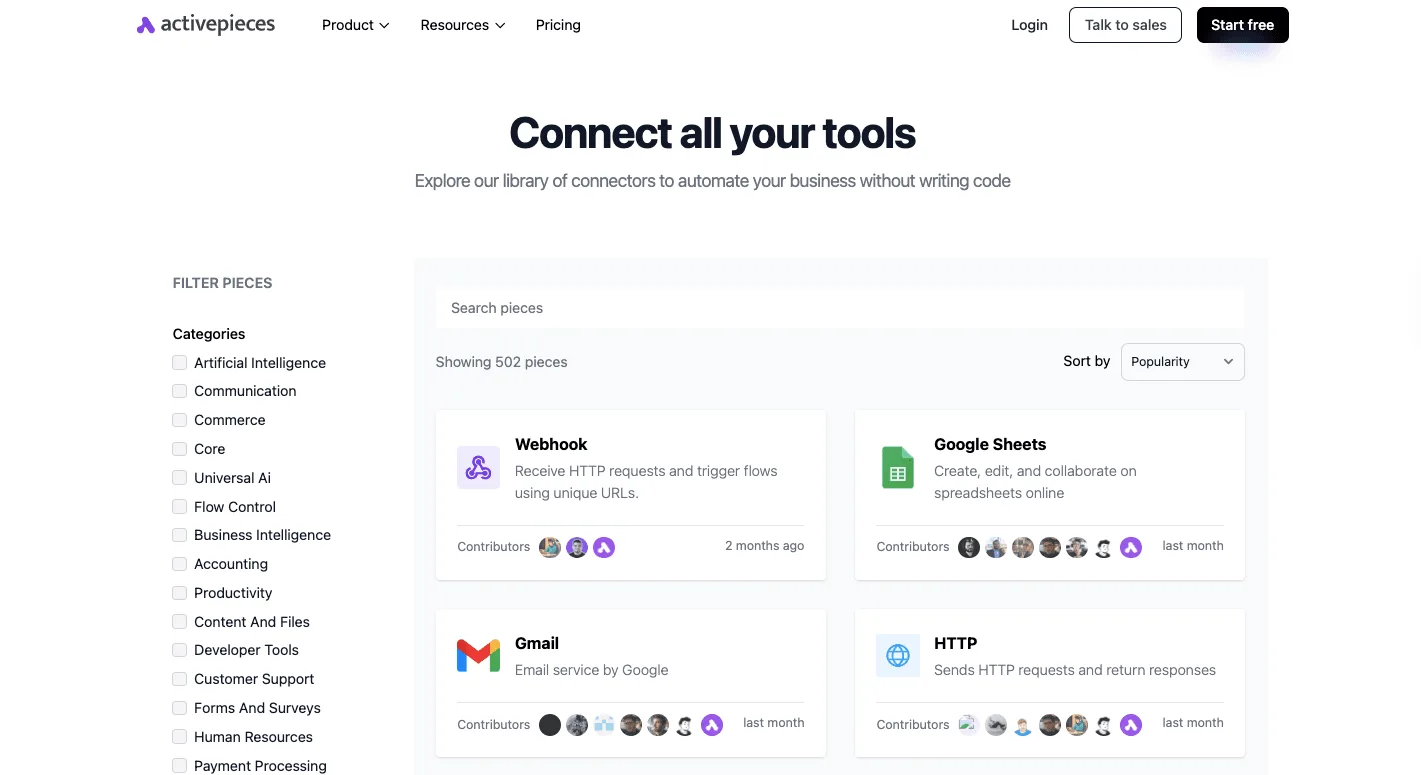
Roughly 60% of these integrations are community-contributed, built by outsiders rather than vendor headcount, creating a reliance on external developers to keep pace with platform updates.
Self-hosted agentic workflows
Activepieces provides a self-hostable execution plane for complex AI sequences, allowing you to run the MIT-licensed core on your own infrastructure. This allows you to orchestrate models like Claude Opus 5.5 for long-running knowledge work without sending internal logic through a vendor’s cloud.
Unlike the closed ecosystem of Workato, which positions itself as a massive enterprise control plane for 17,000+ apps but keeps its internal mechanics proprietary, Activepieces allows you to inspect the exact code running each step.
This transparency is critical when you're deploying Gemini 3.8 Flash for enterprise workflows. MoneyGram and FundingSocieties run Activepieces in production to manage these environments, ensuring the agentic nature of the tool remains under direct supervision.
Privacy and data residency benefits
Sensitive data never leaves your virtual private cloud when you self-host Activepieces via Docker, satisfying strict residency requirements that multi-tenant SaaS platforms can't meet. When a workflow utilizes Gemini 3.5 Live Translate for real-time speech processing, the orchestration layer stays behind your corporate firewall.
The only external hop is the encrypted call to the specific AI model. This setup prevents the automation platform from caching sensitive payloads or logs in a third-party database, which is a mandatory requirement if you're handling protected health information or financial records.
Extending with custom typescript integrations
Writing custom integrations in TypeScript allows you to bypass the limitations of pre-built connectors. This allows the platform to scale alongside your specialized internal APIs.
If you need to pipe data from a proprietary database into GPT-6 Astra for complex reasoning, you aren't forced to wait for an official integration update. You simply write the wrapper yourself.
Immediate custom code replaces the technical debt of writing for a roadmap, so your workflow evolves as fast as the underlying models.
By allowing users to utilize their own provider keys rather than forcing a pre-priced model resale, Activepieces ensures that AI strategy remains in the hands of the user.
Activepieces is the better choice for organizations prioritizing cost transparency and architectural autonomy, as it avoids the hidden markups associated with platforms that bundle their own model access.
While it offers fewer integrations than its competitors, its commitment to a bring-your-own-key model prevents vendor lock-in and preserves the user's ability to dictate their own AI spend.
Everything below works on Activepieces' free plan. Start without code or a credit card.
2. Zapier: Best for maximum app connectivity
Offering pre-built connections to over 9,000 applications, Zapier is the industry benchmark for sheer integration volume so you can automate legacy software without writing custom API handlers.
This extensive library allows you to link disparate tools like Salesforce and QuickBooks into a unified pipeline. Data moves between departments without manual entry errors.
Zapier's Central AI approach
The platform utilizes a "Central AI" strategy where the automation engine manages model selection and execution through its own internal infrastructure.
This approach abstracts the technical complexity of model parameterization, which is visible in the interface where you might trigger a workflow every hour to process data through a specific LLM action.
The following interface demonstrates how you'd organize these steps. It shows a "Select Step" panel where you can search for specific integrations like Microsoft Excel 365 or Google Sheets to define where data lands after an AI step.
By providing these native integrations for spreadsheet and database tools, the environment ensures that your non-technical staff can build multi-step flows without managing authentication headers or JSON payloads.
Zapier pricing and task limits
80% of the concern for high-volume users is the cost of scaling, which creates a significant overhead if you're managing multiple client accounts.
Latenode reports that running 100,000 monthly tasks on Zapier costs approximately $700, which means a high-frequency lead generation bot could easily consume a small project's entire operational margin.
In comparison, Latenode's analysis puts the same 100,000 tasks on Make at $199.99, representing a 71% reduction in per-task expenditure for identical volumes, making the platform a significantly more cost-efficient choice for high-volume automation, which means businesses can scale their operations without a proportional surge in overhead.
If you're integrating your own AI chat interfaces, these costs sit on top of individual seat licenses.
OpenAI charges $20 per month for a Plus plan, while Anthropic has a Pro plan for $20 monthly, leaving the user to choose between ecosystems based on model preference rather than budget.
The total cost of ownership includes both the automation plumbing and the AI intelligence seat.
Zapier strengths and trade-offs
Speed of deployment for common business apps is the primary advantage of this ecosystem, but this convenience often comes at the expense of granular model control.
According to Docs, because the platform resells access to models like GPT-6 Astra or Claude Sonnet 5.5, the vendor's markup and versioning often bind you.
This contrasts with the Activepieces approach of connecting via personal API keys to leverage direct developer pricing.
This creates a trade-off: the "Central AI" model is an immediate start but limits your ability to swap in specialized, cheaper models like Gemini 3.5 Flash-Lite or DeepSeek-V4.1-Flash when a project moves from prototype to high-volume production.
3. n8n: Best for technical teams and self-hosting
You'll choose n8n when you require full ownership of your execution environment and the ability to extend workflow logic through custom code.
This focus on infrastructure control distinguishes it from strictly cloud-based competitors, allowing you to treat automation as a managed part of your own stack.
n8n fair-code and self-hosting
The primary advantage of n8n is its fair-code distribution, which allows you to self-host the entire engine on your own infrastructure via Docker.
This means you can keep all sensitive data within your own virtual private cloud, satisfying compliance requirements that often block third-party SaaS tools.
Unlike platforms that charge per task executed, n8n’s self-hosted model is capable of unlimited execution volume limited only by the hardware it runs on. This prevents surprise billing spikes during high-traffic periods.
n8n AI orchestration nodes
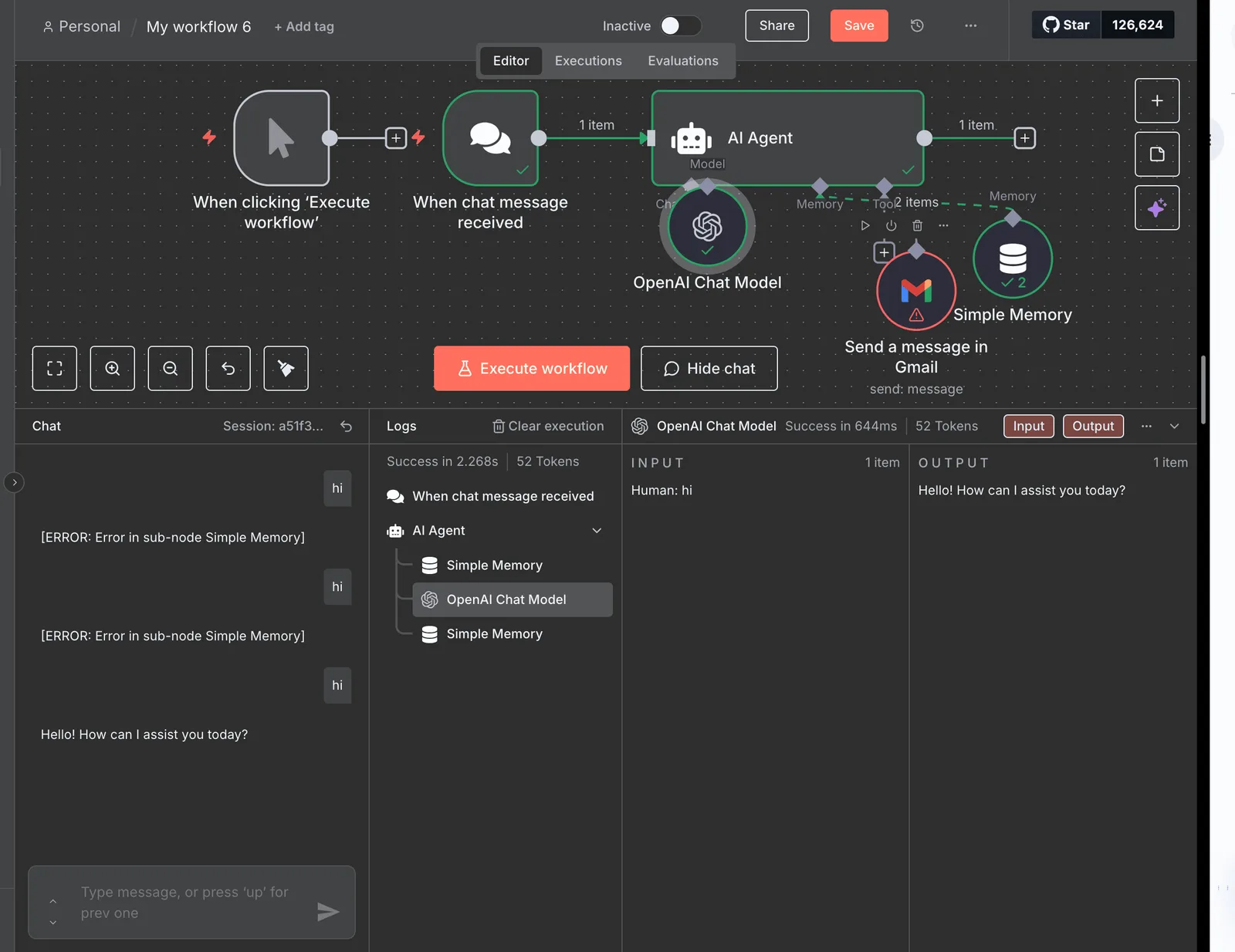
The platform manages AI complexity through a dedicated suite of nodes that support advanced agentic patterns like chains, memory, and vector store integrations.
While a basic trigger might simply pass data to a model, n8n is capable of multi-step reasoning. A model like Claude Fable 5.1 can access a specific "buffer memory" node to maintain context across several interactions.
The screenshot shows a single-step workflow where you configure a custom ice-cream flavor trigger. It shows how the system isolates specific data points for use in later steps.
This granular data mapping ensures that when the system calls an agentic model like Gemini 3.8 Flash, it receives only the relevant schema rather than a raw, unparsed data dump.
This level of precision is necessary for building reliable agents that don't hallucinate due to noisy input data.
Technical learning curve
Technical literacy is the price of this flexibility, particularly in JavaScript and JSON data structures. While competitors often use visual mappers for all data transformations, n8n frequently expects you to write custom code snippets to handle complex logic or non-standard API responses.

This means you must have members comfortable with debugging code. A misconfigured expression can halt a production pipeline without the guardrails found in more consumer-oriented tools.
4. Make: Best for complex visual logic mapping
Make is a canvas where you map data flows through a spatial interface, allowing for multi-directional branching that represents the actual path of a business process.
Visual workflow execution
At the core of the platform is a drag-and-drop editor where you link modules to form distinct paths. This ensures that complex logic remains readable even as the number of steps increases.
Unlike tools that hide logic inside nested menus, this interface exposes every filter and router on the main canvas so that you can audit the entire flow at a glance.
Real-time feedback during testing comes from the execution bubbles. You can see exactly where data stops or transforms incorrectly before committing to a production run.
Cost per operation vs. Zapier
Individual operations rather than successful task completions drive the economic model of this platform, which creates a specific cost profile for high-frequency workflows.
While a single "Zap" in Zapier counts as one task regardless of its internal complexity, Make charges for every module that processes data, including filters and routers.
Zapier charges per successful "Task" completion, which simplifies budgeting for simple, linear triggers and actions.
Make is an engine that charges per "Operation" performed by any module. This allows for lower costs on high-volume data processing if the workflow is architected to minimize unnecessary pings.
For a lead generation sequence, you pay for each time the system checks a database, even if no email is sent. Efficiency depends entirely on how tightly the logic is constructed.
AI integration capabilities
Direct connections to frontier models are supported by the platform. You can embed reasoning steps into your visual maps.
Because the tool is a router for data, it allows for the chaining of different providers within a single execution path to optimize for specific task requirements.
Claude Opus 5.5 is used for long-running agentic coding tasks where the workflow requires deep architectural reasoning.
GPT-6 Astra is integrated for flagship-level complex reasoning and high-stakes decision-making within a branch.
Gemini 3.8 Flash is deployed for enterprise workflows that require high-speed processing of multimodal data.
By utilizing these models through a Bring-Your-Own-Key (BYOK) approach, you maintain control over your API usage and rate limits. This prevents the platform from becoming a bottleneck during periods of high demand.
5. Lindy.AI: Best for autonomous AI employees
Lindy.ai is a managed service for deploying autonomous agents that prioritize task-oriented goals over rigid step-by-step instructions.
This approach shifts the administrative burden from mapping every logical branch to defining a high-level mission.
This allows the agent to navigate ambiguity using frontier models like Claude Fable 5.1 from Anthropic for demanding long-horizon reasoning.
Lindy.AI natural language agent creation
Rather than visual programming nodes, creating an agent in this environment relies on natural language "missions." This lowers the barrier for your non-technical staff to deploy functional assistants.
Because the platform abstracts the underlying infrastructure, you describe the desired outcome, such as "triage customer support tickets and draft replies," and the system selects the necessary tools to execute.
The business pays for the outcome under this abstraction.
It doesn't pay for the compute time of individual API calls, though it limits your ability to swap in specific models like Claude Haiku 5.5 for tasks where a cheaper, faster near-frontier intelligence would suffice, forcing users into a one-size-fits-all cost structure, so you are effectively overpaying for performance on simpler automation tasks.
The following steps outline the typical deployment cycle for a managed agent.
- Define the agent's persona and goal.
- Connect required data sources like Email, Calendar, or CRM.
- Set 'Human-in-the-loop' approval triggers.
- Monitor autonomous execution.
This sequence ensures that while the agent operates independently, you retain oversight at critical decision points to prevent hallucinated commitments.
Autonomous vs. linear automation
The ability to handle non-sequential workflows is the primary distinction between this agentic approach and traditional linear automation.
In a linear tool, an unexpected email response that doesn't match a predefined filter will break the sequence.
An autonomous agent uses the reasoning capabilities of models like Claude Sonnet 5.5 to interpret the intent of the message.
It then decides whether to escalate to a human or proceed with a different sub-task. This reduces the time you spend debugging edge cases in a workflow, as the agent’s intelligence acts as a buffer against data variability that would otherwise require complex conditional logic.
Lindy.AI integration ecosystem limits
A restricted integration surface is the trade-off for this high-level autonomy compared to general-purpose orchestrators. Lindy.ai operates within a curated set of native integrations.
If you rely on proprietary internal databases or niche industry software without a public API, the agent can't reach that data.
Unlike BYOK (Bring-Your-Own-Key) platforms that allow for custom code wrappers, you're bound to the platform's roadmap for new connectors. This can create operational bottlenecks if your tech stack evolves faster than the vendor's library.
Easier to see it running than to read about it: set it up free, no card.
6. Workato: Best for enterprise-grade governance and scale missions
Workato is a centralized command center for automation that prioritizes administrative oversight and infrastructure stability over individual end-user convenience.
While simpler tools focus on making automation accessible to every employee, this platform is designed for your IT department, which must justify every data movement to a compliance officer.
The architecture assumes that as you scale, the risk of "shadow AI" becomes a liability that requires technical guardrails.
Workato security and compliance standards
Visibility is the prerequisite for security in Workato's enterprise governance. By centralizing all automation activity, the platform ensures that your security team can audit exactly how data flows between legacy systems and modern AI endpoints like Gemini 3.8 Flash.
This level of oversight is necessary because it prevents the fragmentation of security policies across different departments.
A single breach in one workflow won't expose your entire corporate network. To maintain this control, the platform utilizes specific architectural layers.
Role-Based Access Control (RBAC) ensures that only authorized personnel can modify workflows involving sensitive financial or customer data.
Environment lifecycle management prevents unverified code or unstable AI prompts from reaching live production systems.
VPC/On-premise connectivity allows the platform to interact with firewalled databases without exposing them to the public internet.
Automated error handling at the platform level captures failures in real-time, preventing data loss during API outages.
These features move the burden of compliance from the individual builder to the system itself, creating a predictable environment for high-stakes deployments.
Workato enterprise pricing structures
Strategic capital expense, rather than a per-user tactical cost, structures the pricing on this platform.
Unlike mid-market tools that charge based on the number of people who have logins, the cost here is driven by "Workspaces" and "Recipes."
For you, this creates a predictable cost ceiling for departmental rollouts, but it also necessitates a higher upfront investment that may be difficult to justify for small-scale experiments.
The model effectively subsidizes high-volume, mission-critical integrations by charging a premium for the underlying governance infrastructure, making it a poor fit if you only need to automate a few disconnected tasks.
Workato high-volume data handling
By utilizing a decoupled execution engine that can process millions of events without degrading UI performance, the platform manages high-throughput workloads.
When a workflow triggers an agentic model like GPT-6 Astra for complex reasoning, the system manages the queuing and concurrency to ensure that API rate limits don't crash the integration.
Reliability is the primary differentiator for enterprises running "always-on" services where a ten-minute downtime results in significant revenue loss.
By providing dedicated processing power, the platform ensures that enterprise data pipelines remain stable even when individual AI models experience latency spikes or token-limit bottlenecks.
7. Microsoft Power Automate: Best for Office 365 ecosystems
If you're committed to the Azure and Microsoft 365 stacks, Microsoft Power Automate is the native glue, providing deep hooks into proprietary data structures that external platforms struggle to access.
While general-purpose tools treat every application as an API endpoint, this platform treats the Windows environment as a first-class citizen, allowing for a hybrid approach that spans legacy local software and modern cloud services.

Desktop vs. cloud workflow integration
Cloud Flows for API-based triggers and Desktop Flows for Robotic Process Automation (RPA) split the platform's architecture.
This means a single workflow can bridge the gap between a modern SharePoint site and a legacy Windows accounting application that lacks an API.
By installing a local gateway, the system treats a physical or virtual machine as an execution node. Sensitive data processing can occur within your corporate network perimeter rather than leaving for a third-party cloud.
The flow builder interface allows you to schedule these cross-environment tasks, such as pulling weekly reports from a local SQL server to update a cloud-based spreadsheet.
The screenshot shows the granular control available when setting these schedules. It demonstrates how you can define hourly triggers and select from a library of spreadsheet actions like "Insert Row" or "Update Row" to maintain data parity.

Following this logic, the platform leverages internal metadata to suggest the next logical step in a sequence.
Copilot for automation building
Building within this ecosystem utilizes Microsoft’s specialized assistants to draft logic from natural language prompts. This reduces the time you spend mapping complex JSON schemas by hand.
These assistants are tuned to understand the specific parameters of Microsoft-resident models like GPT-6 Astra or Gemini 3.8 Flash when accessed through Azure AI Studio.
You can describe a multi-step reasoning task and receive a pre-configured flow structure. This integration means that instead of searching for documentation on how to authenticate a specific model, you select the desired intelligence tier and the platform handles the handshake.
Power Automate licensing complexities
A precise understanding of the distinction between "Standard" and "Premium" connectors is required to navigate the cost of these automations.
A single step involving a non-Microsoft database or an RPA bot can shift an entire flow into a higher pricing tier.
Licenses are often tied to individual user seats or specific per-flow capacities. If you're scaling a high-volume process across a large department, you may find your monthly overhead fluctuates based on which specific connectors are active.
This structure forces a trade-off: the convenience of native integration is balanced against a rigid billing model that penalizes the use of third-party tools outside the Microsoft ecosystem.
How to select your automation tool
Matching your operational overhead to the specific technical constraints of your stack is the first step in selecting a platform.
The choice depends on whether you value the breadth of pre-built integrations to move fast or granular control over execution to lower long-term costs.
For example, Zapier provides access to 9,000+ apps and 66,000+ triggers.
This means your non-technical team can deploy a workflow connecting niche CRMs to GPT-6 Astra without writing custom API handlers.
However, this convenience carries a premium; the Professional plan starts at $29.99 per month according to JetAdmin, so if you're running high-volume lead routing, you'll pay significantly more for the same logic compared to self-hosted alternatives.
Make pricing and execution costs
The underlying model and the platform's markup become the primary variables if your priority is reducing the cost per execution on high-reasoning tasks.
Make offers a Pro tier at $16 per month, which allows for complex visual branching at a lower entry price than Zapier’s equivalent tier, providing a more accessible path for users needing sophisticated workflow logic, allowing budget-conscious teams to build intricate processes without a premium subscription.
This makes it a more cost-effective choice for budget-conscious automation workflows.
This lower overhead is critical when running agentic workflows with Claude Opus 5.5, where the model's own API costs already strain the budget.
Meanwhile, n8n offers a self-hostable platform with published plan pricing on its site, providing a middle ground if you need the flexibility of JavaScript within your nodes to handle data transformations that standard no-code blocks can't process, meaning developers can execute custom logic without needing to upgrade to an enterprise-level plan.
You can execute custom logic without relying on external integrations.
The following matrix categorizes these tools by their primary business utility to help you identify where your specific project fits.
| Business Goal | Recommended Tool | Key Advantage |
|---|---|---|
| Connect everything | Zapier | Largest library of 9,000+ app integrations |
| Save on high volume | Make | Lower entry price for complex visual scenarios |
| Data Privacy | n8n | Self-hosting options for sensitive data control |
| AI Teammate | Lindy.ai | Pre-configured agentic assistants for $29.99/mo |
| AI automation platform | Activepieces | MIT-licensed with 738 integrations |
Prices and plan limits checked against zapier.com and n8n.io and make.com and lindy.ai and workato.com and docs.claude.com and claude.com and openai.com and gemini.google on October 1, 2026.
Once the tool is selected based on these high-level requirements, the focus shifts to the specific AI models that will power the intelligence within those workflows.
Frequently asked questions
AI automation requires a clear distinction between structured sequences and autonomous decision-making to ensure that the chosen architecture matches your business objective. While the terms are often used interchangeably in marketing, they represent different levels of control and predictability in production environments.
What is the difference between an AI agent and a workflow?
An AI agent is a system that uses a model like GPT-6 Astra to autonomously determine which steps to take to achieve a goal.
A workflow follows a predefined logic path. In a workflow, every step is mapped by a human. If a step fails, the system follows a specific error-handling route.
In an agentic setup, the model evaluates its own output. It decides whether to call a tool, such as Gemini 3.8 Flash for coding, or to loop back and try a different approach.
Workflows provide the auditability required for financial reporting, while agents excel at open-ended tasks like Gemini Deep Research Max where the exact path to a result can't be predicted.
Can I self-host these AI automation tools?
Self-hosting depends on whether the vendor provides a Docker image or a binary for deployment on private infrastructure.
N8n, a workflow automation tool, offers a self-hosted version that allows you to keep your execution data within your own Virtual Private Cloud (VPC).
This setup ensures that sensitive data processed by models like Claude Opus 5.5 never leaves your controlled environment, satisfying strict data residency requirements.
In contrast, Zapier, a popular integration platform, is a cloud-only service. All data must pass through their servers to be processed.
Do these tools store my LLM API keys securely?
Most professional automation platforms use AES-256 encryption to store API keys, ensuring that credentials for providers like xAI or Anthropic are encrypted at rest.
When a tool uses a Bring-Your-Own-Key (BYOK) model, the platform is a secure conduit rather than a reseller of tokens.
Make, an enterprise integration tool, allows you to store keys in encrypted connections. The platform can call Grok 4.7 on your behalf without exposing the raw key to the building interface.
This prevents a single platform breach from compromising the underlying LLM accounts.
Which tool is best for non-technical users?
The best tool for you if you're a non-technical user is one that prioritizes a visual, drag-and-drop interface over a code-heavy script editor.
Zapier provides a simplified "Zap" builder that abstracts away the complexities of JSON payloads. This makes it accessible for your marketing staff to trigger image generation via Nano Banana Pro.
However, as workflows scale in complexity, you may find that tools like n8n offer a middle ground.
It provides a visual canvas while still allowing your technical leads to inject custom JavaScript when a specific transformation is required for a model like Mistral Large 3.
Go deeper: Building business processes with an AI workflow builder · How to prioritize processes for automation · What tool calling is · Shared inbox automation with AI