
What Is Invoice Processing Automation? Your Starter Guide
Explore our handy guide to invoice processing automation and learn what it looks like, which tools you can use, and more.

Apr 6, 202615 min read
Halfway through invoice work, there’s usually that pause. Not because it’s hard, but because something feels off (again).
A number looks weird, or something might’ve been entered twice. So now it’s back to checking everything.
It is frustrating because you were careful. You did the work. And yet, errors keep showing up.
Invoice processing automation exists for exactly this kind of situation.
In this guide, you will learn how it works, what it includes, and the invoice automation software and features that make things easier for you.
TL;DR
- Invoice processing automation moves invoices from receipt to payment using AI, rules, and automated steps instead of manual work.
- It captures invoices, extracts data, validates against purchase orders, and routes approvals before payment.
- Benefits include faster processing, fewer errors, better cash flow tracking, and lower cost per invoice.
- It relies on tools like capture systems, OCR and AI, workflow platforms, accounting software, and payment tools.
- Platforms like Activepieces connect everything into one flow, so invoices move automatically while you handle only key decisions.
This takes minutes, not a project: automate it in Activepieces free.
What Does Invoice Processing Include?
Invoice processing automation follows a fixed sequence, and each step depends on the one before it.
Capture
Incoming invoices usually arrive through email inboxes, vendor portals, or file uploads, so the system needs to collect them from everywhere.
Many systems now use AI agents to monitor a dedicated inbox like “[email protected],” pull attachments automatically, identify the vendor, and start processing without anyone opening the message.
Invoice receipt marks the start of the workflow, where each file gets logged and timestamped.
Paper invoices still show up, so scanners convert them into digital files that the system can read. Then, electronic invoices arrive in structured formats like XML and skip scanning completely. Digital invoices, on the other hand, give the system a clean base to work with.
Data Extraction
Extracted data gets drawn directly from the document, so you don’t rely on manual data entry, which often leads to errors.
The system reads invoice details, such as:
- Vendor name
- Invoice number
- Total amount
- Tax values
Invoice data is no longer on a static image, since the system transforms it into usable information that accounting software can process. Besides that, invoice formats vary as vendors don’t follow the same layout, but AI handles that variation by understanding the meaning.
Every field gets checked as it’s read. The system assigns a confidence score (e.g., 98%) and, if it detects uncertainty, flags only that field for review rather than stopping the entire process.
It also recalculates totals and flags duplicates immediately by matching invoice numbers and vendor history.
Data Validation
After extraction, the system checks if the data actually makes sense before anything moves forward.
The system compares the invoice against purchase orders to confirm that quantities and prices match what was ordered and received. Business rules guide these checks, so the system looks for duplicates, incorrect totals, or values outside allowed limits.
Vendor details go through verification at the same time. The system checks tax ID, company name, and bank details against stored records.
These checks help maintain accurate financial records and reduce the risk of fraud before approval.
Approval
Once validation passes, the system moves into invoice approvals, where it decides who needs to review it based on predefined conditions.
Approval workflows route invoices based on amount, department, or vendor type. Each approver receives the invoice with all related information, including purchase orders and validation results, so they can make a decision quickly.
When something doesn’t match, the system routes it back with a reason, which keeps the accounts payable workflow moving.
Payment
After approval, the system moves directly into payment. Approved invoices get scheduled based on due dates and priority.
The system manages different payment methods depending on vendor setup. Before sending money, it does security checks to confirm bank details and detect unusual activity, such as payments requested outside normal hours or sudden changes in vendor behavior.
As the payment goes through, the system updates accounting systems immediately, marking the invoice as paid and recording the transaction.
Key Benefits of Automatic Invoice Processing
These are the benefits of automated invoicing:
Faster Invoice Processing and Approvals
Automation uses AI-powered capture to read the invoice the second it arrives, so your system doesn’t wait for someone to start processing invoices.
Requests go directly to the right person with full context to make the decisions happen faster. Typically, if there is a problem like a price mismatch, the process stops while someone investigates. However, the system identifies the exact issue, such as “Price mismatch on Line 4,” and routes it to the right owner.
In short, higher invoice volume doesn’t slow things down, and early-payment discounts are captured more often.
Reduced Human Errors and Duplicate Payments
Let’s say you do manual entry of a hundred invoices every day. Then, it is unavoidable to swap a “0” for an “O” or misplace a decimal point. Automation avoids that by reading values directly and checking them before moving forward.
Based on one financial leakage report, duplicate payments cost businesses billions annually.
To avoid that, the system compares invoice number, vendor, and amount to detect duplicates instantly. It can also perform an arithmetic check on every invoice by recalculating “Quantity x Unit Price + tax” and rejecting incorrect totals before they reach your books.
Better Vendor Relationships Through On-Time Payments
Payment delays create tension when vendors don’t know what’s happening with their invoices. By keeping every invoice on a path from receipt to payment, automation eliminates that uncertainty.
Vendor invoices move through the system on schedule, so payments happen when expected. That consistency builds trust since vendors don’t need to chase updates or send reminders.
Clear timelines further improve how you manage cash flow, since you can see exactly when each payment will leave your account and plan ahead. And since both sides know what to expect, you get fewer disputes and better working relationships.
Increased Productivity for Finance Teams
Manual tasks and inefficient processes like sorting invoices, checking totals, and moving data between systems take time that could be used for more important work. Using invoice processing automation, those manual processes that used to take minutes per invoice can happen in seconds.
Less time spent on routine tasks means fewer errors, fewer corrections, and faster approvals, which lets you focus on reviewing exceptions and improving the accounts payable process.
What Tools Are Needed for Invoice Processing Automation?
Typically, you need:
Invoice Capture Tools
Capture tools handle the entry point, and if that step breaks, everything after it becomes harder to fix.
Most systems monitor inboxes and portals automatically, then pull invoices the moment they arrive, so no one needs to download or forward files.
Compared to legacy, template-based systems, these platforms use machine learning to identify fields, such as vendor name, date, and line items, regardless of the invoice layout.
Aside from that, large PDFs get divided into individual invoices, blurry scans get cleaned, and rotated files get corrected before extraction starts. Your invoice capture software should be able to pull individual rows like quantities and SKUs, since accurate 3-way matching depends on detailed line data.
Data Extraction Tools (OCR and AI)
Optical character recognition (OCR) identifies characters, and AI provides context so the system understands what each value represents.
Older platforms stop at surface-level reading, which causes problems when layouts vary. Don’t settle for tools that only grab the “Grand Total.” You need a table extraction that pulls every row so you can match quantities and prices against purchase orders and receipts.
For instance, when the AI is unsure about a digit like a blurry “8” versus a “B,” it highlights that specific field for review. Machine learning improves results over time by learning vendor patterns and how your team codes expenses.
Automated data extraction removes the need to type anything manually, too.
Workflow Automation Platforms
You’ll usually choose between three types depending on how your setup works:
- AP-specific automation platforms: Built for accounts payable (AP) from start to finish, managing everything from capture to payment inside one system.
- Integration and orchestration tools: If your tools don’t connect, this layer moves data between them and keeps everything aligned.
- ERP-native automation software: Many teams turn on automation features already available inside their accounting software.
Choice depends on how complex your process is. An invoice automation solution for a small team looks very different from one handling multi-level approvals.
Invoice automation tools also integrate with Slack and similar apps, so approvals happen where people already work. Robotic process automation can further handle repetitive steps between systems, such as updating records or triggering actions.
Accounting and ERP Systems
Accounting and enterprise resource planning (ERP) systems store the final version of every invoice after approval. It is your source of truth, since it records, reconciles, and tracks every transaction once processing finishes.
While capture and extraction tools prepare the data, accounting software receives the completed invoice with totals, vendor details, and payment status already validated.
Existing accounting systems like QuickBooks or NetSuite, however, should stay aligned with your automation tools, or mismatched records create reconciliation issues later. Real-time updates keep everything accurate, so once a payment is made, the system reflects it immediately.
Payment Processing Tools
Payment processing tools are the final, high-security link in your automation chain, since they deal with real transactions and financial risk.
After approval, the system prepares the payment, selects the correct method, and schedules it based on due dates. Sensitive financial data, like bank details, gets encrypted and verified before any transfer happens, which protects against unauthorized changes.
Here are the common security features:
- Bank account verification confirms the account belongs to the vendor before sending funds.
- Multi-factor authentication requires approval from authorized users before releasing payments.
- Positive pay sends an approved list of checks to the bank, so unauthorized ones get rejected.
Once payment is completed, the system updates records instantly and marks the invoice as paid.
You can follow the rest of this with the builder open. Start free, no card.
Common Features in Invoice Processing Automation Software
The best invoice automation software has these features:
AI-Powered Data Extraction and Validation
Automated invoice processing software typically offers data extraction and validation.
Extraction starts by identifying key values such as totals, tax, and line items, even when formats change, or scans look messy, then validation runs immediately to check if those numbers make sense before anything moves forward.
Key capabilities:
- Cognitive capture reads invoices like a human, identifying headers, totals, and tables even from rotated or low-quality files.
- Deep line-item extraction pulls every row (quantity, description, unit price) so matching can happen at a detailed level.
- Mathematical validation recalculates totals (Quantity × Unit Price + Tax) and flags errors before approval.
- Fraud detection checks duplicate patterns and unusual vendor detail changes before the invoice reaches payment.
End-to-End Workflow Automation
Invoice automation features an end-to-end workflow, so everything connects into one continuous flow. You especially need to do so when you want to do AP automation workflows, which cover the entire cycle from ingestion to reconciliation.
Key capabilities:
- AI agents monitor inboxes and portals, capture invoices, and start processing.
- Matching logic compares invoices with purchase orders and receipts, then moves forward if everything aligns.
- Payment scheduling triggers automatically once approvals are complete, so invoices don’t sit idle.
- ERP sync updates records instantly after payment, keeping financial data current.
Approval Routing and Rules Engine
Approval routing defines how invoices move through your company without relying on email or follow-ups, as predefined rules route invoices based on department, amount, or project code.
These rules also protect spending, because an invoice automation solution uses them to block payments that skip required approvals or violate internal limits.
Key capabilities:
- Threshold rules send low-value invoices for auto-approval while larger amounts require multiple approvals.
- Department routing assigns invoices based on vendor or GL code, so the correct team reviews them.
- Sequential approvals enforce order (Manager → Director → Finance) when required.
- Escalation rules send reminders or reassign invoices when approvals don’t happen within set timeframes.
Integration Capabilities
Integrations let your software seamlessly integrate with other apps you already use to avoid exports, uploads, or repeated work. You can, for example, integrate automated invoice processing with your bank for faster settlement.
Key capabilities:
- Bi-directional sync updates both the invoice system and ERP instantly when changes happen.
- Vendor data sync keeps records consistent between systems without manual updates.
- Payment integrations connect directly with banking systems to execute transactions after approval.
- Reporting capabilities give you visibility into what’s happening at each step.
Human-in-the-Loop Approvals
Automation handles most invoices, but some cases still require human judgment, which is where exception handling allows experts to step in only when the system detects uncertainty.
Key capabilities:
- Confidence scoring flags low-certainty fields so only specific values need human review.
- Exception routing sends mismatched invoices directly to the responsible person for resolution.
- Approval checkpoints pause high-value or high-risk invoices for manual confirmation.
- Fraud verification triggers manual review when suspicious activity appears, so you process invoices manually only when the system flags a high-risk fraud alert.
How Activepieces Helps You Automate Invoice Processing Workflows

Most tools handle one step well, then leave you to connect everything else yourself. Activepieces changes that by turning disconnected steps into one continuous flow.
Build an End-to-End Invoice Workflow
Below is an example of a workflow where an invoice arrives through a form or email, and the system reacts immediately.
- A new invoice triggers an approval task the moment it arrives, so nothing gets missed or delayed.
- The assigned approver reviews the invoice and clicks approve or reject without logging into multiple systems.
- Approval pushes the next action forward, such as updating your accounting tool or triggering payment.
- Rejection sends a message back to the submitter with a clear reason, so corrections happen quickly.
Automated systems take over repetitive steps, while your team focuses only on decisions.
Connect Your Existing Systems Into One Workflow
Many companies already use tools like email, accounting software, and payment platforms, but those tools don’t stay in sync. Data gets copied, pasted, and checked again at every step.
Activepieces connects your existing systems, so data moves automatically.
As of now, there are 674 pre-built pieces, some of which are for invoice processing:
- Stripe
- Zuora
- Xero
- Zoho Invoice
- NetSuite
- Zoho Books
- Oracle Fusion Cloud ERP
Use AI Agents to Handle Invoice Tasks Automatically
Activepieces lets you describe what you want in simple language, then AI agents take care of execution.
Give the agent access to your tools, define the task, and it handles steps like reading invoice data, routing approvals, and updating systems. When the process reaches a decision that needs human input, the system pauses and asks for approval instead of guessing.
You still can review important decisions, but you don’t spend time chasing approvals, updating records, or checking if invoices moved forward.
Upgrade Your Automated Invoice Processing System With Activepieces
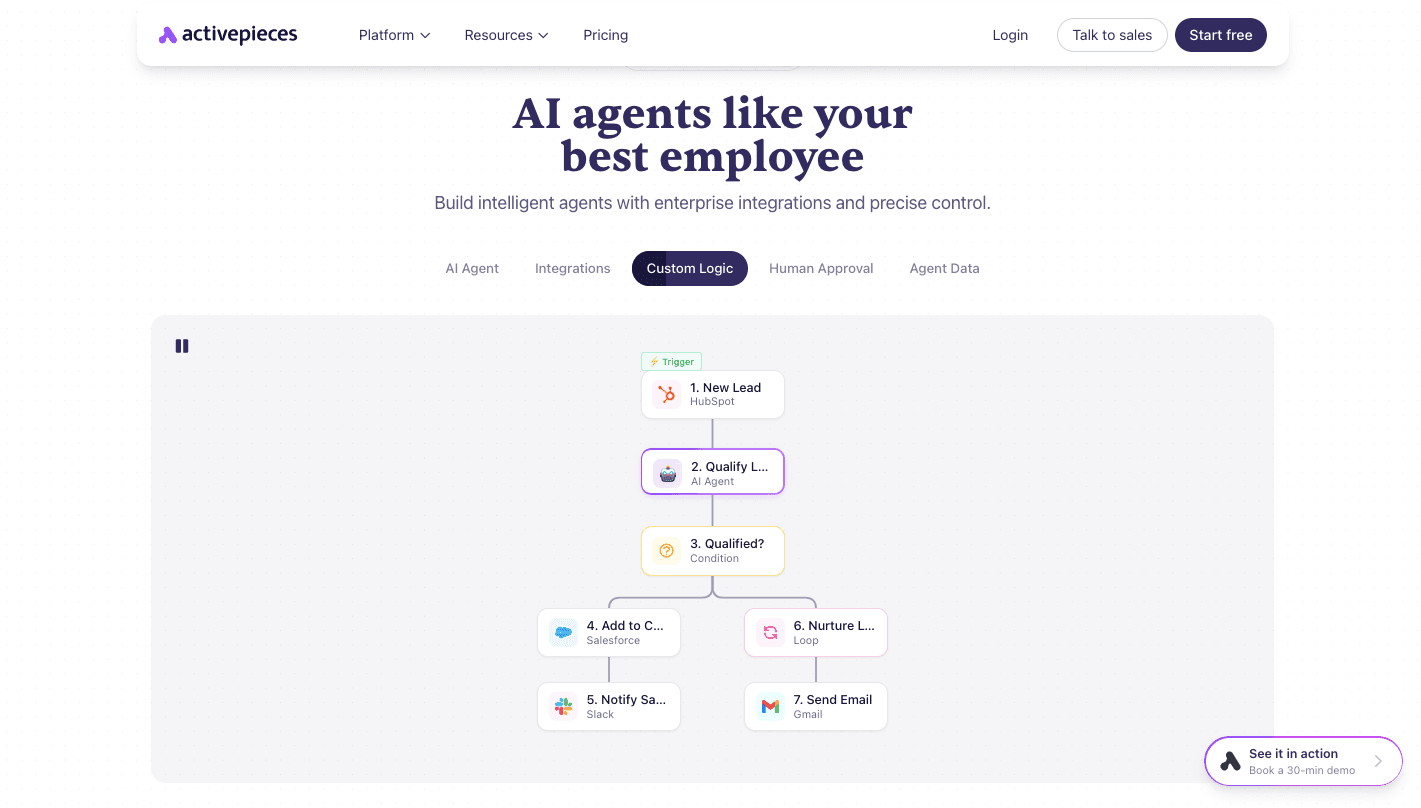
Handling invoices with disconnected tools usually means switching between multiple systems just to complete one task. Activepieces connects your existing systems into a single flow where data moves automatically from capture to approval to payment.
You can start with a ready template or describe the process in simple language, and the platform builds automated workflows that route invoices, trigger approvals, and update records. AI agents take it further by adjusting decisions in real time, such as routing high-value invoices to senior approvers or pausing when something looks wrong.
When human input is needed, the system asks at the right step. Every action gets recorded, so you always see who approved what and when.
That level of control leads to real cost savings since fewer errors, delays, and rework slow your team down.
FAQs About Invoice Processing Automation
How does automated invoice processing work?
It starts when a system receives an invoice through email, upload, or scan. The software reads the file, pulls key data, checks it against purchase orders, and sends it for approval based on rules you set.
Once approved, it schedules payment and updates your records automatically, so you don’t need to move data between tools.
How to reduce manual invoice processing?
Start by removing typing and routing work. Use tools that read invoices, match them with orders, and send them to the right person without emails or follow-ups.
Teams that begin implementing automated invoice processing usually cut hours of repetitive work and reduce errors caused by manual handling.
Is invoice automation secure?
Modern systems protect data through encryption, access controls, and verification checks. If bank details or vendor info change, the system flags it before payment, which helps prevent fraud and unauthorized transactions.
How to choose the right invoice automation software?
Look for tools that match your current setup, connect with your accounting system, and handle your invoice volume. The right option should support approvals, validation checks, and real-time tracking so you always know where each invoice stands.
Build it
Set this up in minutes.
No code required. Connect your accounts, and Activepieces runs it from there.
Start free Talk to sales