
How to Set AI Agent Permissions Without Engineers

Nov 22, 202614 min read
Short answer: the best platforms for agent permissions
The direct answer
AI agent permissions are the limits on which apps, data and actions an agent may use, and which actions need a person's sign-off first.
The best platform for them is the one where you can set those limits without writing code, and where a human approval step can sit in front of anything you can't undo.
Suppose someone wires a chat model into their inbox or CRM with a personal login. That agent has everything its owner has. Doing this properly is a design problem: grant the one job's worth of access, and make the risky step wait for a person.
The tools worth comparing, from Zapier to Activepieces, differ mainly in how much of that you can configure yourself; Activepieces' free plan includes unlimited flows and 1,000 credits a month, enough to try its controls before paying, though you may hit the credit limit during evaluation.
Best agent permission platforms by team type
One pick per kind of team, with the reason it fits and the day its vendor page was read.
- No-code team: Zapier, a hosted automation service. Nobody has to run a server, and the agent only touches the apps you connect to it. Vendor page checked 22 November 2026.
- Microsoft shop: Power Automate, Microsoft's workflow tool. It sits inside the identity and policy controls your administrators already manage, so agent access follows rules you already enforce. Vendor page checked 22 November 2026.
- Self-hosting team: n8n, a workflow tool you can run on your own infrastructure. The data and the model keys stay inside your boundary, in exchange for owning upkeep and updates. Vendor page checked 22 November 2026.
- Developers: LangChain or CrewAI, code frameworks for building agents. You write the permission and approval logic yourself, which gives the The text you sent looks like a fragment ("most control and leaves the most to get wrong") with no numbers, product names, or stated fact to keep. Could you paste the full sentence? Then I'll return the rewritten version only. Vendor page checked 22 November 2026.
How agent platform vendor pages were checked
Platform details here come from each vendor's own documentation or product page, apart from the cross-platform figures taken from the third-party study. I read each one on 22 November 2026.
Where a page didn't state something, this article says it's unconfirmed rather than filling the gap.
This takes minutes, not a project: automate it in Activepieces free.
Five permission controls for agent platforms
This article judges every platform on five controls:
- what starts the agent
- which apps it can touch and with whose credentials
- whether a person approves risky steps
- what record it leaves
- where the model runs on whose key
Least privilege for an agent is a design problem, not a policy line: the sanctioned version has to be as easy to build as the shortcut, or people keep taking the shortcut.
Three rules govern how the gates are set:
- Read before write: start the agent with view-only access and add write permission only when the job proves it needs it.
- One connection per job: do not reuse a credential made for one task on another.
- Approval before anything irreversible: sending, deleting, paying and publishing wait for a person.
Least privilege for an agent is a design problem, not a policy line: the sanctioned version has to be as easy to build as the shortcut, or people keep taking the shortcut.
Scoping agent tools and app connections
You set when the agent runs and what it can reach separately: the trigger decides the first, the connection the second. A narrow trigger, such as one mailbox label or one form, stops the agent from reacting to everything.
If each app gets a separate credential, created for this job alone, a mistake or a leaked key exposes one tool rather than a person's whole account. The tradeoff is more connections to set up and later revoke.
Before the agent acts, an approval step pauses the run and asks a named person to confirm. It prevents the one failure that can't be undone: a wrong email sent, a record deleted.
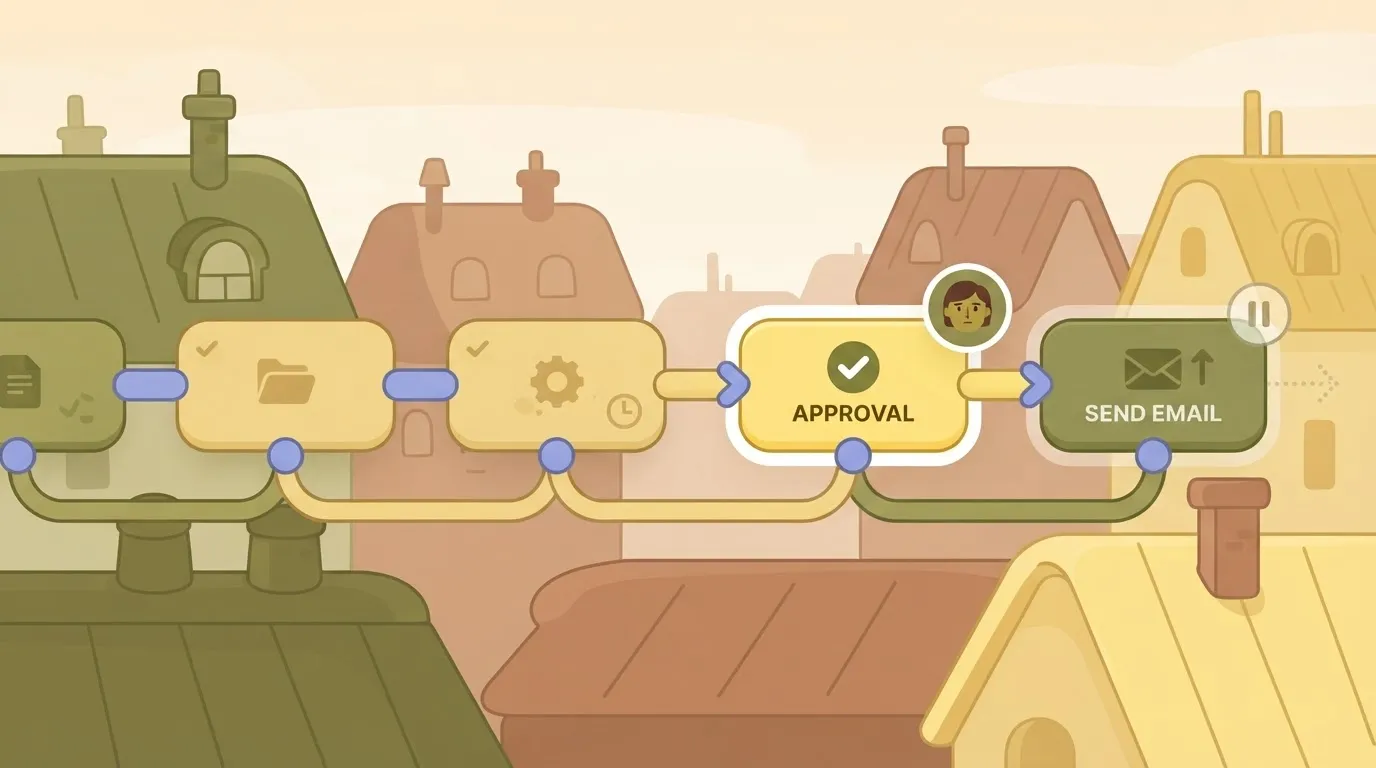
It costs speed, so place it only before irreversible steps and let drafting and lookups run freely.
After the fact, a log of each action, with its input, its result and the time, lets you answer "what did it do and why". Without it, you can't tell a bad prompt from a bad connection, and you can't show a reviewer what happened.
Model location and whose API key is used
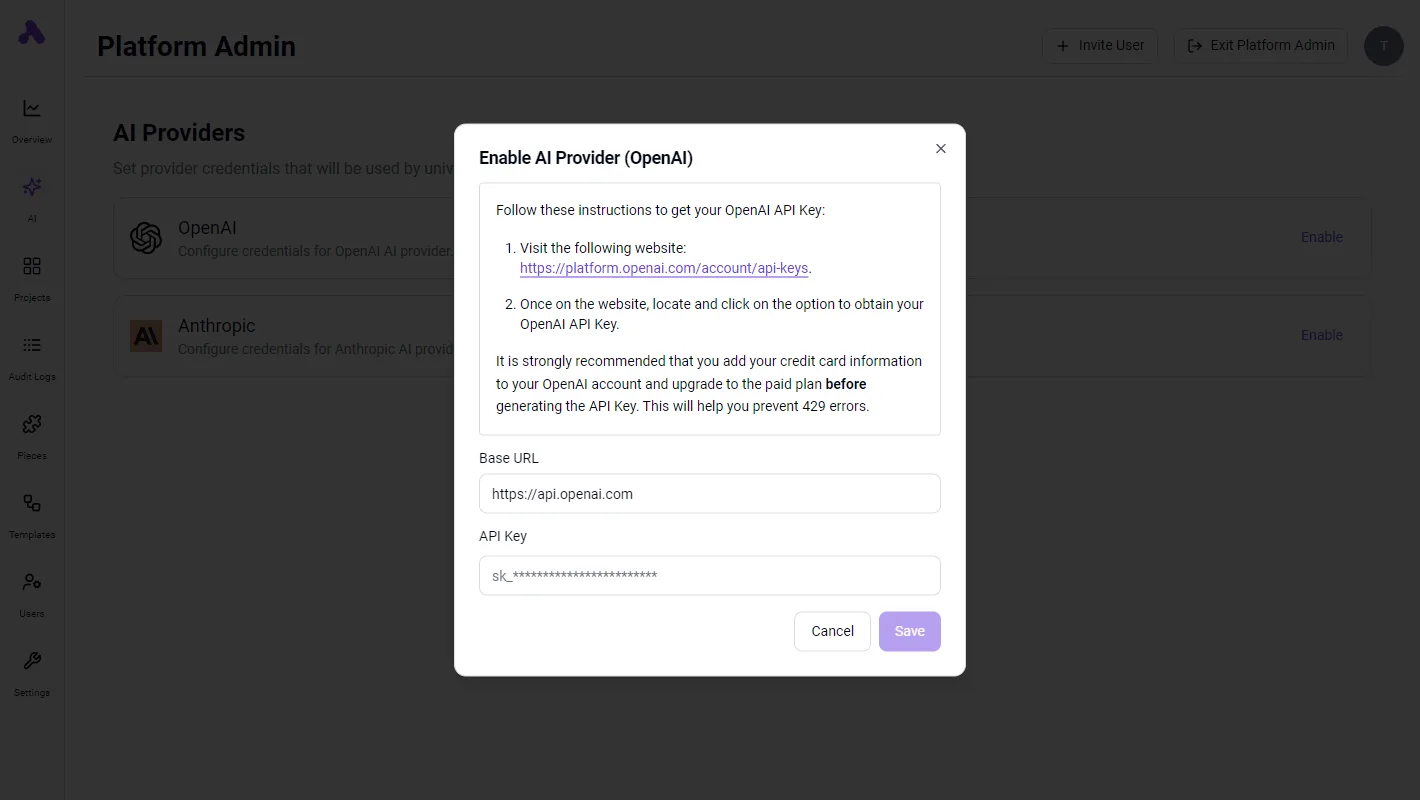
Whether the model runs on the platform's own service, on your cloud account or on your own server, and whether the key is the vendor's or yours, decides where your data goes and who pays the bill.

You can revoke a key you own in one place, which makes it the safer default.
Agent platform comparison
Whether they can build the agent hardly separates these platforms. Who can keep its permissions narrow, and put an approval step in front of irreversible actions, does.
The table judges each option on whether it replaces the habit of wiring a model to company apps with a personal API key with something safer.
I have marked "Not confirmed" wherever I couldn't verify a cell against the vendor's own pricing or documentation page.
| Platform | List price and plan | Permission strength | Limit | Self-hosting | Best for |
|---|---|---|---|---|---|
| Zapier | Not confirmed | Not confirmed | Not confirmed | Not confirmed | Fast setup across a very wide range of business apps |
| Make | Not confirmed | Not confirmed | Not confirmed | Not confirmed | Visual, multi-branch workflows that a non-engineer can read |
| n8n | Not confirmed | Not confirmed | Not confirmed | Yes, the vendor has a self-hosted edition | Teams that need the agent's data and keys to stay on their own infrastructure |
| Microsoft Power Automate | Not confirmed | Not confirmed | Not confirmed | Not confirmed | Organisations already managing access through Microsoft 365 |
| LangChain or CrewAI (code frameworks) | Open-source libraries; model usage is billed separately by the model provider | Whatever your engineers build | Approval steps and audit trails must be written by hand | Runs wherever you deploy it | Teams with engineers who want full control of the design |
| Activepieces | Free: $0, 1,000 credits a month. Plus: $20 a month. Team: $200 a month. Ultimate: custom price through sales | SSO and standard roles on Team; custom RBAC on Ultimate | 1,000 credits a month on Free; unlimited flows on every plan | Yes, every plan can run on Activepieces Cloud or on-prem; the free Community Edition is under the MIT licence | — |
Prices and plan limits checked against docs.claude.com and claude.com and openai.com and gemini.google on November 22, 2026.
The code frameworks give the most control over scoping and approvals, but a team without engineers can't use that control.
On the no-code platforms, the controls sit in a settings screen. The question becomes whether each screen has per-connection access, a pause for human approval and a record of what the agent did.
You can follow the rest of this with the builder open. Start free, no card.
Agent access by platform
On every platform, an agent gets exactly the access you connect, but the controls around that access differ, and the gap is widest at stopping an agent.
In the BriefScript study, 11 of 12 platform families offer audit logs, so you can almost always see what an agent did afterward.
Nine of 12 offer approvals, so a human gate before an irreversible step is likely but not guaranteed. Only 6 of 12 offer revocation, which means that on half the field, cutting off a misbehaving agent may mean deleting its credentials by hand.
Zapier and Make
Both are hosted, no-code tools where an agent's reach is the set of app connections you authorize. That suits a team without engineers, because least privilege comes down to which accounts you connect and with what scope.
In exchange, your data runs on the vendor's infrastructure. Check each vendor's current plan page for which tier includes logs and approval steps before you commit.
n8n and Power Automate
If you self-host n8n, credentials and data stay on your own servers. The cost is that someone on your side must run and patch it, so it fits teams with at least one technical owner.
For organizations already inside Microsoft's tenant, Power Automate fits, because the agent inherits existing identity and permission rules. Outside that tenant, the advantage mostly disappears.
There is no built-in permission model in LangChain and CrewAI, because they are libraries, not products. The agent gets whatever your code gives it, and approvals, logs, and revocation are things you write.
That's maximum flexibility and the weakest default for a team without engineers.
Activepieces
Activepieces builds agents without code, with an MIT-licensed core and 750 integrations behind it, which means teams without engineers can build and modify workflows themselves.
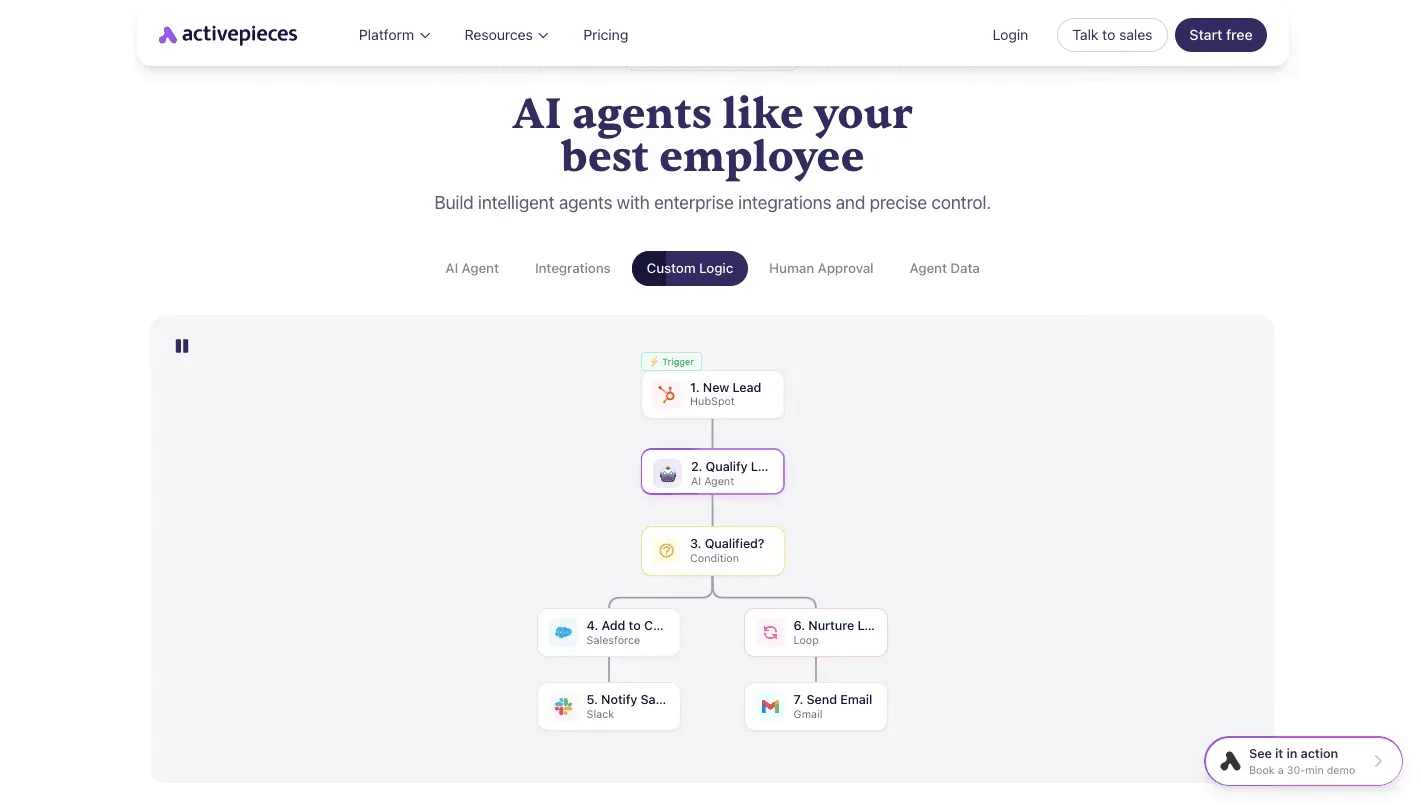
Its homepage shows what a governed agent looks like: a seven-step flow from a HubSpot lead trigger through an AI agent step, a condition, Salesforce, Slack, a loop, and Gmail, with Human Approval listed as a native capability beside custom logic.

MIT-licensed means the core is open source that anyone may use and self-host, so you can read how its permission controls work instead of taking the vendor's word for it.
An SDK hands an agent code to run, and no tenant, role or audit log comes with it; those belong to a platform, which is why the libraries above leave all three to you.
An agent is a user more than it is code, and Activepieces treats it as one: RBAC, SSO and SCIM apply to the agent just as they do to your staff, so they decide which connections it may use as well as what a person may open.
SSO and standard roles come with the Team plan at $200 a month, SCIM and custom RBAC with Ultimate, and MoneyGram, Moneypenny, Alan and FundingSocieties run Activepieces in production, meaning you're adopting a platform that's proven in demanding, real-world operations.
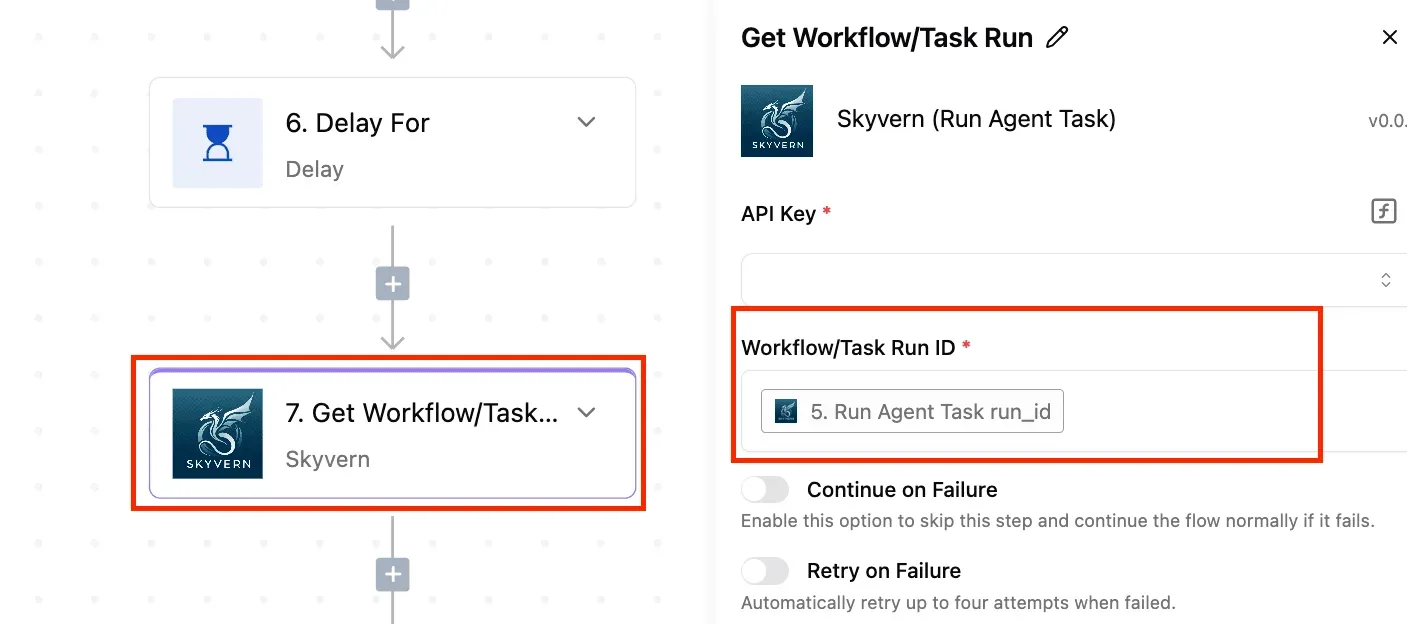
Open the run detail view for any agent step and each tool call is listed separately with its own input and output, and the enterprise RBAC documentation is where the connection policy is spelled out.
RBAC, short for role-based access control, bundles what a user may use into roles, so an agent can hold a role containing one job's connections and nothing else; custom RBAC lets you write a role of your own when the standard ones are too broad.
SSO means signing in through your company identity provider, so the agent sits behind the same login as your staff. SCIM creates and removes accounts automatically from that provider, so one change there cuts off an agent.

Together they give the narrow-credential and revocation controls described earlier somewhere to live, which matters because revocation is the control fewest platforms offer.
The next section builds the agent step by step, where those controls can be checked in practice.
Initial agent access
Give the agent only the access its one job needs, and move the human approval step to the point where the work stops being undoable.
The real choice is between an unmanaged agent with a person's full login and a managed one with a narrow credential of its own.
Read the table below as a ladder. It sorts four common jobs by how much damage a mistake can do, so you can prioritize prevention and testing on the jobs where failures are most expensive.
The first rung needs almost nothing, and each rung after it adds one permission and one place where a person signs off.
| Job | Access to grant | Where approval goes | What to withhold |
|---|---|---|---|
| Read-only summarising | Read access to the one folder, inbox label or report the summary draws on | None needed for the output, since nothing leaves the building; review the log instead | Any write permission, and any access to sources the summary does not use |
| Drafting replies | Read access to the thread, plus the ability to save a draft | A person reads and sends every draft | Send rights, and access to other customers' threads |
| Updating records | Write access to named fields on one object or table | Approval before bulk changes, or before any change to fields that feed billing or reporting | Delete rights, and write access to fields outside the job |
| Sending money or external messages | Prepare the payment or message, and nothing further | A named person approves each item before it goes | Standing authority to execute, and any ability to edit the payee or recipient list |
As the cost of a mistake grows, approval moves from the end of the process toward the action itself.
On Monday:
- Pick one job from the table, preferably the lowest rung that still saves your team real time.
- List every app the agent must touch, and cross out anything it could do without.
- Create a dedicated credential for the agent, scoped to that list, instead of borrowing a colleague's login.
- Add the approval step where the table puts it for your job.
- After a week, read the agent's log and tighten or widen access based on what it actually did.
Frequently asked questions
Should an AI agent use my own login or a separate account?
Give the agent its own account, because your login carries everything you can do, not only the one job. A dedicated account lets you grant it a single mailbox, folder or table and nothing else.
Under its own account, every action in the log carries the agent's name, so nobody has to work out whether you or the agent did it. Revoking access is one change instead of a password reset on a person.
Can an agent run without any human approval?
Yes, for steps that can be undone, and no for anything that can't. Drafting a reply, filing a note or tagging a record can run unattended, because a mistake costs a minute to fix.
Sending an email to a customer, issuing a refund, deleting a record or changing a price should wait for a person to click approve.
The test is whether you could reverse the action by Tuesday. If not, put the approval step in front of it. Relaxing that rule later, one step at a time, is a decision you can make with evidence from the log.
Does self-hosting change what an agent can access?
It changes where the platform runs, not what the agent is allowed to touch.
Self-hosting keeps workflow data and stored credentials on infrastructure you control, which matters if your data can't leave your network. But the agent still reaches the same apps through the same connections, so the narrow permissions you grant are what limit it.
In return, you take on work: someone has to apply updates, back up the instance and secure it. For a team without engineers, that cost often outweighs the benefit, so check whether your data rules require it before choosing it.
Who is responsible when an agent takes a wrong action?
It is the team that deployed it, not the vendor and not the model provider. Vendors document what their controls do, but the permissions you granted and the approval steps you skipped are your decisions.
That's why one named owner should be assigned to each agent, with the authority to pause it.
After a wrong action, review the access you gave and the approval you left out. If the agent couldn't have done the damage with the access it had, the failure stays small.
Related reading
References
Build it
Set this up in minutes.
No code required. Connect your accounts, and Activepieces runs it from there.
Start free Talk to sales